ACORD 125 and 126 Data Extraction
in 12 Fields
A commercial submission is rarely one document. It is a four-page ACORD 125, an ACORD 126 for general liability, often a property, auto, umbrella or workers compensation section behind them, plus the schedules and loss runs the broker attached. Every page is standardized. The facts inside them are not, and the same fact usually appears twice.
Ivans' 2026 survey of 702 independent agents found that re-keying risk data into carrier portals is the top workflow pain point, named by 74% of respondents. Commercial-heavy agencies re-key at a 70% rate.
The same survey found those agencies still send 49% of submissions by email, and only 7% use dedicated submission capture software. The application arrives as a structured document, and the data still gets retyped.
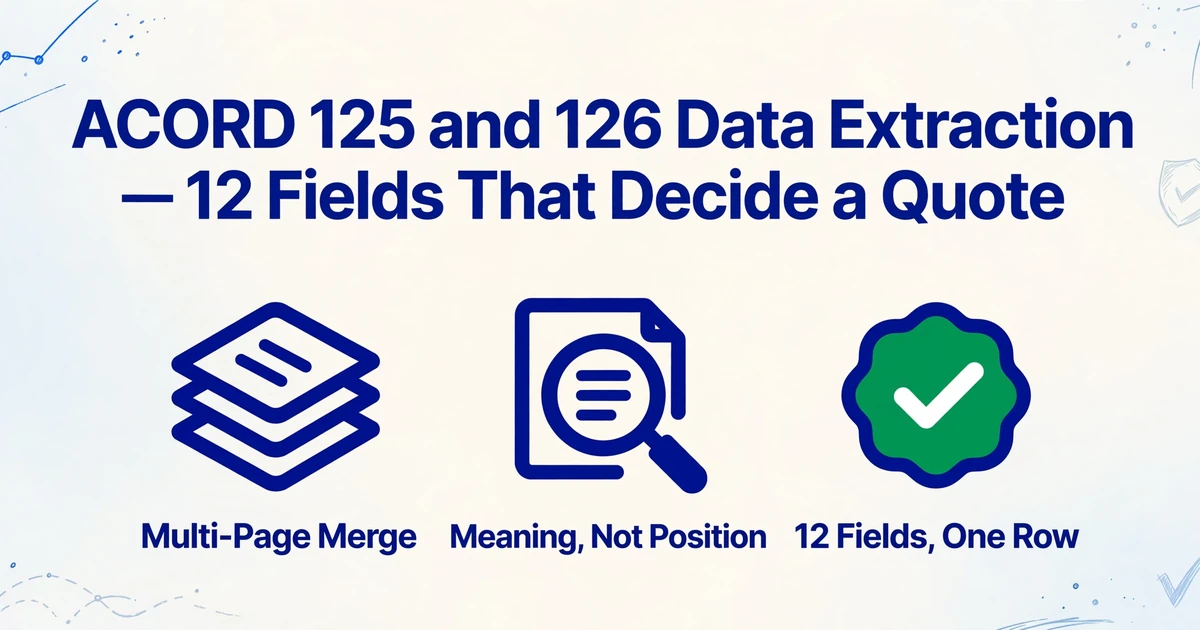
Key Takeaways
- 74% of agents name re-keying into carrier portals as their top workflow pain, on applications whose pages are already standardized.
- The field that gets skipped is rarely the difficult one, it is the one whose answer sits on page nine.
- Name a column for the fact instead of the box, and one set reads a 2016/09 ACORD 126 and a 2025/03 one the same way.
What the ACORD 125 and 126 Each Own
The ACORD 125 identifies the applicant, the ACORD 126 carries the general liability exposure the price is built from, and only the 125 anchors the whole submission.
The 125 is the Commercial Insurance Application, Applicant Information Section. Four pages cover the agency and carrier, the applicant's legal identity and entity type, FEIN, SIC and NAICS codes, premises and contacts, the lines of business requested, prior carriers, loss history and signatures.
The 126 is the Commercial General Liability Section and attaches to the 125 when GL is requested. It carries the limits and deductibles, the occurrence or claims-made basis, the schedule of hazards, the contractor questions, and the products and completed operations questions. The other line sections follow the same pattern: 127 for auto, 130 for workers compensation, 131 for umbrella, and the ACORD 140 property section.
ACORD's forms index, revised 9/8/2026, lists both at the 2025/03 edition, with a separate California 125 at 2023/01. The March 2025 release notice records the 126 moving up from 2016/09 and new fraud notice wording for DC and New York on the 125. The copy a broker sends may be two editions behind, and the difference is mostly administrative.
That changes the extraction setup. A column keyed to a page position breaks when the edition moves. A column named for the fact does not. An application is also not proof of coverage: the certificate is the ACORD 25, covered in the ACORD 25 COI extraction guide.
Why the Packet Breaks Under Manual Entry
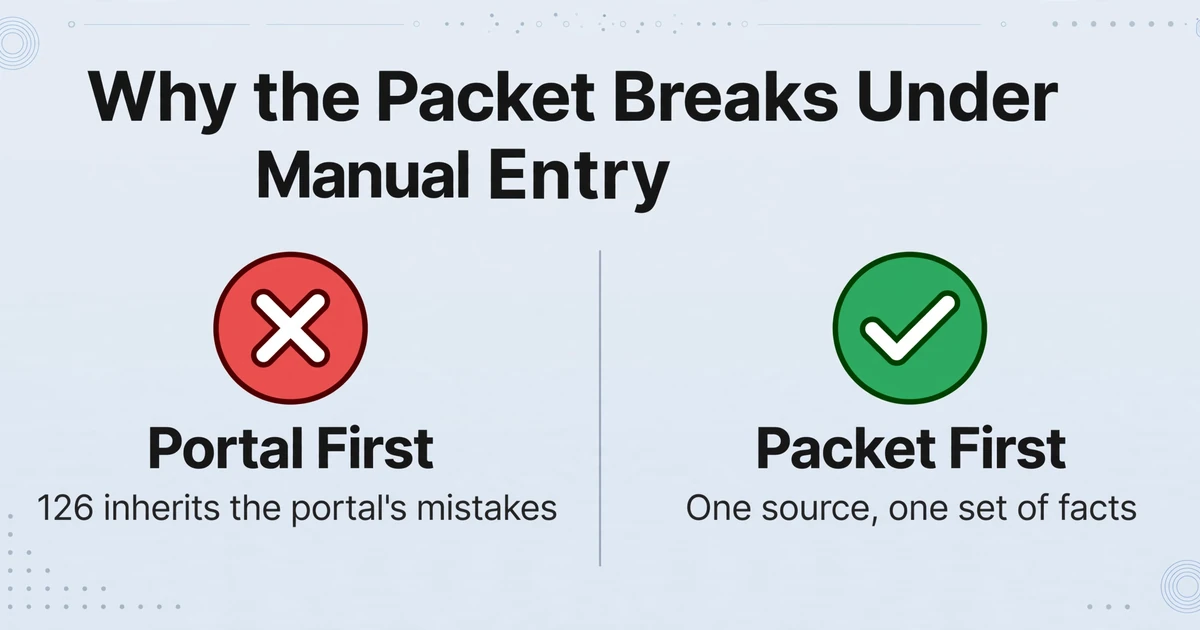
Manual entry fails where two pages have to agree, not where a single field is hard to read. The 125 and 126 repeat the named insured, the locations and the effective dates, and a disagreement is either a rejection or a wrong quote.
The second failure is attachment by reference. The 125 premises block prints "Attach ACORD 823 for Additional Premises." The 126 hazard schedule prints "ACORD 211, Schedule of Hazards, may be attached if more space is required." The remarks block often says "see ACORD 101 attached." Page one points at page nine, and under time pressure the note gets typed while the schedule stays unread.
Inside an agency, the ACORD 125 is usually generated by the agency management system from data it already holds; Applied Epic, AMS360, HawkSoft and EZLynx all produce application forms. For an existing account the form is an output, and nobody reads it back in. It becomes an input when it arrives from outside: a broker-of-record packet, an MGA submission, a producer's paper application, or a renewal another agency prepared.
A commercial lines producer described that gap on r/InsuranceAgent: "My AMS doesn't have most of the risk profile / underwriting data initially when I am writing new business, and so I find myself filling out much of the form manually. My team tends to enter data into the carrier portal first." That order of work is the mechanism behind most errors: the portal entry becomes the source, and the 126 generated afterward inherits it.
Accenture and The Institutes have surveyed North American P&C underwriters since 2008. In the 2021 round, 40% of the underwriter's workday went to administrative tasks and 30% to underwriting (Accenture). A reviewer with that split skips the fields whose answers sit on another page.
The field that gets skipped is rarely the difficult one. It is the one whose answer sits on page nine.
The cost lands on the agency. As another agent in the same thread put it: "If you're not insanely careful entering details you'll get rejected or quoted wrong and the carrier will blame the agent."
The 12 Fields That Decide the Quote
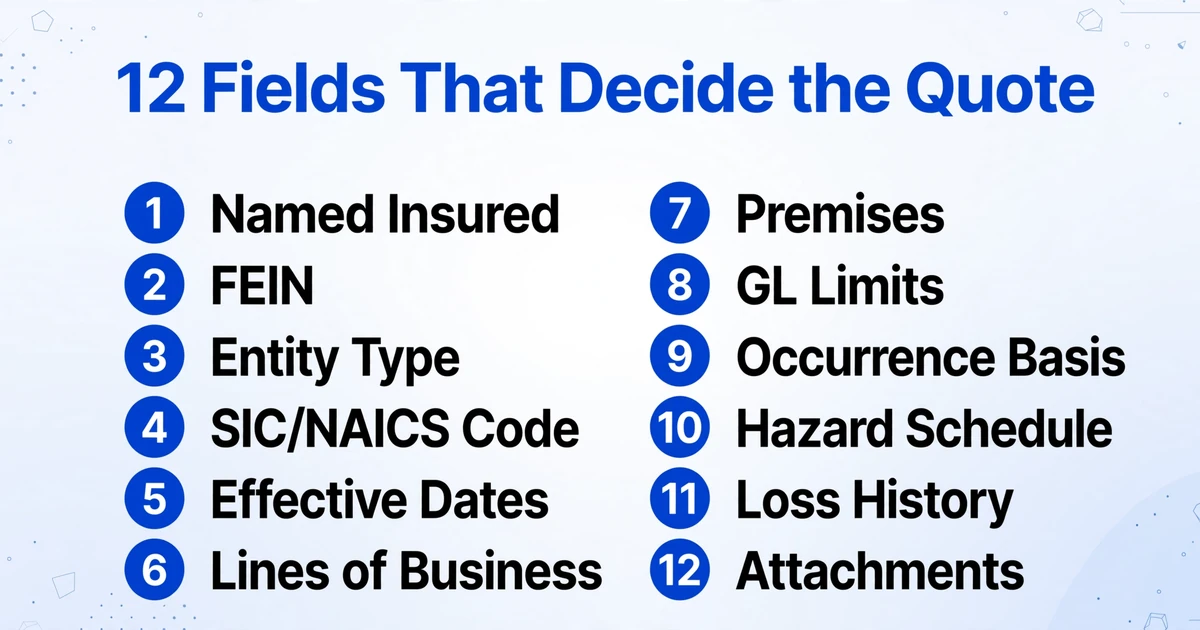
Twelve fields carry most of a commercial quote decision, and each one has a specific way of going wrong that survives a careful typist.
| Field | Where it sits | What goes wrong |
|---|---|---|
| Named insured, legal name | ACORD 125 applicant block | A DBA is entered instead of the legal entity, so the policy and the FEIN describe two different businesses. |
| FEIN | ACORD 125 applicant block | One transposed digit sends clearance and loss-history lookups to the wrong entity. |
| Entity type and ownership | ACORD 125, entity checkboxes | A joint venture or subchapter S box is missed, and ownership disclosures are requested later. |
| SIC or NAICS and description of operations | ACORD 125 | The class code is chosen from the trade name instead of the operations, which is how a roofer gets rated as a general contractor. |
| Proposed effective and expiration dates | ACORD 125 policy information | The proposed date is entered as the current date, and the bind date and certificate no longer agree. |
| Lines of business requested | ACORD 125 checkbox block | A checked line is missed, and the submission reaches the carrier incomplete. |
| Premises | ACORD 125 premises block, or ACORD 823 | Additional locations stay on the attachment, and the 126 rates a location the 125 never listed. |
| GL limits | ACORD 126 coverage and limits | Each occurrence and general aggregate are swapped, or damage to rented premises and medical expense keep the default. |
| Occurrence or claims-made | ACORD 126 | The wrong basis is checked. Claims-made also needs a retroactive date, and a missed retro date becomes a coverage argument later. |
| Schedule of hazards | ACORD 126 | Class code, premium basis and exposure sit in one row. A wrong basis letter (S for gross sales, P for payroll, A for area) rates the exposure against the wrong unit. |
| Prior carrier and loss history | ACORD 125, pages 3 and 4 | The box for no losses is left unchecked, or a prior carrier is omitted, and the carrier comes back for loss runs. |
| Attachments referenced | ACORD 125 remarks, ACORD 126 hazard schedule | "See attached" is treated as nothing to enter, and the schedule, additional premises or loss summary is never read. |
On the 126, exposure is rated per $1,000 of a stated basis. Payroll of $1,200,000 entered as $12,000,000 does not create a rounding error. It creates a tenfold rating base.
The first field also fails quietly in an AMS: a duplicate account created from a DBA looks correct until renewal, when two records claim the same policy.
One Column Set That Survives Editions and Sections
Name each column after the fact you need, not the box it sits in, and the same set reads a 2016/09 126 and a 2025/03 one.
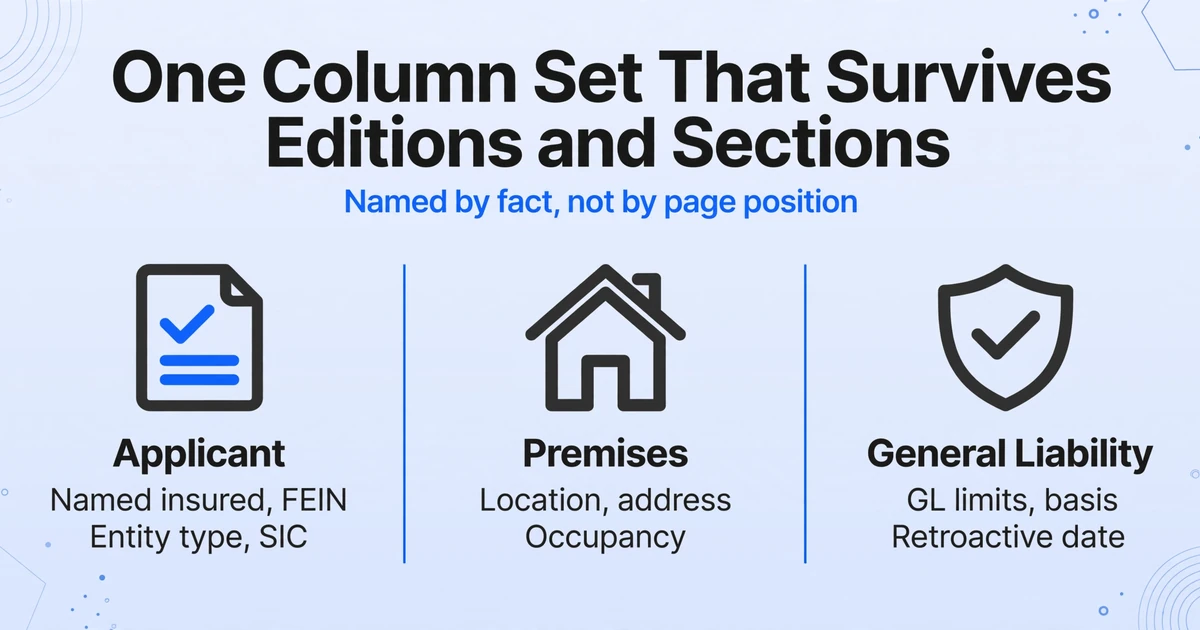
That is the working principle behind Custom Column Extraction, the method ImageToTable.ai uses. You type the column names you want, and the AI reads each page and fills the value that means that field, wherever it is printed. The names become the output headers. Nothing is keyed to coordinates, so a shifted box or an older edition does not break the run.
Upload the packet as a batch and the output is one table. Multi-Page Merge keeps a submission together: it can start a new group when a tracked column changes, match pages by a shared reference such as the named insured, or group every fixed number of uploads. The pages fold into one row, and conflicting values can keep the first, keep the last, concatenate, or split back out.
A column set for 125 and 126 packets can stay small enough to read:
| Group | Columns |
|---|---|
| Submission | Form type, form edition, agency customer ID, proposed effective date |
| Applicant | Named insured (legal name), DBA, FEIN, entity type, SIC, NAICS, description of operations |
| Premises | Location number, address, occupancy |
| General liability | Each occurrence, general aggregate, products and completed operations aggregate, occurrence or claims-made, retroactive date |
| Rating | Class code, premium basis, exposure |
| History | Prior carrier, loss count, total incurred |
| Packet | Attachments referenced |
Two rules keep the set usable. Name the source when a fact exists on both forms, as in "Named insured (as printed on 125)", so a disagreement stays visible. Leave the union wide: a page that does not carry a field leaves the cell empty, which is a signal rather than an error.
Before the table goes anywhere, review the cells that carry money. Review Mode with Bbox verification highlights the region a value came from when you click a cell, and clicking a region jumps back to its cell. Checking an exposure figure against the page takes a second.
Where the Data Goes, and Where It Stops
The output is a table, and the last mile into Applied Epic, AMS360, HawkSoft or EZLynx is still a mapping job.
Independent agents wrote 87.7% of US commercial lines premium in 2025, according to the Big I 2026 Market Share Report, so the AMS is where the record has to land. ImageToTable.ai does not connect to any of those systems natively. It exports XLSX, CSV or JSON, and the v1 API with webhook notification exists for teams pushing rows into their own system.
Two patterns work. The spreadsheet can be the working queue: one row per submission, sorted by effective date, exposure or requested limit, used to decide what gets quoted today. Or it can be a staging file, exported as CSV or JSON and mapped into the AMS by whoever owns the integration. The mapping is the hard part, and it is not an extraction problem. Field names, picklists and duplicate matching differ by system.
Two features remove handoffs before that point. Collection Link lets outside brokers upload a packet through a link, without an account, and the files land in your queue. Email Inbox gives each account an address; forward a packet, bind a column set, and the attachments process on arrival. Neither one touches the AMS. They remove the step where a PDF sits in someone's inbox until Friday.
Sorting a Mixed Inbox Without a Classifier
The page already says which form it is, because the form title and the edition are printed on it, so a separate classifier answers a routing question rather than a reading question.
A document classifier assigns a label before extraction runs, and the label decides which queue or field set applies. It earns its place when one inbox carries claims notices, loss runs, policies and applications that each have to go somewhere different. When the job is to get 125 and 126 fields into one table, the label is already on the page. Add "Form type" and "Form edition" as columns and the same pass that extracts the FEIN tells you which edition you read.
The limit: the tool does not label documents, split a packet into routed queues, or choose a column set. You decide what to upload and which columns to run. A multi-page PDF is read page by page, and Multi-Page Merge puts the pages of one submission back into a row.
What Extraction Leaves to a Person
Extraction moves facts into columns. Appetite, class code adequacy, loss severity and endorsement selection stay with the underwriter and the licensed producer.
- Appetite and eligibility. Whether a risk fits a carrier is the carrier's decision.
- Class code adequacy. A code can be printed correctly and still be indefensible for the operations described.
- Loss severity. Frequency, severity and reserving practice are judgment calls that a number in a cell does not settle.
- Contract requirements. Additional insured status, waiver of subrogation, and primary and non-contributory wording are coverage decisions, and a certificate is not proof they were endorsed. That layer is where certificate of insurance extraction picks up.
- Signature and attestation. The applicant signs the application, and an unsigned submission usually cannot bind.
- Form filling. The tool reads completed applications. It does not complete, sign or submit an ACORD 125.
FAQ
Does it work with older editions, like the 2016/09 ACORD 126?
Yes, because columns are matched by meaning rather than position. Add a form edition column so you know which one each row came from.
Does it integrate with Applied Epic or AMS360?
No. There is no native connector to Applied Epic, AMS360, HawkSoft or EZLynx. Output is XLSX, CSV or JSON, and the v1 API can push results to your own endpoint. Getting rows into an AMS is a mapping project handled by your team or your vendor.
Can it fill out the ACORD 125 for me?
No. It reads completed applications and returns the values as structured data. It does not generate, complete, sign or submit ACORD forms.
How accurate is extraction on a scanned or handwritten application?
Printed fields are the straightforward case. Handwriting, ticked boxes and faint scans are where errors appear. Review the money fields and the coverage selections against the original page.
Is an ACORD 125 the same as a certificate of insurance?
No. The 125 is the application for coverage. The ACORD 25 certificate is evidence sent to a third party, and it carries its own disclaimer that it confers no rights on the certificate holder.
The Packet Is the Last Place a Fact Is Still a Sentence
The packet is the only stage in a commercial quote where the exposure, the entity and the limits are still prose on a page; the AMS sits before it and the carrier's rating engine after it. Getting those twelve fields into one row does not make the underwriting decision. It makes the decision happen against the same numbers on every page.