How to Extract ACORD 140 Loss Notices
to Excel for Claims Triage
The first 72 hours after a hurricane, wildfire, or flood are when property claims decisions carry the most weight — and when the claims process moves at its slowest. The reason is structural, not procedural: property loss notices arrive as PDFs from agents, brokers, and policyholders. Each must be read, keyed into a spreadsheet or claims management system, and prioritized before anyone can inspect a property. Insurance Services Office (ISO) Property Claim Services data shows the industry processed roughly 3.5 million claims through the first three quarters of 2025 alone (Verisk, 2026). After a catastrophe with tens of thousands of affected properties, the stack of loss notices waiting for data entry is the real bottleneck — not inspection capacity, not adjuster availability, but the hours spent typing form fields into a screen.
Key Takeaways
- After a hurricane, 200,000 property claims arrive in a single week — and not one can be investigated until someone types the policy number, loss estimate, and cause description from a PDF into a spreadsheet.
- At 15 minutes per form, 5,000 loss notices burn 1,250 hours of data entry — and the National Association of Insurance Commissioners (NAIC) regulatory clock that determines carrier compliance ticks from date of loss, not from date of data entry.
- AI semantic extraction reads ACORD 140 fields by what they mean rather than where they sit on the page — turning 100 loss notices into a sortable triage spreadsheet with severity flags and deadline alerts in under five minutes.
ACORD forms are the backbone of North American insurance data exchange — more than 170 standardized forms, maintained by the Association for Cooperative Operations Research and Development, covering everything from commercial applications to certificates of insurance to loss notices. For property claims, the ACORD loss notice is the document that captures policyholder information, loss details, cause of loss, damage description, and initial estimate — the data that determines how a claim is triaged and routed. In commercial insurance, the related ACORD 140 Property Section form carries detailed building and coverage data across three pages with 355 fillable fields.
This article walks through extracting property loss notice and ACORD 140 data into a structured Excel triage spreadsheet — a workflow that turns the post-catastrophe form stack from a data-entry queue into a priority-sorted action list. The same approach applies to other ACORD form types: our guides on extracting ACORD 25 COI data to Excel and extracting ACORD 27 property insurance evidence cover the same column-based extraction workflow for different insurance documents.
Manual data entry breaks down at catastrophe scale — not because of patience, but because of physics
Insurance claims teams have known for years that manual data entry is their largest operational tax. What gets discussed less is why it fails catastrophically at the one moment it matters most — after a disaster — and what the regulatory clock means for every hour lost to form-reading.
Claims adjusters spend 35–45% of their workday on data handling rather than actual claims decisions, according to workflow studies from insurance automation providers. For a desk adjuster handling a standard caseload, that translates to roughly 3–4 hours per day spent reading, typing, and verifying form data. The math for a single loss notice: 12–18 minutes to locate and transcribe policy number, insured name, loss location, date of loss, cause, loss description, and estimated amount from a multi-page ACORD form — multiplied by the number of claims in queue.
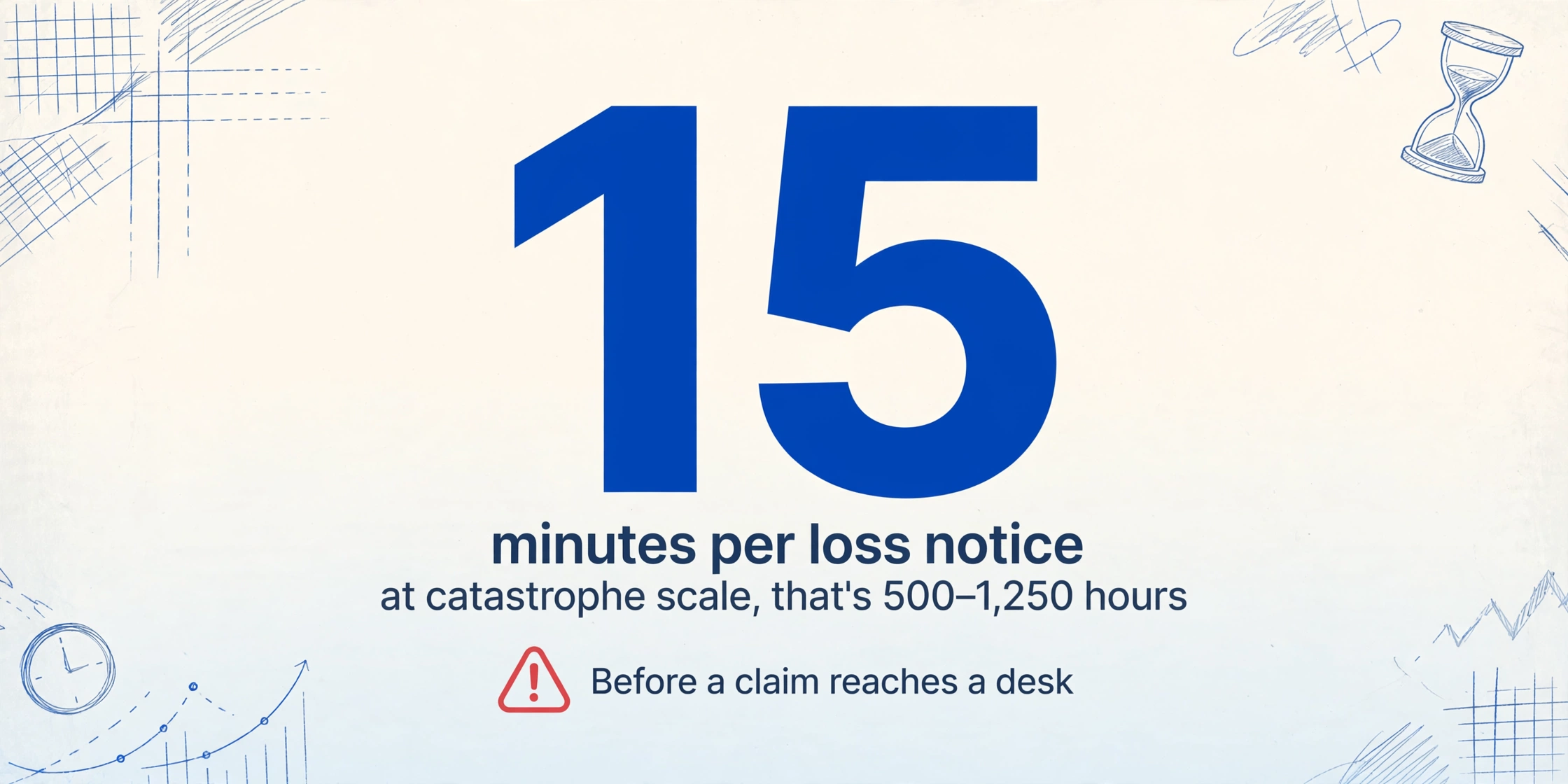
After a catastrophe, the math breaks. A single hurricane landfall can generate 200,000–400,000 property claims across affected states. A regional carrier might receive 2,000–5,000 loss notices in the first week. At 15 minutes per form, that is 500–1,250 hours of pure data entry before a single claim reaches an adjuster's desk for actual evaluation. The claims process doesn't begin when the loss notice is filed — it begins when the data is in the system.
The regulatory dimension adds pressure that most workflow discussions skip. The NAIC Unfair Property/Casualty Claims Settlement Practices Model Regulation (Model 902) establishes that insurers must acknowledge claims within 15 days of notification and affirm or deny liability within a reasonable time — with payment due within 30 days of affirming liability. Many states impose tighter standards: Florida statute §626.9541 requires payment of undisputed first-party property claims within 60 days, and similar timelines exist across most jurisdictions. Every day spent keying data into a system is a day subtracted from the investigation window. Compliance risk doesn't come from bad faith — it comes from a pile of unread forms.
The problem isn't that claims teams are slow. It's that the data-entry step scales linearly with claim volume at precisely the moment volume spikes 10–50x above baseline — and the regulatory clock runs from date of loss, not date of data entry.
The ACORD 140 fields that matter for triage are not the same as the fields that matter for underwriting
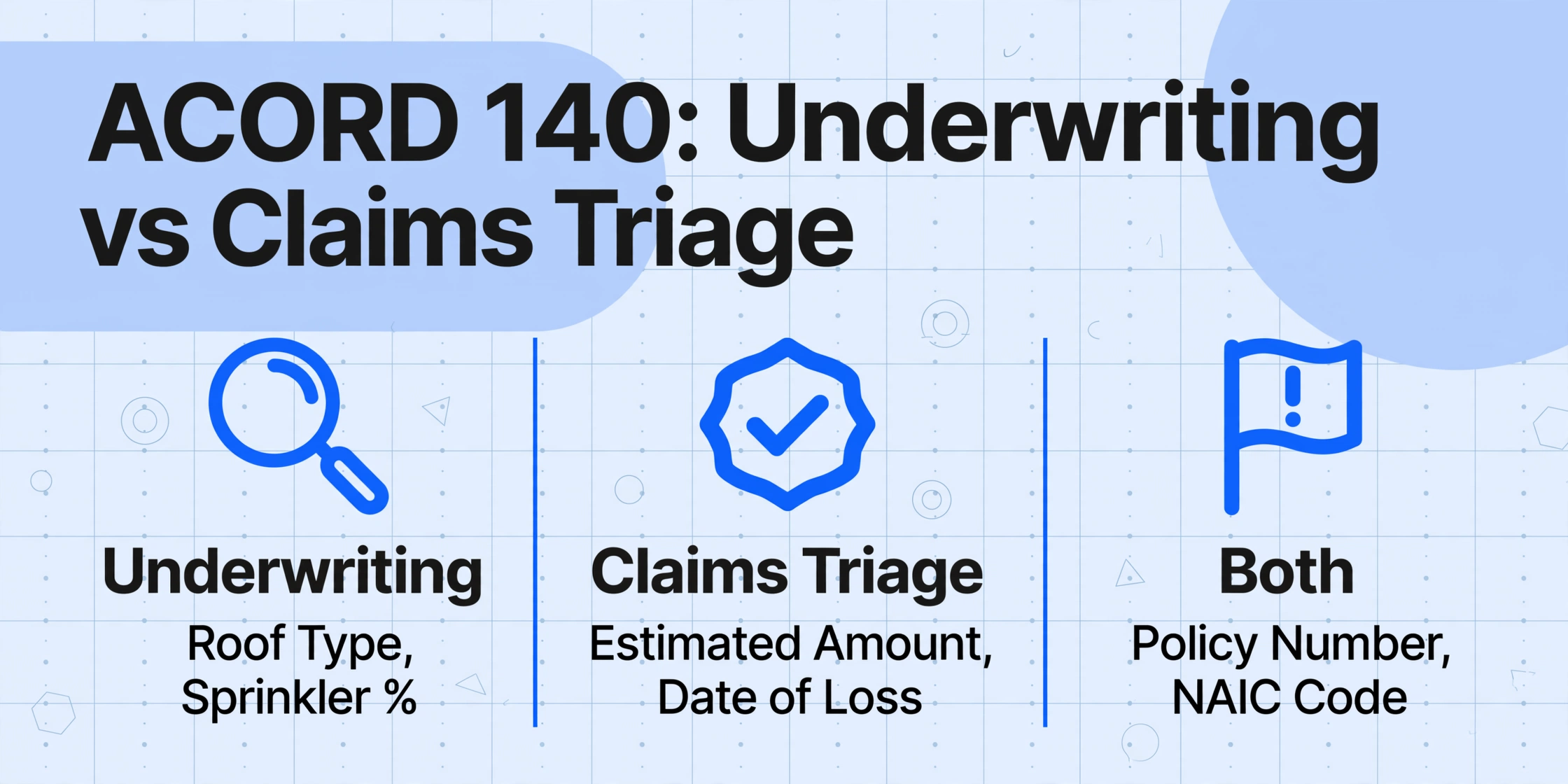
The ACORD 140 Property Section is a dense, multi-page form originally designed for commercial insurance applications — capturing construction type, occupancy, fire protection class, and coverage selections. But when this form arrives in a claims context — as supporting documentation attached to a property loss notice — the fields that matter for triage shift entirely. An underwriter needs to know the roof type and sprinkler percentage. A claims adjuster needs to know how much the loss is estimated to cost and whether anyone is hurt.
The form fields that drive claims triage decisions break into four tiers:
| Triage Tier | Field | Why It Matters for Triage |
|---|---|---|
| 1 — Identification | Policy Number, Named Insured, Agency Name, NAIC Code | Without these, the claim cannot be matched to a policy or routed to the correct adjuster. The NAIC code uniquely identifies the carrier — essential when multiple carriers are involved in a layered program. |
| 1 — Identification | Property Address / Location of Loss, Premises Number, Building Number | Determines which adjuster territory the claim belongs to and whether the property is in a declared catastrophe zone. A mismatched address sends the claim to the wrong queue. |
| 2 — Severity | Estimated Amount of Loss, Subject of Insurance, Coverage Limits | The single most important sorting dimension. Claims above a carrier's severity threshold (typically $50,000–$100,000 for commercial property) require senior adjuster assignment. Claims below may qualify for desk-level or straight-through processing. |
| 2 — Severity | Cause of Loss, Date of Loss, Description of Loss & Damage | Determines coverage eligibility (is this peril covered?), flags potential subrogation (third-party liability?), and identifies fraud indicators. A fire loss with a police report attached routes differently from a wind-damage claim. |
| 3 — Contact | Insured Contact Name, Residence Phone, Business Phone, When to Contact | Scheduling the first adjuster contact. An incorrect phone number at this stage generates a 2–3 day delay while the claims team plays phone tag. |
| 4 — Reference | Mortgagee / Loss Payee Name and Address, Loan Number | Required for settlement — payment cannot be issued without confirming the loss payee. Missing this at intake means a payment delay at the end of the process. Extracting it now prevents that delay. |
The key distinction: Tier 1 fields must be 100% accurate before any other step can proceed. A wrong policy number sends the entire claim to the wrong carrier. Tier 2 fields determine routing priority and adjuster assignment — a $5,000 water-damage claim should never sit in front of a $500,000 structural fire claim in the queue. Tier 3 and 4 fields matter later but are free to extract now — capturing them during intake saves a second look at the same form days later.
For a broader comparison of how extraction fields differ across insurance form types, our complete ACORD 25 COI extraction guide walks through the same tier-based field prioritization for liability certificates.
Set up extraction columns that match your triage workflow — not the form layout
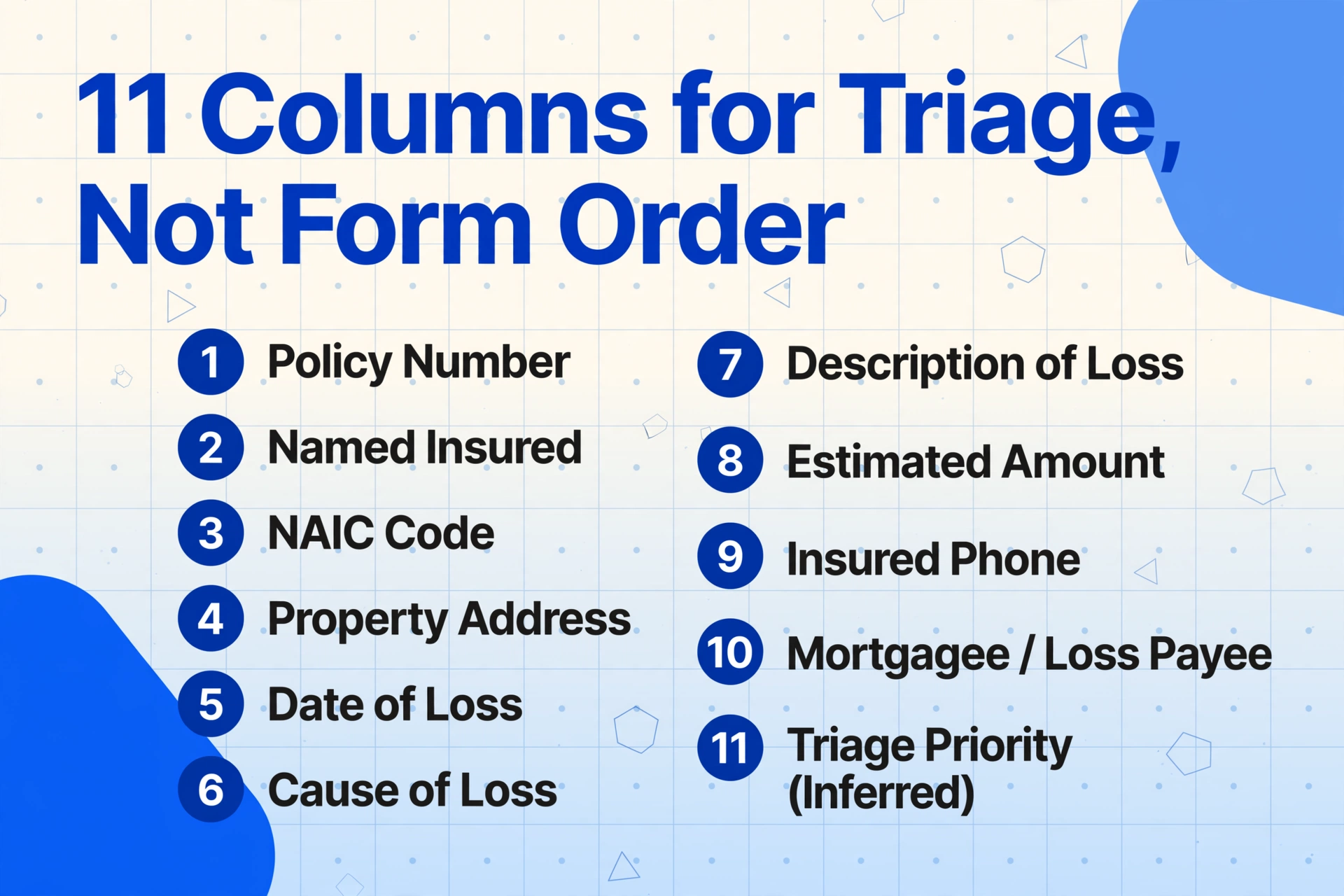
The most common mistake when extracting structured data from ACORD forms is replicating the form's field order as column headers. The form groups data by administrative logic (agency info first, then premises, then coverages). The triage spreadsheet needs to group data by decision logic — identification first, severity next, contact last.
Here is the column set for a triage-optimized ACORD 140 extraction:
| Column Name | Extraction Mode | Triage Function |
|---|---|---|
Policy Number | Direct extraction | Match claim to policy in administration system |
Named Insured | Direct extraction | Verify claimant identity |
NAIC Code | Direct extraction | Validate carrier; route to correct claims team |
Property Address | Direct extraction | Assign adjuster by territory; verify catastrophe zone |
Date of Loss | Direct extraction | Calculate days elapsed since loss; check policy period |
Cause of Loss | Direct extraction | Coverage verification; subrogation flag; CAT code assignment |
Description of Loss | Direct extraction | Scope assessment; severity classification; fraud screening |
Estimated Amount | Direct extraction | Severity-based routing; reserve setting |
Insured Phone | Direct extraction | First contact scheduling |
Mortgagee / Loss Payee | Direct extraction | Settlement payment verification |
Triage Priority | Inferred column | AI assigns Urgent / High / Standard / Monitor based on Estimated Amount and Cause of Loss |
This column set uses two extraction modes. Direct extraction pulls values that are explicitly printed on the form — policy numbers, dates, dollar amounts. The AI locates these by understanding what each field label means, so a policy number labeled "Policy #" on one carrier's form and "Policy Number" on another form both map to the same column. This is what separates semantic extraction from positional OCR: traditional tools fail when a field moves to a different position on a different form version; semantic extraction succeeds because it reads by meaning, not by coordinate.
The inferred column — Triage Priority — works differently. The AI reads the Estimated Amount and Cause of Loss, then applies business logic to assign a priority tier. For example: a fire loss over $100,000 routes as Urgent; a water-damage claim under $10,000 routes as Standard. The classification rules live in the column definition, and the AI applies them to every row in the batch — extraction and triage in a single pass.
One operational note: the ACORD 140's handwritten loss description box is where the form gets challenging. Adjusters and agents describe damage in their own words, in their own handwriting — "water entered thru roof causing ceiling collapse in main office area, contents damaged, electrical may be compromised." The AI's handwriting recognition handles this variability, but column names should be specific enough to guide extraction toward the right content. A column simply named "Description" may capture any descriptive text on the page — including building descriptions intended for underwriting. Naming it "Description of Loss" or "Loss Description" narrows the AI's search to loss-related text blocks.
Processing a batch: from 100 PDFs to one spreadsheet in under five minutes
The extraction workflow that turns a catastrophe queue into a triage spreadsheet follows five steps. The time bottleneck is at step one — uploading — because the files must physically transfer. Everything after that runs on AI processing time, which is measured in seconds per form, not minutes.
Files are processed securely and not stored.
Step 1 — Upload all loss notices at once. Drag the entire folder of ACORD forms — PDFs from agents, scanned copies from field adjusters, photos of handwritten loss reports — into the upload area. The tool accepts PDF, JPG, PNG, and WebP formats, and compresses large files automatically for faster transfer. Batch upload means you select the whole set at once, not one file at a time.
Step 2 — Enter your column names. Type or paste the column list from the table above into the column definition panel. Each column name becomes a header in the output spreadsheet and a search instruction for the AI. You can save this column set as a template once and reuse it for every future catastrophe event — the same 11 columns work for any batch of ACORD loss notices.
Step 3 — Review a preview row before committing the full batch. The AI processes one form first and shows the extracted values mapped to each column. This preview lets you confirm that "Policy Number" captured the correct field before processing all 100 forms. If the policy number ended up in the wrong column, adjust the column name and re-preview — the batch hasn't started yet.
Step 4 — Run the full batch. Click process. The AI reads each form, locates each requested field by semantic understanding, and populates the output table. A batch of 100 loss notices completes in approximately 2–5 minutes of processing time — compared to the 25–30 hours the same task would take as manual data entry. The 99% accuracy figure for printed text (per the tool's published benchmarks) and strong handwriting recognition for cursive and mixed-case entries mean the output table is usable with light validation, not heavy correction.
Step 5 — Export to Excel. Download the completed table as an XLSX file. Every row is one loss notice; every column is one extracted field. The exported file is a single workbook — one loss notice per row, one field per column, no merged cells, no pivot tables, no formatting that interferes with downstream use.
This workflow is what transforms the claims intake bottleneck. The 25 hours of data entry that used to consume the first three days after a catastrophe becomes 5 minutes of processing time and 30 minutes of validation — freeing 24 hours for actual claims investigation and adjuster dispatch. For the tools that make this possible, our guide to how OCR and AI extraction differ explains why traditional OCR cannot deliver this workflow and what changed with vision-language models.
The triage spreadsheet you build: sorting, filtering, and color-coding for decision speed
An extracted spreadsheet with data in it is not a triage system — it is raw material. The spreadsheet becomes a triage tool when it answers one question in under five seconds: which claim needs attention next?
Open the exported XLSX and apply three transformations immediately:
Sort by Estimated Amount descending. The dollar figure column becomes the primary severity axis. Claims above the carrier's internal severity threshold sort to the top — these need senior adjuster assignment, potential reserve increases, and possibly independent adjuster dispatch. Claims below a few thousand dollars sort to the bottom — many carriers route these to desk-level or automated settlement workflows. One sort operation replaces the manual process of opening each form, reading the loss estimate field, and mentally ranking claims against each other.
Filter by Cause of Loss. After a hurricane, claims split roughly into wind damage, flood damage, and both. After a wildfire, the split is fire damage versus smoke damage — two fundamentally different claims processes with different coverage triggers and different adjuster skill requirements. A single filter on the Cause of Loss column groups claims by peril type so the team lead can assign batches to the right adjusters. Wind-only claims go to the property team. Flood claims — if covered by a separate NFIP or private flood policy — route to the flood unit. Claims with both perils need a coverage determination before routing.
Apply conditional formatting. Color-code the Estimated Amount column: red for claims over $100,000, orange for $25,000–$100,000, yellow for under $25,000. Color-code the Date of Loss column: highlight any claim where the loss occurred more than 14 days ago without a disposition — this flags claims approaching the NAIC Model 902 acknowledgement deadline and gives the team lead a visual scan for compliance risk.
The resulting spreadsheet is a real-time triage dashboard built from extracted form data. The team lead opens it in the morning, sorts by priority, and assigns the top 20 rows to available adjusters. When new loss notices arrive mid-day, extract them as a secondary batch, append the rows, re-sort, and the priority order updates automatically.
Getting extracted data into Guidewire, Duck Creek, or your claims management platform
The triage spreadsheet answers "what to do next." The claims management system answers "what happened on this claim." Bridging the two — getting extracted form data out of Excel and into the platform where adjusters actually work — is the final step that turns a triage tool into part of the claims workflow.
The integration path depends on your claims platform:
Guidewire ClaimCenter — the most widely deployed P&C claims platform among Tier-1 carriers — supports bulk FNOL intake through its API layer and through CSV import tools in its data ingestion module. The spreadsheet exported from extraction maps directly to ClaimCenter's claim intake fields: Policy Number → Policy lookup, Insured Name → Claimant verification, Date of Loss → Loss Event date, Cause of Loss → Claim Type classification. Claims operations teams can configure field mapping once, then import extracted spreadsheets as batches. Guidewire's FNOL automation rules trigger adjuster assignment and reserve recommendations based on the severity data already in the imported rows.
Duck Creek Claims — Guidewire's primary cloud-native competitor — provides configurable intake APIs and supports flat-file imports through its integration layer. The field mapping follows the same logic: extracted columns map to Duck Creek's claim data model, and Duck Creek's built-in triage rules use Cause of Loss and Estimated Amount to auto-route claims to the appropriate adjuster queue.
Snapsheet, BriteCore, and other mid-market platforms typically support CSV import as a standard intake method. The extraction spreadsheet exports directly to CSV for these platforms. For carriers using legacy claims systems with limited import capabilities, the extracted Excel file still accelerates the workflow — adjusters copy-paste from the triage spreadsheet into the claims system one row at a time, which is faster than reading the original form because all fields are in a single row in a consistent order.
The key design principle: the extraction step produces clean, columnar data regardless of the destination system. Whether the data flows into Guidewire through an API, Duck Creek through a flat-file import, or a legacy system through copy-paste, the extraction output is the same structured format. The integration method changes; the upfront data capture does not.
FAQ
Is the ACORD 140 the same as a property loss notice?
Not exactly — and the distinction matters for which fields to extract. The ACORD 140 is formally titled the "Property Section" and is designed as an attachment to the ACORD 125 Commercial Insurance Application. It captures underwriting data: building construction type, fire protection class, coverage limits, coinsurance percentage. It runs three pages with 355 fillable fields. A property loss notice — sometimes numbered ACORD 130 in the forms library — is a separate document designed specifically for claims reporting, with fields like Date of Loss, Cause of Loss, Description of Damage, and Estimated Amount. In practice, ACORD 140 forms often accompany loss notices in the claims file because they contain the coverage and property data the adjuster needs. The extraction workflow in this article covers both: the loss-notice-specific fields for triage (Date of Loss, Cause, Description, Estimate) and the 140-specific fields for coverage verification (Policy Number, NAIC Code, Coverage Limits).
How accurate is AI extraction on handwritten loss descriptions?
The ACORD 140's loss description field is typically handwritten — adjusters and agents write freeform narratives describing damage. AI extraction accuracy on handwriting depends on legibility: clearly printed block letters achieve high accuracy rates comparable to printed text; heavily cursive or rushed handwriting with cross-outs and margin notes produces lower accuracy and requires human verification. The preview step in the batch workflow lets you spot-check handwriting quality before committing the full batch. If a particular adjuster's handwriting consistently misreads, that adjuster's forms can be flagged for manual review while the rest of the batch processes automatically.
Can I reuse the same column set for different catastrophe events?
Yes. The 11-column triage set described above — Policy Number through Triage Priority — works across any batch of property loss notices and ACORD 140 forms regardless of the catastrophe type. A hurricane loss notice contains the same field types as a wildfire loss notice: policy number, address, date, cause, description, amount. The column names do not change; the AI adapts to the content of each form. Save the column set as a template after the first use, and load it instantly for every subsequent event.
What if the form has missing fields — no estimated amount or no cause of loss listed?
AI extraction leaves the cell blank when a requested field is not present on the form — it does not hallucinate data. A blank Estimated Amount cell is a signal to flag that claim for immediate follow-up, because the severity cannot be assessed without it. A blank Cause of Loss cell may mean the form was submitted before the cause was determined — common in the first 24 hours after a catastrophe when the priority is simply notifying the carrier that a loss occurred. Sort blank cells to the top of the triage spreadsheet so they receive attention first.
How does this compare to using an enterprise claims intake platform?
Enterprise platforms like Guidewire ClaimCenter and Duck Creek Claims provide end-to-end claims management — FNOL intake, adjuster assignment, reserve tracking, payment processing, and reporting. Their intake modules can receive structured data, but they cannot extract it from an unstructured PDF. The extraction step described in this article is the layer that sits before the claims system: it turns PDFs into structured rows that the claims system can ingest. For carriers using enterprise platforms, extraction feeds the platform. For smaller carriers and independent adjusting firms without an enterprise system, the triage spreadsheet itself can function as a lightweight claims intake tracker.