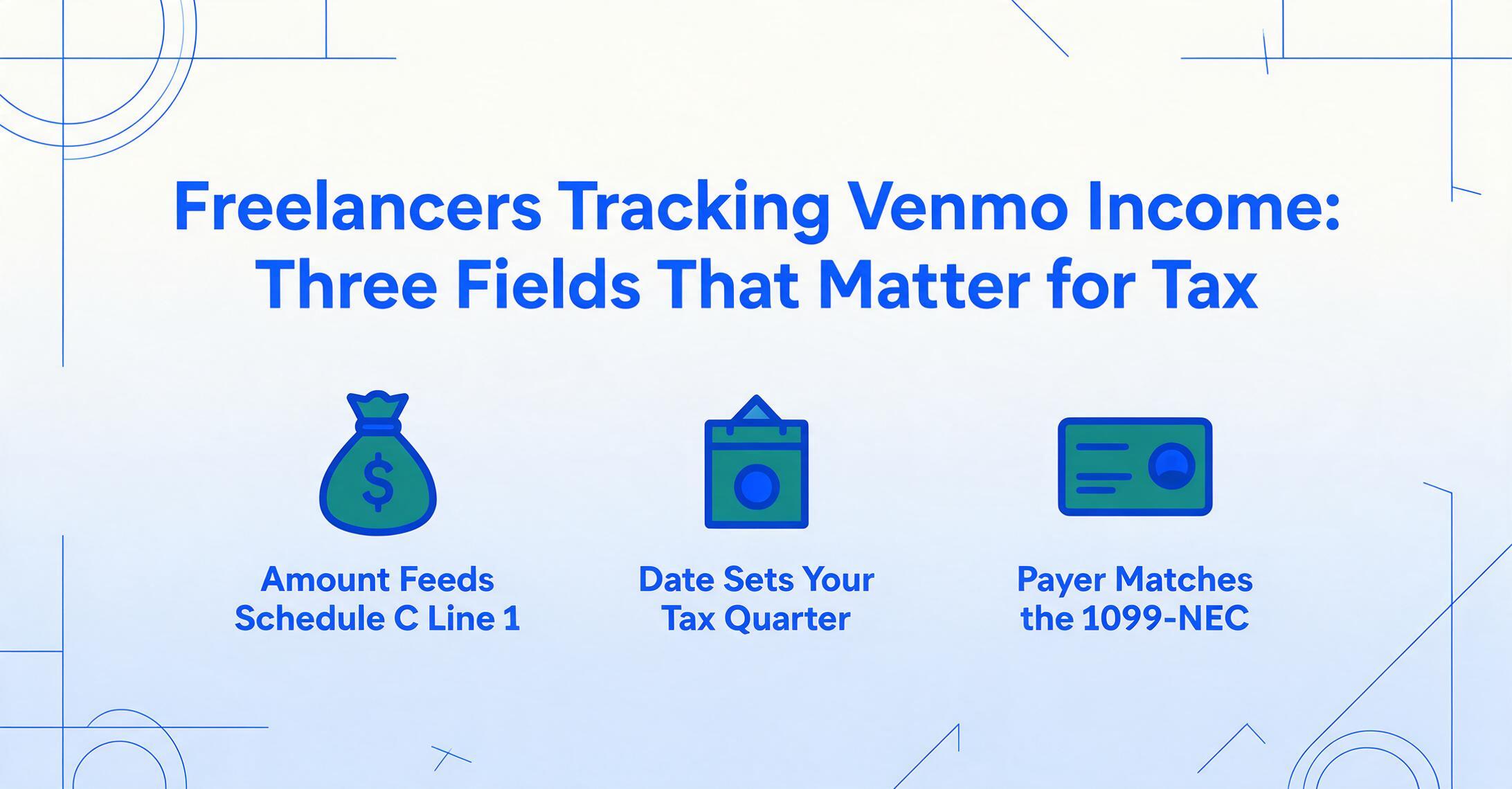
Freelancers Tracking Venmo Income:
Three Fields That Matter for Tax
If you're a freelancer who accepts Venmo payments, you already know the income goes on Schedule C, Line 1. The question is how to get it there when the raw material is twenty screenshots on your phone — each showing a different number, a different date, and a different name. Three fields from each payment carry the entire weight of your tax filing: the amount, the date, and the payer. But each of those three has a tax-specific twist that makes the difference between a clean Schedule C and a last-minute scramble.
Key Takeaways
- Twenty Venmo screenshots on your phone, an hour of manual entry per month, and you're still not sure which quarter that March 31 payment belongs to.
- A Venmo screenshot spills twelve visible data points — transaction ID, funding source, memo line — but the IRS only needs three of them to close your Schedule C. The other nine are tax noise you paid time to capture.
- Define Amount, Date, and @username once, then drop every screenshot into one batch. The same three columns produce the same three values whether the screenshot came from the mobile app in 2024 or the web interface in 2026.
Why Amount, Date, and Payer Are the Only Three Fields the IRS Cares About
Every Venmo payment screenshot contains more information than a freelancer actually needs for tax purposes. The transaction ID, the funding source (bank vs. Venmo balance vs. debit card), the Venmo memo line, the payment status — none of these appear anywhere on Schedule C. The IRS asks for three things from each business transaction: how much you received (amount → Schedule C Line 1, gross receipts), when you received it (date → determines tax year and estimated tax quarter), and who paid you (payer → for matching against any 1099 forms issued).
Everything else on the screenshot is noise for tax purposes — useful for your own operational records, perhaps, but not required by the IRS. Schedule C (Form 1040), the form sole proprietors use to report business income and expenses, aggregates payments into a single annual figure. It doesn't need to know that a payment went through a debit card, or that the client wrote a memo saying "thanks!" It needs the number and a date attribution system that lets you and the IRS agree on which year — and within the year, which estimated tax quarter — the payment belongs to.
The Form 1099-K reporting landscape shifted significantly under the One Big Beautiful Bill Act (OBBBA) passed in July 2025. The federal threshold for Venmo to issue a 1099-K returned to $20,000 in gross payments and more than 200 transactions per year — reversing the planned phase-down to $600. But this threshold change does not change a freelancer's obligation to report every dollar of self-employment income over $400. If you receive $5,000 in Venmo payments across fifteen clients this year, you report that $5,000 on Schedule C whether Venmo sends you a piece of paper or not.
The three fields from a Venmo screenshot that matter for your tax return — amount, date, and payer — are the same three fields regardless of whether you receive a 1099-K. The form doesn't change what you need to track. It only changes how the IRS cross-checks your numbers.
The Name on the Payment Doesn't Match the Name on the 1099
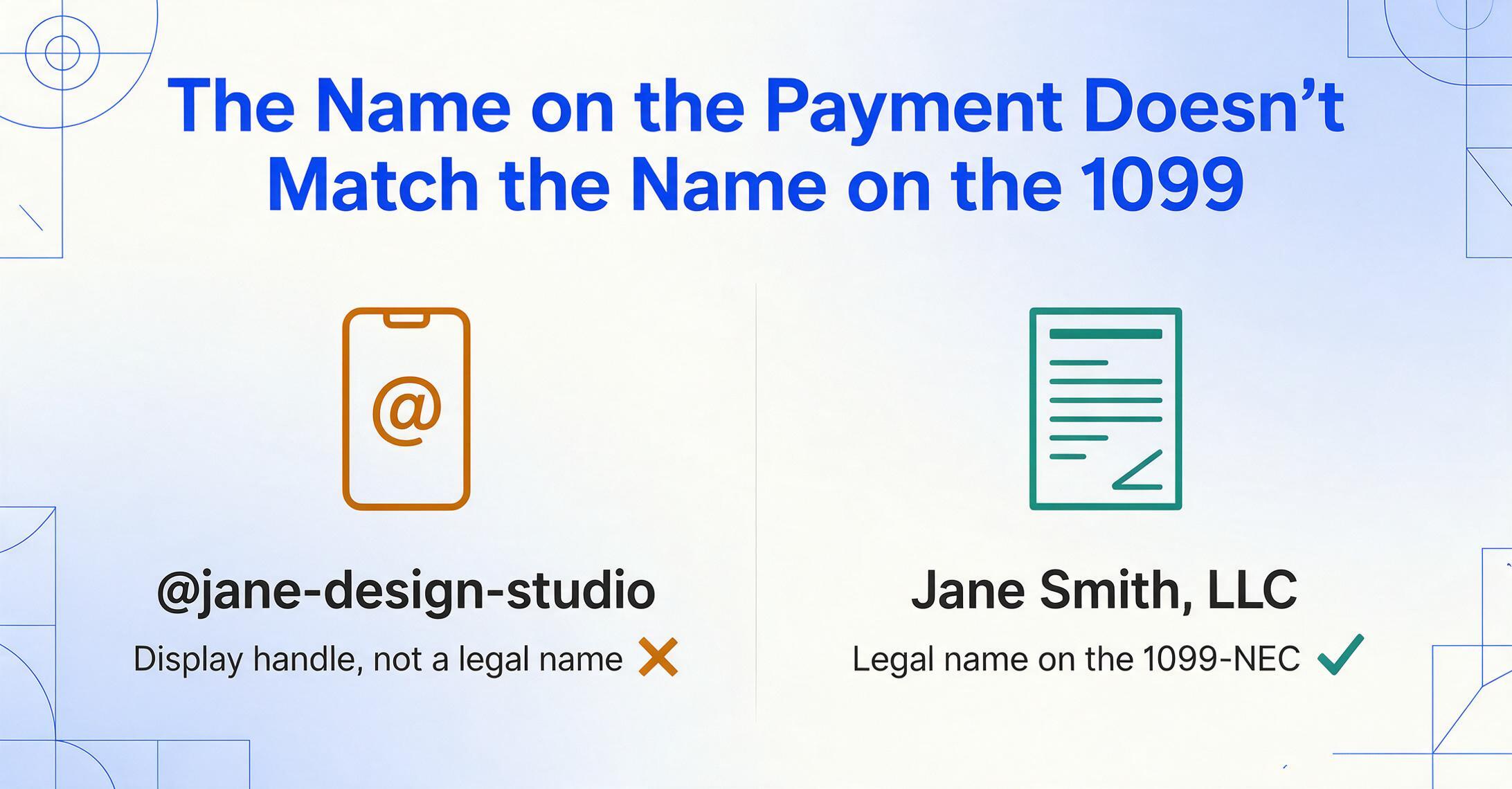
Of the three fields, payer identity is the one that trips up freelancers the most — and it's not because they can't find the name on the screen. Where the payer name appears on a Venmo screenshot is covered separately. The problem is what the screenshot shows versus what the IRS expects.
Venmo displays two names per person: a customizable display name ("Jane D.") and a permanent @username handle ("@jane-design-studio"). Neither is a legal name. If a client sends you $1,500 for a website redesign, the screenshot reads "@jane-design-studio," not "Jane Smith, LLC" — and that's the name you'd need to match against a 1099-NEC if that client is a business that files one.
For a freelancer managing fifteen to twenty clients, each paying through Venmo, this mismatch creates a real reconciliation problem at tax time. You know you received twenty Venmo payments this quarter. Your client list has fifteen names. Some of your clients' Venmo handles don't obviously match their business names. The @username is the stable identifier — it doesn't change when someone decides to update their display name — so it's the one to record in your extraction output. But for Schedule C purposes and for matching against any 1099 forms that arrive in January, you need the legal name or business name behind the handle.
When you extract the payer field from each screenshot, record the @username as your primary column value and maintain a separate mapping to legal names — a simple two-column lookup table in the same spreadsheet. QuickBooks Solopreneur and FreshBooks both allow you to tag income by client; Wave lets you set up customer records with legal names and payment platform identifiers. The extraction gives you the raw material. The mapping step is a separate, one-time exercise that turns @jane-design-studio into a real payer record you can match against January's 1099s.
The Date Field Decides Which Quarter You Pay For
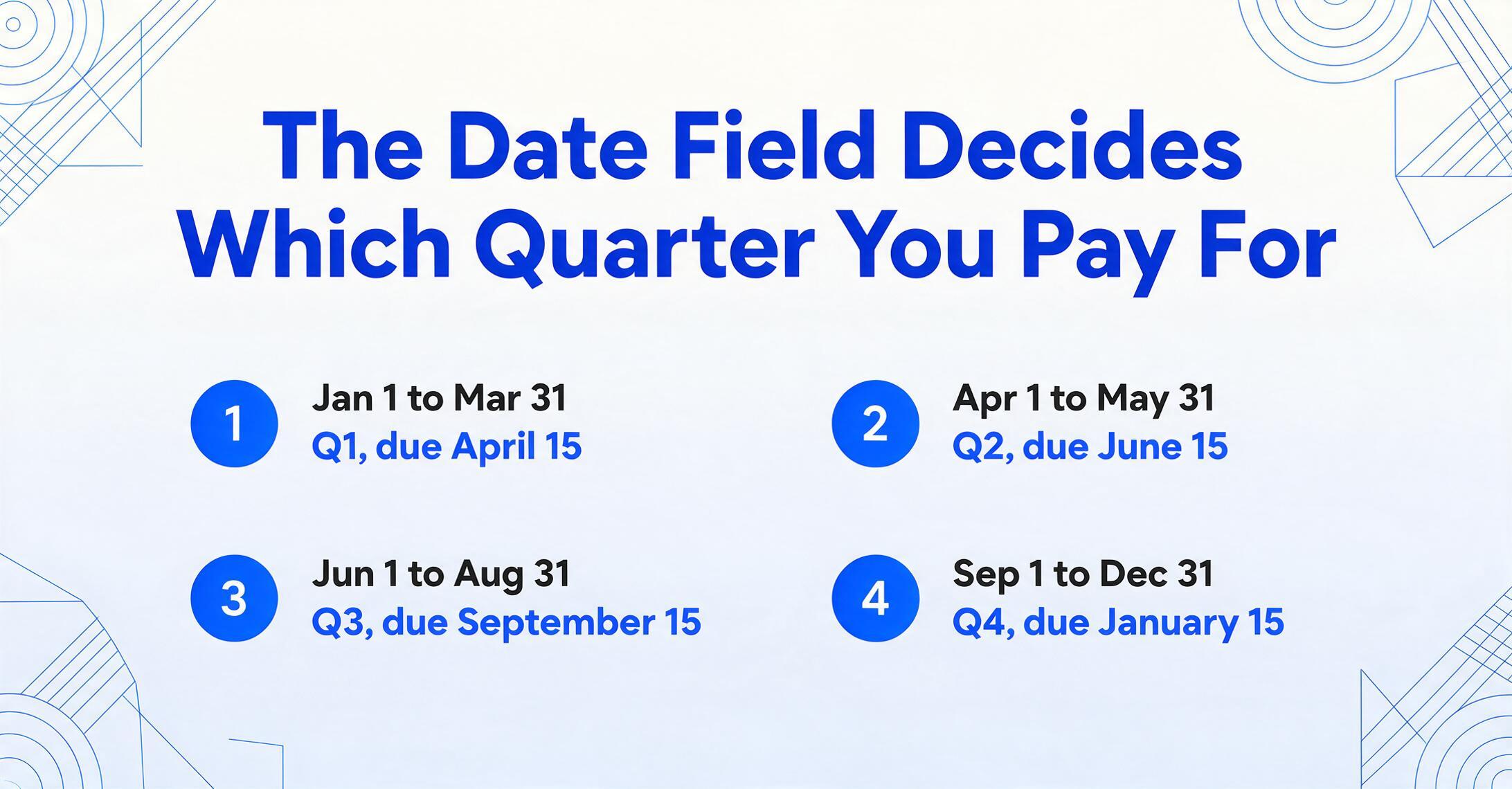
For freelancers paying quarterly estimated taxes, the date on a Venmo screenshot isn't just a calendar reference — it determines which estimated payment deadline covers that income. Self-employment tax is 15.3% (12.4% for Social Security plus 2.9% for Medicare, calculated on 92.35% of net earnings via Schedule SE), and freelancers who expect to owe $1,000 or more in taxes are required to pay quarterly using Form 1040-ES.
Those quarterly deadlines don't follow a clean three-month pattern: April 15 (income from January 1 through March 31), June 15 (April 1 through May 31), September 15 (June 1 through August 31), and January 15 of the following year (September 1 through December 31). A Venmo payment that clears on March 31 belongs to Q1 — due April 15. A payment that clears on April 2 belongs to Q2 — due June 15. The one-day difference shifts your tax payment by an entire quarter.
Most freelancers use cash-basis accounting, meaning income is recorded when it's received, not when the invoice was sent. The IRS recognizes income from payment apps when the transaction completes and the funds are available in your Venmo balance. A payment showing "Pending" on the screenshot isn't yet income — the date on that screenshot is an estimate, not a transaction record. The extraction workflow should capture the date from the completed transaction detail page, not from a pending state or a feed view showing "Yesterday."
There's a narrower edge case that matters when you reconcile your Venmo income against your bank statements: if you batch-transfer your Venmo balance to your bank account weekly, the bank statement shows the transfer dates, not the individual payment dates. A payment received on March 28 might show on your bank statement on April 1 if you batch-transferred after the month-end. For Schedule C purposes, the income date is March 28 (when the Venmo payment was available to you), not the bank statement date. The extracted date from your screenshot is your authoritative record — keep it, don't replace it with the bank transfer date.
The Real Freelancer Problem: Twenty Screenshots, Not One
Every tax article written about Venmo assumes you're dealing with a transaction or two. The freelancer reality is different. If you're a freelance writer who works with five regular clients, a graphic designer who bills per project, or a tutor who receives session payments throughout the month, you're looking at ten, twenty, even thirty Venmo payments per month. Each one is a separate screenshot in your camera roll, each showing the same three fields in the same layout, each needing to become a row in your income log.
The individual tricks — the @username vs. legal name gap, the quarterly date attribution, the gross vs. net income from business profile fees — all compound when you're dealing with volume. Missing one @username mapping means a client's payments don't aggregate correctly on your Schedule C. Misattributing a March 31 payment to Q2 means your estimated tax payment for Q1 is short. The per-field accuracy matters more when you have twenty chances to make a mistake than when you have one or two.
Manual entry compounds the risk differently: at three minutes per screenshot (open image, read fields, type into spreadsheet, verify), twenty payments cost you an hour of data entry. That's an hour with no accuracy guarantee, no cross-check, and no way to catch a transposed number until your preparer asks why a $250 payment shows as $520. The volume problem isn't just about time — it's about the error rate multiplying with every payment you enter by hand.
From Venmo Screenshots to Schedule C — in One Pass
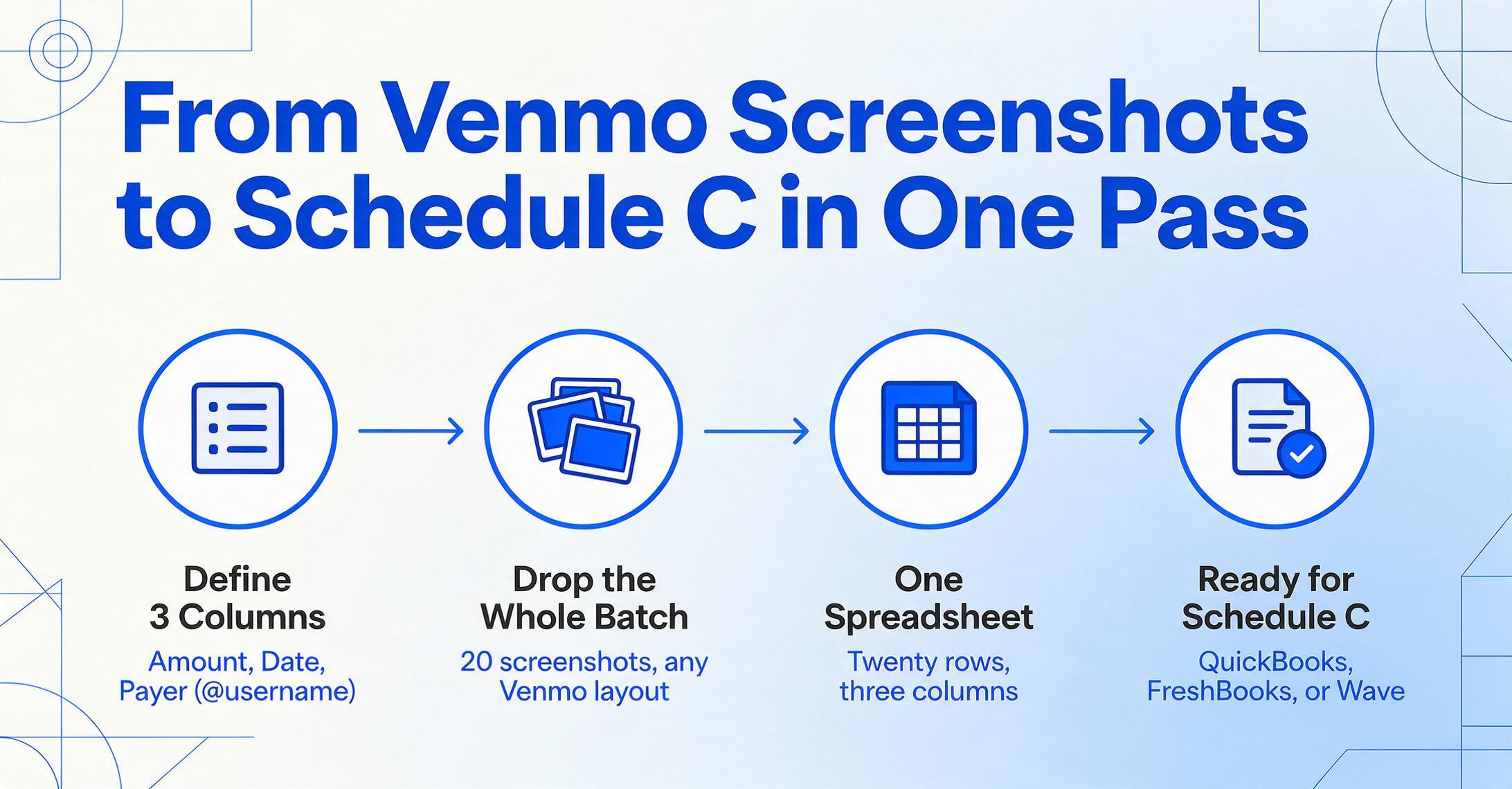
This is where the extraction workflow diverges from the manual approach. Instead of opening each screenshot one at a time, you define the columns you want once — Custom Column Extraction, where you type the column names and the AI locates the matching value in each image by understanding what the field means, not where it sits on the screen. For Venmo screenshots, that means three columns: Amount, Date, Payer (@username).
Because the extraction is semantic rather than positional, it doesn't care whether your screenshots come from Venmo's mobile app (where fields sit inside a card layout), from the web interface at venmo.com (single-column desktop view), or from a mix of both — or even from the old Venmo UI before the 2026 redesign. The same three column names produce the same three values from any screenshot, because the AI is reading "the number that looks like a dollar amount," "the date string," and "the handle prefixed with @" rather than checking pixel coordinates.
Drop all the screenshots into a single batch. The output is one spreadsheet: twenty rows, three columns, one row per payment. That spreadsheet can be imported directly into QuickBooks Solopreneur (which offers tax categorization and quarterly tax estimates), FreshBooks (which excels at invoicing and expense tracking), or Wave (a free option for freelancers earning under $50,000). If you work with a tax preparer, a clean three-column spreadsheet is exactly the format they need to verify your Schedule C gross receipts figure — no scrolling through Venmo transaction history or squinting at phone screenshots on a monitor.
The workflow handles the volume problem because it's linear in setup and constant per-screenshot: define once, process many. The first screenshot takes the same time as the thirtieth. The batch output gives you a single number — total gross receipts — that flows directly to Schedule C Line 1, without transposition errors, without skipped rows, without the question "did I miss one?"
If you're also tracking Venmo business profile income (where the 1.9% + $0.10 fee applies), add a fourth column for Fee — or use a computed column to calculate net amount directly. The same extraction approach works across multiple payment platforms, so if your clients also pay through PayPal or Cash App, you can drop all screenshots into one batch and get a unified income log — PayPal screenshots have their own field traps (gross vs. net after G&S fees, the merchant name problem), and the cross-platform payment screenshot extraction brings every platform under one column set.
FAQ
Do I need to record the Venmo seller fee on my taxes?
Yes, if you receive payments through a Venmo business profile or if clients tag payments as "goods and services," the 1.9% + $0.10 per-transaction fee is a deductible business expense. Record it as a separate column in your extraction output and report it on Schedule C, Line 10 (Commissions and fees). The gross amount from the screenshot goes on Line 1; the fee total reduces your net profit.
What if my client is also a business and sends a 1099-NEC?
If a client pays you $600 or more through Venmo during the year and they're operating as a business, they should issue a Form 1099-NEC to you. The @username from your extracted Venmo records is how you match the payments to that 1099. Keep the client mapping table we described earlier — it connects the Venmo handle to the legal name on the 1099-NEC, so you can confirm the total matches what you recorded.
Can I use just three columns for freelancer Venmo tracking?
For IRS filing purposes, yes. Amount (Schedule C Line 1), date (for quarterly attribution), and payer (for 1099 matching and client records) are the only fields the IRS requires. You may want additional columns for your own workflow — project name, invoice number, client email — but those are operational. The three-column minimum gets you through tax season.
What if I mixed personal and business payments in my Venmo account?
This is the most common freelancer Venmo mistake, and it's fixable. Separate the screenshots into two groups — business payments (client work, freelance income) and personal transfers (split dinner bills, gifts, rent). Only the business payments go on your Schedule C. The extraction workflow processes both groups the same way; you just label the output accordingly. The IRS treats personal transfers on Venmo as non-taxable, but if your account has mixed transactions, your recordkeeping is the only way to prove which is which.
Does the 1099-K threshold change affect how I track Venmo income?
No. The threshold only affects whether Venmo sends you a form. Your obligation to report all self-employment income over $400 is unchanged by any threshold adjustment. Even with the OBBBA returning the federal threshold to $20,000 and 200 transactions, you must still report every dollar of business income. Track all three fields from every payment regardless of your expected annual total.