Best Insurance Document Processing Software
in 2026: 8 Compared
$81.3 billion. That is what the US property-casualty industry booked as loss adjustment expense in 2023, the line item that pays for the people and systems that read, route, and rekey claims documents, per the NAIC annual industry report. Set against $546.2 billion of net losses incurred that year, roughly 15 cents of every loss dollar covers the paperwork around the claim, not the loss itself.
That paperwork load is about to collide with a shrinking workforce. The Bureau of Labor Statistics projects claims adjuster, appraiser, examiner, and investigator jobs will decline 6 percent from 2025 to 2035, while roughly 21,600 openings a year still appear, mostly to replace people retiring. BLS states the reason plainly: software can now evaluate damage photos and calculate claim estimates. The document work is not disappearing; the people who used to do it by hand are.
Underwriting, claims, and compliance teams across the country are asking the same question this year: which insurance document processing software actually fits how we work? The honest answer is not one winner. It is a map of four tool categories that solve different layers of the same problem, and most roundups blur them. This guide separates the eight tools you will actually meet out there into those categories, prices them truthfully, and tells you which one your team should shortlist. For a scoring framework to run your own evaluation from, our assessment of what one insurance extraction tool needs to cover pairs with the comparison below.
Key Takeaways
- Eight tools dominate every 2026 insurance document processing roundup, but they belong to four categories that solve four different layers of the same problem.
- Peak accuracy on a clean ACORD 25 means little, because the score that matters is what happens on the next carrier's loss run or the scanned submission that arrives at 5 pm on a Friday.
- Ask which category fits the documents your team touched last week before you watch a single demo, since a category mismatch wastes a year and no feature grid will warn you.
Why Insurance Document Processing Is a Category Question in 2026
The cost numbers above are the industry's own books, but the day-to-day pain shows up in how agency and MGA staff describe the work. One five-person shop in r/InsuranceAgent put it directly: they still re-enter the same client data into four carrier portals every time they quote commercial, and the automation demos they saw were "AI on top of the same broken process." A claims-adjacent team in r/automation measured 90 minutes a morning just transcribing the previous day's call notes into their agency management system, complete with wrong zip codes and misspelled names.
The documents themselves are the reason this stays manual. ACORD forms are standardized, but every carrier customizes them; loss runs and declaration pages have no shared layout at all. A tool that extracts one layout reliably can fail silently on the next.
So the real decision is not "should we automate" but "which tool category matches the documents this team touches, in the volume it actually sees." The four categories below give you that filter before you look at a single demo.
The Four Tool Categories Most Roundups Blur Together
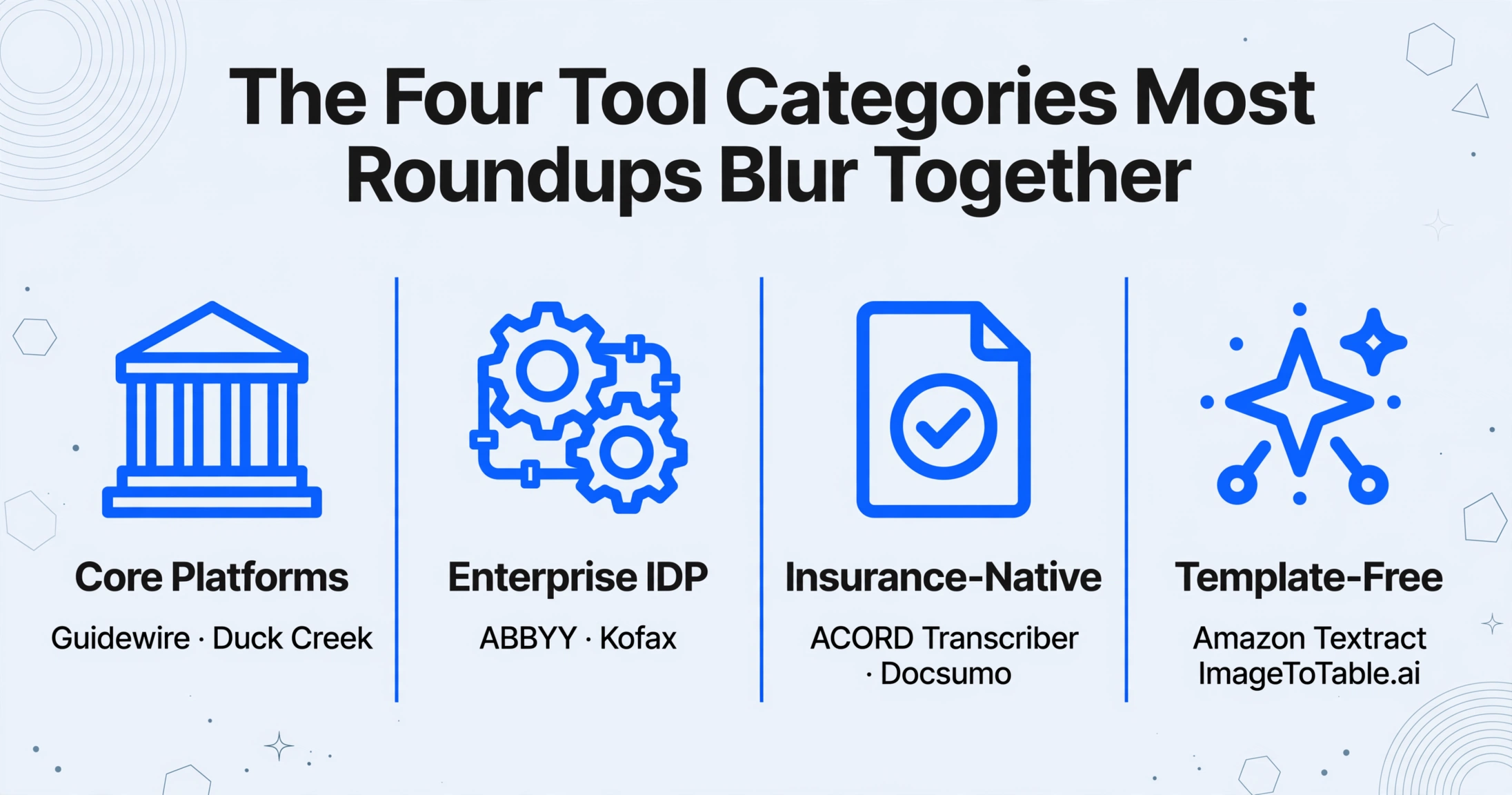
Reading the top results for "best insurance document processing software" in 2026, you will find Guidewire and Duck Creek sitting next to extraction platforms as if they were the same kind of product. They are not, and the difference decides whether you waste a year on the wrong purchase.
Core policy and claims platforms. Guidewire (PolicyCenter, ClaimCenter) and Duck Creek run the policy lifecycle, billing, and claims for carriers. They manage structured records once data is inside the system. They are not designed to read heterogeneous incoming documents, and they carry enterprise licenses that are not published. You buy them because you need claims or policy administration, not because you need documents turned into spreadsheets.
Enterprise intelligent document processing (IDP). ABBYY Vantage and Kofax (now Tungsten Automation) TotalAgility combine OCR, form classification, extraction, validation, and workflow routing. They are the most complete, the most expensive, and the slowest to deploy, typically requiring an IT team and weeks to months of configuration. They fit large carriers with dedicated document operations.
Insurance-native extraction specialists. ACORD Transcriber, from ACORD's own solutions arm, and Docsumo build pre-trained models around insurance form families such as ACORD 25 and 125. They get to accurate extraction on known forms faster than general-purpose platforms, at the cost of still being model-per-document-type: new layouts need samples or retraining.
Template-free semantic extraction. Amazon Textract and ImageToTable.ai extract by understanding what a field means rather than where it sits on a page, so no template or training set is needed per layout. Textract is a developer API you assemble into your own pipeline. ImageToTable.ai is the no-code end of the same idea: you type the column names you want and the AI finds those values on each file. This is the category our own product sits in, and we note it openly rather than pretending to be a neutral reviewer.
Agencies add one more layer to this map: the agency management systems they live in, Applied Epic, Vertafore AMS360, EZLynx, and their peers. Those systems generate ACORD forms from data you key in. They do not extract data from PDFs arriving from outside. A separate general-purpose extraction layer is what our 2026 roundup of document data extraction tools covers for the non-insurance side of that job.
The Document Spectrum That Decides the Tool Choice
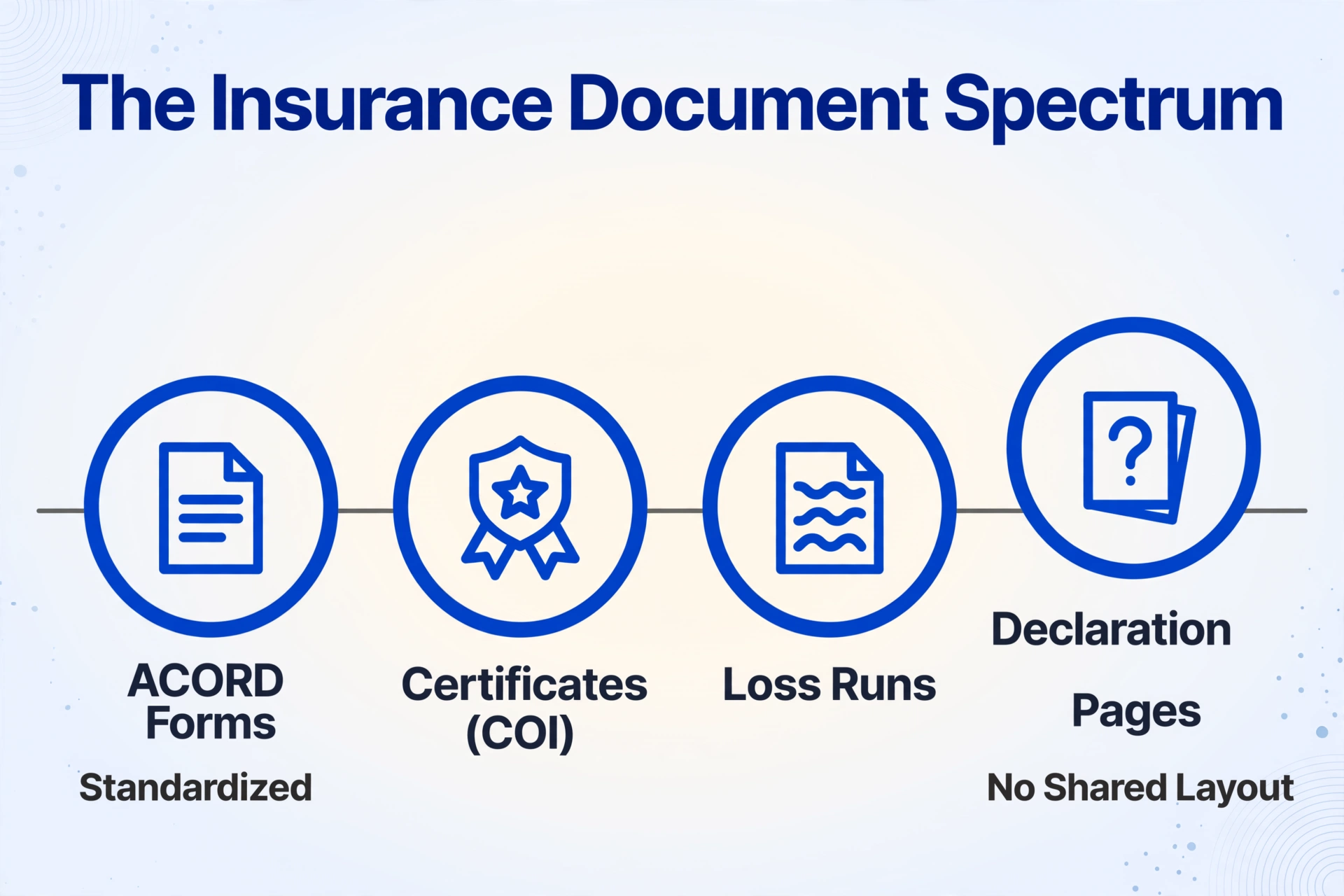
Insurance documents sit on a standardization spectrum, and where a document falls on that spectrum tells you which tool category can handle it.
ACORD forms are the standardized end. The Association for Cooperative Operations Research and Development has published standard forms since its first release in 1971, and its library now spans over 850 forms used across the US and more than 100 countries, per ACORD's own forms library. The ones you see daily: ACORD 25 (Certificate of Liability Insurance, the COI showing general liability, auto, umbrella, and workers comp limits), ACORD 27 and 28 (evidence of property insurance, the versions lenders often prefer), ACORD 125/126 (commercial application and general liability), ACORD 130 (workers compensation), and ACORD 140 (property). Standard does not mean uniform in practice: carriers print their own editions, states add versions, and ACORD itself files form revisions with state insurance departments. Teams that track certificates know the gap firsthand. An ACORD 25 with an additional insured endorsement does not say "additional insured" in any fixed place, and an ACORD 27 needed for lender compliance arrives from a different carrier each time.
Two ACORD facts shape every tool evaluation. First, a certificate of insurance is not a policy: it states the coverage limits reported at a point in time and does not alter policy terms. Extraction tells you what the form says; it cannot tell you whether coverage is actually in force. Second, extracting data from ACORD forms commercially requires a license. ACORD runs a forms data extraction subscription for vendors that any tool doing this work at scale is expected to hold. Worth asking about in any sales call.
Loss runs and declaration pages sit at the unstructured end. A loss run is the carrier's own claims history report: claim number, date of loss, status, amount paid, reserves, and incurred total as of a stated valuation date, normally covering five years of history. Underwriters treat the incurred number (paid plus reserved) as the figure that prices the account, and a report with a valuation date older than roughly 90 days gets bounced back. None of that is standardized across carriers, so a loss run from one insurer shares no visual layout with one from another. Declaration pages, the one-page policy summaries listing named insured, policy period, coverages, and premiums, are equally carrier-branded, no two alike. In the claim extraction workflow and the FNOL forms that open a claim, the same mix applies: standardized form fields on top, carrier-variable layout underneath.
This spectrum is the whole argument for template-free extraction in insurance: ACORD forms drift by edition and carrier, and loss runs and declaration pages have nothing to template against.
Quick Comparison: 8 Insurance Document Processing Options
| Tool | Category | Pricing Model | Best For |
|---|---|---|---|
| Guidewire | Core platform (policy/claims) | Enterprise license, not public | Carriers running claims and policy in one connected system |
| Duck Creek | Core platform (policy/billing/claims) | Enterprise SaaS, not public | Carriers building on a cloud-native core suite |
| ABBYY Vantage | Enterprise IDP | Custom enterprise quote | Large carriers with on-prem needs and pre-built skills |
| Kofax (Tungsten) TotalAgility | Enterprise IDP + workflow | Custom enterprise quote | High-volume capture with routing and approvals |
| ACORD Transcriber | Insurance-native (ACORD's own) | Subscription, contact vendor | Firms living inside ACORD forms that also need to populate them |
| Docsumo | Insurance IDP | Free trial, usage-based subscription | Mid-market teams with defined doc types and validation rules |
| Amazon Textract | Template-free cloud API | Pay per page ($1.50 per 1,000 text; $15 tables; $50 forms) | Engineering teams building their own AWS pipeline |
| ImageToTable.ai | Template-free semantic (no-code) | Free to try; from $9/month | Underwriting, claims, and compliance teams that want column-defined extraction without templates or training |
Pricing is what the vendor publishes or states publicly as of September 2026. Where a number is a custom quote rather than a list price, this table says so instead of guessing.
1. Guidewire: Best for Carriers Building a Connected Claims and Policy Spine
Best for: insurers that run PolicyCenter and ClaimCenter together and want claims, policy, billing, and documentation in one governed system. Not ideal for: agencies, MGAs, or midsize operations looking for a document extraction tool; and not a substitute for reading heterogeneous incoming brochures, certificates, and submissions into structured data.
Guidewire is the claims and policy administration benchmark in P&C, deployed across more than 30 countries per its product pages. Its ClaimCenter handles intake, workflow, reserving, and settlement natively. Document capture of messy outside documents is not ClaimCenter's core: carriers on Guidewire typically pair it with an extraction layer or marketplace partner for the intake step. Pricing is enterprise licensing, unpublished.
2. Duck Creek: Best for Cloud-Native Policy and Claims Suites
Best for: carriers that want policy, billing, rating, and claims on a single Azure-hosted SaaS suite with configurable straight-through processing. Not ideal for: the same organizations as Guidewire: this is a core platform decision measured in months, not a documents-to-spreadsheets purchase.
Duck Creek positions its claims product around automated assignment, coverage verification, and FNOL workflows, with over a thousand preconfigured business rules. It runs claims inside its suite; inbound documents from outside still need an intake and extraction layer. Pricing is enterprise SaaS, unpublished.
3. ABBYY Vantage: Best for Large Carriers with On-Prem or Skill-Based Processing
Best for: large operations with dedicated IT that want OCR-plus-semantics on a platform with deep form handling and on-premises deployment. Not ideal for: teams without IT capacity. Vantage deployment runs weeks to months, and pricing is custom enterprise quotes.
ABBYY brought decades of OCR engineering into Vantage's "skills": pre-built models for common document types, including insurance forms, that you deploy and combine. Its marketplaces and connectors are mature, and data-residency requirements are its home turf. The tradeoff is configuration effort per document type and an implementation investment that only makes sense at real volume.
4. Kofax (Tungsten) TotalAgility: Best for High-Volume Capture with Workflow Routing
Best for: insurers that need document capture plus process automation in one platform, with mailroom-style intake, classification, routing, and approval handoffs. Not ideal for: smaller operations; it is an enterprise platform with custom pricing and long projects.
TotalAgility has been deployed in insurance for over a decade as a capture and content automation engine. It excels at classification and routing rather than at the newest language-model extraction, so teams pair it with AI extraction services where genuinely messy documents dominate. Enterprise custom pricing.
5. ACORD Transcriber: Best When You Live Entirely Inside ACORD Forms
Best for: organizations that must both read and populate the ACORD form family, since Transcriber handles extraction and form population from the same library. Not ideal for: teams whose documents are mostly loss runs, declaration pages, or custom carrier forms, where its form-native advantage matters less.
ACORD Solutions, the standards body's commercial arm, describes Transcriber as extracting structured data from over 800 ACORD forms across 4,700+ versions, with human-in-the-loop checks on low-confidence extractions and API-first integration. Because the source standard lives in the same organization, form-edition coverage is its deepest advantage. Pricing is subscription, contacted directly.
6. Docsumo: Best for Mid-Market Teams on Defined Insurance Document Types
Best for: teams processing a stable set of document types, such as ACORD 25/26/125/126 forms and certificates, where pre-trained models and validation rules reduce setup time. Not ideal for: workflows that meet a new layout every week; its own FAQ says custom document types are trained on your samples, as few as 20.
Docsumo publishes ready-to-use models for common ACORD forms and a confidence-based routing layer that sends low-confidence fields to a human review queue, which suits compliance-sensitive operations. Pricing is quoted per plan and volume rather than listed in full on the site. That training requirement is the honest ceiling: known forms, fast; new layouts, a sample-collection project.
7. Amazon Textract: Best for Engineering Teams Building a Custom Pipeline
Best for: developers who want pay-per-page extraction on AWS with tables, forms, key-value pairs, and a Queries API, and will build the surrounding pipeline themselves. Not ideal for: operations staff without engineering support: there is no product UI, and you assemble classification, storage, review, and delivery yourself.
Textract's pricing is the most transparent here. AWS publishes per-page rates: about $1.50 per 1,000 pages for plain text, $15 per 1,000 for tables, and $50 per 1,000 for forms key-value extraction in the standard tier, with a free tier for evaluation. It works well on clean printed forms, and like every tool in this list it degrades on scans and dense layouts, which your pipeline must route around.
8. ImageToTable.ai: Best for Column-Defined Extraction Without Templates or Training
Disclosure: ImageToTable.ai is the product this article is published on, so treat this section as a vendor description rather than an independent review. Every capability below comes from the documented feature set, and the limits are stated in the boundaries section.
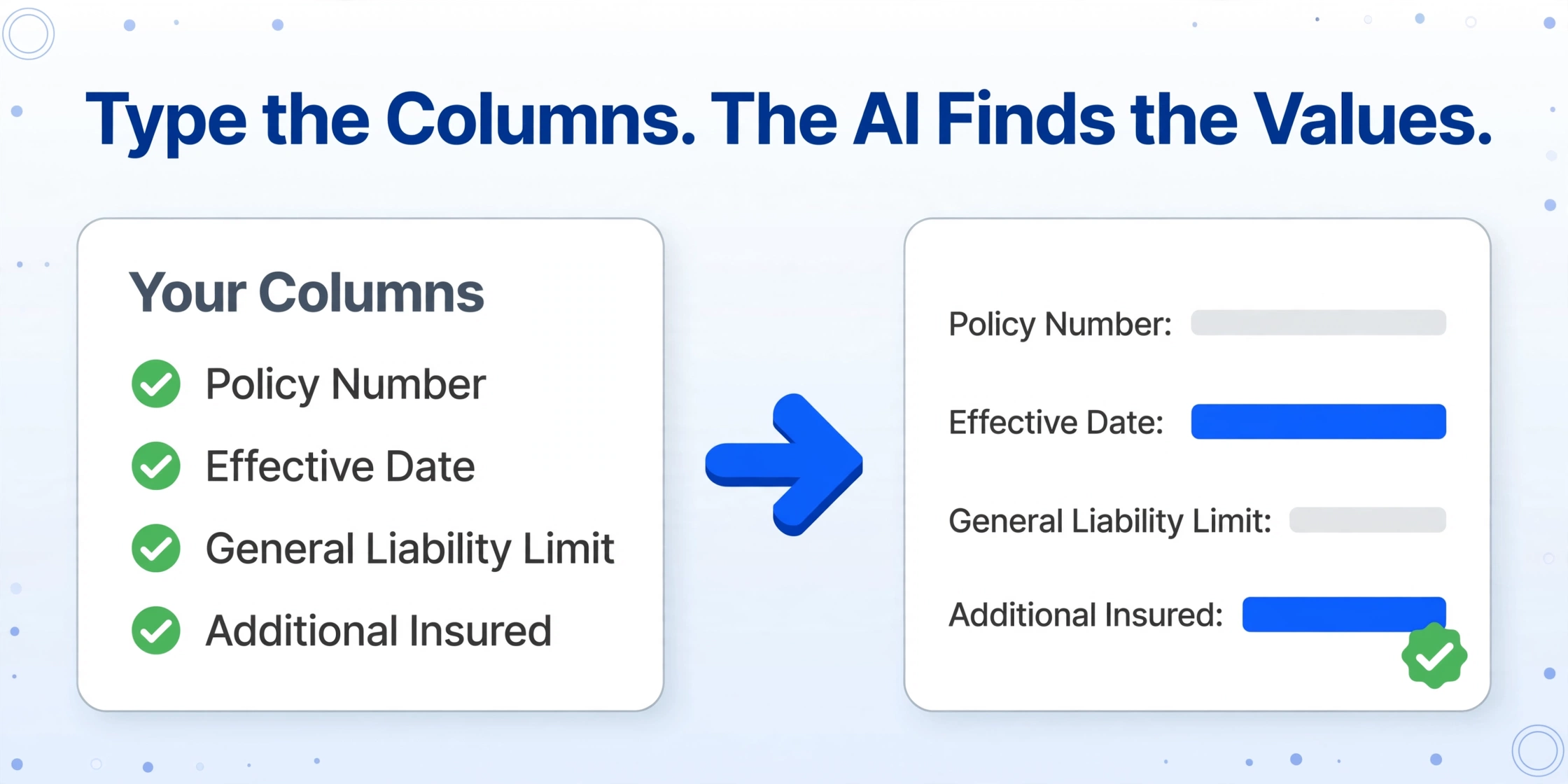
Best for: underwriting support, claims intake, and certificate-tracking teams that want to type the columns they need and let the AI find those values on each file, whatever the layout. Not ideal for: enterprises that require on-premises deployment, dedicated SOC 2 infrastructure, or native connectors into Guidewire, Duck Creek, or agency management systems. It extracts data; it does not write to your core system.
ImageToTable.ai uses Custom Column Extraction: you define the output columns, such as "Policy Number," "Effective Date," "General Liability Limit," "Additional Insured," "Loss Date," "Amount Paid," "Reserves," or "Valuation Date," and a vision language model locates the corresponding values on each page by meaning, not by coordinates. Because the matching is semantic, the same column set that works on an ACORD 25 also works on an ACORD 28, a carrier-specific declaration page, or a loss run from a different insurer. No template to maintain, no training samples to label. For a full walkthrough of the column-name mechanics against insurance documents, the series on turning certificate data into Excel and on FNOL claim forms to spreadsheets shows the setup in practice.
Batch processing is where it earns its keep. Upload a folder of certificates or a season of loss runs, apply one column set, and receive a single Excel workbook with a row per document. Computed columns run arithmetic during extraction, for example a column that outputs the difference when the paid total on a loss run does not match the incurred figure, or a line total from quantity and rate fields. Review mode with bbox highlighting lets you click any cell and see exactly where that value came from on the original image, which is the verification step a compliance team needs before trusting extraction. For collecting files from many vendors or brokers, a collection link lets each one upload into your queue without an account. Price starts at $9/month on the Basic tier, with a free tier to test on your own documents.
Files are processed securely and not stored. Upload a real certificate or ACORD form and see the extracted columns you define land in a table.
How to Choose by Role: Underwriting, Claims, Compliance, Agency
The right tool is the one that matches the document mix your role actually touches, so the filter differs by team.
Underwriting and submission intake (MGAs, wholesale brokers). Your daily mix is ACORD applications, loss runs, schedules of values, and certificate packages arriving by email and portal, each in a slightly different layout. The bottleneck is reformatting the same submission fields across carriers, a complaint wholesale brokers raise openly on r/InsuranceAgent. Template-free extraction with batch and a collection link for inbound submissions fits this first. If you also need to populate ACORD forms from your system, ACORD Transcriber enters the picture.
Claims operations (FNOL, EOBs, police reports, repair estimates). Volume and channel variety dominate: attachments from email, portals, and scans. An extraction layer that accepts files by email or link, runs in batch, and gives reviewers a bbox verification path meets the accuracy bar without a review desk in every workflow step. Our insurance claim extraction guide maps this workflow end to end.
Compliance and certificate tracking (general contractors, property managers, certificate holders). The pain is well documented by property managers in r/PropertyManagement: a vendor's COI expired three weeks before anyone looked. The fix is a spreadsheet that treats certificates as expirations, with one row per vendor holding coverage type, limits, expiry date, and a status, fed by extraction from each new certificate. Our guide on certificate extraction for due-diligence reviews covers the diligence side of the same problem.
Agencies feeding an AMS. If you run Applied Epic, AMS360, or EZLynx, the ACORD generation direction is already automated by the AMS. The reverse direction, getting inbound PDFs into the system, is where certificate-to-spreadsheet extraction slots in ahead of manual typing.
Whatever your role, run six checks before committing: what document types and volumes describe your real month; whether the tool tolerates the layout drift your carriers actually produce; where the human review step lives; how extracted data leaves the tool; what the price looks like at your real volume rather than the demo tier; and whether the vendor holds an ACORD extraction license if you process ACORD forms at scale.
The metric that separates tools in insurance is not peak accuracy on a clean ACORD 25. It is what happens to accuracy on the next carrier's loss run, the next edition of the form, and the scanned submission that shows up at 5 pm on a Friday.
What None of These Tools Do (Including Ours)
Automation has an honest ceiling, and the industry's own data draws it. In a 2023 NAIC working-group survey of 194 homeowners insurers, 104 reported using AI and machine learning in claims, but only two companies reported models that determine a settlement amount (see the NAIC Home Survey Team report). The technology is trusted to read and route documents, not to decide what a claim is worth.
- No tool in this list adjudicates claims, sets reserves, or rules on coverage. Those stay human, and extraction output feeds the decision rather than making it.
- None of these tools replaces Guidewire, Duck Creek, or an AMS. They sit in front of the system of record. ImageToTable.ai offers no core-system connector out of the box; the CSV, Excel, or JSON export is the handoff.
- Cross-document verdicts are out of scope. Reconciling the loss history on an ACORD application against the actual loss runs, claim by claim, is a judgment task. Our computed columns perform arithmetic within extracted rows, such as a paid-versus-incurred difference on one loss run. They do not compare fields across separate documents and declare matches.
- Every tool degrades on poor scans and handwriting. The honest conversation with any vendor is which tier of document quality breaks the workflow, and our model tiers exist precisely because standard processing and dense handwriting are different jobs.
FAQ
Which is the cheapest insurance document processing software?
If you have engineering capacity, Amazon Textract is the cheapest at scale, around $1.50 per 1,000 pages of plain text, but you pay for the pipeline you build around it. Without engineering, ImageToTable.ai starts at $9/month. The enterprise IDP platforms (ABBYY, Kofax) and core platforms (Guidewire, Duck Creek) quote custom pricing that only makes sense at carrier volumes.
Does insurance document processing software replace Guidewire or Duck Creek?
No, the opposite. Guidewire and Duck Creek are the systems of record that run policy and claims once data is structured. Extraction tools feed them. Buying a core platform to solve document intake, or expecting an extraction tool to run your claims workflow, both fail for the same reason: the layers are different.
Can these tools extract ACORD forms without templates?
Only the template-free category really can. Insurance-native and enterprise IDP tools ship pre-trained models for common ACORD forms, but a new carrier edition or state version means retraining or configuration. Template-free semantic extraction defines the fields you want once and matches them by meaning across editions, which is why it exists in the first place.
How accurate is extraction on loss runs and declaration pages?
Accuracy varies with scan quality, and no vendor can honestly promise a single number across the mix. The practical difference between tools is consistency: semantic extraction holds much more steady across carrier layouts than template matching, and a bbox-style review layer lets you spot-check the values that matter instead of re-reading every page. Test on your own documents before trusting any vendor claim, including ours.
Do I need to train or configure these tools?
Enterprise IDP platforms need configuration work, and model-based tools need labeled samples for layouts they have not seen, with as few as 20 documents for some vendors. Template-free tools skip that step entirely: you define output columns, and the AI does the rest. Training requirement is the hidden cost of most insurance roundup winners, so ask for it explicitly in every demo.
Does extracting a certificate of insurance prove coverage is valid?
No. A certificate reports what the policy limits were as of its issue date, and ACORD states plainly that it is not a policy and does not alter coverage. Extraction turns the fields into spreadsheet rows you can track; confirming that coverage is actually in force still belongs to you and the issuing carrier.
The pattern above points at a simpler way to run this choice than any vendor deck. Start with the documents your team touched last week, run the two or three candidates that match your category against real files, and watch what happens on the ugly ones, the scans and the odd layouts, because that is the accuracy that will show up in production. On the template-free side, our free tier lets you test that exact question on your own certificates, ACORD forms, or loss runs before any conversation with sales.