PDF Extraction for Data Providers
Breaks on Layout
The first parser you write for a PDF feed is the cheap part. The expensive part is the one you rewrite every time a source changes its export, and then the one after that. Once a feed pulls from dozens of upstream senders, the software that was supposed to remove manual work has created a standing engineering job of its own.
That pattern comes from how most extraction is built. The rules point at where the data sits on a page, and a page does not promise to stay the same. The alternative is to stop encoding layout and start defining output: choose the fields you deliver, let the model find each value by what it means, process the documents in a batch, and hand your clients structured JSON through an API.
Key Takeaways
- The first parser is the cheap part, and the rewrites are what you keep paying for.
- The rewrites never stop because a position parser trusts the layout to stay put, and no source you do not control can promise that.
- Name the fields you deliver and let the model find each value by meaning, so a new sender adds files instead of a parser.
What a Data Provider's Inbox Actually Looks Like
A data provider's input is defined by how varied it is, and that variety is the thing the pipeline has to survive. PDF extraction for data providers is not one reading problem repeated; it is a different reading problem for every sender. The documents arrive from many sources, and no two of them shape the files the same way. A distributor sends a product catalog with prices in a table. A government body publishes a regulatory filing as a scanned PDF. A partner sends a quarterly report with the numbers a reader wants buried three pages into a multicolumn layout. A client sends a fillable form whose field labels moved in the last revision.
The format mix matters as much as the source mix. Some files are born digital, which means they still carry a selectable text layer underneath the page. Some are scans, which means every character is a picture of a character and there is no text to select. Many real files are both at once: page one is digital, pages two through five are scans of paper forms stapled into the PDF. A reader can flip between those pages without noticing. A rule that was written against page one breaks on page three.
The same field sits in a different place in every source, and in a scanned source it has no place at all, only pixels.
That is the setting for everything below. The question is not whether one particular PDF is hard to read. It is what happens to your pipeline when the next source, and the one after it, arrive with a layout you have never seen.
Why One Parser Per Source Breaks
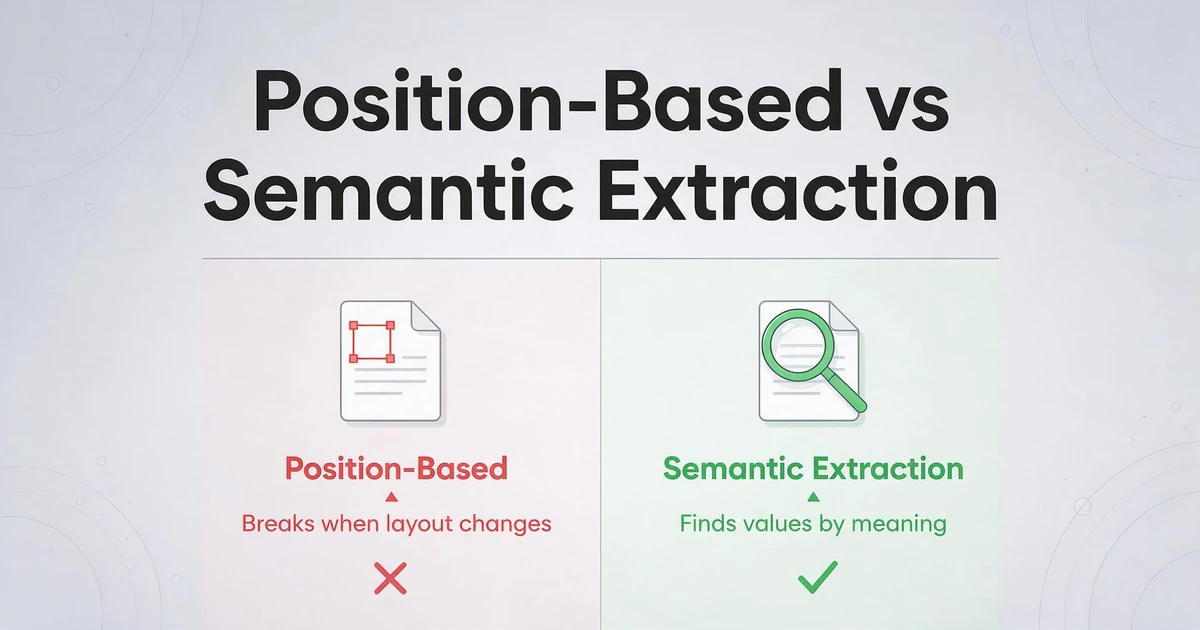
A parser that depends on layout encodes a promise that the layout will not change, and no source you do not control can make that promise. Zone-based and template-based parsers work by pointing at positions: draw a rectangle around the invoice total, or write a rule that looks for the word "Total" and reads the number to its right. The rule is precise, and that precision is exactly what fails. A sender renames a column heading, reorders two fields, or re-exports the same data from an updated system, and the rule now reads the wrong value or nothing at all. The tooling market reflects the same divide: zone and template parsers, general OCR services such as AWS Textract, and layout-first parsers such as LlamaParse each take a different road to structured output, and the practical question is how much layout variation each one expects and how much of the feed you still have to assemble yourself.
The failure is not rare enough to treat as an exception. It is the normal lifecycle of a feed with many sources, and the people who run those pipelines describe it in plain terms. On an r/dataengineering thread about handling data from different sources, one engineer wrote: "the way it gets exported by client is usually different, resulting in the scripts not working anymore. So we have to redo them. Combine this with 100's of different clients with different extract forms, and you can see why this is a major headache." That thread names the real cost: not the first script, but the steady stream of rewrites.
The rewrite is where the money goes. Every broken source is engineer hours, and engineer hours have a price. The U.S. Bureau of Labor Statistics puts the median annual wage for software developers at $135,980 as of May 2025, with a mean of $148,100. Those are national figures across all industries, but they are enough to size the problem: a feed that needs a fresh rule every few weeks is not a one-time integration. It is a subscription paid in senior time. The same logic applies to a single badly behaved scanned page, because a rule that has no coordinates to hold on to cannot be repaired by moving the rectangle.
Scanned documents expose the second half of the problem. A zonal parser needs a fixed position, and a scan offers no reliable one: skew, cropping, and compression all move the pixels a few units between one import and the next. That is why the maintenance conversation around template-based tools keeps landing in the same place. If you want the longer comparison of how that model behaves across vendors, the breakdown of template maintenance in PDF parsers walks through it.
Move the Contract From the Page to the Output
The durable fix is to define the extraction contract as the fields you want to deliver, and let the document stop deciding where those fields live. This is the difference between position-based extraction and semantic extraction. Instead of drawing a box and hoping the number stays inside it, you name the value you want, and the model reads the page to find whatever content means that value, wherever it sits and whatever layout surrounds it.
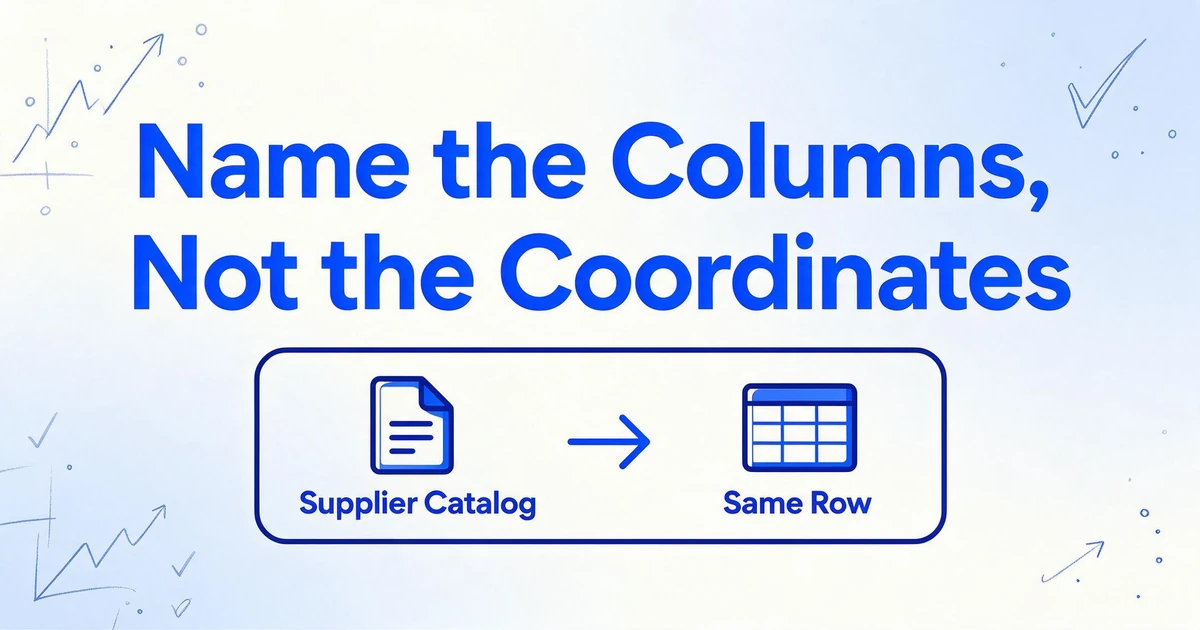
ImageToTable.ai builds the whole product around that idea. It is called Custom Column Extraction, and it works the way it sounds: you type the column names you want, such as Product SKU, Product Name, Unit Price, Currency, and Effective Date, and the AI locates each value by understanding what it means. The column names you enter become the headers of your output, so you are defining the schema of your feed in plain words rather than in rules that describe a page. A supplier catalog with a three-column price table and a scanned government filing with the same figures in prose both fill the same row.
The second half of the shift is that the work happens in batches. A data provider does not process one document at a time, and a design that assumes it does will not survive contact with a real source. ImageToTable.ai is batch-first: you upload many files from a source, or across sources, and they process together into one table. Adding a new sender does not add a parser. It adds files to the same column set that already works, which is the entire reason this approach holds up where a rule per source does not.
Two column types cover the shapes a feed usually needs. A direct column pulls a value that is written on the document, such as a unit price. An inferred column produces a value the document does not print, such as a normalized category defined as Category (options: Hardware/Electrical/Plumbing/Other), where the model reads the product and classifies it. A computed column calculates during extraction, for example a margin derived from two fields the feed carries. Classification and arithmetic that would otherwise be a second job in your warehouse happen on the same pass.
Delivering the Feed Through the API
Delivery is the half your downstream clients actually see, and for a data provider it deserves as much care as the extraction itself. The output of a batch is clean, structured JSON: the fields you named become the keys, and dates and amounts are standardized during extraction rather than left for you to repair in a downstream script. The same batch can also be exported as Excel or CSV, but a feed is usually consumed by code, and code wants JSON.
The v1 API is the public REST interface for that job, and in effect it turns the tool into a PDF to structured data API you can call from your own code. You upload documents, run batch processing, and query status and results without touching the web app, which is what makes it a fit for a pipeline rather than a one-off export. Processing is asynchronous: submitting work returns a job, and the job moves through a small set of states until it succeeds or fails. Instead of asking the API again and again whether the work is done, you register a webhook, and the service calls your endpoint when the result is ready. That removes polling traffic and, more importantly, it lets your pipeline react to a finished batch instead of guessing when to look.
There is an industry standard for the output side of this exchange. JSON Schema is the standardized vocabulary for describing the structure a JSON document should follow, maintained at json-schema.org. ImageToTable.ai defines that same contract in column names rather than in a separate schema file, and the API returns the fields under those names. The practical point is the one a data provider cares about: the shape of your feed is something you specify and keep stable, independent of the shape of any source document.
A batch of supplier catalogs comes back as records that look like what you asked for:
[
  {
    "Product SKU": "AC-1180",
    "Product Name": "Stainless Steel Clamp",
    "Unit Price": 4.75,
    "Currency": "USD",
    "Effective Date": "2026-09-01",
    "Category": "Hardware"
  },
  {
    "Product SKU": "EL-2044",
    "Product Name": "12AWG Copper Wire, 100m",
    "Unit Price": 89.9,
    "Currency": "USD",
    "Effective Date": "2026-09-01",
    "Category": "Electrical"
  }
]
The values are illustrative, but the structure is not. Each document becomes one record, the keys are the columns you named, and Category is the inferred column filling itself from the product description. If your downstream client needs a different field name, you change the column name and the key changes with it.
A Setup That Holds Up
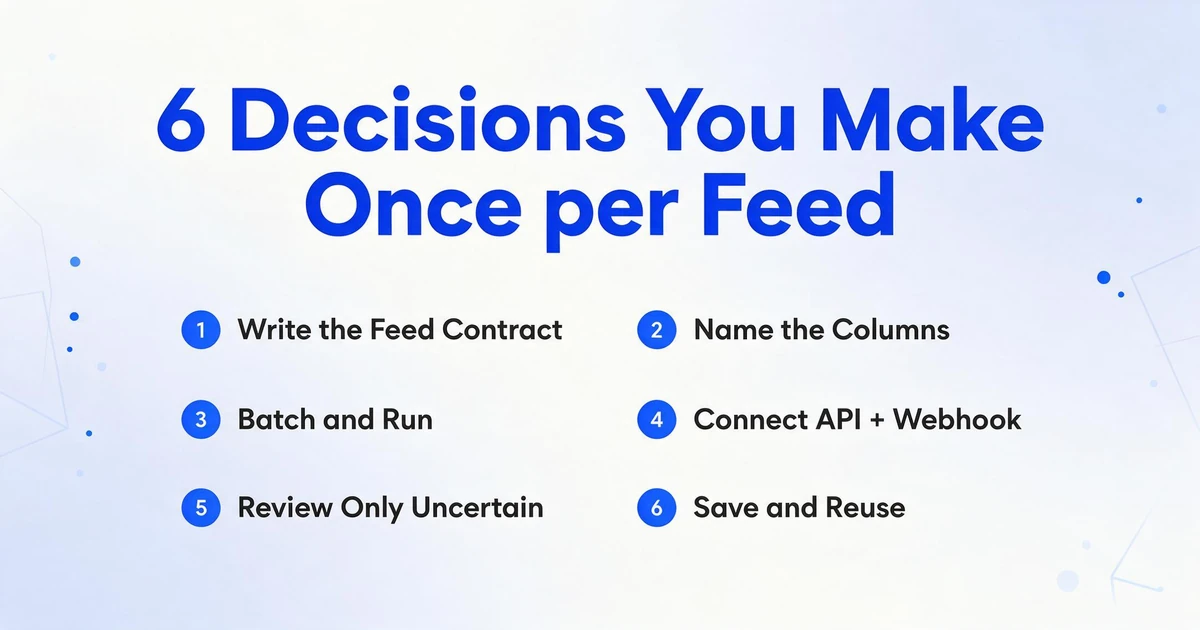
The configuration is a short list of decisions you make once per feed, not once per source. Work backward from what your clients consume.
Write the feed contract first
List the fields your downstream client needs, with the type each one should carry. This list is the deliverable, and it does not change when a source changes.
Turn each field into a column name
Type the names exactly as you want them to appear as keys: Price, Effective Date, Contract ID. Add an inferred column for any classification the feed needs and a computed column for any value you calculate.
Batch a source and run it
Upload the source's documents together, including its scans and mixed files, and process them as one batch. The same column set covers the digital and scanned pages.
Connect the API and a webhook
Submit batches through the v1 API and register a webhook endpoint. Your pipeline reacts to each completed batch instead of polling for status.
Review only what is uncertain
Use Review Mode and Bbox verification on the fields that carry money or identity. Hovering a cell shows where the value came from on the original page, so a reviewer checks the source instead of re-reading the document.
Save the set and reuse it
Keep the column set as a template for the next source. A new sender means new files against the same contract, not a new parser.
Files are processed securely and not stored.
What This Does Not Do
It extracts from the documents you give it, and it does not go and get them. This is not a web scraper or a crawler. There is no component that visits a source site and pulls PDFs down on its own. You supply the files, through the app or the API, and the service reads them. Any scheduled fetching, source monitoring, and download logic is yours to run.
It is not a finished data-source pipeline. The v1 API turns a batch into structured JSON and tells you when it is done. Deciding where that JSON lands, how it is versioned, how it is joined to your other tables, and who watches the job for failure is still your system's job. Treat the API as the extraction stage inside a pipeline, not as the pipeline.
It does not build a parser per source, and that cuts both ways. You lose the theoretical option of hand-tuning a rule for one very unusual sender. You gain a column set that works across every sender without being touched, which is the trade a high-variety feed wants to make.
It reads a document; it does not reconcile documents against each other. It will fill the fields on a page and compute values within a document. It does not match a record against an external database, verify a price, or cross-check one source's figure against another's. Those are judgments, and they stay with your code and your reviewers.
Accuracy is high, and it is not perfect. The printed-table figure we cite is up to 99% recognition, which is our own number for a specific input type. Dense handwriting, faint scans, and unusual layouts sit below that, which is exactly why Review Mode and Bbox verification exist and why the uncertain fields should still pass a person. Processing is asynchronous, so it returns a job rather than an answer in the same call. Inputs include PDF, JPG, PNG, WebP, AVIF, and webpage screenshots; outputs include JSON, Excel, CSV, and Word.
If you want the surrounding context, PDF data extraction software covers the general tooling comparison, and the document parser overview explains how parsing relates to extraction. Both are worth reading before you standardize a feed on any one approach.
Frequently Asked Questions
Does it work on scanned PDFs and files that mix scanned and digital pages?
Yes. A scanned page and a born-digital page go through the same extraction and return the same fields. A file that is digital on page one and a scan on page two is processed as one document, so you do not need a separate OCR path or a separate upload.
Can the API return JSON that uses my field names?
Yes. The column names you type become the keys in the output. If your downstream client expects Price rather than Unit Price, you rename the column and the key follows. The output is one record per document, with dates and amounts standardized during extraction.
How do I know when a batch is finished?
Processing is asynchronous, so a submitted batch returns a job you can query. For a pipeline, register a webhook and the service calls your endpoint when the result is ready, which avoids polling. You can still poll as a fallback if your environment cannot receive inbound calls.
Can it pull the same fields from sources with completely different layouts?
That is the point of naming columns instead of drawing zones. The model locates each value by meaning, so a catalog table and a filing written in prose fill the same column set. A new source does not require a new template or a new script.
What happens to fields the model is unsure about?
They still appear, but they are worth a review pass. Review Mode with Bbox verification lets a person click a cell and see the exact region it came from on the original page, then correct it. For money and identity fields, that review is the right default rather than an exception.
Is there a free trial?
Signing up is free and includes credits to test with your own documents. Run a batch from two different sources and check whether the same column set fills both before you decide. The demo on this page runs without an account.
The Thing You Are Maintaining Is an Assumption
A feed that breaks when a source changes its layout is not really maintaining PDFs. It is maintaining the assumption that each value will stay where it was last found. That assumption is what fails, quietly, every time a sender updates an export or a scan comes back a little crooked. Name the fields you deliver, extract them by meaning, batch the documents, and deliver the result as JSON, and the layout stops being something you have to guard. The feed holds because the contract lives in your output instead of on someone else's page.