OCR vs Vision AI for Document Extraction
Which One Should You Choose?
Traditional OCR reads documents character by character — it sees text. Vision AI reads documents the way a person does — it understands what the text means and where it belongs. That distinction matters more than any speed or price comparison, because it determines what breaks when your documents change and what keeps working without anyone touching the setup.
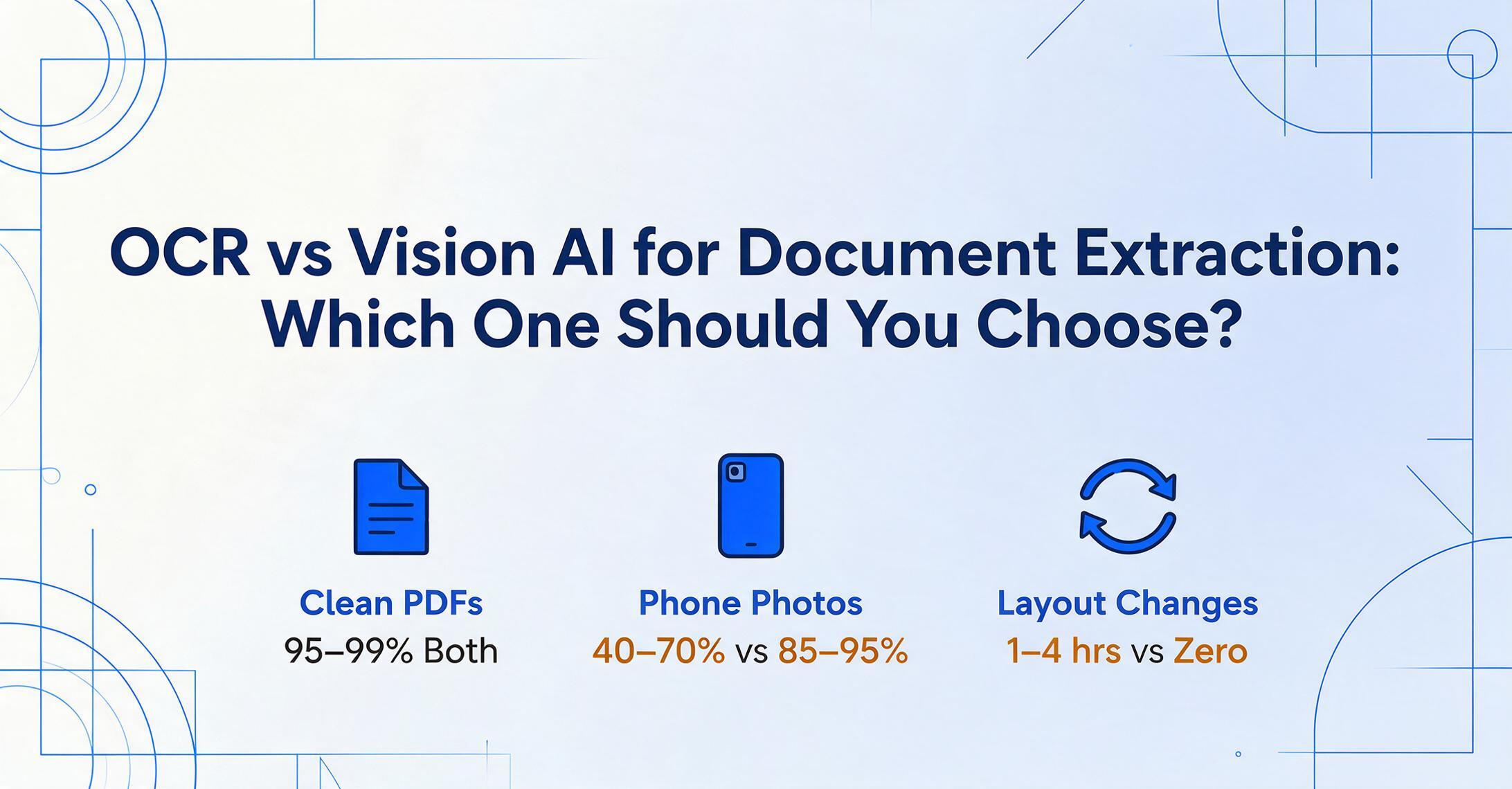
Key Takeaways
- OCR at $0.01/page looks like the obvious cheap choice — until you factor in the 30–40 hours of template maintenance a 50-supplier operation quietly burns through every year.
- The per-page software price hides three cost buckets that never appear on any invoice: 1–4 hours of template setup per new format, 15–40 hours of reactive maintenance per year per 50 senders, and silent errors that surface during reconciliation — weeks after the extraction looked fine.
- Stop comparing per-page API prices. The only number that matters is total cost per document — and when you add the labour that template upkeep consumes, the "cheaper" tool is usually the more expensive one.
Quick Comparison: OCR vs Vision AI
If you need one table to decide whether to keep reading, this is it. Each dimension is explained in detail below.
| Dimension | Traditional OCR / Template Tools | Vision AI |
|---|---|---|
| How it reads | Character recognition + zone templates | Semantic page understanding |
| Accuracy on clean scans | 95–99% | 95–99% |
| Accuracy on phone photos | 40–70% | 85–95% |
| Accuracy on handwriting | 50–70% | 85–93% |
| Setup time per format | 1–4 hours (template creation) | 0 — works on first upload |
| Format change tolerance | Breaks — template must be rebuilt | Adapts automatically |
| Per-page cost (software only) | Lower ($0.01–0.03/page at scale) | Higher ($0.02–0.10/page) |
| Hidden maintenance cost | Significant — template upkeep per sender | Near zero |
How They Work: Pixels vs Meaning
Optical Character Recognition was designed to solve a narrow problem: convert an image of text into machine-readable characters. It identifies individual letter shapes pixel by pixel, assembles them into words, and outputs a text stream organized by reading order. A traditional OCR engine can tell you that the characters "1,234.56" appear on a page, but it has no idea whether that is an invoice total, a quantity, or a reference number. The output is raw text that still needs human interpretation.
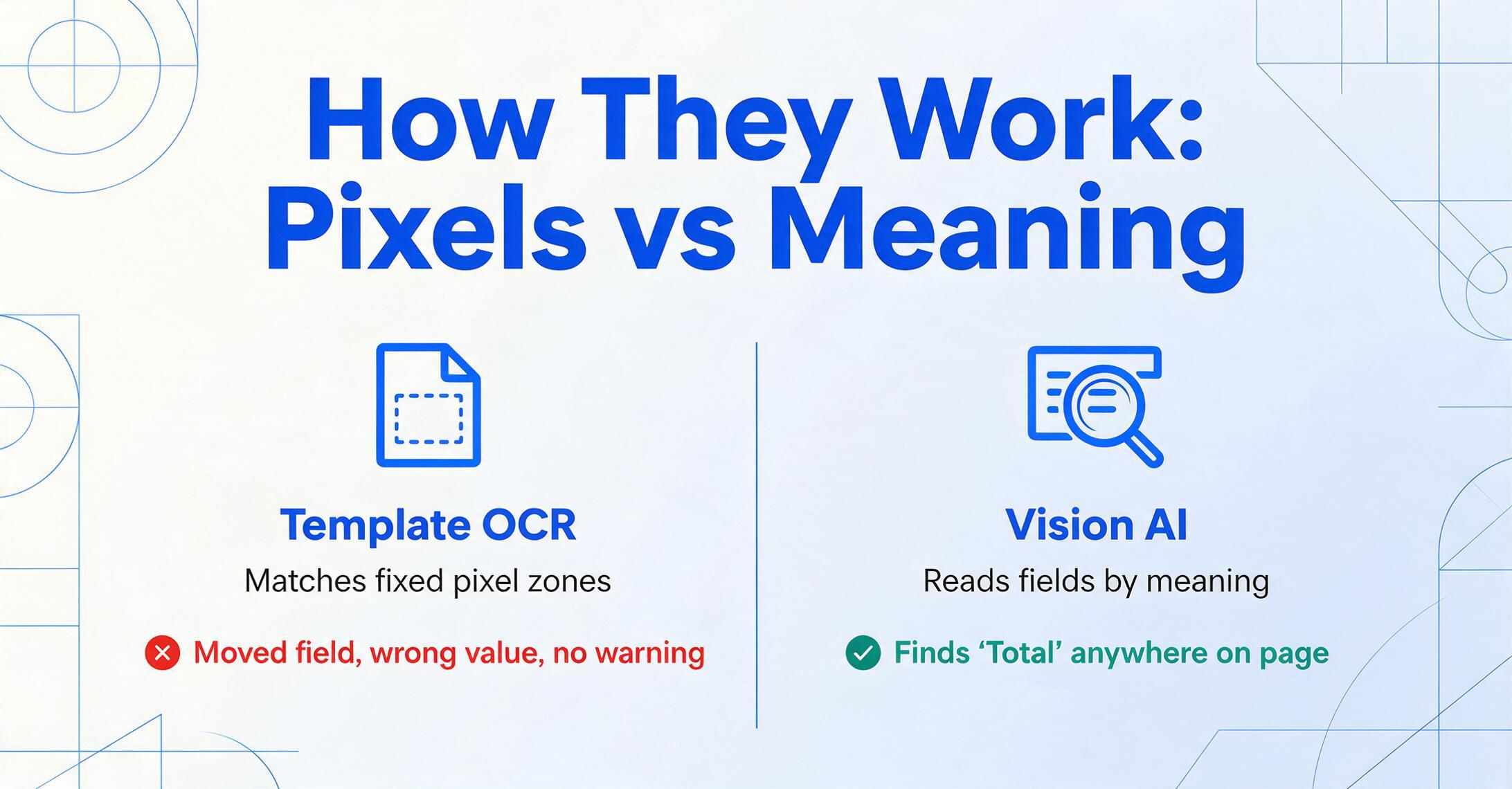
Template-based OCR tools add a second layer on top of character recognition: you draw zones around each field on a sample document. "Invoice Number is at pixel coordinates (50, 120) to (200, 145)." When a new document arrives with an identical layout, the template works. When a vendor moves the invoice number field — even two centimetres — the template extracts whatever text now sits in that coordinate zone. It does not know it is wrong. The data goes into your spreadsheet looking plausible, and the error surfaces later when someone reconciles the numbers.
Vision AI eliminates the zone step entirely. A vision language model processes the document as a whole image, understands each section's role (header vs table vs footer), and identifies fields by meaning instead of position. You type the column names you want — "Invoice Number," "Date," "Total" — and the AI locates matching values anywhere on the page by understanding what each label represents. "Invoice No.", "INV#", "Bill Reference," and "Our Ref:" all map to the same column because the model understands they are equivalent concepts in the context of a commercial invoice.
For a deeper look at how this semantic approach removes the need for templates entirely, see our explanation of template-free extraction.
Accuracy: Where the Gap Opens and Where It Closes
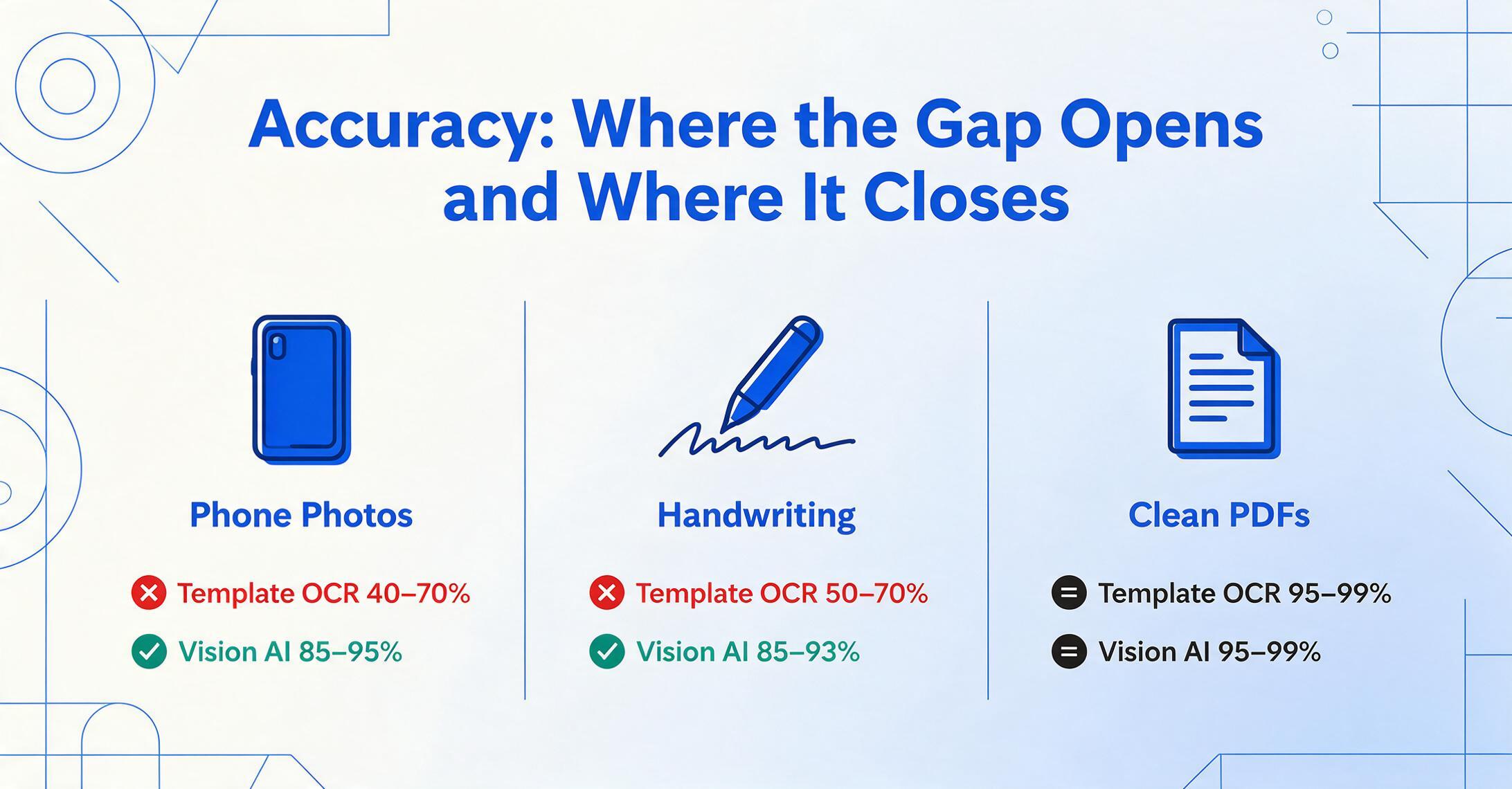
On clean printed documents — think a digitally generated PDF from a modern accounting system — both approaches perform well. OCR engines achieve 95–99% character accuracy, and vision models match or slightly exceed that range. If every document you process is a crisp, typed PDF with consistent formatting, accuracy alone will not drive your decision.
The gap appears as soon as document quality or layout diversity increases:
- Phone photos. A photo of an invoice taken at a desk has uneven lighting, perspective distortion, and often shadows. OCR engines trained on flatbed scans see a significant accuracy drop — field-level results can fall to 40–70%. Vision AI, trained on millions of real-world photos, maintains 85–95% accuracy because it reads contextually: even when individual characters are blurry, the model infers the correct value from surrounding text and document structure.
- Handwriting. This remains the single biggest weakness of traditional OCR. Handwritten character morphology varies so much between writers that template-based pattern matching routinely misses or misreads 30–50% of characters. Vision AI handles legible handwriting at 85–93% accuracy — not perfect, but usable enough that manual transcription remains necessary only for the most difficult cases.
- Complex tables. Multi-column line-item tables with merged cells, nested headers, and varying row counts are OCR's other failing ground. Traditional OCR flattens table content into a linear text stream — lines become paragraphs, columns merge, and the reader has to mentally reconstruct the grid. Vision AI preserves table structure because it sees the grid as a visual object and extracts rows and columns by their spatial and semantic relationships.
Format Change Tolerance: The Hidden Cost Item
A vendor redesigns their invoice layout. A new supplier sends purchase orders in a format you have never seen. A client switches accounting software and their remittance advice now looks completely different.
For template-based OCR, each of these events is a failure. The template was built for the old layout. The new layout does not match the stored coordinates. The extraction silently produces wrong or missing data. Someone has to notice the problem, identify which template broke, and rebuild it — a process that typically takes 1 to 4 hours per format depending on document complexity.
For Vision AI, nothing happens — because there are no templates to break. The AI reads each document independently by semantic meaning. A redesigned invoice still has an invoice number, a date, and a total. The column names you defined once continue to work. No template rebuild, no data corruption, no manual intervention.
The practical impact of this difference is easy to underestimate when you have 5 suppliers and hard to ignore when you have 50. A finance team processing invoices from 50 vendors might see 15–20 layout changes per year across their supplier base. At 2 hours per template rebuild, that is 30–40 hours of reactive maintenance — an entire work week spent keeping an "automated" system running.
Setup Time: Hours per Format vs Zero
A template-based OCR tool requires a setup process before it can extract anything useful from a new document type. You upload a sample, draw rectangular zones around each field (invoice number, date, total, line items), label each zone, and sometimes define parsing rules for multi-line tables. For a standard invoice, this takes 1 to 3 hours the first time. For a complex document like a remittance advice or a multi-page contract, it can take half a day.
Vision AI requires zero setup per format. You define your column names once — they become your extraction template — and the model reads every document type you throw at it. When you start processing a new document category (moving from invoices to purchase orders), you do not create a new template; you simply adjust your column list. The model does the rest.
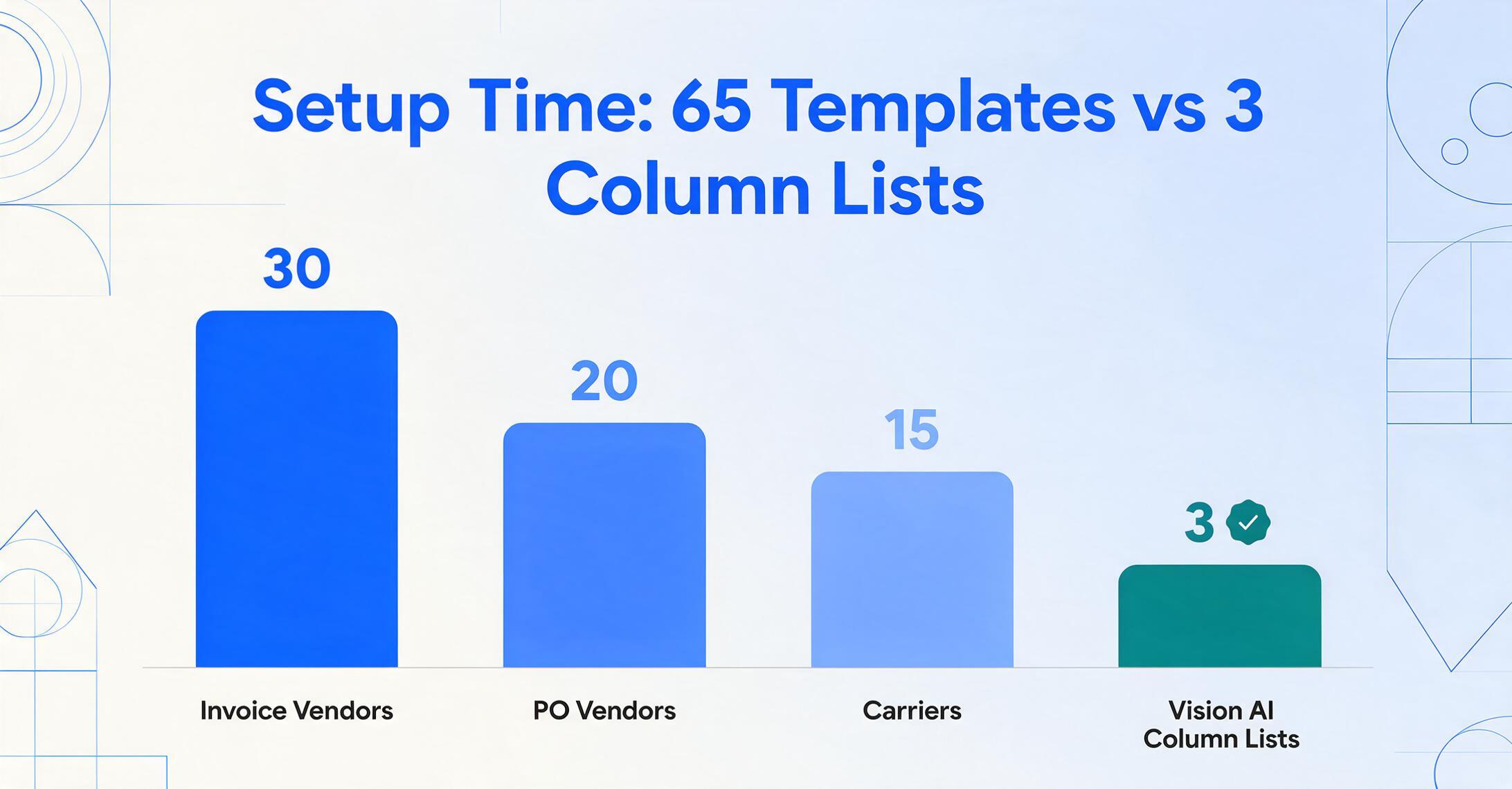
This difference compounds. A template-based system processing invoices from 30 vendors, plus purchase orders from 20 vendors, plus delivery notes from 15 carriers, needs 65 separate templates. Each one took time to create and needs maintenance. A Vision AI system processing the same mix of documents uses one column list for each document type — three lists instead of 65 templates. For a detailed comparison of how this plays out across tools, see our guide to template-free extraction.
Cost Comparison: The Software Price Is Only Half the Story
At the software level, OCR tools are cheaper per page. A commercial OCR engine processing high volumes can cost $0.01–0.03 per page. Vision AI extraction typically runs $0.02–0.10 per page. On the surface, OCR looks like the budget-friendly choice.
The problem with that surface-level comparison is that it ignores the labour costs layered on top of the software. Every page that needs manual correction costs money — not in software fees, but in human time. And every template that breaks costs money in rework.
| Cost Type | OCR / Template | Vision AI |
|---|---|---|
| Software (1,000 pages/mo) | $10–30 | $20–100 |
| Template setup (per format) | 1–4 hrs × your team's hourly rate | $0 |
| Template maintenance (yearly) | 15–40 hrs per 50 senders | $0 |
| Error correction (variable docs) | 5–15 min per document with issues | 1–3 min for spot-checking |
The breakeven point shifts depending on your document mix. If you process 10,000 identical W-2 forms a month, the OCR per-page savings dominate and the lack of format variation means templates never break. If you process 1,000 invoices from 100 different suppliers with varying layouts, the Vision AI savings from eliminated template maintenance and reduced error correction cover the higher per-page cost multiple times over. For a complete breakdown of how per-page and subscription pricing compare across the market, see our pricing analysis.
When Template OCR Makes More Sense
Template OCR is not obsolete. It has several scenarios where it remains the right choice:
- High-volume identical forms. If you process 50,000 W-2 forms, 20,000 standardized loan applications, or 100,000 utility bills — all from the same source with a fixed layout — OCR's per-page cost advantage at scale is real. The template setup cost is a one-time investment amortised across millions of pages.
- Clean digital PDFs only. If your document pipeline consists exclusively of digitally generated PDFs with embedded text (no scans, no photos, no handwriting), OCR accuracy is excellent and the maintenance burden is low.
- Cost-sensitive at massive scale. At monthly volumes above 50,000 pages, the difference between $0.01/page and $0.05/page becomes thousands of dollars. If your documents are uniform and your format never changes, the cheaper per-page cost is the right mathematical call.
- Deterministic output requirements. OCR produces the same output every time for the same input. Some regulated environments prefer this predictability even if accuracy is slightly lower, because the behaviour is consistent and auditable.
When Vision AI Makes More Sense
Vision AI wins for the majority of scenarios where document variety is the norm rather than the exception:
- Multiple vendors with different formats. A business receiving invoices from 30, 50, or 200 suppliers cannot maintain templates for each one. Vision AI handles all formats with a single column definition. This is the scenario where template maintenance costs go from manageable to crippling, and where no-training tools deliver their clearest value.
- Handwritten documents. Field notes, signed delivery receipts, inspection checklists, handwritten timesheets — OCR's accuracy drops below usability on most handwriting. Vision AI extracts legible handwriting at usable accuracy levels.
- Phone photos and real-world captures. If your documents come from mobile phones — photos of receipts, pictures of whiteboards, snapshots of meter readings — the perspective distortion and lighting variation that break OCR are handled naturally by vision models.
- Mixed document types. A workflow that includes invoices, purchase orders, packing slips, and credit notes in a single batch does not require four separate template configurations. Vision AI adapts to each document independently.
- Frequent format changes. If your document sources change their layouts regularly (common with retail suppliers, seasonal vendors, or newly onboarded clients), the zero-maintenance advantage of Vision AI dominates the cost calculation.
The Verdict: Match the Architecture to Your Document Mix
The decision between OCR and Vision AI is not a technology choice — it is a document mix calculation. Ask yourself three questions:
- How many different document formats do I process? One or two → OCR is fine. More than ten → the template burden starts to outweigh the per-page savings.
- How often do my document formats change? Never → OCR is stable. Several times a year → template maintenance becomes a hidden cost centre.
- What is the quality of my source documents? Clean digital PDFs only → OCR is accurate. Include photos, scans, or handwriting → Vision AI is the practical choice.
There is no single right answer for every business. A property insurer processing 80,000 identical renewal letters annually should stick with OCR. A food distributor receiving 3,000 invoices from 200 different suppliers, each with a different layout and varying print quality, should be on Vision AI. The mistake is choosing OCR because it is cheaper per page without accounting for what happens when a template breaks at 5 PM on a month-end close.
Frequently Asked Questions
Can OCR and Vision AI be used together in the same workflow?
Yes, and this hybrid approach works well in practice. OCR handles the bulk extraction on clean, standardised documents, while Vision AI is reserved for edge cases: poor-quality scans, handwriting, or unusual formats that the OCR pipeline cannot parse reliably. Some document intelligence platforms offer this routing out of the box, sending the easy cases to fast OCR and escalating the hard ones to a vision model.
Does Vision AI hallucinate data like a chatbot might?
Any AI model can produce incorrect output, but Vision AI built for extraction handles this differently from a general-purpose chatbot. Extraction tools constrain the model to return data that exists in the source document — they do not ask it to generate new content. When a requested field is missing from the document, the cell is left blank rather than filled with an invented value. That said, a quick spot-check of high-value fields is good practice regardless of the technology you use.
Does Vision AI need an internet connection to work?
Most Vision AI extraction tools are cloud-based and require an internet connection to send document images to the model and receive extracted results. Some newer tools offer on-device processing for basic extraction, but the full semantic understanding that separates Vision AI from OCR typically requires cloud inference. If your workflow operates in an air-gapped or low-connectivity environment, an on-premise OCR solution may be your only option.
How long does it take to switch from an OCR/template system to Vision AI?
The switch itself is fast because Vision AI does not require template migration. You define your column names once (the same fields your template was extracting), upload a test batch, verify the output, and you are operational. The time-consuming part is not the tool — it is auditing your existing template inventory to confirm which were actually working and which had been silently producing incorrect data.
What volume of documents makes Vision AI cost-effective compared to OCR?
The breakeven depends on format variety, not just volume. For a single-format, high-volume pipeline (50,000 identical forms), OCR is cheaper. For a multi-format pipeline (1,000 invoices from 50 vendors), Vision AI is usually cheaper once you factor in template setup, maintenance, and error correction time. The general rule: if you are creating more than 5–10 templates and maintaining at least a few per year, Vision AI's zero-maintenance model likely saves you money even at moderate volume.
Upload a document you process regularly. Define the column names you need. See how Vision AI handles your actual format — no template, no training, no commitment.
Try Vision AI on Your Document