In a Mortgage Loan File,
the Same Figure Rarely Matches
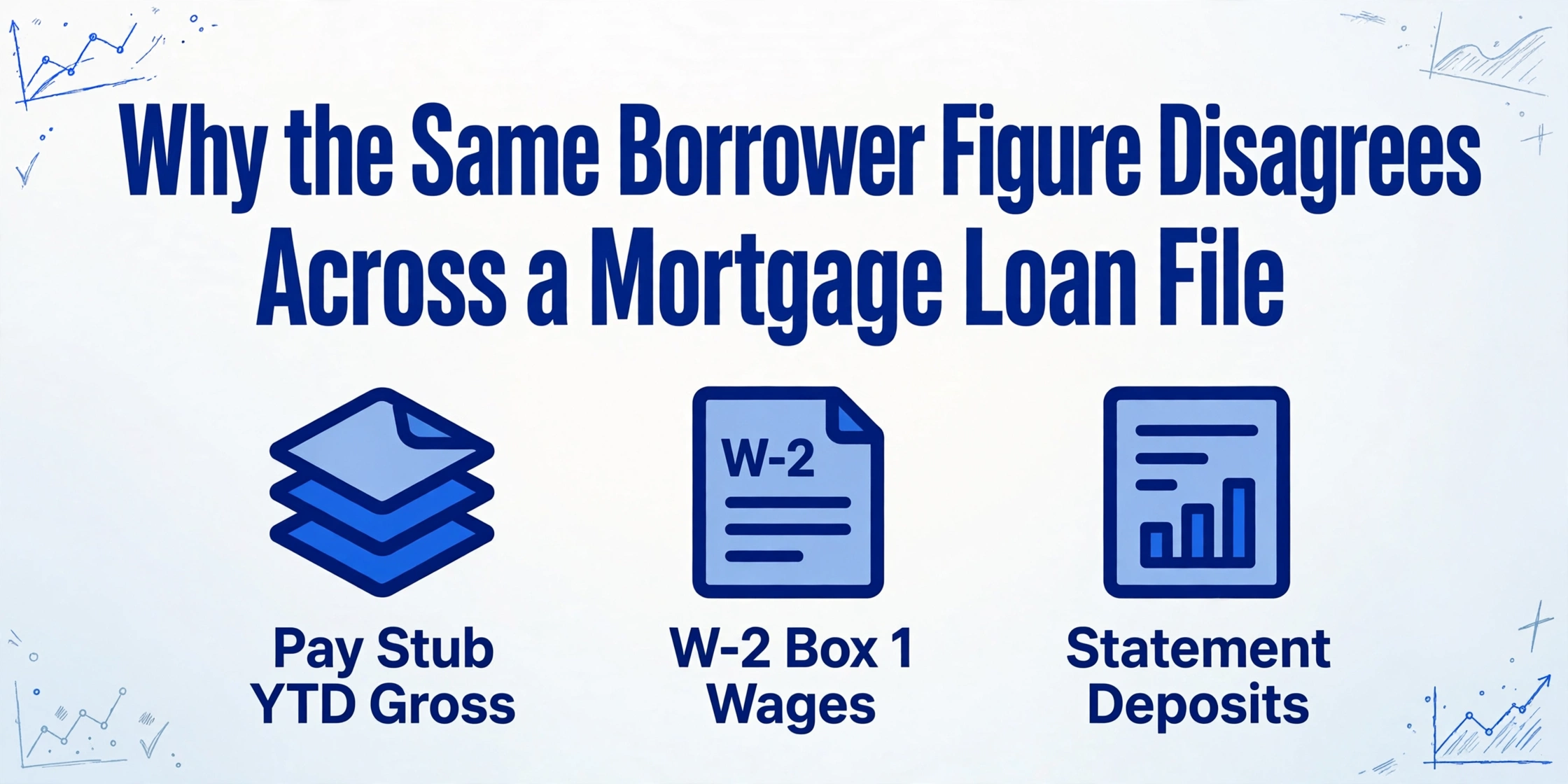
A loan file rarely fails on one document. It fails between two of them. The borrower's income is read off a pay stub, typed onto the application, typed again from a W-2, and typed once more into the disclosures, and every one of those handoffs is a place where the figures can stop agreeing. The Consumer Financial Protection Bureau's own guide to assembling a loan application packet asks for the pay stub, two years of W-2s, two years of signed tax returns, and the two most recent bank statements, which is the same handful of facts arriving in four different document types (CFPB).
Key Takeaways
- When a W-2 figure does not match the application, it feels like a mistake you should have caught.
- It rarely is, because a pay stub, a W-2, a bank statement, and a tax return each define income differently, and four different numbers can all be correct for one borrower.
- Your job is not to retype each document more carefully, it is to put every source's version on one row, one named column each, so the disagreement surfaces before an underwriter finds it.
A mortgage loan file is not one form. It is a stack of documents that each hold a piece of the same borrower's story, produced by different parties on different days, and the figures they share are supposed to line up. When they do not, nobody sees it at the moment the value was entered. They see it later, in underwriting, as a condition. This article is about what that stack contains, why the same figure gets keyed so many times, and how to lay every version of a number side by side in a single structured sheet so the disagreement shows up early instead of at clear-to-close.
What a Loan File Is, and How Many Hands It Passes Through
A mortgage loan file is the assembled record of one borrower's application, and before it reaches an underwriter it has already passed through four or five different desks. The roles are worth naming, because each handoff is a place where the figures get copied.
| Who handles it | What they work from | What gets keyed at this step |
|---|---|---|
| Loan officer / originator | The Uniform Residential Loan Application, Fannie Mae Form 1003 | Borrower identity, employment, stated income, assets, liabilities, loan amount |
| Loan processor | Pay stubs, W-2s, tax returns, bank statements, employment and asset verifications | Gross and net pay, year-to-date wages, account balances, deposit history |
| Appraisal / title desk | Appraisal report (Form 1004), title commitment | Appraised value, property address, legal description, lien position |
| Underwriter | The full file plus the automated underwriting findings | Qualifying income, reserves, debt-to-income, conditions |
| Closer / post-closing | Loan Estimate, Closing Disclosure, executed package | Final loan amount, rate, cash to close, fees |
Two numbers explain why the stack gets handled this way. Each loan carries a real cost to produce: independent mortgage banks spent $11,094 per loan on production expenses in 2025, and retail depositories spent $16,320, according to the Mortgage Bankers Association's performance reporting (MBA, April 2026; MBA Newslink, June 2026). And each loan is one record among millions: the 2024 Home Mortgage Disclosure Act data alone covers roughly 4,898 reporting institutions (CFPB). A file that has to be read by four desks, at that per-loan cost, is exactly the kind of process where retyping a figure looks cheaper than it is.
Where the Same Figure Gets Re-Keyed Across the Lifecycle
The same borrower figure moves across the lifecycle four or more times, and each move is a manual retype into a different screen or form. Four stages carry most of it.
| Stage | Documents in play | The figure that gets re-keyed |
|---|---|---|
| Application | Form 1003 / URLA | Stated income, employer, asset balances, loan amount |
| Income and asset verification | Pay stubs, W-2s, tax returns, bank statements | YTD gross pay, Box 1 wages, adjusted gross income, statement balances |
| Appraisal and title | Appraisal report, title commitment | Appraised value, property address, vested owner |
| Closing | Loan Estimate, Closing Disclosure and the closing package | Final loan amount, note rate, cash to close, monthly payment |
The clock makes late discovery expensive. Under the TILA-RESPA Integrated Disclosure rule, a Loan Estimate has to reach the consumer no later than the third business day after the application is received, and the initial Closing Disclosure no later than three business days before consummation (CFPB TRID FAQs). Those windows are short. A figure that was entered correctly from the pay stub but entered differently from the W-2 does not announce itself in the application stage. It surfaces when a processor or underwriter finally compares sources, which is often days later, when the schedule is tightest.
The appraisal side adds one more handoff. Government-sponsored enterprise rules push the appraisal through the Uniform Collateral Data Portal and standardize its fields through the Uniform Appraisal Dataset, so the appraised value is stated in a known place, and it still has to agree with the value carried on the application and the final disclosures (Fannie Mae Selling Guide).
The Mismatch Is a Handoff Problem, Not a Typing Problem
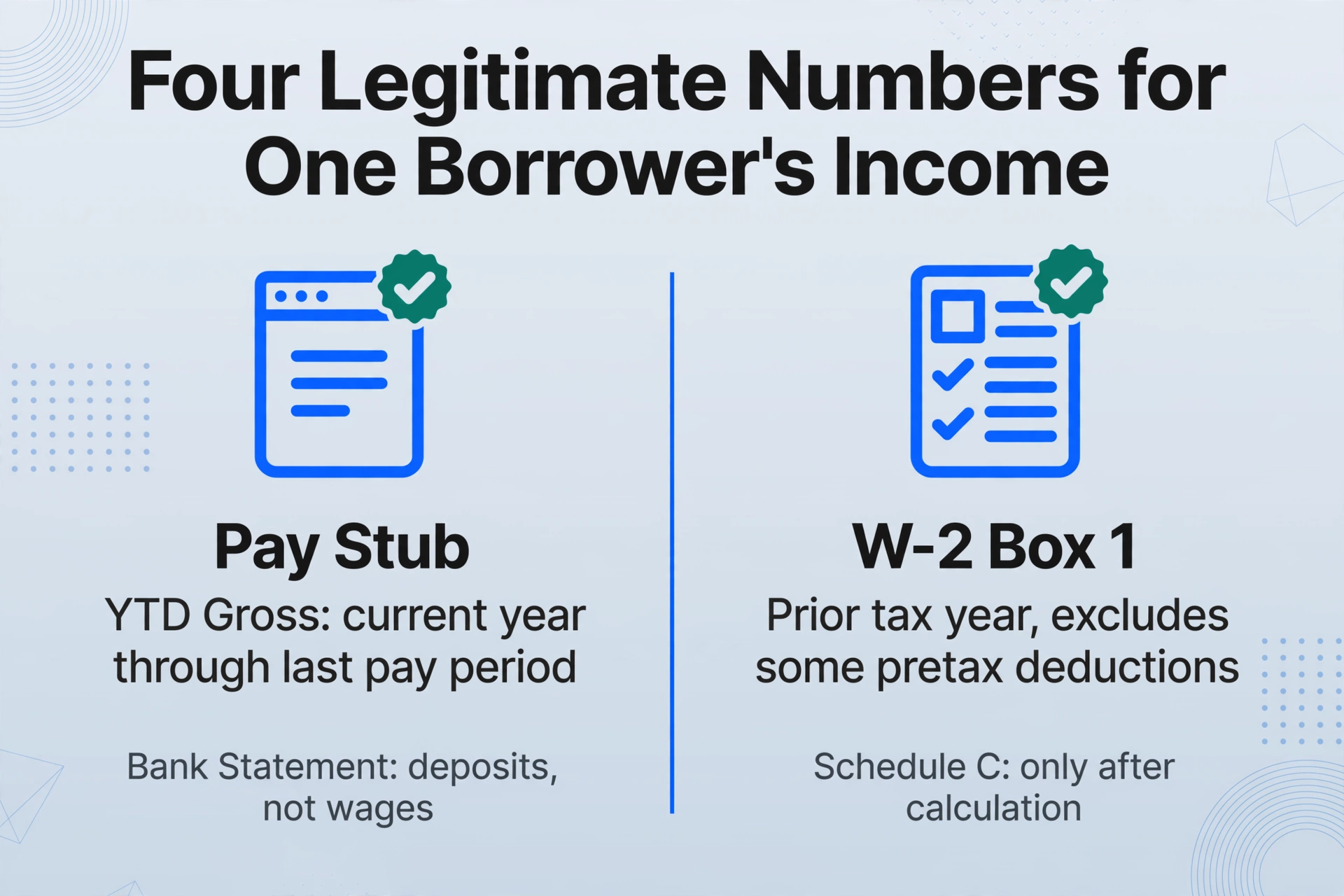
A cross-document mismatch is rarely a typo. It is a value that was read correctly from one document and entered correctly from a different one, and the two documents simply measure different things. That distinction matters, because it is why "just be more careful" does not fix it.
Consider a borrower's income. A pay stub's year-to-date gross covers the current calendar year through the last pay period. A W-2's Box 1 covers the prior tax year, and it excludes some pretax deductions the pay stub includes. A bank statement shows deposits, not wages, and a large deposit may be a transferred balance rather than income. On a self-employed borrower, the figure may only appear after a Schedule C calculation. Four legitimate numbers exist for one borrower's "income," and each one is correct on the page it came from. The error is not misreading any of them. It is assuming they should be identical and quietly keying whichever one was open.
The people doing the work describe the volume, not the arithmetic. On r/loanoriginators, one originator wrote that "each lead takes approx. 3 hours to extract and manage documents with a back and forth to make sure all the info is there" (r/loanoriginators). In another thread, an originator put it more bluntly: "My day-to-day is still 8+ hours of manual data entry, chasing borrowers for the same missing documents, and staring at bank statements until my eyes bleed" (r/loanoriginators). One thread on organizing borrower folders noted that a single credit package "can easily hit 50+ docs" (r/loanoriginators).
At that volume, the failure is structural. Every time a processor re-keys a figure, they are creating a second copy of a number that already exists somewhere else in the file. Two copies can drift. The only way to catch drift is to see the copies next to each other before the file moves on, and a PDF viewer cannot show you that.
Reading the Whole Stack as One Borrower Row
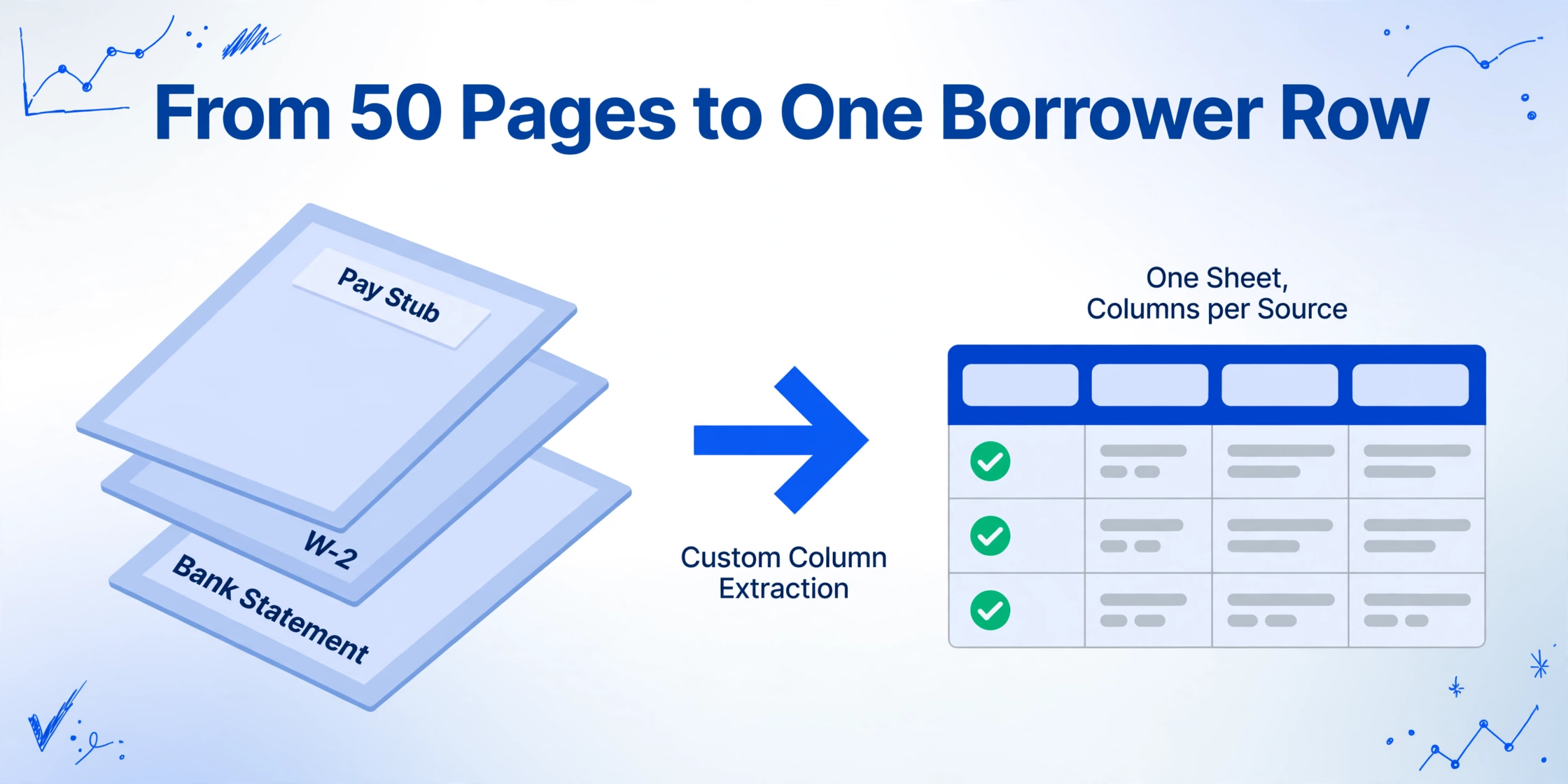
The fix is not a faster typing tool. It is a single structured row per borrower where every source's version of each figure lands under its own named column, so the differences are visible on one line instead of buried across 50 pages.
The mechanism that makes this work is what ImageToTable.ai calls Custom Column Extraction. Instead of drawing boxes around fields on a template, you type the column names you want, such as W-2 Box 1 Wages, YTD Gross Pay, and Statement Ending Balance, and the AI reads each document and places a value under the matching column by understanding what the value means, not where it sits on the page. That matters here because mortgage income documents arrive in thousands of layouts: every payroll provider, bank, and tax preparer formats its own. A fixed template breaks the moment a servicer changes a layout. A column name does not. If the mechanism is unfamiliar, the plain-language explainer on what AI document extraction actually does walks through the difference between OCR reading a page and a model understanding it.
The other half is batching. You put the whole file into one run: the pay stubs, the W-2s, the tax return, the bank statements, the disclosures. ImageToTable.ai is batch-first, meaning multiple files process together and merge into one Excel sheet, so the output is not 30 separate extracts to reconcile by hand. It is one sheet whose rows are your documents and whose columns are the figures you asked for.
Files are processed securely and not stored.
The Columns That Make a Loan File Readable
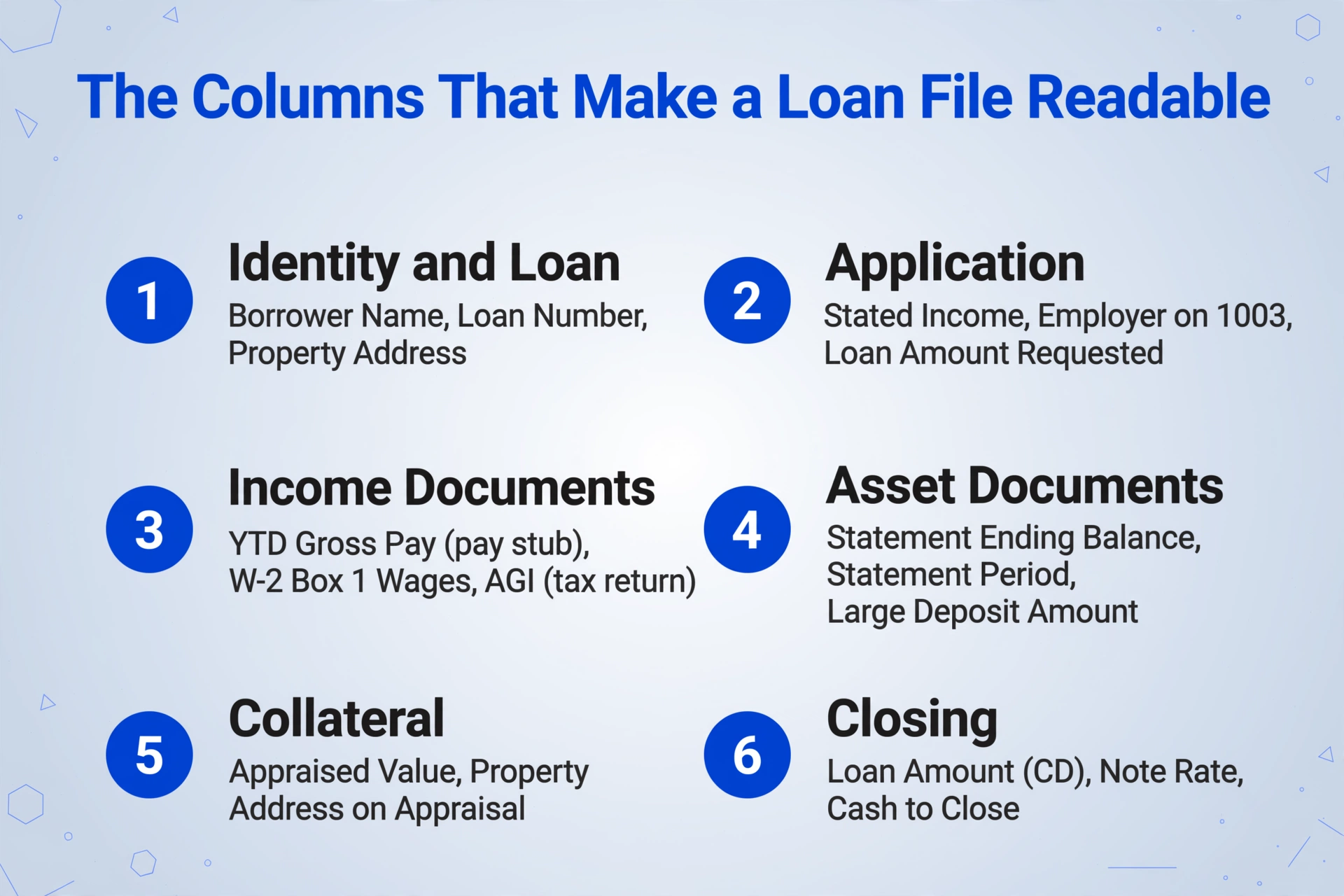
The sheet works when each source of the same figure gets its own column, because a single "Income" column hides the disagreement that a source-by-source set of columns exposes. Group the columns by the stage they come from.
| Group | Columns to name | What it shows you |
|---|---|---|
| Identity and loan | Borrower Name, Loan Number, Property Address | The key that ties every document to one borrower and one deal |
| Application | Stated Income, Employer on 1003, Loan Amount Requested | What was claimed at intake, before any document backed it up |
| Income documents | YTD Gross Pay (pay stub), W-2 Box 1 Wages, AGI (tax return) | Each source's version of income, side by side, not merged into one number |
| Asset documents | Statement Ending Balance, Statement Period, Large Deposit Amount | Whether the balance on the statement agrees with the asset claimed on the application |
| Collateral | Appraised Value, Property Address on Appraisal | Value and address as the appraisal states them |
| Closing | Loan Amount (CD), Note Rate, Cash to Close | Final figures next to everything that led up to them |
ImageToTable.ai can also compute inside a single document, which handles one narrow class of check. A computed column runs arithmetic on extracted values, so you can ask for the difference between a statement's printed total and the sum of its line items, or a derived value that was never printed on the page. That is a check within one document. It is worth being precise about the boundary: the tool places figures from different documents into the same row, and a person reads across the row. It does not silently compare a W-2 against a pay stub and announce a verdict.
Extracting a W-2 into a spreadsheet is a familiar task on its own, and the W-2 to table workflow covers the field choices for that one form. The same applies to statements: the bank statement to spreadsheet workflow covers multi-page transaction tables. The loan file is where those single-document extracts stop being the point and start needing to line up.
When One Document Arrives as Five Files
A loan document rarely arrives as one clean file, and the tool's answer to that is Multi-Page Merge, a template setting that folds pages belonging to the same logical document into a single row. A bank statement spanning three PDFs, a tax return whose schedules were scanned separately, an ID shot as a front and a back: these are one record each, and they should not become four rows.
You configure the grouping rule to match how the file actually arrives. One option starts a new group whenever a tracked column's value changes, which works when the loan number or borrower name is present on every page. Another matches by a shared reference number across the whole batch, which is the closest thing to "group every page that carries this loan number." A third groups a fixed number of uploads, useful when a packet is always the same shape. When two pages inside a group disagree on a field, the conflict rule decides what to keep: the first value, the last value, both joined together, or split into separate rows. For a loan file, keeping the loan number on every line is what makes the rest of the sheet navigable, because it is the one value that should never vary.
What Extraction Does Not Decide
Data extraction ends where judgment begins, and on a mortgage file that line is firm. The sheet tells you what each document says. It does not tell you what the loan should do.
It does not calculate qualifying income, apply agency or investor overlays, or produce a debt-to-income decision. It does not determine whether a discrepancy is acceptable, whether a large deposit needs sourcing, or whether a title exception is material. It does not approve a loan, decline one, or sign off on compliance. Those are underwriting and compliance judgments, and a person holds them.
The comparison across columns is a human read, and the tool should not be described as doing it for you. What it removes is the part that has no judgment in it at all: opening each PDF, finding the field, and retyping it into a cell. It also gives every figure a way back to its source. Review Mode with Bbox highlights the exact region a value came from when you hover its cell, and jumps from a region back to the matching cell, so confirming a number against the original takes seconds instead of a page hunt.
Finally, this does not replace the systems of record. Encompass by ICE Mortgage Technology, Blend, Floify, and Arive remain where the loan is managed, disclosed, and delivered. ImageToTable.ai produces a structured borrower sheet that sits beside those systems and feeds a person, not instead of them. For the closing-stage version of this problem, where the risk is a missing or misfiled page rather than a mismatched figure, the guide to catching missing pages in a closing package covers that separately, and batch-processing property-portfolio documents covers the insurance side of a real-estate file. The loan file's own problem is the figure that appears four times and agrees three.
Mortgage Loan File Extraction: Frequently Asked Questions
What is mortgage document data extraction?
It is reading the figures out of a borrower's loan documents, including pay stubs, W-2s, tax returns, bank statements, the 1003, and the disclosures, and placing each one in a structured field a spreadsheet or system can use without a person retyping it. On a loan file the goal is narrow: get every source's version of the same figure into one row so the figures can be compared.
Does this replace our loan origination system?
No. Encompass, Blend, Floify, and Arive remain the system of record for the loan, and the workflow here produces a structured sheet beside them. It replaces the manual pass of opening each document and retyping the figures, not the platform that manages the file.
Can it flag when the W-2 income disagrees with the application?
It can place the W-2 figure and the application's stated figure into the same row, under separate named columns, so the difference is visible when a processor reads across it. What it does not do is compare the two behind the scenes and issue a verdict. Cross-document validation and automatic judgment are not features of this tool, and treating them as if they were would misrepresent where the human check sits.
Do scanned, photographed, or handwritten documents work?
Yes. The extraction runs on a vision model that reads printed text, handwriting and cursive, tables, checkboxes, and scanned or photographed pages, so a pay stub photographed on a phone and a clean PDF from a payroll system both flow into the same sheet. Standard accounts cover most printed documents well; a higher processing tier is available for dense handwriting and complex layouts.
Our bank statements arrive password-protected. Does that break the flow?
It does not have to. If statements are forwarded to a dedicated Email Inbox address, you can store the passwords you use often and the system will try them automatically against an encrypted attachment before it reaches the queue. Statements you upload directly can be unlocked beforehand. Either way, the figures land in the same borrower row.
How do we confirm a figure is right before it goes downstream?
Hover or click an extracted cell and the review screen highlights exactly where that value sits on the original image, and clicking a region on the image jumps back to the matching cell. Every figure can be checked against its source page in seconds, which is what keeps a fast sheet honest.
The change is small and specific. When a figure exists in four documents, the problem is not that any one of them is wrong. It is that nothing puts them on the same line. Lay the file out as one borrower row, with each source holding its own column, and the disagreement that used to surface as an underwriting condition surfaces while there is still time to resolve it. Start with one deal's documents, one batch, and the columns that name each source of the same number.