The Missing Page in a Closing File
Is Invisible Until It Blocks Funding
The usual failure in a closing package is not a number. A mis-keyed figure gets caught at the table, because the borrower and the closer both look at it. A page that is missing, present twice, or filed against the wrong loan leaves no number out of place, so nobody sees it. The Consumer Financial Protection Bureau lists missing pages beside incorrect loan amounts among common closing document errors, and says either kind can delay a closing by hours or days, because everything must be in order before the loan funds (CFPB).
Key Takeaways
- $1,000 to $4,000 is what one missing page can cost on a $400,000 loan once the closing slips past its rate lock, and the page itself shows no sign of being gone.
- The checklist is already correct, yet a missing page still slips past it because one duplicate scan can keep the page count exactly where a reviewer expected it.
- One row per transaction turns a page no one can find into an empty cell anyone can read, and ImageToTable.ai builds that row by matching a loan number across every page of the batch.
On the Notary Cafe forum, where signing agents talk about the packages title companies send out, one agent summed up what many report: "I am a little frustrated about the number of mistakes in the packages that come through my signing platforms." A commenter on the same thread listed the usual suspects, and one entry stands out: "package for another loan" (Notary Cafe). A package built for the wrong loan is the same failure family as a missing page: content that belongs somewhere else, discovered days after signing, when the rate lock is already burning.
The workflow that assembles a complete package page by page is covered in the guide to building a real estate closing document package. This article starts where that one ends: the package came back from the signing, and the pages in it are not the pages that should be there. The question is where those pages go, and how a team can see every one of them without reading a stack by hand.
Who Handles the Package, and Where the Page Count Breaks
A closing package is the executed paperwork for one transaction, and four parties each own a slice of it. The handoffs between them are where the page count breaks, so the roles matter before any fix does.
| Role | What they produce | Where pages drop in that handoff |
|---|---|---|
| Loan processor (lender) | The loan package: Closing Disclosure, promissory note, security instrument, federal disclosures | Must match what was disclosed three business days earlier; revisions replace pages right before signing |
| Title closer or escrow officer | The settlement side: deed, title commitment and its requirements, affidavits, payoff statements, HOA documents | Assembles several deals the same afternoon; pages are fetched from shared folders and a common scan tray |
| Notary signing agent | Witnessed signatures, initials, dates, notarial certificates | Returns the executed set; a package assembled from the wrong instruction set goes back still wrong |
| Post-closing reviewer | The completeness check: every page present, every signature in place | Clears the file for recording and investor delivery, or pushes a list of conditions back |
The regulatory frame made the assembled set standard. Under the TILA-RESPA Integrated Disclosure rule (TRID), which the CFPB put in force for applications dated on or after October 3, 2015, the five page Closing Disclosure replaced the HUD-1 settlement statement, and the borrower must receive it at least three business days before consummation (National Association of Realtors). The scale is what makes absence hard to spot. ALTA's 2026 study of title production found that 82% of purchase transactions require reviewing at least 11 documents, 21% involve more than 50 records tied to a property, and 27% of title professionals still have to obtain documents in person (ALTA, 2026). A package of 100 or more pages is not an unusual size; it is the routine that produces it.
Five Ways a Page Goes Missing, Misfiled, or Doubled
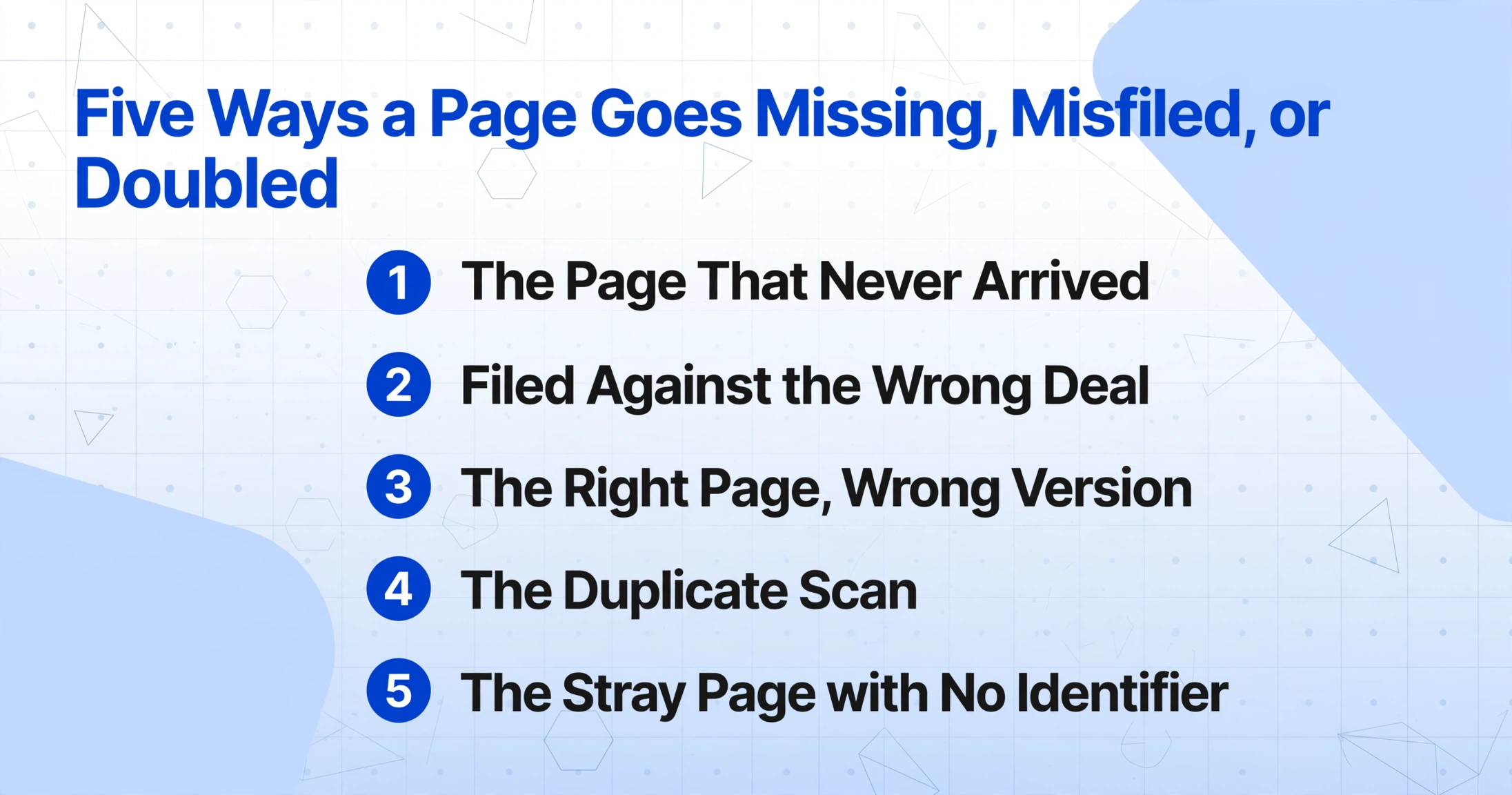
None of the five failure modes below comes from carelessness. Each one follows from how documents move between the parties above.
The page that never arrived. A document is required but never produced, or produced but never sent. HOA resale disclosures, insurance binders, and inspection response pages are the usual latecomers. When 27% of retrieval still happens in person, a page that has to be fetched from a courthouse or chased from a seller's agent can simply fall off the calendar. No arrival, no scan, no evidence in the closing documents folder that it ever existed.
The page filed against the wrong deal. Files are named by borrower surname, and one closer can assemble four deals in the same afternoon. When pages are pulled from a shared folder, a page from deal A lands in deal B's file, and the notary ends up across the table from a borrower holding a package for another loan. The page exists in the world. It is simply in the wrong file, and nothing in the file announces that.
The right page, wrong version. A Closing Disclosure is revised as figures settle, so a single deal can produce an initial version, a revised version, and the executed version sitting side by side in one folder. The copy the borrower signs is the one the investor needs, and filenames do not tell a reviewer which is which. Signing agents see the downstream version of this. "Sometimes the instructions contradict each other," one agent wrote on r/Notary, "so I make a list and call the signing service or title company for clarification" (r/Notary).
The duplicate scan. A page that arrives twice, scanned into two different batches, looks identical to a page that arrived once when someone is scrolling a PDF. The page count catches some of these and misses others, because the count of one combined with a duplicate can still equal the count a reviewer expected.
The stray page with no identifier. Affidavits and addenda produced separately may carry no loan number at all. With no shared reference to place them, they float between files or land at the back of whichever package was open when they were scanned.
Each failure becomes a funding condition or a post-closing exception, and the price is measurable. When a closing is pushed past the rate lock window, extension fees typically run 0.25% to 1% of the loan principal, with a flat fee on top at many lenders (Bankrate). On a $400,000 loan, a page no one can find costs the borrower $1,000 to $4,000 before the file is cleared.
Catch It at the Row Level: One Line per Transaction
The checklist does not fix any of these, because the checklist is already correct and the missing page still slips past it. What changes the outcome is the unit being reviewed. Instead of a stack whose completeness has to be recalled, build a spreadsheet where every page that belongs to one deal lands in a single row, and anything else shows up as an empty cell or an extra line.
ImageToTable.ai uses Custom Column Extraction: you type the column names you want, such as Loan Number, Borrower, Property Address, and Closing Date, and the AI reads each page and places a value under the matching column by understanding what the value means rather than where it sits. Multi-Page Merge is the template setting that decides which pages belong together. It folds results that describe one logical document into a single row, fills fields from whichever page carries them, and carries recurring values such as a loan number through to every line. The useful way to describe it for a closing file is backwards from a feature list, so the mapping below runs from each failure mode to the setting that catches it.
| Failure mode | Setting that catches it | How you read the result |
|---|---|---|
| Page filed against the wrong deal | Match by a shared reference number, such as the loan number | A page carrying a different loan number cannot join the row; it stays in its own row, visible instead of filed |
| Duplicate scan | Match by loan number, with a conflict rule set | Two scans fold into one row, and the conflict rule shows the first, the last, both, or separate lines |
| Right page, wrong version | Conflict rules: keep first, keep last, concatenate, or split | Keep last matches the executed disclosure; drafts that carry different identifiers land in their own rows |
| Stray page with no identifier | Track a column and start a new group when its value changes | The page stays a single page row, which is exactly the flag to examine |
| Document that never arrived | No grouping setting needed; the batch is the checklist | The named column is empty for that transaction, so absence becomes visible |
The batch half matters as much as the merge half. Put every source into one batch, rather than one run per sender: the lender package, the title set, the HOA resale documents, and the signed inspection pages together. One batch can hold one closing or twenty. Grouping sorts them apart, and the count becomes the first check, nine deals should return nine rows.
Read the sheet as a completeness report: sort by loan number, then scan for empty cells and for rows that hold a single page. An empty cell in a named column is the document that never arrived. A single page row is a stray. A row count that does not match the deal count is the reason to look closer, and every one of those signs is visible in seconds.
Files are processed securely and not stored.
The columns you build for the batch double as the audit trail. Because each row carries the loan number onto every line, the completeness view stays attached to the transaction instead of living in someone's memory. A page that never grouped is a row you can click, not a gap you have to recall.
What the Merge Still Leaves to a Person
Grouping and conflict rules do not decide whether a package is legally complete. That decision stays with the escrow officer, the attorney, or the post-closing reviewer, and it covers questions no extraction setting can answer: whether a disclosure is adequate, whether a title exception is material, and whether the HOA documents received are the ones the contract requires.
The tool applies the rule you chose. It does not know which version of the Closing Disclosure the borrower actually signed, so confirming that the executed copy is the one in the file remains a human act. The three business day delivery window under TRID, and the re-disclosure that a material change can trigger, are deadlines a person still tracks, and a spreadsheet will not announce that the clock restarted.
None of this replaces the systems of record. Qualia, SoftPro, and RamQuest manage title orders and escrow accounting, DocuSign Rooms and Dotloop coordinate the brokerage side, and Simplifile handles eRecording. What the merge replaces is the manual pass in which someone merges the executed set in a PDF viewer and checks it page by page. It produces a completeness view that sits alongside the record, not inside it.
Closing Package Errors: Frequently Asked Questions
What happens to a page that has no loan number on it?
It cannot join a transaction row, and that is the intended behavior. The page stays as its own single page row, which tells you either that it belongs to another deal or that the reference value was not captured on it and needs a person to place it. A stray page becoming visible is the point of the whole exercise.
Two versions of the Closing Disclosure are in the file. Which one is kept?
The conflict rule you set decides. Keep first retains the earliest value, keep last retains the final one, concatenate joins both, and split breaks the group into separate rows. For a Closing Disclosure, keep last usually matches the executed version, but a person still confirms which copy the borrower signed. The tool applies your rule; it does not determine the legally correct version.
Can several closings go through one batch?
Yes, and it is often the cleaner way to run it. Track a column such as Borrower or Property Address and start a new group whenever its value changes, which puts each transaction on its own row. Twenty deals produce twenty rows, and the count itself becomes the first completeness check.
Does this replace our title production system?
No. Qualia, SoftPro, RamQuest, and the loan origination systems remain the record of orders, escrow accounting, document generation, and recording. The workflow replaces the manual pass in which someone merges the executed set in a PDF viewer and verifies it page by page. The completeness view sits beside those systems, not inside them.
How do duplicate scans show up in the output?
Two scans of the same page carry the same loan number, so they fold into the same row. The conflict rule decides what displays: keep first, keep last, concatenate, or split. If you choose split, the row divides, and the duplicate becomes visible as the difference between the number of rows and the number of deals.
The change is small and specific. A missing page in a stack is invisible, and a missing page in a row is an empty cell. When every transaction is a line in a sheet, the package's completeness stops being something a team recalls and becomes something it can read, and a page no one could find becomes a row anyone can see. The starting point is one deal's documents, one batch, one tracked loan number, and the count checked before the wire goes out.