200 Certificates, One Spreadsheet
Batch ACORD 27 Insurance Compliance
A commercial real estate firm managing 120 properties with an average of two tenants per property fields roughly 240 ACORD 27 Evidence of Property Insurance certificates per year — about 20 new or renewed certificates landing in the inbox every month. Each one needs the same 15 to 20 fields read and verified: building coverage limit, coinsurance percentage, valuation method, mortgagee designation, and expiration date. But the compliance rules determining whether each certificate passes or fails vary by lender, by property, and by loan agreement. A $3 million building limit that satisfies one loan may be $500,000 short for another. A blanket policy covering 12 locations under one aggregate limit cannot be verified with single-certificate logic. And when one property in the portfolio undergoes a valuation update that raises its replacement cost by 15%, every certificate tied to that property's coinsurance threshold needs rechecking — a cascading compliance event that single-form workflows were never designed to detect.
Key Takeaways
- You have all 200 ACORD 27s on file and assume the portfolio is compliant. Possessing certificates isn't compliance — verifying that each one's building limit, coinsurance, and mortgagee clause satisfy that property's specific loan agreement is, and no human reviewer tracks 8 different lender threshold sets simultaneously.
- Manual review checks the same 3 fields on every certificate — expiration date, building limit, carrier name — because extracting all 20 fields across 200 forms would consume your entire week. The compliance-critical fields — coinsurance percentage, valuation method, mortgagee designation — are the ones that never get typed.
- Define the column set once and batch-process all 200 certificates into one spreadsheet. Instead of you hunting for compliance gaps one form at a time, the spreadsheet flags the 12 certificates that actually need attention — and you spend your time on risk decisions, not data entry.
Why a Portfolio of ACORD 27s Breaks Single-Certificate Workflows
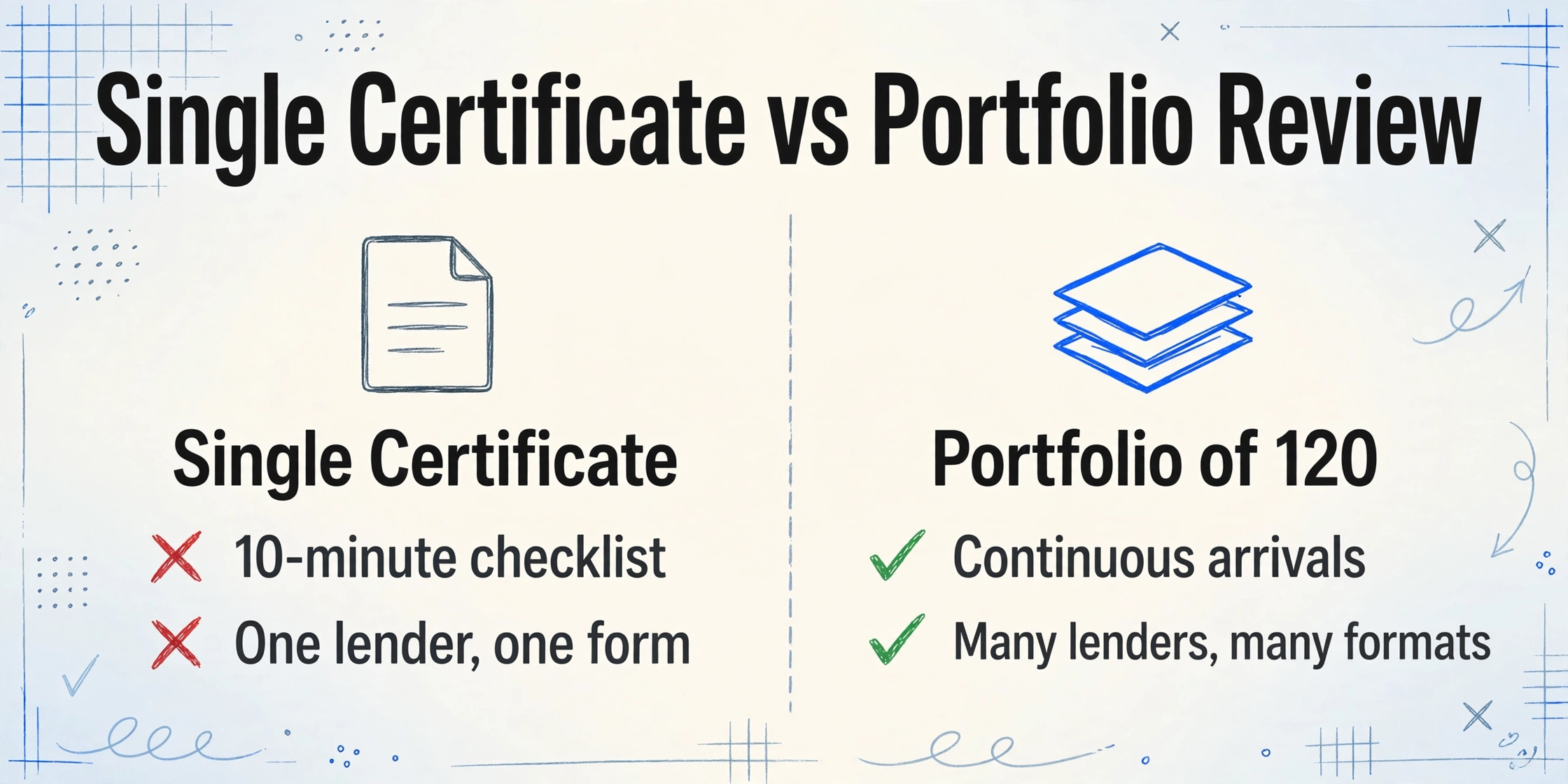
When a lender closes one commercial mortgage, reviewing the ACORD 27 evidence of property insurance is a 10-minute checklist: open the PDF, scan the building coverage amount, verify the coinsurance percentage matches the loan agreement, confirm the mortgagee clause names the correct lending entity, check the expiration date is in the future. Done. Move on to the next closing document.
When that same lender services a portfolio of 120 loans — each with its own mortgage agreement, its own minimum coverage thresholds, and its own renewal cycle — the 10-minute checklist becomes structurally unworkable. The certificates arrive continuously, not on a schedule. Different insurance agencies generate the same ACORD 27 form with different field placements, different abbreviations, and different text-wrapping that buries the coinsurance percentage inside a narrative remarks block instead of a labeled field. A certificate from Chubb uses one format; from Travelers, another; from a regional carrier you have never seen before, something else entirely. The reviewer who can handle one form in 10 minutes — locating fields by sight because they know where everything lives — hits a cognitive wall around the fortieth certificate of the day.
The deeper problem, however, is not speed. It is that single-certificate review applies the same mental checklist to every form, regardless of what the underlying loan agreement requires. The reviewer checks "building limit: $3.2M, coinsurance: 80%, valuation: Replacement Cost" and enters those values — but whether $3.2M is sufficient, whether 80% coinsurance is acceptable, or whether Replacement Cost valuation satisfies the specific lender on that specific loan is a comparison that happens in the reviewer's head, if at all. Across 120 properties with 8 different lenders, each with different minimum thresholds, no human reviewer remembers every requirement. What they remember is whether the fields are filled. And a filled field is not a compliant field.
This is the structural difference between processing one certificate and processing a portfolio. Single-certificate workflows verify that data exists. Portfolio compliance requires verifying that data meets 120 different sets of rules — a task that exceeds human working memory by roughly an order of magnitude. For the basics of what the ACORD 27 contains and how single-certificate extraction works, see our guide to extracting ACORD 27 property insurance data for lender compliance. This article focuses on what changes when you apply that capability across an entire portfolio simultaneously.
The gap between "I can process one ACORD 27" and "I can verify 200 ACORD 27s against 200 loan agreements" is not a speed problem. It is a dimensionality problem. Single-certificate review operates in one dimension — document → data. Portfolio compliance operates in three — document → data → requirement match — and the third dimension collapses without automation.
Three Structural Challenges That Only Appear at Portfolio Scale
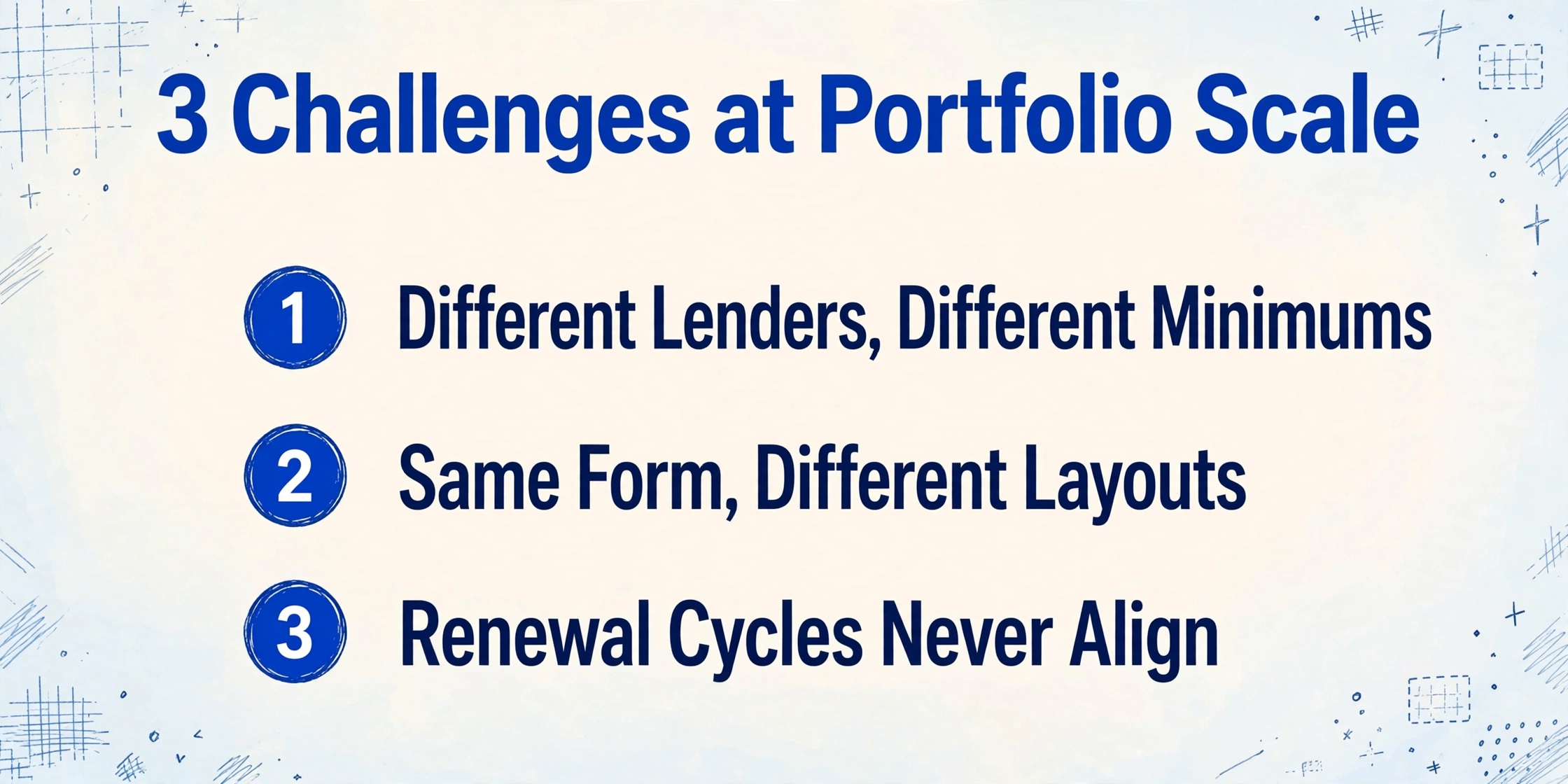
Processing a single ACORD 27 for a single property with a single lender is a well-understood task. Processing 200 ACORD 27s across 200 properties with different lenders, different loan agreements, and different insurance structures surfaces three challenges that simply do not exist in the one-at-a-time workflow.
Different Lenders, Different Minimums on the Same Form
Commercial real estate portfolios rarely have uniform lending. A mid-size firm might have loans with Wells Fargo for the office buildings, a regional bank for the retail centers, a CMBS conduit for the industrial properties, and a life insurance company for the multifamily assets. Each lender's loan agreement specifies different minimum coverage amounts, different acceptable coinsurance percentages, and different requirements for ordinance or law coverage and business interruption insurance.
One loan agreement may require building coverage equal to the lesser of the outstanding loan balance or 100% of replacement cost. Another may accept 80% of replacement cost with an 80% coinsurance clause. A third — particularly common with life company lenders — may require 100% replacement cost coverage with agreed value endorsement, effectively eliminating the coinsurance penalty risk entirely but raising the coverage threshold significantly. Extracting the data from the ACORD 27 is the same task regardless of lender. But verifying whether that data passes compliance requires checking each extracted row against the specific loan agreement governing that property — and no single-checklist reviewer can track 8 different threshold sets simultaneously.
Blanket Policies: One Limit, Twelve Properties, Zero Location-Level Visibility
A blanket property insurance policy covers multiple locations under a single aggregate limit — $40 million across 12 office buildings, for example. From the insurance carrier's perspective, this is efficient: one policy, one premium, one renewal date. From the compliance reviewer's perspective, it creates a verification problem with no clean answer in a single-certificate workflow.
The ACORD 27 for a blanket policy lists one building coverage amount — the aggregate — and one property description that references all covered locations. But the lender holding the mortgage on building 7 of 12 does not care about the $40 million aggregate. They care whether the portion of that aggregate allocated to their specific collateral meets the loan agreement's minimum — typically the lesser of the outstanding loan balance or the full replacement cost of that specific building. A $40 million blanket limit might sound generous, but if building 7's replacement cost is $12 million, six of the twelve properties have higher costs, and three claims have already eroded the aggregate by $8 million, the effective coverage for building 7 is unknowable from the certificate alone.
Industry guidance on ACORD 27 processing confirms that blanket limit documentation without location-specific breakdowns is often insufficient for commercial lender requirements. A portfolio-level batch extraction workflow cannot solve the aggregate allocation problem — only a schedule of values from the policy can do that. But what batch extraction can do is flag every certificate where the coverage type is "blanket" rather than "scheduled," surface which properties share a blanket policy, and ensure the compliance reviewer knows which certificates need follow-up — rather than discovering the blanket policy at the bottom of the stack after reviewing all 200 certificates individually.
Valuation Drift: When the Compliance Baseline Moves Under You
Commercial property values change — sometimes dramatically. A building appraised at $8 million in 2022 might have a replacement cost of $9.6 million in 2026 after three years of construction cost inflation, supply chain-driven material price increases, and updated building code requirements that mandate higher-spec materials for rebuilds. If the loan agreement requires coverage equal to 100% of replacement cost and the insured has not updated their policy limits accordingly, a certificate that passed compliance in 2024 may now represent a $1.6 million coverage gap.
NAIOP, the Commercial Real Estate Development Association, describes coinsurance as one of the least understood areas of property insurance — and the misunderstanding compounds at portfolio scale. If a property's replacement cost has increased 20% since the policy was written but the coverage limit has not been adjusted, a policy with an 80% coinsurance clause that was compliant two years ago may now fall below the 80% threshold, triggering a proportional penalty on any claim. The penalty is calculated as (actual coverage / required coverage) × loss amount. If the required coverage is now $12 million, the actual coverage is $9 million, and a $1 million loss occurs, the insurer pays $750,000 — not $1 million — and the $250,000 shortfall is the lender's exposure.
Batch extraction addresses valuation drift not by solving it — only an updated appraisal and policy adjustment can do that — but by making it visible. When all 200 certificates are extracted into one spreadsheet with coverage limits, coinsurance percentages, and property identifiers in adjacent columns, a single conditional formula can compare each building's coverage amount against its last-known replacement cost. The certificates that fall below the threshold surface immediately. In a manual workflow, the same comparison would require cross-referencing 200 certificates against 200 property valuation records — a task no compliance team does quarterly, or ever.
Files are processed securely and not stored.
The Compliance Column Set: What to Extract for Portfolio Tracking
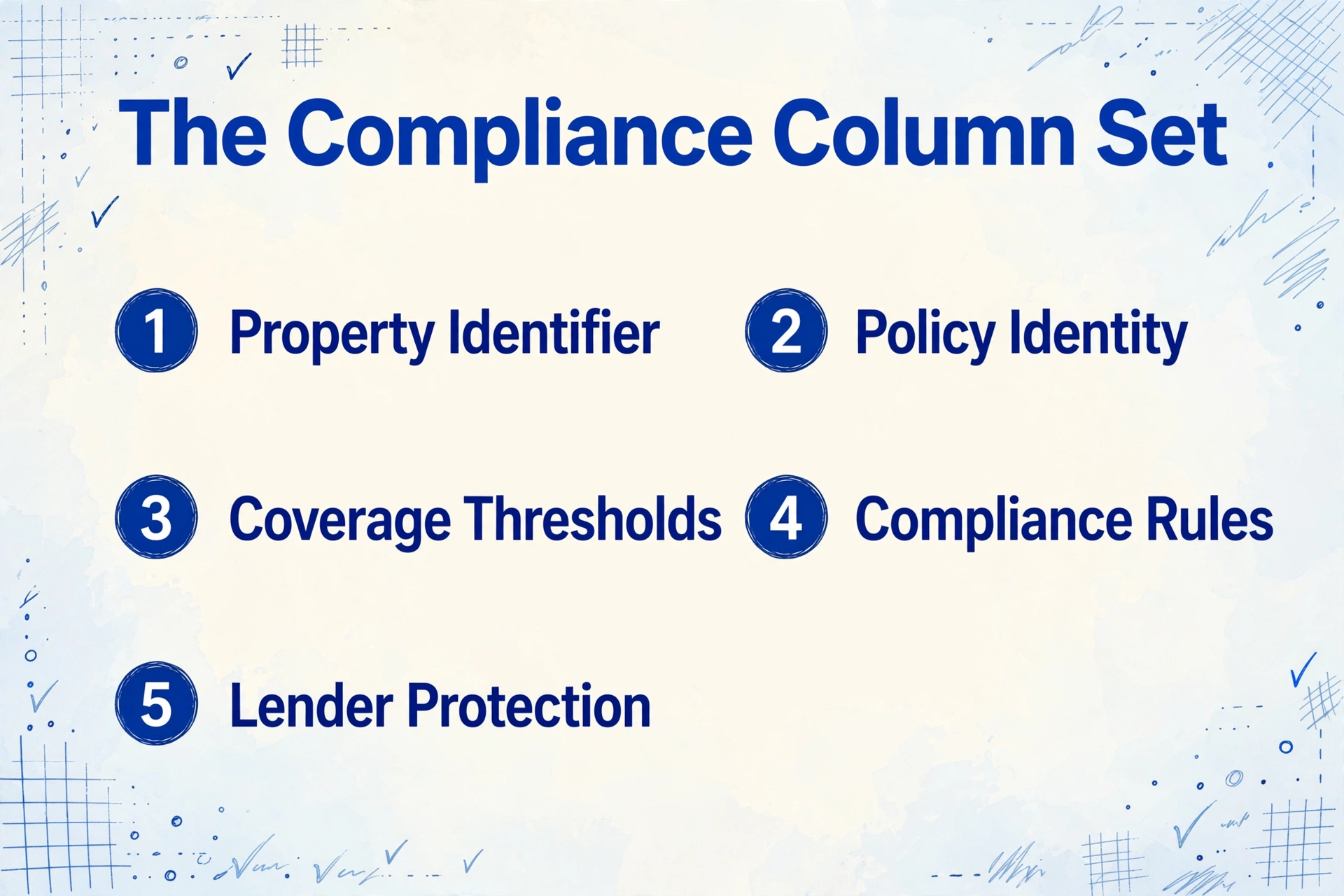
Single-certificate extraction needs a column set that captures the data on the form. Portfolio-level extraction needs a column set that enables compliance decisions across properties, lenders, and loan agreements. The difference matters because columns you do not extract are columns you cannot filter, sort, or conditionally format — and every missing column is a compliance check that reverts to manual review.
Here is the column set for portfolio-wide ACORD 27 tracking, grouped by function rather than by form section:
| Column Group | Fields to Extract | Portfolio-Level Purpose |
|---|---|---|
| Property Identifier | Property Address, Loan Number, Insured Name | Links each certificate to its property record and loan agreement — without these, no automated compliance check can run |
| Policy Identity | Carrier Name, Policy Number, Policy Effective Date, Policy Expiration Date | Expiration tracking and carrier rating lookup across the portfolio |
| Coverage Thresholds | Building Coverage Limit, Business Personal Property Limit, Deductible | Compare against lender minimums; flag any limit below the loan-specific threshold |
| Compliance Rules | Coinsurance Percentage, Valuation Method (RC/ACV/Agreed Value), Coverage Type (Basic/Broad/Special), Ordinance or Law (Y/N) | Each lender has different rules for each of these; extraction enables per-loan conditional checks |
| Lender Protection | Mortgagee / Additional Interest Name, Interest Type (Mortgagee / Lender's Loss Payable / Loss Payee), Loan Number on Certificate | Verify correct lender entity and designation — a certificate listing "Certificate Holder" instead of "Mortgagee" provides zero claim rights |
| Policy Structure | Blanket vs. Scheduled Indicator, Number of Locations Covered, Perils Insured | Flag blanket policies for manual location-allocation review; verify Special-form coverage where required |
| Source Metadata | Producer / Agency Name, Certificate Date, Certificate Replaces Prior (Y/N) | Audit trail and agency contact for correction requests |
Two columns in this set deserve additional explanation because they are rarely extracted in single-certificate workflows but become essential at portfolio scale.
Blanket vs. Scheduled indicator. This is not a labeled field on the ACORD 27 — it must be inferred from the property description section and the coverage amount narrative. If the property description references multiple locations and the building limit is a single large number, the policy is almost certainly blanket. Extracting this indicator lets the spreadsheet flag every blanket-policy certificate for a separate review workflow, rather than letting them pass the same automated checks as scheduled-policy certificates and producing false-positive compliance results.
Coinsurance percentage. On the ACORD 27 form, the coinsurance percentage appears in one of three places: a labeled field in the coverage grid, a checkbox next to a percentage value, or narrative text in the remarks section. Agencies that use older management systems often bury it in the remarks block — "80% coinsurance applies" — where it is invisible to field-based extraction tools. Semantic AI extraction — which reads by understanding what each piece of text means rather than where it sits on the page — catches the coinsurance percentage regardless of where on the form the agency placed it. This single column determines whether a property is technically underinsured even when the building limit looks adequate, making it the highest-leverage compliance field most portfolios never track.
From 200 PDFs to One Working Dashboard
The batch workflow that turns a folder of ACORD 27 certificates into a compliance dashboard has four steps. Each step replaces a manual task that, at portfolio scale, is the bottleneck keeping compliance teams in data-entry mode rather than risk-management mode.
The arithmetic of the shift is straightforward. At 7 minutes per certificate for manual data entry — locating the building limit, coinsurance percentage, and mortgagee clause on a dense one-page form, reading each value, and typing it into a cell — a portfolio of 150 certificates consumes roughly 17.5 hours of labor. At approximately 10 seconds per certificate for AI extraction, the same workload compresses into roughly 25 minutes, and the output arrives as a pre-formatted spreadsheet with every column present rather than as a partially populated grid missing the compliance-critical fields the reviewer ran out of time to type.
Turning a Spreadsheet Into a Compliance Early-Warning System
Extraction gets the data out of the PDFs. The next step — the one that changes how the portfolio is managed rather than how it is documented — is building conditional rules that transform the extracted spreadsheet from a data table into a compliance dashboard. These rules are Excel formulas or conditional formatting expressions, defined once and applied to every row automatically.
Expiration monitoring. Add a column that calculates days until expiration (=ExpirationDate - TODAY()) and apply a three-tier color scale: green for more than 60 days, yellow for 31–60 days, red for 30 days or fewer. Sort by this column and the certificates needing immediate renewal float to the top. The same rule works across all properties, all lenders, instantly.
Coverage threshold comparison. This is where the portfolio dimension matters. Create a separate reference table — one row per property, columns for the lender-required minimum building limit, maximum deductible, and required valuation method. Use a VLOOKUP or INDEX/MATCH formula to pull each property's requirements into the main certificate spreadsheet. Then add a conditional formatting rule: if the extracted building limit is less than the required minimum, highlight the row red. If the extracted deductible exceeds the maximum allowed, highlight the deductible cell orange. These checks run across all 200 rows in seconds and flag the 12 to 18 certificates that need human attention — the reasonable workload for a compliance reviewer, as opposed to reviewing all 200.
Valuation method audit. Filter the valuation method column for "Actual Cash Value." Any row that returns a result on a property where the loan agreement requires Replacement Cost is a coverage deficiency that needs escalation — not a data entry error. In a manual workflow, this check almost never happens because the valuation method is one of the fields most reviewers skip after extracting the building limit and expiration date.
Mortgagee designation verification. Filter the interest type column. Every row showing "Certificate Holder" instead of "Mortgagee" or "Lender's Loss Payable" represents a certificate that, per the legal analysis from Seyfarth Shaw, "confers no rights upon the certificate holder" and "does not constitute a contract between the issuing insurer and the additional interest." The certificate proves the policy existed at issuance — it does not give the lender any right to receive claim payments or cancellation notices. A certificate holder designation on a form where the loan agreement requires mortgagee status is a compliance failure that no coverage-limit increase can fix.
Blanket policy flagging. Add a column that identifies blanket policies based on multiple-location references in the property description or an aggregate limit that exceeds any single property's replacement cost. Group these rows and review them as a batch — the allocation of the aggregate limit to individual properties requires the policy's schedule of values, not just the certificate. The key operational shift is that these certificates are now grouped and visible, rather than dispersed across 200 rows where the blanket structure is invisible without opening each PDF individually.
The compliance dashboard is not a replacement for risk management judgment. An ACORD 27 is still a certificate of insurance — a snapshot issued "as a matter of information only" — and not a contract. But when the data from 200 certificates is organized, sortable, and filterable, the risk manager's time shifts from transcribing data to making decisions about it. That shift is what batch processing enables, and it is the difference between a documented portfolio and a managed one.
Frequently Asked Questions
Can batch extraction handle ACORD 27s from different insurance agencies that format the form differently?
Yes. Semantic AI extraction reads fields by understanding what they mean — "coinsurance percentage" is a percentage value found near coverage limit information — rather than by matching a fixed position on the page. Different agencies use different management systems (Applied Epic, Vertafore AMS360, HawkSoft) that render the ACORD 27 with different field alignments, margins, and text-wrapping. Position-based extraction breaks the moment the layout shifts. Semantic extraction handles layout variation because it is reading the content, not the coordinates.
What happens with blanket policies that cover multiple properties under one limit?
The extraction captures the building coverage limit as stated on the certificate — which for a blanket policy will be the aggregate limit, not a per-property allocation. The spreadsheet can flag these certificates for manual review, but the aggregate-to-property allocation requires the policy's schedule of values, which is a separate document typically attached to the policy rather than the certificate. Batch extraction identifies which certificates need follow-up; it cannot decompose an aggregate limit into per-property allocations without the schedule data.
How does batch extraction handle expired or expiring policies differently from manual review?
In a manual workflow, the reviewer types the expiration date into a spreadsheet and moves on. Whether that date is flagged as approaching depends on whether someone remembers to sort the column and check. In a batch workflow, the extraction populates the expiration date column for all 200 certificates simultaneously, and a single conditional formula flags every row within 30 days of expiration. The difference is not in the accuracy of the date extraction — it is in the completeness of the flagging. A manual reviewer processes certificates one at a time and applies calendar awareness inconsistently. The spreadsheet applies it to every row, every time.
Can batch extraction detect whether a coinsurance percentage meets lender requirements?
Extraction captures the coinsurance percentage from the certificate. Whether that percentage satisfies the loan agreement depends on comparing it against the lender's specific requirement — a comparison that a conditional formula in the spreadsheet can perform automatically once the requirement is entered into a reference table. If the lender requires 100% coinsurance and the certificate shows 80%, the row flags. If the lender accepts 80% and the certificate shows 90%, the row passes. The extraction provides the data; the spreadsheet rules apply the lender-specific logic.
What is the difference between batch-extracting ACORD 27 property evidence and batch-verifying ACORD 25 liability certificates?
The extraction technology is the same — both use semantic AI to read standardized insurance forms — but the compliance logic is different. ACORD 25 verification checks liability limits, additional insured endorsements, and workers' comp coverage against contractual requirements. ACORD 27 verification checks property coverage amounts, coinsurance clauses, valuation methods, and mortgagee designations against loan agreement requirements. A portfolio that requires both — as most commercial real estate portfolios do — runs two parallel batch processes with different column sets and different conditional rules. For the liability side, see our guide to batch-verifying ACORD 25 COIs. For the broader COI ecosystem, our complete guide to COI data extraction covers both tracks.
Does batch extraction work with scanned or photographed ACORD 27 certificates?
Yes. The AI reads the rendered page image — whether the source is a digital PDF generated by an agency management system, a flatbed scan of a printed certificate, or a phone photo of a form. Handwritten annotations in the margins are also readable, though handwriting accuracy is lower than printed text. The most common scanned format is the flattened PDF — the agent prints the form, signs it, scans it back — and because the AI reads the visible text on the page rather than the PDF's internal form fields, flattening has no effect on extraction accuracy.
What happens when a certificate references prior forms or endorsements not attached to the upload?
Extraction can only capture what is present on the uploaded document. If the ACORD 27 references a separate ACORD 101 Additional Interest schedule or a flood insurance endorsement that was not included in the upload, those data points will be missing from the extraction output. The spreadsheet can flag rows where key fields — such as flood coverage in a designated flood zone — are absent, prompting a follow-up request for the missing documents. But extraction cannot read endorsements that were not uploaded.