Insurance Claim Check Processing
Starts With the Payee Line
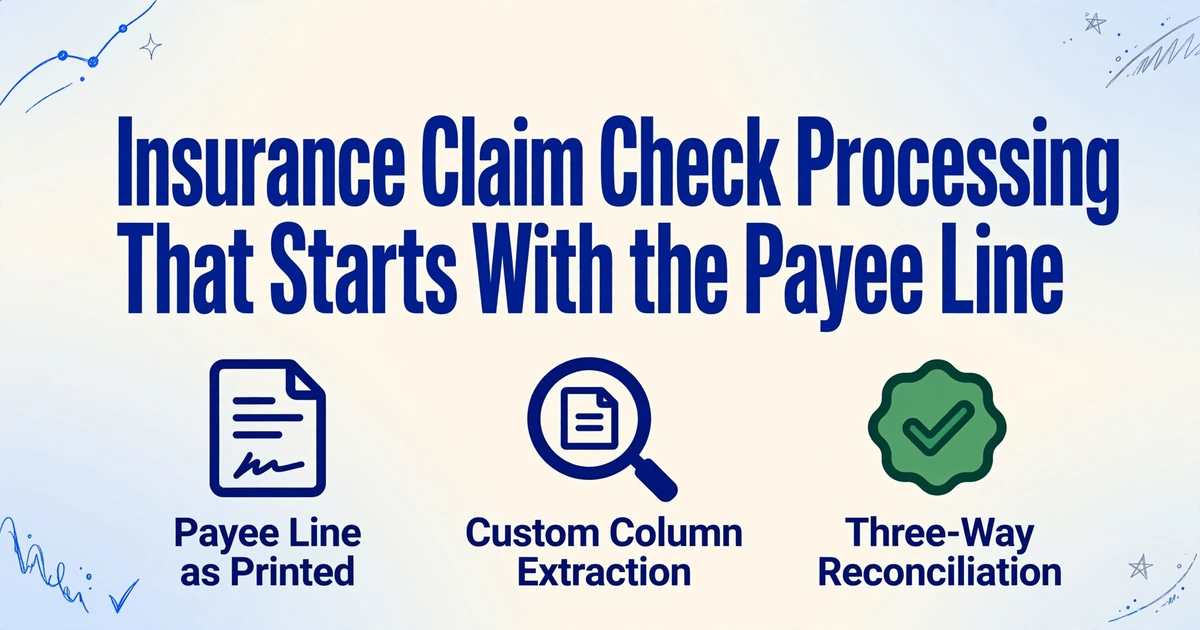
The payee line on an insurance claim check decides more about the bookkeeping than the amount does. A check made out to the client and the firm generally needs both signatures before the bank will accept it. A check that also names a hospital lienholder or a mortgage company generally needs that party's endorsement. A check made out to one or the other can generally be negotiated by either. Until someone reads that line, the register has nothing reliable to record.
The manual log usually holds until the mail stops being one check, one matter. A check arrives as an image, its remittance page arrives as a separate PDF, and the matter number lives only in the case management system. This guide covers insurance claim check processing from the documents up: the fields that make a check register useful, the exceptions that break a manual log, how to build the register without retyping it, and the decisions that still belong to a person.
Key Takeaways
- The payee line decides whether a check can be deposited at all, and most registers do not even record it as printed.
- "Client and Firm" on that line can park a check in a drawer for a week while the amount looks perfectly correct.
- Split checks and remittance pages into two tables, join them on the check number, and the allocation stops collapsing.
The payee line decides whether the check can be deposited at all.
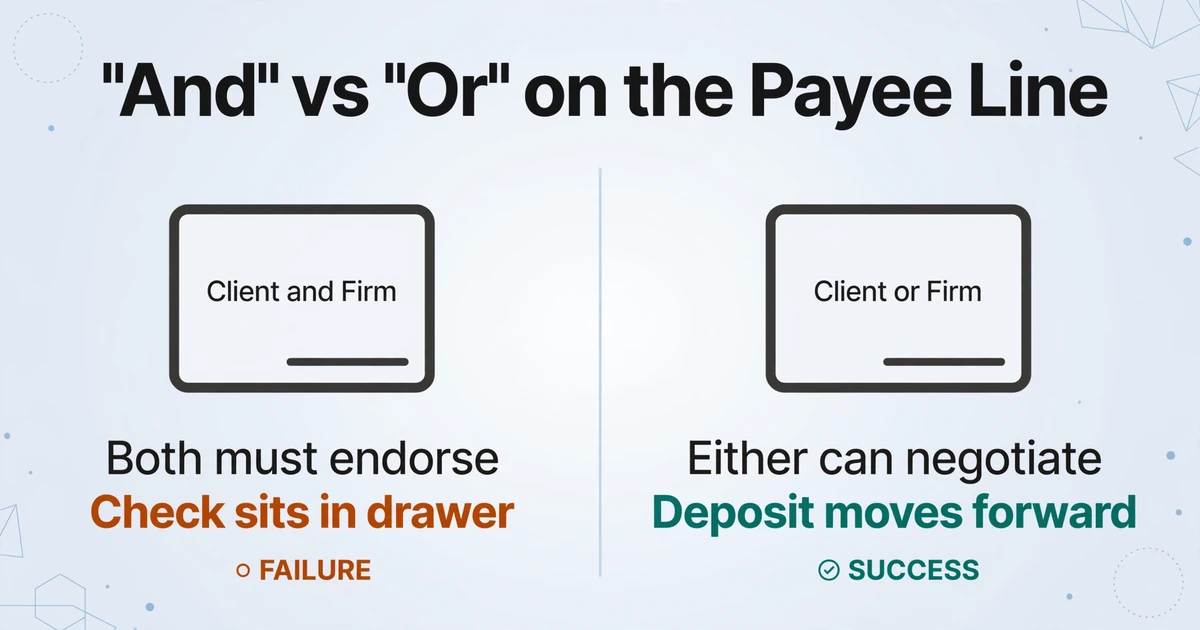
A check is a negotiable instrument before it is a bookkeeping entry. The names on the front, and the word between them, set who has to sign the back. That is why the payee line belongs in the register before the amount, the matter and even the check number.
"A and B" generally requires both parties to endorse. "A or B" lets either one negotiate it. A slash, a comma or a line break between two names is where the two readings collide, and the depositing bank applies its own policy on top of the legal default. A check that reads "Client and Firm" can sit in a desk drawer for a week because the client has not come in to sign.
A named third party changes the problem again. When a hospital lienholder or a mortgage company is on the face of the check, that party has a right to endorse. A lienholder named only in a transmittal letter has a claim against the proceeds but no signature to give. The distinction matters at the teller window, not in the spreadsheet.
Property claims add the mortgage company. A homeowners policy commonly names the lender as a loss payee, meaning the lender must be on the payment for damage to the dwelling, so the check arrives with the insured, the firm and the lender on it. The lender may release funds in stages as repairs are documented. A firm that expected a single deposit now has a check that cannot be negotiated until three parties agree.
A 2022 r/LawFirm thread from a new solo PI attorney describes the same wall: the bank would not let the firm deposit a settlement check made out to both the firm and the client without the client's endorsement. The replies split between a limited power of attorney in the retainer, asking the carrier to make the check payable to the firm on behalf of the client, and asking for two separate checks. All three are decisions about the instrument, not about the spreadsheet.
A check that cannot be endorsed is a custody problem, not a reconciliation problem.
The roles separate here. The office manager sees the envelope first and reads the payee line. The bookkeeper decides whether it can be deposited and into which account. The attorney authorizes any endorsement on the client's behalf. The bank applies its own policy and can reject the deposit even when the firm believes the signature is sufficient. Automation can read the line. It cannot make the authorization decision.
A useful check register carries the payee line and the allocation, not just the amount.
State bar rules describe a check register as a chronological record of every receipt and disbursement, not as a summary of totals. Washington's RPC 1.15B(a)(1) requires each entry to identify the client matter, the date, the check number, the payor or payee, and the new balance after the transaction. That list is a useful minimum. A law firm handling insurance claim checks needs several more columns because the instrument and the matter do not arrive attached.
| Field | Why it belongs in the register | Where it comes from |
|---|---|---|
| Date received | Starts the deposit clock; a check held for endorsement is not a deposit | Mail room or intake log |
| Payor | Identifies the carrier, third-party administrator (TPA) or defense firm paying | Check face |
| Payee line, as printed | Decides who must endorse; normalizing "and" to "or" hides the problem | Check face |
| Check number | Duplicate detection and audit trail; a reissue gets a new number | Check face or the printed number line at the bottom |
| Check date | Ages the instrument; a stale check needs follow-up before it is worthless | Check face |
| Amount | The instrument total, not the client's net or the firm's fee | Check face and amount box |
| Claim or policy reference | The only printed link to the matter on many checks | Memo line or remittance page |
| Matter number | Ties the deposit to one client ledger | Case management system |
| Remittance claimant and allocated amount | Lets one check cover several claimants without forcing one matter | Remittance page |
| Deposit and clearing dates | Separates received, deposited and collected; disbursing before collection is how a client ledger goes negative | Bank slip, portal or statement |
| Status or exception | Records held, unmatched, reissued or stale | Bookkeeper's review |
A generic template usually has a payee field but not a payee line as printed, and it rarely has an allocation table. Those are the two columns that make the register usable for claim checks. The rest is a register a bookkeeper already knows how to keep.
A check register is not a client ledger. The register records the instrument as it arrives. The client ledger records whose money the firm is holding and what happened to it. One check can produce several ledger entries: the gross deposit, the fee transfer, the lien payments and the client disbursement. A settlement statement is not a substitute for either. It shows the proposed split, often before the money has cleared.
The claim documents behind the payment have their own field structure. The insurance claim data extraction guide covers the forms that precede the check, and the claim number that ends up in the payment memo usually starts on the FNOL (first notice of loss) form. The check is the last document in that chain, which is why a missing reference on the check sends the reader back to the claim file.
The manual log breaks on the exceptions, not on the ordinary check.
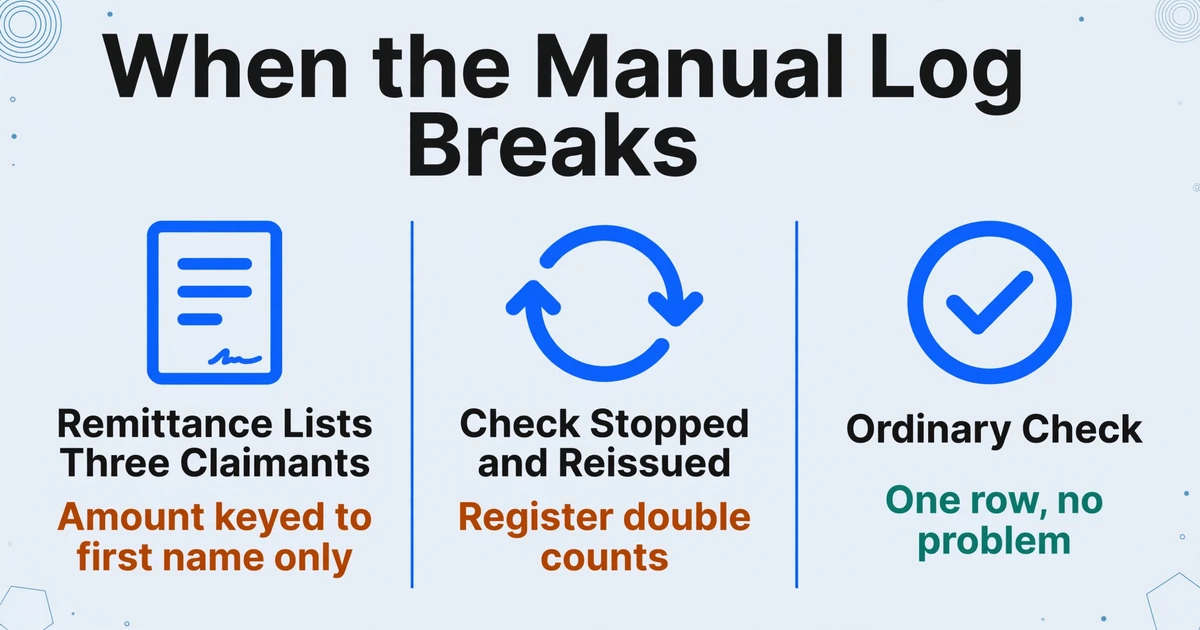
An ordinary check is one row. The trouble comes from checks where the instrument, the remittance and the matter do not line up one to one, and a settlement check log keyed only to the check number cannot show the relationship.
| What happens | What the log shows | What it misses |
|---|---|---|
| One settlement pays in stages | A row per check number, with no link between them | One settlement with a fee transfer, a client check, two lien payments and a later carrier payment |
| Remittance lists three claimants | One check amount keyed against the first name | The check covers one claimant; the other two are allocations from a different payment |
| Check is stopped and reissued | Two checks with the same amount and one deposit | The first check was voided; without a status column the register double counts |
| Carrier's check bounces after deposit | Deposit posted and client checks issued | The trust account went negative until the carrier replaced the funds |
| Name or reference does not match | Check and remittance look like different parties | "Johnson" and "Jonson", or a carrier name that differs from the policy, sits in the unmatched queue |
| Outstanding check ages | A check written months ago and never cleared | The payee may never have received it; the firm needs a stop payment and reissue before it is stale |
The bounced-check case is not hypothetical. A 2024 r/LawFirm thread describes the sequence: the settlement check was deposited and credited, checks were cut to the attorney and the client, and five days later the carrier's check was returned for insufficient funds. The client was still able to deposit the check written from trust. The firm's fee check bounced. The trust account went negative.
A spreadsheet can hold every one of these exceptions, but only if someone adds the columns and keeps them current. The real problem is structural: the log is built around the check, while the event that matters is the settlement. One settlement can produce five instruments, and the register has to show that they belong together without pretending they are one row.
Stale items are the quiet version of the same problem. A check that has not cleared in 60 days is no longer routine. A workable firm policy follows up at 30, 60 and 90 days, then decides whether to stop payment and reissue before the six-month mark, when a bank is generally no longer required to pay the original. That is a policy decision, not a data field, but the register has to carry the dates that make the decision possible.
Custom column extraction builds the register from the documents you already have.
ImageToTable.ai uses Custom Column Extraction: you type the column names you want, and the AI finds each value on the page by understanding what the label means, not by matching a fixed position. There is no template to draw for each carrier, TPA or defense firm, and no training set to label. A new payer format does not require a new template.
That matters for checks because the payer controls the format, not the firm. One carrier prints the claim number in the memo line, another prints a policy number, a third prints nothing and puts the reference on a remittance page. A column named "Claim Reference" can survive all three. A template built around one carrier's layout cannot.
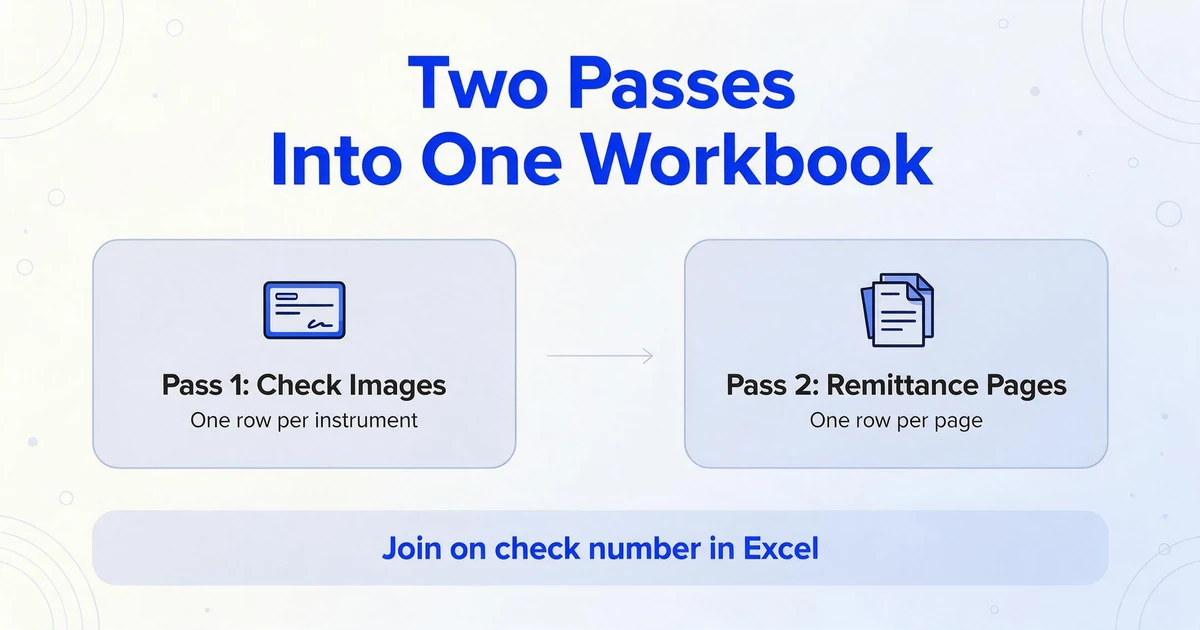
Batch processing is the default, not an add-on: a week of images becomes one table, and different carriers do not need separate runs. The practical setup is two passes into one workbook. The first pass reads the check images and produces the check table, one row per instrument. The second reads the remittance pages and produces the allocation table, one row per remittance page. Join the two on the check number in Excel. Keeping them separate is what lets one check carry three claimants without collapsing them into one row. The same register gives the desk a daily exception view and the bookkeeper a monthly reconciliation view; they are the same rows, filtered differently.
If a remittance page lists three claimants, define a claimant and an amount column for each line: Claimant 1, Amount 1, Claimant 2, Amount 2, and so on. The page stays one row, and the allocation stays visible. If the ledger needs one row per claimant, unpivot those pairs in Excel after the extraction. Merging the whole remittance page into the check row is the one move that destroys the allocation.
Multi-Page Merge is useful for the front and back of the same check, matched on the check number. It is the wrong setting for a remittance page with several claimants, because its job is to fold pages of one logical document into one row, and that page is several allocations.
Put every check and remittance page in one intake folder.
Name files by check number when the scan allows it. One path for emailed scans and one for mailed checks is enough; the point is that nothing waits in a personal inbox.
Type the column names once.
Include the payee line as printed, the check number, the amount, the claim reference, the remittance claimant and the allocated amount. Save the set as a reusable template for the next batch.
Run the checks as one batch.
A week of images becomes one table. Different carriers do not need separate runs, which is the part a template-based system cannot match without maintenance.
Run the remittance pages as a second batch.
Keep the allocation table separate from the check table. Define a claimant and amount pair for each line on the page; unpivot the pairs in Excel if the ledger needs one row per claimant.
Add the computed columns.
On the remittance table, Allocated Total (Amount 1 + Amount 2 + Amount 3) adds the lines, and Variance (Payment Total - Allocated Total) returns the difference when the page prints both figures. A non-zero variance is the row that needs a person.
Review the payee line and the amount in Review Mode.
Hover a cell to highlight where the value came from on the image; click the image to jump back to the cell. Correct the row before it reaches the ledger.
Computed columns do not replace the ledger. They do the arithmetic a bookkeeper would otherwise do twice: once on the remittance page and once in the spreadsheet. The judgment about which variance is acceptable stays with the person reviewing the page.
Review Mode with bounding boxes is the check on the extraction: every value can be traced back to the spot on the check it came from. For a batch of 200 checks, that is the difference between re-reading every image and sampling the rows that matter. The same sampling logic used for any document batch applies here; the spot-check method gives the sample sizes and the pass criteria. Small firms already use the same batch pattern for discovery packets, where one folder of mixed documents becomes a table.
Files are processed securely and not stored.
The register can show a mismatch; it cannot decide what the mismatch means.
The boundary is easier to hold if it is stated plainly. The tool reads documents. It does not connect to a bank, move money or confirm that a check has cleared. A deposit date and a clearing date are columns a person fills from the bank record, not values the AI can infer from the check image.
- No bank connection. No deposit, hold status, stop payment or clearing confirmation.
- No trust-ledger posting. The output is the intake table; the client ledger and the three-way reconciliation stay in the accounting system.
- No automatic matter matching. The tool can read a claim or policy number printed on the page. It cannot search the case management system, and it cannot supply a matter number that is not printed.
- No compliance ruling. It does not decide whether a check belongs in trust, whether an endorsement is valid or how a state's rule applies.
- No lien negotiation or payoff decision. The amount on a remittance page is what the payer says, not what the lienholder has agreed to.
- No resolution of a payee dispute. A check with three payees and no agreement is a call to the carrier, not a data problem.
| Role | What they still own |
|---|---|
| Office manager | Opens the mail, reads the payee line, routes the check for endorsement |
| Bookkeeper | Confirms the deposit and clearing date, posts to the client ledger, ages outstanding items |
| Paralegal or settlement coordinator | Supplies the matter number, the settlement statement and the lien payoffs |
| Attorney or managing partner | Authorizes endorsement and disbursement, reviews the reconciliation |
| Bank | Applies its endorsement policy, places holds, processes stop payments and returns |
The handoff is the control. Every column in the register exists to make one handoff visible.
This is a document-handling guide, not legal or trust-accounting advice. The state's rules and the bank's policy control the deposit, the endorsement and the ledger.
Three-way reconciliation is where a missing matter column becomes visible.
Three-way reconciliation compares three numbers at the same cutoff: the adjusted bank statement balance, the trust ledger balance, and the sum of every client ledger. Massachusetts requires the comparison at least every 60 days and requires the three figures to be identical, with no client balance negative at any time (Mass. R. Prof. C. 1.15(f)(1)(E)).
The check register is the receipt side of law firm check reconciliation. If a check has no matter number, the client ledger cannot be credited, and the third number will not agree. The register does not have to be a second accounting system. It has to be complete enough that every deposit can be traced to a client ledger and every outstanding check can be traced to a disbursement. In a firm that pools client funds, the trust account is usually an IOLTA (Interest on Lawyer Trust Accounts) account, and the same proof applies.
ABA Model Rule 1.15 sets the duty underneath the arithmetic: client and third-party funds are held separately, the client is notified promptly when funds arrive, and a full accounting is provided on request. A register that is current is how a firm can answer that request without reconstructing the month from memory.
- Tie every register row to a deposit in transit or to an outstanding check. A row that is neither is a row that has not been reconciled.
- Total each client ledger at the same cutoff date. Do not use a different date for the bank statement and the ledgers.
- Investigate the difference. Do not offset one client's surplus against another client's shortage; a matching total can still hide a wrong allocation.
- Have the responsible attorney review and sign the reconciliation. California's supervisory guidance treats that review as part of the attorney's nondelegable duty to supervise, and asks firms to follow up on outstanding disbursements older than two months and deposits not made within 30 days.
The register earns its place in that sequence by making the first step mechanical. When every check has a payee line, a claim reference and a matter, the reconciliation starts with matching instead of detective work.
FAQ
Can this replace my trust accounting software?
No. It produces the intake register, not the client ledger or the three-way reconciliation. The accounting system still holds the ledger, the disbursements and the compliance reports. The register is the table that feeds them.
Can it match a check to a matter automatically?
Only when the match is printed on the page. It can extract a claim, policy or file reference from the check or the remittance. It cannot search your case management system or decide a match when the reference is missing, so the matter number is a column you add and verify.
What if the check is payable to the client and the firm?
The register records the payee line as printed. The deposit still needs the client's endorsement, or an authorization your state permits, and the bank's policy decides what it will accept. The register can surface the payee line; it cannot supply the signature.
What if one check covers several claimants?
Keep the remittance allocation as its own table. The check table carries the total, the allocation table carries each claimant and amount, and the two are joined on the check number. A variance column shows whether the lines add up to the payment.
Can it read handwritten checks?
Yes. Handwriting, cursive and printed fields are supported. Dense handwriting is the case for the higher processing tier, and the payee line and amount are the two fields to verify in Review Mode before posting.
Is the output enough for a bar audit?
It is a record you can trace and keep. Whether it satisfies a state's recordkeeping rule depends on the system around it: the client ledgers, the bank records, the reconciliation and the attorney's review. Keep the source images with the register so every value has a document behind it.
The check register is where the firm first decides whose money it is holding, before the ledger and before the disbursement. Run one week of checks and remittance pages through a single batch, and see which rows still need a person. Test it on your next batch.