How to Verify a 500-Document Batch Extraction
Without Checking Every Row
You just processed 500 invoices through an AI extraction tool. The output looks clean — an Excel table with every row populated, totals that seem reasonable. But the thought creeps in: what if something is quietly wrong? A misread amount on row 147. A missing line item on row 323. A date format that inverted month and day somewhere in the middle. You cannot check all 500. But you also cannot blindly trust them. This article gives you a middle path — three proven sampling methods adapted from industrial quality control, plus a practical checklist that takes 30 minutes, not 30 hours.
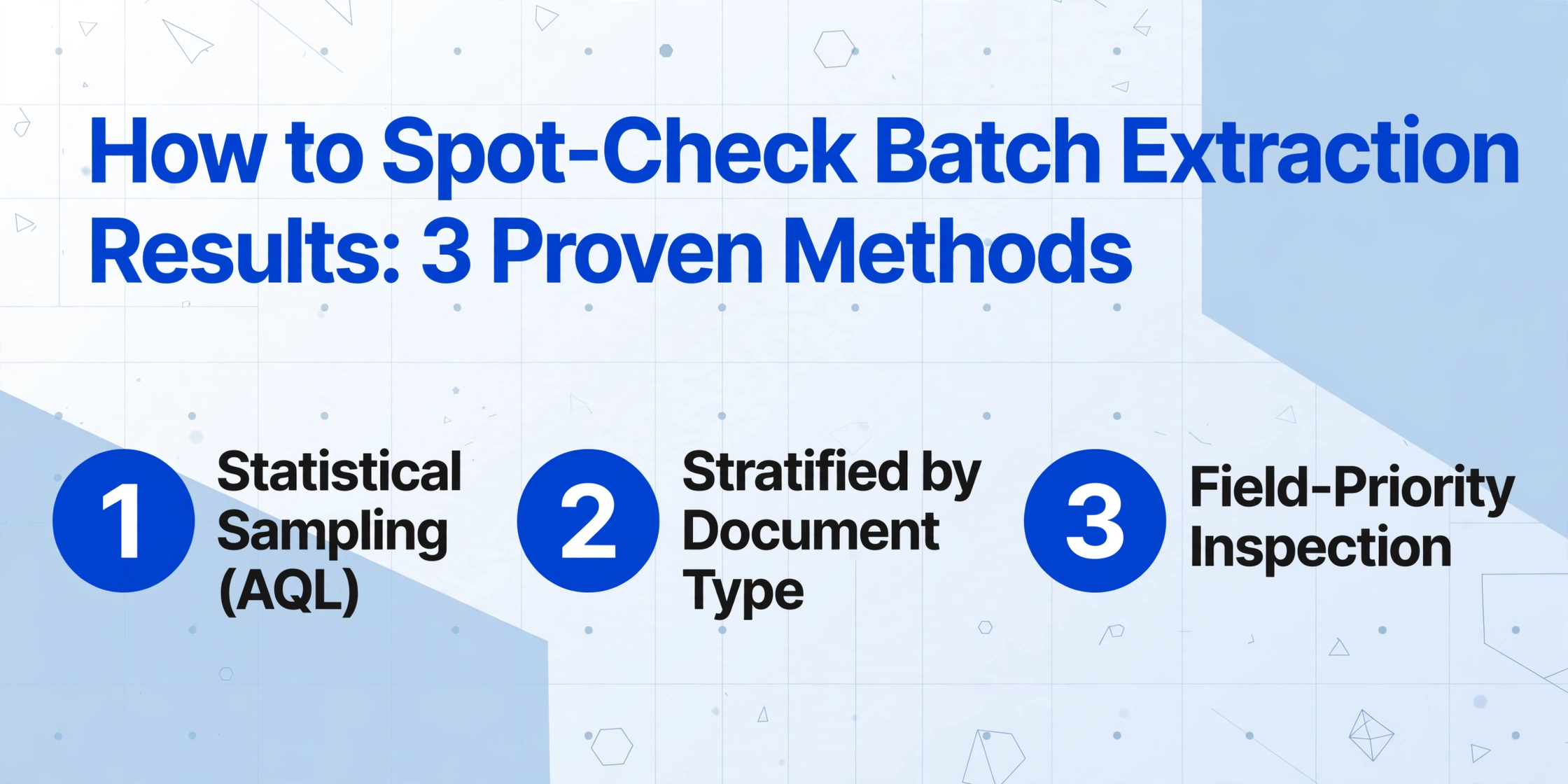
Key Takeaways
- 20 hours to manually verify 500 documents — and after document 200 your error-spotting rate drops enough that the remaining 300 checks are buying you false confidence, not safety.
- Human visual comparison error rates hit 3 to 5 percent under ideal conditions and degrade with fatigue — which is why professional auditors use statistical sampling, not 100 percent review, as their standard methodology.
- ISO 2859-1 sampling tables — the same standard factories use to inspect 50 units out of 10000 — let you inspect 50 documents in 30 minutes and make a statistically defensible pass or fail decision with an audit trail.
Why Verification Is Its Own Problem
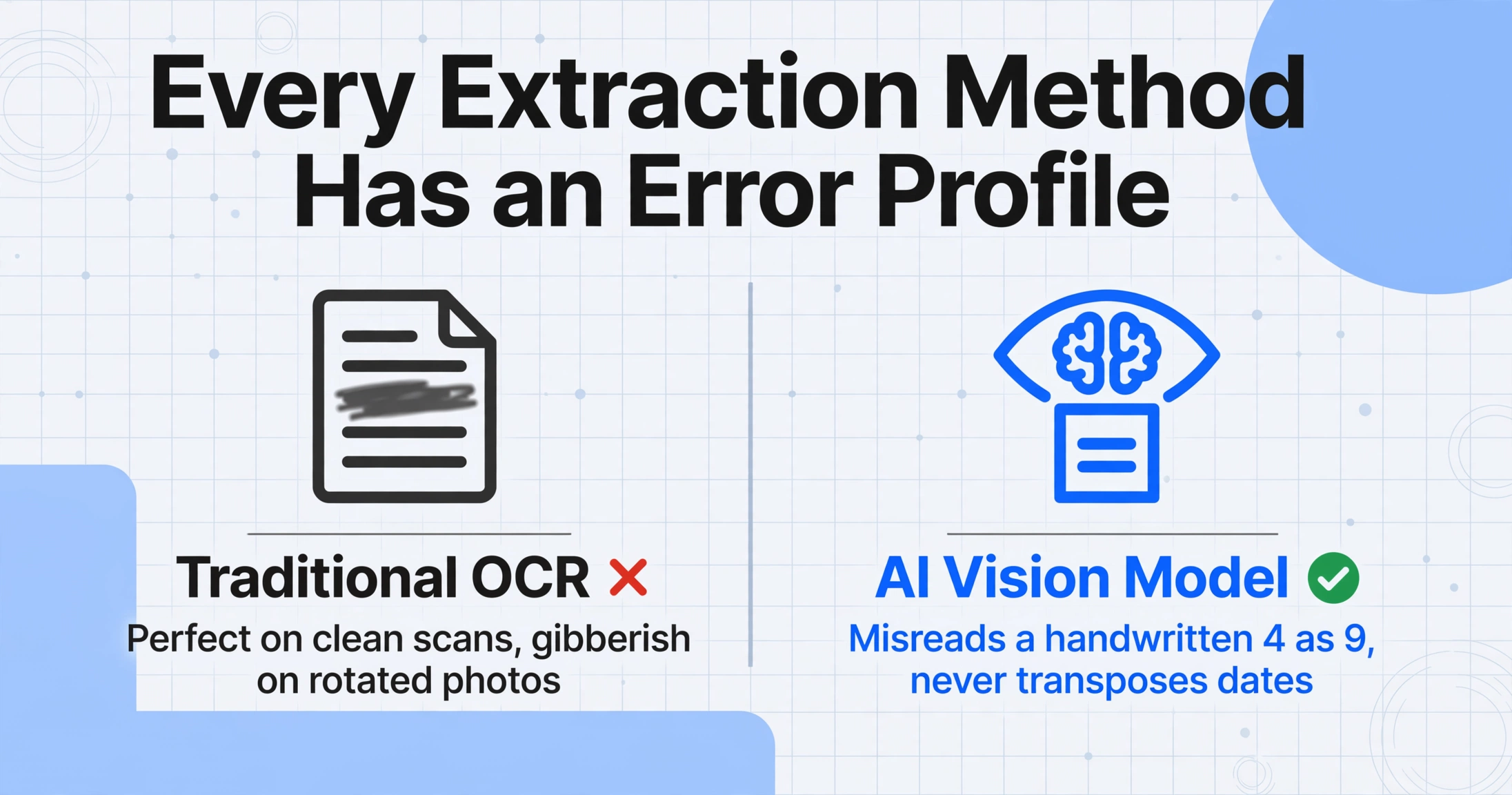
The dirty secret of document extraction — whether you use template OCR, AI vision models, or old-school manual keying — is that no method is 100% accurate. Not AI. Not human data entry clerks. Not a gold-plated ERP integration. The difference between tools is the error profile: what kind of errors they make, how often, and in which fields.
An AI vision model like ImageToTable.ai might misread a handwritten "4" as a "9" on a delivery note — but it will never accidentally transpose your invoice dates and your PO numbers the way a tired human might. Traditional OCR might nail every character on a pristine scanned PDF, then produce gibberish on a slightly rotated receipt photo. Each tool has patterns you can learn.
But here is the uncomfortable truth: you cannot know whether a specific extraction is correct without looking at the source document. No confidence score, no accuracy metric, no vendor guarantee tells you whether that one invoice's total is right. The question is not "can I trust the tool?" — it is "how much do I need to check, and how do I check it efficiently?"
That is where quality control methodology comes in, and it borrows from a discipline most office workers never touch: statistical acceptance sampling. The same logic that lets a factory inspect 50 units out of a 10,000-unit shipment and decide whether the whole lot passes is the logic you need for your extraction results.
Method 1 — Statistical Sampling (AQL)
Acceptable Quality Limit (AQL) is an ISO 2859-1 standard used for decades in manufacturing to answer exactly this question: "I have a large batch. I cannot inspect everything. How many do I inspect, and how do I decide whether the batch is good enough?"
The logic transfers directly to document extraction verification. You treat each document in your batch as a "unit," you define what counts as a "defect" (a wrong field value, a missing line item, a misread amount), and you apply a sampling plan.
How to Apply AQL to Extraction Verification
| Batch Size (Documents) | Sample Size to Inspect | AQL 2.5% — Accept | AQL 2.5% — Reject |
|---|---|---|---|
| 50 | 13 | ≤1 error | ≥2 errors |
| 200 | 32 | ≤2 errors | ≥3 errors |
| 500 | 50 | ≤2 errors | ≥3 errors |
| 1,000 | 80 | ≤5 errors | ≥6 errors |
| 5,000 | 200 | ≤10 errors | ≥11 errors |
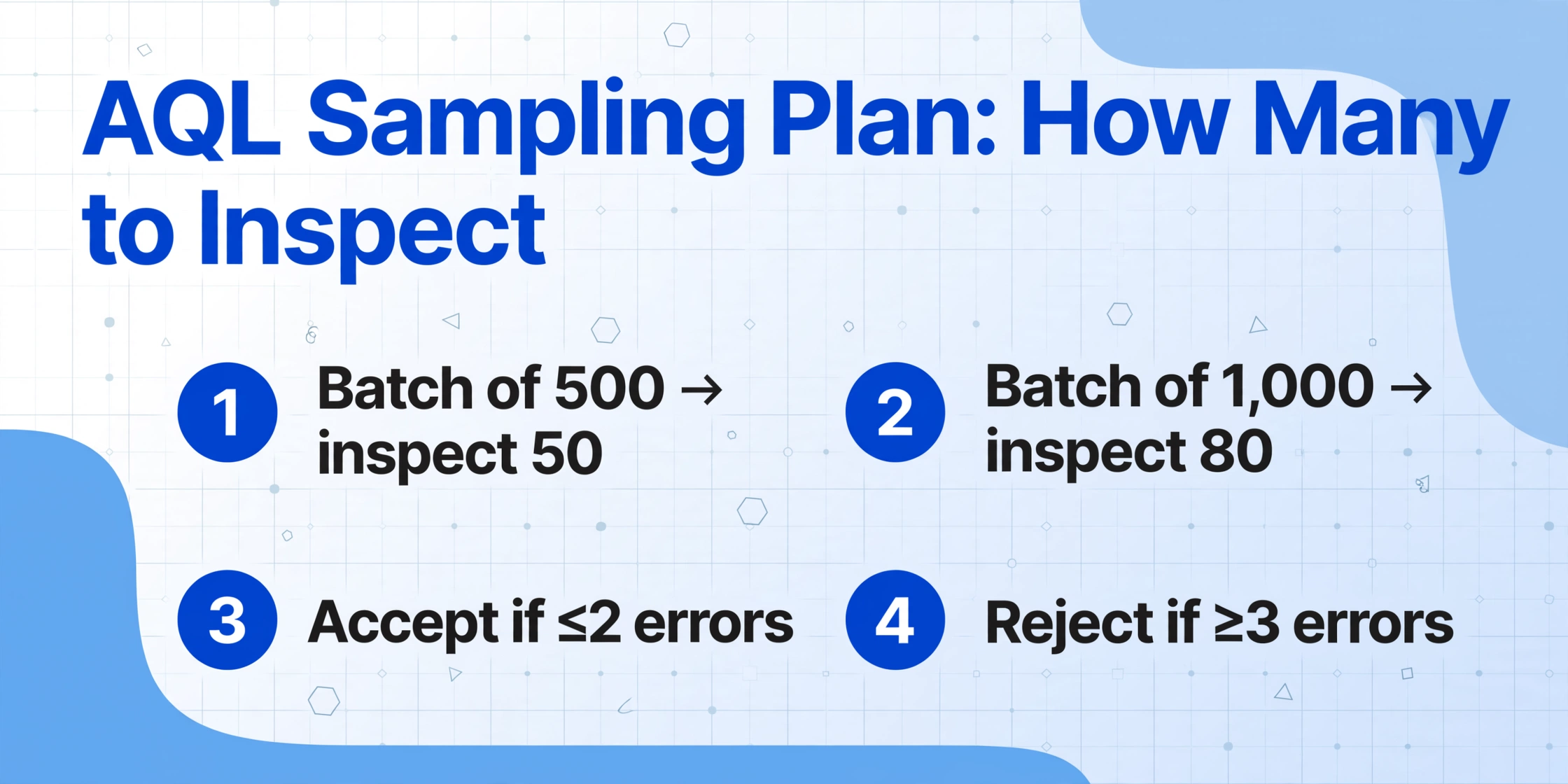
Simplified AQL 2.5% sampling plan based on ISO 2859-1 (General Inspection Level II). Sample sizes rounded for practical use.
Here is how to use it in practice:
Step 1: Take your batch of 500 extracted documents. Using a random number generator (Excel's =RANDBETWEEN(1,500) works fine), pick 50 documents to inspect.
Step 2: For each selected document, open the original file alongside the extracted data. Check the key fields: invoice number, date, total amount, vendor name. Mark whether each field is correct or has an error. "Errors" include missing data, wrong values, format corruption (dates that look like serial numbers), and hallucinated data that does not exist on the original document.
Step 3: Tally the total number of documents with one or more errors. If ≤2 documents have errors, the batch passes — you can release the data with confidence. If ≥3 documents have errors, the batch fails — you need to either reinspect a larger sample, fix the extraction process, or escalate to human review for the full batch.
Why this works: An AQL of 2.5% means you are accepting a worst-tolerable defect rate of 2.5% across the batch. For financial documents like invoices and purchase orders, this is a practical threshold — far lower than most manual data entry error rates (industry benchmarks put manual keying at 3–5% error rates), while not requiring the impractical rigor of 0% tolerance.
Method 2 — Stratified Sampling by Document Type
AQL works well when all documents in the batch are roughly the same type. But real-world batches are rarely uniform. Your "batch of 500" might include 300 invoices from suppliers, 120 purchase orders, and 80 delivery receipts — and here is the key: accuracy varies by document type.
Invoices from major suppliers with consistent layouts (think Amazon Business invoices or office supply vendors) will have higher extraction accuracy than the hand-scrawled delivery receipts from job sites. Purchase orders with clean, typed tables will perform differently from multi-page contract invoices with dense line items. Mixing them into one AQL sample risks missing problems in the smaller, higher-risk subset.
Stratified sampling solves this by dividing your batch into strata (groups) based on document type, then sampling each group independently. This ensures every class of document gets its own quality check.
| Strata (Doc Type) | Count | Sample Size | Accept (≤ N errors) | Reject (≥ N errors) |
|---|---|---|---|---|
| Supplier invoices (clean layout) | 300 | 32 | ≤2 | ≥3 |
| Purchase orders (typed, structured) | 120 | 20 | ≤1 | ≥2 |
| Delivery receipts (handwritten, varied) | 80 | 13 | ≤1 | ≥2 |
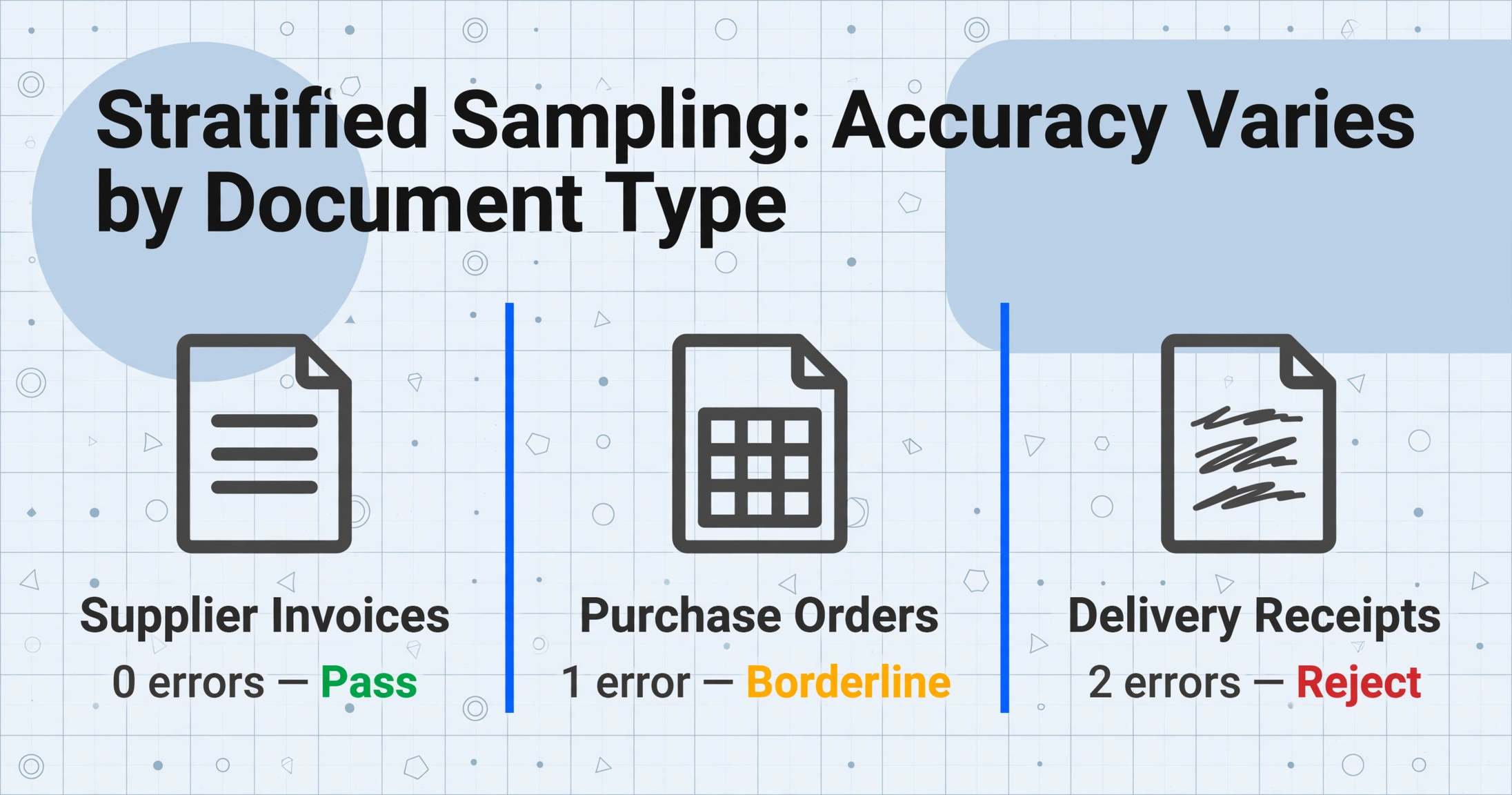
Stratified sampling applied to a mixed batch of 500 documents across three types.
With stratified sampling, you might discover that the supplier invoices pass easily (0 errors in the sample), the purchase orders have a minor issue (1 error — borderline), but the handwritten delivery receipts fail the sample (2 errors — reject). That tells you exactly where to focus your manual review resources: only the delivery receipts need a full scrub, not the entire batch. You saved hours of checking on the invoices and POs, and you identified the real problem area with surgical precision.
To implement this, separate your extraction output into tabs or worksheets by document type before sampling. If your extraction tool adds a "document type" or "source file name" column — which ImageToTable.ai does in batch mode — this split takes seconds.
Method 3 — Field-Priority Sampling
The third method flips the logic: instead of sampling entire documents, you target specific fields at different inspection rates. Not all data is created equal. An invoice total of $149,230.00 being off by $1,000 is a real problem. The "Remit to Address" field being off by one character is probably not.
Field-priority sampling assigns each field to one of three inspection tiers:
| Tier | Fields | Inspection Rate | Why |
|---|---|---|---|
| Tier 1 — 100% | Invoice total, line item amounts, quantities, dates, invoice number, PO number, tax amounts | Every single document | These feed into payments, reconciliations, and compliance. An error here has direct financial impact. |
| Tier 2 — Sampling | Vendor name, address, line item descriptions, unit prices (when not the total driver) | 10–20% random sample | Errors here matter but rarely cause financial loss. They affect reporting accuracy and lookupability. |
| Tier 3 — Exception Only | Reference fields, notes, internal codes, footer disclaimers, page numbers | Only when flagged by validation rules | These are informational. A wrong footer number has zero business impact. |
The practical workflow: scan through the extracted results column by column, applying the appropriate inspection rate for each tier. For Tier 1 fields, use Excel's conditional formatting to flag anything suspicious — totals that do not match line item sums, dates in the wrong range, duplicate invoice numbers. For Tier 2, use =RAND() to mark a random subset for visual verification. For Tier 3, only check them if a validation rule (like "field should start with INV-") fails.
The beauty of this approach is that it scales. In a 500-document batch, checking every single Tier 1 field is still a lot of work — but it targets your time at the fields where errors cost real money. And as you build experience with your document mix, you will notice which fields belong in which tier for your specific workflow.
A 6-Step Practical Verification Checklist
Here is the full workflow, from the moment your extraction finishes to the moment you decide whether the data is ready. It combines all three methods into one actionable process.
If your batch contains mixed document types, split them into separate groups. Invoices go with invoices, receipts with receipts, POs with POs. Each type has a different accuracy profile and needs its own sampling plan.
Before you look at any document, run your data through basic validation rules: =SUM(line items) = total (to catch mismatches like those detailed in our line item math mismatch guide), check that all invoice numbers follow an expected pattern (INV-#####), flag dates outside your business range, and count duplicate key fields. These checks catch about 30% of errors without inspecting a single document.
Spot-check totals, dates, invoice numbers, and quantities on every document. If batch size makes 100% inspection impractical (say 5,000+ documents), drop to a 20% stratified sample on Tier 1 — but never sample Tier 1 fields at less than 20%.
Using the table in Method 1, select your random sample for each strata. Inspect every field (all tiers) on each sampled document. If a strata fails AQL, escalate that entire group — do not assume the failure was random.
Create a simple log: batch date, total documents, sample size per strata, number of errors found, pass/fail decision per strata, and any corrective actions taken. This log serves two purposes: it covers your audit trail (important for SOX-compliant workflows) and it helps you spot accuracy trends over time.
Pass — all strata pass AQL and Tier 1 field checks look clean. Release the data. Conditional pass — minor strata failures confined to low-impact fields. Correct those specific strata and release. Fail — systemic errors across strata. Reject the batch and fix the extraction process before re-running.
The entire process, from Step 1 to Step 6, takes an experienced operator about 30 minutes for a 500-document batch — versus 20+ hours for 100% manual verification. The trade-off is not "accuracy vs. speed" — it is that you get 95% of the confidence for 2.5% of the time investment, and you know exactly which documents need closer attention.
When Verifying Isn't Enough
Spot-check sampling tells you whether a batch is good enough. It does not fix the underlying extraction quality. If you see certain patterns in your verification results, the correct response is not "sample more aggressively" — it is to fix the extraction process upstream.
Watch for these signals:
- Systematic field failures: Every document in the sample has the same field wrong — for example, the "Total" column consistently contains the subtotal instead of the grand total. This is not random noise; it is a column mapping issue. Check your extraction configuration or consider how your tool handles total fields.
- Clustered errors in a specific document source: All the errors come from scans done on a particular smartphone or from a specific vendor's PDFs. This tells you the issue is upstream in document quality, not in the extraction model itself.
- Format-level corruption: Dates showing as Excel serial numbers, currency values stripped of symbols, line item tables collapsing into single cells. These are often caused by merged cells, inconsistent table structures, or source documents with complex formatting — problems we cover in depth in our merged cell extraction guide.
- Persistent AQL failures across multiple batches: If three consecutive batches fail sampling, you have a systemic accuracy problem that resampling will not solve. At this point, the honest answer is: the current tool or configuration is not meeting your quality threshold. Time to evaluate a different approach.
Knowing when to escalate is as important as knowing how to sample. A tool like ImageToTable.ai that supports batch processing with multiple extraction modes gives you options — switching from To Table to To Word mode, adjusting column definitions, or trying different recognition modes can resolve persistent issues without switching tools entirely.
But if you have tried adjustments and the error rate is still above your AQL threshold, the right decision is to acknowledge the limitation, not to lower your standards. Some document types genuinely need a different approach — and that is not a failure of any tool, it is a realistic understanding of what current AI extraction can and cannot do.
Frequently Asked Questions
How do I choose between AQL, stratified, and field-priority sampling?
Use all three — they are complementary, not alternatives. Start with field-priority to protect your financial fields. Use stratified sampling to handle mixed document types. Apply AQL as the statistical backbone to make pass/fail decisions. The checklist above combines all three into one workflow.
Doesn't 100% verification give me better results than sampling?
In theory, yes. In practice, 100% verification of 500 documents is so time-consuming and tedious that it introduces its own quality problem — reviewer fatigue. After checking 200 documents, most people's error-detection rate drops sharply. A disciplined 10% sample done carefully often catches more errors than a rushed 100% review done from burnout. This is the same reason professional auditors use sampling: it is not laziness, it is methodology.
What if my batch passes AQL but I later find errors?
That is not a failure of the method — it is a correct statistical outcome. An AQL 2.5% plan explicitly accepts that up to 2.5% of documents may have errors. If you discover an isolated error downstream, fix it and move on. If you discover a systemic pattern of errors that the sample missed, that indicates your sampling plan needs adjustment — either your AQL threshold is too loose for your use case, or your strata boundaries are wrong.
Can I automate any of this verification process?
Partially. Automated sanity checks (Step 2) can run in Excel using formulas and conditional formatting. Sample selection (Step 3-4) can be randomized with =RAND() or =RANDBETWEEN(). But the actual document-by-document comparison — opening the original and comparing it to the extracted data — requires human eyes for now. AI-powered verification tools exist but they introduce a second layer of AI uncertainty, which defeats the purpose of independent verification.
How often should I run verification on recurring batches?
For weekly or monthly batches, verify every batch until you have a track record. Once you see 5+ consecutive batches pass AQL at the same threshold, you can reduce to spot-checking every third batch — but always verify the first batch after any change: new document type, new supplier, new extraction configuration, or tool update. The moment you stop verifying entirely is the moment a silent error will slip through.
The Honest Truth
Every document extraction tool, AI-powered or otherwise, has an error rate. The difference between a good implementation and a bad one is not whether errors happen — it is what you do about them.
A company that processes 500 invoices with no verification plan is gambling. A company that spends 40 hours checking every single field on every single invoice is burning money. A company that uses a structured sampling methodology — combining AQL thresholds, stratified sampling by document type, and field-priority inspection — is operating professionally. They know their error rate, they know when to accept a batch and when to reject it, and they have an audit trail to prove their process.
That professional middle ground is what this framework gives you. It is adapted from ISO 2859-1 — a standard that has governed quality decisions in manufacturing for decades — because the math works. And it applies regardless of which extraction tool you use. The method is tool-agnostic; only the expected error profile changes.
Test it on your next batch. Pick 50 documents at random. Spend 30 minutes checking them. See if the results tell you something you did not know about your extraction quality.