Is It Safe to Run Client Data
Through Free Document Tools?
Is it safe to run a client's bank statement through a free online converter? The tool returns a clean spreadsheet in seconds, so the question feels answered before you ask it. The part that actually decides the answer happened the moment you clicked upload, when a client's document left your machine and became a third party's copy. Speed and money are settled at that point. What stays open is control: where the file sits, how long it stays, and who else can reach it. Those are the terms you can still check before the next upload.
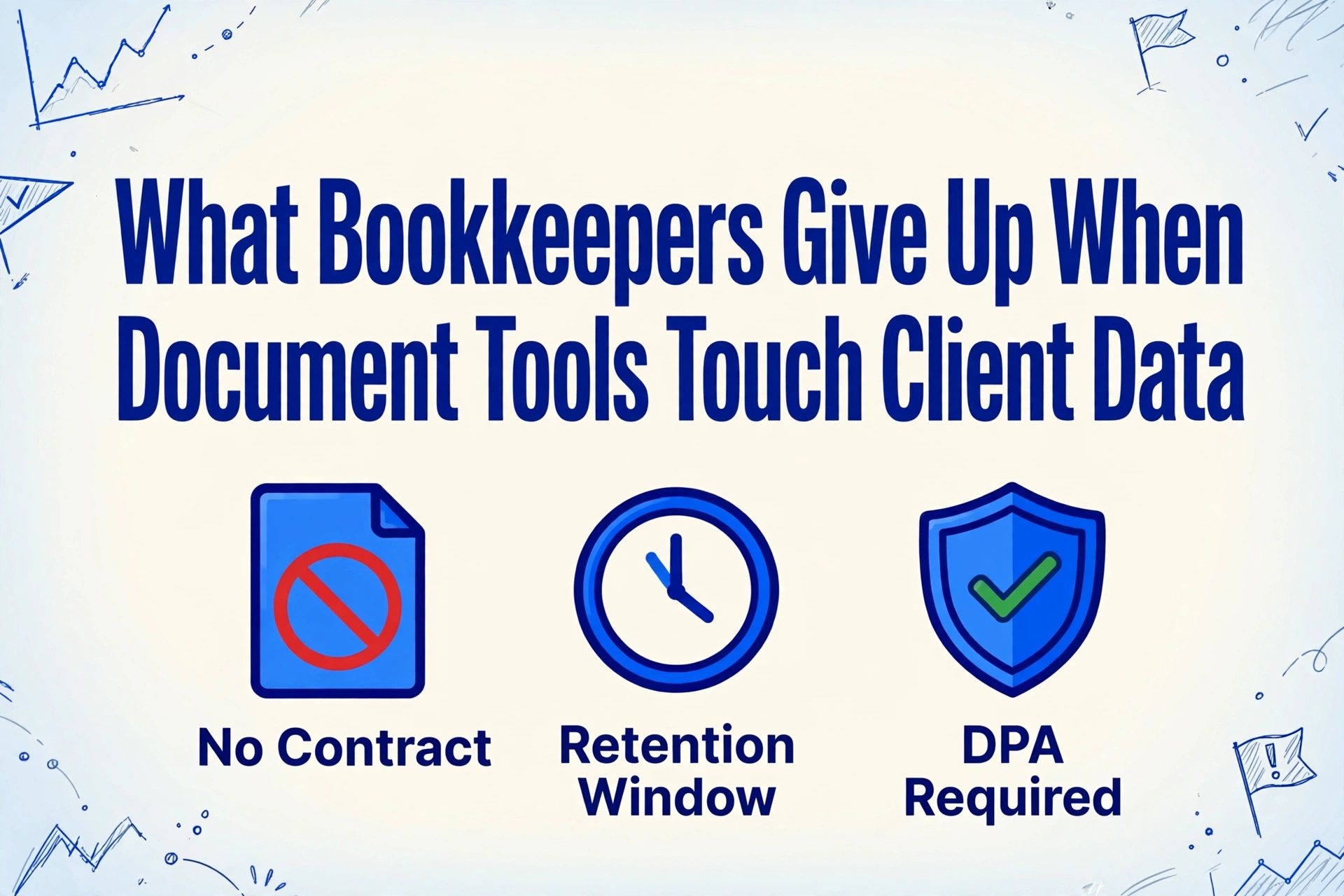
Key Takeaways
- Two hours for one free tool, up to 180 days for another, and both charge nothing.
- A short retention window is a promise a vendor can revise, and a certificate says nothing about how long your client's file stays.
- The five questions that decide it are already published, and reading them takes about ten minutes per tool.
Uploading a Client's File Changes Your Legal Role
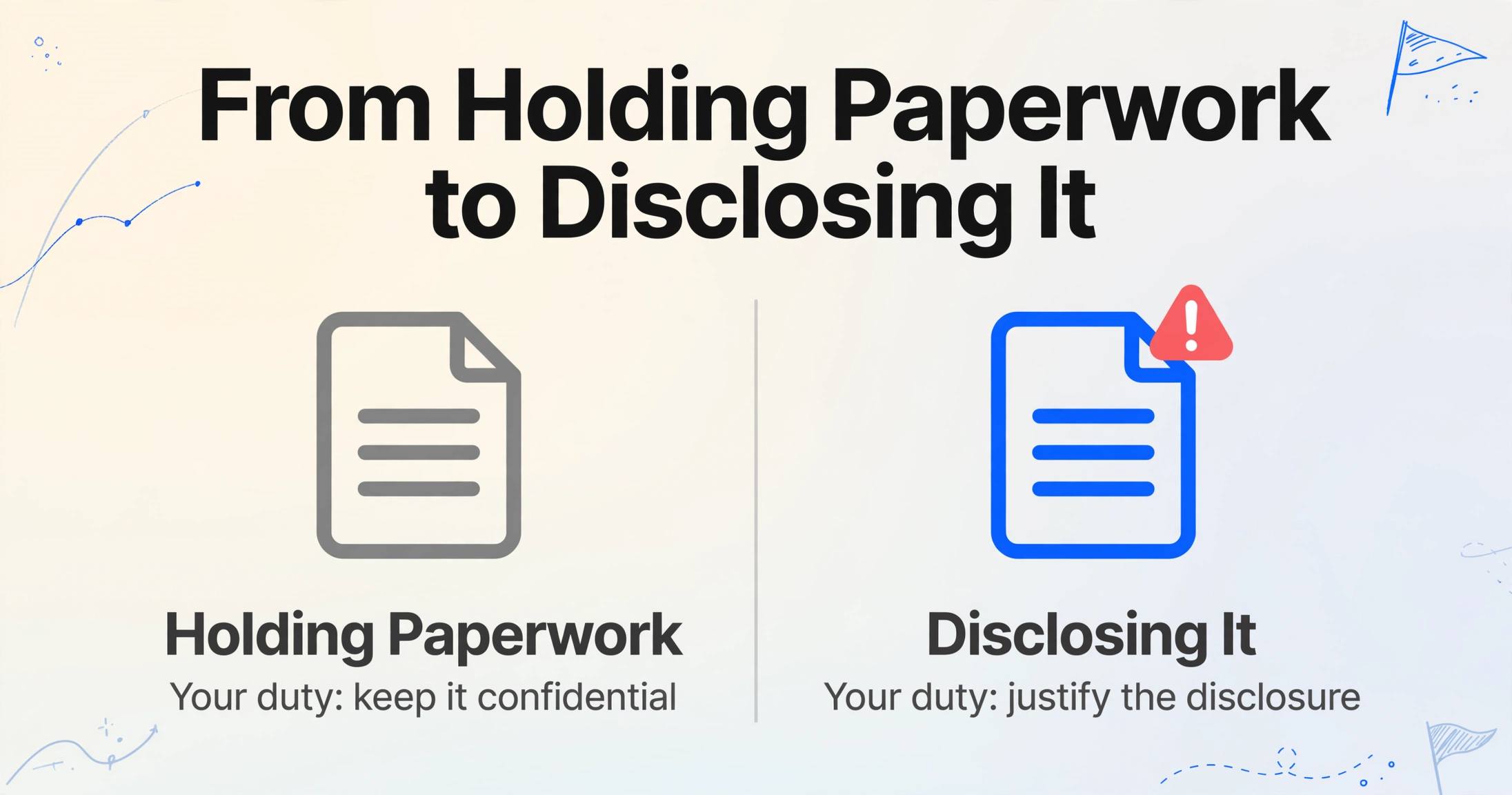
Handing a client's document to a free tool changes your role from someone holding paperwork into someone disclosing it, and that shift is what most free-tool advice skips. The document is not your data. You hold it under a professional duty of confidentiality, and the moment you put it on a third party's server, you have made a disclosure that the rules treat as yours to justify.
The American Institute of Certified Public Accountants draws the line in the AICPA Code of Professional Conduct. Rule 1.700.001, the Confidential Client Information Rule, says a member in public practice shall not disclose confidential client information without the client's specific consent. The interpretation that governs your question is 1.700.040, on disclosing information to a third-party service provider. It starts from the premise that using one may threaten compliance, and it offers only two exits: enter a contractual agreement that binds the provider to keep the information confidential, or obtain specific consent from the client before the disclosure. A free web tool you never signed a contract with is the case the interpretation is warning about.
Tax data is narrower still. Under Internal Revenue Code Section 7216, a tax return preparer who knowingly or recklessly discloses information furnished for the preparation of a return is guilty of a misdemeanor, with a fine up to $1,000 or up to a year in prison. A civil penalty under Section 6713 adds $250 for each unauthorized disclosure, capped at $10,000 in a calendar year. The category is broad: it covers information supplied in connection with preparing a return, and a client's identity and income documents are exactly that.
The relationship is regulated too. The Gramm-Leach-Bliley Act and the Federal Trade Commission's Safeguards Rule classify tax and accounting professionals as financial institutions, which obliges them to maintain a written information security plan, known as a WISP. The IRS states the plan must do more than secure your own office. It requires that you select service providers that can maintain appropriate safeguards and make sure your contract requires the provider to maintain them. Choosing the tool is part of the plan, not a separate decision.
The stakes are not theoretical. In August 2025 the IRS and its Security Summit partners reported that the first half of the year saw nearly 300 data breaches affecting as many as 250,000 clients (IRS IR-2025-88). Small practices are targets precisely because the data is concentrated and the safeguards are thin.
Practitioners already sense the trade. When one accountant shared a free bank statement converter in r/quickbooksonline, the reply was blunt: "Careful feeding your clients' private information into 'free' apps. They cost something and likely user data" (r/quickbooksonline). The instinct is right. The useful question is how to replace it with something you can actually check.
The Five Questions That Decide If a Free Tool Is Safe for Client Data
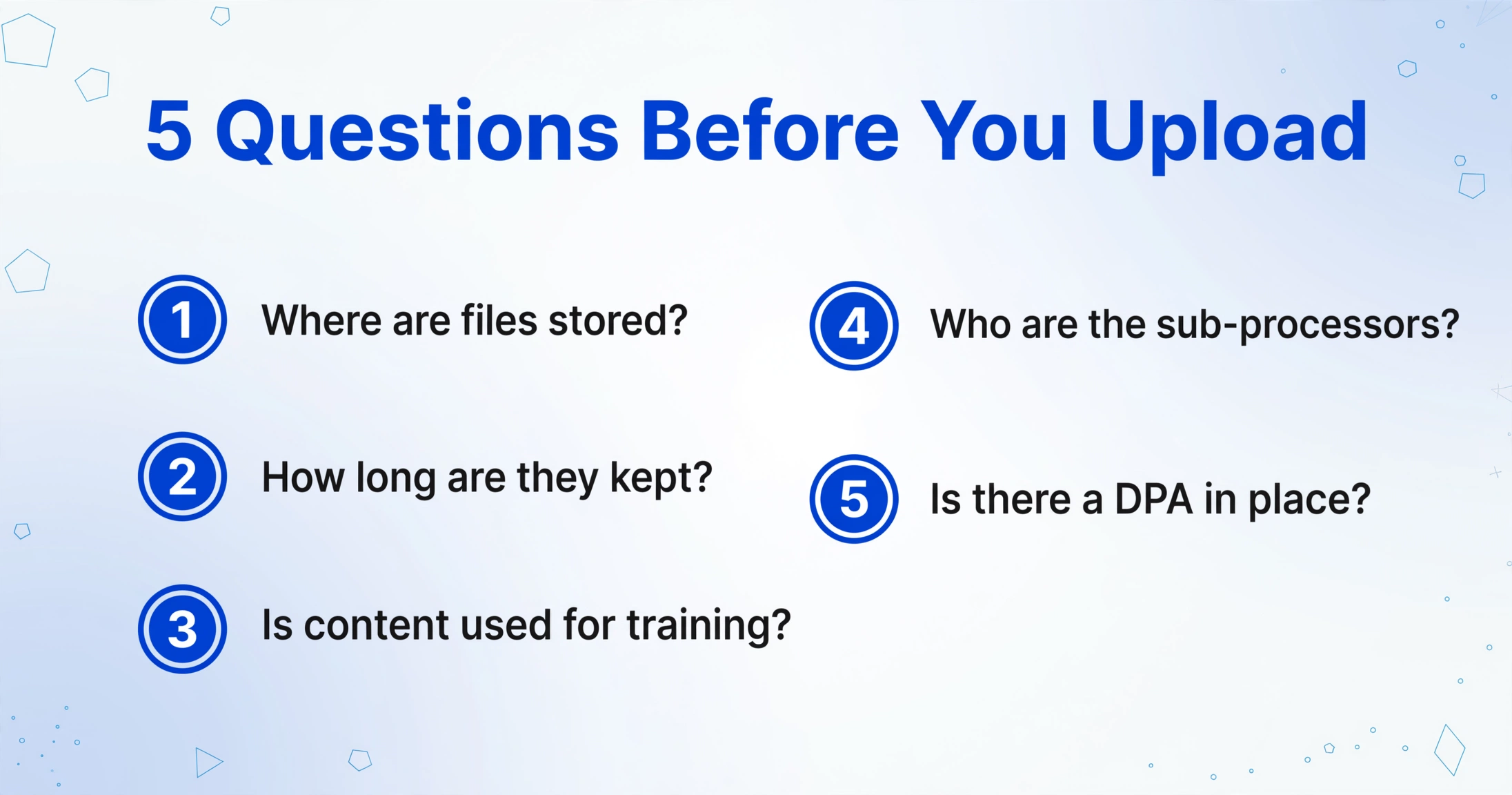
Five questions separate a free tool you can put client documents through from one you should not, and each has an answer you can find before uploading anything. They are the questions a regulator, a client, or your own liability carrier would ask, and they map to the data-handling disclosures every tool publishes.
- 1. Where are files stored and processed? A copy on a server in a jurisdiction you would have to report a breach to is a different risk from a copy on a server down the street.
- 2. How long is the file retained? A window measured in minutes and one measured in months carry very different risk, and the window is usually stated in the privacy policy, not the product page.
- 3. Is uploaded content used to train or improve models? For tax data, any use beyond preparing the return is a purpose the rules do not permit without consent.
- 4. Who are the sub-processors? A sub-processor is any company the tool passes your file to for processing, such as an inference provider or a storage host. Its retention applies to your client's document as much as the tool's own does.
- 5. What is your legal relationship with the vendor? Terms of service are not a confidentiality contract. Only a data processing agreement, or the client's written consent, satisfies the AICPA standard.
Run those five against four real tools that people reach for on client documents, using each tool's own published policy. The spread is the point.
| Tool | Published retention | Where it is processed | Training use | Sub-processors or certifications |
|---|---|---|---|---|
| iLovePDF | Files deleted within two hours of processing | EU, GDPR-aligned | States it does not access or analyze content | ISO/IEC 27001; desktop app processes locally |
| OCR.space | Deleted after processing; a searchable PDF result is kept 60 minutes; IP logs kept one month | EU data centers (France, Germany, Finland) | Not stated as a training use | No third-party certification listed |
| PDF24 | Server copy deleted one hour after processing | Germany | Not stated as a training use | Free service; terms place data-protection and confidentiality responsibility on the user |
| FreeOCR.AI | Free-service files not intentionally retained; content-safety-triggered input or output may be kept up to 180 days | Routes through BytePlus ModelArk; possible retention in Malaysia; operator based in China | Says API content is not used to train models | DPA offered, but only for direct API customers |
Read the last column and the second one together. One tool deletes the file in two hours, another can hold a content-safety match for 180 days, and a third puts the confidentiality obligation back on you in its own terms. All four are free, and they are not interchangeable for a client's paperwork. The sources are the tools' own pages, and any of them can change: iLovePDF's security page, OCR.space's privacy policy, PDF24's terms of use, and FreeOCR.AI's privacy policy. Check them again before you rely on any of this.
How to Verify a Tool in About Ten Minutes
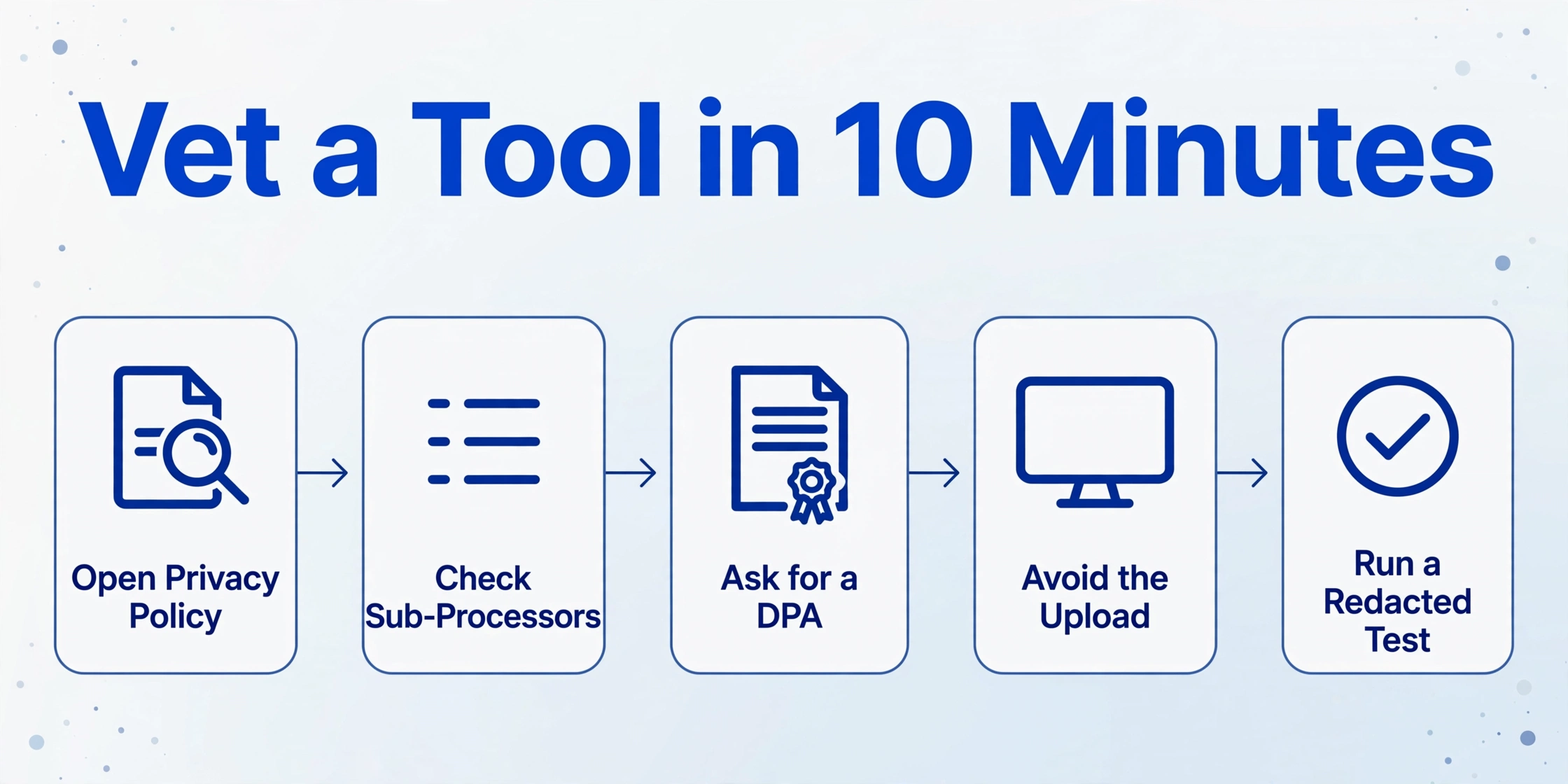
The answers are already published, and reading them takes about ten minutes per tool. The work is knowing which page to open and which sentence counts as an answer.
Open the privacy policy, not the FAQ
Find the section on retention, usually titled "how long do we keep your data." A number with a unit is an answer. "We delete data when it is no longer needed" is not, and treating it as one is how a client's file ends up somewhere you cannot describe.
Find the sub-processor list
Look for a "third parties" or "sub-processors" section. If uploads are routed to a named AI provider, that provider's retention window applies to your client's document too, and it is often longer than the tool's own.
Ask whether a DPA covers the documents
A data processing agreement is the contract that names the tool as your processor and sets the rules for the data. If the vendor offers one, check that document extraction is in scope. A DPA that covers your billing details but not the files you upload does not close the gap.
Prefer the version that avoids the upload
Desktop and browser-local processing keep the file on your machine, so there is no server copy to worry about at all. Open-source OCR runs locally for the same reason, at the cost of setup time and lower accuracy on scans. The free OCR options compared here lay out that tradeoff honestly.
Use a redacted file for the first test
Swap the account number and name for dummy values, upload that, and confirm the output is what you expect before a real client document ever touches the tool. It costs one upload and removes the guesswork.
If a tool fails step 3, stop there. Under the AICPA's third-party service provider interpretation, your two options are a confidentiality contract or the client's specific consent, and a free consumer tool you cannot get either from is not usable for client data no matter how well it works on your test document. For EU clients, the provider's obligations as a processor are set out in what GDPR requires of an extraction provider.
The Risk Sits in the Undocumented, Not in the Price
The price tells you nothing about the data handling. Two of the tools above publish short retention windows and an ISO/IEC 27001 certification, and they are free. A paid enterprise platform is not automatically safer either, and the firms that buy one still have to check retention, jurisdiction, and audit trail, which is the evaluation those firms run in our comparison of tools for accounting practices.
Be careful with the comfort a short retention window gives you. Two hours shortens the exposure without removing it. A policy is a promise a vendor can revise, and the terms you agreed to at upload are the terms that govern. PDF24 says so in plain language, placing responsibility for data protection and any professional confidentiality obligation on the user (the same terms page cited above). A certificate like ISO 27001 speaks to the vendor's management system, not to your specific client relationship, and it says nothing about how long your file stays or whether it trains a model.
That is why the safest option is usually a workflow where the file never leaves the machine, rather than a better free tool. Where the client relationship itself is the constraint, how long you must keep the records afterward is a separate question, covered in US document retention requirements.
When the Free Tier Stops Being Viable
There is a point where the right answer is not a better free tool but a relationship you can put in writing. That point arrives when you are processing client tax data across many clients, where the Safeguards Rule vendor clause and the AICPA interpretation together require a contract or documented consent, per-client separation, and some record of what was done. An anonymous free web form cannot supply any of those.
Two honest paths remain at that scale. The first is to stay local, using desktop or browser-local processing and accepting the setup and accuracy cost. The second is to move to a tool that will sign a data processing agreement and commit in writing that it does not train on your documents. That conversation is usually a paid or contracted tier, and it is the moment a free tool stops fitting the client work.
For the extraction step itself, the mechanism is worth separating from the data-handling question. ImageToTable.ai is an AI data extraction tool in the same category as the tools above: you type the column names you want, and it fills a table by reading each document. That approach, called Custom Column Extraction, means the output contains the columns you named rather than the whole document turned into rows, which keeps unrelated fields out of the file you then have to protect. Once a tool clears the five questions above, the extraction itself is the easy part, which is the workflow behind turning a bank statement into a spreadsheet. The same five questions still apply to ImageToTable.ai, and you should ask them. What that looks like at a real bookkeeping volume is worked through in what extraction costs at freelancer volume.
Frequently Asked Questions
Is it illegal to use a free tool to process client documents?
Not by itself. The law and the profession restrict what you may disclose without consent. IRC Section 7216 makes unauthorized disclosure of tax return information a misdemeanor with a civil penalty attached, and the AICPA Confidential Client Information Rule bars disclosure without specific consent. The tool itself breaks no rule. The exposure comes from a disclosure you cannot document, which is why the data handling of the tool becomes your responsibility.
What is a sub-processor, and why does it matter?
A sub-processor is any company the tool passes your file to in order to do its work, such as an AI inference provider, a hosting company, or a storage service. Its retention policy applies to your client's document alongside the tool's own. A tool can advertise a two-hour deletion while a sub-processor it uses retains content for 180 days, as one of the tools above states in its own policy. Always read the sub-processor disclosure, not just the headline retention number.
Are free OCR tools ever safe for client data?
Yes, when three conditions hold. The tool publishes a specific, short retention window; it states that uploaded content is not used for training or model improvement; and you can reduce or avoid the upload entirely through desktop or browser-local processing. Price is not the signal. A well-run free tool with a clear policy can be safer than an opaque paid one, and the four tools in the table above show how much the published answers differ.
Does a SOC 2 or ISO 27001 certificate make a tool safe?
It is evidence, not a guarantee. A certification shows that an auditor reviewed the vendor's controls for security and confidentiality, which is worth something. It does not tell you how long your client's file is retained, whether the content trains a model, or which country the servers sit in. Treat it as one required input among the five questions, not a substitute for the other four.
Do I need a client's consent before uploading their documents to a tool?
Under the AICPA's interpretation on third-party service providers, you either need a contractual arrangement that binds the provider to confidentiality, or the client's specific consent to the disclosure. Section 7216 points the same way for tax return information. A free consumer tool you have no contract with will almost never satisfy the first path, so for those tools the practical answer is consent, in writing, or a different tool.
I already uploaded a client's documents to a free tool. What should I do now?
Read the tool's published retention and deletion policy so you know what happened to the file and can describe it accurately. If the tool retained it, or passed it to a sub-processor, and your client relationship requires consent for that kind of disclosure, that is a conversation to have with the client rather than a detail to leave undocumented. Then apply the same five questions before the next upload. For anything that touches tax return information, run the specific situation past a professional adviser rather than relying on a general guide.
You can use a free tool safely. What you cannot do is upload a client's document without knowing where it goes, and closing that gap takes about ten minutes of reading before the next upload.
Pick one document type you handle every week, run it against the five questions, and decide based on the answers instead of the price. Try it on your own documents.