How to Extract Canadian T5 Investment Income for
Personal Tax Filing (2026 Guide)
The CRA's T5 slip — formally the Statement of Investment Income, governed by Guide RC4157 — reports exactly the numbers every Canadian investor needs to file a complete return: eligible dividends (Box 10), other dividends (Box 11), interest from savings and GICs (Box 13), foreign investment income (Box 15), and capital gains distributions (Box 18). Any single T5 takes thirty seconds to read and type into your tax software. The friction starts when that number is five, eight, or twelve — one slip from TD Direct Investing, another from Questrade, a third from Wealthsimple, plus additional accounts at RBC Direct Investing and BMO InvestorLine — each institution printing the same CRA-mandated Box numbers in a different visual arrangement. At ninety seconds per slip across eight slips — locating each Box on a layout that resets every time you switch from TD's PDF to Questrade's — the data entry alone consumes over two hours of a February filing weekend. Your spreadsheet cannot read any of those PDFs. The gap between the T5 that arrived in your brokerage inbox in January and the dividend total that lands on your T1 line 12000 in April is what this article closes.
Key Takeaways
- Eight T5 slips from five brokerages is not a typing speed problem — every institution places Box 10 in a different spot on the page and your brain resets its search pattern with every new PDF you open.
- The CRA already holds the sum of all your T5s at the moment they are issued — miss one slip and the matching system flags your return before you even know there is a discrepancy.
- Define your columns once by Box meaning not page position — upload every T5 in one batch and get a single spreadsheet where every row traces back to its source institution.
What's on a T5 and Why Every Box Number Has a Tax Consequence
The T5 is a statutory information return under the Income Tax Act, issued by every Canadian financial institution that pays investment income to a taxpayer during the calendar year. Banks issue it for savings account interest and GIC interest. Brokerages issue it for dividends, capital gains distributions, foreign income, and interest earned in non-registered accounts. Mutual fund companies issue it for fund distributions. Investment trusts issue it for trust income allocations. A single investor with a chequing account at TD, a non-registered trading account at Questrade, a Wealthsimple managed portfolio, and a high-interest savings account at EQ Bank receives four separate T5s — each carrying a different subset of these Box numbers. The annual brokerage statement that comes with those slips covers the other half of the picture — holdings, cost basis, and realized trades — and usually arrives as its own multi-section PDF.
The critical thing to understand before extracting anything: a T5 Box number is not just a label. Each Box maps to a specific line on your T1 General, often at a different taxable amount than the figure printed on the slip.
| Box | Income Type | Tax Treatment on Your T1 Return |
|---|---|---|
| 10 | Actual amount of eligible dividends | This is the cash amount you received. For your tax return, multiply by 1.38 to get the taxable amount (goes on line 12000). The federal dividend tax credit then offsets roughly 15% of the grossed-up amount on Schedule 1. Eligible dividends come from Canadian public corporations that pay corporate tax at the general rate — think dividend-paying stocks on the TSX. |
| 11 | Actual amount of dividends other than eligible dividends | Also the cash amount received. Multiply by 1.15 to get the taxable amount reported on Box 12 (which also goes on line 12000). A lower gross-up (1.15 vs 1.38) and lower tax credit rate (roughly 9% vs 15%) means these dividends — typically from CCPCs that did not pay the general corporate tax rate — attract more tax per dollar of cash received. |
| 13 | Interest from Canadian sources | Reported dollar-for-dollar on line 12100. No gross-up, no tax credit — interest is taxed as ordinary income at your marginal rate. Includes bank account interest, GIC interest, bond interest, and treasury bill accruals. If your total interest across all T5s is under $50, the institution is not required to issue a T5 — but you must still report it. |
| 14 | Other income | A catch-all that includes trust income, royalty payments, and annuity payments not reported elsewhere. Goes to line 13000. If a REIT or income trust held in your non-registered account made a distribution classified as "other income" rather than dividends or return of capital, it lands here. |
| 15 | Foreign income | Reported on line 12100 alongside Canadian interest. This is foreign-sourced investment income before any foreign withholding tax. If you own US dividend stocks in a non-registered account, the gross dividend (before the 15% US withholding) appears here — and the tax the US took is in Box 16. |
| 16 | Foreign tax paid | The non-resident withholding tax that was deducted at source on the foreign income in Box 15. This is the amount you can claim as a foreign tax credit on T2209, up to the lesser of the foreign tax paid and the Canadian tax that would have been payable on that income. Box 16 must never be reported without Box 15 — they are a paired set. |
| 18 | Capital gains dividends | Distributions from mutual funds, ETFs, and investment trusts classified as capital gains. At the current 50% inclusion rate, half of this amount becomes taxable capital gains on Schedule 3 (line 12700). Note: this is different from capital gains you realize by selling shares — those are reported on a T5008, not a T5. |
| 21 | Recipient type | Indicates whether the recipient is an individual (code 1), a joint account (code 2), a corporation (code 3), or a trust (code 5). Does not appear on your T1 but determines which tax rules apply — a T5 issued to a corporation does not generate dividend tax credits. |
The extraction implication: When you are building a T5 consolidation spreadsheet, you need at least eight columns — one for each active Box — and for eligible and other dividends, you need additional columns for the grossed-up taxable amounts that are not printed on any version of the T5. A raw extraction that only captures what is on the slip gets you halfway to a tax-ready spreadsheet. The second half is the gross-up arithmetic that every Canadian tax software performs silently behind the scenes.
Why Five T5s from Five Institutions Create the Same Problem Every February
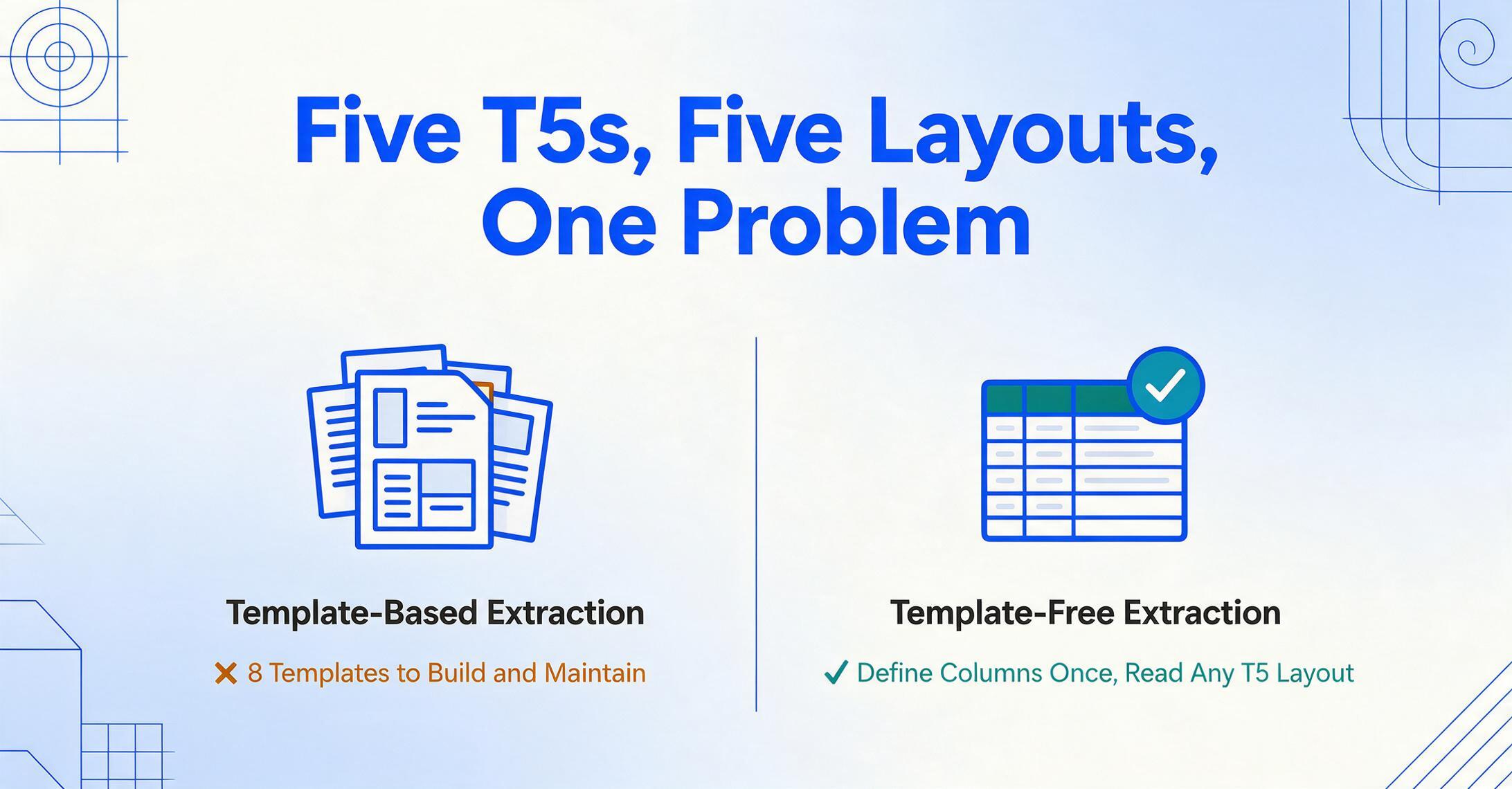
The CRA mandates the content of every T5 — which Box numbers must appear, what data each Box reports. It does not mandate the visual format. Each financial institution designs its own T5 layout within the content rules, and the result is that an investor holding accounts at three to five platforms receives T5s that are visually distinct but semantically identical.
TD Direct Investing tends to place the recipient information (name, address, SIN) in a compact header block with the account number prominently displayed, followed by a two-column grid of Box numbers and amounts. Questrade uses a different typeface and stacks Box numbers vertically with the amount in a right-justified column, sometimes putting the Box label in bold and the amount in regular weight. Wealthsimple — being a digital-first platform — tends to produce a cleaner, single-column T5 with generous spacing and a minimalist layout. RBC Direct Investing and BMO InvestorLine each have their own layout traditions, and if you hold mutual funds through a separate fund company (Mackenzie, Fidelity, AGF), that generates yet another T5 format.
For a template-based extraction tool, eight T5s in eight layouts equals eight templates to create, test, and maintain — a setup hurdle that consumes the same time you are trying to save.
Template-free extraction, by contrast, sidesteps the entire problem. Instead of teaching a tool where Box 13 sits on TD's layout versus Questrade's layout, you define the column header once — "Box 13 Interest" — and the AI reads every T5 to find the number next to the Box label regardless of its position on the page. The extraction target is the semantic meaning of "Box 13 — Interest from Canadian sources" on a T5, not pixel coordinates on a specific bank's PDF. Eight institutions, eight layouts, one column definition.
This approach also future-proofs your workflow. When you open a new brokerage account next year — switching from Questrade to Qtrade, or adding a high-interest savings account at a new online bank — the new T5 format requires zero additional configuration. The AI already knows what Box 13 interest and Box 10 eligible dividends mean. The layout is new; the question is not.
How to Consolidate Multiple T5 Slips into One Tax-Ready Spreadsheet
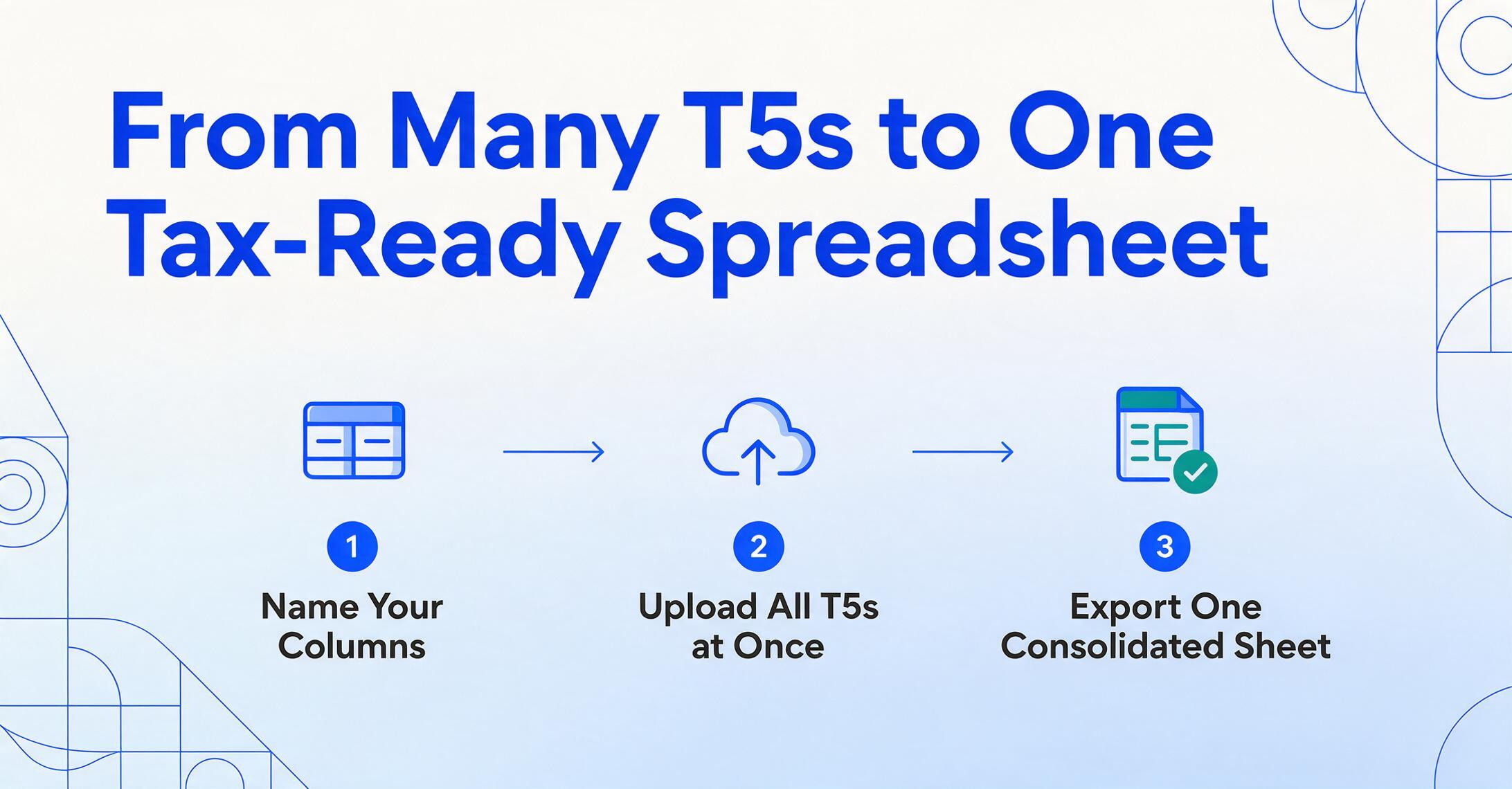
The extraction workflow mirrors what you are already doing mentally when you file your taxes — collect all T5s, identify which Box numbers are active, sum the totals — but replaces the manual transcription step with a batch operation that reads every slip in parallel.
Name your columns
Define the columns your spreadsheet needs. For a standard T5 consolidation, start with: Recipient Name, SIN, Institution, Account Number, Box 10 Eligible Dividends, Box 11 Other Dividends, Box 13 Interest, Box 15 Foreign Income, Box 16 Foreign Tax Paid, Box 18 Capital Gains Dividends. If none of your T5s carry foreign income, drop the Box 15 and 16 columns to keep the output table compact.
Upload all T5s at once
Drag and drop every T5 PDF into the upload area — the TD slip, the Questrade slip, the Wealthsimple slip, all of them. The system processes them in parallel as a single batch. This is the moment where template-free extraction earns its advantage: you are uploading eight different document layouts, but asking the same set of questions of all of them.
Export one consolidated spreadsheet
Download the merged Excel file — one row per T5 slip, columns populated by Box number. Sort by income type to see total eligible dividends across all institutions, total interest income, total foreign tax paid. Add a SUM row at the bottom, and you have the raw data your tax software is going to ask for when it prompts you to enter T-slip information line by line.
Files are processed securely and not stored.
The step most investors get wrong — and it is almost invisible until you catch it — is treating every T5 as an island. You extract TD's T5, see $1,247 in Box 10, and copy it into your tax software. Then Questrade's T5 shows $873 in Box 10. Then Wealthsimple's shows $456. The numbers are all correct. But your CRA account already has the sum — $2,576 in eligible dividends — and if you only report two of the three slips, the CRA's matching system will flag the discrepancy. Batch extraction that produces one consolidated spreadsheet with a row per T5 and a total row at the bottom eliminates the omission risk that individual slip-by-slip entry creates.
Dividend Tax Credit Calculations Your Spreadsheet Should Handle
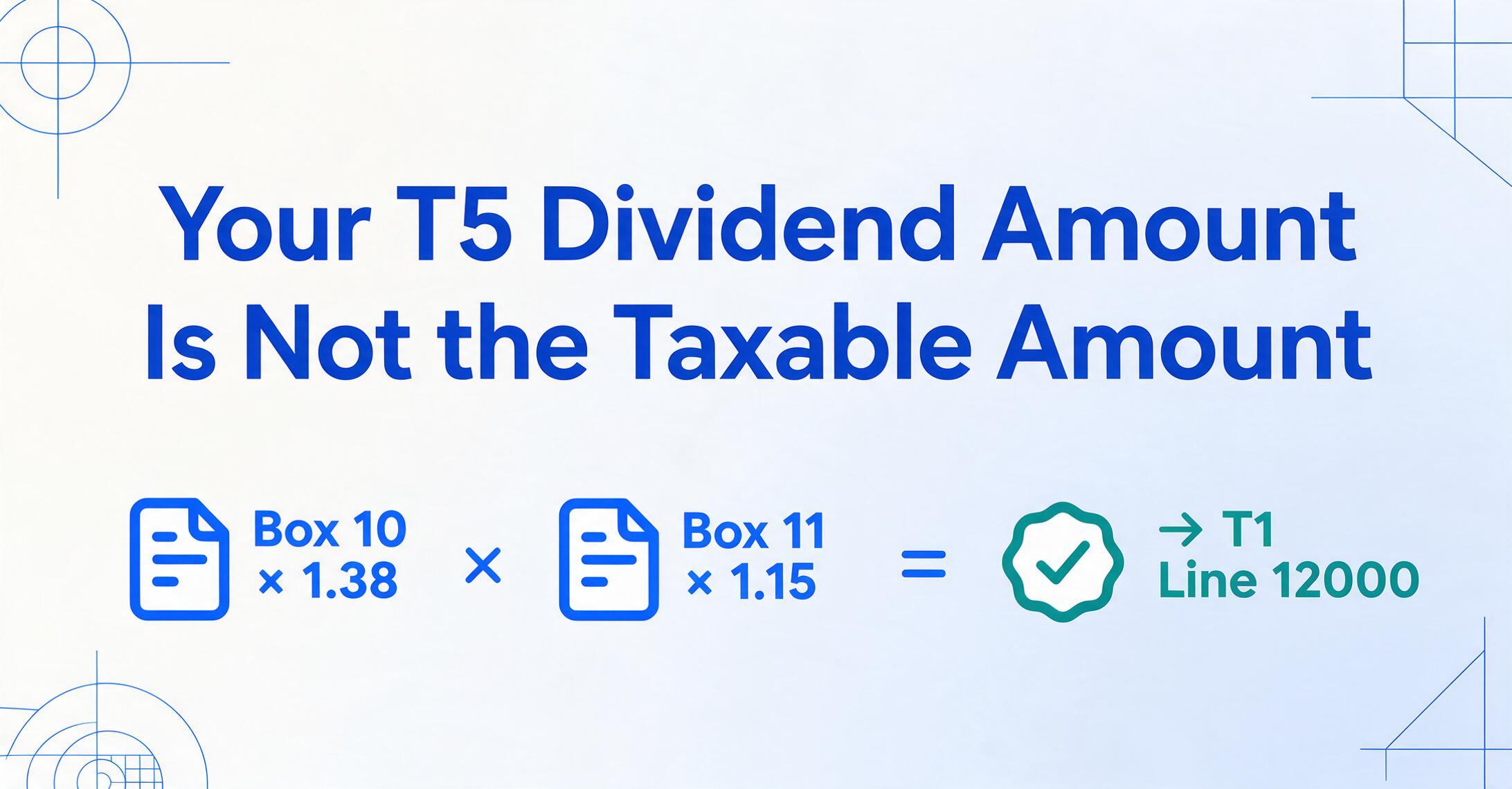
The taxable amount of a dividend is not the number printed on the T5. It is a grossed-up amount calculated using a formula embedded in section 121 of the Income Tax Act. Your tax software will perform this calculation automatically when you enter the T5 data — but if you are building a spreadsheet to verify the software's output, or you are providing data to an accountant who expects a tax-ready summary, the gross-up columns need to be part of your extraction spreadsheet.
Eligible Dividends (Box 10)
- Cash amount received: Box 10 as printed on the T5
- Gross-up rate: 38% (multiply by 1.38)
- Taxable amount: Box 10 × 1.38 → T1 line 12000
- Federal dividend tax credit: 15.0198% of the taxable amount for the 2025 tax year (6/11 of the gross-up)
- Provincial dividend tax credit: Varies by province. Ontario's rate is 10% of the taxable amount for 2025
Other Dividends (Box 11)
- Cash amount received: Box 11 as printed on the T5
- Gross-up rate: 15% (multiply by 1.15)
- Taxable amount: Box 11 × 1.15 → Box 12 on the T5 and T1 line 12000
- Federal dividend tax credit: 9.0301% of the taxable amount for the 2025 tax year
- Provincial dividend tax credit: Varies by province. Ontario's rate is 2.9863% for 2025
Once your raw extraction is in the spreadsheet, adding two computed columns — Box 10 Taxable Amount (× 1.38) and Box 11 Taxable Amount (× 1.15) — gives you the figures that actually go on your T1. This is where AI-powered extraction with computed column support saves a second round of typing: define the computation in the column name, and the grossed-up amount appears in your output without a separate Excel formula step.
Foreign Investment Income, Foreign Tax Credits, and the Per-Country Rule
Box 15 and Box 16 on a T5 are a paired set that carries a compliance rule many DIY filers miss: the CRA requires foreign tax credits to be calculated on a per-country basis. If your non-registered account holds US dividend stocks that generated $2,400 in foreign income (Box 15) with $360 in US withholding tax (Box 16), and you also hold an international ETF that generated $180 in UK-sourced income with $36 in UK withholding tax, you cannot pool the $360 and $36 into a single foreign tax credit claim. Each country's taxes must be claimed separately on Form T2209.
This creates a spreadsheet requirement that goes beyond "extract the Box number." A T5 that reports foreign income from multiple countries may list the total in Box 15 and Box 16, but the country-level breakdown — which your brokerage provides on a supplementary statement, not on the T5 itself — is what determines how much foreign tax credit you can claim. For US-sourced income where Canada has a tax treaty, you can typically claim the full foreign tax paid on the first 15% of withholding. For countries without a treaty, the calculation is different.
In your extraction spreadsheet, always keep Box 15 and Box 16 on adjacent columns — and if your consolidated spreadsheet aggregates them, add a note tracking which institution and which country each pair belongs to. A sum of Box 16 across all T5s is meaningless without knowing which country generated which tax.
For investors whose non-registered accounts hold exclusively Canadian securities, Box 15 and 16 will be blank and this section does not apply. For everyone else — and especially for investors holding US-listed dividend stocks or international ETFs — the foreign tax credit is real money you are entitled to recover, and a spreadsheet that aggregates Box 16 by institution and country ensures none of it is left on the table.
Practical Tips for Accurate T5 Data Extraction
Six things that make the difference between a spreadsheet you can hand directly to your tax software and one that generates follow-up questions:
Include an institution and account column
Your T5 consolidation spreadsheet should include a column for the institution name and account number alongside every row. If the CRA ever asks for supporting documentation — and they do, particularly for foreign tax credit claims — you need to know which T5 contributed which numbers. A column called "Source Account" or "Financial Institution" that the AI populates alongside the Box data creates an instant audit trail.
Verify T5 totals against your brokerage statements
Before filing, cross-check the extracted totals against the annual investment income summary your brokerage provides — not against the individual T5, which should match exactly, but against the December statement that covers the full calendar year. A mismatch between the T5 total and the statement total usually means the T5 covers a slightly different period (some T5s are issued for fiscal periods that do not align with the calendar year for certain fund holdings).
Watch for joint accounts
If a T5 is issued for a joint investment account, the SIN on the slip belongs to the primary account holder. The secondary holder does not receive a separate T5. For tax purposes, investment income from joint accounts must be allocated according to the proportion of funds each holder contributed — not split 50/50 by default. Your extraction spreadsheet should note which T5s are joint and which are individual so you can allocate income correctly between spouses or partners.
Do not forget non-T5 investment income
A T5 consolidation is not your complete investment income picture. T3 slips (Statement of Trust Income Allocations and Designations) report income from mutual fund trusts, ETFs structured as trusts, and income trusts. T5008 slips report proceeds from securities dispositions (capital gains and losses). T5013 slips report partnership income. Your T5 spreadsheet is one component of a multi-slip investment income reconciliation — keep it clean and clearly labelled so it integrates with the rest.
Validate the gross-up calculations independently
After extraction, spot-check two or three rows manually: take the Box 10 value from the spreadsheet, multiply by 1.38, and compare against the grossed-up amount you calculated in the computed column. A one-cent rounding difference is expected. A ten-dollar difference means the extraction picked up the wrong number — check the original PDF to confirm the AI read the Box correctly. A single manual spot-check catches the errors that cascade through an entire tax return.
Archive your extraction spreadsheet with the original T5 PDFs
The CRA can reassess returns for up to three years from the date of the original notice of assessment — and indefinitely in cases of misrepresentation or fraud. Keep the extracted spreadsheet and the original T5 PDFs together in a folder named by tax year. Your future self, or whoever takes over your tax preparation, can trace every number in your filed return back to the slip it came from.
Frequently Asked Questions
Do I need to report T5 income if I did not receive a T5 slip?
Yes. Financial institutions are only required to issue a T5 if the total investment income exceeds $50 for the calendar year. If your total interest from a bank account was $37 — below the $50 threshold — the bank does not issue a T5, but you must still report that $37 as interest income on line 12100 of your T1 return. Track this manually or pull it from your December bank statement.
What is the deadline for receiving T5 slips in Canada?
Financial institutions must issue T5 slips by the last day of February following the calendar year to which the slip relates — the same deadline as T4 slips. If you have not received all your T5s by the first week of March, check your brokerage's online document portal first (many institutions post T5s electronically weeks before mailing paper copies). Contact the institution directly if a T5 is still missing by mid-March — do not estimate the numbers and file, because the CRA receives a copy of every T5 and will flag any mismatch.
How does T5 data extraction work across multiple institutions with different T5 layouts?
Template-free AI extraction reads T5 slips by understanding what each Box label means, not where it sits on the page. You define the columns once — "Box 10 Eligible Dividends," "Box 13 Interest," "Box 18 Capital Gains Dividends" — and the AI locates each value on every T5 regardless of whether the slip came from TD (two-column grid layout), Questrade (vertical stack), or Wealthsimple (minimalist single-column). The extraction logic targets semantic meaning, not pixel coordinates, so the number of institutions does not increase the setup work.
What is the difference between T5 and T3 slips?
T5 reports investment income from Canadian sources: dividends, interest, foreign income paid directly to you by a financial institution. T3 reports income allocated by a trust — most commonly mutual fund trusts and ETF trusts — where the income flows through the trust structure to the unit holder. You may receive both a T5 and a T3 for the same non-registered account if you hold individual dividend-paying stocks (T5 income) alongside an ETF structured as a trust (T3 income). Both contribute to your total investment income on your T1, but they use different Box numbering systems and are not interchangeable.
Can the AI extract data from a scanned paper T5?
Yes. The AI reads the text on the page regardless of whether the PDF originated as a digital file from a brokerage portal or as a scan of a paper T5 that arrived by mail. Scanned documents may have slightly lower recognition accuracy if the scan quality is poor — skewed pages, low resolution, or heavy crease marks — but the same column definition works across digital and scanned T5s without reconfiguration.
What happens if my T5 reports negative amounts in a Box?
Negative amounts on a T5 — seen occasionally in Box 13 (negative interest for account fees exceeding interest earned) or in Box 18 (negative capital gains distributions from an ETF that distributed less than its adjusted cost base) — should be extracted as-is and reviewed against your brokerage statement before being entered on your tax return. Negative amounts may reduce your total investment income or create a capital loss that offsets other gains. Treat them the same way your tax software would: extract accurately, then verify against supporting documentation.
Beyond the T5: Building a Complete Canadian Tax Document Extraction Workflow
A T5 consolidation spreadsheet solves the investment income component of your annual filing, but it is one of several CRA-mandated information slips that converge on your T1 each spring. Canadian employees also need to reconcile T4 employment income — Box 14 salary, Box 16 CPP, Box 18 EI, Box 22 income tax — from potentially multiple employers across the year. Our guide to extracting Canadian T4 slip data covers the year-end payroll reconciliation workflow that runs parallel to your T5 consolidation.
Canadian business owners registered for GST/HST face a parallel data retrieval problem on the expense side: every quarterly or annual GST/HST return requires summing Line 103 (GST/HST collected) and Line 106 (input tax credits) across every supplier invoice issued or received during the reporting period. The GST/HST return extraction guide walks through extracting tax data from supplier invoices for Form GST34-2 filing.
For readers managing cross-border tax obligations, the same template-free extraction approach applies to Australian PAYG payment summaries — the AU equivalent of T4 slips issued to employees and contractors. Our PAYG extraction guide covers the year-end reconciliation workflow for Australian employers and bookkeepers.
Each of these workflows shares the same underlying mechanism: define the columns your tax software or accountant expects, upload every slip at once, and let the AI read by meaning rather than by template. The extraction engine does not care whether it is looking at a T5 from TD or a GST/HST invoice from a supplier in Nova Scotia — it cares about the column names you gave it, and it finds those values wherever they sit on the page.