Egypt E-Receipt Requirements in 2026
Depend on Three Records
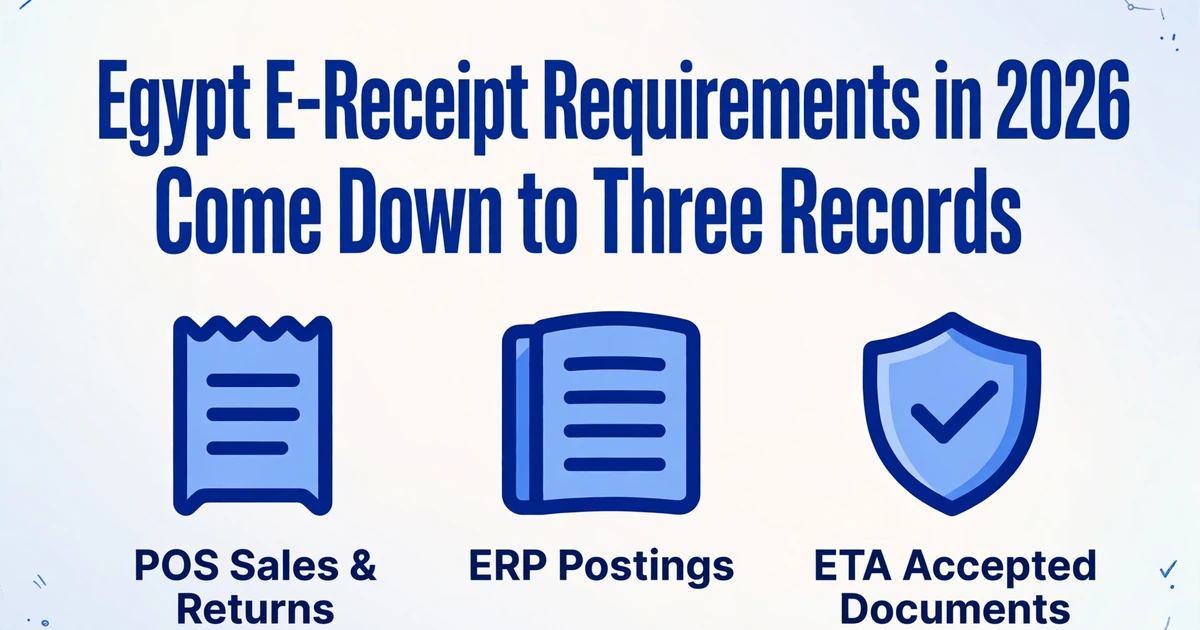
Egypt's e-receipt rollout no longer has a next date to wait for. The last start date in the Finance Minister's schedule was 31 December 2025, and a review of the ETA obligation list by an Egyptian accounting firm on 9 October 2026 found no later phase. For any business already named in a decision, the 2026 question is not whether the rules apply. It is whether the till, the ledger and the tax authority's own record can be shown to describe the same month of sales.
That proof is harder than it sounds, because three systems record the same sale for three different reasons, and they disagree for reasons that have nothing to do with bad bookkeeping. This guide covers the scope test, the Receipt v1.2 field set, the submission clocks and the returns flow, then walks through the monthly check and the five specific problems that break it. It is written for the accountant or finance lead who has to sign the reconciliation, not for the person who signed the POS contract.
Key Takeaways
- The till, the ledger and ETA can each be correct on its own terms while still disagreeing about the same month.
- A company-level total that agrees can still hide one branch short and another branch long by the same amount.
- At month end your job is to decide which variance is a correction, which is a missing submission and which is a mapping defect.
In 2026 the Scope Test Is Your Registration Number, Not Your Turnover
A business is required to issue e-receipts when its taxpayer registration number appears in an obligation decision published by the head of the Egyptian Tax Authority (ETA), and no turnover figure answers that question.
The e-receipt system is the business-to-consumer half of Egypt's digital tax infrastructure. The e-invoice system, which rests on Ministerial Decision No. 188 of 2020, covers sales between businesses and to government bodies. The e-receipt system covers sales to the final consumer and rests on articles 35 and 37 of the Unified Tax Procedures Law No. 206 of 2020, implemented through Ministerial Decision No. 230 of 2022 as amended by Decision No. 38 of 2024. A retailer with wholesale customers runs both, and the same transaction never belongs to both.
The obligation arrived in phases, each one a separate decision with an attached list of named taxpayers and a start date. The final scheduled steps looked like this:
| Phase | Who the schedule covered | Start date and decision |
|---|---|---|
| 7 | Health, personal care and telecommunications | 1 July 2025 (Decision No. 123 of 2025) |
| 8 | App-based transport, maintenance and cleaning | 15 July 2025 for Greater Cairo and Alexandria, 15 September 2025 elsewhere (Decisions No. 225 and 281 of 2025) |
| 9 | Supermarkets and other activities | 15 November 2025 for Greater Cairo and Alexandria (Decision No. 361 of 2025), 31 December 2025 elsewhere in the Minister's schedule |
The dates and decision numbers above are those in the Minister's schedule and the ETA decisions, as summarised in this phase-by-phase table from Nassef & Partners International, an Egyptian accounting firm. Two details matter more than the dates. The start date that binds a business is the one in the decision that names it, which can differ from the date in the Minister's schedule. And a segment whose scheduled date has passed is not automatically out of scope, because voluntary registration has always been open. The practical check is to search the registration number in ETA's obligation inquiry, save the result with the date of the check, and repeat it after a merger, a branch reorganization or a new decision.
The EGP 150,000 figure that circulates in summaries of Egypt e-receipt requirements is not a scope threshold. It is a buyer-identification rule inside Receipt v1.2: when the buyer is a natural person and the receipt total reaches EGP 150,000 or more, the buyer's national ID and name become mandatory fields. The VAT registration threshold, and the EGP 20 million ceiling for the simplified regime under Law No. 6 of 2025, answer different questions again. Neither substitutes for the obligation list.
A VAT registration number gets a business into the tax system. It does not get it into an e-receipt decision.
The consequence of being named is concrete. Failing to issue a receipt, or issuing one without the data required by article 37, exposes the business to a fine of EGP 20,000 to EGP 100,000 under article 71. Since January 2025 a cost is also deductible only if it is supported by an electronic invoice or receipt, which pushes the same rule into the purchase side of the ledger. And the joining condition for the simplified tax regime now includes participation in the ETA electronic systems, so the e-receipt obligation follows a business into the regime that was meant to simplify its filing.
Different countries have built the same capability with different architecture, and the design choice changes what finance has to reconcile. France routes B2B invoices through certified platforms under Article 91 of its 2024 Finance Law, which makes the platform the point of control. Egypt puts the sequence and the correction history on the taxpayer's device. If you work across both, the France e-invoicing 2026 guide covers the other model.
A Receipt Carries Two Field Sets, and Only One of Them Is About the Sale
Receipt v1.2 divides the document into commercial data that describes what was sold and control data that proves the document came from an authorized device in the right sequence, and finance teams habitually capture only the first.
Versions 1.0 and 1.1 of the receipt are retired, so 1.2 is the baseline for any integration built now. The Receipt v1.2 schema is public, which means there is no excuse for a field list assembled from a vendor's summary. The commercial layer covers the seller, the branch, the item lines and the totals. The control layer covers the identifiers that make the receipt findable and the chain that makes it hard to remove one without leaving a gap.
| Data group | What Receipt v1.2 requires | What it controls |
|---|---|---|
| Issuance | Issue date and time in UTC, receipt number, sale or return type, document version | When the document was issued and which month it belongs to |
| Seller and source | Registration number, trade name, branch code, branch address, device serial number, activity code | Which legal entity, branch and physical device issued it |
| Buyer | Buyer type (business, natural person, foreigner), ID and name, mobile or payment reference where relevant | Whether the customer had to be identified on this receipt |
| Items | Internal code, description, GS1 or EGS code, unit, quantity, unit price, gross sale, discounts, net sale, tax and line total | Whether the tax on each line can be recalculated |
| Totals | Total sales, commercial and item discounts, net amount, tax totals, total amount, payment method | Whether the line detail adds up to the number the customer paid |
| System controls | UUID, previous UUID, reference old UUID, currency and exchange rate | Identity, sequence and the history of a corrected document |
The system controls deserve a slower read, because they behave differently from anything a bookkeeper is used to. The UUID is not assigned by the authority. It is a 64-character SHA-256 hash calculated from the normalized content of the receipt itself. Any change to the content produces a different UUID. The previous UUID points to the last document issued by the same POS device, so each till maintains its own chain and only the first document from that device may carry an empty value. When a receipt fails validation and has to be corrected, the corrected version keeps the original previous UUID and puts the rejected UUID in reference old UUID, which preserves a searchable link between the two versions. Mexico's CFDI scheme faces a comparable identity problem and handles it with a timbre fiscal, as the CFDI invoice extraction guide sets out. The difference is that the Egyptian identifier is derived from content the taxpayer can edit, which is exactly why corrections change it.
Two more fields have a narrower reach than they appear to. The receipt number is unique per branch within the same submission, not across the company. A group with twelve branches can legitimately have a receipt numbered 1042 in every one of them on the same day. And the issue timestamp is recorded in UTC, while the printer, the cashier and the Z report, the end-of-day close report printed from the till, all work on Cairo local time. Both points look like trivia until the month-end reconciliation uses the wrong one as a key.
The buyer rule is the field most often misread. Buyer type B requires the business registration number and name. Buyer type P requires the national ID and name only when the total reaches EGP 150,000, and that threshold applies to receipts on version 1.2 and later; older versions used EGP 50,000. A café receipt for EGP 240 needs a total, a payment method and a branch, not a customer's national ID.
The UUID is a fingerprint of the receipt's content, not an invoice number. Change one character and the fingerprint changes with it.
Four Things Must Be True Before a Device Can Submit
A device that has not been registered and activated can ring up a correct sale all day and still produce nothing ETA will accept, so the onboarding checklist is part of the reconciliation story rather than a separate IT project.
The first condition is a registered branch that is still active at the date of issue; the authority validates branch activity dates and will stop issuance from a ceased branch. The second is a point of sale registered against that branch, with a serial number that is unique per device and linked to the seller's registration number before any receipt is issued. The third is the B2C tag on the taxpayer profile, because a taxpayer without it cannot submit receipts on any channel. The fourth is item coding under GS1 or the Egyptian Goods and Services (EGS) system, with the codes the taxpayer is actually authorized to use. A checkout that sends internal descriptions instead of authorized codes will fail validation after the money has been taken.
The ERP case has its own trap. ETA's point-of-sale FAQ allows a single-branch accounting system to be registered as one software POS. When a central ERP issues for several sales outlets, each outlet has to be registered as a separate POS so that the receipt identifies the right source. Teams that register the ERP once and let it issue for every branch end up with receipts that are commercially correct and structurally wrong, and the mismatch only becomes visible when a branch-level reconciliation cannot find its own sales.
The submission token adds a condition that keeps applying after go-live. It identifies the taxpayer that owns the POS, and the issuer and device data on the receipt must match that authorization. After ETA changes a permission, and in particular after a late-submission request is approved, the device has to authenticate again before the updated permission appears in its token. A queue of receipts that keeps failing for no visible reason is often a stale token rather than a bad payload.
Three Clocks Decide Whether a Receipt Exists
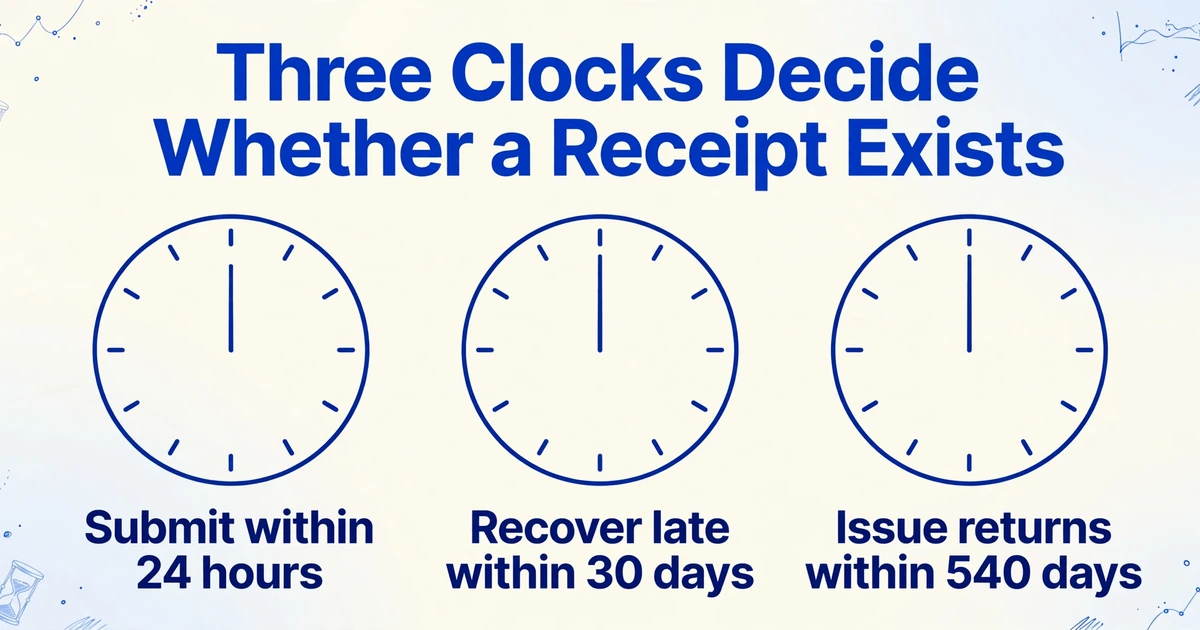
Three different time limits govern an Egyptian e-receipt, and they expire on completely different scales: 24 hours to submit, 30 days to recover a late receipt, and 540 days to issue a return against the original sale.
The normal rule is submission at the time of sale and no later than 24 hours after issue. A receipt older than that is not lost, but it cannot simply be pushed through the normal channel. The taxpayer first raises a late-submission request, states a reason, and works within a quota that ETA sets per year; the request also has a limited active period, and the device must re-authenticate so its token carries the permission. Receipts submitted under an approved request keep their original issue date. The ETA receipt issuance documentation treats the outer edge of that window as a configuration parameter rather than a fixed number, and Egyptian tax guidance currently describes it as 30 days.
Returns run on the longest clock. A return receipt must reference the UUID of the original sale receipt, and it may be issued up to 540 days after that sale. A return cannot exceed the original amount, and several partial returns cannot add up to more than the original. There is no equivalent of a generic credit posting with no source document: a return without the reference is not a substitute for the required document.
The batch limits belong in the same section because they shape what an offline queue can do. A single submission can carry up to 500 receipts or 1.5 MB, and a single receipt can carry up to 300 line items, with an average of about 10 lines. A busy store that loses connectivity for a day can exceed the per-submission limit before it exceeds the time limit, and a queue that retries the same oversized batch will keep failing while the clock runs. The smaller trap is that a batch is validated as a unit: ETA's POS FAQ states that one invalid receipt makes the whole batch invalid, so a single mis-keyed line can hold up every document sent with it.
The subtle clock is the calendar. Because the issue timestamp is stored in UTC and Egypt runs on UTC+2, or UTC+3 between late April and late October under Law No. 24 of 2023, a receipt rung at 01:30 local time on 1 May is recorded at 22:30 UTC on 30 April. That receipt belongs to May in the Z report and to April in any grouping built from the timestamp. The 2026 change dates for Cairo are 24 April and 30 October, which shift the offset by an hour twice a year. For a store that trades past midnight, the last few receipts of a month can move a whole day of revenue into the previous period.
The 24-hour clock measures elapsed time. It does not decide which month the receipt belongs to.
The Monthly Check Reconciles Three Populations, and the Order Matters
Month-end reconciliation compares three populations of transactions, not three totals, because each record was produced by a different process for a different purpose and each one can be internally correct while disagreeing with the other two.
| Record | Owner | Answers | Cannot tell you |
|---|---|---|---|
| POS sales and returns | Branch manager, cashier supervisor, ERP administrator | What the till rang up, by device, by day, by payment method | Whether the document was accepted, or whether the item coding was valid |
| ERP postings | Accountant, bookkeeper | What was recognized as revenue, tax and discount in the ledger | Whether the till and the authority saw the same transaction |
| ETA accepted and rejected documents | Tax manager, authorized portal user | Which receipts exist as tax documents, in what sequence, with what status | Whether a sale happened that was never submitted |
Four roles touch this comparison. The cashier or POS operator issues the receipt, prints the customer copy and handles the return at the counter. The accountant books the day's sales and returns, ties the Z report to the ledger and files the monthly VAT return, which for most taxpayers is monthly and for enterprises inside Law No. 6 of 2025 is quarterly. The ERP administrator owns the branch and device mapping, the item codes and the submission integration, including the offline queue. The ETA portal user registers branches and devices, holds the client credentials and raises late-submission requests. In a single-branch business two of those roles are often the same person, which is why the file has to be readable by someone who did not build it.
The order of comparison is a judgment, and the useful order is by consequence rather than by size. Start with the ETA population, because a missing document is a legal exposure and the recovery window is closing while you work. Then compare POS to ERP at branch and device level, because that is where an accounting error will sit. Then drill into individual receipts, because line-level matching across a month is expensive and should be reserved for the exceptions the first two steps produced.
Compare counts before values, and compare them at the most granular level the data supports. A company total that agrees can hide one branch that is short and another that is long by the same amount, and a branch that is short in the morning and long in the evening can close perfectly while the underlying transactions never matched. Counting documents, then matching value, then checking identity is slower on paper and faster in practice, because each step rules out a class of cause.
A company-level total that agrees can hide one branch that is short and another that is long.
Multi-store groups should build the comparison from the same extraction discipline regardless of which POS each store runs. The workflow for turning several till systems into one comparable sales summary is covered in five stores on three POS systems, one comparable sales summary, and the same column design carries over to the ETA side of the check.
Five Ways the Records Stop Agreeing
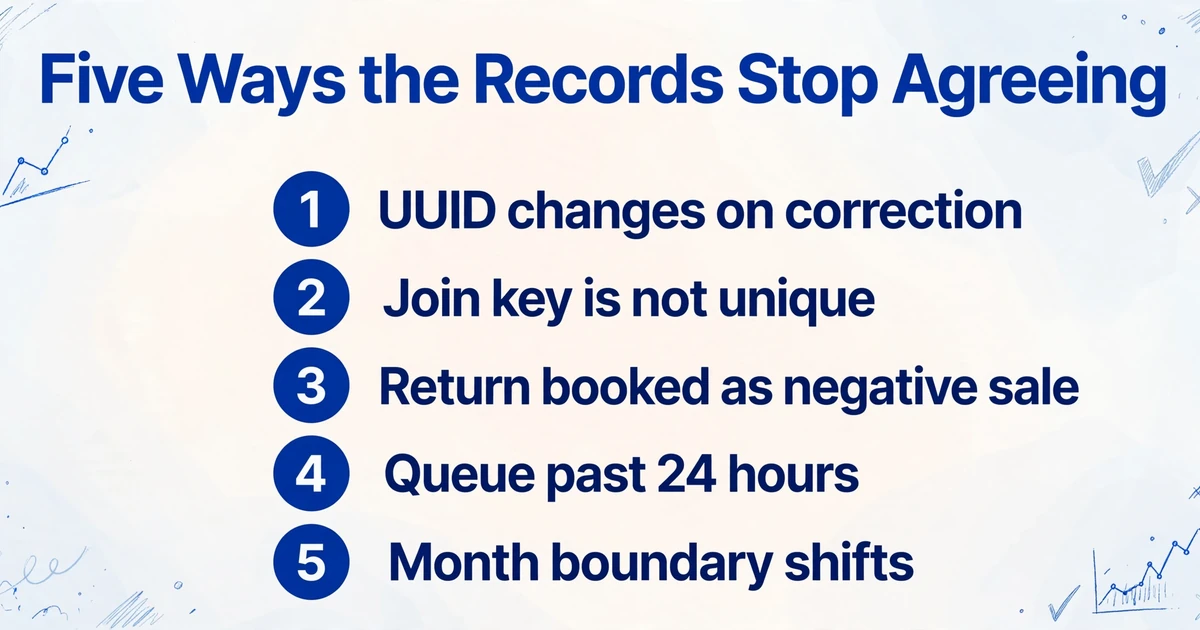
Almost every three-way difference traces to one of five identity or timing problems, and each one needs a different fix, which is why treating them all as "bookkeeping errors" wastes the month.
1. The printed UUID is not the UUID ETA holds
When a receipt fails validation and the taxpayer corrects the content, the corrected receipt gets a new UUID because the UUID is recalculated from the changed content. The customer's printed copy still carries the old one. A finance team that matches on the printed UUID will find a document that ETA has no record of, conclude the receipt was never submitted, and resubmit a duplicate. The evidence that resolves this is the reference old UUID on the accepted version: it points back to the rejected document, and the accepted one keeps the rejected one's previous UUID so the device chain stays intact.
2. The key you join on is not unique
Receipt numbers are unique per branch within a submission, not across the company, so a twelve-branch group can have twelve valid receipts numbered 1042 in one day. Joining on the receipt number alone will pair a receipt with the wrong branch and produce a variance that is purely an artifact of the join. The same failure appears one level down when a central ERP issues for several outlets under a single registration: the device serial on the receipt points at a POS that the branch's own record does not recognise, even though the sale and the amount are right.
3. A return is booked as a negative sale
ETA treats a return as its own document type, referencing the original sale by UUID, and the reconciliation has to count it as a document. An accounting system that posts a refund as a negative line inside the sales journal nets the value correctly and leaves the document count wrong. The month then shows matching revenue and a document count that is short by the number of returns, which is easy to misdiagnose as missing submissions. Pull the return receipts and match them by reference UUID before adjusting anything.
4. The offline queue crossed the 24-hour line
Egyptian guidance allows a receipt to be issued offline, held locally and sent when connectivity returns, and the 24-hour window is the limit on how long that can last. A queue that is stuck for a day leaves the POS and the ERP holding sales that ETA never received, so the POS-to-ERP comparison agrees perfectly and the ETA comparison is short. The fix is not an accounting correction. It is a late-submission request, a re-authentication, and a queue monitor that alerts well before the window closes rather than after.
5. The month boundary moved
If the reconciliation groups ETA documents by their UTC issue date and groups the POS by business date, the two populations will disagree at every month end by whatever was rung up after local midnight. The variance is small, repeatable and never resolves, which is the signature of a grouping error rather than a missing document. Convert one side to the other before comparing, and state in the workpaper which date basis the file uses. The same conversion matters at the April and October daylight-saving changes, where the offset shifts by an hour.
| What you see | Most likely cause | What to pull first |
|---|---|---|
| POS and ERP agree, both exceed ETA by a block of sales | Offline queue never submitted, or submission rejected in bulk | Device submission log for the date, then ETA status by device |
| Value agrees, document count is short | Returns booked as negative sales rather than separate documents | Return receipts and their reference UUIDs |
| One branch is consistently short by a round number | Device or branch mapping, or a POS registered under another outlet | Branch code and device serial on both sides |
| A single receipt never matches and looks duplicated | Corrected receipt reissued with a new UUID | Reference old UUID, and the printed copy's UUID |
| The last day of each month disagrees by a few receipts | UTC issue date against local business date | Issue timestamps in UTC and the Z report's business date |
| A whole day is missing but the till closed normally | Device retired or blocked, or a stale token after a permission change | Device status, token claims and validation messages |
The Columns That Make the Check Repeatable
A repeatable check starts with one row per document and a fixed column set, because the join key has to be chosen before the first file is opened rather than after the first variance appears.
The documents feeding this table are not glamorous. They are the branch day-close report printed from the POS, the validation status screen saved as a PDF or screenshot, the receipt images that branches and staff hand in, and the journal export from the accounting system. Since January 2025 the purchase side has grown, because a cost needs electronic invoice or receipt support to be deductible, which means employees now submit receipt images that used to be thrown away.
| Column to capture | Comes from | Why the check needs it |
|---|---|---|
| Receipt UUID | Printed receipt or ETA record | Strongest identity, but only when read correctly |
| Previous UUID and reference old UUID | ETA record | Reconstructs the device chain and explains a corrected receipt |
| Receipt number | Printed receipt | Business key, valid only together with branch and device |
| Branch code and branch name | Receipt header and ETA record | Localizes an exception to one outlet |
| Device serial number | Receipt header and ETA record | Separates a device problem from a branch problem |
| Seller registration number | Receipt header | Confirms the issuing legal entity in a multi-entity group |
| Issue date and time in UTC | Receipt header | Places the receipt on the authority's timeline |
| Business date | Z report | Places the sale on the branch's trading day |
| Document type (sale or return) | Receipt header | Keeps returns countable rather than netted away |
| Total amount and tax amount | Receipt totals | Value match, and a check that tax and gross agree |
| Payment method | Receipt totals | Splits cash and card so the day's banking can be tied |
| Submission status | ETA record | Tells an accepted document from a rejected or missing one |
The keys are not equal, and the order to try them is fixed. The UUID is the strongest because the authority treats it as unique across the system. Branch code plus device serial plus receipt number is the reliable fallback, and it is the key to use when the UUID is unreadable or has changed. Issue time plus amount is the weakest and should only confirm a match that another key established, because a retail day is full of receipts for the same amount.
Once the table exists, three arithmetic checks run inside a single receipt without needing any other document. The line totals should add to the printed total, less any receipt-level discount. For a line taxed at the 14% standard rate, the tax inside a tax-inclusive total is the total multiplied by 14 and divided by 114; a figure that misses means the line is exempt, taxed at another rate, or mis-keyed. And the payment-method split should add to the same total. These catch a misread digit before it becomes a reconciliation variance, which is cheaper than finding it a month later.
Where Extraction Fits, and Where It Stops
The extraction step is the one part of this workflow a document tool can carry, and being precise about which part it carries is what makes the rest of the check trustworthy.
The work here is field capture across a lot of documents with no fixed layout. A branch prints its day-close report from whatever POS it runs, a tax manager saves the validation screen as a PDF, and staff photograph receipts on three different phones. ImageToTable.ai uses Custom Column Extraction: you type the column names you want, such as "Receipt UUID", "Branch Code", "Device Serial", "Issue Date (UTC)", "Total" and "Tax Amount", and the AI locates each value on each document by what it means rather than by a fixed position on a template. The column names you type become the headers of the output table.
Batch processing is what makes this practical at month end. Upload a month of branch reports, status exports and receipt images in one go, and the output is a single spreadsheet with one row per document. Dates and amounts are normalized on the way out, so a date printed as 30/04/2026 and one printed as 2026-04-30 land in the same format and can be sorted and summed.
Computed columns handle the arithmetic that belongs inside a single receipt. A column named "VAT at 14% (Total × 14 ÷ 114)" returns the tax implied by the gross amount for each row, and a column that subtracts the sum of line amounts from the printed total returns zero for a clean receipt and a number for a misread one. What computed columns do not do is compare fields across two different documents, so the POS-to-ERP join and the variance calculation remain spreadsheet work after export.
Review Mode with Bbox locating is the control for the fields that carry the decision. Click a cell and the original page highlights the line the value came from, so a UUID, an amount or an issue date can be checked against the image without hunting for it. That matters most for the UUID, which is 64 hexadecimal characters and the least forgiving field in the table. Reading a 64-character hash off a thermal print is not reliable, so treat the branch, device, receipt number and amount triple as the primary key and use the UUID as a cross-check. When a printed receipt carries the ETA QR code, the share link inside it resolves to the receipt detail page and is a better source for the identifier than the printed string.
The boundaries are worth stating plainly, because a compliance file built on an overstated tool is worse than no file. The tool does not issue, sign, validate or submit receipts to ETA, and it does not decide whether a business is in scope. It does not tell you whether a receipt is legally valid, and it cannot see the authority's record unless someone gives it a document containing that record. It does not join the POS population to the ERP population on its own. What it removes is the retyping and the page flipping that produce silent errors, and it leaves the judgment: which variance is a correction, which is a missing submission, and which is a mapping defect.
Accuracy is high on printed tables, at up to 99% recognition and 5 to 10 seconds per page against roughly 3 minutes of manual entry, but receipt images are not all printed tables. Thermal paper fades, folds cross the total, and phone photos arrive at an angle. Sample the batch before the whole file is trusted, and check the fields that decide the outcome rather than every field equally. The field logic itself is familiar from other jurisdictions; if you already capture VAT receipts for another tax authority, the UK VAT receipt field guide shows the same column-first approach with a different rule set, and the broader method is in the complete guide to receipt data extraction.
FAQ
Does every Egyptian business have to issue e-receipts in 2026?
No. The obligation follows the named lists in ETA's e-receipt decisions, not a general rule for all VAT-registered businesses. Search the registration number in ETA's obligation inquiry and keep the dated result. A business whose segment has already passed its date but which is not named should not assume it is outside the system, because voluntary registration is available and a later decision can add it.
Is a printed e-receipt valid without the QR code?
The taxpayer is required to generate a QR code and place it on the printed receipt, and the code points to the receipt detail page using the UUID and the UTC issue time. A printout without it is an incomplete customer copy even if the underlying document was submitted correctly. For reconciliation, the printed fields and the authority's accepted record are what matter; the QR code is the customer's route to that record, not evidence that submission succeeded.
What happens if the internet goes down at the till?
The receipt can still be issued, held locally and submitted when connectivity returns, but the 24-hour window keeps running. If the queue misses it, the receipts need a late-submission request before they can be accepted, and the device has to re-authenticate so its token carries the permission. Monitor queue age rather than queue size, and alert on the oldest unsent receipt.
How should a return be recorded so the month reconciles?
As its own return receipt referencing the original sale's UUID, not as a negative line inside the sales journal. The return cannot exceed the original amount, and multiple partial returns cannot add up to more than the original. Keep the return in the document count and net it only at the value stage, so the document count and the revenue figure answer different questions.
How long do the records need to be kept?
Egyptian tax rules generally require books, records and supporting documents to be kept for five years, and the electronic records count as primary records. Keep the receipt payloads, the authority's acknowledgements, the validation errors, the corrected versions and the reconciliation workpaper, not just the customer copies. Confirm the period that applies to your entity with your Egyptian tax adviser, since the profile of the business can change the answer.
Can this tool submit receipts to the ETA for me?
No. Submission, signing and validation happen in the POS or ERP integration that holds the device credentials and the sequence. The tool captures the data off the documents you already have, including printed receipts, branch reports and saved status screens, and puts it into one table so the three populations can be compared. It does not replace the integration and it does not determine whether a document is compliant.
The useful shift is a small one. Once the three populations sit in one table with a stated key and a stated date basis, a variance stops being a month-end argument and becomes a row with a cause attached to it. Start with one branch and one month: pull the day-close report, the ledger export and the status screen, type the twelve columns once, and see how many of the differences resolve before anyone opens a portal. Run a month of receipts through the column workflow and count how many rows resolve to a single document.