UK VAT Receipt Data: How to Extract the Fields
HMRC Actually Checks
A standard till receipt from a supplier — even one that shows a total and a VAT-inclusive price — does not qualify as evidence for reclaiming input VAT. HMRC requires a VAT invoice with specific fields: supplier VAT registration number, VAT rate, VAT amount, and the supplier's full name and address among them. If you claim input tax based on an invalid receipt and HMRC notices during a compliance check, you lose the deduction, pay the underpaid tax, and face interest charges. This guide walks through exactly what HMRC looks for, and how to extract that data from any receipt format — paper, PDF, or phone photo — into a spreadsheet.
Key Takeaways
- Every quarter, UK businesses claim input tax on till receipts that lack a supplier VAT registration number — and HMRC Notice 700/21 states, in writing, that these are not valid evidence for reclaiming VAT.
- Checking whether each of 50 receipts has a visible VAT number and a mathematically reconcilable VAT amount takes over two hours — and the process breaks not at the clearly wrong receipts, but at the borderline ones that each swallow three minutes of squinting at 7pt footer text.
- Type your nine HMRC-compliant column names once, upload a quarter's worth of receipts at once, and the spreadsheet you get back flags every missing VAT number as an empty cell — turning a two-hour audit into a two-second visual scan.
The Till Receipt Trap: Why Most UK Business Receipts Aren't VAT-Ready
Walk into Screwfix or Toolstation as a tradesman, pay with your business card, pocket the receipt. Walk into Tesco Business for supplies, same routine. At the end of the quarter, you hand a stack of these to your accountant — or you type the totals into Xero yourself. The question no one asks until it's too late: is each one of these actually a VAT invoice?
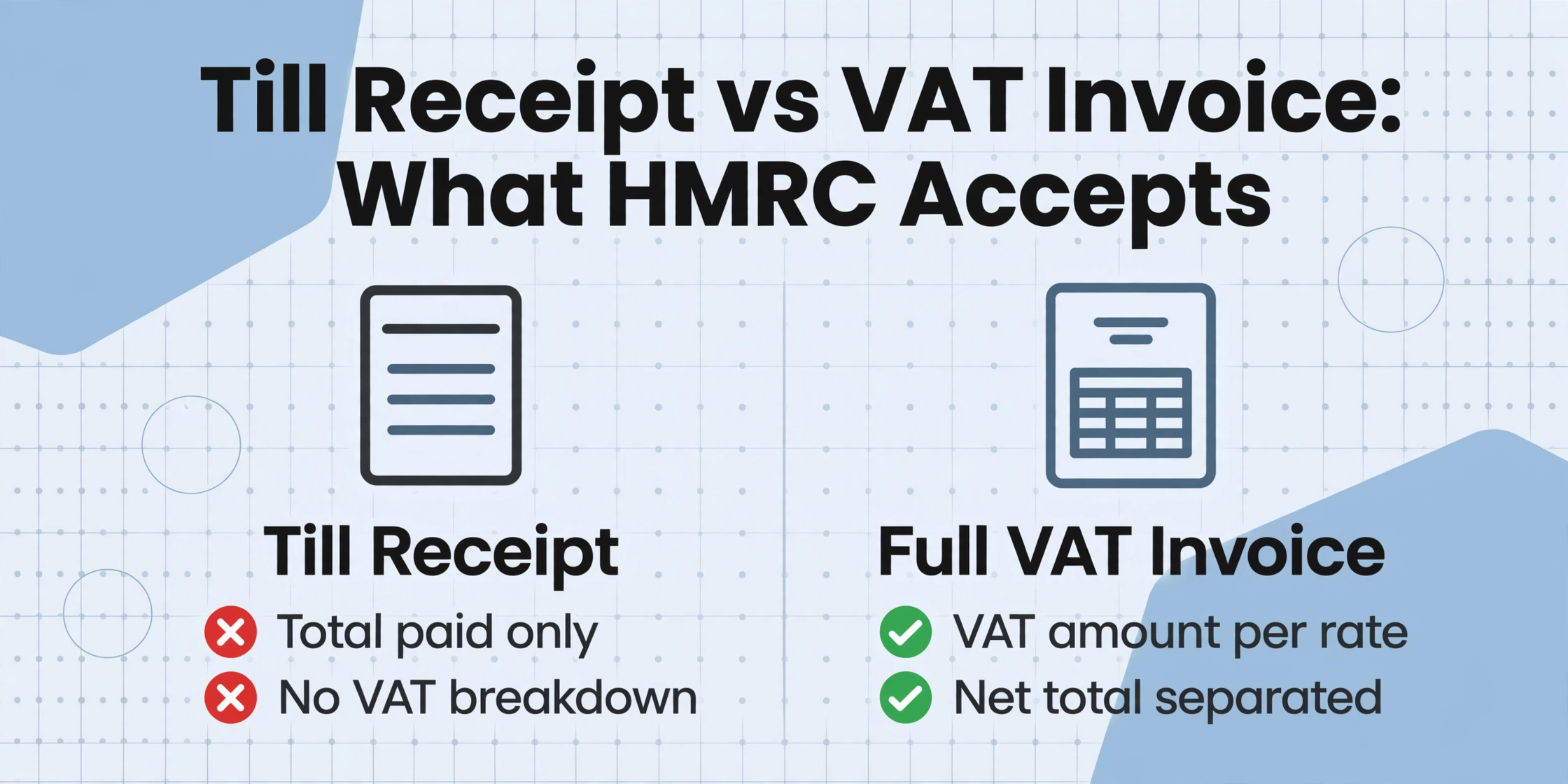
For most UK small business owners, the answer is "no more often than you'd think." A till receipt — the strip of thermal paper that prints at the checkout — typically shows the total paid and may say "VAT included" or show a VAT registration number. What it almost never shows is a breakdown of the VAT amount per rate, separated from the net total. Without that breakdown, HMRC does not consider it a valid VAT invoice for input tax purposes. This isn't a grey area. VAT Notice 700/21, section 4.1 lists the exact fields a document must contain to serve as evidence for reclaiming VAT.
People discover this the hard way. An HMRC compliance officer visits, asks to see the receipts behind your last four quarterly returns, and starts disqualifying entries. Each one removes the input tax you claimed, adds the underpaid amount back to your bill, and tacks on interest from the original due date. A single quarterly return with £3,000 of input tax claimed on insufficient receipts can become a £3,600+ liability overnight — and that's before considering penalties for careless errors.
The distinction that matters: A till receipt proves you paid. A VAT invoice proves you can reclaim. HMRC wants the second one. If all you have is the first, your input tax claim is at risk.
What HMRC Requires on a Valid VAT Invoice
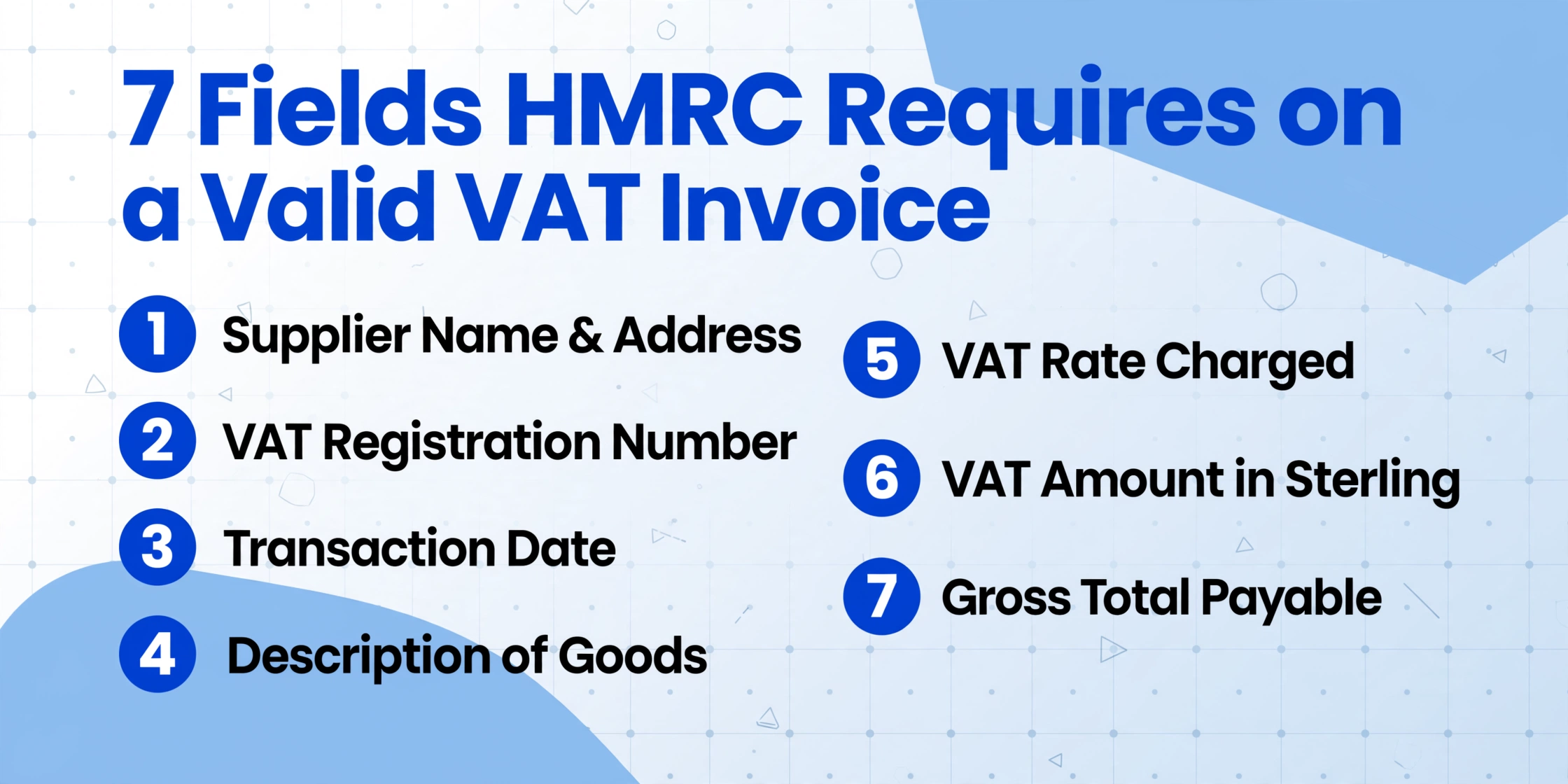
Under HMRC VAT Notice 700/21, paragraph 4.1, a full VAT invoice issued by a VAT-registered supplier must show every one of the following:
| # | Required Field | What It Looks Like |
|---|---|---|
| 1 | Sequential invoice number | INV-2026-00421 |
| 2 | Time of supply (tax point) | 15/06/2026 |
| 3 | Date of issue (if different from tax point) | — |
| 4 | Supplier's name, address & VAT registration number | GB 123 4567 89 |
| 5 | Customer's name and address | Your Ltd, 14 High St, Leeds LS1 4AB |
| 6 | Description of goods/services | 12× M10 stainless bolts |
| 7 | Quantity or extent of services | 12 |
| 8 | Rate of VAT charged per item | 20% |
| 9 | Amount payable, excluding VAT | £15.00 |
| 10 | Gross total payable, excluding VAT | £15.00 |
| 11 | Rate of any cash discount | — |
| 12 | Total amount of VAT chargeable, in sterling | £3.00 |
| 13 | Unit price | £1.25 each |
For our purposes — extracting data to verify a receipt for your own input tax claim — the fields you actually need to capture from each receipt boil down to seven practical columns. Fields 1–3 and 10–11 sit on the supplier's side of the ledger; you can safely skip them during extraction. What you cannot skip are the supplier identity fields (name, address, VAT number), the transaction date, what was bought, and the VAT arithmetic (rate, VAT amount, gross total). Miss any of these and the receipt cannot substantiate your input tax claim.
The £250 Simplified Invoice Threshold
There is one important exception. Under Notice 700/21, paragraph 4.4, retail supplies of £250 or less including VAT can be documented with a simplified VAT invoice. This only needs to show the supplier's name, address, and VAT registration number; the time of supply; a description of the goods; and — for each VAT rate — the total amount payable including VAT and the VAT rate charged. No separate VAT amount needs to be broken out. A till receipt from Screwfix Trade that shows the supplier's VAT number, a date, and item descriptions can qualify as a simplified VAT invoice if the total is under £250.
Above £250, you need the full list. And the supplier's VAT registration number is the one field HMRC will never overlook — without it, the document provides no link to a registered taxable person and your input tax claim collapses regardless of what else is printed on the page.
Where Manual Verification Falls Apart
Verifying five receipts by hand is tedious. At twenty receipts, you start skipping fields — "the VAT number's probably there somewhere." At fifty receipts per quarter, which is a modest volume for a VAT-registered limited company with material costs and subcontractor expenses, manual verification simply isn't done. The receipts go into a folder, the totals go into the accounting software, and the VAT is claimed on the assumption that everything checks out.
This isn't laziness. It's a capacity problem. Checking whether each of 50 receipts has a visible VAT registration number requires scanning each document for a GB-prefixed 9-digit code — often printed in 7pt type in the footer of an invoice, or missing entirely from a till slip. Checking whether the VAT amount mathematically reconciles with the total (VAT fraction = 1/6 for 20% standard rate) is another pass. Doing both, consistently, for 50 documents per quarter is beyond what a human will reliably sustain.
What breaks the process isn't the hard receipts — the ones where everything's clearly wrong. It's the borderline ones: a receipt from a supplier who is VAT-registered but forgot to include their number, an Amazon Business order confirmation that looks like a VAT invoice but has the VAT details on page 2 of the PDF, a hotel folio where the VAT is itemised but buried in a multi-page printout. Each borderline receipt swallows 2–3 minutes of squinting and cross-referencing. Multiply by 30 and you've lost an hour and a half. Multiply by a year's worth of quarters and you've lost the better part of a working day — and that's if you catch everything.
Extracting UK VAT Receipt Data to Excel: Step-by-Step
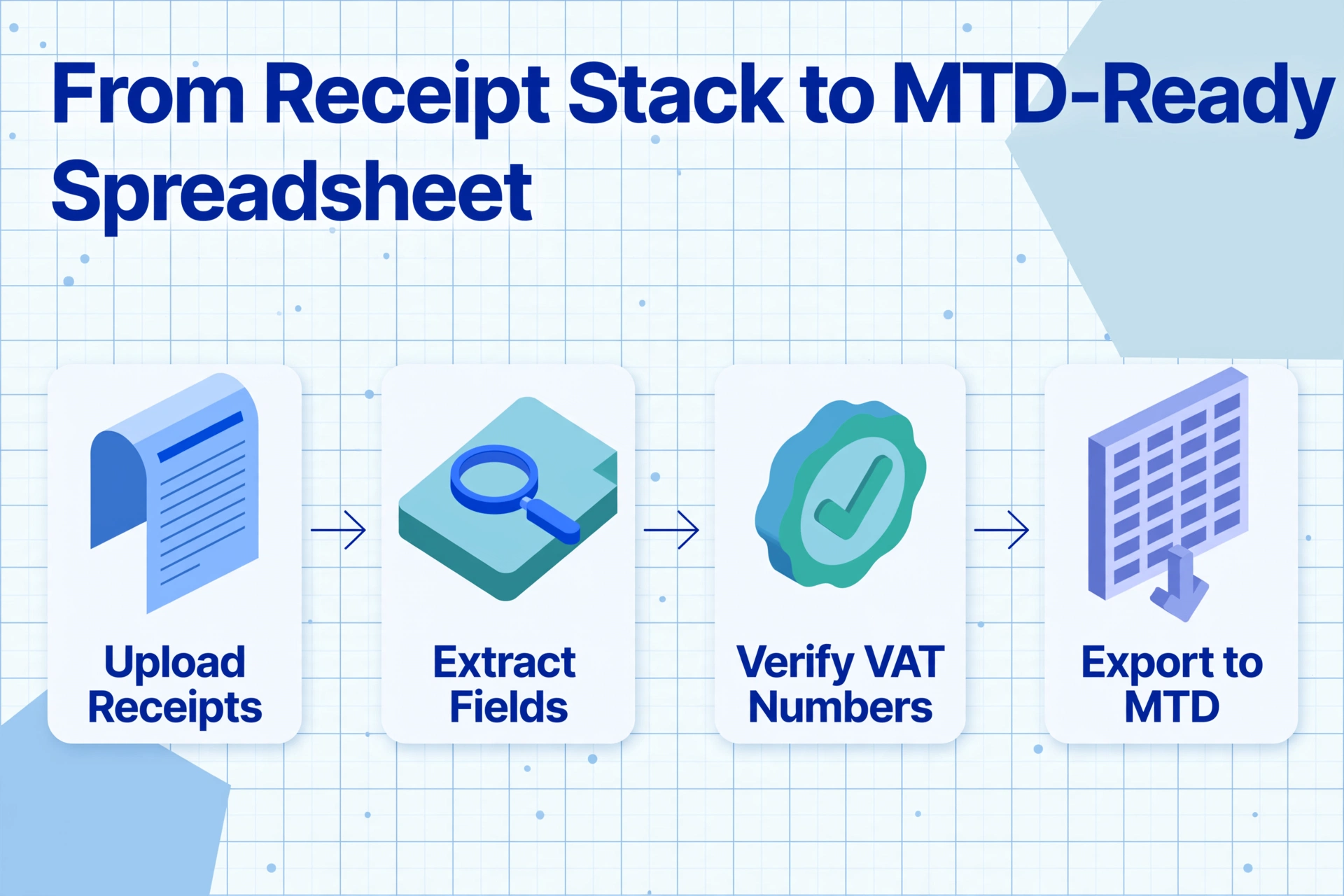
The alternative to manual verification is Custom Column Extraction: instead of reading each receipt and typing its data into a spreadsheet, you define the column names you want — exactly matching the HMRC-required fields — and the AI reads every receipt, locates each value by understanding what it means (not by where it sits on the page), and populates a single spreadsheet with one row per receipt. You type the column headers once. The tool fills the rows.
This is fundamentally different from template-based OCR tools that require you to draw rectangles around fields on a sample document. Those tools work on the assumption that every receipt from a given supplier is laid out the same way. Real-world UK receipts aren't — a Screwfix trade counter invoice looks nothing like a Travis Perkins delivery note, which looks nothing like an emailed PDF from a sole-trader electrician. Custom Column Extraction works across all of them because it reads for meaning, not position.
Files are processed securely and not stored. Try it with a UK VAT receipt to see the extraction in action.
Step 1: Define Your HMRC-Compliant Column Names
In Custom Column Extraction, you type the field names you want extracted — and those exact names become your spreadsheet column headers. For UK VAT receipt verification, here are the columns to specify:
| Column Name | What It Captures | HMRC Reference |
|---|---|---|
Supplier Name | Legal name of the VAT-registered supplier | Notice 700/21 para 4.1, item 4 |
Supplier VAT Registration Number | GB + 9-digit number (e.g. GB 123 4567 89) | Notice 700/21 para 4.1, item 4 |
Supplier Address | Registered business address of supplier | Notice 700/21 para 4.1, item 4 |
Receipt Date | Tax point / date of supply | Notice 700/21 para 4.1, item 2 |
Description of Goods or Services | What was purchased | Notice 700/21 para 4.1, item 6 |
VAT Rate (%) | 20, 5, or 0 — standard, reduced, or zero | Notice 700/21 para 4.1, item 8 |
Net Amount (Excluding VAT) | Amount before VAT | Notice 700/21 para 4.1, item 9 |
VAT Amount | VAT charged, in sterling | Notice 700/21 para 4.1, item 12 |
Total Including VAT | Gross amount paid (net + VAT) | Derived: net + VAT = gross |
These nine columns map directly to what HMRC expects to see when it examines a VAT invoice. The column names are self-documenting: if HMRC ever asks for your input tax substantiation, the spreadsheet itself shows exactly what data was captured from each receipt and why.
Step 2: Upload and Batch-Process
Upload all your receipts at once — photos from your phone, PDFs from email, scans from your desktop. The tool accepts JPG, PNG, WebP, and PDF. For batch receipt processing, you can upload an entire quarter's worth in one go: 20, 30, or 50 receipts. Batch processing means you get one unified spreadsheet as output, not fifty separate files to manually merge. This is the difference between extraction as a task and extraction as a workflow.
Each receipt is processed independently, and the columns you defined in Step 1 are applied consistently across the entire batch. The AI reads the VAT receipt — whether it's a formal A4 invoice from a building supplier or a crumpled till slip from a trade counter — and populates the corresponding cells. A receipt that genuinely lacks a VAT registration number will produce an empty cell in that column, making it immediately visible which receipts need follow-up with the supplier.
Step 3: Export and Verify
The output is an Excel spreadsheet (XLSX) or CSV with one row per receipt and your nine columns as headers. At this point you have a single document where every receipt's VAT credentials are laid out side by side. Scanning the Supplier VAT Registration Number column takes seconds: any empty cell is a red flag. The VAT Amount column lets you run a quick mental check — for a standard-rated purchase, the VAT should be approximately 1/6 of the gross total. Discrepancies stand out.
For a deeper dive into what makes a receipt scannable and how to get the best extraction results, see our complete guide to receipt extraction.
Verifying VAT Registration Numbers Automatically
Once you've extracted supplier VAT numbers into a column, you can cross-check them against HMRC's online database. Every UK VAT registration number follows the format GB + 9 digits. HMRC provides a public VAT number checker — but entering 30 numbers one by one is its own form of drudgery.
A more efficient approach: use Inferred Columns — an extraction mode where the AI doesn't just transcribe what's on the page, but applies logic to its own output. Define a column like:
VAT Number Check (options: Valid / Missing / Invalid Format)The AI checks whether each receipt has a VAT registration number present and whether it follows the GB + 9-digit format. A "Missing" result flags receipts that lack a VAT number entirely. An "Invalid Format" result flags receipts where something is printed but doesn't match the expected structure. Both tell you which suppliers to contact — before HMRC contacts you.
Similarly, you can set up an inferred column to flag the till receipt vs VAT invoice distinction:
Receipt Type (options: Full VAT Invoice / Simplified VAT Invoice / Till Receipt — No VAT Breakdown)The AI reads the document and classifies it. A till receipt from a supplier that also gave you a proper VAT invoice on request is fine — you just need to know which document in your stack is the valid one. The classification column tells you at a glance.
Getting the Data Into Your MTD Software
Making Tax Digital for VAT has been mandatory for all VAT-registered businesses since April 2022. You can no longer manually type VAT Return figures into HMRC's online portal — the data must flow through functional compatible software that submits via HMRC's API platform. For most UK small businesses, this software is one of four names:
Xero UK
Popular with Ltd companies. Accepts CSV import for bills and purchase invoices. MTD-bridged via Xero's own API submission.
QuickBooks UK
Strong sole-trader base. CSV import for expenses. MTD-compatible since 2019.
Sage UK
Sage Business Cloud Accounting (MTD-compatible). Sage 50cloud for desktop users. CSV import supported.
FreeAgent
Free with NatWest/RBS/Mettle business accounts. Strong contractor and freelancer adoption. MTD-compatible. CSV import via bank feed or manual upload.
All four accept CSV imports. After extracting your receipt data to a spreadsheet, you export as CSV and import the file into your accounting software as purchase invoices or expense transactions. Each row becomes a recorded expense with the VAT amount pre-populated — no re-typing. MTD requires that data transfers between software components use digital links (no copy-paste). CSV import via your accounting software's built-in upload function satisfies this requirement because the data moves as a file between systems without manual re-entry.
For users who work in Google Sheets rather than dedicated accounting software, the Google Sheets add-on writes extracted data directly into the active spreadsheet — and you can then use your accounting software's CSV import to bridge the data into MTD submission. The key MTD rule is that once data is in a digital system, it must stay digital. Extraction + spreadsheet + CSV import satisfies that chain.
What the VAT Flat Rate Scheme Changes About Receipts
If your business uses the VAT Flat Rate Scheme (available to businesses with VAT turnover ≤£150,000 excluding VAT), the receipt rules shift. Under the flat rate scheme, you pay HMRC a fixed percentage of your VAT-inclusive turnover and keep the difference — but you cannot reclaim input VAT on purchases, except for individual capital assets over £2,000.
This changes what you need from your receipts. You still need to keep them — HMRC requires 6 years of business records regardless of your VAT scheme — but you are no longer substantiating individual input tax claims. Instead, the receipts matter for:
- Proving business expenditure for Corporation Tax / Self Assessment
- Demonstrating that your flat rate percentage was correctly applied to your business category
- The limited cost business rate (16.5%) — if you spend less than 2% of turnover or less than £1,000 per year on goods, you may be forced onto a higher flat rate
The extraction workflow doesn't change: you still want supplier name, date, description, and total in a spreadsheet. You just skip the VAT-specific columns (rate, net amount, VAT amount) because you're not reclaiming input tax line by line. The extraction is simpler but the record-keeping requirement remains.
FAQ
Can I use a till receipt from Screwfix or Tesco Business for my VAT return?
It depends on what's printed on it. If the receipt shows the supplier's VAT registration number, a date, item descriptions, and the total including VAT — and the total is £250 or less — it can qualify as a simplified VAT invoice under HMRC Notice 700/21. Above £250, or if the VAT number is missing, you need to request a full VAT invoice from the supplier. Screwfix Trade and Tesco Business can both provide proper VAT invoices: Screwfix through their trade account portal, Tesco Business by request at the customer service desk or via their business helpline.
What happens if HMRC finds I claimed input VAT on a till receipt without a VAT number?
HMRC will disallow the input tax — meaning you must repay the VAT you claimed, plus interest from the date the tax was originally due. For careless errors (as opposed to deliberate evasion), penalties range from 0% to 30% of the underpaid tax depending on the circumstances and whether you notified HMRC before they discovered the error. If the pattern is systemic — multiple quarters, multiple receipts — the officer will expand the review and the total liability compounds. The most common outcome is an assessment letter demanding payment within 30 days, with interest calculated from each original return period.
How can I check if a supplier's VAT number is genuine?
Use HMRC's Check a UK VAT number service. Enter the 9-digit number (without the GB prefix) and it returns the registered business name and address. If the name doesn't match what's on the receipt, the supplier may have provided an incorrect or invalid number. For EU suppliers, use the European Commission's VIES VAT number validation system.
Do I need to keep the original paper receipts, or are digital copies enough?
HMRC accepts digital copies — scanned images or photographs — provided they contain all the information on the original and are legible. Notice 700/21, paragraph 6 states that if a scanned image "contains all the detail required for VAT purposes, the business does not need to keep the original invoice." A clear phone photo of a receipt satisfies this. You must keep all records for at least 6 years.
What if my business is partially exempt — can I still batch-extract everything?
Yes. If your business makes both taxable and exempt supplies, you cannot reclaim 100% of your input VAT — the recoverable proportion is calculated through a partial exemption method. The extraction workflow still applies: extract all receipt data into a spreadsheet, which gives you a clean dataset for your partial exemption calculation. Having the VAT amounts in a structured table makes the apportionment calculation faster and more auditable than working from paper.
What if a receipt has items at different VAT rates (e.g. standard + reduced + zero)?
This is common in hospitality and retail. A hotel folio might include accommodation at 20% (standard), a breakfast at 0% (zero-rated cold takeaway food), and a newspaper at 0%. A proper VAT invoice must show the total for each rate separately. When extracting, include a column for each applicable rate — or use a single column with the rate and let the AI populate whichever rate applies to each line item. For mixed-rate receipts, the VAT fraction check (1/6 of gross for 20%, 1/21 for 5%) should be done per rate, not on the total.