The Complete Guide to Japanese Invoice
Data Extraction for AP and Tax
A Japanese invoice (請求書, seikyūsho) contains roughly a dozen fields that an American or European invoice extraction tool has no column name for. The bank transfer details block (振込先, furikomisaki) alone is four fields — bank name, branch name, account type, account number — that an AP clerk retypes into the internet banking screen for every invoice, even when the same four values already live in the supplier master. The payment terms string (支払条件, shiharai jōken) encodes two computable values — settlement day and payment lag — inside a compound text like “20日締翌月末払い” that determines which fiscal period the expense belongs to. The withholding tax classification (源泉徴収区分, gensen chōshū kubun) means the payer must deduct 10.21% before remitting — miss it, and you overpay the supplier by that amount while still owing it to the tax office. This guide covers the full landscape: every field on a Japanese invoice, what each one means in operational terms, how to extract them all into a structured spreadsheet, and how to feed that output into three downstream pipelines — payment batch creation, accounting software import, and consumption tax filing. If you are processing thirty to sixty of these at month-end from suppliers who each use a different billing system with a different layout, this is the reference you need.
Key Takeaways
- Your extraction tool finds the amount and date on a seikyusho — the same fields it finds on every invoice — and reports the job complete.
- But the four furikomisaki bank fields, the shimebi settlement convention, and the gensen choshu classification — the fields your AP team actually retypes into the banking screen — are what it skips or garbles, because its training data from US and EU invoices never included a payment-instruction section below the totals.
- Define your columns by what each Japanese field means — furikomisaki as four financial columns, shimebi parsed into settlement day and payment lag, gensen as a Yes/No flag — and the same schema works across thirty suppliers with thirty layouts, because the AI locates fields by understanding what they are rather than where they sit on a template.
What Makes a Japanese Invoice Different — and Why It Matters for Extraction
A Japanese invoice has a field architecture that Western extraction tools were not trained to parse. A US or EU invoice flows from header through line items to a total and a due date — four to six extracted columns typically cover the accounts payable workflow. A Japanese invoice adds an entire second section below the totals: the payment instructions block. It tells the buyer which bank to send the money to, what settlement-day convention controls when the money is due, and whether any of the money should be withheld for the tax office instead. A generic extraction engine that reads the document top-to-bottom looking for “Invoice Number” and “Total” will skip this entire section — or worse, concatenate its four separate bank fields into one garbled text string.
Since October 2023, the problem has a compliance dimension on top of the structural one. The Qualified Invoice System (インボイス制度, officially 適格請求書等保存方式) under Article 57-2 of the Consumption Tax Act requires six mandatory fields on every invoice that supports an input tax credit claim. Three of those six — registration number, tax totals by rate, and rate-category breakdown — did not exist as mandatory fields before the system went live. As of March 2025, the NTA reported approximately 4.61 million registered Qualified Invoice Issuers. Every one of them must include a T+13-digit registration number on every invoice. Missing that number means the buyer's input tax credit is reduced — by a transitional schedule that phases from 80% deductible to zero.
The extraction task, then, is not just reading Japanese text. It is reading a document whose field schema — the columns that matter for AP and tax — is different from the schema that the extraction tool was built to expect. The solution is Custom Column Extraction: defining the output schema yourself with column names that match your AP spreadsheet and your Japanese business logic, then letting the AI locate each field by understanding what it means — not by where it sits on any particular supplier's invoice template. The same column schema works whether the invoice comes from a major trading company's ERP-generated PDF, a local service provider's Word template printed to paper and scanned back in, or a mobile photo of a handwritten form. To learn what each column definition should be — and how to write inference logic that captures the Japanese conventions — see the step-by-step Japanese invoice extraction tutorial, which walks through defining twenty-five columns once and reusing them across every supplier.
The rest of this guide covers what each of those columns needs to extract, and why the fields unique to Japanese invoices — furikomisaki bank details, shimebi settlement conventions, gensen withholding, and dual-rate consumption tax — shape the entire extraction workflow from column definition through payment batch output to consumption tax return filing.
The Field Anatomy of a 請求書
A Japanese invoice has four logical zones. The first two — header and line items — are universal to invoices everywhere. The last two — tax and compliance, and payment and banking — are where the field schema diverges from what Western extraction engines expect. Here is every field an AP team encounters when processing seikyūsho from a mixed supplier base, organized by zone.
Header & Identification
- 請求書番号 (Invoice Number) — the unique identifier, often formatted as a date-serial compound like “2026-07-001.” The primary key for AP lookup and payment tracking. Without it, matching a bank's furikomi confirmation against the original invoice is a reconciliation problem that compounds with volume.
- 発行日 (Issue Date) — the date the invoice was issued. Used as the starting point for calculating payment due dates when terms reference billing close.
- 取引年月日 (Transaction Date) — the date of the underlying transaction. May differ from the issue date, and often displayed in Japanese era format (令和8年). Extraction must convert era dates to Western calendar format (ISO 8601) for downstream accounting use.
- 発行元 (Issuer / Supplier) — the seller's company name, address, and contact information. Often accompanied by the company seal (社判, shahan).
- 宛名 (Recipient / Buyer) — the addressee company and department, typically followed by the honorific suffix 御中 (onchū).
Line Items & Pricing
- 品名 (Item Name) — product or service description. A supplier's billing system may describe the same product differently than the purchase order (発注書, hatchūsho), creating the VLOOKUP #N/A problem. Includes optional fields like 品番 (part number) and 摘要 (description/memo).
- 数量 (Quantity) — with unit (単位): 個 (pieces), 式 (lot/set), kg, m, 時間 (hours). Unit mismatches between the PO and the invoice require normalization.
- 単価 (Unit Price) — typically tax-exclusive (税抜, zeinuki). An invoice that switches to tax-inclusive prices requires AP to reverse the tax calculation to verify against the PO.
- 金額 (Line Amount) — line total before tax. Often shown alongside the subtotal (小計, shōkei).
Tax & Legal Compliance
- インボイス登録番号 (Qualified Invoice Registration Number) — “T” + 13 digits. Mandatory since October 2023. The only way a buyer can claim full input tax credit on purchases from this supplier. A missing or incorrect number triggers the transitional input tax credit schedule: 80% deductible through September 2026, 50% through September 2029, then zero. For a deep dive into this system, see the complete guide to Japanese qualified invoice extraction.
- 消費税額 (Consumption Tax) — separately stated by rate category: 10% standard (7.8% national + 2.2% local) and 8% reduced (6.24% national + 1.76% local). The invoice must show the taxable base and tax amount for each rate bracket. The buyer's consumption tax return (消費税申告) requires these rate-grouped totals as input data.
- 源泉徴収区分 (Withholding Tax Classification) — present on invoices from qualifying professional service providers under Article 204 of the Income Tax Act (所得税法). The payer withholds 10.21% of the payment amount and remits it to the tax office on the seller's behalf.
Payment & Banking
- 振込先 (Bank Transfer Details) — four separate fields: 銀行名 (Bank Name), 支店名 (Branch Name), 口座種別 (Account Type — 普通/ordinary or 当座/current), and 口座番号 (Account Number). A fifth field, 口座名義 (Account Holder Name), often appears as well. These are the fields the AP staff retypes into the internet banking screen — the same data that already lives in the supplier master. For ゆうちょ銀行 (Japan Post Bank), the account reference uses a 記号-番号 (symbol-number) format that must be converted to a 7-digit transfer account number.
- 支払条件 (Payment Terms) — expressed in compact Japanese syntax. “20日締翌月末払い” means billing period closes on the 20th, payment due by end of next month. Contains two computable values: settlement day (締日, shimebi) and payment lag. The settlement day determines fiscal-year classification — an invoice dated March 22 under 20日締 terms belongs to the next fiscal year, not the current one.
- 振込手数料 (Transfer Fee Responsibility) — who bears the bank transfer fee. When the invoice specifies “貴社ご負担” (borne by your company), AP must add the fee amount to the transfer total.
The structure is not speculation — the Cabinet Office's official overview of the Qualified Invoice system lists the six mandatory items. But the extraction task goes beyond the mandatory fields. The fields that consume the most manual AP time — bank transfer details, payment terms parsing, and withholding tax — are included by convention, not by legal requirement. They are what make Japanese invoice processing structurally different from its Western counterpart, and they are where generic extraction breaks first. To understand the cost of doing the extraction work manually, the cost analysis of manual seikyūsho processing for Japanese SMEs breaks down the per-cycle labor cost in yen across a typical month-end close.
The core extraction insight: a Japanese invoice is not an English invoice with Japanese text. It is a document with a different field schema — and the extraction column definitions must reflect that schema, or the output will be a table of data that an AP team must still retype to make useful.
振込先: Why Four Separate Bank Fields — Not One Text Block
The bank transfer details block is the single most repetitive data entry task in Japanese AP. An invoice from a supplier carries four labeled fields — bank name, branch name, account type, account number — and the AP clerk opens the internet banking screen and types them in, one at a time, for every invoice. The same four values already exist in the accounting software's supplier master. When thirty invoices arrive at month-end, the AP team retypes those four fields thirty times — 120 individual entries that add no new information, only duplicate existing master data from one screen to another.
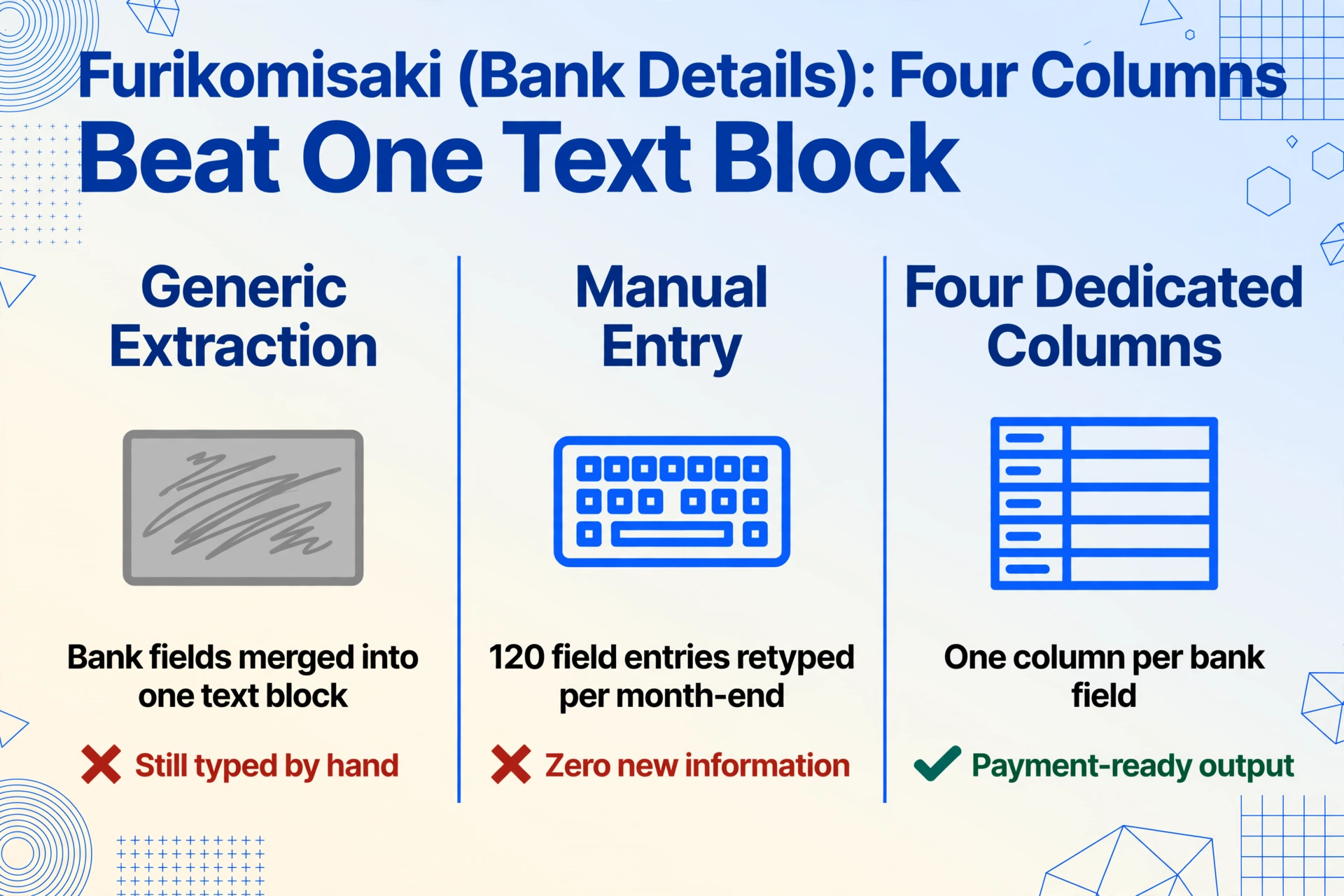
Most generic extraction tools were trained on US and EU invoice datasets where “payment method” is a single field — “Wire Transfer” or “ACH” — and the concept of routing bank details on the invoice does not exist as a structured field set. Drop a seikyūsho into one of these tools and the bank details block is either skipped or concatenated into one unstructured text field. The AP team still opens the PDF to copy-paste each field.
The extraction approach separates the furikomisaki block into four dedicated columns — each capturing one field independently — and uses an Inferred Column to handle the Japan Post Bank (ゆうちょ銀行) conversion. The Japan Post account system uses a 記号-番号 (symbol-number) pair that differs from the 7-digit transfer account number required by commercial bank furikomi systems. An Inferred Column — a column whose value the AI computes based on document context rather than finding it printed on the page — handles the conversion during extraction: Transfer Account Number (if Bank Name contains ゆうちょ, convert 記号-番号 pair to 7-digit format per Japan Post Bank conversion rule; otherwise output Account Number). The column definition runs once and applies to every batch.
Four structured bank columns are not just an organizational convenience. They are the input data for a payment batch file — which is where the 全銀フォーマット (Zengin format) enters the workflow. The batch processing guide covers the full chain: thirty invoices processed in one batch → furikomi bank details in separate columns → output formatted into a bank-acceptable payment batch file. The extraction does not just save typing — it creates a data pipeline where the same bank fields typed by the extraction are the same bank fields ingested by the bank's upload screen.
支払条件: The Settlement Day That Determines Fiscal Period
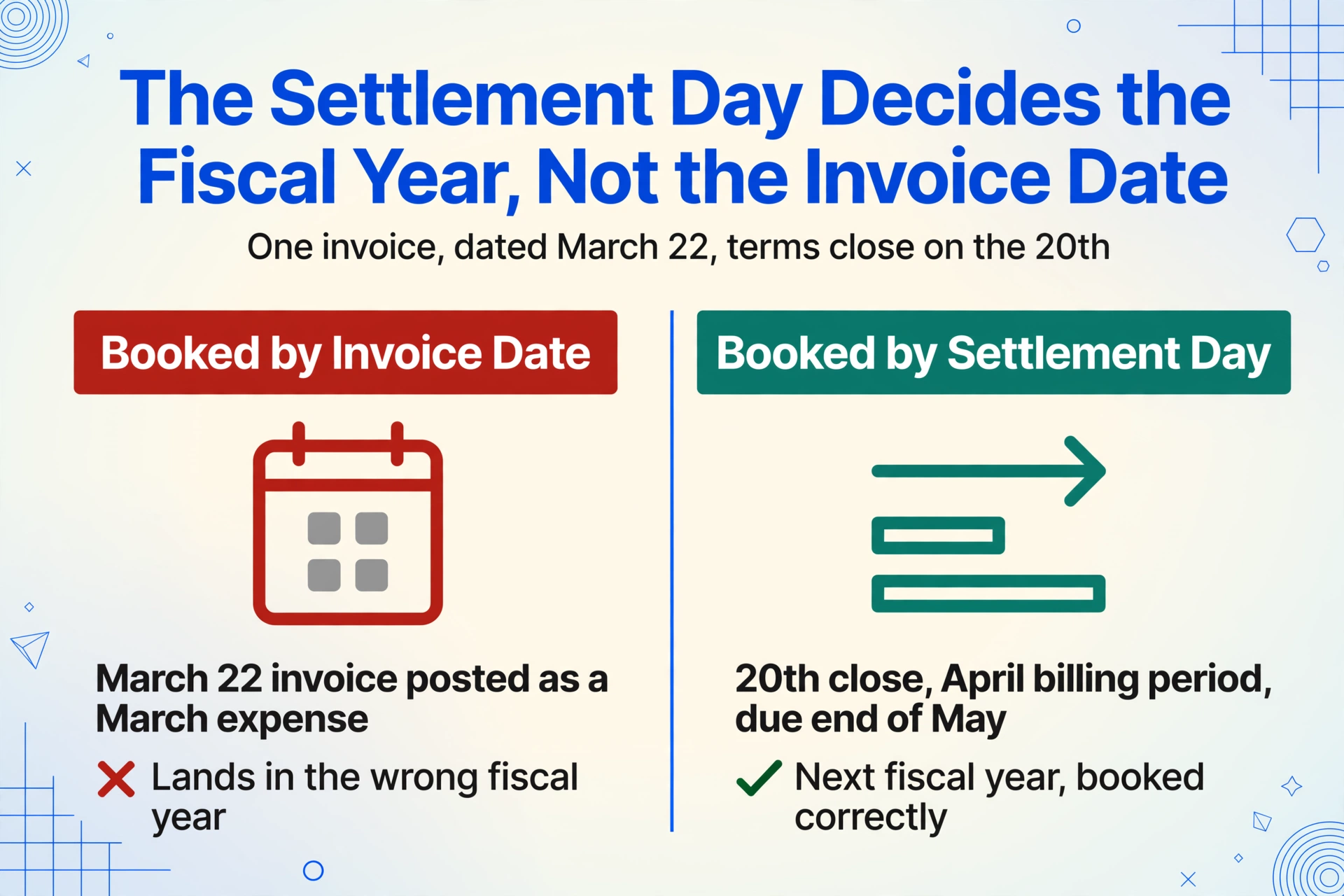
Japanese payment terms are a compact syntax that AP teams read in one glance but that generic extraction reads as opaque text. “20日締翌月末払い” means the billing period closes on the 20th of the month and payment is due by the end of the following month. This string encodes two computable values: the settlement day (20) and the payment lag (1 month). “月末締翌々月末払い” — common in construction and manufacturing — means end-of-month close, payment by the end of the month after next (lag: 2 months).
The settlement day is operational, not cosmetic. An invoice dated March 18 under 20日締 terms falls into the March billing period: payment due end of April, expense belongs to the current fiscal year if books close on March 31. An invoice dated March 22 under the same terms falls into the April billing period: payment due end of May, expense belongs to the next fiscal year. The settlement day — not the invoice date, not the calendar month boundary — determines fiscal-year classification. The shimebi payment deadline analysis covers the full operational impact of how settlement-day conventions cascade into cash-flow forecasting when thirty suppliers each use different shimebi dates.
A Computed Column — a column whose value the AI calculates during extraction using a defined formula — splits the payment terms into structured fields: Settlement Day (parse from Payment Terms: if “20日締” → 20, if “月末締” → 31, if “10日締” → 10) and Payment Lag Months (parse from Payment Terms: if “翌月末払い” → 1, if “翌々月末払い” → 2). These two columns are then consumed by a spreadsheet formula that calculates the actual payment due date — the Due Date column in the output spreadsheet is not typed, not extracted from a free-text field, but derived from the invoice date plus the parsed terms. That date column feeds into the cash-flow forecast and the payment batch schedule, both of which need the actual calendar date, not the text string that encodes it.
源泉徴収区分: When the Payer Must Deduct Before Remitting
Japan's withholding tax system places a deduction obligation on the payer when the payee is a qualifying professional service provider. Tax accountants (税理士), certified public accountants (公認会計士), lawyers (弁護士), judicial scriveners (司法書士), designers (デザイナー), writers (著作家), and several other categories defined under Article 204 of the Income Tax Act (所得税法) are subject to withholding at 10.21% of the payment amount. The payer deducts the withholding, remits it to the tax office, and pays the supplier the remaining 89.79%.
A seikyūsho from a qualifying professional typically carries a withholding tax indication — either a line reading “源泉徴収額” with the deducted amount, or a classification mark like “源泉徴収あり.” An invoice that carries withholding changes the AP payment calculation: the net payment amount is the invoice total minus the withholding, and a separate liability entry for the tax deposit must be booked. If the withholding is not captured during extraction, the AP team must re-examine each qualifying invoice individually, calculate the deduction manually, and adjust the payment — a per-invoice arithmetic step that, across sixty invoices, consumes measurable AP time.
A column defined as Withholding Tax Classification (check if invoice indicates 源泉徴収; output “Applicable” if the supplier is a qualifying professional with withholding indicated, otherwise “Not Applicable”) flags which invoices require the deduction. A Computed Column — Net Payment Amount (if withholding applicable: Total × 0.8979; otherwise: Total) — calculates the actual furikomi transfer amount directly. The payment batch file now contains the correct remittance amount, not the invoice total, without the AP team running a separate calculation step for each qualifying invoice.
インボイス番号: The T+13 Registration Number and Why It Exists
The Qualified Invoice registration number (インボイス登録番号) is a 13-digit number prefixed with “T” — for example, T1234567890123. Every registered Qualified Invoice Issuer (QII) receives this number from the National Tax Agency upon registration, and must print it on every invoice the buyer will use for consumption tax credit. The NTA maintains a public registry of qualified invoice issuers where AP teams can verify registration numbers.
The registration number created a new per-invoice verification step that did not exist before October 2023. An AP clerk receiving an invoice must locate the T-number — which may appear in the header, in the footer, in the margin, in fine print beside the company seal, or embedded in a block of text near the bank transfer details — and confirm it belongs to the supplier. If the number is missing, or if it does not match the NTA registry, the buyer's input tax credit on that transaction is reduced under a transitional schedule that phases from 80% deductible (through September 2026) to 50% (through September 2029) to zero. The complete guide to Japanese qualified invoice extraction covers the compliant invoice landscape in depth, including the six mandatory fields, the transitional credit schedule, and how to verify extracted T-numbers against the NTA registry in a single-column lookup.
For the extraction workflow, the registration number column is straightforward to define — the AI reads the document, identifies the T+13 pattern anywhere on the page, and populates the column. The challenge is not the extraction itself but the placement variability: every supplier positions the T-number in a different location. A template-based tool that expects the registration number in a fixed zone will miss it on invoices where the supplier places it in the footer. Semantic extraction — locating the field by understanding what it is, not where it sits — catches it regardless of position. The same principle applies to every field on the invoice, and it is the reason a single column schema works across thirty suppliers with thirty different layouts.
消費税: Dual-Rate Extraction for the Tax Return
Japan's consumption tax system uses two rates — 10% standard (covering most goods and services) and 8% reduced (covering food, non-alcoholic beverages, and subscription newspapers issued at least twice weekly). A qualified invoice must state the taxable base and tax amount for each rate category separately, with fractions rounded down to whole yen. A single mixed total across both rates is not compliant under the qualified invoice system.
The extraction challenge is classification. An invoice with mixed-rate line items — office supplies at 10% alongside packaged beverages at 8% — requires each line to be assigned to the correct rate category so the rate-grouped subtotals can be verified against the supplier's stated totals. If the supplier accidentally lumped a 10% item into the 8% column, the buyer's consumption tax return will overclaim input tax credit — and the NTA's data-matching engine does not differentiate between intentional misreporting and reliance on a supplier's error.
An Inferred Column handles the rate classification during extraction: Tax Rate (from Item Description: items that are food/beverages excluding alcohol and dining-out → 8% Reduced Rate; standard goods/services → 10% Standard Rate; explicitly export-related → Tax-Exempt). The AI reads each line item description, applies Japan's dual-rate rules, and populates the Tax Rate column. Two Computed Columns then calculate the rate-grouped subtotals — 10% Subtotal (sum of Line Amounts where Tax Rate = 10%) and 8% Subtotal (sum of Line Amounts where Tax Rate = 8%) — which can be directly compared against the invoice's stated subtotals for each rate category.
The consumption tax data flows from the extracted spreadsheet into the consumption tax return (消費税申告) as input data — the 10% taxable total, the 10% tax amount, the 8% taxable total, and the 8% tax amount. If the extraction output classifies each line at the source, the tax preparer verifies classifications rather than performing them from scratch. The common consumption tax data entry errors guide covers the specific mistakes that trigger tax discrepancies when the rate classification is done manually rather than at the extraction step.
The Extraction Workflow: From PDF to Payment-Ready Spreadsheet
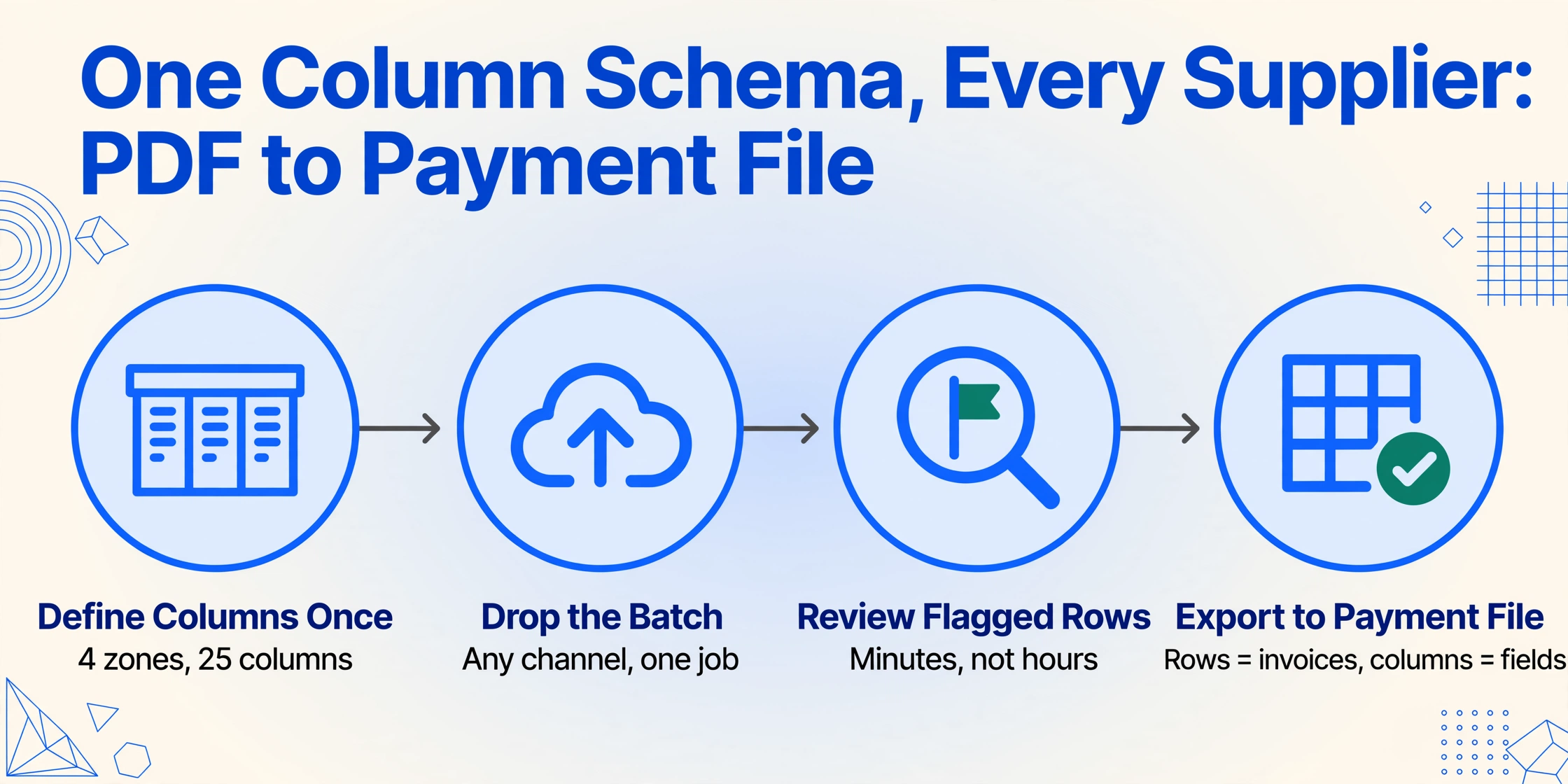
The workflow that replaces manual invoice-to-spreadsheet transcription is defined once and applies to every supplier, every invoice format, and every subsequent month-end batch. It is not a per-supplier setup process. The column schema captures what the AP team needs from a seikyūsho regardless of who sent it — the AI reads each document and populates the schema, and the output lands in the same columns every time.
Define your Japanese invoice extraction columns once
Type the field names as column headers. For a complete Japanese invoice extraction, the practical column set covers four zones: Header — Invoice Number (請求書番号), Issue Date (発行日), Transaction Date (取引年月日), Supplier (発行元); Line Items — Item Name (品名), Quantity (数量), Unit (単位), Unit Price (単価), Line Amount (金額); Tax & Compliance — Qualified Invoice Registration Number (インボイス登録番号), 10% Taxable Amount (10%対象額), 10% Consumption Tax (10%消費税), 8% Taxable Amount (8%対象額), 8% Consumption Tax (8%消費税), Total (合計金額), Withholding Tax Classification (源泉徴収区分); Payment & Banking — Bank Name (振込先銀行名), Branch Name (支店名), Account Type (口座種別), Account Number (口座番号), Account Holder (口座名義), Payment Terms (支払条件), Transfer Fee Responsibility (振込手数料負担). Add Computed Columns for Settlement Day, Payment Lag Months, Net Payment Amount, and Tax Rate (Inferred). This uses Custom Column Extraction: you define the output schema with columns that match your AP spreadsheet structure, and the AI locates each field on any supplier's invoice by understanding what it means — not where it sits on that particular template.
Upload all month-end invoices in one batch
Drop every supplier invoice — email PDFs, downloaded billing statements from supplier portals, scans of paper invoices received by post, and mobile photos of handwritten invoices — into a single upload. Batch processing handles them as one job: each invoice is processed independently with your column schema, and all results merge into one spreadsheet with one row per invoice. Thirty to sixty invoices from twenty to forty suppliers, each with a different layout from a different billing system, process in one run. The AI identifies each document as a seikyūsho by recognizing the structural pattern — supplier block, recipient block, date fields, line-item table, subtotal/tax/total footer, bank transfer details block — and populates the defined columns by locating the relevant data within the document. No per-supplier template is needed. No per-format training is needed. The output is one file even though the input is sixty different documents from thirty different billing systems.
Verify the extraction — not retype the data
The AI populates every column. Your job at this step is verification, not creation. Scan the spreadsheet for fields the AI flagged with lower confidence — a T-number that was cut off at the page edge, an era date that appeared in an unexpected format, a handwritten line item with ambiguous characters. The extraction surfaces these as flagged rows for human review. Verification takes minutes. Manual creation — opening each of thirty invoice PDFs and typing the same fields into a different screen — takes hours. The difference between the two is the value of the extraction layer.
Export to Excel and feed downstream workflows
Download the merged results as an Excel file (XLSX). The output feeds three pipelines: Accounting software import — structured columns import directly into 弥生会計, freee, マネーフォワード クラウド会計, or 勘定奉行 for purchase journal entries. Payment batch creation — the bank transfer detail columns (Bank Name, Branch, Account Type, Account Number, Account Holder) plus the Net Payment Amount column form the input to a payment batch file in 全銀フォーマット (Zengin format) that the bank's internet banking system accepts as a furikomi upload. Consumption tax return — the rate-grouped consumption tax columns feed into the 消費税申告 with the 10% and 8% totals already separated and subtotaled. Each pipeline receives structured data that was extracted once and reused three times, rather than typed separately for each system.
Files are processed securely and not stored.
Batch Processing for Month-End AP
Month-end AP in a Japanese company that buys from thirty to fifty domestic suppliers involves receiving supplier invoices in three channels: email PDFs from companies that use billing software, downloaded PDFs from supplier portals (for larger trading companies and manufacturers), and paper invoices received by post that are scanned to PDF or photographed. All three channels converge on the same desk on the same week of the month, and all three feed into the same AP processing cycle.
Batch processing means all of these invoices — regardless of source channel, supplier, or layout — are processed as a single job. The column schema is applied to every document in the batch. The output is one spreadsheet where each row is one invoice and each column is one extracted field. The thirty to fifty invoices that arrived through three channels and twenty to thirty different billing systems now occupy a single file with a uniform structure.
Three operational decisions that batch processing changes:
The AP team shifts from retyping to verifying. The extraction populates the spreadsheet — the AP clerk's job is now to scan columns for flagged items (a T-number that the tool marked low-confidence, a bank branch name that reads oddly, a computed payment lag that looks wrong) rather than to create the data from scratch. Verification takes minutes per batch. Creation — opening each PDF, finding the right fields, typing them into a different screen — takes hours.
The spreadsheet becomes a single source of truth for three downstream systems. The accounting software gets its purchase journal entries. The banking system gets its payment batch data. The tax return gets its consumption tax input data. When the three systems rely on the same extracted data rather than three separate manual entry exercises, a discrepancy in one system traces back to the extraction output — not to a typing error in one of three disconnected data entry exercises.
The same column schema works next month. The suppliers may change their invoice layouts. New suppliers may be added. The schema — defined by what each field means, not where it appears — does not need to be updated. The batch processing guide walks through a thirty-invoice example with furikomi details, withholding calculations, and payment scheduling grouped by settlement day.
全銀フォーマット: From Spreadsheet Columns to a Bank-Acceptable Payment Batch File
The Zengin format (全銀フォーマット) is a fixed-width file format standardized by the Japanese Banks' Payment Clearing Network (全国銀行資金決済ネットワーク) that allows a company to submit multiple furikomi bank transfers in a single upload rather than entering them one at a time through the internet banking screen. Every major Japanese bank accepts the format for batch wire transfers through their firm-banking (FB) service.
The format is 120 bytes per line, Shift-JIS encoded, with four record types:
| Record Type | Identifier | Content | Key Fields |
|---|---|---|---|
| Header Record | 1 | Remitting bank and account information | Bank code (4 digits), branch code (3 digits), account number (7 digits), transfer date (MMDD) |
| Data Record | 2 | One record per beneficiary transfer | Beneficiary bank code (4 digits), branch code (3 digits), account type (1:普通/2:当座), account number (7 digits), beneficiary name (katakana, 30 chars), transfer amount (10 digits, right-aligned zero-filled) |
| Trailer Record | 8 | Batch totals | Total count (6 digits), total amount (12 digits) |
| End Record | 9 | End-of-file marker | N/A |
The connection from extraction to the Zengin format is a data pipeline, not a file conversion. The extraction output contains Bank Name, Branch Name, Account Type, Account Number, Account Holder Name, and Net Payment Amount — each in a separate column. Those columns are the exact fields that populate each Data Record in the Zengin file. The bank code (4 digits) and branch code (3 digits) — numeric identifiers used in the Zengin format that differ from the text names on the invoice — can be resolved via a lookup table that the AP team maintains once: a mapping from supplier bank names and branch names to their Zengin bank codes and branch codes.
A Computed Column can perform this lookup during extraction: Zengin Bank Code (lookup from Bank Name mapping table). The column output contains the numeric bank code ready for the Zengin Data Record, not the bank name that the invoice displays. The spreadsheet-to-Zengin conversion — from the extraction output columns to the fixed-width 120-byte format — can then be performed by a spreadsheet formula or a simple script. The extraction does what it is designed to do: produce structured data in columns. The payment batch generation consumes those columns as input.
The Japanese Banks' Payment Clearing Network publishes the formal Zengin System specifications (PDF). Individual banks publish their own FB upload format specifications, including the specific character encoding (JIS or Shift-JIS), field padding rules (right-aligned zero-fill for numeric fields, left-aligned space-fill for name fields), and which fields may be left blank. The extraction output is format-agnostic — it produces columns. The AP team or a script formats those columns into whichever bank's Zengin specification the company uses.
インボイス制度 Compliance Through Structured Extraction
The Qualified Invoice System created three new compliance verification steps that every AP team must now perform on every supplier invoice:
- Registration number verification — confirm that the T+13 number on the invoice belongs to the supplier, matches the NTA public registry, and is not expired or revoked.
- Tax rate separation — confirm that the invoice correctly separates 8% reduced-rate items from 10% standard-rate items, and that the rate-grouped subtotals and tax amounts are arithmetically correct (taxable base × rate, fractions rounded down).
- Transitional credit calculation — for invoices from non-registered suppliers, calculate the reduced input tax credit according to the transitional schedule (80% deductible through September 2026, 50% through September 2029, zero thereafter).
Before the system, an AP clerk verified two things: does the invoice total look right, and is the supplier in the master file. Now the clerk must verify three additional compliance dimensions per invoice. At thirty to fifty invoices per month-end, that is ninety to one hundred and fifty additional verification checks that did not exist before October 2023. The analysis of how the 2023 invoice reform made finance processing harder details the pre-reform vs. post-reform verification checklist change.
Structured extraction absorbs the mechanical portion of these checks. A column for the registration number makes it searchable against the NTA registry in a single-column lookup. Computed Columns for rate-grouped subtotals make them directly comparable to the supplier's stated figures. A column for the supplier's invoice system registration status flags whether the transitional credit calculation applies. The AP team still verifies — but verification means comparing extracted data against source data in a spreadsheet, not reading each invoice's tax section and performing the rate-group arithmetic on a calculator. The complete guide to Japanese qualified invoice extraction covers the verification workflow — registration number cross-check, rate-bracket arithmetic, and transitional credit calculation — in detail.
How These Articles Fit Together: The Japanese Invoice Cluster
This guide is the hub article for a cluster of six articles covering Japanese invoice (請求書) extraction from every angle — how-to, batch processing, problem analysis, cost, common mistakes, and this complete reference. Each article covers a dimension that stands on its own but gains context from the cluster. Here is how they fit:
The How-To: Field-Level Extraction Tutorial
The step-by-step extraction guide covers the practical workflow: define your twenty-five columns — from 請求書番号 to 振込先口座番号 — once, then apply the same schema to every supplier's invoice regardless of layout. It includes the iframe demo, the Computed Column definitions for payment terms parsing and withholding calculation, and the export-to-accounting-software pipeline. Start here if you are processing your first batch of Japanese invoices.
The Batch: Thirty Invoices, One Payment-Ready File
The batch processing guide walks through the month-end workflow: drop thirty seikyūsho into one batch, get furikomi bank details in separate columns, gensen withholding pre-calculated, and consumption tax split by rate. It covers the full chain from extraction output to payment batch creation — the step where structured bank columns become a furikomi upload file.
The Problem: Shimebi Deadlines Across Thirty Vendors
The shimebi payment deadline analysis dissects why thirty suppliers with different settlement-day conventions create a cash-flow forecasting problem that a payment calendar cannot solve — and how extracting the settlement day from the payment terms text turns an opaque string into a computable field that a formula can schedule.
The Cost: What Manual Processing Costs Per Settlement Cycle
The cost analysis of manual seikyūsho processing quantifies the labor cost per month-end cycle — hours of retyping bank details, computing withholding, and verifying consumption tax — against the cost of an extraction layer that does the same work in minutes. For SMEs processing thirty to sixty supplier invoices per month, the per-cycle savings are measurable in yen and hours.
The Mistakes: Consumption Tax Errors That Reach the Tax Return
The common consumption tax data entry errors guide covers specific mistakes — 8% items classified as 10%, rounding discrepancies from per-item vs. per-rate-bracket rounding, era date conversion errors that shift transactions into the wrong reporting period — and how extraction with Computed Columns catches them at the data creation step rather than the tax reconciliation step.
Two related articles extend beyond the Japanese invoice cluster into adjacent document types that share extraction logic with seikyūsho:
Bank Passbook (通帳) Extraction
The complete guide to Japanese bank passbook (通帳) extraction covers the other side of the payment equation: the transaction record that the bank prints — and that sole proprietors and small businesses use as a primary financial record for tax filing. The passbook's five-column ledger format, ATM-printed dot-matrix characters, and running-balance verification logic share extraction challenges with seikyūsho, including era date conversion and furikomi transaction identification.
Australian BAS Extraction
The complete guide to Australian BAS data extraction covers a different national tax document — the Business Activity Statement — that shares with Japanese invoices the structural challenge of extracting multiple tax types from a single document and feeding them into separate downstream tax returns. The column-definition approach is the same; the schema is different.
Frequently Asked Questions
Can AI extraction read Japanese invoice data that a smartphone photo captured?
Yes — the underlying vision language model processes the image as visual input, not as text-first OCR. A mobile photo of a paper invoice, taken under office lighting with some perspective skew, is a valid input. The AI reads the fields by understanding what they look like and what they mean, not by requiring a perfectly flatbed-scanned document. The same column schema that works on a supplier's ERP-generated PDF works on a photo of a handwritten invoice from a small service provider — because the extraction reads field identity, not field position.
What happens when the payment terms string on the invoice uses an unusual format?
A Computed Column that defines the parsing logic — “20日締” → settlement day 20, “月末締” → settlement day 31 — covers the standard patterns. For non-standard terms (“15日締翌々月20日払い” or terms expressed entirely differently), the extraction outputs the original text in the Payment Terms column and leaves the Computed Column flagged for manual review. The AP team reviews those flagged rows — one or two out of thirty — rather than parsing every invoice's payment terms by hand. Over time, as the Computed Column logic is extended to handle new patterns, the flagged-row count decreases.
Does the extraction handle Japan Post Bank (ゆうちょ銀行) account numbers correctly?
Yes, through an Inferred Column that detects ゆうちょ銀行 as the bank name and applies the Japan Post Bank 記号-番号 to 7-digit transfer account number conversion rule during extraction. The output contains both the original account reference (for verification against the invoice) and the converted transfer account number (for payment batch creation). The Japan Post Bank publishes the conversion rule on its website.
How does the extraction handle invoices with mixed 10% and 8% consumption tax items?
An Inferred Column reads each line item description and classifies it as 8% Reduced or 10% Standard based on Japan's consumption tax categories (food and non-alcoholic beverages excluding dining-out → 8%; most other goods and services → 10%). Computed Columns then subtotal each rate category. The AP team verifies the classification against the supplier's stated subtotals — a comparison step rather than a classification step. For invoices where the supplier does not flag reduced-rate items, the inferred classification is the only way to verify that the supplier's combined total is correct without reopening each invoice PDF.
What is the difference between this guide and the qualified invoice extraction guide?
The qualified invoice extraction guide focuses on the six mandatory fields of a compliant qualified invoice (適格請求書) under the インボイス制度, including the transitional input tax credit schedule, the NTA registry verification process, and the specific challenges of handwritten and vertically formatted invoices. This guide covers the broader 請求書 extraction landscape — every field an AP team encounters, the full extraction-to-payment-to-tax pipeline, and the 全銀フォーマット integration that the qualified invoice guide does not cover. Read the qualified invoice guide for compliance-specific depth. Read this guide for the end-to-end process.
Can I extract line items — not just the header totals — from a Japanese invoice?
Yes. The column schema described in this guide includes line-item-level columns (品名, 数量, 単位, 単価, 金額) alongside header and footer fields. Each line item becomes a row in the output spreadsheet, with the header fields (Invoice Number, Supplier, Issue Date) repeated on each row so every line item is traceable to its source invoice. This structure supports three-way matching — purchase order to delivery receipt to invoice — where individual line items, not just invoice totals, must be compared.