30 Supplier 請求書, One
Payment-Ready AP Spreadsheet
A mid-sized Japanese company receives thirty to fifty supplier invoices (請求書, seikyūsho) at month-end. Each one carries the bank transfer details (振込先, furikomisaki) — bank name, branch name, account type, account number — that the AP clerk must retype into the online banking system to execute a furikomi (振込) transfer. Each one carries a payment terms string like "20日締翌月末払い" that encodes the settlement day and the payment lag, which determines when cash leaves the account and which fiscal period the expense belongs to. Some carry a withholding tax classification (源泉徴収区分, gensen chōshū kubun) that means the payer must deduct 10.21% before remitting — and miss that deduction, and the company overpays the supplier by that amount while still owing it to the tax office. Every one since October 2023 carries a Qualified Invoice registration number (インボイス登録番号) starting with "T" — without which input tax credit is reduced under a transitional schedule that phases to zero. Processing thirty invoices by hand means the AP team does not read thirty documents. It types thirty sets of bank details that already exist in the supplier master, calculates thirty withholding deductions on a calculator, and places thirty payment dates into a calendar by mentally parsing text strings that a computer should have parsed. The next month, the same thirty suppliers send the same thirty invoices in slightly different layouts, and the same typing begins again.
Key Takeaways
- Every month-end a Japanese AP clerk retypes 120 bank field entries that already live in the supplier master — because no tool connects what was extracted from the invoice to the bank transfer screen that needs the same four fields as input.
- Single-file extraction tools stop at reading. The real cost is assembly — someone still has to pull thirty spreadsheet rows apart and reformat them into the payment batch file, the consumption tax return, and the withholding schedule, a hidden second job that no one ever added up.
- Batch processing treats all thirty seikyūsho as one unit of work — extracting data and assembling four payment-ready outputs in one pass, so the month-end shifts from retyping 120 fields to verifying thirty rows.
What Single-File Extraction Leaves on the Table
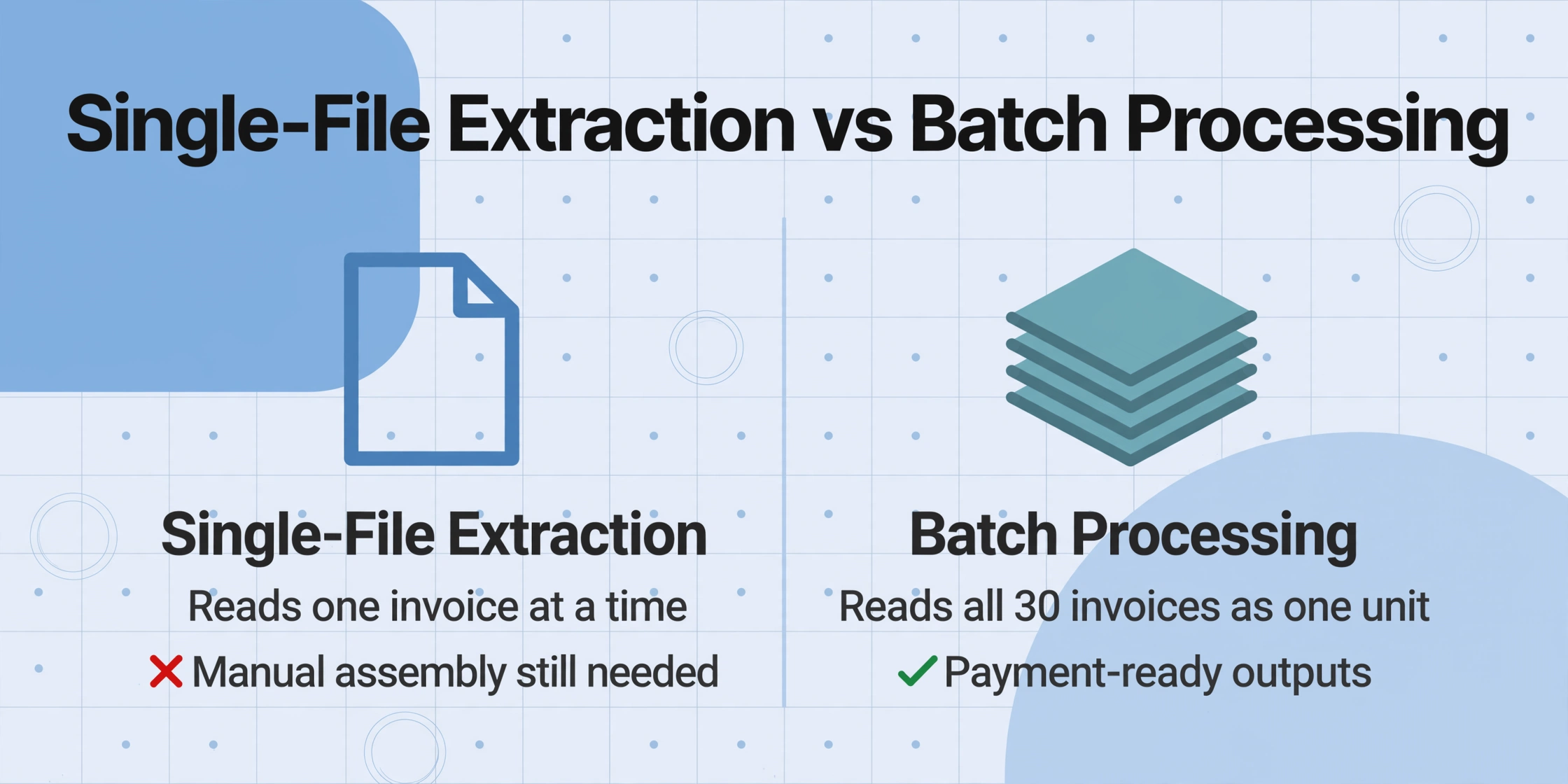
The hub article on extracting Japanese invoice data to Excel covers the full field structure — how to capture bank transfer details, payment terms, consumption tax, and withholding from a single 請求書. But a single-file workflow solves the per-document extraction problem. It does not solve the batch-to-payment problem, which is a different problem with a different set of outputs.
The AP clerk processing thirty invoices by hand has a sequence: open the invoice PDF, find the bank transfer block, type the four bank fields into the internet banking screen, parse the payment terms to determine the due date, check for withholding, verify the consumption tax breakdown, and confirm the invoice registration number against the supplier master. That sequence happens thirty times. The act of extraction — reading data off the invoice — and the act of payment preparation — assembling that data into a bank-transfer-ready format — are fused into one repetitive task. A single-file extraction tool separates them: the data is extracted into a spreadsheet row. But the payment preparation — assembling those thirty rows into a payment batch file, a payment calendar, a withholding deposit schedule, and a tax-return-ready consumption tax summary — still requires manual assembly. The extraction solved the reading problem. It did not solve the assembly problem.
Batch processing solves both simultaneously because it treats the thirty invoices as one unit of work — extracting the data from all thirty documents in one run and producing outputs that are structured for downstream systems, not just for a human to look at.
The Batch Workflow: Define Once, Process Every Month
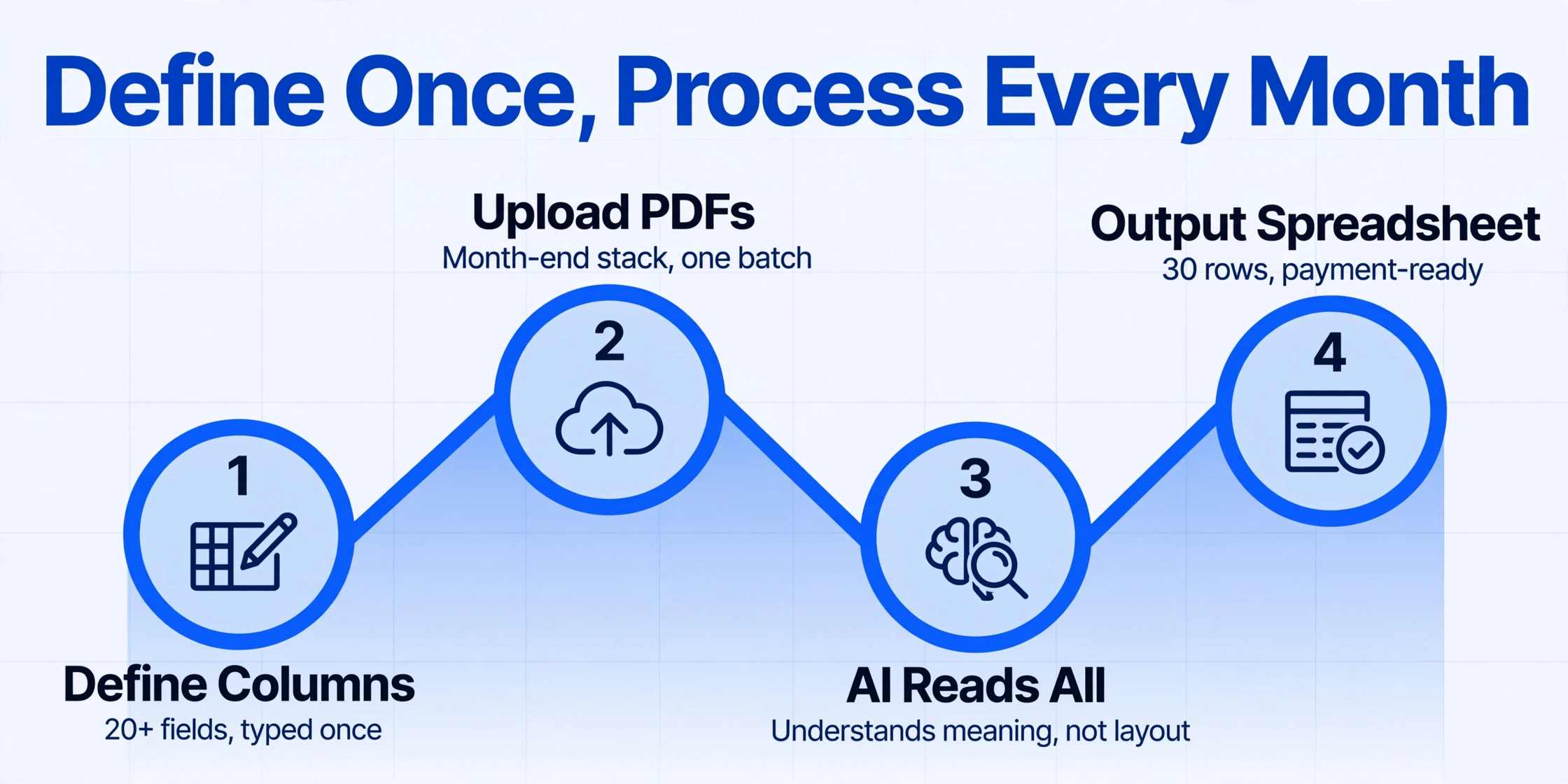
The column schema for Japanese invoice batch processing is defined once. The same twenty-plus column names — Invoice Number (請求書番号), Issue Date (発行日), Supplier (発行元), Qualified Invoice Registration Number (インボイス登録番号), Item Name (品名), Quantity (数量), Unit Price (単価), Line Amount (金額), Subtotal (小計), 10% Taxable Amount, 10% Consumption Tax, 8% Taxable Amount, 8% Consumption Tax, Total (合計金額), Withholding Tax Classification (源泉徴収区分), Bank Name (振込先銀行名), Branch Name (支店名), Account Type (口座種別), Account Number (口座番号), Account Holder (口座名義), Payment Terms (支払条件), Settlement Day (締日), Transfer Fee Responsibility (振込手数料負担) — are typed in once. Every subsequent month, the AP team drops the month-end stack of invoice PDFs into the upload, the batch processes all documents simultaneously, and the output spreadsheet arrives with all thirty rows populated. The column names do not change. The suppliers' invoice formats may change — a new ERP system at one supplier, a billing platform migration at another — but the AI reads each document by understanding what each field means, not by remembering where each supplier places its bank details on the page.
This schema captures Custom Column Extraction: you type the column names you want in the output, and the AI locates the matching data in each document by understanding the field's meaning — not by relying on a fixed position that varies from one supplier's invoice layout to another. A Computed Column can derive additional values during extraction: a column like Net Payment Amount (if Withholding Tax applicable: Total × 0.8979; otherwise: Total) calculates the actual transfer amount directly. An Inferred Column can convert the compact payment terms text into structured values: Settlement Day (from Payment Terms: if "20日締" then 20) and Payment Lag Months (if "翌月末払い" then 1) — splitting the text string "20日締翌月末払い" into two computable numbers that a payment calendar formula can read directly.
Files are processed securely and not stored.
Output 1: Bank Transfer Details Become a Payment Batch
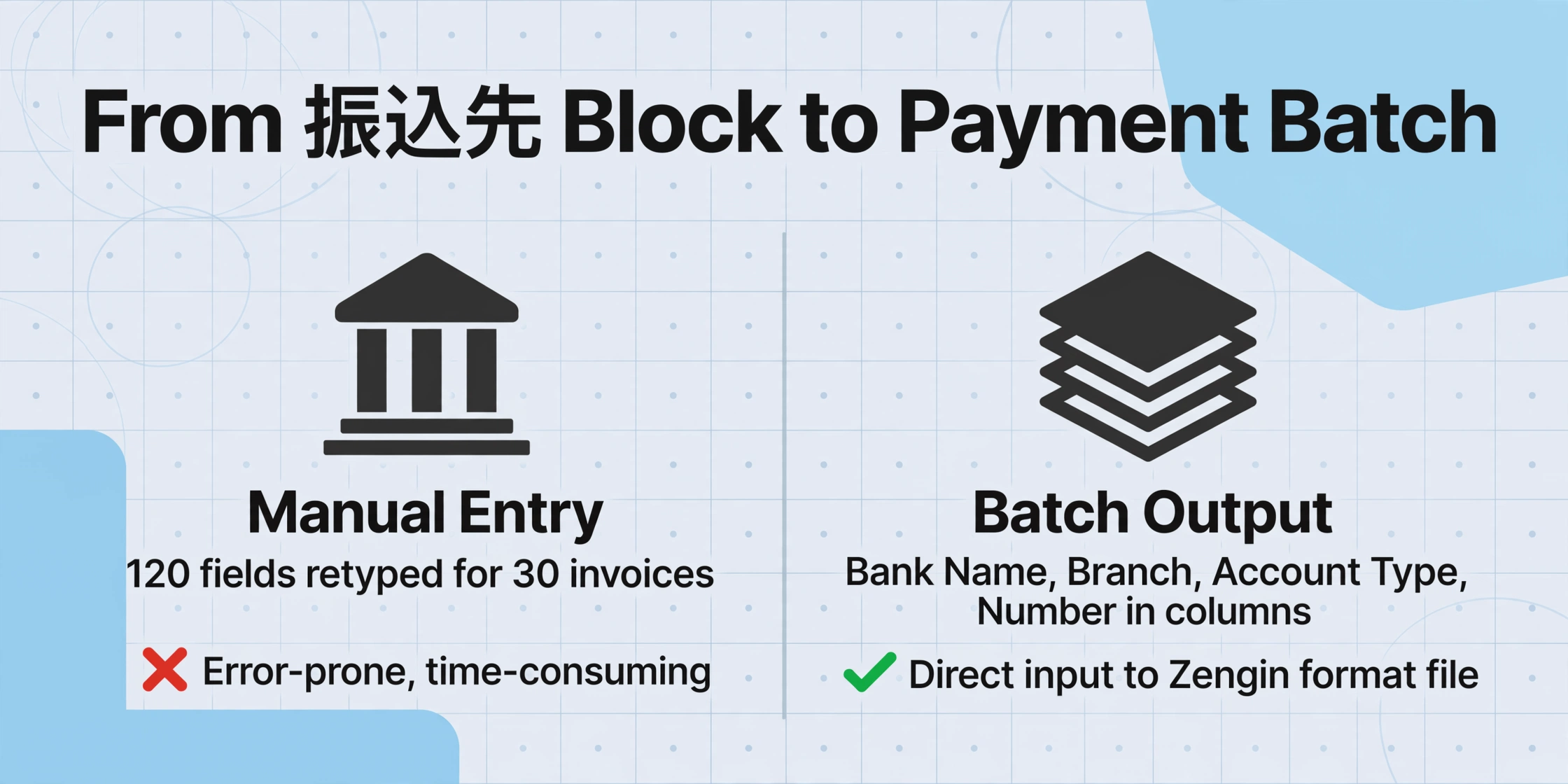
The single most repetitive data entry task in Japanese AP is retyping bank transfer details from the invoice into the online banking system. Each 請求書 carries a 振込先 block with four separate fields: Bank Name (銀行名), Branch Name (支店名), Account Type (口座種別 — 普通 for ordinary or 当座 for current), and Account Number (口座番号). The AP clerk reads these four fields off the invoice, switches to the bank's internet banking screen, and types them in — the same four fields already stored in the accounting system's supplier master, retyped for every invoice every month. Thirty invoices at month-end: 120 individual bank field entries that duplicate data already on record.
When the batch output contains each of the four bank fields in its own column — Bank Name, Branch Name, Account Type, Account Number — those columns are the input to a payment batch file. Japanese banks accept batch transfer files in the 全銀フォーマット (Zengin format), a fixed-width format standardized by the Japanese Banks' Payment Clearing Network (全国銀行資金決済ネットワーク) that allows a company to submit multiple furikomi transfers in a single upload rather than entering them one at a time through the internet banking screen. The format requires, for each transfer: the remitting bank branch code, the remitting account number, the beneficiary bank code, the beneficiary branch code, the beneficiary account number, the beneficiary name, and the transfer amount — all in precise character positions.
A spreadsheet with thirty rows, each containing bank name, branch name, account type, account number, account holder, and net payment amount in separate columns, can be mapped to the Zengin format through a simple template. The data is already structured — the mapping is a one-time spreadsheet-to-fixed-width export, not thirty rounds of retyping bank codes. The same approach applies to 総合振込 (consolidated transfer), where one transfer instruction covers multiple payments from a single company account — the most common method for Japanese companies paying multiple supplier invoices on the same settlement day. The extracted bank details, grouped by settlement day, form the input to a consolidated transfer batch: all invoices closing on the 20th with payment due at month-end go into one transfer instruction, all invoices closing at month-end with payment due the following month go into another.
Output 2: Payment Terms Become a Settlement-Day Calendar
The payment terms field on a Japanese invoice is a compact text string that AP teams read fluently but that resists formulaic processing. "20日締翌月末払い" — billing closes on the 20th, payment due by end of following month. "末日締翌々月10日払い" — billing closes at month-end, payment due by the 10th of the month after next. "15日締翌月末払い" — billing closes on the 15th, payment due by end of following month. Each string encodes two values: a settlement day (締日) and a payment lag. In a single-file workflow, a human reads the string for each invoice, calculates the payment due date mentally, and enters it into a calendar. In a batch workflow, a Computed Column parses these strings into structured numbers — Settlement Day and Payment Lag Months — and the spreadsheet groups payments by settlement day automatically.
This grouping matters because it controls cash outflow. Invoices closing on the 20th and payable at end of the following month all drain cash on the same day. Invoices closing at month-end and payable at end of the following month drain cash two to three weeks later, on a different day. Without the batch grouping, the AP team sees thirty individual due dates. With the batch grouping, the AP team sees two or three cash-out days with total amounts attached — the information the treasury function actually needs to manage working capital. The settlement day, not the invoice date or the calendar month, determines which fiscal period the expense belongs to. An invoice dated March 18 under 20日締 terms is a March expense — payable in April, but accrued in the fiscal year ending March 31. An invoice dated March 22 under the same 20日締 terms is an April expense — payable in May, accruing in the next fiscal year. The settlement day is the fiscal-period boundary, and the batch output groups by that boundary automatically because the Computed Column extracted it as a number.
Output 3: Consumption Tax Totals Feed Directly Into the Tax Return
Japan's consumption tax system applies two rates — 10% standard and 8% reduced — and the Qualified Invoice system requires each invoice to state the taxable base and tax amount per rate category separately. For a company using the accumulation method (積上げ計算) for consumption tax filing, the tax return requires the per-invoice tax data — not just an aggregate subtotal, but the individual tax amounts from each qualified invoice, preserved at the per-document level.
The batch output captures the 10% taxable amount, 10% consumption tax, 8% taxable amount, and 8% consumption tax from each invoice in separate columns. The spreadsheet delivers rate-grouped totals that can be verified against each invoice's printed tax breakdown — the same verification the AP team would perform manually on each invoice, but performed automatically across all thirty invoices in a single output. If an invoice's extracted 8% consumption tax total differs from the printed total on the document, the discrepancy is flagged in the spreadsheet for review. The thirty-invoice stack becomes a verification checklist rather than thirty individual verification tasks, and the rate-grouped totals form the input to the quarterly consumption tax return without requiring a separate manual aggregation pass.
Output 4: Withholding Tax Becomes a Net Payment Amount
Japan's withholding tax system (源泉徴収制度), governed by Article 204 of the Income Tax Act (所得税法), requires the payer to deduct income tax at source when making payments to certain professional service providers — tax accountants (税理士), certified public accountants (公認会計士), lawyers (弁護士), judicial scriveners (司法書士), designers (デザイナー), writers (著作家), and other qualifying categories. The withholding rate is 10.21% for payments up to ¥1 million, and 20.42% for the portion exceeding ¥1 million, as confirmed by National Tax Agency withholding guidance. The payer remits the withheld amount to the tax office and pays the supplier the remaining balance.
An invoice from a qualifying supplier that carries a withholding tax classification — often marked as 源泉徴収あり or showing a separate "源泉徴収額" line — changes the payment calculation. The AP team must identify which invoices require withholding, calculate the deduction amount per invoice, subtract it from the payment, and book the withheld amount as a separate tax deposit liability. In a single-file workflow, this is manual arithmetic per qualifying invoice. In a batch workflow, two columns handle it:
- Withholding Tax Classification — an inferred column that checks whether the invoice mentions 源泉徴収 and whether the supplier is a qualifying professional. Output: "Applicable" or "Not Applicable."
- Net Payment Amount — a computed column: if withholding is applicable and the total is below ¥1 million, output
Total × 0.8979. Outputs the actual transfer amount for each invoice.
The spreadsheet arrives with three columns per qualifying invoice: Gross Amount (the invoice total), Withholding Amount (the deduction), and Net Payment Amount (the transfer amount). The payment batch file uses Net Payment Amount. The tax deposit schedule uses Withholding Amount. Both draw from the same source data — extracted once, calculated once, available for both payment and compliance. The same batch processing approach for Japanese purchase orders captures the same payment terms and withholding fields from the procurement side, creating a matching pipeline between what was ordered and what is being billed.
The Invoice Number Chain: From PDF to Payment Confirmation
An invoice number (請求書番号) is the primary key for AP lookup and payment tracking. When a payment confirmation arrives from the bank — a transaction record showing a furikomi of ¥847,200 to Mitsubishi UFJ Bank, Shinjuku Branch, account 1234567 — the AP team needs to match it against the original invoice to confirm that the right amount went to the right account for the right invoice. Without the invoice number, matching a bank transaction to a supplier invoice is a reconciliation problem that compounds with volume: thirty supplier payments per month, twelve months per year, 360 potential mismatches.
The batch output carries the invoice number in a dedicated column. Every payment confirmation from the bank can be matched against the batch spreadsheet by invoice number — not by amount, which could be ambiguous when two invoices carry the same total — creating an audit trail from the original invoice PDF through the extraction spreadsheet to the bank payment record. The Qualified Invoice registration number (インボイス登録番号), extracted alongside the invoice number, provides a second verification point: the T-number on the extracted data should match the T-number in the supplier master. A mismatch flags a supplier whose registration status may have changed — a data point that, in a manual workflow, would go undetected until the consumption tax return triggers an audit query.
This chain — invoice number → bank transfer → payment confirmation — is what turns thirty individual furikomi transfers into a single reconciliation exercise. The batch does not just extract data faster. It creates the linking structure that makes thirty payments reconcilable as a group rather than as thirty separate investigations. The same linking principle from the procurement side drives the PO-to-delivery-to-invoice matching workflow and the Australian BAS quarterly batch approach — the extraction output is not an endpoint but a midpoint in a document chain that starts with a purchase order and ends with a tax return.
FAQ
Can the batch handle invoices from suppliers that use different billing formats?
Yes. The column schema is defined once and applied to every invoice in the batch regardless of layout. One supplier may use a PDF generated by their ERP system with the bank details in a bordered box at the bottom of the page. Another may send a scanned handwritten invoice where the bank details appear in the remarks section. The AI reads each document by understanding what each field means — a bank name is a bank name wherever it appears — not by expecting a fixed layout per supplier. The thirty invoices can come from thirty different billing systems in thirty different formats and the output is one consistent spreadsheet.
How does the batch handle the ゆうちょ銀行 account number format?
Japan Post Bank (ゆうちょ銀行) uses a 記号-番号 format that differs from the 7-digit account numbers used by commercial banks for furikomi transfers. When the batch output detects ゆうちょ銀行 as the bank name, an inferred column can convert the 記号-番号 pair to the 7-digit transfer account number required by the banking system. The Japan Post Bank publishes the conversion rule on its website. The column logic parses the 記号 digits and 番号 digits and outputs the transfer-ready account number alongside the original format for verification.
What if some invoices are tax-inclusive (税込) and others are tax-exclusive (税抜)?
The column definition should specify the desired output normalization. If unit prices are tax-inclusive on some supplier invoices and tax-exclusive on others, a computed column normalizes them during extraction: Line Amount Tax-Exclusive (if invoice notation is 税込, divide unit price by 1.1 for 10% items or 1.08 for 8% items; otherwise use as-is). The AI reads the document context — including any 税込 or 税抜 notation — to determine the tax treatment and output all line amounts on a consistent basis. The spreadsheet arrives with every row normalized, so the consumption tax totals across all thirty invoices are computed from a consistent base.
How does the withholding tax (源泉徴収) column interact with the consumption tax calculation?
According to NTA guidance, if remuneration and consumption tax are clearly separated on the invoice, withholding is calculated on the remuneration amount only — the consumption tax portion is not subject to withholding. If they are not separated, the tax-inclusive amount is generally used for the withholding calculation. The column definition should specify the calculation rule: Withholding Base (if invoice clearly separates 報酬 and 消費税, use 報酬; otherwise use Total) and Withholding Amount (Withholding Base × 0.1021, capped at Withholding Base × 0.1021 for portions up to ¥1M). The batch applies the same rule to all thirty invoices, so the withholding calculation is consistent and auditable.
Can the batch output be imported directly into Japanese accounting software?
Yes. Every major Japanese accounting platform — 弥生会計 (Yayoi), freee, マネーフォワード クラウド会計 (MoneyForward Cloud), 勘定奉行 (Kanjo Bugyo) — accepts CSV import of purchase ledger data. The batch output maps directly: Invoice Number → voucher number (伝票番号), Supplier → vendor name (仕入先), Issue Date → transaction date (日付), Total → amount (金額). The consumption tax columns by rate category feed into the tax reporting module. The invoice registration number (インボイス登録番号) flows into the qualified invoice verification check that platforms like freee perform automatically. The bank transfer details — in separate columns — form the input to the bank's batch payment file, independent of the accounting software import.
From Thirty PDFs to One Payment-Ready Ledger
The month-end invoice stack at a Japanese company is not simply thirty bills that need to be paid. It is thirty payment instructions — each carrying bank transfer details that must be retyped into the banking system. It is thirty tax documents — each carrying consumption tax amounts by rate category that feed the quarterly return. It is thirty compliance records — some carrying withholding tax obligations that require separate tax deposits. And it is thirty matching artifacts — invoice numbers that must align with purchase orders, delivery confirmations, and bank payment records.
A batch extraction workflow that processes all thirty invoices as one unit of work produces not thirty individual spreadsheet rows but four ready-to-use outputs: a payment batch file with bank details already in transfer-ready columns, a payment calendar grouped by settlement day, a consumption tax summary by rate category for the tax return, and a withholding schedule with net payment amounts already calculated. The AP team's month-end task shifts from data entry to data verification — from typing the same four bank fields thirty times to checking that thirty extracted rows match the source documents. The spreadsheet is the output. The spreadsheet is also the input — to the bank payment system, the accounting software, and the tax return. The batch connects them by producing data in the structure each downstream system expects, not by producing data that a human must reformat before each handoff.