Client Intake Data Extraction
Without the Retyping Loop
A prospective client types their name, address, the other side's name, and a short description of the dispute into your intake form or email. A paralegal then types the same details into Clio. Nothing was lost in the first pass. The data arrived structured, in a form field or an email thread, and the second pass is pure re-entry. That re-entry is the part of client intake that never reaches an invoice, and it is also the step that decides whether your conflict check runs before the consultation or after it.
Key Takeaways
- 2.5 billable hours a day is the average attorney's ceiling, and 48% of the non-billable time around it goes to admin work like retyping intake.
- The client already typed those details once, so the firm pays a second person to retype the same names, and that second pass is where conflict names go wrong.
- Reading the intake email and the forwarded form into one sheet removes that second pass, and the adverse-party column becomes the first thing you check.
Client Intake Breaks at the Handoff, Not the Form
The intake problem at a small firm is almost never the tool that collects the data. It is the handoff that follows. Clio Grow and MyCase both capture an online form submission and create the contact and the matter from it, and that path works. The difficulty is that only part of your intake arrives that way. Think about how a new matter actually reaches you: a web form on one matter, an email where the client describes the dispute in the body, a scanned or photographed intake sheet attached to a reply, a phone call a paralegal writes up as notes. Each one is a different shape, and none of them lands in your practice management system on its own.
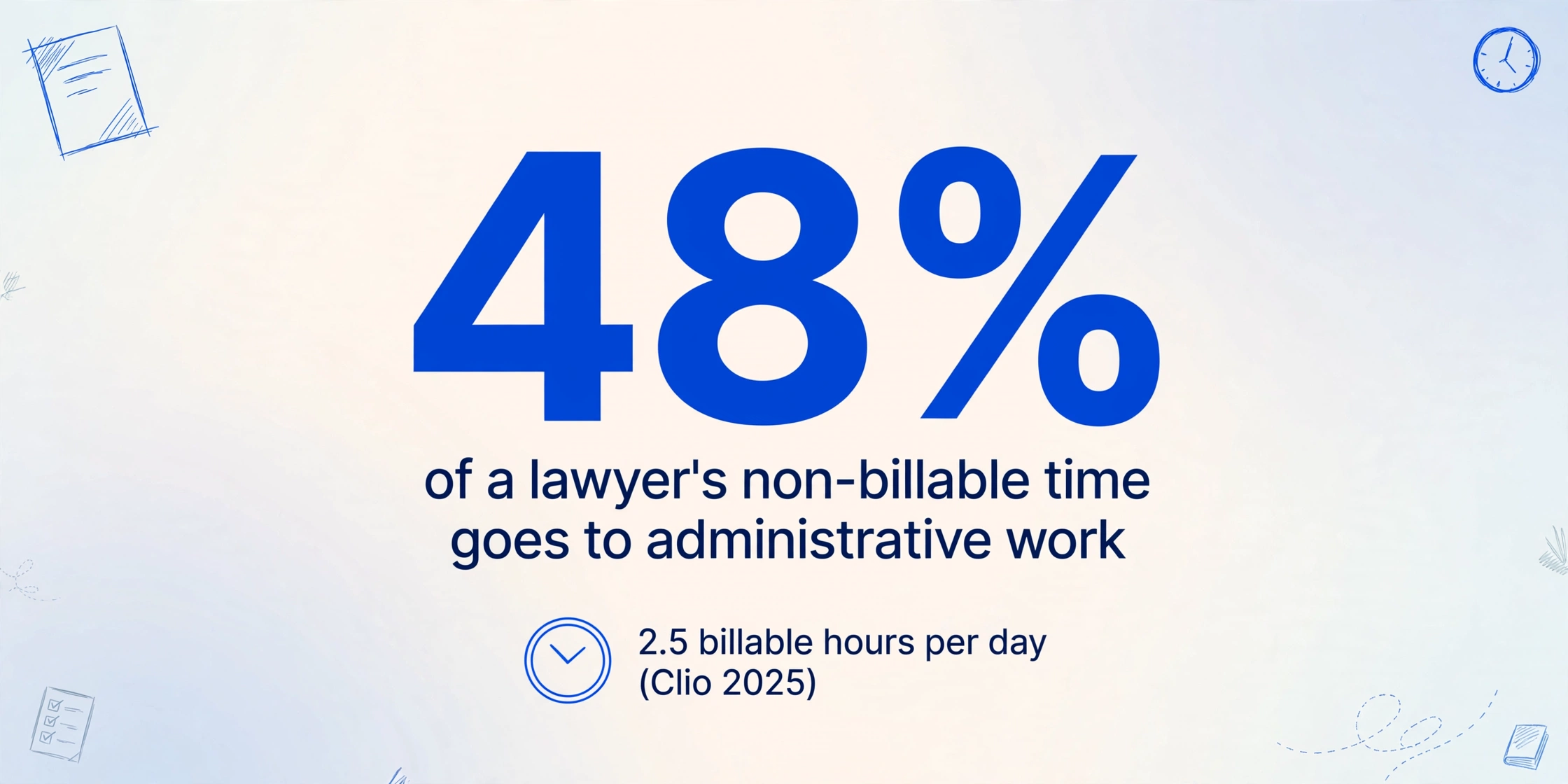
The scale of that handoff is documented in the numbers firms already report. Clio's 2025 Legal Trends Report puts the average attorney at 2.5 billable hours a day, a utilization rate of 37 percent. Its earlier study found that 48 percent of a lawyer's non-billable time goes to administrative work like office administration, billing, and collections. Intake re-entry lives inside that slice, and it competes directly with the hours you can bill.
There is a second cost that is easier to miss. A conflict check is only as fast as the names it can search, and those names have to be in a usable, name-level form before anyone can run them against your client and former-client list. When the adverse party's name is sitting in a PDF and in a paralegal's memory, the check waits. That is the part of intake where the retyping stops being an annoyance and starts being a risk.
What a Client Intake Actually Has to Produce
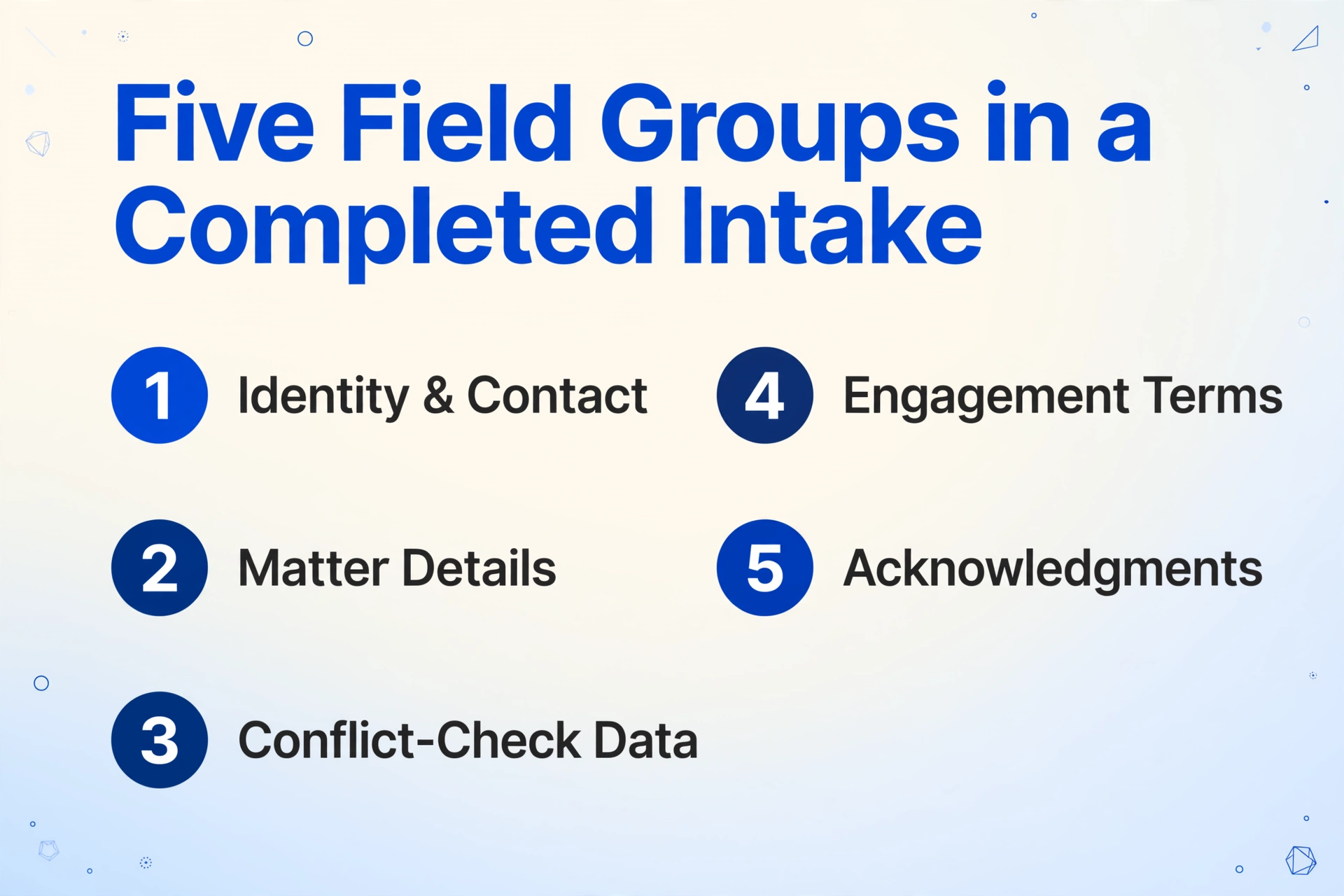
A completed intake is not one record. It is five groups of fields, and two of them exist only to keep the firm out of a conflict. The first group is identity and contact: the client's full legal name and any other names used, mailing address, phone, email, date of birth, and referral source. The second is the matter itself: practice area or matter type, a short description of the dispute, and the dates that matter, including any statute-of-limitations or court deadline.
The third group is the reason intake is regulated rather than just managed. Conflict-check data has to include every adverse party, everyone else involved, and the related names that make a search reliable. The ABA's guidance for new lawyers on the intake and conflict-check process is specific about this: for an entity you want the full legal name, aliases, state of incorporation, and headquarters; for an adversarial matter you want the opposing party, opposing counsel, the forum, and the subject matter. The ABA GPSolo division's nuts-and-bolts conflicts guide lists what the firm's own conflicts database has to hold: current clients, former clients, adverse persons, prospective clients, a short description of each matter, the dates each began and ended, affiliates, and the officers, directors, and major shareholders of clients.
The fourth group is engagement terms: fee structure, retainer amount, and the scope of representation. The fifth is acknowledgments, chiefly the non-engagement disclaimer that keeps a filled-in form from being mistaken for an attorney-client relationship.
The conflict-check names are the fields with the shortest useful life. A wrong date can be corrected later. A misspelled or missing adverse party is the one that lets the firm take a matter it should have declined.
That weight is written into the rules, not just into good practice. Comment [3] to Model Rule 1.7 says a lawyer should adopt reasonable procedures, appropriate to the size and type of firm, to determine the persons and issues involved, and it adds that ignorance caused by a failure to institute those procedures will not excuse a violation. Model Rule 1.18 extends protection to the prospective client who is never retained, and the ABA's Formal Opinion 510 (March 2024) refines what "reasonable measures" means when a firm wants to avoid the conflict being imputed to every lawyer in it. The practical order follows from all of this: names first, story second.
Why Intake Data Resists a Copy-Paste Workflow
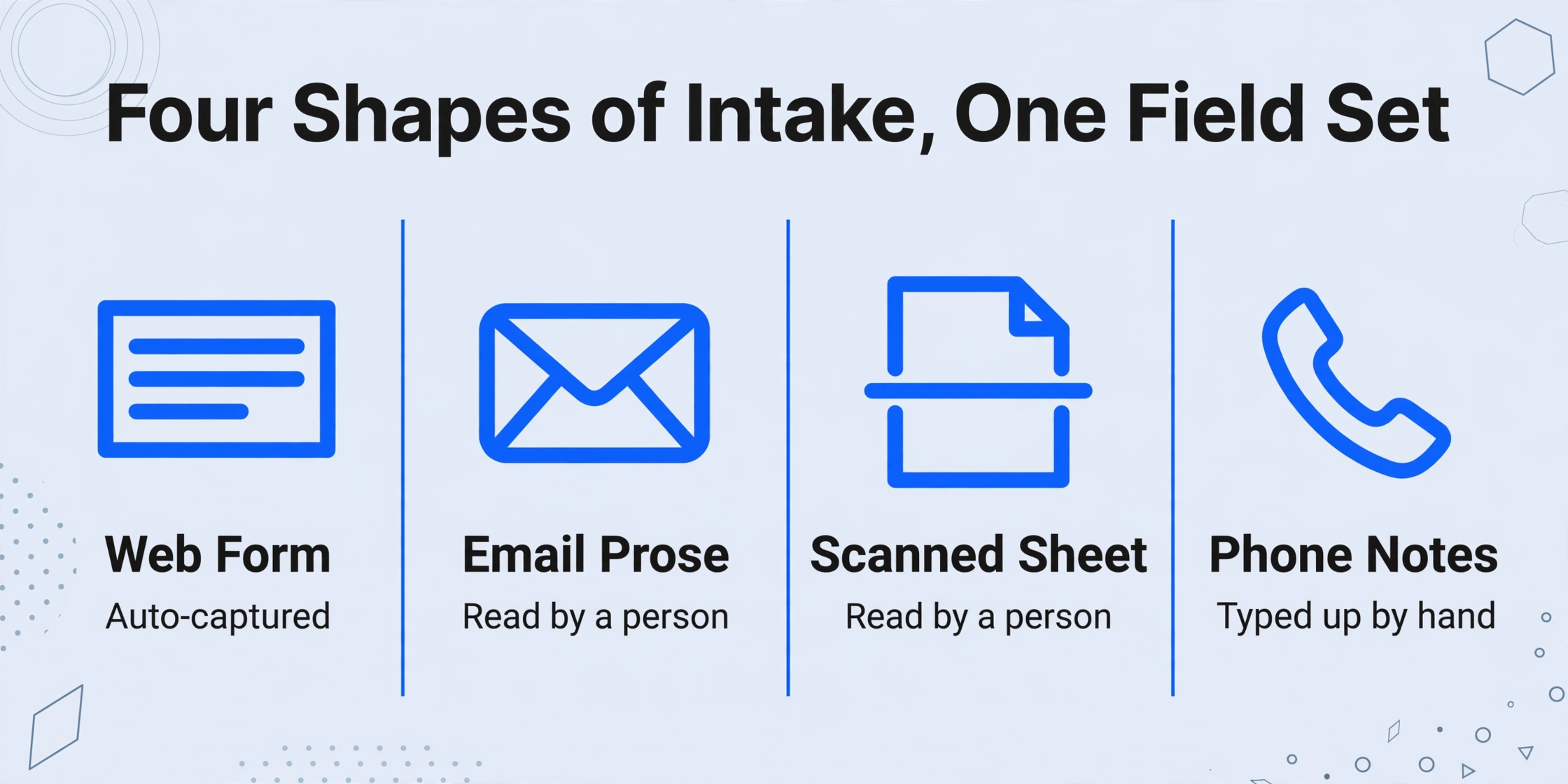
Sending intake data through a person is not a formatting step. It is where the same fields get read three or four times in three or four shapes, and mistakes in the conflict names are the ones nobody catches. The fragmentation is the first reason. The identical field set, name and adverse party and deadline, arrives as a web-form notification, as email prose, as a scanned handwritten sheet, and as phone notes. A paralegal reconciles all of them into one matter record, which means the firm is paying for a human to serve as the integration layer between channels.
The second reason is that email prose almost never labels the fields neatly. A client writes, "the other driver, a man named R. Alvarez, ran the light." Recognising that line as an adverse party, and capturing "R. Alvarez" as a searchable name, is a reading task, and it is exactly the task where a rushed re-type drops the middle initial or records the name under the client's own contact instead of a separate conflict subject.
The third reason is the split between the two channels. Native intake forms cover the form path well, and that is a real solution for the clients who use them. The email path is the one that stays manual, because nothing in a standard practice management setup reads an inbound email and turns it into fields. Firms describe the result in their own words. In an r/legaltech thread on manual client intake, one firm wrote it out step by step: "A lead sends us an email. Then, we enter their information into Clio or MyCase by hand. Next, we check for conflicts manually." Another, in an r/LawFirm discussion of intake form automation, described the data arriving "as a msg instead of stored in a .csv format," with assistants typing names, adverse parties, addresses, and dates of birth into forms by hand.
The data was already typed once, by the client. The firm is paying to type it a second time, and the second typing is the one that can be wrong.
This is the point where intake and the rest of legal document work diverge. Intake is a small number of fields that must be correct before the firm commits to anything, and the documents carrying them arrive in every format a client owns. The extraction step that comes after a matter is open is a related but separate problem, which is why it belongs with the questions in our guide to small law firm document extraction rather than here.
The Fix: Read the Intake Email, Extract the Fields
The step that removes the retyping is extraction aimed at the intake channel itself, not another form for clients to fill in. It uses two capabilities together, and both are worth understanding concretely.
The first is Email Inbox, a dedicated address attached to your account. You can forward a client's intake email to it, or share the address with the paralegal who takes the calls, and the attachments land in your processing queue without anyone opening an upload page. Turn on auto-process with a template bound to it and processing starts the moment mail arrives. A sender whitelist limits the inbox to the addresses you trust, so unrelated mail never enters the queue, and if a client sends a password-protected PDF, saved passwords are tried against it automatically.
The setting that matters most for intake is what the inbox reads. By default it processes attachments only and ignores the email body, which is the right choice for invoices and statements. Intake is the exception. The field data frequently lives in the body of the email with no attachment at all, because the client simply types "here are my details" and sends it. For that case you switch the mode to body only, or to attachments and body together, and the intake prose becomes the source document.
The second capability is Custom Column Extraction. Instead of drawing boxes on a fixed layout, you type the column names you want and a vision model reads each document or email to find the matching value by meaning. On an intake file, a column named "Adverse Party" is found whether the email says "the other driver," the form prints "Defendant," or a scanned sheet writes "opposing party." Because the AI reads the meaning rather than a saved position, the same column list works across a forwarded form, a photographed handwritten intake sheet, and plain email text.
A column list that covers the five field groups looks like this:
| Intake column | What it captures |
|---|---|
| Client Full Legal Name | Legal name as it should appear on the matter |
| Other Names Used | Aliases, maiden names, DBAs, prior names for the conflict search |
| Phone / Email / Mailing Address | Contact details and communication preferences |
| Date of Birth | Identity confirmation; common duplicate-name separator |
| Matter Type | Practice area or matter category for routing |
| Adverse Party | Every opposing party named in the intake |
| Other Involved Parties | Witnesses, co-owners, insurers, lenders, related entities, spouses |
| Prior or Current Counsel | Other firms already consulted on the matter |
| Referral Source | How the client found the firm |
| Key Deadline | Statute-of-limitations or court date stated in the intake |
| Fee Structure / Retainer Amount | Engagement terms discussed at intake |
Because the tool is batch-first, a week of intake arrives as one spreadsheet with a row per prospective client, rather than as a folder of files. You review that sheet, and the fields that carry legal weight, the adverse parties and other involved parties, are the ones you check first, using Bbox verification to jump from any cell back to the exact place the value came from on the original email or scan.
Files are processed securely and not stored.
What This Does Not Do, and What Stays Manual
The honest boundary is that this produces a spreadsheet, not a Clio record. ImageToTable.ai reads intake documents and emails and exports Excel, CSV, or JSON. It does not write into Clio or MyCase through a native integration. The confirmed fields are entered into Clio custom fields or MyCase case notes by a person, or pasted from the sheet. If what you want is a form submission that creates a matter through an API without anyone touching it, that is a different category of tool, and the honest recommendation is to compare it on its own terms rather than assume this page does it.
The second boundary is the one that matters most to a lawyer. Extraction does not run the conflict check. It puts adverse-party and involved-party names into columns so that the names exist in a form you can search, which is the precondition for the check under Rule 1.7. Matching those names against your current and former-client records, and deciding what a hit means, remains your system and your judgment. The same applies to Model Rule 1.9 conflicts with former clients, which the extracted names help surface but cannot resolve.
Third, extraction does not decide whether to take the matter, draft the engagement letter, or assess the client's credibility. Those are legal decisions, and the extracted sheet is an input to them, not a substitute.
An intake spreadsheet is not neutral data. Under Rule 1.18(b), information a prospective client shares is protected even if the firm never takes the case, so the sheet belongs inside your confidentiality handling, not on an unmanaged drive.
Finally, the same limits that apply to any scanned document apply here. Clear typed intake forms and email text extract cleanly. Faint handwriting, a photographed sheet with glare, or a cramped form with overlapping fields degrade, and those are the values to review rather than trust. A higher processing tier handles denser handwriting and messier scans, and the tier is set per batch, so the difficult intake can be run at a higher tier while the clean email intakes stay economical. For practices that also run contract review alongside intake, the field-by-field approach is the same one set out in our guide to contract extraction for solo attorneys, and the broader review question is covered in the comparison of document review software and AI extraction for small firms.
A Workflow You Can Set Up in an Afternoon
Five settings and one column list turn a week of intake email into a reviewable sheet. Each step maps to a specific control rather than a general promise.
Define the intake columns once
Use the field list above: Client Full Legal Name, Other Names Used, Phone, Email, Mailing Address, Date of Birth, Matter Type, Adverse Party, Other Involved Parties, Prior or Current Counsel, Referral Source, Key Deadline, Fee Structure. The column names you enter become the headers of the output sheet, so decide them once for every intake channel instead of rebuilding a format per client.
Point the intake channels at the Email Inbox address
Share the address with whoever forwards intake, or forward client emails yourself. Turn on the sender whitelist so only known channels reach the queue, and save any common attachment passwords in settings.
Set what the inbox reads and bind the template
Because intake fields often sit in the message body, set the processing mode to body and attachments, or to body only if clients never attach anything. Bind the intake column template to the inbox, then enable auto-process so mail is handled on arrival.
Review the conflict-name fields first
Open the batch sheet and check Adverse Party, Other Involved Parties, and Prior or Current Counsel before anything else. Hover a suspect cell to see exactly where the value came from on the original email or scan, correct it if needed, and revert to the AI value if the original was right.
Export, enter into Clio or MyCase, then run the check
Export to Excel or CSV, paste or enter the confirmed fields into Clio custom fields or MyCase case notes, and run the conflict check against your client and former-client list. The extraction replaced the typing; the search and the decision are still yours.
If your intake is fully online already and few clients email you, native intake forms cover most of it and the value here is smaller. The workflow earns its place when a real share of intake arrives as email, forwarded scans, and handwritten sheets, because that share is the part no form tool reaches. Where those intake documents later feed broader document work, the complete guide to contract extraction and the guide to legal discovery document extraction pick up the next stage.
FAQ
Does this connect directly to Clio or MyCase?
No, and it is worth being clear about that. The tool reads intake emails and documents and exports Excel, CSV, or JSON. A person then enters or pastes the confirmed fields into Clio custom fields or MyCase case notes. It removes the typing from intake; it does not create the matter record through a native API. Firms that need a form submission to open a matter automatically are looking at a different category of integration product.
Will it run our conflict check for us?
No. It extracts the adverse-party, involved-party, and prior-counsel names into columns so they can be searched, which is what Rule 1.7 asks a firm to be able to do. The search itself runs against your client and former-client records, in your system, and what a match means is your judgment under Rules 1.7 and 1.9.
The client's intake details are in the email body, with no attachment. Does that work?
Yes. The Email Inbox default is attachments only, which ignores the body, but you can switch it to body only or to attachments and body together. For a client who types their details directly into the email, that mode is the one that turns the message into the source document.
What if the client sends a photographed or handwritten intake form?
It is read by a vision model from the image itself, so a clear photo of a printed form works well. Handwriting extracts best at a higher processing tier, and dense cursive or faint pencil should be treated as a review item. The fields most worth checking by hand are always the same ones, the adverse parties and any name that drives the conflict search.
Is prospective-client intake data safe to process this way?
Files are processed in transit and not stored, and are not used for model training. The confidentiality question is broader than the tool. Under Model Rule 1.18(b), information a prospective client shares is protected even when no engagement follows, so the extracted intake sheet should be handled under your firm's confidentiality and data-retention policy, and firms with client-imposed or bar-imposed restrictions should confirm the processing model against those requirements first.
Does this handle intake in languages other than English?
Yes. The vision model reads multiple languages and keeps the field text in the language it appears in, which matters for firms whose clients write intake emails in Spanish, French, German, Portuguese, Japanese, or Korean. Mixed-language intake is supported, though a value that sits right where a document switches languages is worth a second look.
The useful mental model is that intake is a data-capture problem before it is a legal one. The client has already answered the questions; the firm is simply paying twice, once in the client's time and again in a paralegal's, and the second pass is where the conflict names can go wrong. Turning the intake email and the forwarded form into a structured sheet removes the second pass without touching the part that needs a lawyer.
Send yourself a sample intake email and see what comes back. Run one intake through and check the adverse-party column yourself.