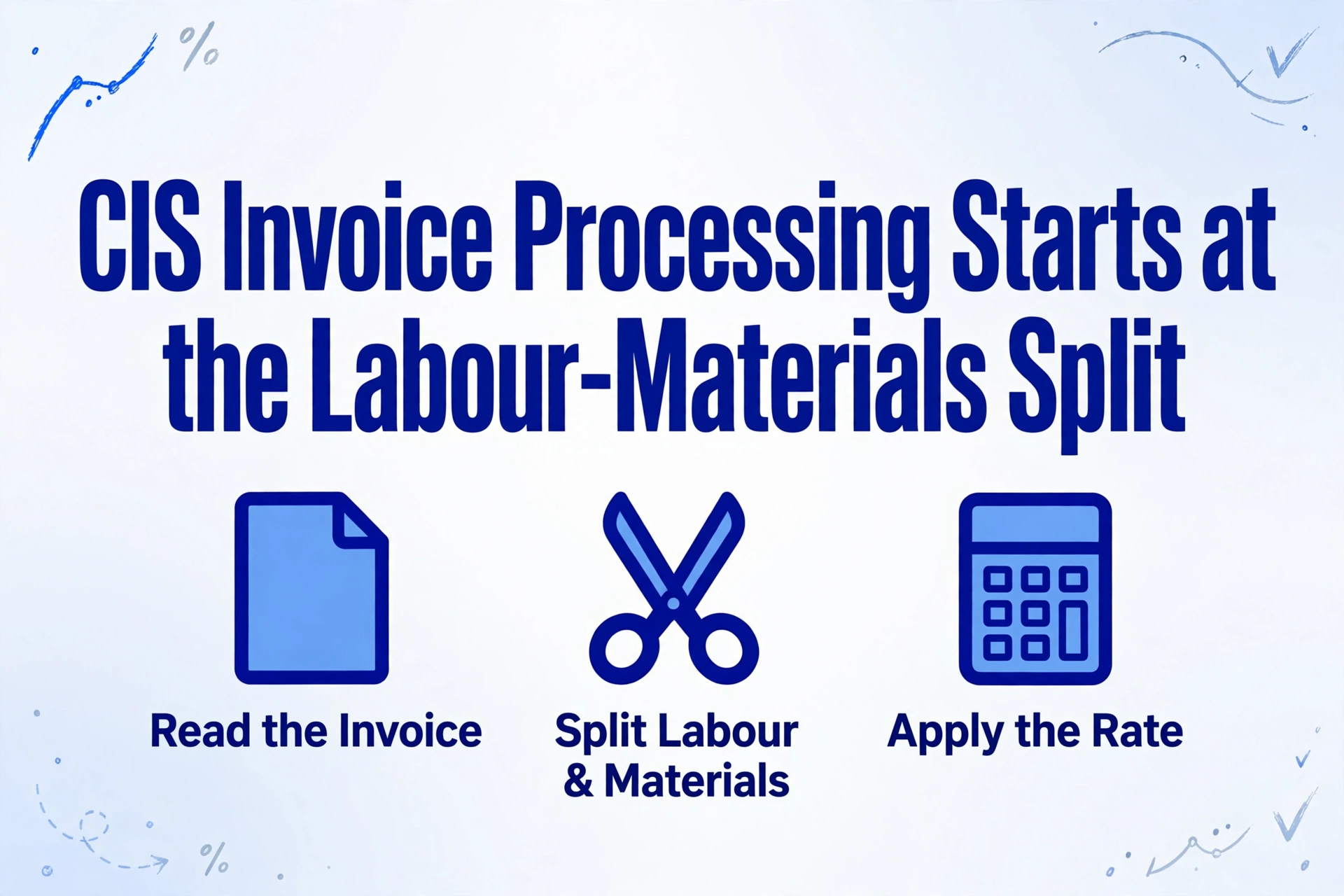
CIS Invoice Processing Starts at the
Labour-Materials Split
The CIS calculation is not the hard part of CIS invoice processing. Once you have the labour figure, the arithmetic is fixed: 20% of it if the subcontractor is registered, 30% if HMRC cannot identify them, 0% if they hold gross payment status. The hard part is getting the labour figure in the first place, because the invoice that lands in your inbox rarely separates it for you. On a UK finance forum, a main contractor's quantity surveyor spelled out what a usable one looks like: "Labour - 5 days @ £300 = £1500, Materials - £200, Gross Total: £1700, Total Subject to CIS Tax: £1500, CIS Tax @ 20%: -£300" (r/UKPersonalFinance). Every number on that page turns on one line: which part is labour.
That split is the contractor's job, not the subcontractor's. Xero, Sage, and QuickBooks will calculate the deduction, generate the payment and deduction statement, and build the monthly return the moment the labour and materials figures are in the system. None of them will read the invoice those figures are printed on. This article maps the contractor's CIS month from the invoice through to the return, shows where the reading step breaks, and explains how extraction fills the same labour and materials columns from any invoice a subcontractor sends.
Key Takeaways
- £260 over-deducted on a single £2,000 invoice is what happens when the 20% rate lands on the whole bill instead of the £700 of labour.
- Xero, Sage, and QuickBooks already calculate the deduction and file the CIS300 return, but a person still reads the split off each invoice by hand.
- ImageToTable.ai fills the labour and materials columns by meaning, so a PDF, a photographed bill, and a scan all land in the same columns with no template to build.
The Contractor's CIS Month, End to End
The contractor's side of CIS is a fixed monthly loop, and every number in it depends on a figure read off the subcontractor's invoice. Under the Construction Industry Scheme, a contractor deducts money from payments to subcontractors for construction work and passes it to HMRC as an advance against the subcontractor's tax and National Insurance. Registration is compulsory for contractors, and before any money moves you verify each new subcontractor with HMRC. HMRC then tells you the rate to apply: 20% for a registered subcontractor, 30% for one it cannot identify, and 0% for a subcontractor with gross payment status (GOV.UK, Make deductions and pay subcontractors).
From there the month runs on a strict clock. The CIS tax month does not follow the calendar: it runs from the 6th of one month to the 5th of the next. Everything the month produces is dated against that window, which is why a payment made on the 4th and one made on the 7th can fall into two different returns.
| Step | What it produces | Who and when |
|---|---|---|
| Verify new subcontractors | The rate HMRC gives each subcontractor: 0%, 20%, or 30% | You or your bookkeeper, before the first payment |
| Read the invoice and split it | Gross (ex-VAT), materials, and the amount liable to deduction | AP or accounts, on every invoice |
| Calculate, deduct, and pay the net | The deduction sent to HMRC and the amount paid to the subcontractor | AP, on payment |
| Issue the payment and deduction statement | A per-subcontractor statement of gross, materials, and deduction | By the 19th of the following month |
| File the CIS300 monthly return | The return of all payments, materials, and deductions for the tax month | By the 19th of the following month |
| Pay the deductions to HMRC | The cash for the month's deductions | By the 22nd if paid electronically |
Two of those steps are pure data preparation, and they sit before the software does anything useful. The statement you issue to a subcontractor is the same document they use to claim their deductions back; we cover that side of the loop in turning CIS deduction statements into a subcontractor ledger, including why a hand-totalled statement costs the subcontractor money and the tax year-end roundup. This article stays on the contractor's half, where the raw material is the incoming invoice.
The rhythm tightened again in 2026. From 6 April, the nil return requirement that was removed in 2015 is back, so a month in which you paid no subcontractors still generates a filing unless you told HMRC in advance that you would not pay anyone (Income Tax (Construction Industry Scheme) (Amendment) Regulations 2026). A missed return now carries a £100 fixed penalty. The monthly loop is no longer something a quiet month lets you skip.
Get the Split Wrong and the Deduction Is Wrong
The CIS deduction applies to labour only, so the labour and materials split is the calculation rather than a formatting choice. The statutory basis is section 61 of the Finance Act 2004, which limits the deduction to so much of a contract payment as is not shown to represent the direct cost of materials. HMRC restates the rule for contractors: deduct only from the part of the payment that does not represent the cost of materials the subcontractor incurred.
The exclusions are specific, and each one has to be identified on the invoice before it can be taken out of the deduction base:
- Materials the subcontractor bought and paid for directly, or used to manufacture or prefabricate
- VAT, where the subcontractor is VAT-registered
- Plant hire the subcontractor rents from a third party, plus fuel for that plant (CIS 340, section 3.14)
- Consumable stores, and fuel used for construction rather than for travelling
Everything left after those are removed is the labour element, and that is what the rate multiplies. HMRC's own worked example is worth holding onto, because it shows how much the split moves the number. On total payments of £2,567 with £367 of materials, the amount liable is £2,200. At 20% the deduction is £440; at 30% it is £660 (HMRC CIS manual, CISR61230).
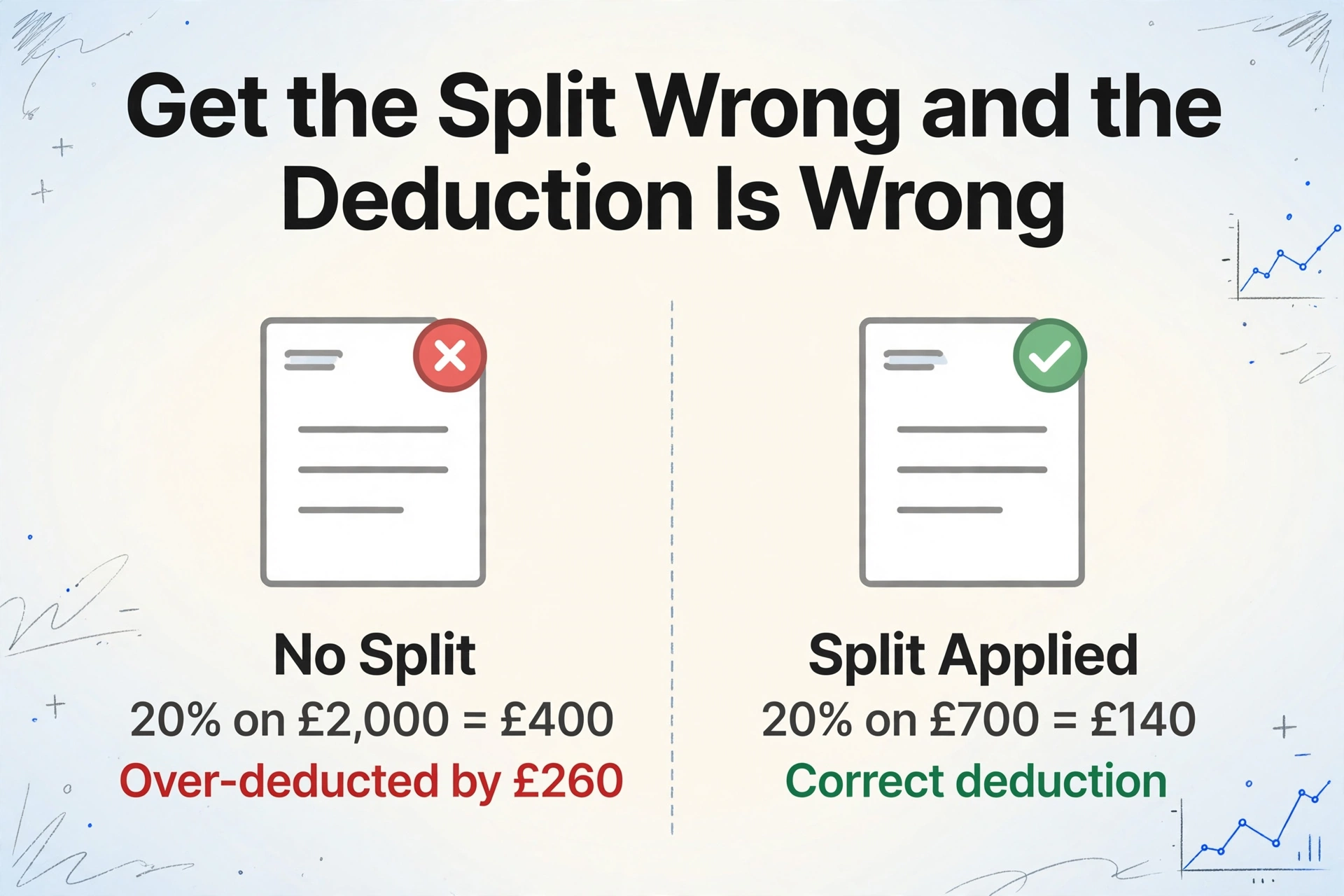
The split moves real money. Take a £2,000 invoice with £700 of labour and £1,300 of materials bought by the subcontractor, and 20% applies to the £700, a £140 deduction. Apply 20% to the whole invoice because no split was shown, and the deduction becomes £400. That is £260 over-deducted in a single month, and the subcontractor is short until it is corrected.
Because CIS deducts at source, both errors are costly. Over-deduct and you take cash out of a subcontractor's payment that HMRC never asked you for. Under-deduct and the problem stays with you: where a required deduction has not been made, the contractor remains responsible for paying it over to HMRC. HMRC also expects contractors to check the materials figure and keep records, and it can recover an under-deduction from you if the materials element turns out to have been overstated (CIS 340). The split is not a bookkeeping detail. It is the number the whole month is built on.
Why the Invoice, Not the Software, Is the Bottleneck
The arithmetic is already solved; the reading is not. Xero's CIS module applies deductions to the lines coded to its CIS labour account, and Sage 50 posts labour to nominal code 6000 and materials to 6001, so the split has to be correct before it reaches either. Sage, Xero, QuickBooks, and FreeAgent all calculate the deduction, generate the statements, and produce the return for filing. What none of them do is open the subcontractor's invoice and read the split off it. A person still does that, one invoice at a time.
On an accounting subreddit, a contractor's AP team described the reality of that step: invoices land in a shared inbox, get renamed with the project manager, job number, and vendor, then go into the accounting system "coded to (hopefully) the correct item code" (r/AskAccounting). The word doing the work there is "hopefully". Even a bookkeeper who knows the CIS rules gets stuck on the same point, as one thread on the AAT discussion forums shows: the split between labour and materials decides the CIS deduction, and it does not change the accounting entries, which is exactly why it is easy to record the total and lose the split (AAT forum).
The reading problem is structural, not a matter of skill. There is no mandatory CIS invoice format. One subcontractor lists labour and materials as separate lines. Another writes "labour and materials" as a single price. A third folds plant hire into materials, or sends a handwritten site invoice, or photographs a paper bill and emails the photo. The reader has to work out, invoice by invoice, which figures are labour, which are materials, and which fall outside the deduction base.
The scale makes that unavoidable. CITB counted 166,905 active construction employers in England in 2025, and more than 90% of them were micro businesses with fewer than ten employees (CITB). The Federation of Master Builders, which represents more than 6,500 member firms, notes that the industry keeps almost no standardised paperwork across those firms (FMB). A contractor working with a dozen subcontractors is reading a dozen house styles every month.
By the time an invoice is in Xero or Sage, the split has already been decided by a person reading a PDF. That reading step is the bottleneck, and it is the one part of the month software does not touch.
Multi-page invoices and repeat subcontractors only add to it. A subcontractor's bill that runs to several pages has to be read as one document, and a subcontractor who changes format between jobs cannot be handled by a template that was drawn around last month's layout. The generic problem of construction AP teams re-keying subcontractor invoices in dozens of formats is the same problem seen from the invoice side; here it is specifically about recovering the labour and materials split for CIS.
Turning Subcontractor Invoices Into the Split
Filling the same labour and materials columns from every invoice is the step ImageToTable.ai is built for. The mechanism is Custom Column Extraction: you type the column names you want, and the AI locates each value anywhere on the page by understanding what the column name means, not by matching a fixed position. That matters here because a template-based tool would need a separate template for every subcontractor's house style, and the whole point is that there is no house style. You name the columns the CIS calculation needs, and the same names are filled from a tidy PDF, a photographed paper bill, and a scanned multi-page invoice alike.
The columns are the ones the calculation already uses: Subcontractor, UTR, Invoice Number, Tax Month, Gross Ex-VAT, Materials, Plant Hire, Labour, and the rate HMRC gave you for that subcontractor. From that row, the deduction follows.
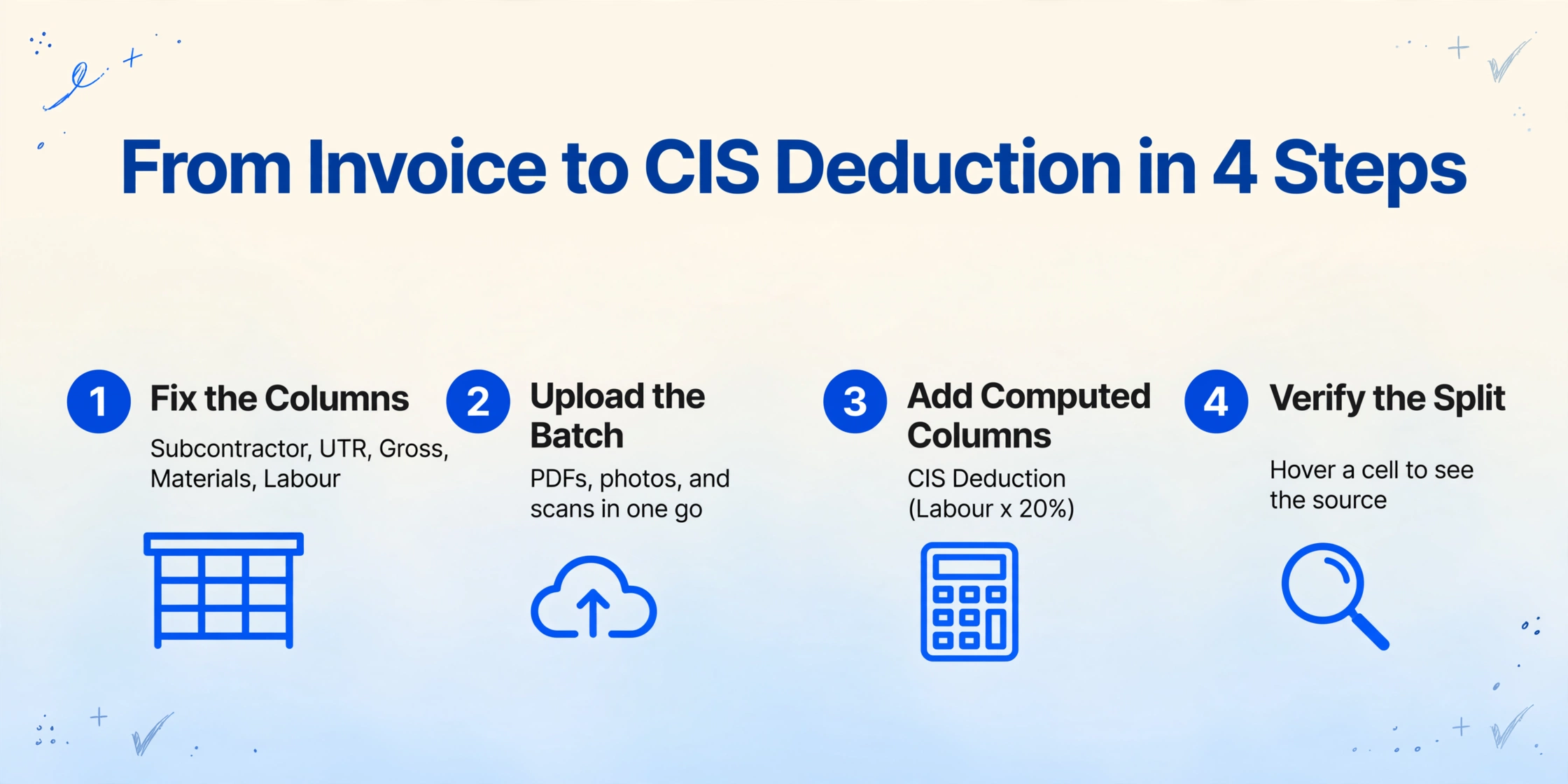
Fix the columns the CIS calculation needs
Decide the field list once: Subcontractor, UTR, Invoice Number, Tax Month, Gross Ex-VAT, Materials, Plant Hire, and Labour. These are the fields that recur on every subcontractor invoice and feed every downstream figure, so they are the ones worth lining up in the same columns.
Upload the month's invoices as one batch
The tool is batch-first: drop the month's subcontractor invoices in together, whatever mix of PDFs, photos, and scans they are, and the results merge into a single Excel or Google Sheets table. A multi-page invoice is read as one document, and a batch can also be pulled straight into a sheet with the batch invoice to Excel workflow.
Add computed columns for the deduction
A computed column does the arithmetic during extraction, so the answer arrives as its own column instead of waiting for a spreadsheet pass. A column such as Amount Liable (Gross - Materials) gives the deduction base, and CIS Deduction (Labour × 20%) gives the figure for a registered subcontractor. Where HMRC has given a 30% rate, use 30% instead. The tool computes the deduction; the rate itself is the one HMRC verified for that subcontractor.
Verify the split against the invoice
Review Mode with Bbox shows exactly where each value came from: hover a cell and the tool highlights the spot on the original invoice, or click a region on the page and it jumps back to the matching cell. When the split decides the money, this is how you confirm the labour figure came from the labour line and not from the invoice total.
The result is the table the rest of the month needs, with the split already in it. Export it to Excel or CSV, or land it directly in Google Sheets with the add-on. If you want the same extraction inside your own system, the v1 API returns the fields as structured JSON with a webhook when a batch finishes. What the table does not do is post into Xero or Sage for you: you or your bookkeeper import the figures, and the software's CIS module takes over the calculation, statements, and return it was built for. If the wider question is whether to keep this work in accounting templates or move it upstream, the comparison in construction invoice AI versus accounting templates covers the trade-offs.
Files are processed securely and not stored.
What the Split Table Does Not Do
A table with the split in it does not verify, decide, file, or pay. It is worth being clear about where extraction stops, because the contractor still owns every judgment call in the loop.
Verifying a subcontractor with HMRC, and knowing whether the rate is 20%, 30%, or 0%, is a separate step. You get that answer from HMRC's online service or your accounting software, and you apply it. The tool does not look it up and does not decide it. If a subcontractor's status changes mid-year, that is your correction to make.
Filing is also outside the tool. The CIS300 return and the payment to HMRC stay in compliant software or HMRC's own service, and the deadlines do not move: statements and the return by the 19th, payment by the 22nd. Extraction gives you the figures a day or a week earlier, so the return is a review instead of a scramble.
The hardest call is the human one. HMRC expects the contractor to check that the materials element is genuine and to keep records, and it can recover an under-deduction from you if that figure was overstated. The tool will faithfully extract whatever materials figure the invoice shows; whether to accept it, query it, or ask the subcontractor for receipts is a decision the accounts team makes. The same goes for the awkward cases, like subcontractor invoices where the split is buried in the line detail or a subcontractor who bundles materials into one price with nothing to separate.
Extraction removes the reading and re-keying that sits between you and the split. Which rate applies, whether the materials figure is fair, and what gets filed remain decisions you make with the invoice in front of you.
FAQ
Doesn't Xero or Sage already handle CIS invoice processing?
Partly. Xero, Sage, QuickBooks, and FreeAgent calculate the deduction, generate payment and deduction statements, and produce the CIS300 return once the labour and materials figures are entered. What they do not do is read the incoming subcontractor invoice and work out the split. That data entry step is still manual, and it is the slow part when a batch of invoices arrives in a dozen formats on the same day.
Can it split labour and materials when a subcontractor invoices a single lump sum?
It extracts what the invoice actually shows. If the invoice separates labour from materials, or itemises materials in a line or a footer, those figures are read into the right columns. If a subcontractor writes one price with no breakdown at all, there is nothing to separate on the page, and the split has to be agreed or requested before it can be recorded. Semantic extraction removes the per-format template work, not the need for the split to exist somewhere on the invoice.
Can it apply the 20% or 30% rate automatically?
It can compute the deduction using a rate you supply, through a computed column such as CIS Deduction (Labour × 20%) or, for an unregistered subcontractor, 30%. The rate itself comes from HMRC verification. The tool does not verify subcontractors, hold their status, or decide which rate applies.
Does this file my monthly CIS return?
No. It produces the structured figures, including the deduction, that feed the return. Filing the CIS300, issuing the statements, and paying HMRC stay with your accounting software or HMRC's CIS online service, along with the 19th and 22nd deadlines.
Will it work across different subcontractors' invoice formats?
Yes, and that is the point. Because it reads by meaning rather than by layout, you define the column names once and the same columns are filled from a plasterer's emailed PDF, a groundworker's scanned bill, and a photographed handwritten invoice. A template-based tool would need a new template for each of them, and would break the next time a subcontractor changed their stationery.
The lesson is that CIS does not break on the rate or the deadline. It breaks one step earlier, where a person reads a subcontractor's invoice and decides what is labour and what is materials. Read that step into the same columns every month, and the deduction, the statement, and the return all follow from a number you can see and check. Upload a subcontractor invoice and see the labour and materials split land in a table.