Reconcile Brokerage Capital Gains for Tax Prep Without Retyping
A brokerage statement with heavy buy and sell activity looks like a summary problem, but it is really a classification problem. The statement shows one realized gains line, yet the tax return needs the underlying trades split into short-term and long-term, covered and noncovered, and checked against basis numbers the IRS already received. A tax preparer described the wall this creates when evaluating AI tax prep software: "I have a lot of clients with a lot of buy and sell activity on their brokerage statements. How does Grove Tax handle that?" (r/taxpros). The answer most tax software gives is that someone enters the short and long term summaries and attaches the statement. The summaries have to be built first, and building them from scores of trade rows is the work this article is about.
Key Takeaways
- A brokerage statement with heavy trading looks like a summary problem, but it is really a classification problem.
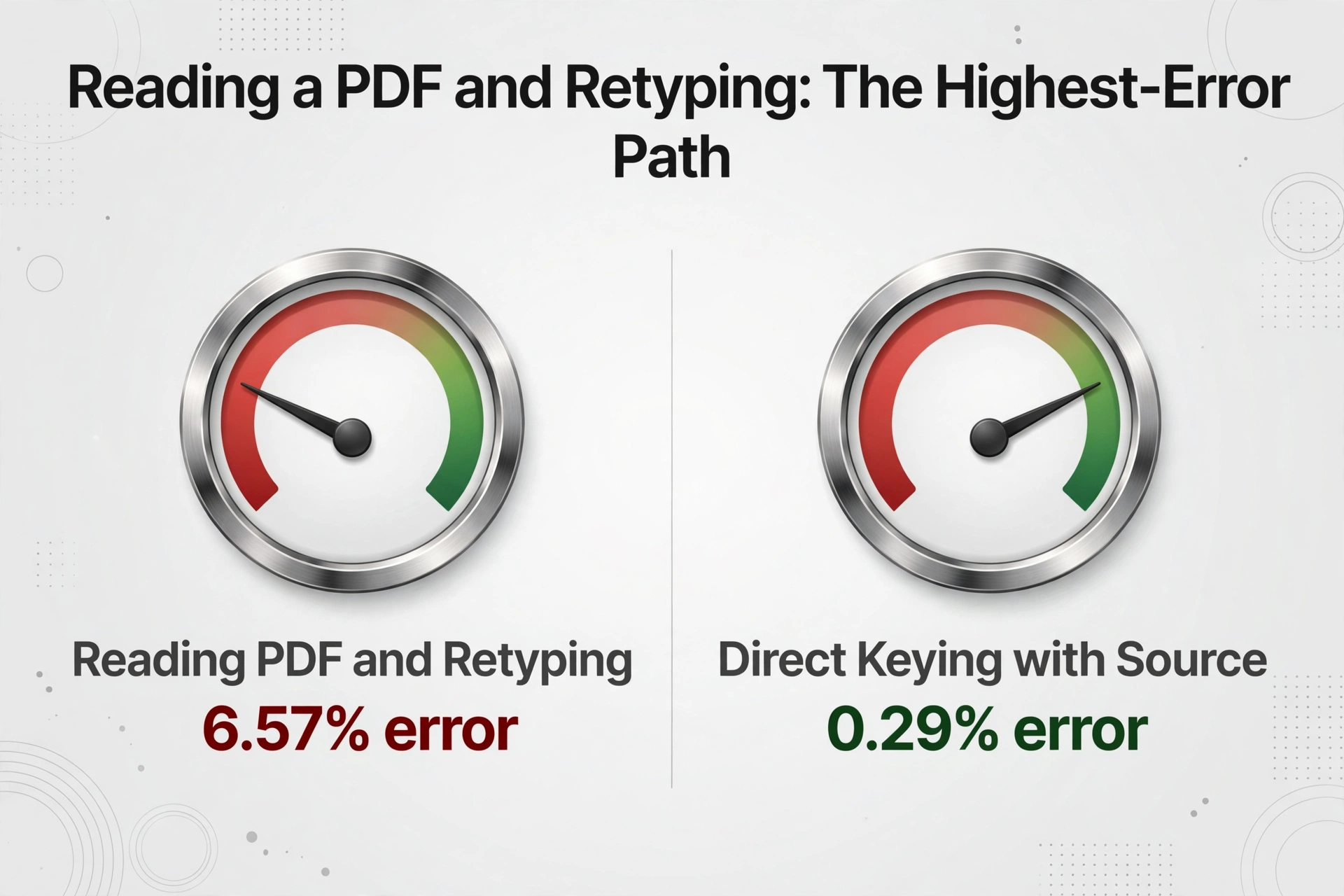
- Reading the PDF and retyping its numbers is the highest-error path measured, at 6.57%, and those errors land in rows that must be split short-term, long-term, covered, and noncovered first.
- Once extracted, roughly three-quarters of the rows are mechanical, so the review belongs on the blank-basis, noncovered, and wash-sale rows that need an actual decision.
The scale of this work is not exotic. IRS statistics show that more than 27 million individual returns included Schedule D in tax year 2023 (IRS SOI), and every one of those returns with a 1099-B had its gain or loss built from transaction detail before it could be summarized. The preparer's job is to turn the broker's PDF into numbers that agree with what the broker told the IRS. This article walks the actual workflow: where the gains data lives, which rows can be summarized and which cannot, and how the row-by-row part gets automated without giving up review.
The Summary Line Hides the Tax Work
Brokerage statements report realized gains two ways, and the gap between them is the whole problem. The year-end summary page shows one net figure for short-term and one for long-term, which is what a reader skims. The tax details sit in the 1099-B transaction section, one row per sale lot, with the acquisition date, sale date, proceeds, cost or other basis, and a checkbox that tells you whether the broker reported that basis to the IRS. One active client can generate more transactions than a reader expects. The IRS instructions for Form 1099-B are explicit about what a broker must report for a covered security: the date acquired, the short or long-term status, the cost or other basis, and any loss disallowed from a wash sale (Instructions for Form 1099-B). That is exactly the data a tax return needs, and none of it appears on the summary page.
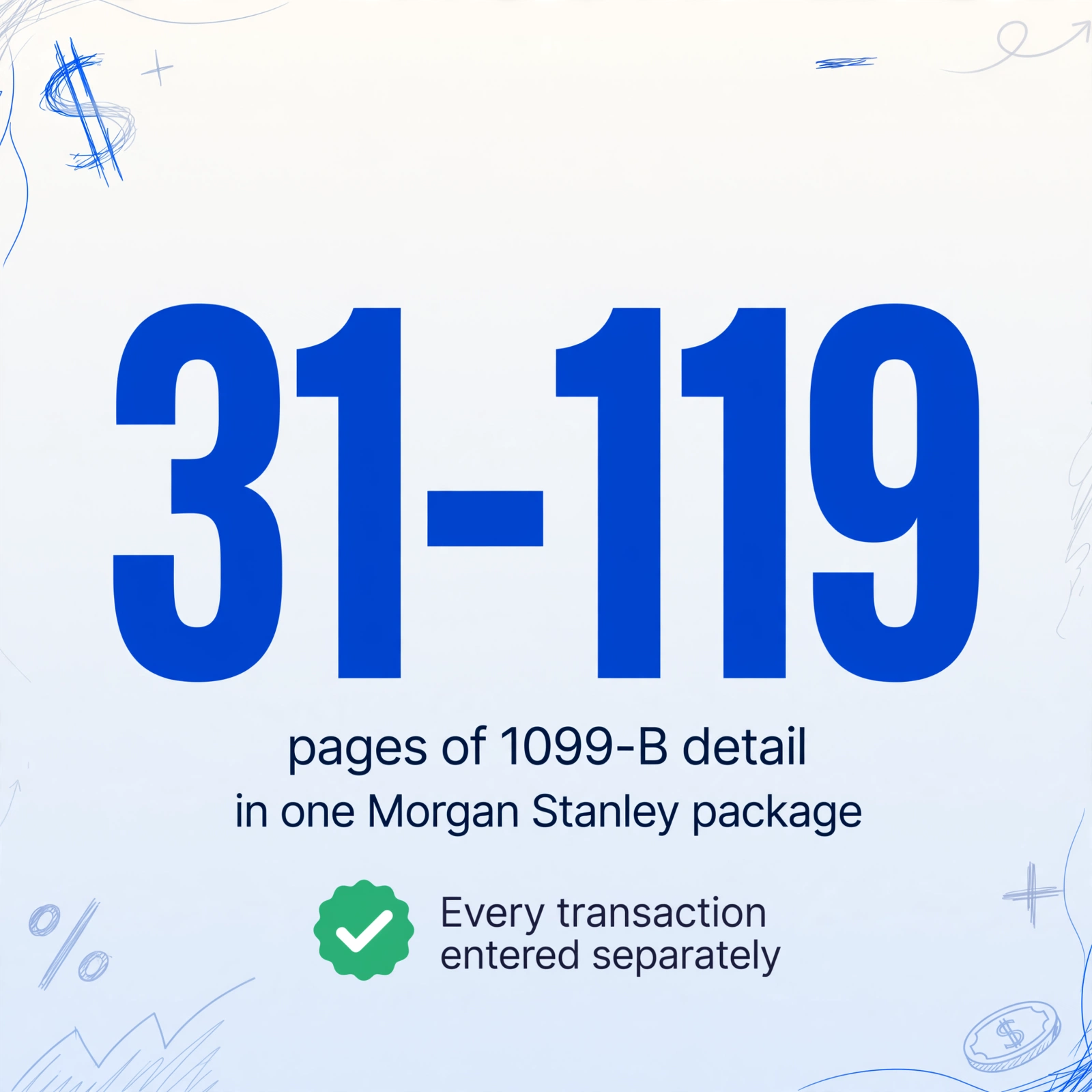
A taxpayer who hit this wall with a Morgan Stanley package described the practical shape: the 1099-B transaction detail alone took up pages 31 to 119 of the consolidated PDF, and the filing software required every transaction entered separately (r/TaxQuestions). For a preparer with several clients like that, the statement becomes a file that cannot be entered by hand in reasonable time and cannot be skipped, because the IRS already has a copy of the same numbers. The reconciliation question is not whether the gains exist, it is whether what gets filed matches what the broker reported.
Form 8949 exists precisely to reconcile. Its instructions define two shortcuts that make the volume manageable in specific cases: when a sale is covered, basis was reported to the IRS, and no adjustment is needed, the totals can go directly on Schedule D; when detail must be shown, totals can be reported on Form 8949 with the code M attached statement method (Instructions for Form 8949). The catch is that both shortcuts only work after someone has correctly split every trade into its right bucket. That is the step that does not scale by hand.
The realized gains summary is the answer to a question nobody asked. The preparer needs the underlying trades classified, reconciled, and ready to feed a tax software import, and that work happens below the summary line.
Who Does This Work, and What the Process Actually Looks Like
The workflow has a fixed cast even in small firms: a preparer or data entry staff member opens each client's consolidated brokerage statement, pulls the 1099-B section, and builds a working file; a reviewer checks that the numbers tie to the statement; and the signed preparer carries the responsibility for the Schedule D result. The file that moves between them is usually a spreadsheet, because every major tax package imports transaction data from one.
| Step | Who does it | What comes out |
|---|---|---|
| Collect the package | Administrative staff or the client | Consolidated statement PDF, often 20 to 120 pages |
| Extract the 1099-B rows | Preparer or data entry staff | One row per sale with date acquired, date sold, proceeds, basis, holding period |
| Classify and split | Preparer | Short-term vs long-term groups, covered vs noncovered buckets |
| Sum and tie out | Preparer | Totals per bucket that match the statement's 1099-B totals |
| Import and review | Reviewer, then signing preparer | Form 8949 screens or Schedule D lines in tax software, reviewed row by row |
The intended end state is a spreadsheet that the tax software swallows directly. Drake imports Form 8949 data from Excel, CSV, or tab-delimited files through its Form 8949 Import utility (Drake Tax knowledge base). UltraTax CS accepts statement-based import for capital gains, and ProConnect and TaxSlayer support spreadsheet or CSV import for 8949 lines. TaxAct caps manual entry at 2,000 stock transactions and six brokerage providers, with summary totals as the documented workaround above that (TaxAct support). Every one of those paths assumes the rows already exist in a clean spreadsheet with the right columns. That spreadsheet is the deliverable, and it is built by hand more often than the tools around it would suggest.
Where Hand Entry Falls Apart
The failure is not that preparers cannot type. It is that the volume, the ordering, and the missing-basis rows all land at the same desk in the same month. A taxpayer using FreeTaxUSA reported that imports "came in the rows out of order" and that for hundreds of rows, review meant "at least 2 and sometimes 3 screens per row" (r/tax). Multiply that screen count by the row count and the reviewer is reading the same annual statement three times, once per screen per row.
The row count itself is the first wall. A client who trades actively can produce transactions in the hundreds, and the workflow breaks the moment the count exceeds what a team can key in a single sitting. A 2023 systematic review of manual data abstraction in clinical research measured the task most similar to this one, reading a value from a source document and entering it into a structured record, and found a pooled error rate of 6.57 percent, against 0.29 percent for direct keying with the source in front of the operator (Garza et al., 2023). Reading a PDF and retyping its numbers is the highest-error path measured in that review, and for a hundred-row statement it concentrates precisely where the tax outcome is most sensitive.
The sorting problem turns good rows into bad ones. Before a sale can be classified, someone has to know which trades are short-term, held one year or less, and which are long-term, held more than a year. Statements often interleave them, and the checkbox on each row only tells you whether basis was reported to the IRS, not which bucket the return needs it in. Mixing one long-term gain into the short-term total changes the tax rate applied to it, and the error is invisible inside a combined total. This is the loop that makes a double-entry of the whole statement necessary to catch it, which is time the manual entry cost analysis breaks down by the hour.
The third wall is missing basis, and it is the one that forces human judgment no matter how fast the extraction is. When a 1099-B row shows a blank or zero basis, the preparer has to decide where the basis should come from, which happens most often for shares that arrived from equity compensation, gifted assets, or accounts transferred from another broker. A preparer on r/tax summarized the split cleanly: if every sale is covered and basis is reported, "it's literally entering 2 numbers from the 1099, whether it's 1 trade or 10,000 trades," but "if you've got a bunch of wash sales especially if they're scattered across multiple accounts, that adds time" (r/tax). The wash sale and missing basis rows are exactly the ones that do not enter cleanly.
Which Rows Can Be Summarized and Which Cannot
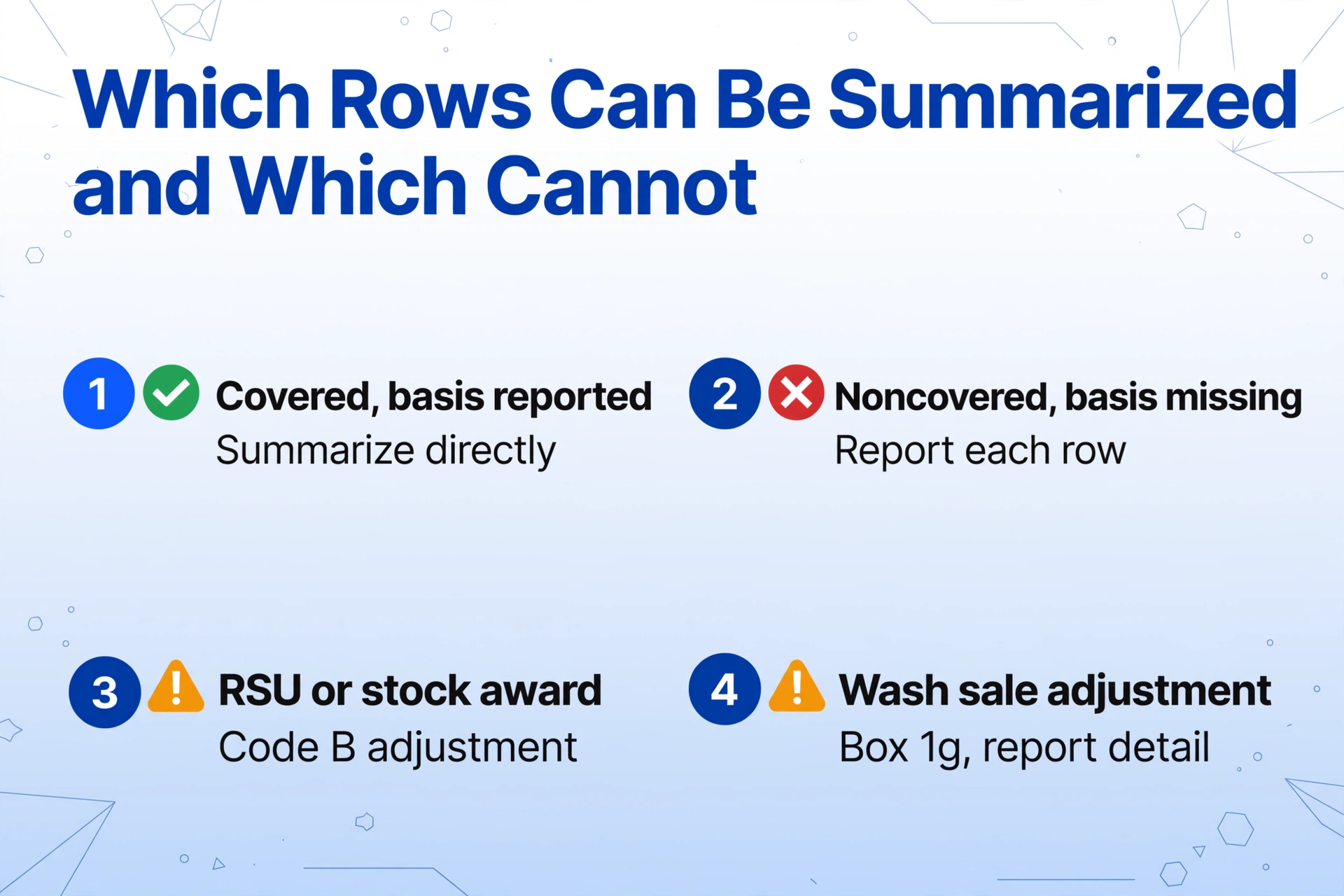
The rule that sorts the work is the covered and noncovered distinction, and it comes from the same 2010 legislation that brought basis reporting into force. A covered security is one the broker must report the cost basis for to the IRS; a noncovered security is one the broker reports numbers for, but basis reporting was not required. The effective dates matter because they determine which rows carry reliable basis figures. Stock bought in an account after 2010 is covered, mutual funds bought after 2011, and most bonds and options bought after 2013 (Instructions for Form 1099-B). When Form 1099-B shows basis was reported to the IRS, the row belongs in the bucket the Form 8949 instructions call code A for short-term and code D for long-term, which is the bucket that can be summarized directly onto Schedule D when no adjustment is needed.
Rows outside that bucket cannot be quietly summarized. A stock award that does not fit the plain rules is a specific, current example. Equity compensation shares, restricted stock units and stock awards that vest and are then sold, arrive on the 1099-B with basis that the broker often shows as zero or blank, because the IRS rules bar the broker from reporting the full basis for this type of compensation. One commenter on the seed thread put it in present tense: "People still get RSUs or other stock awards today that aren't covered" (r/taxpros). The correct basis for those rows is the fair market value at vesting, which was already reported as wages on the W-2. Fixing it means entering the broker's numbers as reported and making a Form 8949 column (g) adjustment with code B, so the wage income is not taxed a second time.
| Row type | What the broker reports | How it enters the return | Automation fit |
|---|---|---|---|
| Covered, basis reported, no adjustment | Date, proceeds, basis, holding period, wash-sale amount all reported to the IRS | Aggregate totals to Schedule D line 1a / 8a, or Form 8949 code A/D | Extract and sum mechanically |
| Covered, basis reported, adjustment needed | Same fields, but broker basis is not the tax basis (gift, inheritance, RSU) | Form 8949 with code B adjustment in column (g) | Extract, but the adjustment needs preparer judgment |
| Noncovered | Proceeds reported; basis not reported to the IRS, may be blank | Form 8949 code B/E with basis from client records | Extract, flag every row for basis review |
| Wash sale rows | Loss disallowed shown in box 1g | Carry the disallowed amount through; cross-account wash sales need human analysis | Extract box 1g; flag for review |
The practical consequence is that roughly three-quarters of the rows, the covered ones with correct basis, are mechanical. They still have to be extracted accurately and summed correctly, but once the data is in a spreadsheet they can ride the code-A or code-D aggregate path. The remaining rows carry the judgment load and can be found faster if the extractor flags them instead of the preparer hunting for them. The first half of the relief is extracting every row; the second half is seeing the unusual ones immediately. For the full rule background on the forms these rows feed, the W-2 and 1099 extraction guide maps the forms to their boxes.
The Setup: Build the 8949 Workpaper Without a Typing Stage
The row extraction can be handed to a tool that reads the statement as a page, not as a grid. ImageToTable.ai uses Custom Column Extraction: you type the column names you want, and the AI locates each value anywhere on the document by understanding what the field means, which is the same workflow for a Schwab page, a Fidelity page, or the 70th page of a Morgan Stanley package. Name the columns after the 8949 fields, Description, Date acquired, Date sold, Proceeds, Cost or other basis, Short or long term, and the output table carries exactly the columns the tax software import expects. The column names you enter become the final headers, so there is no re-mapping step between the sheet and the import template.
Computed columns close the loop that used to live in a spreadsheet formula. ImageToTable.ai supports computed columns that calculate during extraction: a column written as Gain (Proceeds minus Cost basis) outputs the realized gain for every row. Date acquired and Date sold carry through as extracted columns, so each lot's holding period can be classified from the statement's own short- or long-term designation or by the tax software on import. The AI reads the document and performs the calculation in the same pass, which makes the output a finished gain-and-loss schedule rather than a raw dump that still needs work in Excel. These run as spreadsheet columns before export, so a reviewer sees the same shape the tax software will receive.
Batch processing handles the volume. A client folder with several statements, quarterly pages, and a year-end consolidated 1099 can be uploaded together, and the files merge into one table with one row per sale across all of them. Review mode keeps the verification step intact: hovering any extracted cell highlights the exact region of the original statement the value came from, so a disputed basis or a misread date is checked against the page instead of against memory. For the heavy review seasons and the row counts described above, that turns the 2-to-3 screens per row loop into a spot check on the rows that actually differ. The same workflow applies to the investment statement to spreadsheet conversion that powers portfolio tracking, and the tax prep pipeline pattern for collecting, extracting, and feeding document data.
Here is the four-step pass for the next active-trader client package.
Name the columns the import needs
Type the column names you want, exactly as the tax software expects them: Description, Date acquired, Date sold, Proceeds, Cost or other basis, Short or long term, plus a Gain (Proceeds minus Cost basis) computed column. Saved as a template, the same definitions run against every client statement without re-entry.
Upload the statement package as a batch
One consolidated 1099, the quarterly pages that padded it, and any second brokerage the client uses go in together. Each page yields its rows, and the merge produces one clean trade table with the same headers across every file.
Verify the flags, not every row
Check that extracted totals tie to the statement's own 1099-B totals, then review the rows where basis is blank, the noncovered rows, and the wash-sale amounts, since those carry the judgment load. Review mode shows the source location for each flagged value against the original page.
Export and import into the tax package
Export as XLSX or CSV and run the same Form 8949 Import the preparer already uses in Drake, or the equivalent in UltraTax, ProConnect, or TaxSlayer. The import mapping is the one already in place; only the cells were filled by extraction instead of by hand.
The efficiency baseline behind this pass is the product's measured spec: 5 to 10 seconds per page against roughly 3 minutes of manual entry, with accuracy up to 99 percent on printed table data. The honest framing is that extraction changes which rows require a human, it does not eliminate the human. A statement with a dozen clean covered rows is still faster to handle in the old way, and the workflow is worth building where the client volume makes it pay.
Files are processed securely and not stored.
What Still Needs a Human
Three parts of this workflow should stay manual on purpose, and naming them is the difference between a defensible process and an overpromise.
Wash sales across accounts are not recoverable from one statement. The 30-day window around a sale, and the disallowed loss that results, is only visible if the broker has all the trades in view. When a client sells and repurchases the same security at the same time in two accounts, the box 1g figure on a single statement cannot capture it. The preparer still resolves those from the client's full position history.
Missing basis is a research task, not an extraction task. A blank basis on a noncovered or RSU row points to records the statement does not contain: the vest price from a W-2, a transfer statement from a prior broker, a gift letter. Extraction finds the row and shows that basis is missing, which is the useful part. Choosing the number still takes the preparer to the supporting document.
A scan a person cannot read is not recoverable. Folded, low-contrast, or over-shrunk statement pages produce reads nobody can trust, and the professional move is requesting a clean PDF from the broker rather than cleaning up garbled output. Account transfers and corrected statements are also worth treating as new source documents, since a corrected 1099-B supersedes the statement that was processed first.
The summary side of a partnership return runs on the same discipline through a different form. Where a client has capital gains inside a partnership, the Schedule K-1 to spreadsheet conversion carries those allocations, and the same extract, reconcile, and flag loop applies to the packet.
FAQ
Can I just enter the short and long term summaries from the statement?
Only when every sale is covered, basis was reported to the IRS, and no adjustment is needed, which is the Form 8949 Exception 1 path straight onto Schedule D. If any row is noncovered, has missing or incorrect basis, or includes a wash-sale adjustment, the exception does not apply and the detail has to be reported. The summary line alone is not enough to make that call, which is why the rows have to be inspected before the summaries can be trusted.
Why does my client's 1099-B show a zero or blank cost basis on RSU rows?
Because the IRS rules bar brokers from reporting the full basis for shares that came from equity compensation. The vest value was already reported as wages on the W-2, and the usable basis is that vest-date value, not zero. The row is entered with the broker's numbers as reported and corrected with a code B adjustment in Form 8949 column (g) so the client is not taxed twice on the same money.
The broker only gives a PDF. Can this workflow run without any CSV?
Yes. Custom column extraction reads the statement PDF directly, including the pages of transaction detail inside a consolidated 1099 package. The PDF is the input, and the output spreadsheet is the Excel or CSV the tax software import expects, so a broker who refuses to export a CSV stops being a blocker.
Does the tool flag wash sales for me?
It extracts the wash-sale loss disallowed amount that the broker reported in box 1g on statement rows, and puts it in its own column so those rows stand out. What no tool can do is find a wash sale the broker never saw, such as a repurchase in a different account within 30 days. That cross-account analysis stays with the preparer.
Do I need a separate setup for every broker?
No. Because extraction locates values by meaning rather than by position, the same column definitions run against Schwab, Fidelity, Vanguard, Morgan Stanley, or any other statement layout. The one-time setup is the column template, and it is reused for every client and every broker.
Where does the 1099-B data go after extraction?
Into the spreadsheet the tax software already imports from a Form 8949 Import or equivalent. Covered rows with reported basis ride the aggregate path to Schedule D, and the flagged rows, noncovered, missing basis, adjustments, land in the Form 8949 detail that the prepared return attaches. The import step is unchanged from what the firm does today.
The statement's summary line tells you the client traded. The work is below it, in rows that have to be classified, summed, and reconciled to what the IRS already received.
The next active-trader package on your desk has its gains buried in a statement that also tells you the broker already reported the numbers. Extract the rows, let the covered ones ride the aggregate path, and put your review time on the rows that actually need judgment, and the reconciliation stops being the reason a return runs late.