Building Code Submission Requirements,
Buried in 1,000 Pages
An estimator on r/estimators described the job in one sentence: "I'm currently stuck doing Ctrl+F to find every baseline material requirement (15mm copper piping, isolation valves, specific meter boxes, etc.)." The thread title was "Ctrl+F on 150-page spec books is killing me." Replace the 150-page spec book with a 1,000-page building code and the method stops working, but not because typing gets slower.
Searching a document for a word finds every place that word appears. It cannot find a requirement written in a different word. That gap has a name in information retrieval: recall, the share of all relevant items a search actually finds, as opposed to precision, the share of what it returned that is relevant. Ctrl+F scores high on precision and low on recall, and on a 1,000-page normative document the missing share is what stalls a review cycle weeks later.
Key Takeaways
- 48 percent of US rework traces to poor project data, and Ctrl+F cannot find a requirement written in another word.
- The requirement set is a union across Division 01 rules, every section's Submittals article, drawing notes, and referenced standards.
- Define the five columns first, then check each extracted row against its source page in ImageToTable.ai Review Mode.
The Miss That Shows Up Three Weeks Later
A missed submission requirement is rarely caught when it is missed. It surfaces later, when a long-lead item reaches the point of fabrication and nobody approved the shop drawing, or when a reviewer asks for a certification that was never submitted. On a commercial project, submittals are the gate that opens procurement and installation for each trade. A single omitted item can hold a trade until its package clears review.
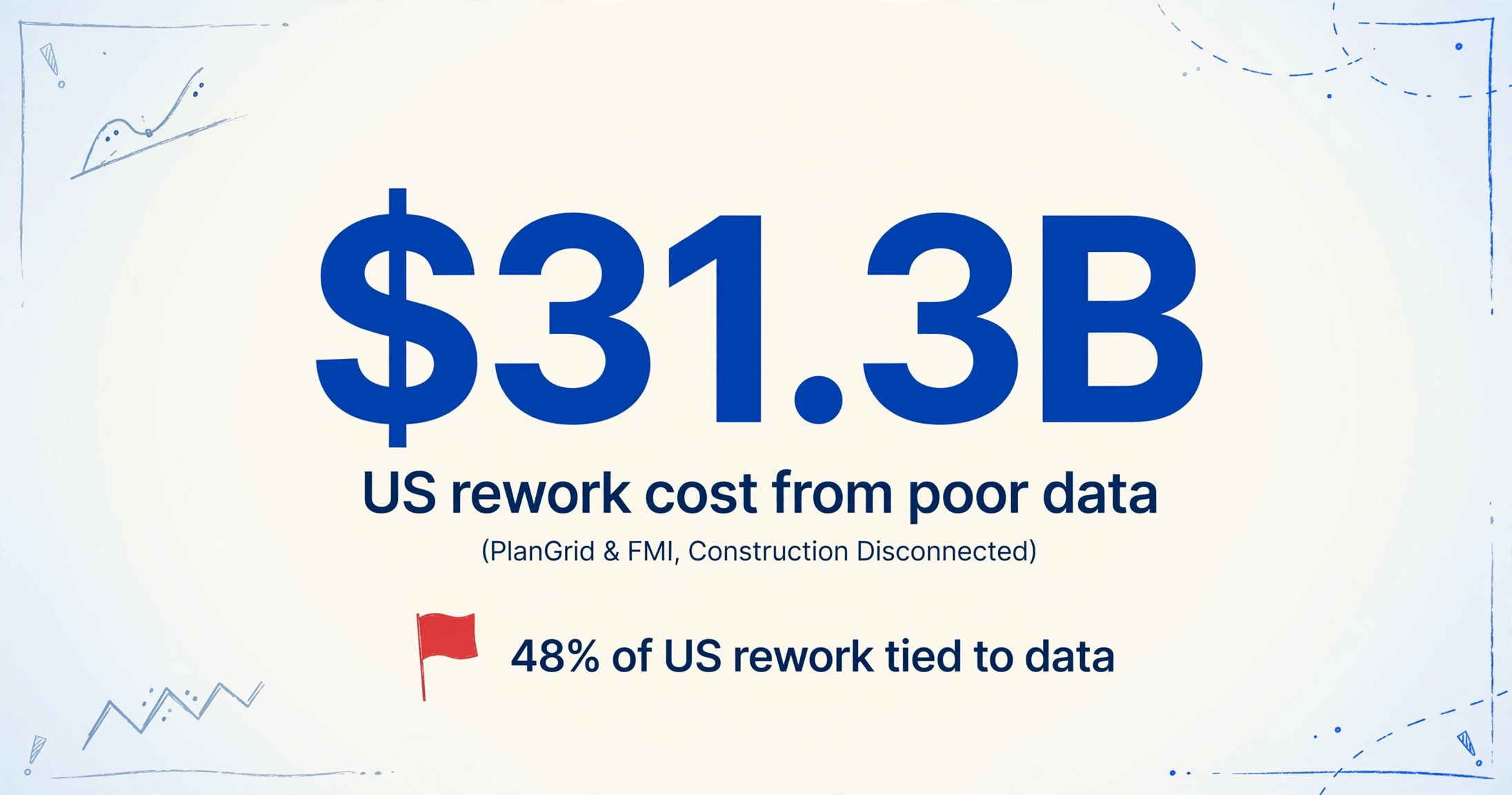
The cost of that pattern is measured, not anecdotal. A joint PlanGrid and FMI survey of nearly 600 construction professionals, Construction Disconnected, attributed 48 percent of United States rework, and 52 percent globally, to poor project data and miscommunication, a figure it put at $31.3 billion in the US for a single year. Missing or inaccessible project information sits on the data side of that split. A requirement list assembled by hand and hoped to be complete is exactly the kind of document the survey is describing.
Where Submission Requirements Actually Live
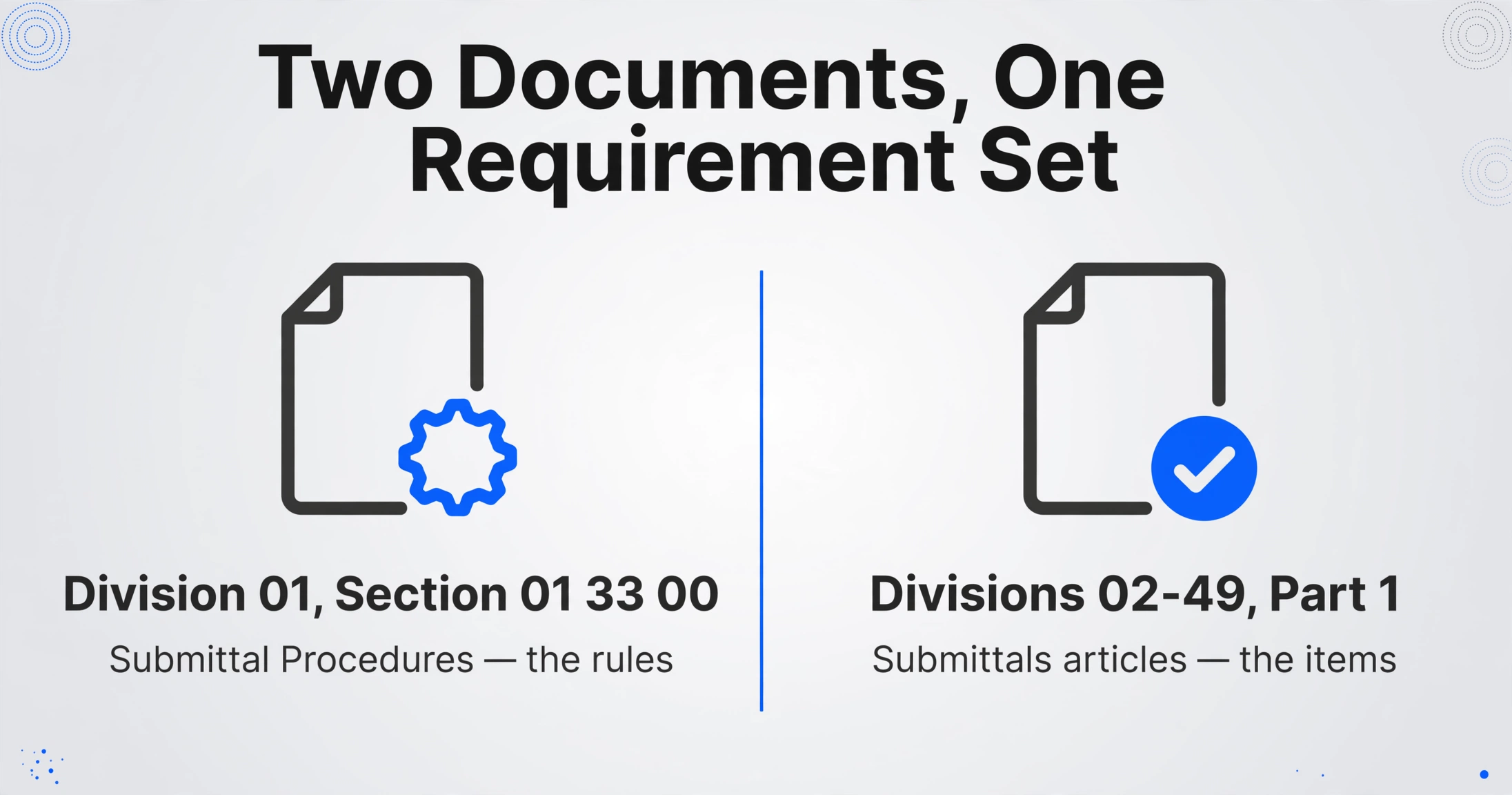
In a standard project manual the rules for submittals sit in one section, but the list of what must be submitted does not. The two are different documents doing different jobs, and assembling the full set of building code submission requirements means reading across both.
The rules live in CSI MasterFormat Division 01, Section 01 33 00, "Submittal Procedures," which carries the administrative and procedural requirements for shop drawings, product data, samples, certificates, and transcripts of submittals (CSI MasterFormat). The schedule lives in Section 01 32 19, "Submittals Schedule," which fixes the date each package is due. Neither section lists every item. The actual items sit in Part 1, General of each technical specification section across Divisions 02 through 49, where a "Submittals" article tells you which shop drawings, product data, and samples that trade owes. A concrete section points back to 01 33 00 for the process and then names its own products. That pattern repeats in every section, and the drawings add requirements the specs never restate.
The toolchain reflects that split. Adobe Acrobat opens and searches a single file, Bluebeam Revu marks documents up for collaborative review with its Studio Sessions, and Procore Submittals tracks packages and status across the project. The register itself still lives in a spreadsheet, and every one of those tools feeds it.
A building code is a different species of long document. The 2024 International Building Code runs 35 chapters and more than 750 pages (ANSI), and it does not carry all its own requirements. Chapter 35, Referenced Standards, hands large parts of the obligation to outside documents such as ASCE 7, ACI 318, and NFPA 13 (ICC), and adoption is local, so the version in force is amended state by state and city by city. What a practitioner calls "the code" is a union across a document set, not a single file. When that set arrives bound as one enormous PDF, splitting it along its own section boundaries is a separate job, covered in how to handle a PDF with thousands of pages.
The requirement set is never stored in one place. It is the union of Division 01 rules, a Submittals article in every technical section, drawing notes, and referenced standards, which is why finding all of it behaves like a search problem over a corpus rather than a lookup in a file.
Why Ctrl+F Fails: This Is a Recall Problem
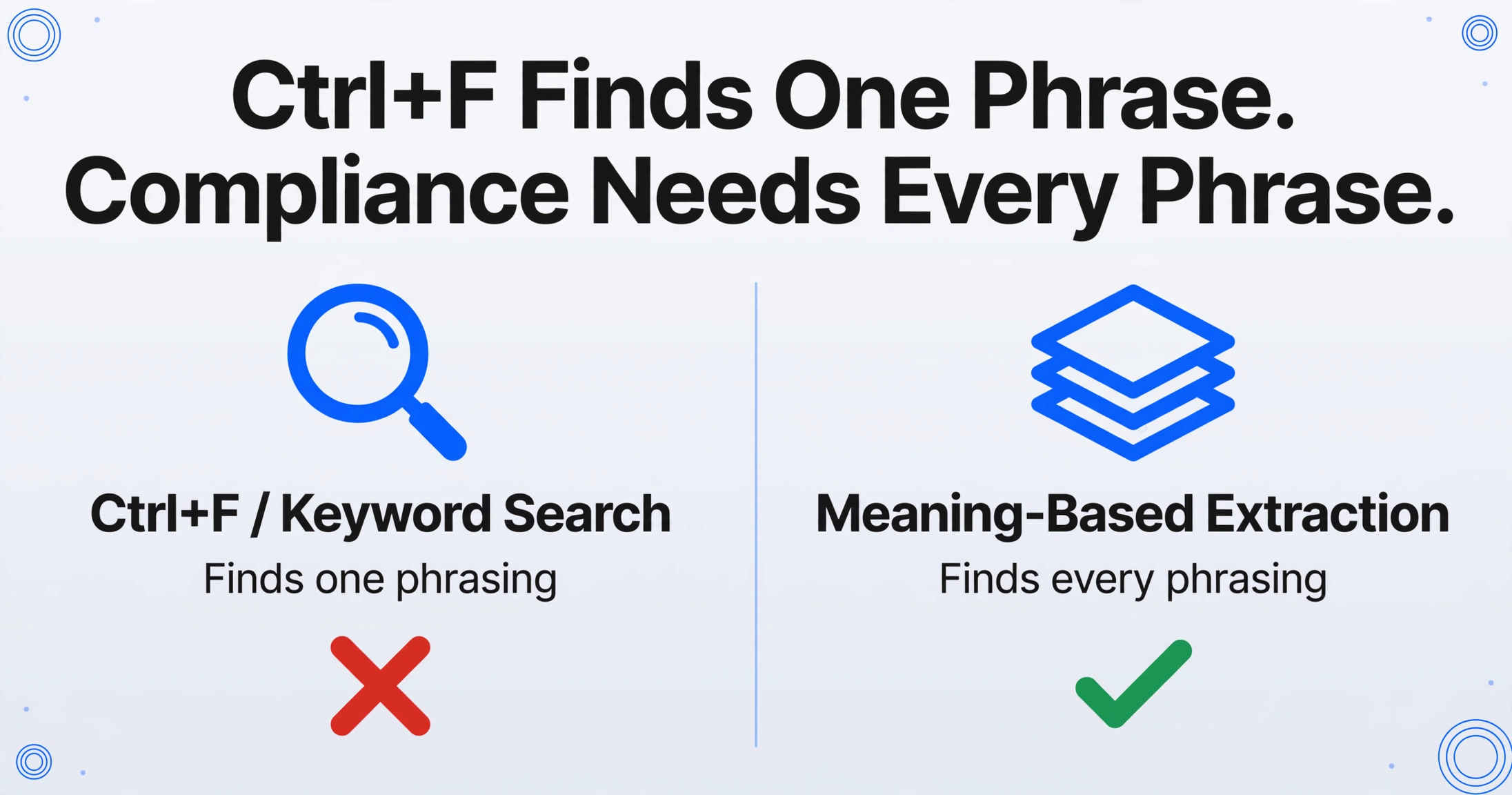
The failure is mechanical, not personal. Ctrl+F returns every occurrence of the exact string you typed, so precision is high and recall is limited to the one phrasing you guessed. A submission requirement rarely appears under one name. The same obligation can be written as "submittal," "shop drawing," "product data," "sample," "certificate," "test report," or a bare "submit ... for review." Pull submittal requirements with one keyword and you find one subset.
Information retrieval has framed this tension for decades. Robert Fairthorne described two system types: "Only-But-Not-All," which favors precision, and "All-But-Not-Only," which favors recall. A web search wants the first, because nobody reads past the first page. Compliance work wants the second, because a false positive costs a glance and a false negative costs a schedule. The tools people reach for on a spec book, from Ctrl+F to a PDF reader's find bar, are precision instruments aimed at a recall job.
Reading the whole document by hand is the high-recall alternative, and it degrades with volume. A thread on r/ConstructionManagers opens with "why are submittals such a nightmare," and the first reply is "Always painful, every job has different specs." That variation is the recall problem in plain language. When a team tries to automate it, the trust gap shows up too. On a separate thread asking for software that reads a spec and returns an Excel list of required submittals, one manager reported that Procore's automatic register "usually results in a lot of errors" and advised another to "spend the day doing it manually. Then you'll know it's right" (r/ConstructionManagers). The objection is not that automation is slow. It is that an unchecked list cannot be trusted.
Step One: Define the Column Set Before You Extract
The reliable way to extract requirements from code is to decide what a requirement looks like first, then pull only those fields. This is the reverse of the usual document-processing order. Instead of asking a tool to summarize 1,000 pages, you name the five columns you want and let the tool locate each one by meaning.
In ImageToTable.ai this is Custom Column Extraction. You type column names, and the AI finds the matching values anywhere in the document by understanding what each field means rather than where it sits, with no per-document template and no training set. For a submittal requirements list, a working column set is:
- Spec Section, the section number and title that imposes the requirement, for example 05 12 00 Structural Steel.
- Requirement, the item to be submitted, in the document's own words.
- Submission Type, drawn from a controlled list such as Shop Drawing, Product Data, Sample, Certificate, Test Report, or Mockup.
- Deadline, the date or lead time the section or the Submittals Schedule attaches to it.
- Responsibility, the trade or party that owes it.
Two of those columns are worth building deliberately. Submission Type is an inferred column, where the AI classifies the requirement from context and maps it to the options you list, even when the document never prints the label "Shop Drawing." Responsibility works the same way. For logged-in users, a Rule Format keeps the column names clean and moves normalization into a JSON rule, which matters when you want every date in one format or every section number zero-padded. The point of the exercise is that a requirement list is a small, named schema, not a summary of the document.
Step Two: Extract, Then Check the Row Against the Page
Extraction produces the list. Page-level verification is what makes it defensible, because the one thing a reviewer needs is a fast path from a row back to the sentence that required it.
On the extraction side, long documents go in as batches rather than one file. The web app and the API cap a single upload at 10 MB and 50 pages, so a 1,000-page code is processed in chunks and merged into one spreadsheet, with the same named columns pulled from each chunk. The mechanics match any batch run over a folder, and the goal is the same as turning a PDF into Excel, scaled from one file to a code book. Why a text layer changes the job is covered in what multi-page extraction can and cannot do.
On the verification side, Review Mode pairs each extracted cell with its source location through Bbox, the bounding box the AI draws around the region a value came from. Hover any cell in the spreadsheet and the matching region highlights on the original page. Click a region on the page and the view jumps back to the corresponding cell. You can trigger it for a single file, which costs one credit, or turn on auto-annotate so the boxes are already generated the moment processing finishes. The practical effect is that confirming a row against a 1,000-page source takes seconds instead of a manual hunt, and the same mechanism is what makes a verification checklist worth running at all.
Files are processed securely and not stored.
The Review Plan: Sample Broadly, Re-Read What Matters
A review plan should spend its effort in proportion to what a miss would cost, not spread it evenly across 300 rows. Most rows in a submittal list are low-stakes product data. A few gate the whole job.
Three moves cover most of the risk:
Spot-check a random sample against the source
Pick a spread of rows across different divisions and open each one through Bbox. A wrong value in a low-risk row is cheap to fix now and expensive to find at closeout. If two rows from the same section disagree with the source, the section needs a closer read, not just those two rows.
Re-read the high-consequence sections directly
Long-lead items, code-required special inspections, and sections that gate several trades deserve a line-by-line pass against the extracted rows. These are the sections where a single omission holds a schedule, so read the source, not just the list. The rule is to match review effort to consequence.
Reconcile against the Submittals Schedule
If Section 01 32 19 or a project submittal schedule exists, compare its entries against your extracted rows in both directions. A schedule item with no row is a recall miss on your side. A row with no schedule entry may be a requirement the schedule itself omitted.
A manager in the r/ConstructionManagers thread above offered the same instinct in one line: "Always trace the submittal back to the exact spec section or drawing note that requires it." A review plan is that instruction turned into a repeatable sequence, so the tracing happens on the sections that can hurt you instead of on whichever rows catch the eye.
What No Tool Can Promise Here
No model guarantees completeness on a 1,000-page normative document, and any product that claims otherwise is describing a demo, not a code book. Recall is bounded by the column set and the words in it. If a requirement is phrased in a way your columns never describe, a model can still miss it, which is exactly why the review plan exists and why the plan, not the extraction, is what carries the assurance.
The tool also does not interpret the code. It extracts the requirement text you ask for; it does not decide whether a requirement applies to your scope, whether a referenced standard changes the obligation, or whether the submittal you eventually produce is compliant. Those are professional judgments. On a document whose requirements partly live in Chapter 35 references and local amendments, the extraction can only cover the file you give it, and assembling the full document set is a step no extractor performs for you.
Read together, the two limits define the honest method: a defined column set to raise recall, and a review plan sized to the risk of a miss. Everything else is a claim nobody can back.
FAQ
Can AI find every submittal requirement in a 1,000-page building code?
Not with a guarantee. A vision-based extractor can pull a defined set of columns from the whole document with far higher recall than a keyword search, and page-level verification lets you check the result. Completeness still depends on your column set and a review pass over the sections where a miss is expensive.
Should I upload the whole code in one file?
No. A single upload is capped at 10 MB and 50 pages, and processing accuracy holds up better when a long document is chunked and merged. Split the code along its own section boundaries, process the chunks as one batch, and pull the same columns from each. The mechanics of a multi-file run are the same as batch processing several files at once.
How do I catch requirements written with different words?
Describe the field rather than a literal string. An inferred column with an options list, such as Submission Type set to Shop Drawing, Product Data, Sample, Certificate, Test Report, or Mockup, lets the model classify the requirement from context instead of matching one keyword. That is the difference between searching and extracting.
Does this replace a submittal log?
No. Extraction produces the first-pass list that seeds the log. Tracking status, reviewers, and approval dates still belongs in a submittal management tool or a spreadsheet. What changes is that the log starts from a checkable list instead of a manual pull nobody can fully verify.
Can it tell me whether a requirement applies to my scope?
No. The tool extracts requirement text and the fields you name. Deciding applicability, reading across referenced standards, and confirming compliance remain human calls, and the review plan is where those calls get made.
The instinct to Ctrl+F a long document is sound. It is just aimed at the wrong metric. Search rewards precision, compliance rewards recall, and the gap between them is where a missed submittal waits. Define the columns, extract only those, and spend your review on the sections a miss would actually cost you. A requirement list you can trace back to the page is worth more than a complete-looking one you cannot.