What Is Construction Invoice Extraction?
Subcontractor Bills to Excel
Construction invoice extraction is the automated process of reading key fields — subcontractor name, work description, retainage percentage, AIA line items, and lien waiver references — from construction-specific invoices and payment applications and outputting them as structured data in a spreadsheet or accounting system. Instead of a project accountant opening each PDF and typing values into Sage or Excel one cell at a time, extraction software handles the reading and the data entry in seconds — while preserving the construction-specific math that makes subcontractor billing different from a generic supplier invoice.
Key Takeaways
- Fifteen to twenty hours vanish from every monthly construction draw cycle — and the bottleneck isn't typing speed, it's the mental overhead of reorienting to each subcontractor's unique invoice layout before the first keypress.
- Template-based extraction tools need training samples per format, but in construction every subcontractor is an independent business — you get one sample per sub, and it changes next month when they switch from QuickBooks to Sage.
- Semantic extraction reads by field meaning rather than page position — define your columns once and the same rule set pulls retainage, cost codes, and SOV line items from AIA G702s, QuickBooks PDFs, and handwritten carbon forms in a single batch.
What Construction Invoice Extraction Actually Is
In construction, subcontractor invoicing creates challenges generic invoice processing was never designed for. A standard supplier invoice contains a few predictable fields — vendor name, date, line items, total. A construction invoice carries additional layers: progress billing math, retainage, lien waivers, schedules of values, and certified payroll attachments. These layers change the extraction problem fundamentally.
Construction invoice extraction is the process of capturing the following types of data from construction-specific billing documents:
- Progress billing data — not a flat total but a cumulative calculation with previous payments subtracted, retainage withheld, and a current amount due. The AIA G702 form requires fields like Contract Sum, Change Orders, Total Completed & Stored, Retainage (split between work and materials), and Balance to Finish.
- Schedule of values (SOV) line items — the G703 Continuation Sheet backing up the G702 with per-scope-item breakdowns: scheduled value, % complete, and balance. Each line maps to a CSI MasterFormat cost code for the job cost ledger.
- Retainage (retention) — 5–10% of each progress payment withheld as security. CFMA data shows that 10% retainage can exceed the typical 5–6% net profit margin for subcontractors, making retainage tracking a working capital issue rather than an accounting convenience.
- Lien waiver references — four types (conditional/unconditional × progress/final) that must match the billing period and amount. A misaligned waiver can delay payment by weeks.
- Change order references — approved scope changes that adjust the contract sum, tracked as separate line items on the pay application.
- Certified payroll attachments — on Davis-Bacon prevailing-wage projects, weekly WH-347 reports with worker classifications, hours, and wage rates accompany the invoice.
The key difference from generic extraction is not the document format — it's the billing logic that lives between the fields. Retainage isn't a number you find and copy. It's a computation derived from a percentage, sometimes embedded in a notes field rather than a designated line. A subcontractor's invoice may state "Less 10% Ret. — $4,200" in a free-text block. Extraction software that understands construction billing semantics knows to treat that as retainage, not a miscellaneous deduction.
Construction Invoice Extraction vs Standard Invoice Extraction
Here is what each type of extraction needs to handle:
| Field type | Standard invoice extraction | Construction invoice extraction |
|---|---|---|
| Header fields | Vendor name, invoice #, date, PO # | Same, plus contract #, application #, project name, trade |
| Line items | Description, qty, unit price, total | Same, plus CSI cost code, % complete, previous billed amount, stored materials value |
| Tax / deductions | Single tax line | Retainage (work + materials split), lien waiver holdback, conditional deductions per state law |
| Running totals | One invoice total | Contract sum to date, total completed, total stored, previous payments, current due, balance to finish |
| Supporting docs | None typically | Lien waivers, certified payroll (WH-347), daily reports, photos of stored materials |
| Format diversity | Moderate — most suppliers use standard invoicing software | Extreme — each subcontractor is an independent business with its own accounting system (QuickBooks, Sage, handwritten carbon forms, AIA templates) |
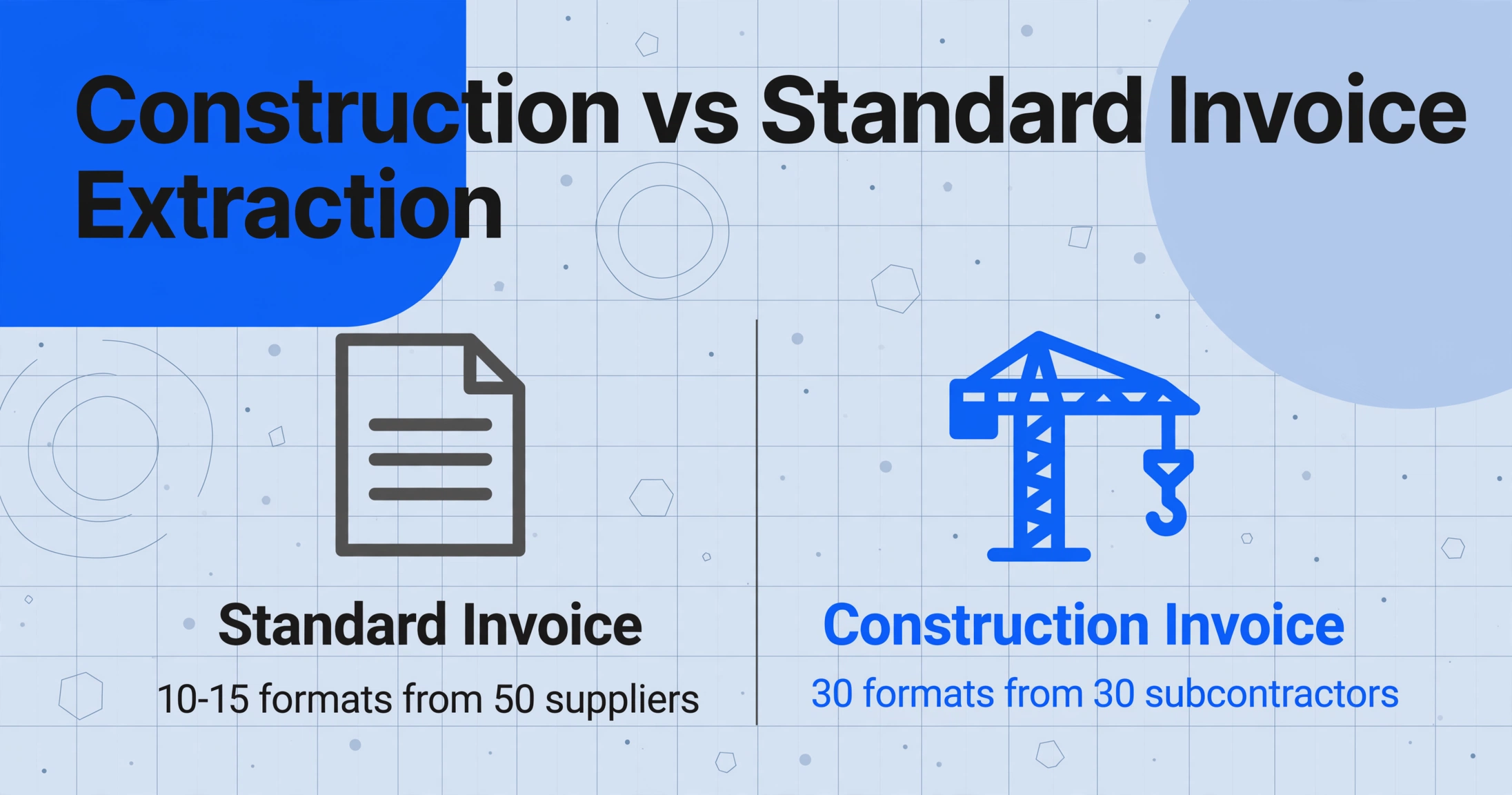
The format diversity problem drives everything else. In standard extraction, 50 suppliers produce 10–15 formats. In construction, 30 subcontractors produce 30 formats — every sub is a separate business with its own software. A Reddit user in r/excel described tracking subcontractor invoices across 50+ projects as "extremely tedious and time-consuming" — not from typing volume, but because every batch requires mentally reorienting to each sub's unique layout.
For more on the general concept, see what invoice data extraction is and how it works. The principles apply to construction too — but here, semantic extraction isn't a convenience. It's the only approach that survives 30 different subcontractor formats changing unpredictably.
How Construction Invoice Extraction Works
Construction invoice extraction follows the same principle as any modern AI extraction: you define what you want, and the AI finds it by meaning rather than position. But several construction-specific mechanics make the difference between usable output and garbage.
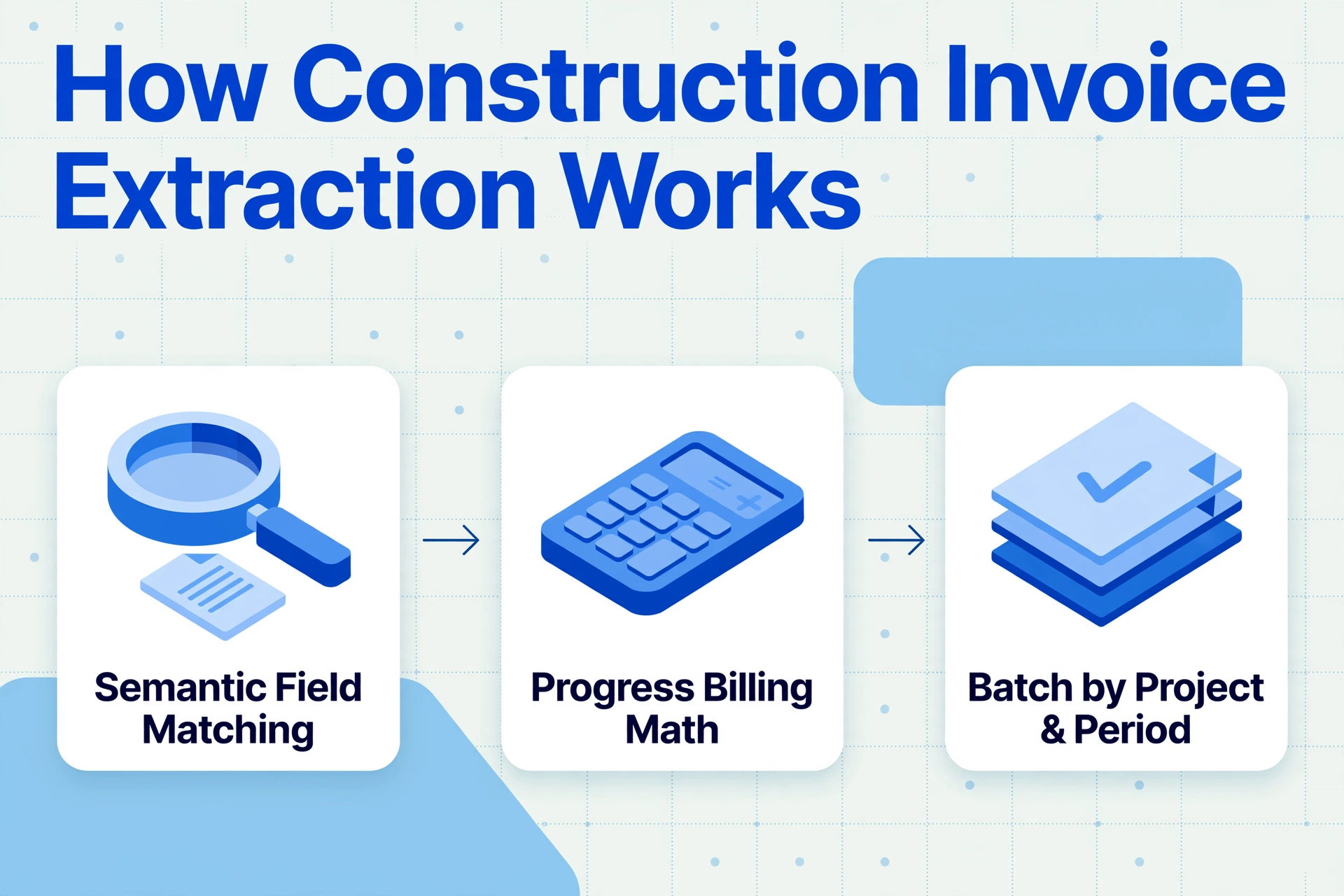
1. Semantic field matching instead of zone-based OCR. Template-based OCR reads fields from fixed pixel coordinates — "the retainage line is 4.2 inches from the top, 1.5 inches from the left." This breaks the moment a subcontractor switches from QuickBooks to Sage or sends a handwritten bill with no coordinate system at all. Semantic extraction reverses this: you define the columns you need (Subcontractor Name, Retainage %, Net Due), and the AI finds each value by what it means, not where it sits on the page.
2. Progress billing math awareness. A simple tool that pulls "Total" from an invoice is useless for a G702 pay application. The critical number isn't a single total — it's the relationship between Contract Sum, Total Completed, Retainage, Previous Payments, and Current Amount Due. The extraction system must understand that Current Payment Due equals (Total Completed & Stored − Retainage − Previous Certificates), and that a G702–G703 mismatch is a red flag, not a normal variation.
3. Batch processing by project and period. Construction invoices flood in around the monthly draw deadline (typically the 25th). A GC with 15 subcontractors across four projects receives 60 invoices in a 48-hour window. Batch extraction processes all of them through the same column definitions in one pass, producing a unified spreadsheet with project, subcontractor, and cost codes populated — ready to feed into Sage or Procore without a second manual pass.
To see this workflow in action on a sample document, try the demo below:
Files are processed securely and not stored.
When You Need Construction Invoice Extraction
The monthly draw cycle is the obvious trigger, but construction invoice extraction addresses several distinct scenarios:
Monthly subcontractor draw processing. The 25th arrives and 20 to 40 invoices land in your inbox — AIA G702s, QuickBooks PDFs, handwritten bills. All need to feed the same job cost system before the owner draw deadline. Extraction compresses the data-entry portion from days to hours.
Multi-project coordination. Subcontractors working across multiple projects means costs must be allocated correctly per job. Including a "Project" column in your extraction schema ensures every line item lands on the correct cost sheet, eliminating the most common cross-project accounting error.
Retainage tracking. A project with 10% retainage builds a $50,000 retained balance over 18 months. Most standard AP systems don't track running retainage balances per sub per project. Extraction output can serve as the retainage ledger, with columns for cumulative retained, released, and outstanding balance.
Lien waiver and compliance verification. 11 states now have statutory lien waiver forms, according to the ASA's 50-state prompt payment law survey — using the wrong form voids the waiver. Extraction can flag mismatches between waiver amount and payment amount, and track which waivers (conditional/unconditional, progress/final) have been collected per sub per period.
Certified payroll processing. On Davis-Bacon prevailing-wage projects, weekly WH-347 reports listing workers, classifications, hours, and wage rates must accompany invoices. Extraction that handles attachments can pull certified payroll data in the same batch as the billing data.
For a broader overview — from subcontractor invoices to daily reports and COIs — see our guide to document extraction for construction project managers.
What to Look For in a Construction Invoice Extraction Tool
Here are the capabilities that distinguish a tool that works on construction invoices from one that only works on standard supplier invoices:
Retainage Amount = Total × 0.10 and the AI derives the value even when the subcontractor doesn't list it explicitly. On an AIA G702, the tool should distinguish retainage on work completed (§5a) from retainage on stored materials (§5b).These capabilities overlap with what a good construction COI extraction tool needs — but invoice extraction adds the billing math and SOV line-item complexity that COIs don't have.
Frequently Asked Questions
Is construction invoice extraction the same as AIA billing software?
No. AIA billing software (GCPay, Textura, Procore Pay) helps you generate pay applications. Construction invoice extraction solves the inbound problem: reading data from the invoices subcontractors send you. The two work together — extraction gets data off the PDF; AIA software manages approval and payment.
Can construction invoice extraction handle handwritten subcontractor invoices?
Modern vision AI extracts handwritten content at 85–92% accuracy on clear copies — sufficient for numbers and short descriptions. Accuracy drops on carbon-copy forms and faint thermal paper. Most teams budget 10–15 minutes of review per batch to catch handwriting errors, versus hours of manual typing from scratch.
Does extraction work with non-AIA invoices from subcontractors?
Yes — and this is where semantic extraction proves its value. Small subs (painters, drywall, concrete finishers) rarely use AIA forms. A semantic extraction tool handles both AIA and non-AIA invoices through the same column definitions because it reads by field meaning, not by form structure.
How does extraction handle retainage calculated differently across subcontractors?
Retainage structures vary — flat 5%, 10%, or reduced retainage after milestones. The extraction system should capture a "Retainage %" field from each invoice. For varying logic, use computed columns: define Retainage Amount = Total Completed × Retainage % as a column, and the AI extracts or derives the values per subcontractor in one pass.
Can extraction tools output data formatted for Sage 300 CRE or Procore?
The output is a structured spreadsheet (Excel/CSV). Most construction ERPs have import templates that accept CSV with mapped columns. The extraction tool's role is clean, consistent data — the ERP integration step happens in your accounting system's import tool. The Google Sheets add-on can serve as a bridge: extraction writes to a sheet, and the sheet's ERP connector handles the sync.
What's the typical time savings on a monthly draw cycle?
Manual invoice processing in construction costs $12 to $30 per invoice including data entry, routing, and corrections. Automated extraction reduces this to $2 to $4 per invoice. For a GC processing 60 invoices monthly, that's roughly 15–20 hours of data entry reclaimed per month — half a project accountant's weekly typing workload redirected to review and analysis.