The Construction PM's Guide to
Document Data Extraction
A general contractor managing five active commercial projects handles six fundamentally different document types every week. Subcontractor invoices arrive as QuickBooks PDFs or handwritten carbon copies. AIA G702/G703 pay applications land with 50 line items per continuation sheet. Daily reports come back from the field with crew hours, equipment logs, and weather notes — some typed into Procore, others scrawled on paper. Change orders carry cost and time impacts that must feed into three different spreadsheets. Certificates of insurance expire and get renewed on cycles nobody tracks in one place. And on federally funded jobs, certified payroll reports accumulate weekly from every tier of subcontractor. None of these documents share a format, but they all share a destination: some combination of Procore, Sage, and an Excel workbook that the project engineer updates every Friday afternoon. This guide covers how to pull structured data from all six document types through one extraction pipeline — so the data lands where it needs to go without anyone retyping it.
Key Takeaways
- $1,400 to $4,200 per month buys a mid-size GC six separate document tools — and every one of them still leaves the PM manually bridging data between systems that don't talk to each other.
- The real cost isn't any single tool subscription — it's 8 to 12 hours a week a project engineer spends typing data that already exists, from documents into Procore, Sage, and Excel.
- One extraction pipeline reads all six document types by understanding field meaning, not page position — eliminating every transcription step, with built-in computed columns that verify retainage and wage calculations before human review begins.
The Document Data Problem Nobody Talks About
Construction project management software is a $10.6 billion market, projected to reach $17.8 billion by 2031. Procore, Viewpoint, Sage 300 CRE, CMiC, and dozens of other platforms handle scheduling, RFIs, submittals, and budget tracking. But none of them solve one fundamental problem: the data still gets into those platforms one keystroke at a time.
A project engineer on a mid-size commercial job spends roughly eight to twelve hours per week on document data entry. Subcontractor invoices get typed into the AP module. AIA pay application line items get transcribed into a billing tracker. Daily report summaries get manually entered into the project log. Change order cost codes get punched into the budget spreadsheet. COI expiry dates get updated in a compliance tracker. And certified payroll — on Davis-Bacon projects — multiplies the weekly overhead because every sub's WH-347 feeds into a separate compliance review.
The CFMA's 2025 Construction Financial Benchmarker puts this in financial perspective. Best-in-Class contractors achieve a net profit margin of 11.9% — nearly double the industry average of 6.3%. The difference between Best-in-Class and average doesn't come from cheaper materials or lower labor rates. It comes from what the CFMA calls "effective direct cost control." And administrative labor is a direct cost that scales with every subcontractor, every billing cycle, and every government-funded project you take on. Revenue per full-time employee hit $502,985 among industrial and nonresidential contractors in the latest survey. When a project engineer earning $75,000 to $95,000 spends a quarter of their week on data entry, that's $18,750 to $23,750 in annual salary going to transcription — per PM, per year.
What makes construction different from other industries is not the volume. A manufacturing company might process more invoices. The difference is document diversity. A construction PM doesn't get six copies of the same form. They get six different document types, each with its own layout, its own critical fields, and its own compliance requirements — and all six need to feed into the same job cost ledger.
The Six Document Types on Every Construction PM's Desk
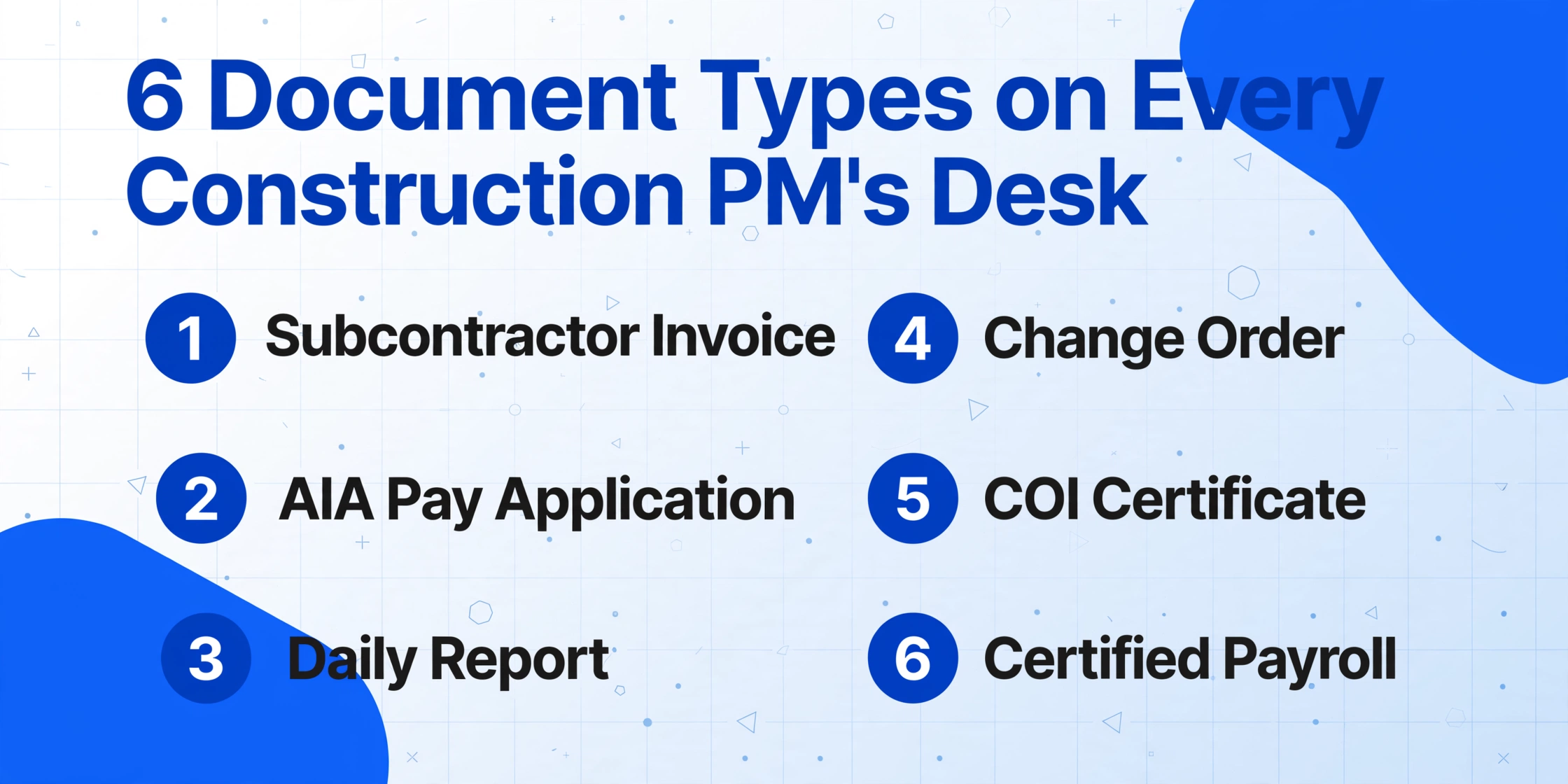
Most articles about construction document automation focus on one document type — usually subcontractor invoices or certified payroll. But a working PM doesn't process documents in isolation. The six types below arrive in the same inbox, in the same week, and each one demands a different manual routine. Here's what each document contains, which fields matter, and where the manual entry breaks down.
1. Subcontractor Invoice
Subcontractor invoices are the highest-volume document on any construction PM's desk. A GC with 15 active subcontracts across five projects receives between 30 and 80 invoices per month. The formats vary dramatically: a $4.2M concrete sub sends machine-printed PDFs from QuickBooks with clean line items and cost codes. A $180,000 drywall sub submits a handwritten invoice with job names scribbled in the margin. Both need to flow into the same AP system.
Key fields: Subcontractor name, invoice number, invoice date, project/job name, cost code, description of work, amount, retainage held (typically 5-10%), current payment due, period covered. On larger jobs, invoices include line-item breakdowns with quantities and unit prices that need to be coded to specific cost accounts.
Where manual entry breaks down: A single subcontractor invoice with 12 line items across 3 cost codes requires 36 to 48 individual data points to be typed. At 60 invoices per month, that's over 2,500 keystrokes — not counting the time spent flipping between the PDF and the AP entry screen. Manual AP processing in construction costs $12 to $30 per invoice, compared to $2 to $4 with automated extraction. The delta on 500 monthly invoices exceeds $100,000 per year. Beyond the direct cost, the delay is the real damage: manual AP cycles routinely stretch to eight days from invoice receipt to approval. Automated workflows compress that to under 48 hours. Faster approval means capturing early-payment discounts, avoiding late fees, and — critically — keeping subcontractors paid on time.
2. AIA G702/G703 Payment Application
The AIA G702 (Application and Certificate for Payment) and G703 (Continuation Sheet) are the standardized payment application format used across U.S. commercial construction. The G702 summarizes contract financials: original contract sum, change orders, total completed and stored, retainage, previous payments, and current payment due. The G703 backs it up with a line-by-line schedule of values tracking cumulative progress across billing periods.
Key fields: G702 — Contract Sum to Date, Total Completed & Stored, Retainage (Line 5a), Stored Materials (Line 5b), Current Payment Due, Balance to Finish. G703 — Item Number, Description, Scheduled Value, Work Completed from Previous Applications, Work Completed This Period, Materials Presently Stored, Total Completed and Stored to Date, Percentage Complete, Balance to Finish, Retainage.
Where manual entry breaks down: For a single G703 with 50 line items, manual processing means keying more than 10 data fields per row — approximately 500 individual numeric values. A GC processing 15 pay applications per billing cycle types roughly 7,500 values, and at a conservative 1% field error rate, 75 of them are wrong before the first review begins. Worse, the G703 and G702 are not independent documents — every column total on the G703 must equal a specific line on the G702. A G703 line 14 total that doesn't match the G702 line 5a retainage amount triggers a 30-day payment resubmission cycle. Manual reviewers catch maybe two-thirds of these mismatches. The rest reach the architect's desk, get rejected, and delay payment.
The extraction challenge on the receiving end has fewer purpose-built solutions than the generation side. Most construction AP departments still process AIA pay applications by hand, opening the G702 cover sheet, typing summary values into a spreadsheet or accounting system, then moving to the G703 continuation sheet and beginning the line-item transcription row by row. A custom column extraction approach — where you define the fields you need by naming them — handles both the G702 summary values and G703 line items in one pass. Template-based tools can handle the standard AIA layout but break when a subcontractor uses a modified version or hand-annotates additional line items.
3. Daily Report
Daily reports are the construction industry's journal. Each day, the superintendent or project engineer records crew headcounts, hours worked per crew, equipment on site and hours operated, weather conditions, visitors, material deliveries, and a narrative of work performed. On a 12-month project, that's roughly 250 daily reports per project. Most general contractors have daily report templates in Procore or similar platforms, but the field data often arrives on paper — a handwritten timesheet or a notebook page — and someone in the office transcribes it into the system.
Key fields: Date, project name, weather conditions (temperature, precipitation), crew size by trade, labor hours by phase/activity, equipment hours, material deliveries received, visitor log, safety incidents, narrative notes, superintendent signature.
Where manual entry breaks down: The daily report bottleneck is not the per-report time — it's the accumulation. At 15 minutes per report, a PM spending 10 hours a week on daily report transcription is losing the equivalent of one full workday per month. The data also disappears into the daily log format and can't be aggregated. If you want to know total carpenter hours across all projects in March, or crane rental hours for Q3, the answer doesn't exist in a queryable format — it's buried in 250 individual daily reports that someone would need to manually compile.
4. Change Order
Change orders modify the original scope, schedule, or contract sum. They arrive in various formats — AIA G701 standard forms, custom contractor forms, or even email chains with attached scope descriptions and cost breakdowns. A single change order can carry a $50,000 cost impact, and missing one line in the budget update means the project's cost forecast is wrong by that amount until someone catches it.
Key fields: Change order number, date initiated, originator, scope description, cost impact (broken down by cost code), time impact (calendar days), subcontractor(s) affected, approval status, approved amount, revised contract sum.
Where manual entry breaks down: Change order data needs to land in at least three places: the budget/cost tracking spreadsheet, the AIA G703 schedule of values update, and the project schedule. On a project with 40 change orders, manually synchronizing cost and time data across three systems creates a cascade of version-control risk. An unposted change order of $18,000 that exists in the approval email chain but not in the budget spreadsheet means the PM is reporting a cost complete percentage that's off by that amount — and won't know it until the monthly reconciliation.
5. Certificate of Insurance (COI)
A certificate of insurance proves that a subcontractor carries the required liability, workers' compensation, and (when applicable) umbrella coverage. On a project with 25 subcontractors, each with annual policy renewals, the PM or compliance coordinator tracks roughly 100 COI expiration dates across the project timeline. An expired COI means the sub is working uninsured — which exposes the GC to liability the moment a claim is filed.
Key fields: Insured name, insurance company, policy number, policy effective date, expiration date, general liability limits, auto liability limits, workers' comp limits, umbrella/excess limits, additional insured status, certificate holder, description of operations.
Where manual entry breaks down: COI tracking at scale is a logistical problem, not just a data entry problem. A GC managing 200 subcontractors must verify coverage for every sub at contract award and track renewals throughout the project — a moving compliance target that email-and-spreadsheet workflows cannot reliably hit. For a deeper breakdown of the manual COI management problem, see our guide on scaling COI tracking across subcontractor portfolios. The extraction challenge is that COIs follow a standard ACORD 25 form layout, but the specific fields a GC needs — policy numbers, limits, expiry dates, additional insured endorsements — are scattered across a document that was designed for human reading, not machine parsing. Template-based extraction handles standard ACORD layouts but breaks when carriers use custom certificate formats. Our ACORD 25 extraction guide covers the field-by-field extraction approach that works across standard and custom formats.
6. Certified Payroll (WH-347)
On any federally funded or assisted construction project over $2,000, the Davis-Bacon and Related Acts require every contractor and subcontractor to submit weekly certified payroll reports. Form WH-347 — the Department of Labor's standard template — documents each worker's name, classification, hourly rate, daily and weekly hours, gross earnings, deductions, and net pay. Each report must include a signed Statement of Compliance certifying accuracy. Reports are due within seven days of each pay date, and the requirement extends to every tier of subcontractor — meaning a GC on a federal project must collect, review, and submit certified payroll from every sub, sub-sub, and supplier with on-site labor.
Key fields: Worker name and identifier (last four SSN digits), work classification, hours worked per day (straight time and overtime), hourly rate (base + fringe), total hours, gross wages earned, itemized deductions, net wages paid, contractor's Statement of Compliance signature.
Where manual entry breaks down: The volume scales vertically. A GC with eight subcontractors on a federal project collects eight certified payroll reports per week. Over a 52-week project, that's 416 individual WH-347s to review, verify, and submit — each with 5 to 30 worker rows. The data doesn't just sit in the WH-347 either. Compliance officers, auditors, and contracting agencies routinely request summaries: total hours by classification across all subs, total wages paid by trade, fringe benefit contribution totals. That summary data exists only if someone manually compiles it from 416 separate reports. And the penalty for getting it wrong is not theoretical: civil fines reached $13,508 per violation in 2025, and back-wage liability, contract withholding, and debarment from federal contracts for up to three years are real consequences that hit construction companies every year.
Davis-Bacon Certified Payroll: What Most PMs Don't Know Until Someone Gets It Wrong
The Davis-Bacon Act of 1931 (40 U.S.C. § 3141-3144) established prevailing wage requirements for federal construction contracts. In January 2025, the Department of Labor released the first major revision of Form WH-347 in decades — adding enhanced fringe benefit reporting sections and clearer apprenticeship documentation standards. For general contractors, the compliance burden has two dimensions: ensuring every sub pays prevailing wages correctly, and proving it through weekly certified payroll documentation.
Three aspects of certified payroll consistently catch project managers off guard:
1. The GC is liable for subcontractor violations. If a drywall sub misclassifies workers or underpays wages, the prime contractor faces the back-wage liability, not the sub. The DoL holds prime contractors jointly and severally liable. This means reviewing certified payroll reports isn't administrative busywork — it's a direct risk management function. A mid-sized contractor recently faced $180,000 in back wages and penalties for Davis-Bacon violations on a single federal highway project.
2. Worker classification is where most errors happen. Prevailing wage rates are set by trade classification and geographic area. A laborer classified as "Laborer — Group 1" in one county may earn $28.45/hr plus $12.30/hr in fringe benefits, while the same classification in an adjacent county earns $32.10/hr plus $14.55/hr. When workers split time between classifications or between prevailing wage and private work on the same day, the hourly breakdown becomes exponentially harder to verify manually.
3. "No work" weeks still require reports. If a subcontractor's crew takes a week off between phases, a certified payroll report must still be submitted showing zero hours. Missing a no-work week is a compliance gap that auditors flag. For a GC tracking 10 subs across 40 weeks of active work plus 12 weeks of gaps, that's 120 additional reports to file — reports that contain no data except a signed Statement of Compliance.
The certified payroll extraction challenge is distinct from the generation challenge. Tools like LCPtracker, Points North, and Payroll4Construction help contractors generate certified payroll reports from their own payroll data. But from the GC's perspective, the problem is receiving and aggregating certified payroll from dozens of subcontractors — each using their own payroll system, each submitting in their own format (some WH-347 PDFs, some custom Excel templates, some screenshots from payroll software). Extracting worker names, classifications, hours, and wages from these heterogeneous submissions into a single compliance dashboard is a data aggregation problem that no certified payroll generation tool solves from the receiving end.
For a broader introduction to how document extraction differs from traditional character recognition, see our guide on how OCR works and where AI extraction goes further — the core distinction between reading text and understanding document structure is especially relevant for certified payroll reports where worker rows, classification columns, and deduction breakdowns follow a predictable schema but vary in visual layout across sub submissions.
Why Separate Tools for Each Document Type Creates More Work
The construction software market has responded to each of these six document types with specialized tools. AP automation platforms handle subcontractor invoices. AIA billing software generates and tracks G702/G703 pay applications. Daily reporting tools capture field data. Change order management modules track cost and time impacts. COI tracking services monitor insurance compliance. Certified payroll software handles prevailing wage reporting.
Individually, each tool solves its narrow problem. Together, they create a new one: a PM managing five projects with 25 subcontractors is now responsible for logging into six different platforms, learning six different interfaces, and — most critically — manually bridging the gaps between systems because none of the tools share data.
Here is what that fragmentation looks like in practice:
| Document Type | Typical Tool | Monthly Cost (Mid-Size GC) | What the PM Still Has to Do |
|---|---|---|---|
| Subcontractor Invoice | AP automation (Stampli, AvidXchange, Beiing Human) | $400–$1,200 | Verify job cost coding, manually match to subcontractor POs, reconcile retainage amounts |
| AIA G702/G703 | AIA billing software (Knowify, Werx, GCPay, PAYearned) | $200–$800 | Cross-check G703 line item totals against G702 summary lines, verify retainage calculations, manually enter into budget tracker |
| Daily Report | Field reporting (Procore, Raken, busybusy) | $300–$700 | Aggregate labor hours by trade across all reports, verify equipment hours match rental invoices, compile monthly summaries |
| Change Order | Change management (Procore COR, CMiC) | $100–$400 | Update budget spreadsheet, update G703 schedule of values, update project schedule — three separate manual updates |
| COI | COI tracking (myCOI, bcs, Highwire) | $200–$600 | Manually request renewal COIs from subs, verify additional insured endorsements, reconcile coverage limits with contract requirements |
| Certified Payroll | Certified payroll software (LCPtracker, Points North, Payroll4Construction) | $200–$500 | Collect WH-347s from subs using different payroll systems, aggregate worker data across all subs, compile compliance summaries |
The total software cost for this fragmented approach ranges from $1,400 to $4,200 per month for a mid-size GC — and the most expensive cost is not any single tool subscription but the PM hours still spent on cross-tool data reconciliation. The fundamental problem is that these tools solve what each document needs to become — a row in an AP ledger, a compliance record, a budget line — but none of them solve what every document shares: structured data that needs to get out of a page and into a system.
One Extraction Layer for All Six Document Types
Instead of six separate tools, each trained on one document format, a single extraction pipeline reads all six document types by understanding what each field means — not where it sits on the page. This is the paradigm difference between template-based extraction (which needs a different template for each subcontractor's invoice layout) and semantic extraction (which reads a concrete sub's QuickBooks PDF and a drywall sub's handwritten invoice with the same logic: find the value that represents the total amount due, regardless of where it appears).
Custom column extraction works by letting you define, once, the fields you want to capture from every document type. The column names you set become the headers of your output spreadsheet. For construction PMs, this means:
| Document Type | Example Column Names | Output: One Unified Row Per Document |
|---|---|---|
| Subcontractor Invoice | Sub Name, Invoice #, Date, Job, Cost Code, Amount, Retainage, Net Due | A single row with all invoice data — ready to import into Sage or QuickBooks |
| AIA G702/G703 | Contract Sum, Total Completed, Retainage %, Retainage Amount, Current Due, Line Item #, Description, Scheduled Value, % Complete | A parent row (G702 summary) plus child rows (G703 line items) — retainage verified across both |
| Daily Report | Date, Project, Crew Size, Labor Hours, Equipment Hours, Weather, Deliveries, Incidents | Aggregable rows — total carpenter hours in March now queryable across all daily reports |
| Change Order | CO #, Date, Scope, Cost Impact, Time Impact (Days), Cost Code, Approved Amount, Revised Contract Sum | Budget-ready rows that feed directly into cost tracking and the G703 SOV update |
| COI | Insured, Carrier, Policy #, GL Limit, WC Limit, Effective Date, Expiration Date, Additional Insured | Compliance dashboard rows — sort by expiry date to see which COIs expire next month |
| Certified Payroll (WH-347) | Worker Name, Classification, Mon–Sun Hours, Hourly Rate, Gross Wages, Fringe, Deductions, Net Pay, Sub Name | Aggregated compliance database — total hours by classification across all subs in one table |
The critical workflow shift is not that extraction replaces the need to review — it doesn't. But it replaces the need to transcribe. When the data is already in a spreadsheet, reviewing 50 line items takes two minutes of scanning. When the data is on paper and the spreadsheet is blank, reviewing takes two minutes of scanning plus 30 minutes of typing.
For COI management specifically, a dedicated extraction guide that walks through the ACORD 25 form field by field is available in our certificate of insurance data extraction guide. And the batch-processing approach that makes this practical at scale — processing 200 COIs in one session rather than one at a time — is covered in how to scale COI tracking across subcontractor portfolios.
Where Computed Columns Change the Verification Workflow
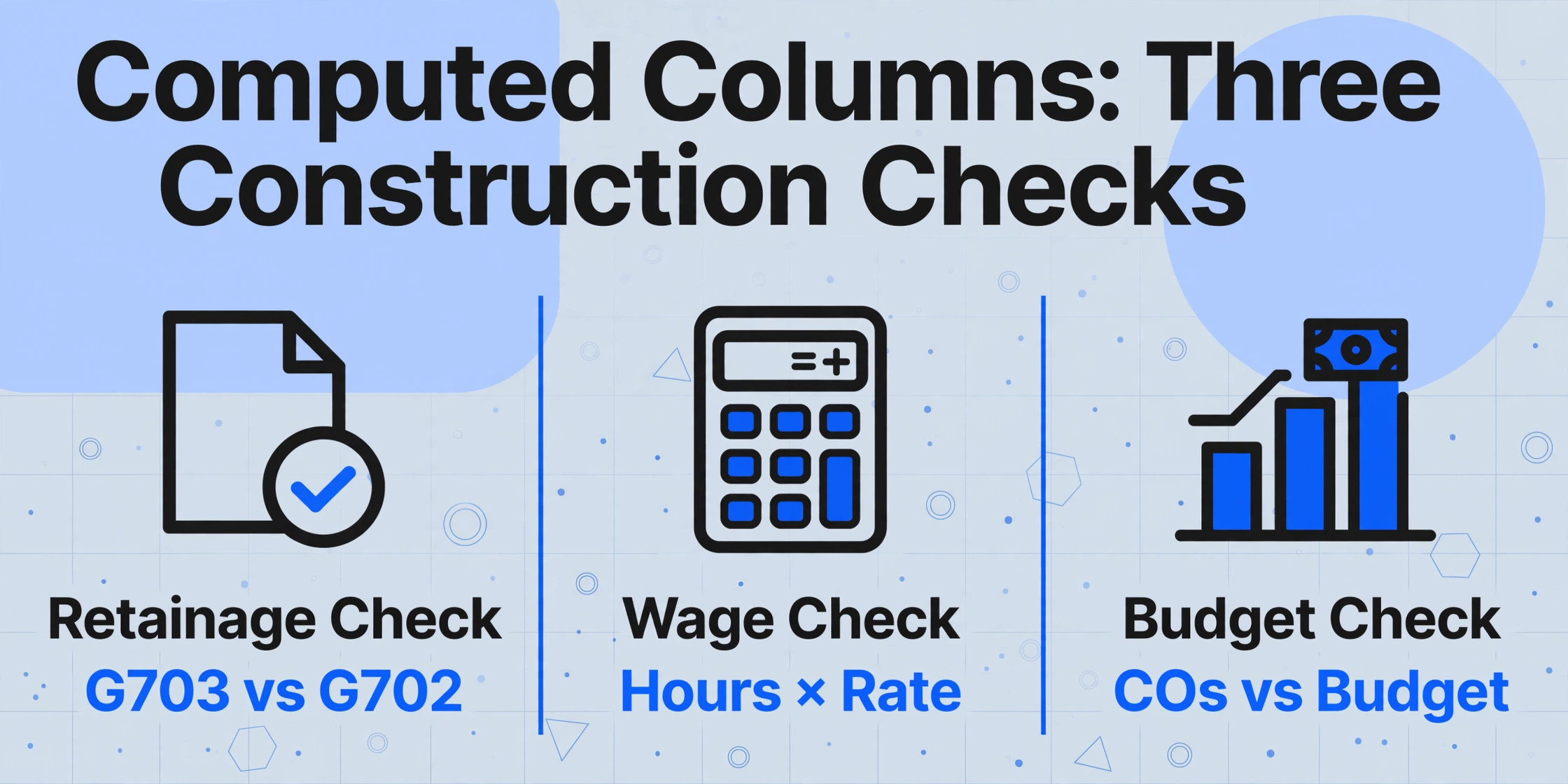
Extraction alone gives you the data in a spreadsheet. But construction PMs don't just need data — they need to verify that the data adds up. Computed columns add a layer of automated arithmetic that runs during extraction, so the spreadsheet you receive doesn't just contain raw values — it contains pre-validated comparisons.
Three construction-specific computed column patterns:
1. Retainage verification on G702/G703. Define a computed column that subtracts the sum of G703 line-item retainage values from the G702 Line 5a retainage total. A non-zero result means the sub's G703 doesn't match their G702 — flag it before the architect sees it, not after.
2. Gross wage verification on WH-347. Define a computed column: Gross Wages (Hours × Rate). If a sub's WH-347 shows 40 hours at $32.45/hr but reports $1,200 in gross wages, the computed column outputs $1,298 — and the $98 discrepancy is flagged before you sign the Statement of Compliance certifying the sub's numbers are correct.
3. Budget impact tracking from change orders. After extracting change order cost impacts by cost code, a computed column sums all approved COs per cost code and subtracts from the original budget line. The output is a real-time remaining budget by cost code — updated automatically as new change orders are processed, without a separate budget reconciliation cycle.
How to Implement Without Disrupting Your Existing Workflow
The biggest barrier to adopting document extraction in construction is not technology — it's the fear that adding a new tool means disrupting the workflow that already works. The project schedule doesn't pause for a software implementation. Here's a staged approach that adds extraction incrementally, starting with the document type that delivers the fastest time-to-value.
Week 1 — Start with subcontractor invoices. This is the highest-volume document type and the one with the most measurable ROI. Set up extraction columns for sub name, invoice number, date, project, cost code, and amount. Run a batch of 20–30 invoices through the extraction pipeline. Compare the extracted data against your manual entry for the same batch. Most PMs discover that the extraction output needs line-item verification, not re-typing — and that verification takes 10% of the time that manual entry took.
Week 2 — Add AIA pay applications. With subcontractor invoices running, add AIA G702/G703 extraction. Define columns for the G702 summary values and G703 line items. Use a computed column for retainage cross-verification. Run one billing cycle's worth of pay applications through extraction and compare against manual review.
Week 3 — Incorporate daily reports and change orders. Daily report extraction turns 250 non-queryable documents into aggregable labor and equipment data. Change order extraction feeds cost impact data directly into the budget tracker. Both document types have lower weekly volume than invoices, so the setup time is proportionally lower.
Week 4 — Add COI and certified payroll. COI extraction builds a searchable compliance database from ACORD 25 forms. Certified payroll extraction aggregates data from all subcontractor WH-347s into one compliance table. These are the document types with the highest compliance risk — errors here don't just cost time, they carry regulatory penalties.
At no point in this staged rollout does any existing tool need to be replaced. The extraction pipeline sits upstream of Procore, Sage, Viewpoint, or your spreadsheet-based tracking system. Documents flow through extraction first, structured data lands in a spreadsheet or CSV, and that data is then imported into your existing tools. The tools stay the same; the data entry step between receiving the document and using the data is what gets eliminated.
FAQ
Can extraction handle handwritten subcontractor invoices?
Yes, with an accuracy caveat. Vision-based AI extraction reads handwritten text with approximately 75–85% accuracy for cursive writing and 90–95% for block-printed text. For a subcontractor invoice with 12 handwritten line items, this typically means 1–2 fields per invoice need manual correction — still significantly faster than typing all 12 fields from scratch. The extraction output makes the few errors visible because every field is populated; your review spots the "1725.00" that should be "1726.00" in seconds, versus spending minutes typing all 12 fields to find the same discrepancy.
What if my subcontractors use non-standard AIA forms?
Template-based extraction tools require the form to match the template — a customized G703 with extra columns or reordered fields will either extract incorrectly or fail entirely. Semantic extraction reads fields by understanding what they represent (a column labeled "Previously Billed" contains the same data as one labeled "Work from Prior Apps"), so non-standard layouts don't break extraction. The extraction engine looks for the value semantically, not spatially.
Does extraction validate Davis-Bacon compliance?
No, and it's important to be clear about this boundary. Document extraction can pull worker names, classifications, hours, wage rates, and deductions from WH-347 forms. It can flag arithmetic discrepancies — hours × rate ≠ reported wages. But it cannot independently determine whether the prevailing wage rate applied to each classification is correct. That validation requires comparing extracted rates against the applicable federal or state wage determination for the specific county and trade — a step that still requires human review or purpose-built compliance software. Extraction reduces the data aggregation burden. It does not replace compliance expertise.
Does this integrate with Sage/Viewpoint/Procore?
Extraction tools produce structured output — typically Excel (XLSX), CSV, or JSON — that can be imported into any ERP or project management system that accepts spreadsheet uploads. This is not a direct API integration. It's a file-based data handoff: documents go in, structured data comes out as a spreadsheet, and you import that spreadsheet into Sage, Viewpoint, Procore, or your existing tracking workbook. The value is that the data arrives structured and verified, so the import step is a file upload, not a re-typing exercise.
What happens when a subcontractor changes their invoice format?
Nothing breaks. This is the fundamental difference between template-based extraction and semantic extraction. A template built for Sub X's QuickBooks invoice layout breaks when Sub X switches to a different accounting system or modifies their template. Semantic extraction doesn't depend on the layout — it looks for the field named "Invoice Total" by understanding what that value represents in the document's context. The subcontractor can change their invoice format every month, and the extraction still finds the total, the date, and the cost codes — because the AI reads meaning, not position.