What Is Government Invoice Extraction?
A Federal Contractor's Guide
Government invoice extraction is the automated process of reading key fields — like contract number, line-item descriptions, unit prices, and total obligated amounts — from federal, state, and municipal contractor invoices and outputting them as structured data for public sector AP compliance. It differs fundamentally from commercial invoice extraction because every government invoice lives inside a regulatory framework — the Federal Acquisition Regulation (FAR), the Prompt Payment Act, and agency-specific audit requirements — that dictates not just what data you capture, but how accurately you must capture it, how you track cumulative billing against funded amounts, and what supporting documentation you need to attach.
What Makes Government Invoice Processing Different from Commercial Invoice Processing
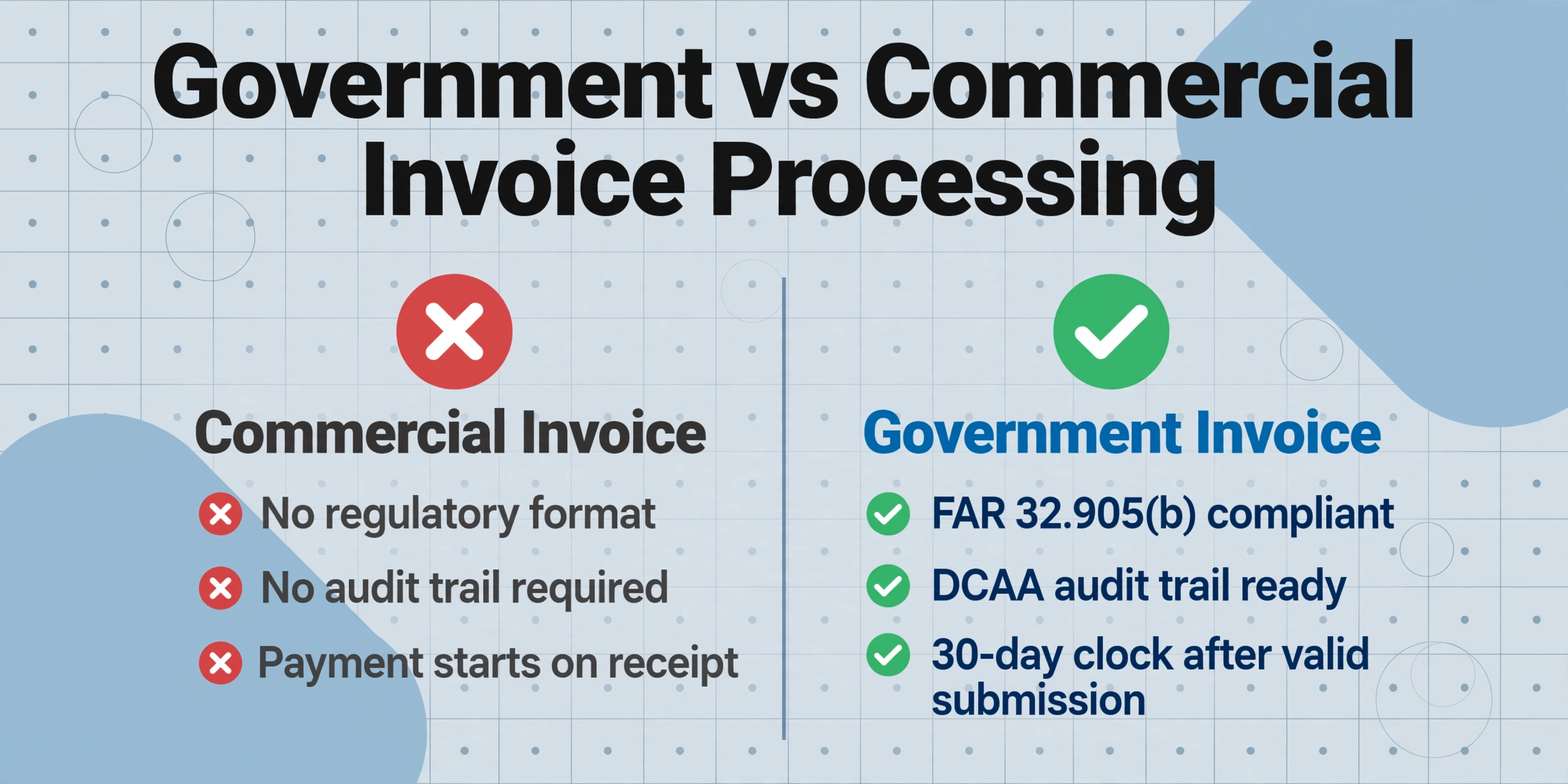
If you are new to federal contracting, the first surprise is that a government invoice is not just a request for payment — it is part of a documented audit trail that regulators can review years after the work is complete. The second surprise is that the format and content of that invoice are governed by explicit regulations, not by the vendor's accounting preferences.
The Federal Acquisition Regulation Part 32 (Contract Financing) establishes the overarching framework. Within it, FAR 32.905(b) specifies eleven items a "proper invoice" must include — from the contract number and line item number to the taxpayer identification number (TIN) and electronic funds transfer (EFT) banking information. If an invoice fails to meet these requirements, the government's designated billing office must return it within seven days (three for meat, five for perishable foods), and the payment countdown does not start until a corrected invoice is resubmitted.
Most federal contractors submit their invoices through the Invoice Processing Platform (IPP), a secure web-based system provided by the U.S. Department of the Treasury's Bureau of the Fiscal Service. IPP handles over $122 billion in invoice value annually, connecting more than 220 federal agencies with over 200,000 vendors. For Department of Defense contracts, the parallel system is WAWF (Wide Area Workflow), now known as iRAPT. Both systems require invoices to include specific supporting documentation — receiving reports, timesheets, subcontractor invoices — attached directly to the electronic submission.
The third structural difference is CLIN-level accountability. Commercial invoices typically itemize by product or service. Government invoices organize charges by Contract Line Item Number (CLIN), each of which maps to an Accounting Classification Reference Number (ACRN) tied to a specific funding source and appropriation. Billing against the wrong CLIN, or exceeding a CLIN's funded amount, is among the most common findings in DCAA (Defense Contract Audit Agency) audits. This makes field-level extraction accuracy not just a convenience — it is a compliance requirement.
Finally, the Prompt Payment Act sets a 30-day payment clock from the date a proper invoice is received. If the government fails to pay within that window, interest penalties accrue automatically. But that clock only starts when the invoice meets FAR 32.905(b) requirements — meaning a single missing field or miskeyed number can delay payment by weeks while the invoice bounces through the defective-invoice return cycle.
These differences — regulatory structure, system requirements, CLIN-level tracking, and time-sensitive compliance — are what make government invoice extraction a distinct capability from general-purpose invoice OCR.
Key Fields Extracted from Government Contractor Invoices
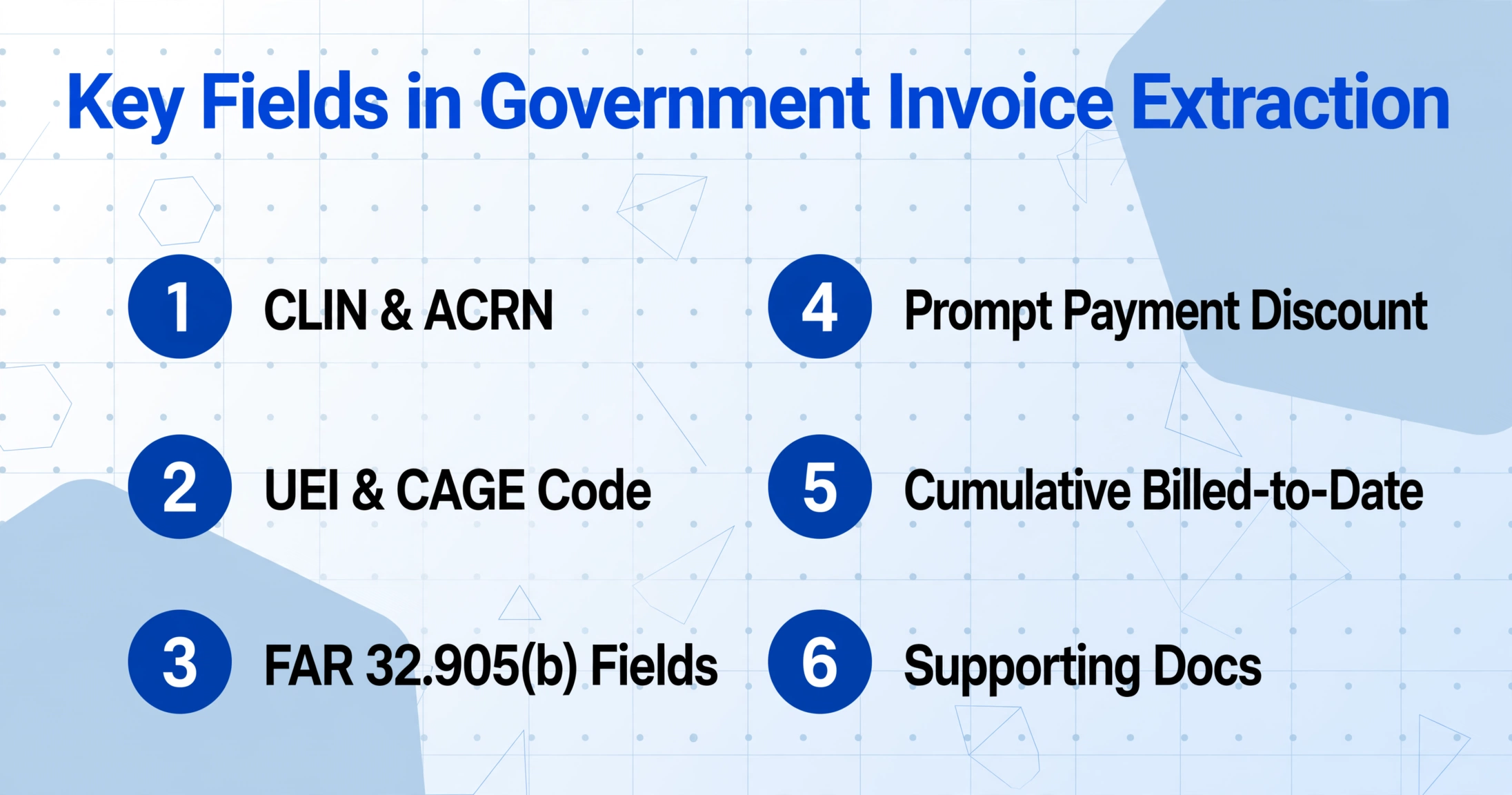
If you are processing a government contractor invoice, the data you need to capture goes beyond the standard invoice number and total. Here are the fields that make government invoices unique, and why each matters:
Contract Line Item Number (CLIN) and Accounting Classification Reference Number (ACRN)
Every charge on a government invoice must be assigned to a specific CLIN as defined in the contract's statement of work. The CLIN in turn links to an ACRN, which maps to the actual funding appropriation. Extracting these fields correctly is critical because billing labor or materials against the wrong CLIN can trigger a DCAA audit finding, a payment hold, or even a billing dispute that stalls the entire invoice. The cumulative billing against each CLIN must also be tracked to ensure the contractor never exceeds the funded amount.
DUNS/UEI and CAGE Code
The Unique Entity Identifier (UEI), which replaced the DUNS number in April 2022, is the primary contractor identifier across all federal systems. Together with the CAGE Code (a five-character identifier assigned by the Defense Logistics Agency), these numbers tie the invoice to the contractor's registered profile in SAM.gov. The UEI and CAGE Code must match the contractor's active SAM.gov registration — if the registration has lapsed, even by a single day, the contracting officer is prohibited from processing payment.
FAR 32.905(b) Proper Invoice Fields
Beyond the contract-specific identifiers, a proper government invoice must include: contractor name and address, invoice date and number, contract number (including order number and line item number), description/quantity/unit price/extended price for each line, shipping and payment terms (including prompt payment discount terms), name and address of the payment recipient, a contact person for defective invoice inquiries, the taxpayer identification number (TIN), and EFT banking information. Extraction tools must capture all of these fields from the invoice document — or flag them as missing — because a single omission can invalidate the entire submission.
Supporting Documentation References
Government invoices rarely stand alone. A cost-reimbursement invoice requires supporting timesheets, subcontractor invoices, or receiving reports attached as supporting documentation. The extraction process must therefore capture not just the invoice header data but also cross-reference references to supporting documents — such as receiving report numbers, period-of-performance dates, and labor hour certifications — so the AP team can assemble a complete invoice package for IPP submission.
"A proper invoice must include the contract number or other authorization for supplies delivered or services performed (including order number and line item number) ... description, quantity, unit of measure, unit price, and extended price of supplies delivered or services performed."
— FAR 32.905(b)(1)(iii-iv)
Because these fields are tied to specific funding sources, compliance requirements, and payment timelines, a government invoice extraction tool must do more than recognize printed text — it must understand the semantic relationship between fields. For instance, it needs to know that a CLIN number is not just an alphanumeric string but a key that ties a line item to a funding source, and that the cumulative total for that CLIN must stay within its funded ceiling.
How Government Invoice Extraction Works
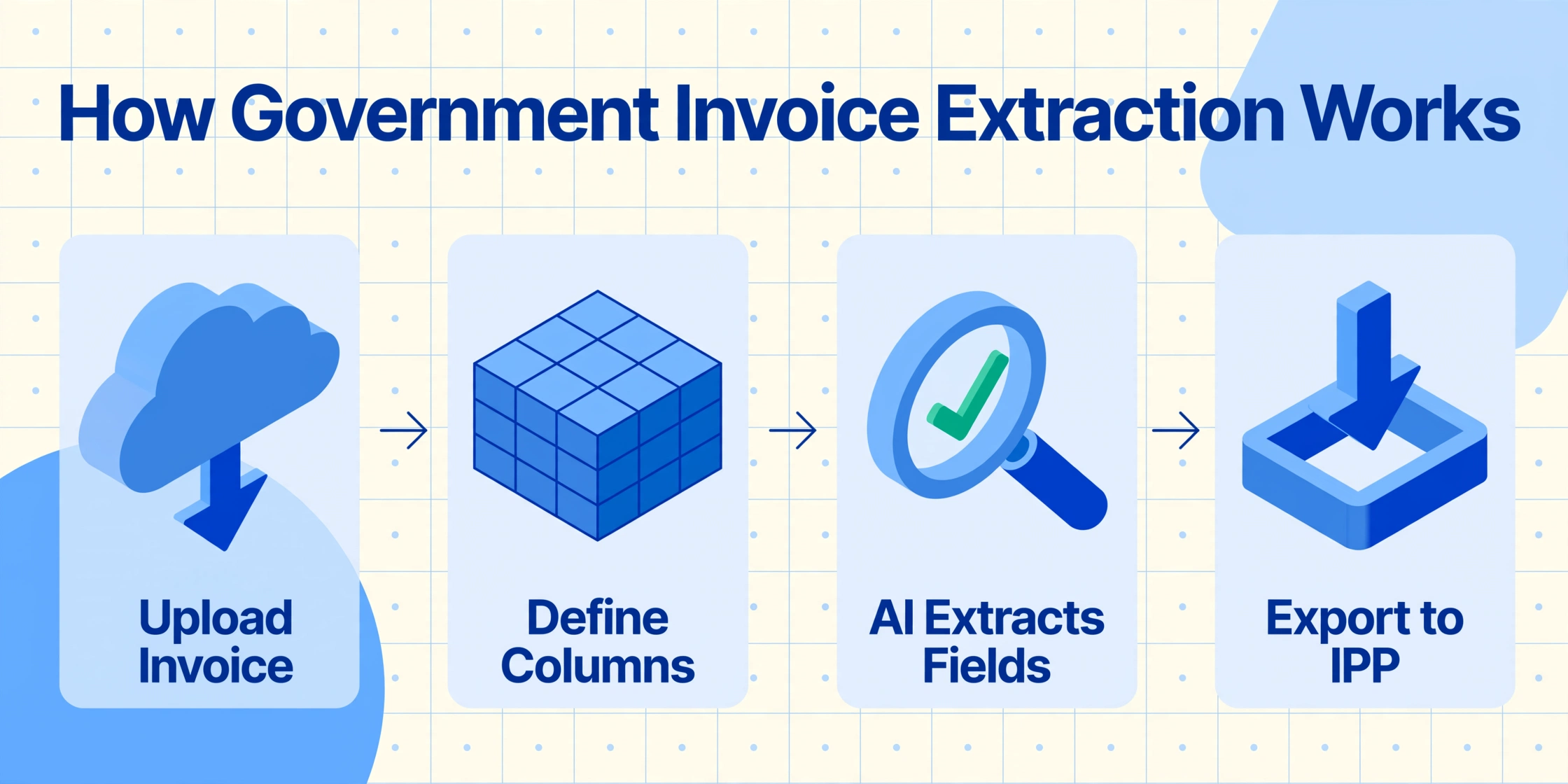
Traditional government invoice processing follows a manual workflow: a contractor prepares an invoice in their accounting system, prints or saves it as a PDF, manually types the data into IPP or WAWF, and attaches supporting documentation. On the agency side, an AP clerk receives the submission, key-enters field-level data into the agency's financial system, routes it through an approval chain, and reconciles payment against the contractor's SAM.gov profile.
Modern government invoice extraction replaces the manual data entry steps with a vision-language AI model that reads the invoice the same way a human would — by understanding what each field means, not by matching it to a template position. Here is how the process typically works:
The key technical difference from traditional OCR-based approaches is template-free operation. Government contractors use widely varying invoice formats — a small IT vendor's invoice looks nothing like a large construction firm's AIA G702 payment application. A template-based tool would require a separate parsing configuration for each format. AI-driven extraction, by contrast, adapts to the document's layout automatically because it reads by meaning, not by position.
Why Manual Processing Falls Short in Government AP
Manual government invoice processing is not just slow — it creates specific, quantifiable risks that automated extraction can mitigate. The data from industry benchmarks and government contractor surveys points to several persistent problem areas:
Manual Data Entry Errors Undermine Compliance
According to the AI Momentum Report, 37% of AP professionals cite manual data entry as their top pain point — more than any other issue. In a government contracting context, a single miskeyed CLIN number or a transposed digit in the contract number can trigger a defective invoice return, adding weeks to the payment cycle. Because government invoices are subject to FAR 32.905(b) requirements, the margin for field-level accuracy is effectively zero — one missing element and the entire submission is rejected.
Processing Delays Cost Real Interest Penalties
SAP Concur data shows that aerospace, defense, and government contracting organizations average 54 days to process and remit payment on an invoice — 37 days slower than the overall manual processing average. While the Prompt Payment Act specifies a 30-day target, the reality is that manual workflows, approval routing bottlenecks, and defective invoice returns routinely push actual payment timelines well beyond the statutory window. Every day past 30 that a proper invoice goes unpaid, interest accrues against the government at the Treasury-determined rate — but contractors relying on those payments to fund operations cannot afford to wait for interest penalties to kick in.
CLIN Billing Errors Trigger Audit Findings
Billing labor or materials against the wrong CLIN, or exceeding a CLIN's funded amount, is among the most common DCAA audit findings. When an auditor selects a voucher for review, they trace each billed cost back to source documents — timesheets, subcontractor invoices, material receipts. If the CLIN assignment on the invoice does not match the cost allocation in the accounting system, the entire billing can be questioned. The way a DCAA compliance guide puts it: "a CLIN billing error is not a clerical mistake — it is an audit finding that can delay payment, trigger a billing dispute, and raise scrutiny on future invoices."
Missed Prompt Payment Discounts
Many government contracts include prompt payment discount terms — typically "0.5% 15 Net 30" or similar structures that reward early payment. When manual processing stretches the invoice-to-payment cycle to 54 days, these discounts are automatically forfeited. For a contractor processing $2 million in monthly invoices, a 0.5% discount on a portion of that volume represents meaningful cash that leaves the table because the AP workflow could not clear invoices within the discount window.
Cumulative Billing and Fund Tracking
Unlike commercial invoices, government invoices must track cumulative billing against each CLIN's funded amount. Without automated extraction and structured data, tracking this manually across multiple contracts with multiple CLINs and multiple funding sources is error-prone. Overshooting a funded amount stops payment on all subsequent invoices against that CLIN until a contract modification provides additional funding.
Compliance Requirements Extraction Must Support
For an invoice extraction tool to be genuinely useful in a government contracting context, it must support three compliance requirements that commercial tools can ignore:
FAR 32.905(b) Proper Invoice Standards
The extraction tool must be able to capture all eleven items FAR 32.905(b) defines as a "proper invoice." But more importantly, it should flag fields that are missing or ambiguous — because submitting an invoice that fails any of these requirements means the 30-day Prompt Payment Act clock never starts, and the invoice will be returned within seven days for correction.
DCAA Audit Trail Readiness
The Defense Contract Audit Agency requires every billed cost to be traceable — from the invoice total back through the line items, job cost report, and source documents. An extraction tool supports this by outputting data that preserves line-item granularity (CLIN, ACRN, unit price, extended amount) and by providing a structured data file that can be referenced during an audit. The output should be organized so that each line maps clearly to its CLIN and funding source, making it possible to answer an auditor's question about any single charge without re-entering the data.
SAM.gov Registration and UEI Verification
The contractor's UEI, CAGE Code, and TIN must match an active SAM.gov registration for the government to process payment. While the extraction tool itself does not validate registration status, it must extract these identifiers accurately enough that the AP team can match them against SAM.gov records before submission. A single digit error in the UEI can stop payment processing entirely.
These are not optional features — they are structural requirements of the federal payment system. An extraction tool that produces clean spreadsheet rows but fails to support CLIN-level granularity, cumulative billing tracking, or proper invoice format compliance is solving only half the problem.
Government invoice extraction is not a niche variation of commercial invoice OCR. It is a distinct capability shaped by the regulatory environment — one that demands field-level accuracy not just for productivity but for compliance, that must handle CLIN/ACRN structures that have no commercial equivalent, and that must produce data clean enough to survive a DCAA audit. For federal contractors and the agencies that pay them, understanding this distinction is the first step toward building an AP process that is both efficient and audit-ready.
For a broader introduction to automated invoice data extraction, read What Is Invoice Data Extraction? A Complete Guide. If you process government purchase orders as well, see What Is Government PO Extraction?
Frequently Asked Questions
What is the difference between government invoice extraction and regular invoice extraction?
Government invoice extraction must handle fields that have no commercial equivalent — CLINs, ACRNs, DUNS/UEI, CAGE Codes, funded amount ceilings, and cumulative billing tracking — while complying with FAR 32.905(b) proper invoice requirements and DCAA audit trail standards. Regular commercial invoice extraction focuses on standard fields like invoice number, date, and total, without regulatory overlay.
Does government invoice extraction work with the Invoice Processing Platform (IPP)?
Extraction tools prepare the structured data that can then be entered into IPP or WAWF, but they do not submit directly to those platforms. The output (typically an Excel file or CSV) serves as the data source for IPP submission, eliminating manual data entry errors. Some extractors can also generate the supporting documentation package that IPP requires.
What fields do I need to extract from a government contractor invoice?
At minimum: contract number, CLIN, ACRN, line item description, unit of measure, quantity, unit price, extended amount, and total obligated amount. Supporting fields include the contractor's UEI, CAGE Code, TIN, EFT banking information, prompt payment discount terms, period of performance dates, and references to supporting documents (receiving report numbers, timesheet certifications).
Can AI invoice extraction handle DCAA audit requirements?
AI extraction supports DCAA audit readiness by preserving line-item granularity and producing structured data that maps each billed cost to its CLIN and funding source. However, DCAA compliance ultimately depends on your accounting system, supporting documentation, and internal controls — extraction is one link in the chain, not the entire solution. The extracted data should be clean enough that an auditor can trace a specific charge from the invoice table back to its source documentation.
Do I need to train an extraction model on my government invoice formats?
No. Modern vision AI-based extraction tools are template-free — they do not require sample invoices, manual annotation, or per-vendor parsing rules. The model reads each invoice by semantic understanding rather than positional matching, which means it handles the varying formats used by different government contractors (IT vendors, construction firms, professional services providers) without special configuration.
See how government invoice extraction works on your own documents.
Try It on Your File