What Is Retail Invoice Extraction?
Multi-Store AP & SKU-Level Data Explained
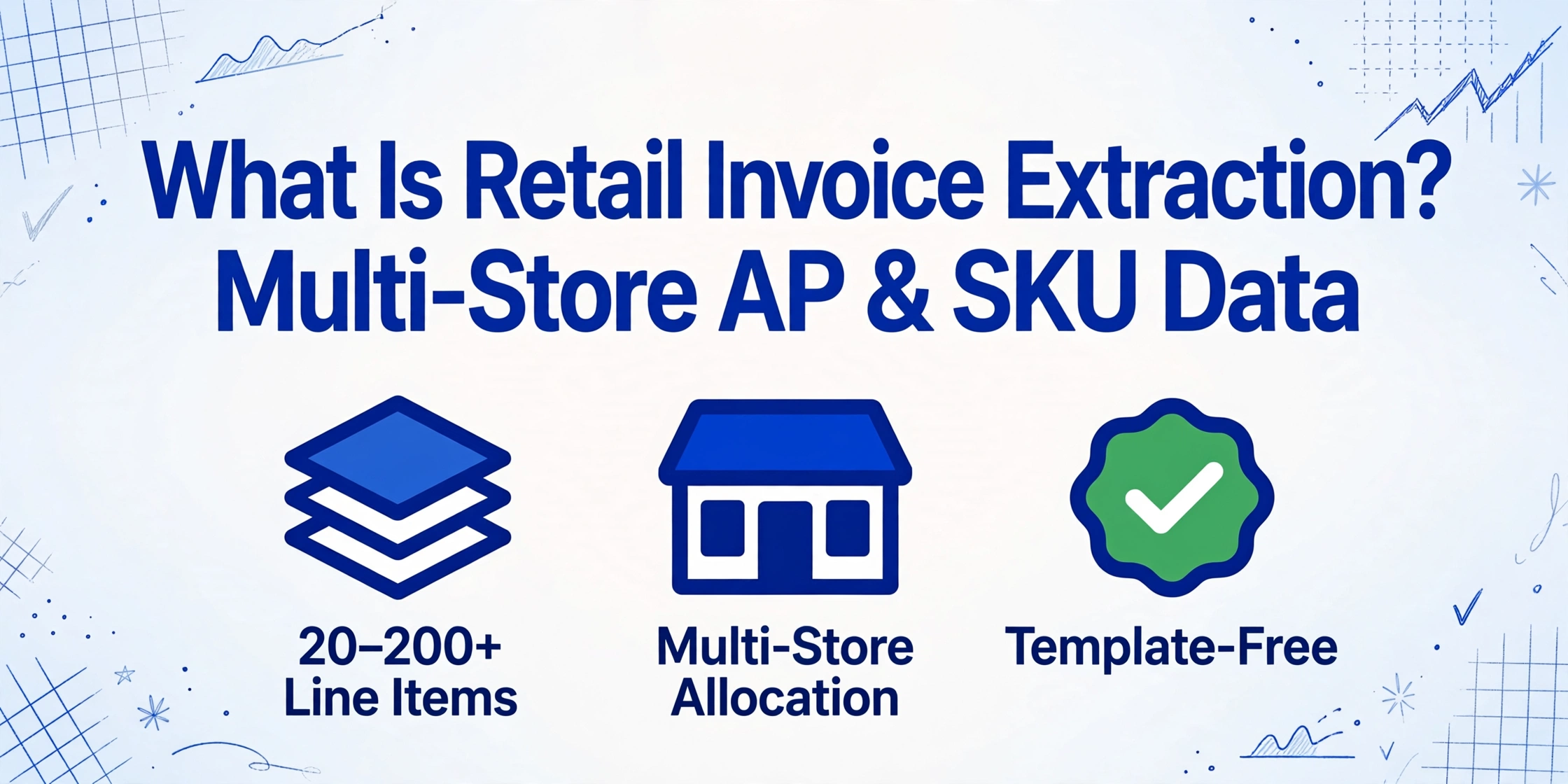
Retail invoice extraction is the automated process of reading key fields — like vendor name, SKU-level line items, quantity, unit cost, and total — from supplier invoices in retail and outputting them as structured data for multi-store AP reconciliation. Instead of a store operations manager or AP clerk opening each distributor PDF and copying line items into a spreadsheet one cell at a time — across 50, 100, or 500 SKUs per invoice — extraction software reads the invoice and maps the data to the right cost centers, departments, and store allocations in seconds.
Key Takeaways
- Nearly every retail AP team runs a two-speed pipeline where the 20 suppliers on EDI process instantly and the other 80 PDFs consume 85% of staff hours every week — a ratio that will not improve because small suppliers will never adopt EDI.
- The most expensive extraction failure in retail is a collapsed store allocation column that invisibly misroutes tens of thousands of dollars in monthly cost-center charges to locations that never received the goods.
- When extraction treats store allocation and trade deduction lines as native fields instead of afterthoughts reconciliation shifts from an all-day spreadsheet marathon to a 15-minute spot-check.
What Retail Invoice Extraction Actually Is
Retail invoice extraction is not the same as scanning a supplier invoice or running generic OCR on it. Scanning gives you a digital image. OCR gives you a block of unstructured text. Extraction gives you structured, actionable data: the vendor name in one column, the purchase order number in another, each SKU-level line item in its own row with quantity, unit cost, and extended total — plus the store or department allocation that tells your AP system where to charge each line.
The core task is field-level recognition across a supplier base that is fundamentally more diverse than in most other industries. A chain with 50 stores might receive invoices from 200 active suppliers, each using a different ERP or accounting system to generate their invoice templates. One distributor prints UPCs as 12-digit numeric codes. Another uses 8-character alphanumeric SKUs. A third identifies products by the supplier's internal catalog number with no UPC at all. The extraction system must normalize these into a consistent output without manual mapping.
The fields that matter in retail go beyond the standard header-and-line-items structure:
Header Fields (one per invoice)
- Invoice Number & Supplier Code
- Distribution Center or Store Ship-To
- Purchase Order Number
- Invoice Date, Due Date & Payment Terms
- Subtotal, Trade Discount, Net Total
- Early Payment Discount Terms (e.g., 2/10 Net 30)
- Currency — domestic vs import purchase
Line Items (dense SKU-level rows)
- SKU / UPC / Vendor Item Code
- Product Description (often truncated)
- Unit of Measure — each, case, pack, pallet
- Ordered Quantity vs Shipped Quantity
- Unit Cost & Extended Line Total
- Department / Category Code
- Store or Location Allocation
The line-item density is what separates retail extraction from standard invoice extraction. A typical business-to-business invoice has 5–15 line items. A grocery distributor invoice can carry 200+ line items, each with its own SKU, pack size, unit cost, and allocation code. A department store invoice for a seasonal buy might list 50 SKUs across apparel, accessories, and footwear — each mapping to a different margin category. The extraction system must preserve row-by-row relationships and field associations through page breaks, multi-page tables, and column arrangement differences between suppliers.
Retail Invoice Extraction vs Standard Invoice Processing
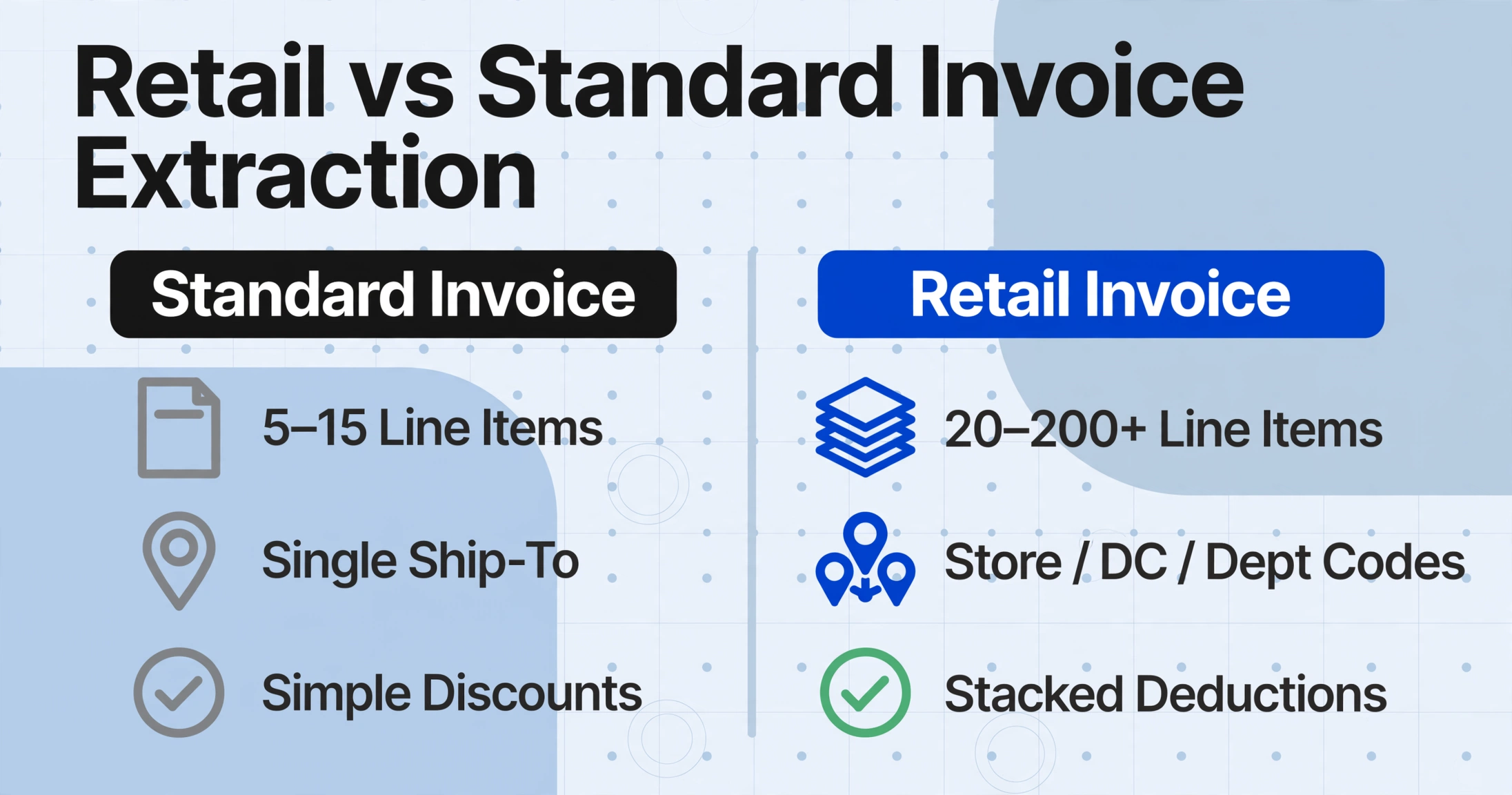
Here is how the field requirements differ between a standard commercial invoice and a retail supplier invoice:
| Field dimension | Standard invoice extraction | Retail invoice extraction |
|---|---|---|
| Line items per invoice | 5–15 rows | 20–200+ rows |
| Product identification | Text description | SKU / UPC / Vendor code + description |
| Unit of measure | Each (EA) | EA / CASE / PACK / PALLET — often mixed on same invoice |
| Location allocation | PO number or single ship-to | Store code, DC code, department code, category code |
| Discounts & allowances | Single line discount or none | Trade discount, promotional allowance, billback, rebate — multiple stacked deductions |
| Delivery tracking | Ship date | Ship date, receipt date, ASN reference, seal number |
| Tax complexity | Single rate or exempt | Multi-jurisdiction, split by store location, resale certificates |
| Invoice source | Email PDF + mail | Email PDF + supplier portals + EDI + paper + VENDOR portal downloads |
The difference is not incremental. A standard invoice extraction tool that handles 15-line invoices well may buckle under a 180-line grocery invoice where the column headers split across a page break, the UOM abbreviation changes mid-table ("CASE" becomes "CS"), and the store allocation column uses a code system that differs from the purchase order's location codes. Retail extraction needs to handle row-level density at a volume that standard extraction tools are rarely tested against.
Why Retail Invoice Extraction Is Different — Four Structural Factors
Four structural dimensions make retail invoice extraction a distinct problem from standard AP document processing. Understanding them is the difference between buying a tool that works on your invoices and buying one that only works on someone else's.
1. SKU Density and Product Identification Diversity
The National Retail Federation forecasts 2026 retail sales to reach $5.6 trillion — a 4.4% increase over 2025. Behind every dollar of that revenue are purchase orders and invoices carrying product-level detail at a granularity most industries never encounter. A mid-size specialty retailer with 200 stores might carry 50,000+ active SKUs across seasonal and core inventory. Each SKU needs to be tracked, costed, and allocated correctly on every inbound invoice.
The identification problem: different suppliers identify the same product differently. One uses the manufacturer's UPC (12 digits). Another uses a 6-character internal code. A distributor might concatenate the vendor code with the item number. A third writes a truncated description that omits the model number. A template-based extraction tool expects product identification in a fixed position — "SKU is column 2" — and breaks the moment a supplier reorganizes their column order. Semantic extraction bypasses this: you define a "SKU" column, and the AI locates product identifiers by understanding what they represent, not where they sit on the page.
2. Multi-Store Allocation — The Field That Doesn't Exist on a Standard Invoice
This is the single most common retail-specific extraction failure mode. A distributor ships a consolidated invoice covering deliveries to 8 of your stores on the same truck route. The invoice lists 30 SKUs, each with a quantity and unit cost — but the allocation per store is embedded in the line item as a parenthetical code, a suffix on the SKU number, or a separate column labeled "Store" or "Loc." Some suppliers itemize per-store quantities on separate rows; others list the total quantity in one row and include a store distribution table at the bottom of the invoice.
Standard extraction tools that expect one ship-to per invoice will output one row per line item — collapsing the store allocation into a single value they may miss entirely. Retail extraction must treat "Store Allocation" as a first-class field: either extracted from a dedicated column or inferred from the line-item structure. The Custom Column Extraction approach handles this naturally: define a column called "Store" or "Location Code," and the AI reads whatever allocation scheme each supplier uses and populates it row by row.
3. The EDI-to-PDF Spectrum — Every Retail AP Is a Hybrid Shop
Large retailers mandate electronic data interchange (EDI) for their Tier 1 suppliers. Walmart requires EDI 810 invoices for most vendors, processed through Retail Link with three-way matching against the purchase order (EDI 850) and advance ship notice (EDI 856). Target requires EDI compliance through Partners Online, with chargeback penalties for non-compliant invoices under its On-Time, Fill Rate (OTFR) program. Home Depot and Lowe's have their own EDI and portal requirements.
But here is the practical reality that extraction must address: every retail AP department processes invoices from suppliers who don't do EDI. A regional grocery chain receives EDI invoices from PepsiCo and Nestlé — and paper/PDF invoices from the local produce distributor, the dairy co-op that sends handwritten delivery tickets, and the small-batch supplier who emails a PDF generated from QuickBooks. According to Ardent Partners' benchmarks, even best-in-class AP teams process invoices at $2.78 per document with a 3.1-day cycle — but those numbers assume a unified pipeline. In retail, the pipeline splits into structured (EDI) and unstructured (PDF/paper) streams that must converge into the same AP system. Extraction bridges this: it handles the unstructured invoices that EDI cannot touch.
4. Trade Deductions, Chargebacks, and the Reconciliation Layer
Retail AP does not end at extracting the invoice total. After extraction comes reconciliation against trade deductions — promotional allowances, billbacks, slotting fees, markdown reimbursements, and compliance chargebacks that suppliers deduct from payments or retailers withhold from invoices. Walmart's Accounts Payable Disputes Portal (APDP), housed within Retail Link, is the mechanism for suppliers to dispute deductions. Target suppliers use Synergy within Partners Online for the same purpose.
The extraction layer interacts with this in a way most AP tools ignore: the "Total" on the invoice is rarely the amount that gets paid. Trade deductions may reduce the payable by 2–8% on any given invoice. An extraction tool that only outputs the face value of the invoice misses the entire reconciliation layer. For an AP team managing 500 invoices a month at $5,000 average invoice value, a 3% average deduction rate means $75,000 in adjustments that need to be tracked per month — and each one starts with the ability to accurately pull the invoice's base value, deduction lines, and net payable from the same document.
For a broader overview of how these principles apply across industries, see our guide on what invoice data extraction is and how it works. And for a comparison with a related industry, read about construction invoice extraction — where the format diversity problem mirrors retail's, but the field requirements (retainage, cost codes, AIA forms) are entirely different.
How Retail Invoice Extraction Works
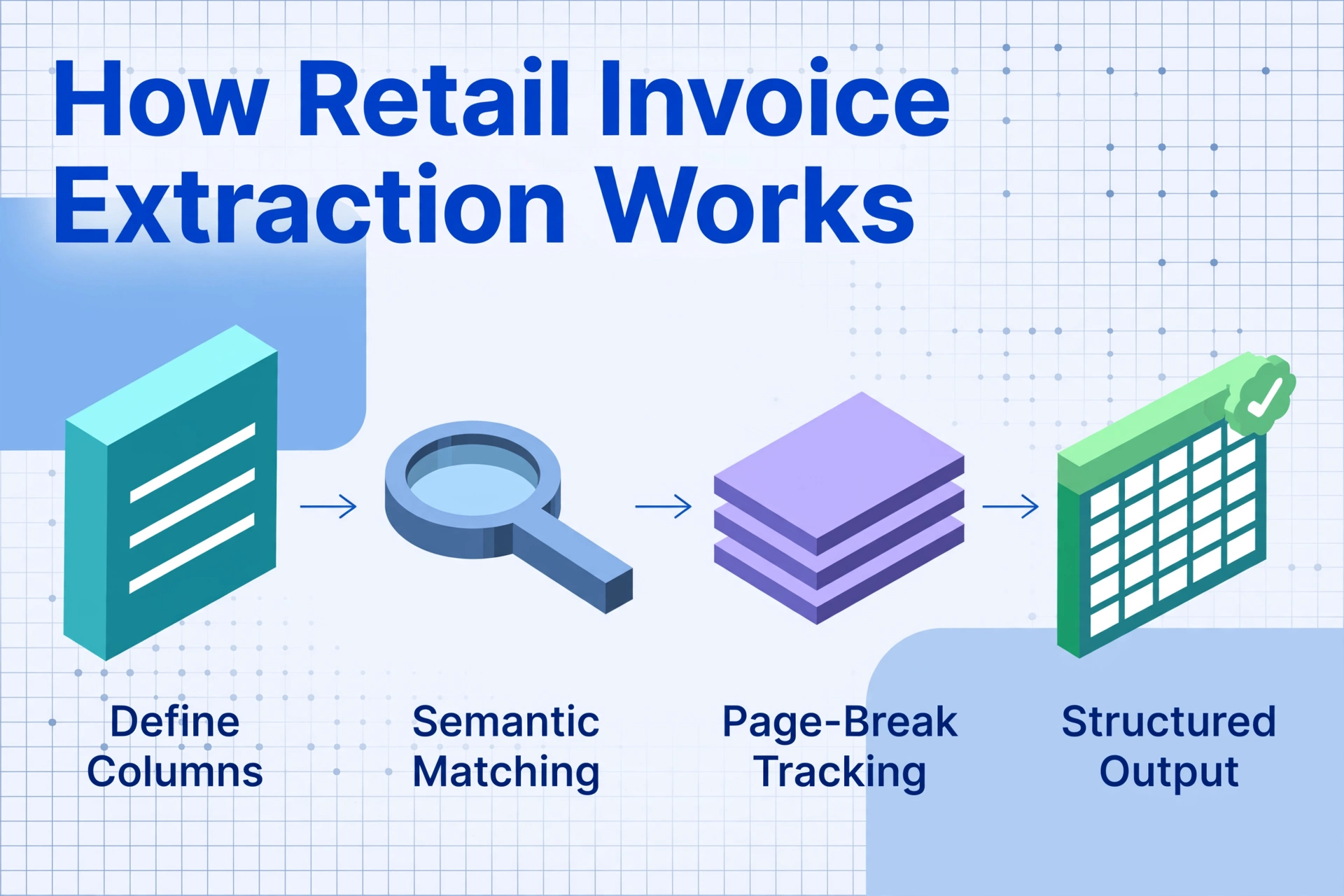
Retail invoice extraction follows the same core principle as any modern AI extraction — you define what you want, and the AI finds it by meaning rather than position — but several retail-specific adaptations make the difference between usable output and a spreadsheet full of gaps.
Semantic SKU matching instead of position-based OCR. Traditional OCR-based extraction reads fields from fixed pixel coordinates — "the SKU is 1.2 inches from the left edge, 3.8 inches from the top." This fails the moment a supplier adjusts their column widths, changes fonts, or switches from a table to a line-item list with different spacing. Semantic extraction reverses the logic: you define the output columns you need — "SKU," "Description," "Qty," "Unit Cost," "Store Alloc" — and the AI finds each value by understanding its semantic role on the page. The same column definition handles a Sysco invoice (columns: Item No, Description, Pack, Unit Price, Extended Price), a McLane invoice (columns: UPC, Product Name, Size, Cost, Extension), and a UNFI invoice (columns: Vendor Item #, Description, UOM, List Price, Net Price) — without any per-supplier setup.
Line-item density handling. Retail invoices commonly span 3–10 pages with line-item tables that break across page boundaries. The extraction system must track column headers across page transitions — page 5 of a grocery invoice might start mid-table with no header row repeated, so the AI must have read and retained the column structure from page 3. This is the single most common failure point for extraction tools that assume one-page documents.
Unit-of-measure normalization. A distributor's invoice might list "CS" for case on one line and "CSE" on another, while a third supplier uses "CA" for the same unit. Semantic extraction can normalize these into a consistent UOM column — or keep the raw value and let you post-process — but the tool must at minimum recognize that "EA," "EACH," and "1" on different suppliers' invoices all represent individual unit pricing.
Files are processed securely and not stored.
What to Look For in a Retail Invoice Extraction Tool
Retail AP teams evaluating extraction tools should look beyond the generic feature lists. Here are the capabilities that separate a tool that works in a retail context from one that works only in theory:
When You Need Retail Invoice Extraction
Retail invoice extraction becomes a practical necessity — not just a nice-to-have — at specific operational thresholds. Here are the most common triggers:
1. You manage AP across 3+ store locations. At a single location, the store manager can type 20–30 supplier invoices per week into a spreadsheet while doing the books. At 3+ locations — especially if you have a centralized AP function — the invoice volume and allocation complexity cross the threshold where manual entry costs more than the tool. According to APQC benchmarks, manual AP processing costs $10–$22 per invoice fully loaded. For a 5-store chain processing 150 invoices per month at $14 average cost, that's $25,200 per year in data entry labor — before error correction and supplier query handling.
2. Your supplier count exceeds 50 active vendors. At 50+ suppliers, format diversity makes template-based approaches unworkable. Even if every supplier uses an ERP, the invoice output templates differ. Two distributors both on SAP can produce invoice PDFs that look nothing alike. You do not want to maintain a template library for each one. This is the most common frustration point: the realization that "we need extraction" and "we need to train extraction per supplier" are incompatible statements — and template-free extraction resolves the contradiction.
3. You need line-item detail for cost analysis, not just invoice totals. If you only need the invoice total to pay the bill, a simple OCR tool or even manual entry works fine. If you need per-SKU cost tracking, margin analysis by category, or vendor-level spend breakdowns, you need extraction that preserves line-item granularity across all suppliers. Retail margins run thin — the National Retail Federation reports that the average retail profit margin across the industry hovers around 2–3% of sales. A 0.5% SKU-level cost tracking gap across 50,000 SKUs is $250,000 in invisible margin erosion. Line-item extraction is the tool that makes that gap visible.
4. You process invoices from suppliers on different sides of the EDI divide. If your top 20 suppliers send EDI invoices but the other 80 send PDFs, your AP system has a two-speed problem. The EDI pipeline runs automatically. The PDF stack waits for manual entry. The gap between the two creates a data availability lag — your best-selling categories' cost data is current, but the specialty and seasonal lines are two weeks behind. Extraction that handles both EDI and PDF in a single pipeline eliminates this lag. For a deeper look at how EDI and PDF processing coexist, see our guide on e-invoice vs PDF invoice data extraction.
5. Trade deductions represent a material percentage of your invoice volume. If 3% or more of your gross invoice value is adjusted through chargebacks, promotional allowances, or billbacks before payment, you need extraction that captures the adjustment lines alongside the face value. An extraction output that shows "Total: $50,000" but misses the "$1,500 in trade deductions" column is giving you half the picture — and in retail, that half is enough to throw off your entire margin reconciliation.
Frequently Asked Questions
Does retail invoice extraction work with handwritten supplier invoices?
Modern AI extraction tools that use vision-based models can read handwriting on invoices — including cursive — with accuracy depending on legibility. Clear block printing on delivery tickets from produce distributors or dairy co-ops extracts at 85–92%. Dense cursive on a handwritten hardware supplier ticket will be lower. The key advantage in retail is that semantic context helps: if the AI knows it is looking for a "Quantity" value and sees "5 cs" on a line near a product description, it can reason that "cs" likely means "cases" and treat the entry as a quantity value rather than discarding it as unparseable text.
Can retail invoice extraction handle supplier portal invoices (Retail Link, Partners Online)?
The extraction tool itself processes the invoice file — whether that file was downloaded from a portal or arrived as an email attachment. Supplier portals like Walmart's Retail Link and Target's Partners Online generate PDF invoices or structured EDI documents. For PDF invoices downloaded from portals, extraction works identically to any other PDF — upload and extract. For EDI invoices, the structured data can flow directly into your AP system without extraction. The practical workflow for most retail AP teams is: PDF invoices (supplier email or portal download) → extraction tool → structured output; EDI invoices → direct pipeline → same AP system. The extraction tool handles the PDF side; the portal handles the EDI side.
What's the accuracy rate for extracting line items from high-volume retail invoices?
For printed, legible supplier invoices, line-item field accuracy with modern AI extraction ranges from 92% to 97%, depending on document quality and the consistency of the line-item table structure. Header fields (invoice number, vendor name, totals) typically reach 95–99%. Line-item extraction is inherently harder because it involves multi-row tables that may span page breaks, use different column arrangements between suppliers, and carry abbreviated or truncated product descriptions. The practical implication: budget 10–15 minutes of spot-checking per 100-line invoice batch, versus 2–4 hours of manual data entry for the same volume. Compared to manual entry — where studies show error rates of 1.6% to 4% on data entry alone, before reconciliation errors — AI extraction shifts the workload from "type everything, check everything" to "spot-check exceptions."
How does extraction handle supplier invoices where different stores have different tax rates?
This is a common retail scenario: a consolidated invoice ships goods to stores in multiple states or municipalities, each with its own sales tax rate. The extraction tool can capture the tax line per store if the supplier itemizes by location — some distributors list each store's subtotal and tax separately on the same invoice. For consolidated invoices where the supplier applies a single blended tax rate or charges tax only to the billing location, the extraction output captures whatever the document shows. The limitation to be aware of is that extraction reads what is on the page; it does not perform multistate tax compliance. If your AP team needs to recalculate or allocate tax per store after extraction, a separate tax engine or your ERP's tax module handles that step. Extraction is the data capture layer, not the tax compliance layer.
Do I still need retail invoice extraction if all my suppliers use EDI?
If every supplier sends structured EDI invoices that feed directly into your ERP without manual intervention, you may not need extraction — for those suppliers. But the retail ecosystem rarely works that way in practice. Even retailers who mandate EDI for Tier 1 suppliers receive PDF invoices from smaller or specialty vendors. A retailer selling organic and local products, for example, may have 30% of their supplier base consisting of small farms, artisan producers, and regional distributors who do not have the IT infrastructure for EDI. Additionally, the EDI channel can break or produce errors — a mismatched PO number or item code on an EDI 810 can cause the invoice to reject, requiring the PDF backup to be manually reviewed. Most retail AP teams find that extraction complements EDI rather than competing with it: EDI handles the automated stream; extraction handles everything else.
Where to Go From Here
Retail invoice extraction sits at the intersection of two structural shifts in the industry. The first is the steady erosion of manual AP's viability as retail margins tighten — KPMG notes that retailers are under pressure to reduce costs by 20% just to stay competitive, and AP data entry is one of the few remaining cost centers where automation can deliver double-digit savings without changing the supplier base. The second shift is the recognition that retail's supplier format diversity is not a temporary problem that EDI will solve — it is a permanent structural feature of an industry where small and large suppliers coexist, and extraction must bridge the gap between them.
The best way to evaluate whether extraction fits your retail AP operation is to test it on a real cross-section of your invoice stack: a high-density grocery invoice (150+ line items), a consolidated multi-store invoice from a regional distributor, a clean PDF from a national supplier, and one from a small vendor's QuickBooks output. If the tool handles all four without per-supplier configuration, it can handle your supplier base. For a comprehensive overview of how extraction works across document types, start with what invoice data extraction is. Or upload a sample retail invoice and test it now.