150 Performance Reviews, One Sheet
Batch-Process Without Copy-Paste
Research consolidated through CEB (now part of Gartner) found managers spend an average of 210 hours a year on performance management activities — and employees another 40 hours each (SHRM/CEB). The surprising part is how much of that time is not judgment. It's assembly: opening review documents, finding the rating on page 2, copying it into a summary sheet, repeating 150 times.
Key Takeaways
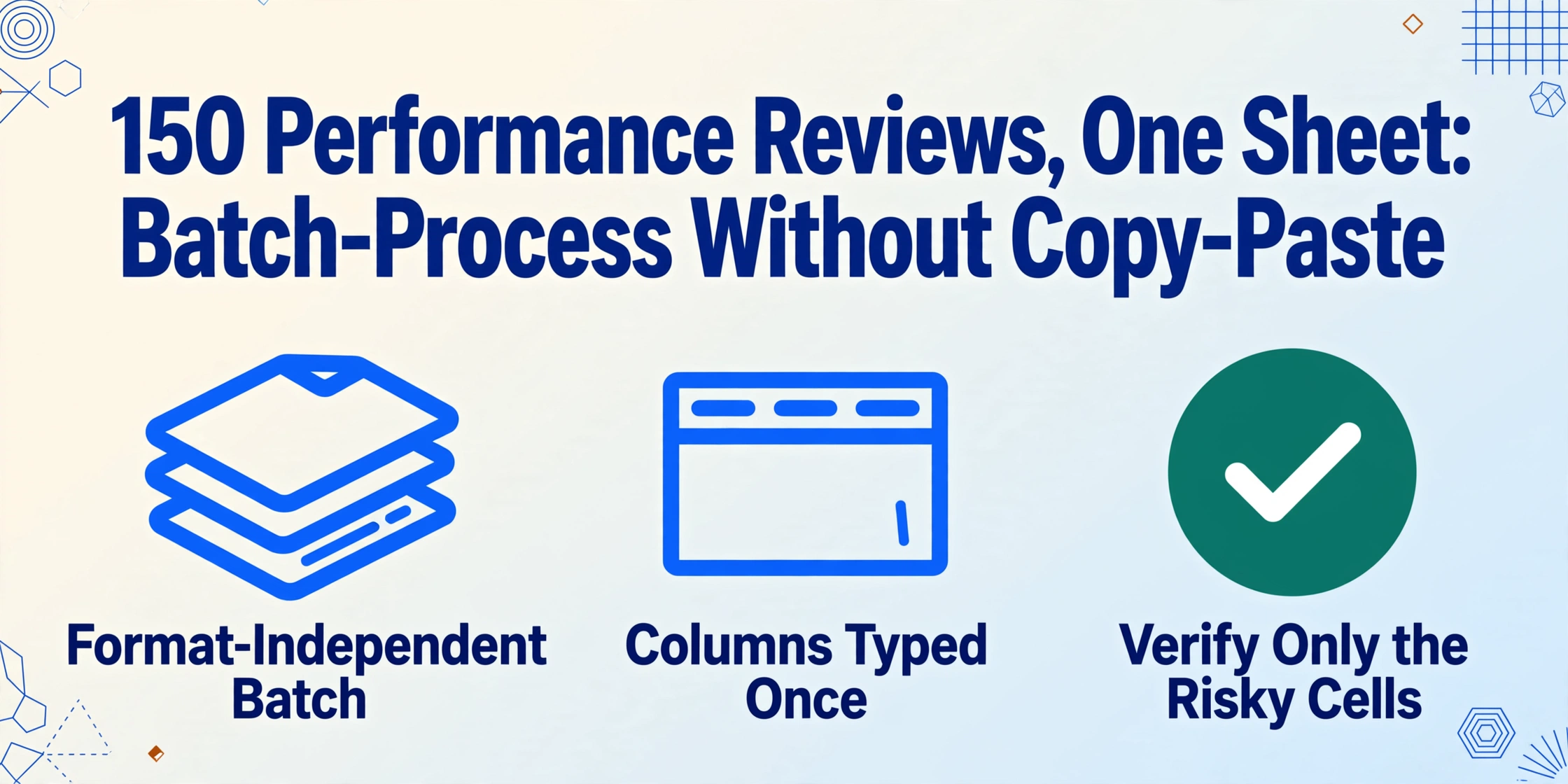
- Copy-pasting 150 review scores into a spreadsheet is not a slowness problem — single-document workflows break at batch scale by design.
- 150 heterogeneous reviews, three rating vocabularies, one calibration deadline — mental translation at that volume becomes systematic error, not judgment.
- Define your column names once and the AI reads by meaning instead of position — 150 reviews land in one aligned table in a single pass.
The Gap Between 1 Review and 150 Is Not Speed. It's Design.
Everyone on a people team can handle one performance review. You open the PDF, read the manager's assessment, note the overall rating, and file it. The trouble starts when the cycle closes and the calibration session date is fixed: suddenly the whole company's reviews arrive at once, and the same careful one-at-a-time workflow becomes a queue you can't finish.
In a SHRM survey, 54% of HR professionals said their organization runs formal calibration sessions — and 69% cited inconsistent ratings as the most common reason ratings get changed once managers compare notes (SHRM). Calibration exists to catch those inconsistencies — but it can only discuss what made it onto the spreadsheet. If the spreadsheet itself was built by hand, it inherits every transposition and skipped line from that manual pass.
That is the real gap. Single-document processing is a task you slot between meetings. Batch processing is a project with a deadline, a pile of heterogeneous documents, and no tolerance for the one error that lands an employee in the wrong pay band. The tools that handle one review comfortably were never designed for the batch — which is why batch review season collapses into weekend copy-paste sessions for so many teams.
Batch performance review processing is a design problem, not a typing problem. The moment the stack exceeds what one person can transcribe without fatigue errors, the workflow itself — not the typist — has to change.
What a Review Cycle Actually Hands You
Before you can batch anything, it helps to know what a finished cycle produces in practice. Even companies running performance software rarely have a single "export everything" button that outputs a calibration-ready table. In practice the documents arrive in at least four shapes, usually mixed:
- Per-review PDFs from the platform. Workday, Lattice, 15Five, and BambooHR all allow per-employee review exports — which means a folder of one-file-per-person PDFs, often in batches of fifty or more, delivered the week before calibration.
- Raw platform data dumps. The alternative export is a question-by-question CSV that still needs reshaping before it matches your calibration format.
- Word and Google Docs forms. Mid-size teams still run cycles on shared templates: managers fill a doc, sign it, and email it back. HR ends up with an inbox of attachments, each in a slightly different edit state.
- Scanned appraisal sheets. Still real in manufacturing, retail, healthcare, and field operations — a paper form with a manager's rating scale filled in by hand, scanned back at the office.
- Chat evidence from Slack and Teams. The day-to-day praise and coaching notes a manager sends between formal cycles never reach the review file, yet they often justify the rating once calibration starts. Those manager feedback screenshots have to be pulled into the sheet alongside the review documents, or the rating has no evidence behind it.
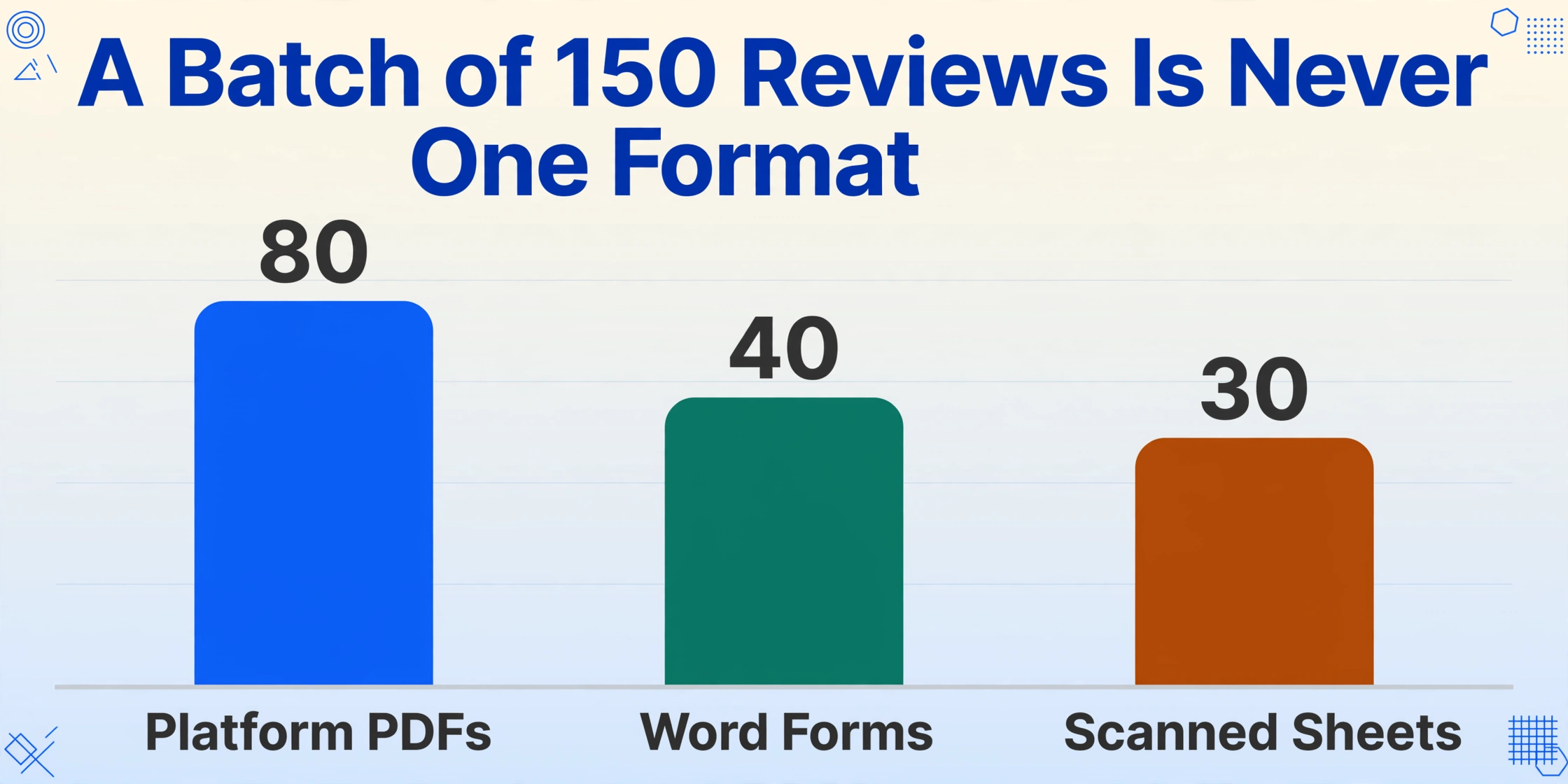
The mix is the problem. A batch of 150 reviews might contain 80 platform PDFs, 40 Word forms, and 30 scans — and they don't share a layout, a field order, or even a vocabulary for the same rating ("4", "Exceeds Expectations", and a checkmark in the box above "Meets Expectations" all mean different things on different forms). A workflow built for one format doesn't survive contact with three.
The Three Things That Break at Batch Scale
Batch processing is not single-document processing done 150 times. It is a different operation with failure modes that don't exist when the stack is one PDF thick. Three of them decide whether review season works or collapses.
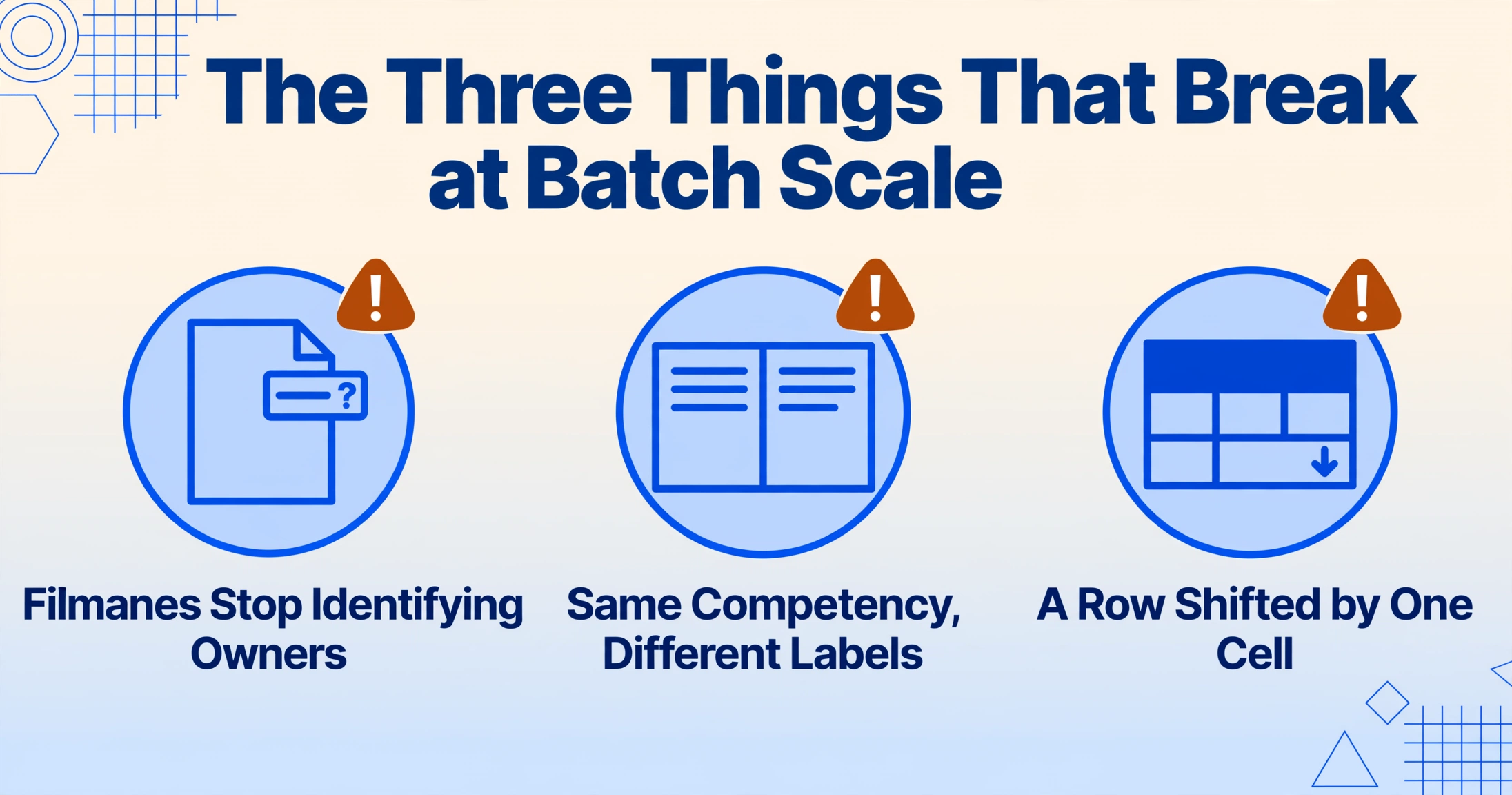
1. The naming problem. When three reviews arrive, you can map "Chen_2025_Review.pdf" to its owner without thinking. When 150 land in a shared Drive folder and half the filenames read "Scan_2025-12-04_0071.pdf" or "Performance Review (1) (2) FINAL.pdf", the mental mapping collapses. You open files just to identify them — and every file you open to check a name is time spent not assembling the sheet.
2. The structural variance problem. A single company rarely has one review template. Managers in different departments append sections, skip the self-assessment, write a rating in the comments box instead of the rating field, or use "Communication & Collaboration" while another uses "Interpersonal Skills" for the same competency. At single-document scale you translate these differences mentally. At batch scale, mental translation becomes systematic error.
3. The consolidation problem. Even with every review extracted cleanly, you now have 150 sets of values — and what you need is one table, one row per employee, columns aligned. The merge step, where 150 extractions become a single spreadsheet with matching headers, is where batch workflows get abandoned for manual fallback. It's also where the quiet errors hide: a row shifted by one cell, a column pasted under the wrong header.
These three problems are why the answer to review season isn't "type faster." It's a workflow where the documents themselves become the input and the aligned table is the output — no intermediate transcription to drift.
How One Column Definition Turns 150 Documents Into One Sheet
The mechanism that handles all three batch breakers at once is Custom Column Extraction: you type the column names you want — "Employee Name", "Overall Rating", "Communication Score", "Promotion Recommendation" — and the AI locates each value on every document by understanding what the field means, not where it sits on the page. The column names you enter become the headers of the final spreadsheet, so the output matches your calibration format by construction.
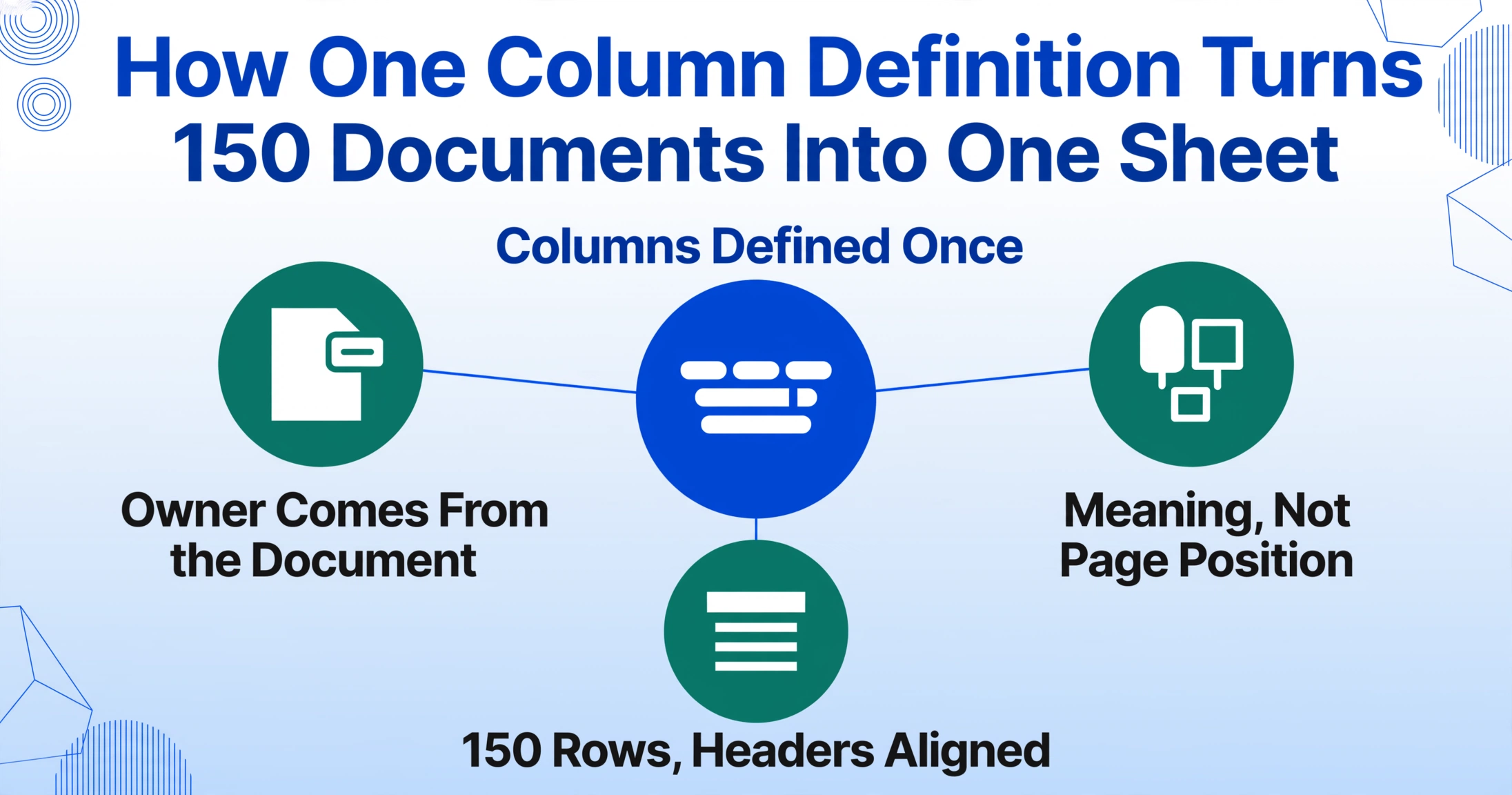
Because the column definition is the same for all 150 documents, the naming problem dissolves: each output row carries the employee's name as an extracted field, so you never depend on filenames for traceability. The structural variance problem dissolves too: whether a review says "Communication" or "Interpersonal Skills", the AI maps both into the column you named "Communication Score" by recognizing the meaning. And the consolidation problem never arises — one batch, one table, 150 rows, all columns aligned, because they were defined once at the start.
You can even add columns the forms never print. A computed column like "Composite Score (Communication + Collaboration + Productivity + Quality + Leadership ÷ 5)" makes the AI average the competency scores during extraction instead of after. An inferred column like "Performance Tier (options: Top/Strong/Developing/Needs Improvement)" classifies every employee into your rubric as the batch processes. The sheet arrives with the analysis-ready work already done — no formulas, no second pass in Excel.
Files are processed securely and not stored.
If you want the full field list and a step-by-step walkthrough of building the calibration sheet — including which columns to extract and why — the performance review extraction guide for talent calibration covers the process document by document. This article focuses on what changes when you run it at 150.
What Happens to the Exceptions in a Batch
In a 150-document batch, "the average document" is a fiction. Some reviews will be missing the self-assessment. Some managers will have left the promotion recommendation blank. A few scanned sheets will have a rating circled in pen that the scanner captured at an angle. Batch workflows live or die on how they treat these exceptions — so here is what actually happens with each one.
Missing fields stay blank, not fabricated. If a review doesn't contain a competency score, that cell is left empty in the output — the AI does not invent a number to fill it. A blank cell in the sheet is an honest signal for the calibration conversation ("this manager didn't score collaboration"); a fabricated one would silently corrupt the distribution.
Traceability comes from extracted fields, not filenames. Because "Employee Name" (and ideally "Employee ID") are extraction columns, every row is traceable back to its document regardless of how the file was named. When a manager challenges a rating in the room, you can open the source document in seconds instead of hunting through a folder.
You verify the risky ones, not all 150. In Review Mode, hovering over any extracted cell highlights exactly where that value came from on the original image — so spot-checking the scores that feed pay decisions takes minutes, not hours. The same visual verification layer is what lets a people team sign off on a batch without re-reading every document end to end.
One more thing worth knowing about batch-scale exceptions: rating scales differ by department. A 1–5 scale in engineering and a 1–10 scale in sales produce numbers that can't be compared directly. Normalize the Overall Rating column once the data is in the sheet — a find-and-replace or formula pass, not a retyping session. The same normalization applies if your cycle mixes "4" with "Exceeds Expectations"; map both to your rubric's numeric scale after extraction.
From 150 Rows to a Calibration Agenda
The batch output isn't the deliverable — the calibration session is. But the sheet you bring into the room determines whether that session debates evidence or impressions. Three checks turn 150 aligned rows into a working agenda.
Check the distribution against your target curve. Filter by Performance Tier and count how many employees landed in each band. A company where 80% of the team is "Top" isn't a high-performing company — it's an uncalibrated one, and that's the first thing the session should discuss.
Pivot by manager to surface leniency and severity. Insert a pivot table with Manager as rows and Average of Composite Score as values, then compare each manager's team average to the company average. The manager at 4.6 against a company average of 3.9 is your calibration conversation starter — not because their team is bad, but because their scale is different.
Build the pre-read packet before anyone walks in. Filter the sheet to the employees each session will cover and share the relevant rows ahead of time — ratings, narrative highlights, promotion recommendations. Managers arrive having already seen the evidence, which is precisely the documented-evidence dynamic that keeps calibration sessions fair instead of impression-driven.
This batch pattern extends across the whole HR document stack. The same one-batch-to-one-table workflow that consolidates review season also handles offer letters and contracts into an employee database when promotions turn into hires, onboarding forms into employee records for the new joiners, and resume data into candidate spreadsheets when the headcount plan calls for recruiting. Define the columns once; every document type follows the same path.
FAQ
Can I mix platform PDFs, Word forms, and scanned sheets in one batch?
Yes. Batch processing does not require pre-sorting by format or layout. You define your column names once — Overall Rating, Communication Score, Promotion Recommendation — and the AI reads each document type by understanding the fields' meaning. Platform PDFs, Word forms, and scans all flow through the same batch and land in the same aligned table. Multi-page PDFs are split page by page and matched to the right review automatically.
How do I trace a row back to the right employee when filenames are just "Scan_001.pdf"?
Include "Employee Name" (and Employee ID, if your forms print one) as extraction columns. The name is pulled from the document itself and appears in the output row, so traceability never depends on filenames. If you want a second layer of redundancy, rename files before upload — but in practice the extracted name field is sufficient because reviews almost always print the employee's name prominently on the first page.
What happens when a review is missing a score or a section?
The missing field stays blank in the output — the AI doesn't guess. A blank cell is an honest signal you can handle in calibration ("this manager didn't score collaboration") rather than a silent error. If you want the sheet to flag these cases, add an inferred column like "Review Completeness (options: Complete/Partial)" and the AI will mark each row during extraction.
Different departments use different rating scales — can I still compare them in one sheet?
The extraction captures each rating as printed on the form, in its own column. To compare across departments, normalize the Overall Rating column once the data is out — a single find-and-replace or formula converts the 1–10 sales scale onto your 1–5 rubric. The same normalization maps text ratings like "Exceeds Expectations" to numeric values. It's a five-minute pass on one column, not a retyping session across 150 rows.
Reviews are due for calibration on Friday — how long does a full batch take?
Batch processing runs in parallel: dozens to hundreds of documents process together and merge into one output table, typically in a few minutes to a couple of hours depending on volume and document length. The practical bottleneck isn't the extraction — it's the spot-check pass afterward, which Review Mode keeps to minutes by letting you verify the extracted values against the source images instead of re-reading every document.
Is employee performance data kept private?
Files are processed securely and automatically deleted after a configurable retention period; no training data is retained from customer uploads. The extracted spreadsheet is a file you download and control, which keeps responding to access or deletion requests straightforward.
The Sheet Is the Starting Point, Not the Deliverable
There is a quiet shift when a people team stops transcribing reviews and starts batch-processing them. The 8 to 10 hours that used to disappear into copy-paste reappear as something else: time spent actually reading the distribution, noticing which manager's team averages a full point above the company, and preparing the evidence that makes the calibration conversation productive. The typing was never the job. The conversation was — and it can only ever be as good as the data you bring into the room.
One batch, one sheet, every rating and comment in place — that's what makes review season feel like a season instead of a siege. Upload a handful of your actual review files and watch 150 documents become one calibration table in a single pass.