30 Timesheets, One Revenue View
End Month-End Billing Chaos
The distance between "time is tracked" and "time is billed" is filled by a spreadsheet that someone in accounting manually stitches together every month. When that spreadsheet has to absorb 30 consultant timesheets — PDFs, scanned paper forms, and Excel files, each naming the same client three different ways — the stitching takes longer than the billing itself. A 2026 survey of 500 professional services firms by Unit4 and Pierre Audoin Consultants found that 47% of firms spend regular hours correcting timesheets — not tracking time, but fixing what was already tracked. This article is about closing the gap between those 30 files and the one dashboard your billing run depends on.
Key Takeaways
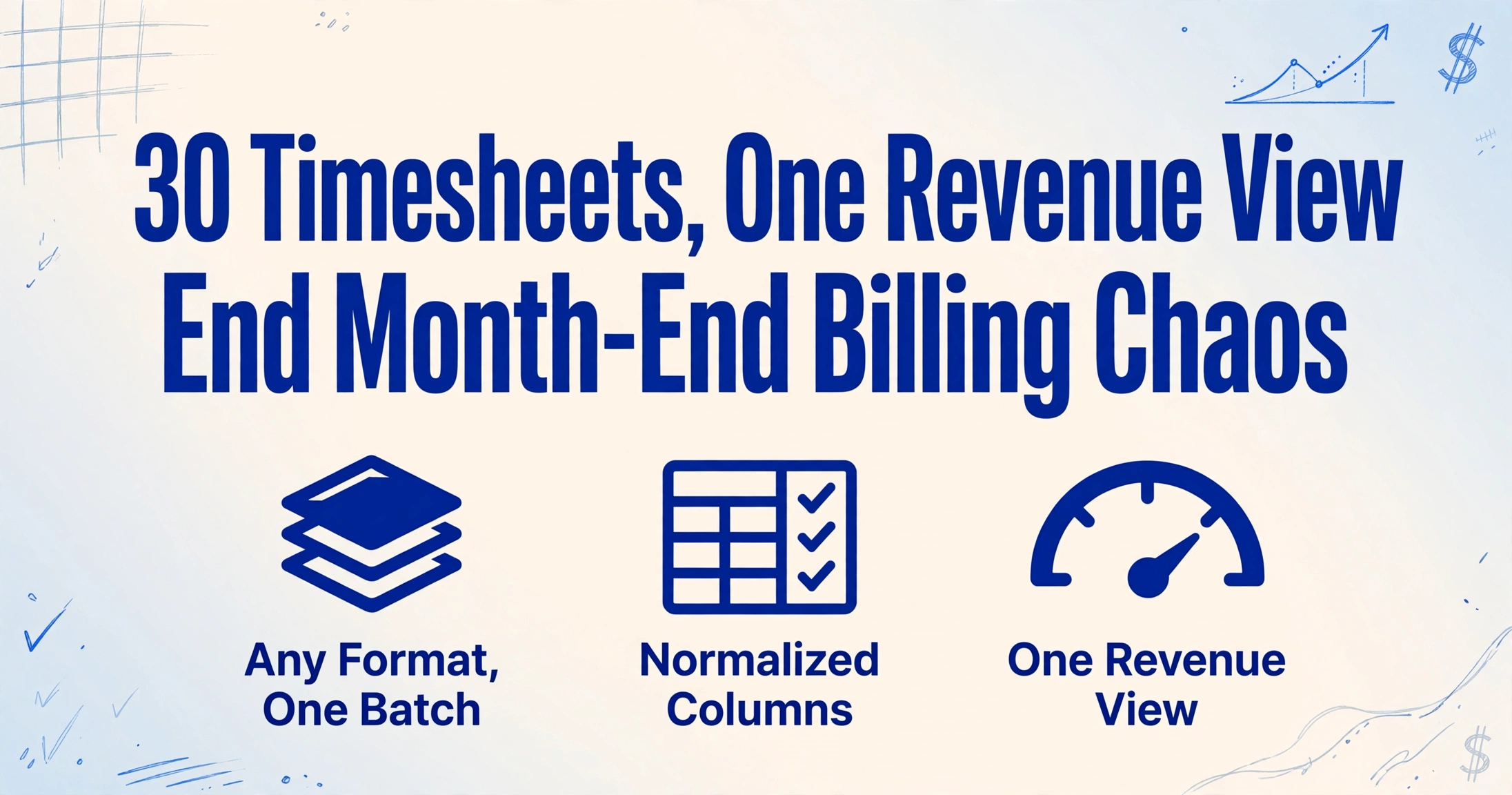
- Month-end billing sits on a manually-stitched spreadsheet of 30 consultant timesheets — and the stitching takes longer than the billing itself.
- The real loss isn't the hours spent typing — it's the normalization errors that no amount of manual cleanup catches reliably across 200 line items from 30 different consultants.
- Process all 30 files as one batch and the output lands as a pivot-ready dashboard — client names already standardized, revenue already computed per row.
When "Just Track Your Time" Isn't the Problem
SPI Research's 2026 Professional Services Maturity Benchmark — based on 509 firms representing $63 billion in PS revenue — recorded billable utilization at 66.4% in 2025, the lowest in the survey's 19-year history and 3.6 points below the 70% minimum healthy threshold. That number gets cited in almost every PS operations article published this year, and understandably so — it's a warning light on the industry dashboard.
But open a typical "how to improve utilization" article and you'll find the same prescription: better time tracking software. Real-time timers. Calendar integration. Automated reminders. All of that addresses recording time — making sure consultants log every 0.1-hour increment as it happens. For our guide to extracting timesheet data for billing reconciliation, we walked through the full leakage pipeline — recording gap, transcription gap, reconciliation gap — and showed how AI-based extraction closes the second stage.
But there's a layer underneath transcription that most guides skip because it only surfaces when you're dealing with volume: the batch processing problem. Extracting one timesheet is straightforward. Extracting 30 timesheets from 30 different consultants, each using a slightly different format, different client abbreviations, and different rate structures — and needing the result to be one revenue dashboard sorted by client, project, and consultant — that's a different operation entirely.
The difference between processing one timesheet and processing thirty isn't 30× the effort. It's a qualitative shift: single-file extraction is about data entry speed. Batch extraction is about data normalization — reconciling inconsistent inputs into a unified output structure without a manual cleanup pass.
The Three Hidden Costs of Batch Processing That Single-File Guides Never Mention
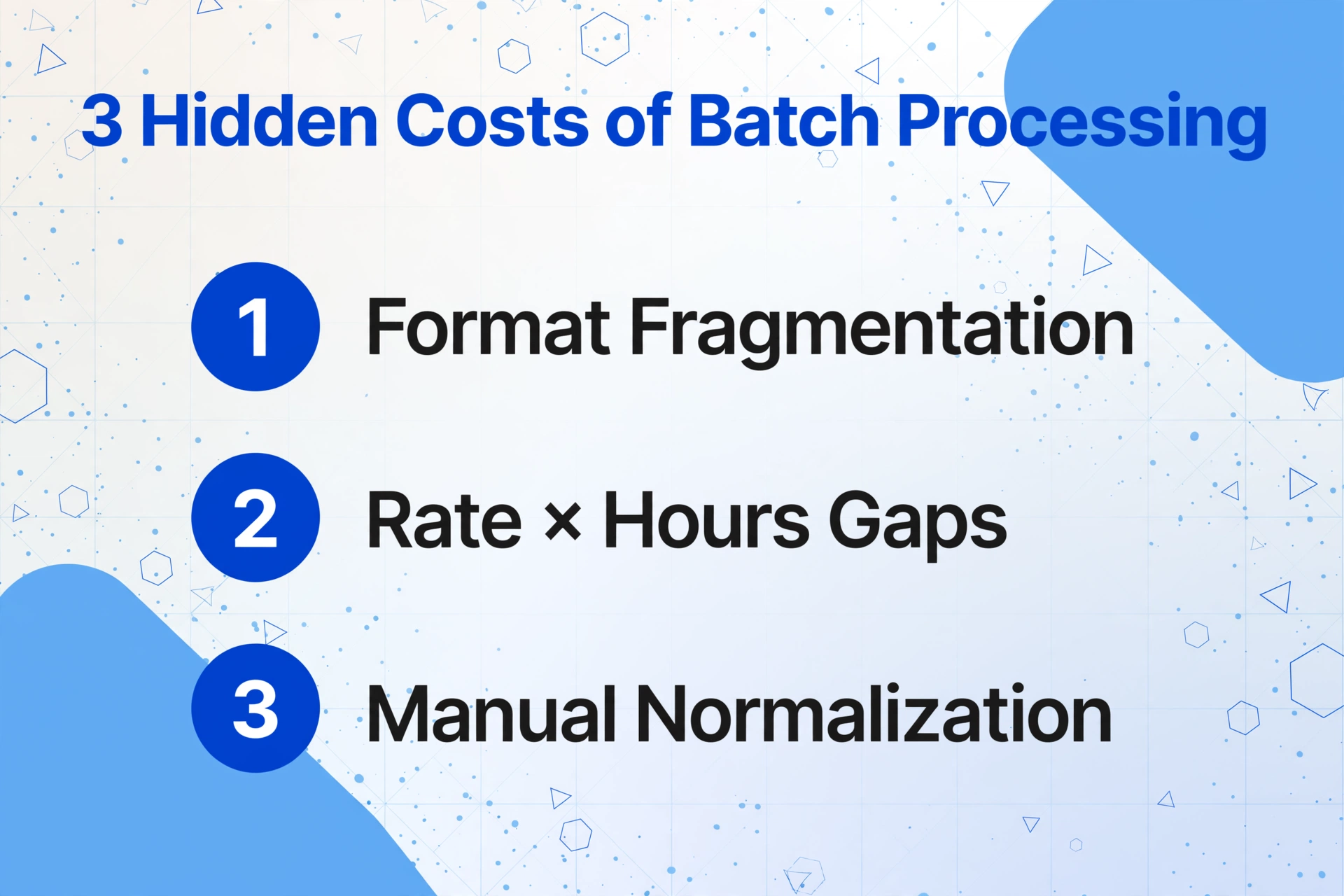
When you process timesheets one at a time, you're solving a transcription problem. When you process them in batches of 30, you're solving three problems that don't exist in the single-file world:
1. Format Fragmentation and Naming Inconsistency
Consultant A uses the firm's standard PDF timesheet. Consultant B emails a photo of a handwritten form from a client site. Consultant C opens a personal Excel template they've been using since 2022. Consultant D printed the form, filled it by hand, and scanned it — upside down. Each consultant also names the same client differently: "Acme Corp - Phase 2," "AC2 - Strategy," "Acme Corp (Phase II)."
When you process these one at a time, the billing coordinator mentally normalizes each entry as they type — "oh, that's Acme Corp Phase 2" — and enters the correct code. But with 30 files, mental normalization breaks. By the 12th timesheet, the coordinator is no longer checking; they're transcribing character for character. The result: the same client appears under three different names in the output, and the pivot table that should show "Acme Corp — $47,250 billed" instead shows three separate rows totaling the same amount — if the coordinator notices and manually consolidates them later.
This is not a time-tracking problem. It's a data normalization problem that only appears at batch scale.
2. Rate × Hours Discrepancies at Volume
A single timesheet with one rate is easy to verify: 7.5 hours × $275/hour = $2,062.50. But a consulting firm typically has multiple rates: different clients negotiate different rates, senior consultants bill at higher rates than junior associates, and some projects have blended rates while others bill by role. A 30-consultant batch might contain 200+ line entries across 8 different effective rates.
Manual verification at this scale becomes probabilistic. A billing coordinator can spot-check a few entries, but doing a full rate-audit across 200 rows — checking each against the engagement letter — would take hours. The cost of these missed errors is concrete: a 50-person firm billing $200/hour loses an estimated $780,000 to $1.3 million annually from time tracking leakage. A portion sits in the recording gap (hours never logged); another portion sits here, in the transcription gap (hours logged but mis-priced).
3. Missing Entries and the "Who Forgot Thursday?" Hunt
In a batch of 30 timesheets covering a month, there will be gaps. A consultant was out sick on the 14th and left that day blank — intentional. Another consultant worked a full day on the 19th but forgot to fill the row — unintentional. From the billing coordinator's desk, both look identical: one missing row in a sea of data.
Single-file processing makes these gaps visible because you're looking at one person's full month at a time. Batch processing — where you're staring at 30 merged timesheets — hides them. You're scanning for column completeness across the entire month, not per-consultant coverage. The gap only surfaces when a client questions their invoice and someone digs back into the original files.
WorkPuls data on time tracking accuracy bears this out: 80% of companies using paper timesheet systems reported needing to correct 80% of the timesheets they receive. When you multiply those corrections across a 30-consultant batch, you're not processing timesheets — you're running a parallel quality assurance operation.
From Timesheet Stack to Revenue Dashboard: The Batch Workflow
This is where the design of the extraction tool matters. Tools built for single-document processing treat batch as an afterthought — you process one file, download the result, process the next. A batch-first extraction tool — one designed from the start to accept multiple files and merge results into a single output — handles the three challenges above within the processing step itself, rather than leaving them for the billing coordinator to solve in Excel afterward.
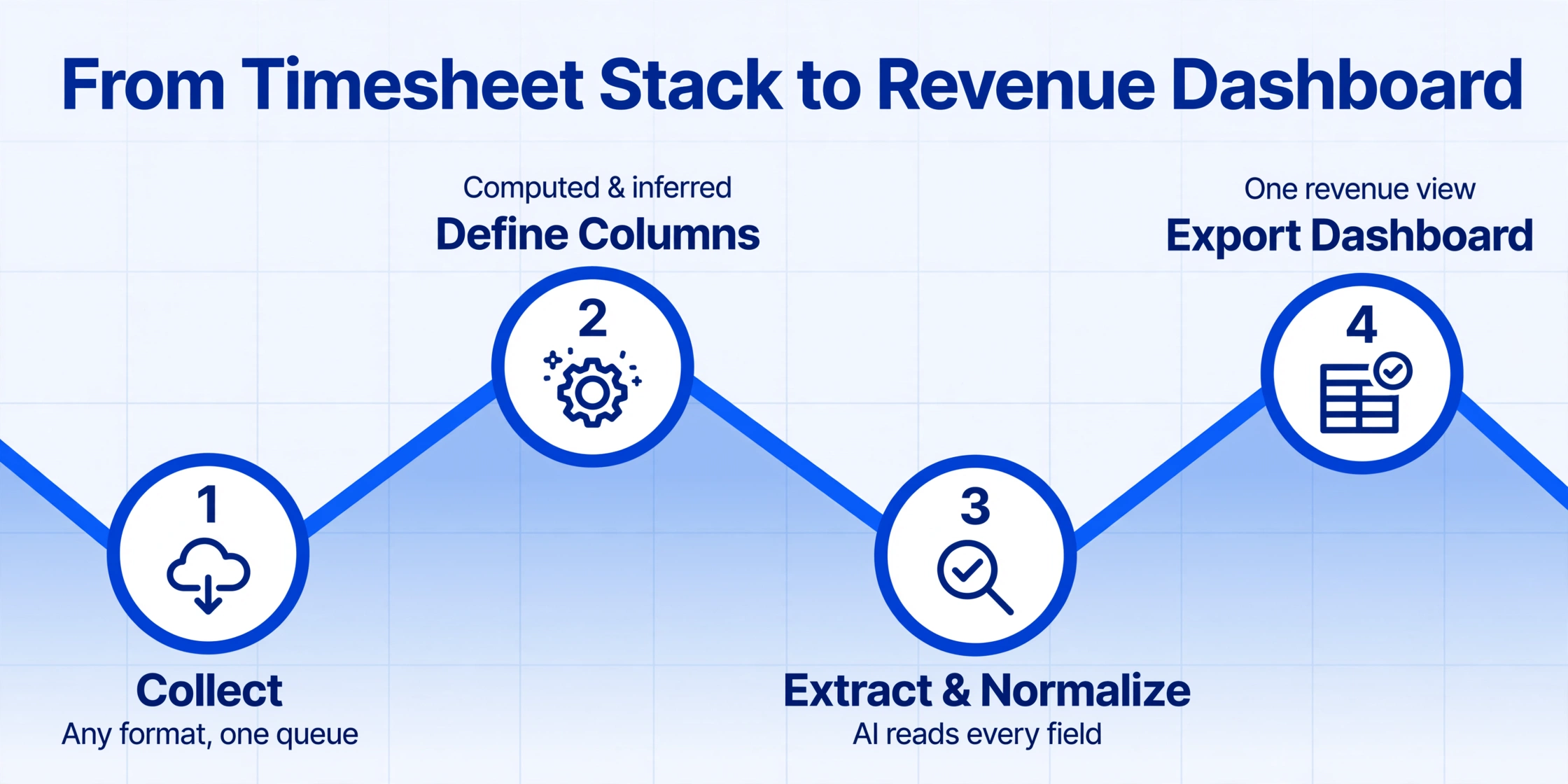
Here's the workflow from 30 consultant timesheets to one client revenue dashboard, with each step designed to neutralize one of the three batch costs:
Collect timesheets in one place — any format.
Gather PDFs, JPGs, PNGs, or scans from every consultant. No need to standardize formats upfront. For firms that want to automate collection, a Collection Link — a shareable upload page where each consultant drops their timesheet directly into your processing queue, no login required for the submitter — removes the "chase 30 people for files" step entirely.
Define your dashboard columns — including computation.
Type the field names you want extracted: Client Name, Project Code, Consultant Name, Date, Hours, Rate. Add a Computed Column — for example, Revenue (Hours × Rate) — and the AI calculates the billable amount for every row during extraction. Add an Inferred Column like Standardized Client (infer from Client Name) to normalize naming variations. These columns become the raw material for your dashboard.
Batch-upload and process all 30 files at once.
Select all timesheet files and process them as one batch. The AI reads each document using semantic extraction — it understands that "7.25" next to "Hours" under a row mentioning "Acme Corp" means 7.25 billable hours for that client, regardless of where on the page those fields sit. All 30 files merge into a single Excel table, with the Computed Column calculating revenue per row and the Inferred Column standardizing client names. This is the qualitative shift: what was 30 separate transcription sessions becomes one structured dataset in roughly 5 minutes.
Pivot into your revenue dashboard.
With the merged Excel table, create a pivot table: rows by Standardized Client and Project Code, values as SUM of Hours and SUM of Revenue, with Consultant Name as a filter. In under a minute, you go from raw timesheet rows to: total hours per client, total revenue per project, utilization per consultant (billable hours ÷ available hours), and a quick comparison of billed vs. expected revenue. No manual formula writing. The dashboard is a pivot of the extraction output, not a separate report you build from scratch.
Files are processed securely and not stored.
Normalizing Consultant Naming Conventions Without a Manual Cleanup Pass
The naming inconsistency problem — "Acme Corp - Phase 2" vs "AC2 - Strategy" vs "Acme Corp (Phase II)" — is the most batch-specific challenge in timesheet processing. In single-file extraction, it doesn't exist because you're looking at one consultant's entries at a time and the naming variation only matters when entries are combined.
Traditional approaches to this problem are all manual: maintain a lookup table and VLOOKUP every cell, send a "name standardization policy" email that half the consultants ignore, or (most commonly) accept three separate rows in the pivot and manually consolidate them after every monthly batch run.
Inferred Column extraction solves this within the processing step. You define a column like Standardized Client (infer from the Client Name field — options: Acme Corp, Beta Industries, Gamma Consulting, Other). The AI reads each consultant's entry for "Client Name" — however they wrote it — and maps it to the standardized name you defined, outputting the normalized version in a separate column. This is different from a lookup table because the AI understands semantic similarity: "AC2" and "Acme Corp Phase 2" are recognized as the same entity without you defining every possible variant.
The downstream benefit is immediate: your pivot table groups by the Standardized Client column and shows one row per client — the revenue dashboard you actually need — without a 45-minute manual cleanup session before every billing run.
What the Dashboard Actually Tells You That Raw Timesheets Can't
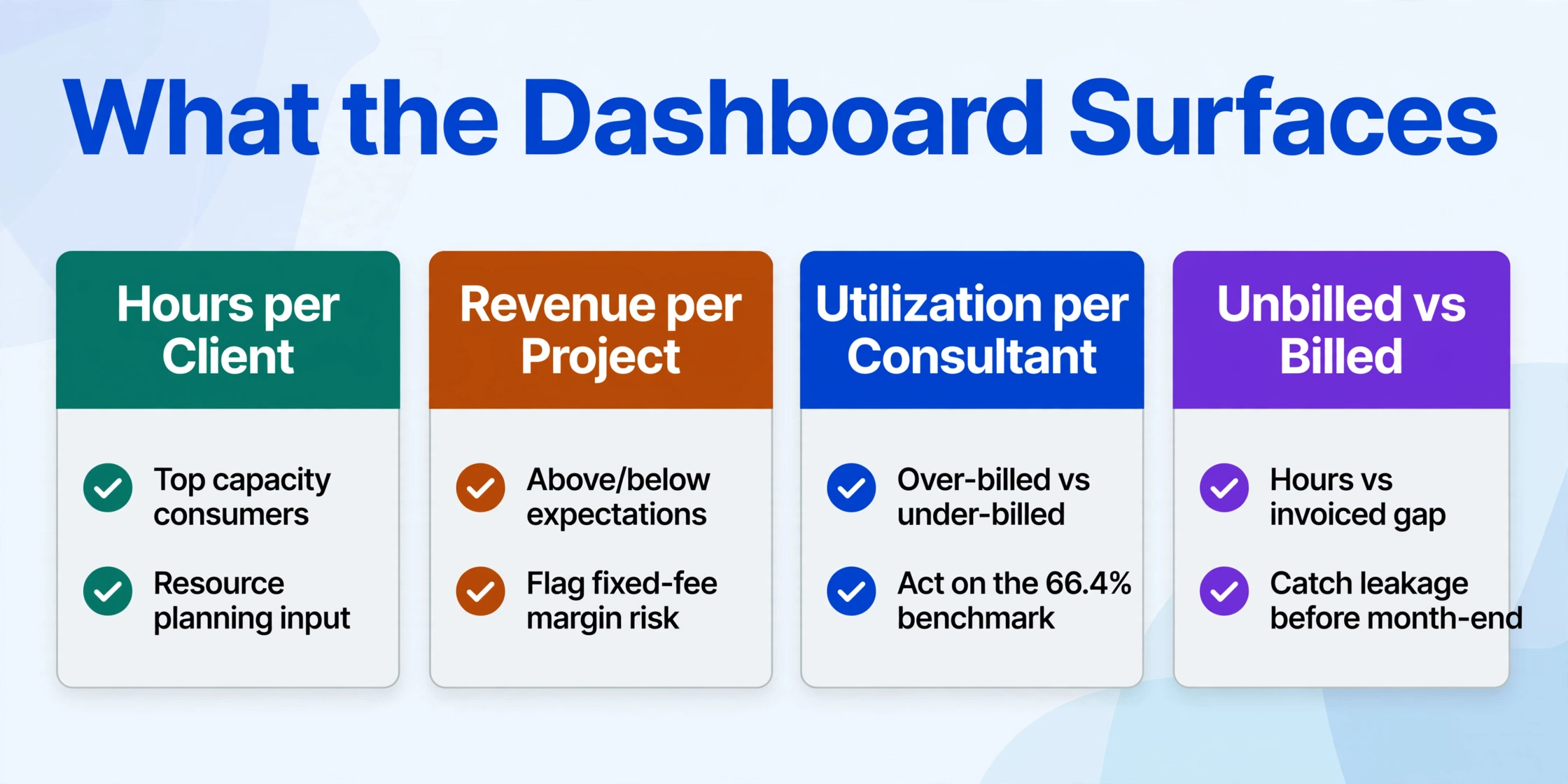
Once the 30 timesheets are merged and normalized into one table, the pivot becomes a lens that raw timesheets can't provide. Here's what emerges when you arrange the data by client, project, and consultant:
| Dashboard View | Pivot Configuration | What It Surfaces |
|---|---|---|
| Hours per Client | Rows: Standardized Client | Values: SUM of Hours | Which clients are consuming the most billable capacity — critical for resource planning and renewal pricing |
| Revenue per Project | Rows: Standardized Client, Project Code | Values: SUM of Revenue | Which projects are generating revenue above or below expectations; flag fixed-fee projects where actual hours are eating margin |
| Utilization per Consultant | Rows: Consultant Name | Values: SUM of Hours ÷ available hours | Who is over-billed (burnout risk) and who is under-billed (revenue gap). SPI's 66.4% industry utilization becomes a per-consultant metric you can act on |
| Unbilled vs Billed Comparison | SUM of Revenue vs expected client invoice totals | The gap between hours worked and hours invoiced — the metric behind the 15–25% leakage statistic. Catch the gap before month-end, not after the client questions the bill |
This isn't a dashboard you build from scratch every month. It's a pivot of the extraction output — the same Excel file that contains every extracted row. Set up the pivot once, and each monthly batch refreshes it with new data. The SPI Research benchmark target of 75% utilization stops being an abstract industry number and becomes a per-consultant metric you can track, discuss, and improve.
Utilization isn't just a profitability metric — it's a leading indicator of revenue leakage. When a firm's average utilization drops below 70%, the gap between available hours and billable hours starts eating margin at a rate most firms don't detect until the quarterly review. A monthly dashboard that shows utilization per consultant closes the feedback loop before the quarter ends.
Connecting the Dashboard to Your Billing Cycle
The extraction output is an Excel table. The billing step is invoicing clients based on that table. Most professional services billing platforms accept CSV imports for time entries — which means the gap between "dashboard shows revenue" and "invoice sends to client" is an import step, not a re-typing step:
| Platform | CSV Import Path | Typical Import Time (200 entries) |
|---|---|---|
| QuickBooks Online | CSV import via Gear → Import Data → Time Activities | Under 2 minutes |
| Clio | Bulk time entry import via CSV; maps to Matter, Activity, Hours, Rate | Under 3 minutes |
| Harvest | CSV import with Client, Project, Task, Hours, Date fields | Under 2 minutes |
| BQE Core | Time entry import via CSV; maps to Project, Phase, Employee, Hours | Under 3 minutes |
| BigTime | CSV and QuickBooks-integrated import; supports Staff, Project, Date, Hours, Rate | Under 2 minutes |
The workflow is extraction → pivot into dashboard → CSV export → import to billing platform. The dashboard step serves as the reconciliation record — it's where you verify that what you're about to invoice matches what was worked before the invoice goes out. Firms that skip this step and import directly are betting on extraction accuracy without verification, which is how the 15% leakage persists even after adopting extraction tools.
For firms that need to go deeper — including handling multi-currency billing, DCAA compliance for government contractors, or LEDES format for law firms — the full extraction-to-reconciliation guide covers those paths in detail. For comparison shoppers evaluating the current landscape, our roundup of timesheet extraction tools in 2026 walks through pricing, accuracy, and workflow fit across the market. If your timesheets arrive on paper from field consultants, paper job sheet to billable amounts covers the paper-to-digital handoff specifically. And month-end timesheet processing for payroll close extends the same approach to the payroll side of the monthly cycle.
FAQ
How many timesheets can I process in one batch?
There is no hard limit — batch processing accepts any number of files in one upload. Processing time scales roughly linearly with page count. As a practical benchmark, 30 single-page timesheets process in approximately 5 minutes from upload to merged Excel output. Individual pages process in 5–10 seconds each — about 18 times faster than manual data entry, which averages 3 minutes per page for structured forms.
What if consultants use completely different timesheet formats?
Format diversity is the core problem batch processing solves. AI extraction identifies data by semantic meaning rather than by position on the page — it understands that "7.25" next to "Hours" refers to billable hours regardless of whether that field appears in the top-right corner of a PDF, the third column of an Excel sheet, or handwritten next to a scribbled date on a scanned form. The AI reads each format independently and normalizes all results into the same structured output. For a deeper explanation of how semantic extraction differs from template-based OCR, see the complete guide to timesheet extraction.
Can the AI handle different billing rates for the same consultant across different clients?
Yes, in two ways. If the timesheet form includes a Rate column, the AI extracts it per row — so different rates for different entries are handled automatically. If rates aren't on the timesheet itself, use a Computed Column to embed the rate logic. For fixed-rate scenarios, define Revenue (Hours × 275) for a standard rate, or use separate columns for different clients. For multi-rate engagements, use Rule Format (available to logged-in users) to define conditional rate logic — for example, applying $350/hour for senior consultants and $200/hour for junior associates based on the Consultant Name extracted from each timesheet.
What happens if a consultant forgot to log a day — will the AI flag it?
The AI extracts what's on the document — it won't fabricate missing entries. However, the dashboard step surfaces gaps that individual timesheet review might miss. When you pivot the merged output by Consultant Name against Date, any consultant with fewer days than expected for the month will stand out immediately in the pivot — a gap that's hard to spot when scrolling through 30 separate files. The dashboard becomes the detection mechanism, not the extraction step itself.
Does batch processing work for both printed and handwritten timesheets in the same upload?
Yes. The AI reads printed text, handwriting, and mixed printed/handwritten documents within the same batch. Accuracy is higher for printed text, but common handwriting on structured forms (where fields are labeled and entries are in defined areas) extracts reliably. For scenarios where legibility is critical — such as field consultants submitting handwritten job sheets from construction sites — providing a structured template with clearly labeled fields improves extraction consistency.
Can I export directly to my billing software instead of Excel?
The standard output is Excel and CSV. Since all major billing platforms — QuickBooks, Clio, Harvest, BQE Core, BigTime — accept CSV imports for time entries, you can export as CSV and import directly without an intermediate Excel step. However, most firms prefer to keep the Excel file as their reconciliation record — it provides the three-way audit trail (original timesheet → extracted data → invoice) that supports billing disputes and compliance requirements.
SPI Research put the industry average billable utilization at 66.4% — the lowest ever recorded. Every percentage point recovered from the transcription and reconciliation gap moves that number closer to the 75% threshold. Test batch extraction on your next monthly timesheet run and see the difference.
Batch Your Timesheets