Month-End Timesheet Crunch:
How to Close Payroll on Time
What if the bottleneck in your payroll close isn't the software — it's the 48-hour window between "timesheets are due" and "payroll must be submitted," during which a stack of paper sheets with handwriting from 40 different people needs to become rows in ADP or QuickBooks before the direct deposit deadline? That window isn't a policy failure. It's the default structure for every organization with field workers, hourly staff, and a biweekly or semi-monthly pay cycle. And according to PayrollOrg's 2025 Global Payroll Week survey, late or inaccurate time-tracking data is the #2 payroll challenge worldwide — behind only poor data input quality. The EY 2022 payroll error study quantified the cost: time and attendance errors alone drain an average of $250,000 per 1,000 employees per year, driven by missing punches, illegible handwriting, and rush-hour data entry during payroll close.
Key Takeaways
- Every pay cycle, handwritten timesheets from the field land on your desk 48 hours before the payroll cutoff — a window fixed by bank settlement rules, not by how fast you type.
- Federal wage law (FLSA, the Fair Labor Standards Act) requires paying employees on payday even without a timesheet — so one illegible entry at cutoff forces payroll to estimate, pay, and correct next period, building a backlog that compounds until corrections outnumber original entries.
- ImageToTable.ai reads handwritten timesheets in minutes by understanding that "8" next to "Mon" means 8 hours worked — freeing payroll staff to spend the crunch window on overtime verification and FLSA compliance, not on transcribing digits from paper into software.
The 48-Hour Window That Determines Whether Payroll Closes Clean
The distance between "most timesheets have arrived" and "payroll must be submitted to the bank" is rarely more than two business days — and for semi-monthly payroll on a Friday payday, it can be as little as 36 hours. This compression is not a sign of poor management. It is the structural reality of payroll timing for any organization with hourly employees.
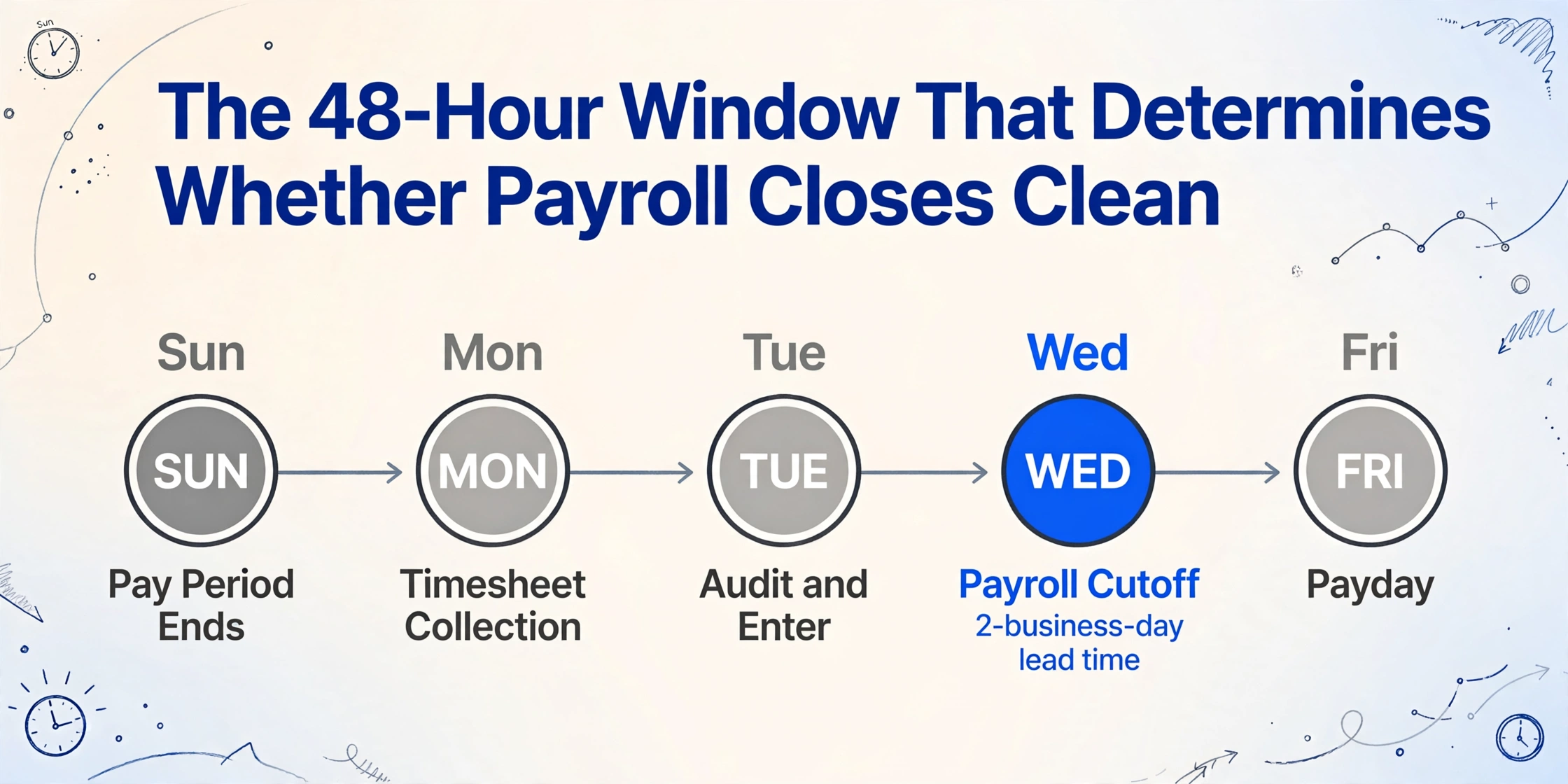
Here is what a standard biweekly payroll timeline looks like in practice, gathered from payroll professionals on r/Payroll and confirmed across ADP, Paylocity, and QuickBooks Payroll documentation:
| Day | Action | What's Actually Happening |
|---|---|---|
| Sunday | Pay period ends | Field workers finish their last shift. Paper timesheets are still on job sites, in trucks, in foremen's clipboards. |
| Monday | Timesheet collection | Foremen email photos or drop off physical sheets. 60-70% arrive by end of day. The rest trickle in over the next 24 hours. |
| Tuesday | Audit and enter | Payroll team deciphers handwriting, transcribes hours into payroll software, flags anomalies, calls supervisors about missing or inconsistent entries. |
| Wednesday | Payroll cutoff | 2-business-day direct deposit lead time. Payroll must be submitted by end of day. Any timesheets arriving after this go into the next pay period. |
| Friday | Payday | Funds settle. Employees who failed to submit timesheets on time either got paid on estimated hours (creating a correction cycle) or are angry. |
For semi-monthly payroll — the standard for 19.8% of private-sector establishments, particularly in corporate and government sectors — the timeline is even tighter. If the pay period ends on the 15th and payday is the 20th, the payroll team has Monday through Wednesday to turn handwritten sheets into validated rows. If the 15th falls on a Thursday, the period-end and payroll-submission dates almost touch.
This is why the crunch feels relentless: it is. It repeats 24 or 26 times per year, and the only variable is how many timesheets arrive illegible, incomplete, or not at all.
The FLSA Paradox: Why "Just Don't Pay Late Submitters" Isn't an Option
The employer's obligation under the Fair Labor Standards Act is unambiguous: wages are due on the regular payday for the pay period covered, regardless of whether the employee met your deadline for submitting their timesheet. Timekeeping is an employer recordkeeping obligation — not the employee's. You can discipline an employee for late submission. You cannot delay their pay. And you cannot guess wrong: underpaying carries wage-theft liability, while overpaying creates a recovery headache that varies by state law.
The paradox this creates for payroll teams is structural and unsolvable by policy alone:
Payroll software requires clean, validated time data to process correctly. FLSA requires payment for all hours worked regardless of whether that data exists. When these two requirements collide at 2 PM on the day of payroll cutoff, the payroll team is caught between a compliance obligation and a technical limitation — and neither side budges.
The American Payroll Association's "Getting Paid in America" survey found that 74% of American workers would find it difficult to meet financial obligations if their paycheck were delayed by even one week. A payroll delay is not a minor administrative inconvenience — it's a direct hit to employees who rely on predictable pay dates to cover rent, utilities, and childcare. One missing timesheet from a field worker who clocked double shifts but wrote their hours in pencil can trigger a cascade that affects every other employee whose pay depends on that payroll run closing on time.
The most common fallback — paying on estimated hours and correcting next period — transfers the problem forward without resolving it. Each pay period that carries corrections from the previous one adds a reconciliation layer that compounds. By the fourth or fifth cycle, the payroll team is running two periods simultaneously: the current one and corrections from the last one. This is not sustainable. It is, however, the default operating state for thousands of HR departments in construction, manufacturing, agriculture, and field services.
What One Illegible Entry Does to a Payroll Close
If a timesheet is missing entirely, the problem is visible. The payroll clerk knows to flag it, call the supervisor, and build an estimate. What is more dangerous to the close timeline is the timesheet that looks complete but contains handwriting that forces a judgment call at every field.
A worker writes "8" in the Tuesday column but the ink smeared. Is it 8? 6? 3? A timesheet from a catering crew lists hours for an event that ran late: the clock-out time says "11:30" but the worker didn't write AM or PM. The payroll clerk has 40 more sheets to process and 30 seconds per field to decide. If they guess wrong, the cost compounds: the employee notices the error on payday, files a correction request, payroll cuts an off-cycle check, the general ledger entry gets adjusted, and the time that should have gone to the next period's close gets consumed by fixing the previous one.
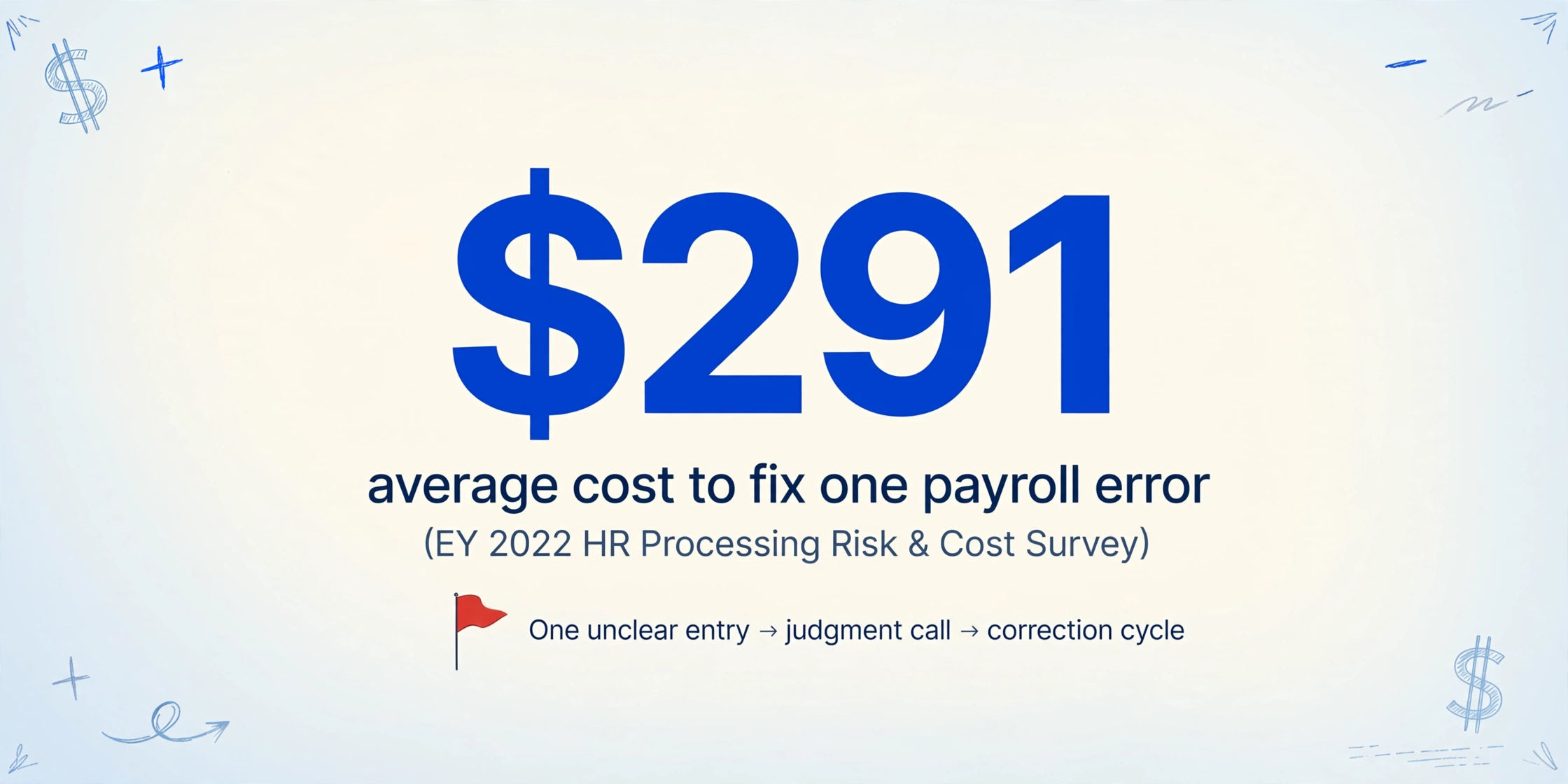
EY's 2022 HR Processing Risk & Cost Survey found that the average cost to fix a single payroll error is $291 — and missing or incorrect time punches had the highest total cost per 1,000 employees at $71,700 annually. For an organization of 100 employees, that's roughly $7,170 per year spent on correcting nothing more than time entry mistakes. Not tax miscalculations. Not benefit misconfigurations. Just "is this an 8 or a 6?"
The cascade is measurable and predictable:
- One unclear entry → payroll clerk makes a judgment call (15-30 seconds).
- If wrong → employee files a correction request on payday (5 minutes of employee time).
- Correction processed → payroll cuts an off-cycle payment or adjusts next cycle (20-30 minutes of payroll time).
- GL adjustment → accounting reconciles the corrected amount (15 minutes).
- Total per error: approximately 45 minutes of combined labor, plus the $291 EY-estimated average.
Multiply that by 15 corrections per pay period — the average reported by EY — and the month-end crunch isn't just a stress problem. It's a recurring cost center hiding inside your payroll process. For a deeper breakdown of how these costs accumulate per employee and per pay period, see our detailed analysis of manual timesheet data entry costs.
This is also why paper timesheets persist in field-intensive industries — not because companies refuse to modernize, but because every digital time clock app was designed for an office environment. Construction sites without cell service, agricultural crews rotating through fields, home healthcare aides visiting clients in neighborhoods with spotty connectivity — these are the environments where paper remains the only reliable data capture method, and where the illegible-8-or-6 problem is most acute.
Five Things You Can Change Before the Next Payroll Run
A full digitization project — deploying mobile time clocks, training field crews, integrating with your ERP — takes months. These five changes can be implemented in a single pay cycle and will measurably reduce the chaos when the next close deadline arrives.
1. Set a hard cutoff, not a "due date"
Most timesheet policies say "timesheets are due Monday by 5 PM." In practice, that means "most arrive Monday evening, some Tuesday morning, a few after payroll has already run." Replace the due date with a hard cutoff: "Timesheets received after Tuesday at 10 AM will be processed in the following pay period." Communicate it. Enforce it. The first cycle will be painful — employees who ignored the old soft deadline will miss pay — but the second cycle will be better. This shifts the burden of proof from the payroll team ("can I find a way to pay you?") to the employee ("did I submit on time?"), which is where FLSA intends it to be.
2. Run a 2-hour warning protocol
APS Payroll's best practices research identifies automated reminders as the single most effective intervention for late timesheets — more effective than policy changes, more effective than disciplinary measures. Configure your system to send an email or SMS notification the morning the deadline falls, and a second reminder two hours before the cutoff. The second reminder is the one that catches the stragglers. If your payroll software doesn't support this natively, a recurring calendar event with an email list works just as well for teams under 50.
3. Pre-generate a "missing-timesheet protocol" for every employee
Before the crunch window even opens, create a one-page document that lists — for every hourly employee — their standard schedule, their supervisor's phone number, and a note on whether they typically work overtime. When a timesheet is missing at cutoff, the payroll clerk doesn't have to research who to call and what hours to estimate. They follow the protocol: check the schedule, call the supervisor if the estimate differs from the norm, enter the best-guess hours, flag the entry for correction next cycle. This alone can cut 15-20 minutes of scramble time per missing sheet.
4. Add a "supervisor verification" step before timesheets reach payroll
The payroll team should not be the first set of eyes on a handwritten timesheet. The foreman or shift supervisor who was on site when the hours were worked can spot an incorrect entry instantly — a 6 that should be an 8, a missing shift, a day marked "off" that was actually a double. Requiring supervisor sign-off before sheets arrive at payroll eliminates a layer of ambiguity that payroll clerks are poorly positioned to resolve. This adds a step to the supervisor's workflow, but it removes a much larger block of time from the payroll team's crunch window.
5. Let field crews snap and submit timesheets by phone
If field workers are already writing hours on paper — and they are — the fastest way to get those sheets into payroll is not to wait for physical delivery. Have foremen photograph the completed timesheet with their phone and send it to a shared email or upload endpoint the moment the shift ends. This eliminates the 12-24 hour gap between "timesheet is filled out" and "timesheet is physically in the office." Combined with the hard cutoff in step 1, it means payroll starts Tuesday morning with 90% of timesheets already received — instead of starting Wednesday morning with 60%.
If you use ImageToTable.ai's Collection Link feature — a shareable upload page where people can submit files directly to your processing queue without needing an account — foremen can send timesheet photos straight into the extraction pipeline from their phones. No app install, no login, no training.
When Paper Timesheets Are Your Reality, Shrink the Transcription Window
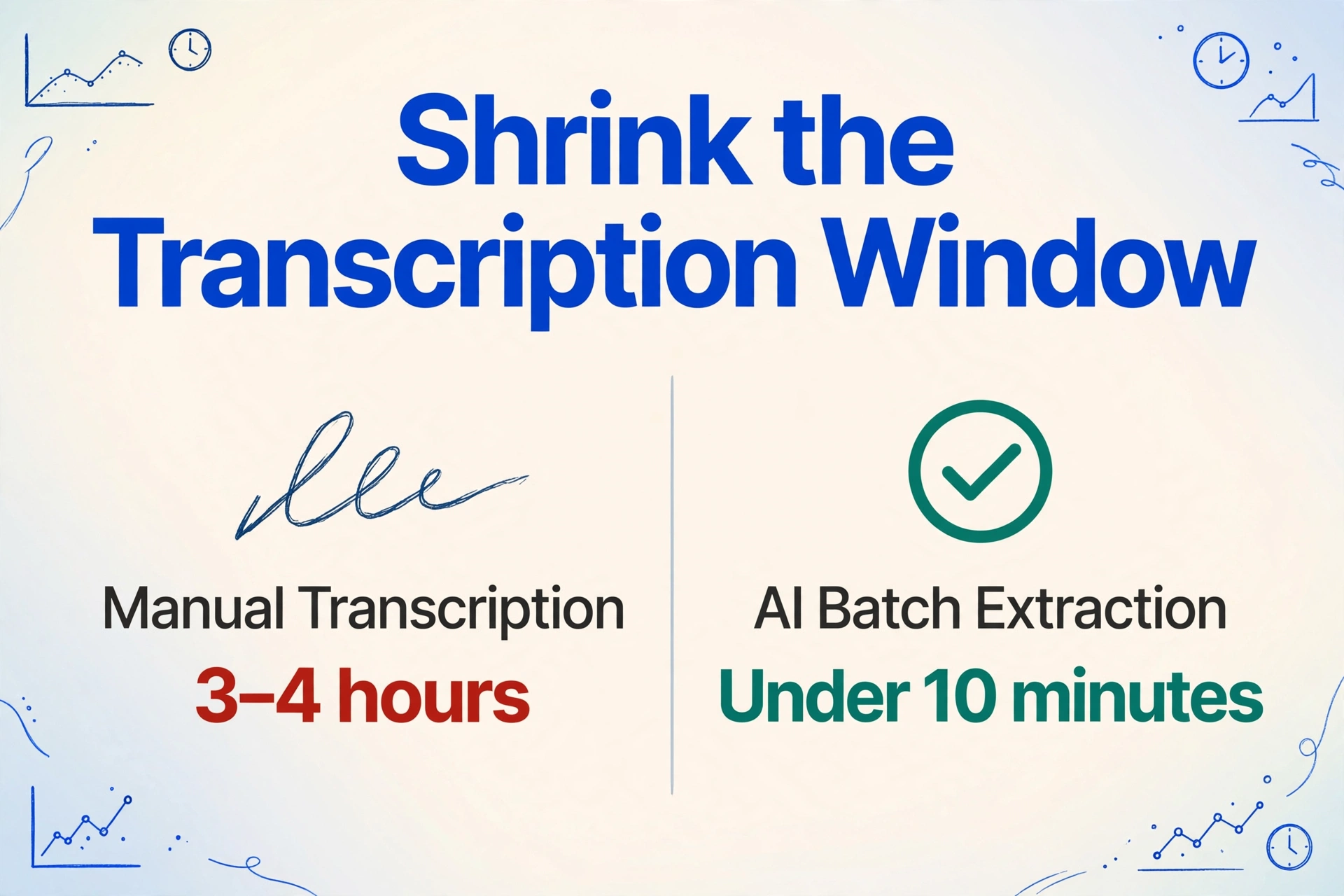
Once the timesheets have arrived — whether by email, upload link, or physical drop-off — the clock starts ticking on data entry. For a 50-employee company on a biweekly cycle, a payroll clerk spends roughly 3-4 hours transcribing handwritten timesheets into payroll software: reading each name, each date, each set of daily hours, each total. That is time spent not on the higher-value work of the payroll close — verifying overtime calculations, reconciling against the GL, checking for FLSA compliance on total weekly hours across job sites.
AI handwriting recognition has advanced to the point where it can read handwritten names, dates, clock-in/out times, and total hours with high reliability — not because it matches pixel patterns like traditional OCR, but because it uses visual language models (VLMs) to understand the meaning of what's written. A VLM encountering "Mon 8 Tue 7.5 Wed 8 Thu off Fri 6" knows that "8" next to "Mon" in a timesheet context means 8 hours worked on Monday — even if the handwriting is messy, even if the formatting varies from sheet to sheet.
The practical difference for payroll close: instead of spending 3-4 hours typing 50 timesheets field by field, the payroll team uploads the batch — photos, scans, PDFs — and specifies the columns they need extracted: Employee Name, Date, Daily Hours, Total Hours, Job Code, Supervisor. The AI reads all 50 sheets in under 10 minutes and outputs a single spreadsheet with consistent formatting. The payroll team's 3-hour data entry block becomes a 20-minute review block.
Files are processed securely and not stored.
This is not "digital transformation." It's a bridge. The paper timesheets still exist because field conditions still demand them. But the transcription step — the 3-hour bottleneck that determines whether payroll closes on Tuesday or gets pushed to Wednesday — is no longer manual. For a step-by-step walkthrough of how to process an entire month's worth of handwritten timesheets in one batch, see our guide on batch-converting handwritten timesheets into a payroll-ready spreadsheet.
Shrinking the transcription window from hours to minutes doesn't just reduce stress — it changes what the payroll team does with their limited crunch time. Instead of spending the close window on data entry, they spend it on verification, compliance checking, and exception handling — the work that actually requires human judgment.
Frequently Asked Questions
Can I legally delay an employee's pay if they don't submit their timesheet?
No. Under the FLSA, wages are due on the regular payday regardless of whether the employee submitted their timesheet. The employer — not the employee — bears the recordkeeping obligation. You can discipline the employee through your standard progressive discipline process, but you cannot withhold or delay their pay. Best practice: pay on estimated hours based on schedule and prior patterns, document the estimate, and correct in the following pay period if needed.
What's the realistic minimum processing window between timesheet deadline and payroll cutoff?
Most payroll systems (ADP, Paylocity, QuickBooks Payroll) require 2 business days for direct deposit processing. In practice, the gap is often compressed to 24-48 hours, especially for semi-monthly payroll where period-end dates vary by day of the week. The critical variable isn't the gap between deadline and cutoff — it's whether timesheets arrive in a format that the payroll team can process quickly (digital, clean) or one that requires transcription first (handwritten, inconsistent).
How accurate is AI at reading handwritten timesheets compared to a payroll clerk?
AI handwriting recognition using vision language models can achieve high accuracy on structured handwritten forms — but accuracy varies with handwriting quality, form layout, and field complexity. For a deeper look at the variables that affect extraction quality, see our analysis of what affects AI extraction accuracy from handwritten timesheets. The key operational insight: AI accuracy doesn't need to be 100% to be valuable. If AI handles 90% of fields correctly and flags the 10% it's uncertain about, the payroll team reviews 5 fields per sheet instead of typing 50 — a 90% reduction in manual work during the crunch window.
Does AI extraction work if every worker uses a different timesheet format?
Yes, if you're using column-name extraction rather than template-based OCR. Column-name extraction is an approach where you tell the AI what data points you want — "Employee Name," "Monday Hours," "Total Weekly Hours" — and it locates each value anywhere on the page by understanding what it means semantically, not by matching a fixed position on a template. One worker uses your printed company form; another writes hours in a running list on notebook paper; a third uses a form from a previous company with different column labels. A column-name extraction approach handles all three in the same batch because it's reading for meaning, not matching rectangles.
What's the single highest-impact change I can make this pay period?
Move your timesheet deadline to create a real 48-hour buffer before payroll cutoff — and enforce it as a hard cutoff. The first cycle will generate complaints from employees who have grown accustomed to submitting late without consequence. By the third cycle, the new rhythm is established and the payroll team's crunch window has doubled. Everything else — reminders, protocols, AI extraction — builds on top of this foundation. Without the buffer, you're optimizing inside an impossibly tight window. With it, you have room for review, verification, and exception handling.
Clear the Backlog Before the Next Payday
The month-end crunch isn't going away — not as long as field workers fill out paper timesheets by hand and payroll software requires clean, validated data. But the transcription step that currently consumes the bulk of your 48-hour close window doesn't have to be manual.
ImageToTable.ai's column-name extraction reads handwritten timesheets — names, dates, hours, job codes — from photos or scans and outputs a single, consistently formatted spreadsheet in minutes. Upload a batch at period close, review the results, and import directly into ADP, QuickBooks, or Paylocity. The crunch window stays the same size. The work that fills it gets a lot smaller.
No credit card required. First 50 pages free.