The Client Wrote Out the Numbers.
You Still Needed the Forms.
In a late-season thread on r/TaxPros, a preparer ran through his day two days before the October deadline. The second item: "Different client sends me her tax docs but instead of uploading her docs, she writes everything out in the email. W2 info, lump sum for sch c and sch e. says SALY for health insurance (she uses the marketplace)." The client was cooperating. The trouble was the shape the cooperation took.
The pattern was familiar enough that other preparers in the thread did not need the details. One answered, "I will never understand why people feel the need to extract the info from government forms and list it out for me. I only ask for forms. It wastes their time, and I'm not going to use it." The reply underneath finished the thought: "Then they F it up/omit info to boot."
Key Takeaways
- A typed list of W-2 numbers feels like cooperation, right up until someone asks you to prove where the numbers came from.
- The problem isn't the handwriting, it's that a summary has no source behind it, so no digit can be checked, no record kept, and no return defended.
- Split the job in two: a Collection Link pulls the actual W-2s, 1099s, and K-1s into one queue, and extraction reads whatever handwritten list still shows up.
Why a Client Writes Out the Numbers Instead of Sending the Form
The behavior makes sense from the client's chair. Email is the channel they already have open, and typing the W-2 boxes feels like finishing the task. Many of them have done it for years, at a firm that accepted it, so the habit has been reinforced. Underneath it sits a reasonable-sounding assumption: you only need the values, so what difference does the container make?
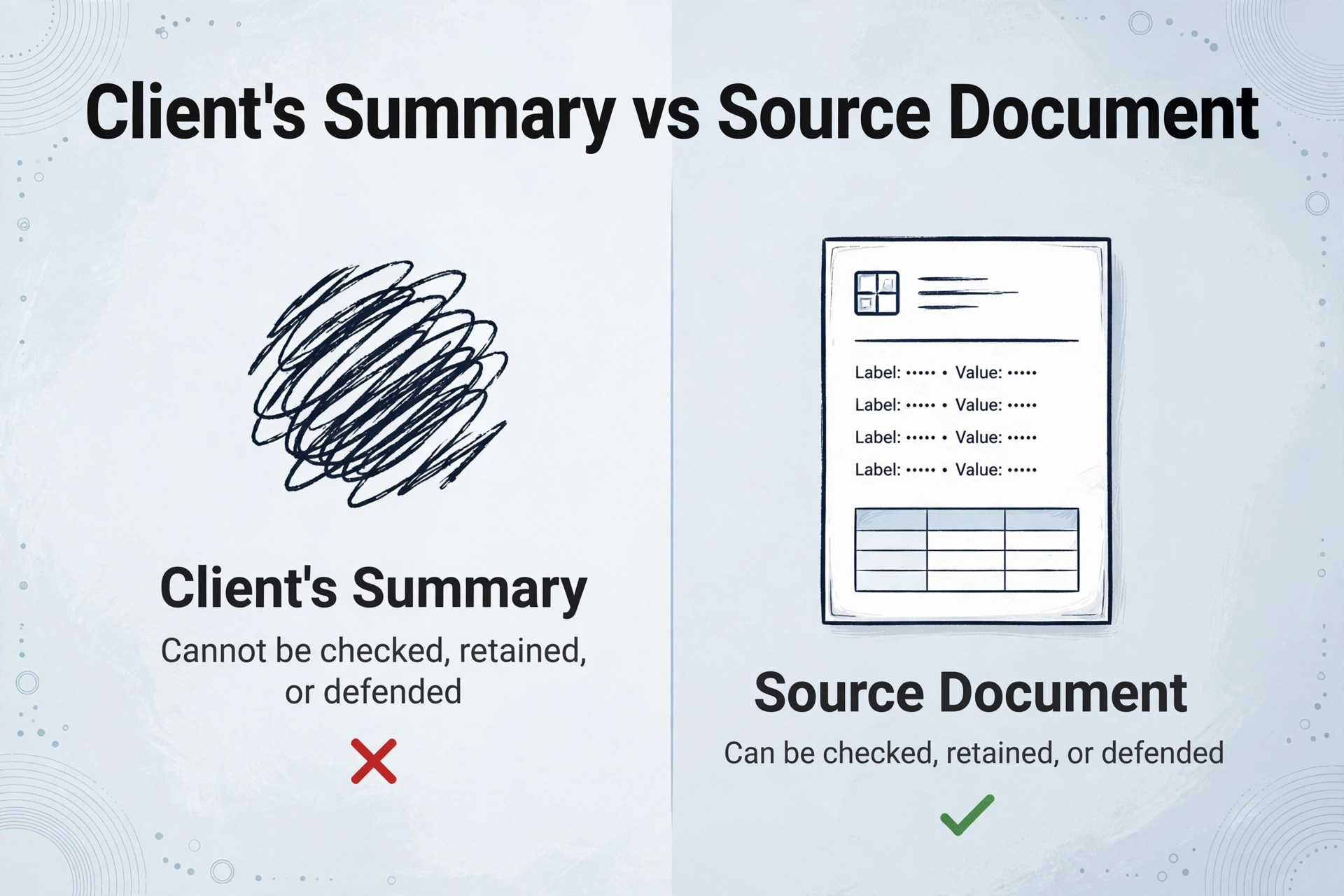
The difference is the record. A W-2 is a third-party document that reports wages under a specific employer identification number, and the figure in Box 1 can be checked against the payroll provider's copy and the IRS's. A sentence inside an email has none of that behind it. When you key "42,000" from a client's message, you cannot tell a misread digit from a transposed one from a figure that was simply wrong, because no second copy exists.
A client's summary and a client's source document are different artifacts, and only one of them can be checked, retained, or defended.
The list does not have to arrive as text. It arrives as a photo of a legal pad, a screenshot of a banking app, or, as one preparer put it in the same thread about a different client, "iPhone camera pics of an early 2000s compaq laptop screen." Different medium, same substitution: a client's recollection of a number in place of the document the number came from. The original poster hit the expensive version when a client sent a K-1 for an entity she owned and had never mentioned. Careful typing does not surface a document that was never sent.
The Tax Intake Loop, and Where the Document Is Supposed to Land
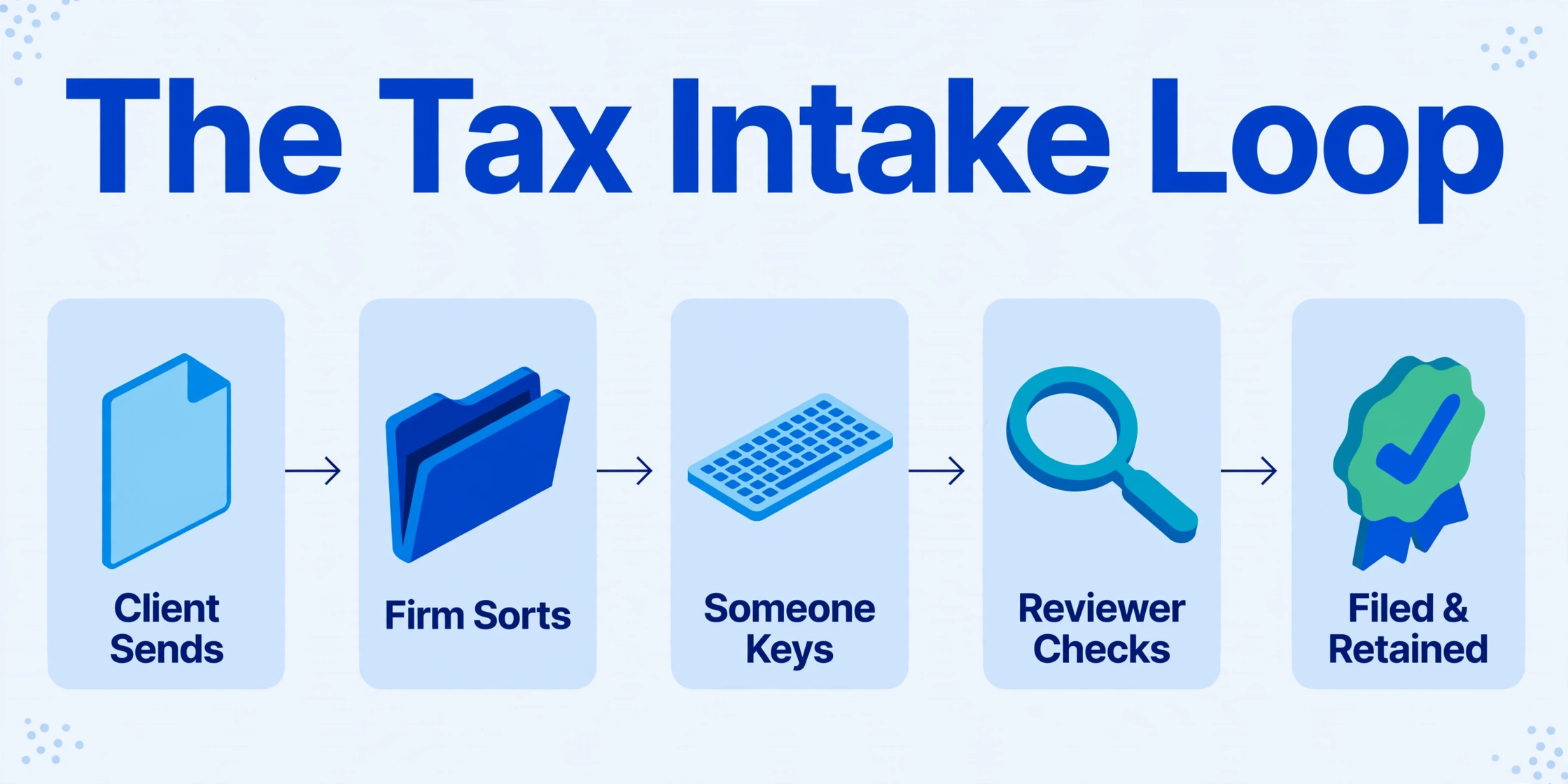
In a normal engagement, the source document is the record. The client gathers the paperwork and sends it. The firm sorts it into a client folder. Someone keys the values into the preparation software, which on most desks is Drake Tax, Lacerte, UltraTax CS, CCH Axcess Tax, or ProConnect Tax. A reviewer compares the draft return against the source. The return is filed, and the source and workpapers are retained.
One handoff in that chain is stubbornly human: the move from document to keyboard. Reading whatever the client sent, in whatever condition it arrived, is the step that resists automation. When the document never arrives, the handoff has no input, so the preparer either types from the client's summary or spends the afternoon requesting the form.
Most of the firms doing this work are small. A 2026 analysis of IRS e-filing data in The CPA Journal found that 45% of single-preparer firms file 100 or fewer returns a year, and roughly 89% of registered firms qualify as small businesses. At that size there is no intake clerk to catch a bad submission and send it back. The written-out list lands on the return preparer, who either types it or becomes a collections agent for the missing W-2. That is why tax preparer client intake deserves the same attention as the return itself.
The rules give the document a second job beyond data entry. IRS Publication 583 treats supporting documents, including invoices, receipts, deposit slips, and canceled checks, as the evidence behind the entries in your books and on the return, and it sets how long they stay retrievable: generally three years for a return, six where income is understated by more than 25%, and at least four years for employment tax records (IRS Publication 583, 2024). A client's email summary is not a supporting document. If it is all you have, you are holding a number with nothing underneath it.
The professional standard points the same way. Circular 230 §10.22 requires a practitioner to exercise due diligence in preparing, assisting in the preparation of, approving, and filing returns, and in the correctness of statements made to the Treasury and to clients (Treasury Department Circular No. 230). The client having typed the numbers does not move that obligation off your desk.
Two Failures a Written-Out List Creates
The first failure is transcription without a source to check against. Circular 230 §10.34(d) allows a practitioner to rely in good faith, without verification, on information furnished by the client. The same paragraph removes the easy version of that reliance: you may not ignore the implications of the information, and you must make reasonable inquiries if it appears incorrect, inconsistent with an important fact, or incomplete (31 CFR §10.34). A client who writes "lump sum for schedule C" has handed you an incomplete figure on its face. There is no breakdown to enter and no document to enter it from.
The "same as last year" line is the same problem in miniature. The client is asserting that nothing changed about their marketplace coverage. If you accept it and the later Form 1095-A shows a different amount of advance premium tax credit, the reconciliation difference surfaces on the return, and the return carries your preparer tax identification number. Reasonable inquiry is part of the job here, not an optional customer-service gesture.
The second failure is the retention gap. If the client never sends the W-2, there is nothing to keep and nothing to produce if the return is examined. Circular 230 §10.21 adds an obligation to tell a client when you know they have made an error or omission. That conversation is easier while the source document is in front of both of you.
The errors concentrate in the places this format afflicts. Illegible digits get resolved by guesswork. A hand-copied total loses a line item. An entity the client forgot to mention never appears. In the thread, the preparer's options for the client who sent a year of bank statements an hour before a deadline were to make the client pull the numbers or to charge a retainer large enough to cover an all-nighter. Both are ways of paying for a document that should have arrived in a form you could process.
Split the Inbox Job in Two
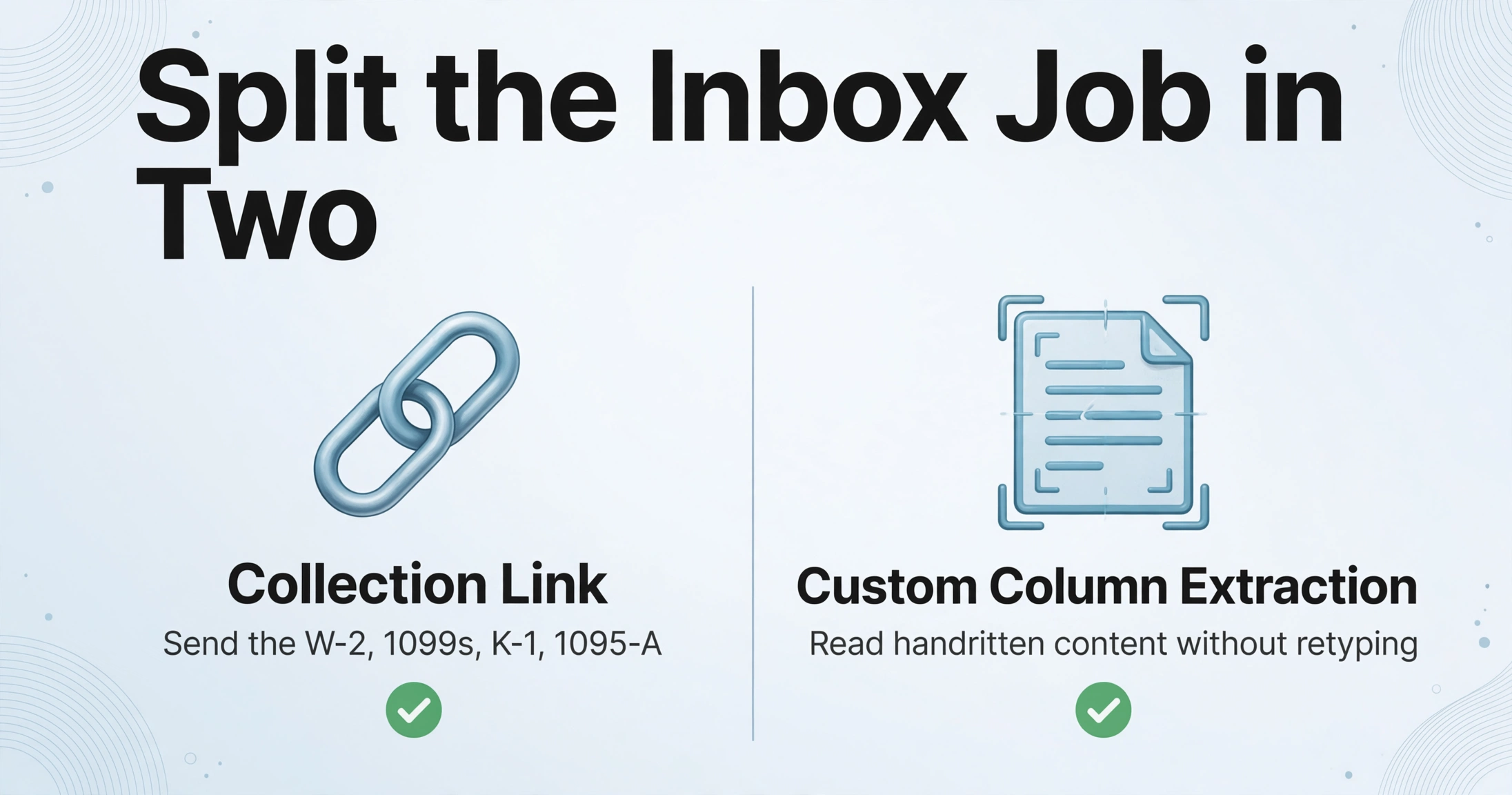
A preparer's inbox is doing two jobs at once: it receives the client's files, and it feeds the preparer's reading. When a client substitutes a summary, both jobs degrade together. Separating them turns the fix into two concrete moves. Collect the source documents through a channel built to collect tax documents from clients, and read the handwritten content that does arrive without retyping it.
A Collection Link is a shareable URL generated from an ImageToTable.ai account that lets someone upload documents straight into your processing queue. It is paired with a short verification code, so only people given both the link and the code can submit, and the submitter needs no account or login. For an engagement you create one link, put a short instruction in the note that appears on the upload page, and send it once. The instruction is the part that changes behavior: send the W-2, the 1099s, the K-1, and the 1095-A themselves, photographed or as PDFs, and do not retype the numbers. Files land in one queue instead of drifting through a reply chain, and the submission is tied to the client rather than to whichever message thread it arrived in. This is the collection half described in our guide to a combined collection and extraction workflow.
The second half covers the cases where a handwritten list is the only thing that exists: a sole proprietor with no formal books, a notepad of expenses, a schedule the client photographed. Custom Column Extraction starts from the columns you name, such as Client Name, Document Type, Box 1 Wages, Schedule C Gross Receipts, and Marketplace Premium. The AI reads each uploaded document and places a value under each column by understanding what the value is, not by matching a fixed spot on the page, which is what lets one set of columns run across a W-2, a K-1, and a handwritten note without a template for each layout. For dense handwriting or a photographed page, Model Tier runs that batch on a stronger vision model. Because figures are where handwriting errors cluster, Review Mode with bbox-assisted verification lets you hover an extracted cell and see the exact region of handwriting it came from, so the check becomes a glance at the two or three money fields instead of a re-read of the page.
Files are processed securely and not stored.
If a client still writes it out, treat the message as a document. Ask them to photograph the note or the page and send the image, or upload it through the link, and let extraction read it. When the document itself is unreadable, the mechanics are the ones covered in our guide to turning handwritten notes into text, and the accuracy questions that come with them are addressed in improving handwriting extraction accuracy. Handwritten tax data entry stops being a typing task and becomes a review task.
What This Does Not Fix
The workflow removes the transcription step and the missing-document gap, and it leaves several things exactly where they were.
- It does not chase anyone. A Collection Link has no automated reminders and no completion tracking. If your process depends on following up with clients who have not submitted, pair the link with your own follow-up or keep a portal that does the reminding.
- It does not replace a client portal or an engagement letter. If you need per-client checklists, approval steps, or e-signature, the link is not that tool. Collect through whatever you already use and extract on your side, or run both in parallel. The tradeoffs are compared in the accountant's view of document intake.
- It does not make the client's numbers true. Extraction reads what a document says. It does not confirm that a figure is correct. The reliance rule in §10.34(d) still requires an inquiry when something looks incomplete, and a tidy spreadsheet changes nothing about that.
- It does not read handwriting perfectly. Accuracy moves with the writer and the image. Our guide to handwriting extraction accuracy lays out where the error rates sit. A verification pass on the figures is the practical response.
- Access is not identity. The collection page is an upload channel with a code, not a check that the uploader is the taxpayer. Share the code privately and rotate it if it spreads further than intended.
One more limit sits outside the tool. If the underlying records do not exist, because a cash business kept no books, no extraction step creates them. What you get is a clean, reviewable version of whatever the client actually has, which beats a typed summary without being complete documentation. Our guide to organizing W-2 and 1099 data covers the returns side of the same habit.
FAQ
Can I use a client's typed summary of their W-2 instead of the W-2?
You may rely in good faith on client-provided information under Circular 230 §10.34(d), but that reliance carries conditions. If the information appears incomplete or inconsistent with what you know, you are expected to inquire further. A typed summary with no source document is the incomplete case. Ask for the form, and keep the form.
Can AI read a handwritten list or a photo of a notepad?
Yes, within limits. AI vision models read handwriting alongside printed text, so a hand-kept list extracts into the same column structure as a printed form. Accuracy depends on legibility. Print style tends to beat cursive, and digits are the weak point. Name the columns you need and review the figures against the highlighted source before using them.
What if the client refuses to use the link?
Some will. You can still accept a photo or a PDF over email and upload it yourself. The difference that matters is whether the source document reaches the queue. If the client insists on typing the numbers, that is an inquiry conversation about what you can support, not a data-entry task you can absorb quietly.
Does Collection Link replace my tax client portal?
No. It handles the collection step and feeds extraction directly, but it has no reminders, no request checklists, and no per-client status view. Firms that need those keep a portal and use the link, or collect through the portal and extract on their own side. The extraction runs the same either way.
Is it safe to send client tax documents through a collected link?
The link requires a verification code, and files are transmitted over HTTPS and processed rather than permanently archived. You remain responsible for client tax information under IRC §7216 even when a third party processes it, so check the tool's retention and deletion behavior against your written information security plan before you upload client-identifiable documents.
How accurate is handwriting extraction on the numbers that matter?
It varies with the writing and the image, which is why the figures get a verification pass. Modern vision models read clear print and neat handwriting closely, and they struggle more with cursive and with scanned or photographed pages. The practical pattern is to extract the whole batch, then check the amounts, dates, and identifiers rather than every field.
The reason to fix this is the gap between what a client intends and what you can evidence, and tax season is when that gap gets expensive. A client who writes out the numbers believes they are helping. A workflow that hands them a link and reads the handwriting lets them help in a form you can use and keep. Try it on the next client who sends a list: upload the document, name the columns, and see whether the retyping step disappears from your day.