The Payroll Single Point of Failure Is
a Person, Not a System
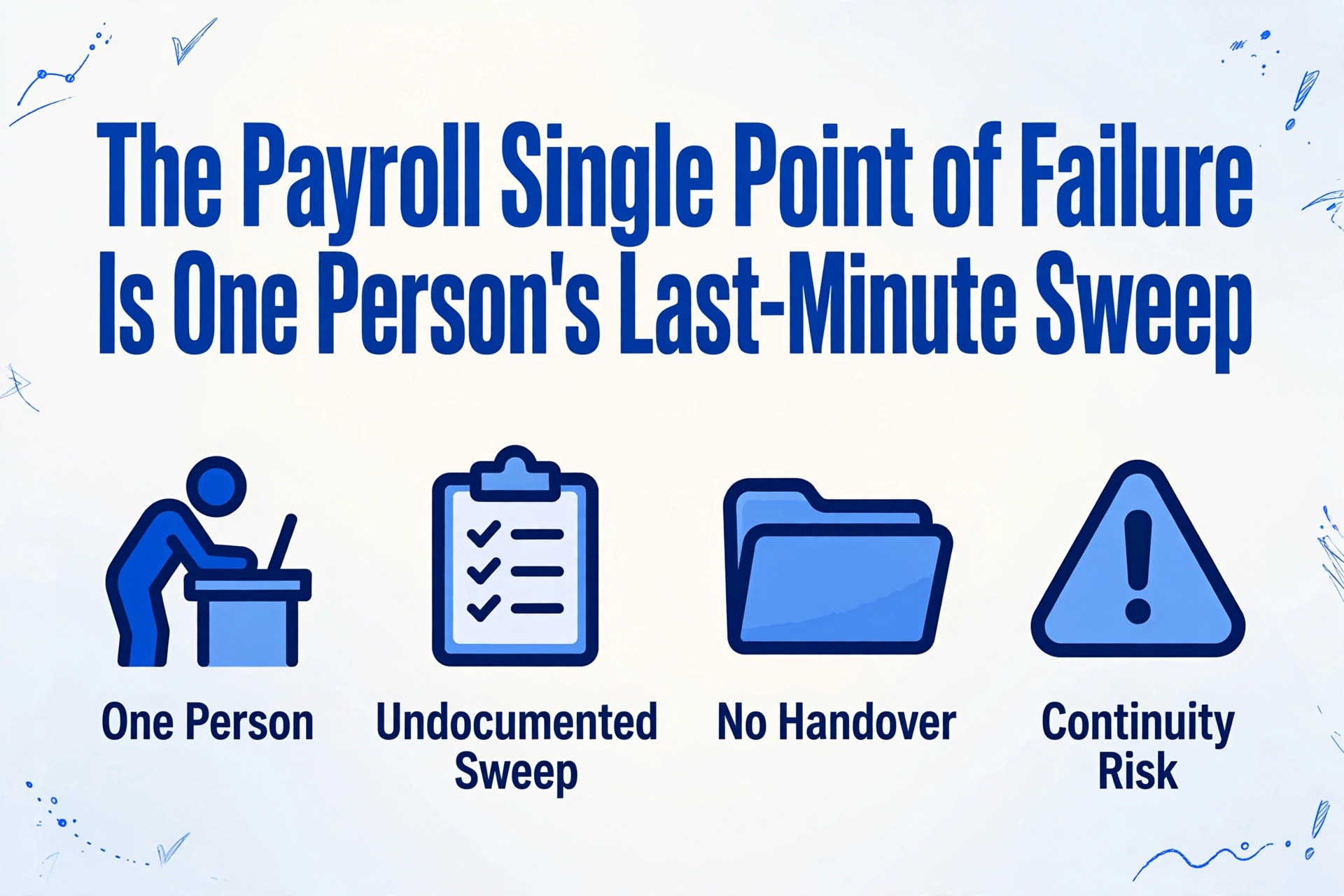
Payroll that has never been late is not the same as payroll that is under control. In plenty of small payroll teams, the run happens on time because one person performs a last-minute sweep across hours, contractor invoices, exchange rates, bank details, and tax, catching the edge cases that the software and everyone else miss. That sweep is rarely written down. It lives in one person's head, and that is what makes payroll a payroll single point of failure: the team can pay people on time only while that one person is at their desk.
Key Takeaways
- One in five payrolls contains an error, and the sweep that catches them can live only in one person's head.
- A backup who can click through the payroll software still misses the exact edge case the last-minute sweep was catching.
- Move the sweep out of one person's head and into one shared sheet, with the same columns for every source and a flag column a backup can read and run.
Payroll Errors Start With Data Nobody Reconciled
The most common reason payroll goes wrong is an input that was wrong or late before the run ever started, not a calculation bug.
PayrollOrg's 2025 global survey asked practitioners what reduces payroll accuracy, and the answers were not about tax tables or rounding. The three leading root causes are poor quality of data inputs, late or inaccurate time-tracking data, and inputs that arrive after the payroll cut-off (PayrollOrg, 2025). The same survey lists manual processing of data inputs and unclear roles and responsibilities among the top challenges. Those are exactly the conditions that create a payroll single point of failure, because someone has to stand between the messy inputs and the deadline.
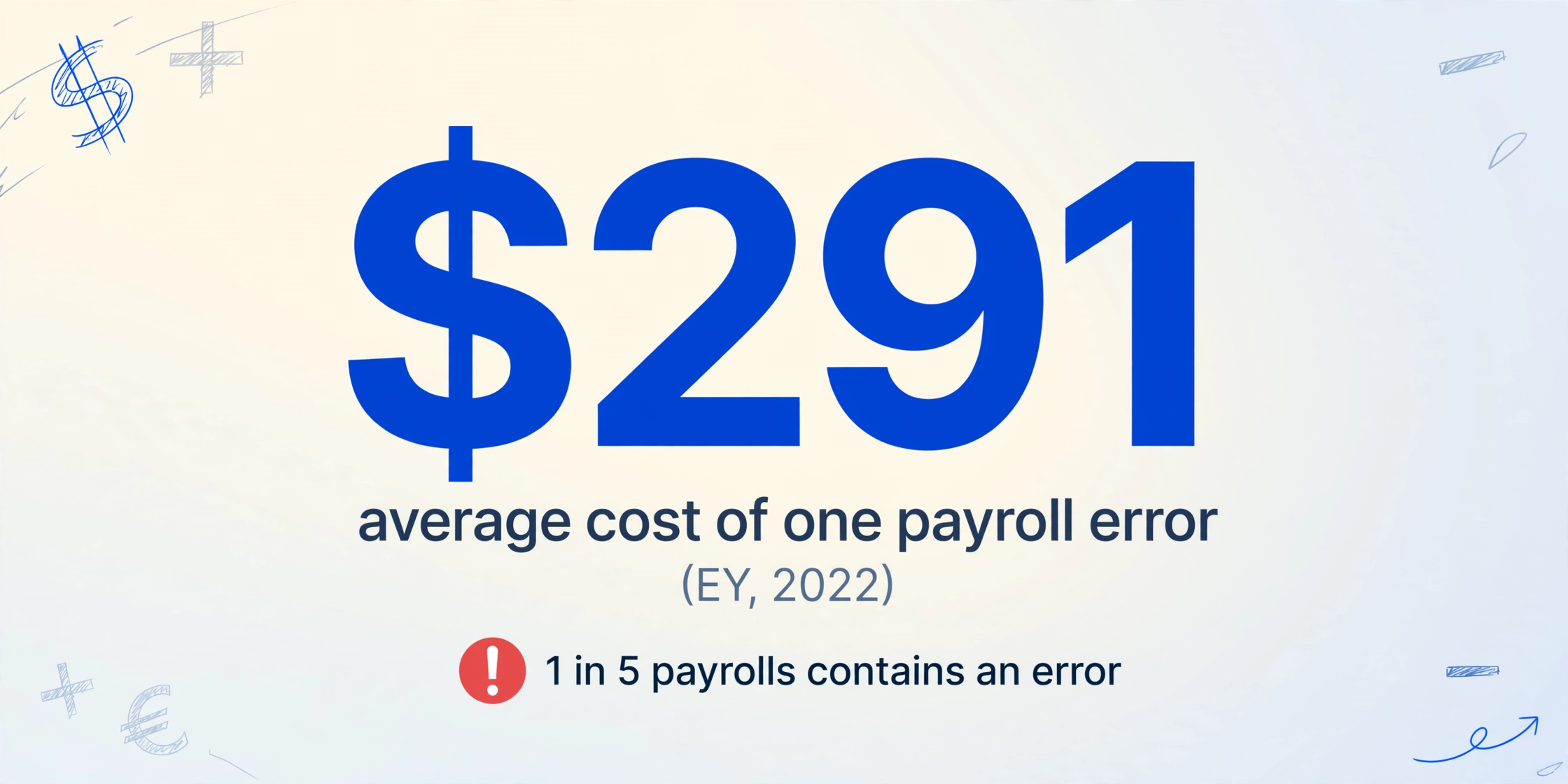
The cost is measurable. An EY survey of 508 U.S. companies found an average payroll accuracy rate of 80.15%, with one in five payrolls containing an error, and an average cost of $291 to correct a single error (EY, 2022). EY also calculated that a 1,000-employee organization spends roughly 29 workweeks a year fixing its most common payroll errors. Those are the errors a pre-run sweep is trying to catch.
The last-minute sweep exists because the errors that matter are comparisons across systems the payroll software never sees.
A payroll system knows what it is about to pay. It does not know that a foreman's photographed timesheet was never entered, that a contractor's invoice was already billed last month, or that an employee's new bank account was never confirmed. Those checks do not belong to any one system, so they land on a person.
The Five Sources the Last-Minute Sweep Ties Together
The sweep spans five separate documents, from five owners, arriving in five formats.
Ask the person who performs it to describe what they actually look at, and the list stops being abstract. It is usually some version of the same five items, each one living outside the payroll system for a good reason.
| Source | What the document looks like | What the sweep is checking | Why it lives outside payroll |
|---|---|---|---|
| Hours and timesheets | Paper timesheets, phone photos, time-app and contractor-hour exports | That every hour is captured, approved, and coded to the right person and job | Field and site teams often have no single time system feeding payroll |
| Contractor invoices | PDFs from freelancers and agencies, sometimes in another language or currency | That the invoice matches the agreed rate and period, and was not billed twice | Contractors are not employees in the payroll register |
| Exchange rates | The rate applied to each currency for the period | That the rate used matches the source and the date you agreed on | Payroll runs in one currency; cross-border payments do not |
| Bank details | Change requests, voided checks, updated payment forms | That a change is genuine and the account matches the person being paid | Bank changes arrive by email and are the highest-fraud item in the run |
| Tax | Withholding tables, new jurisdiction setups, deposit schedules | That rates and registrations are current for the period | Rules change; a stale setup stays invisible until the filing or deposit |
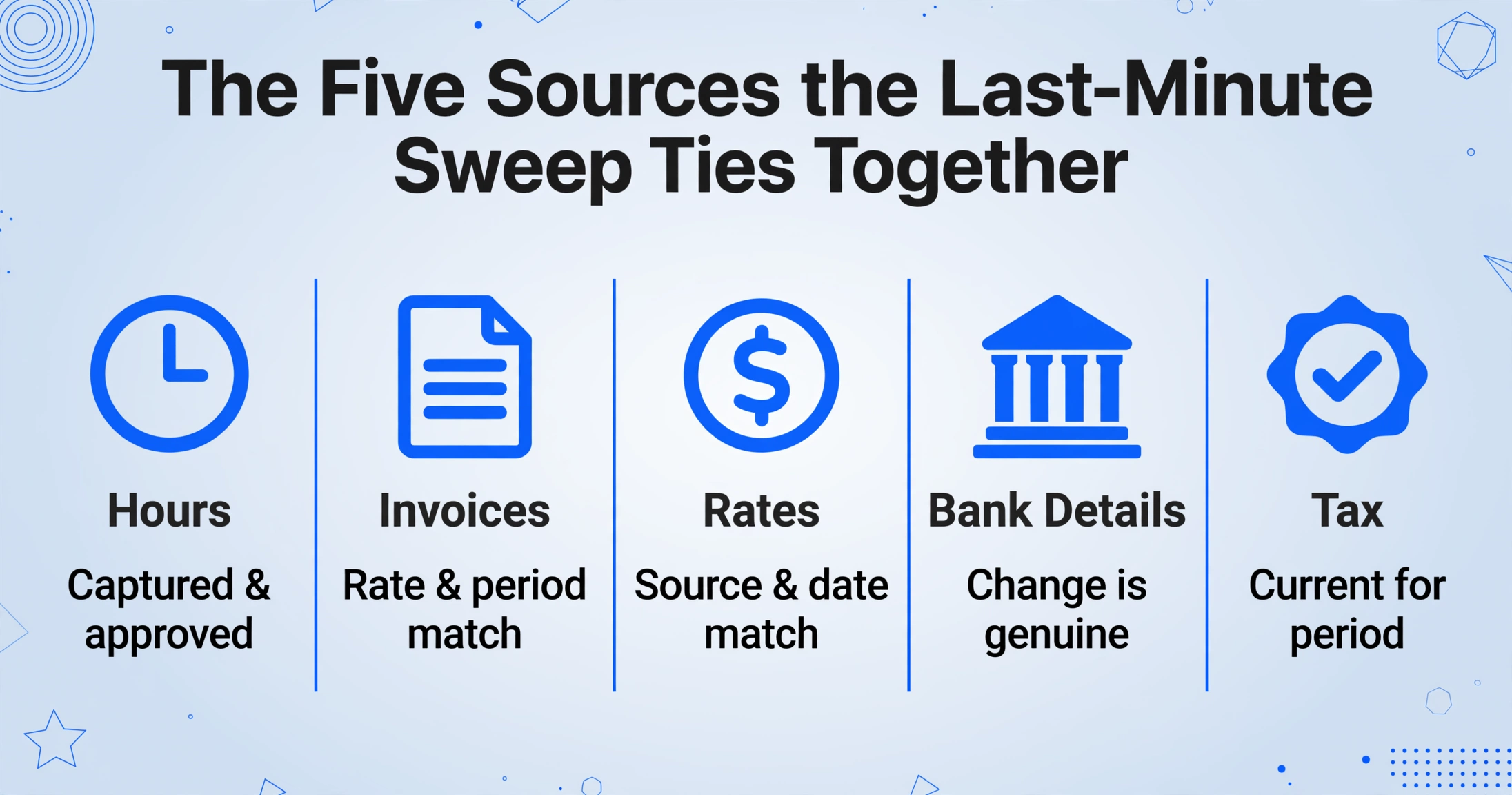
Each row is a different kind of work. A photographed timesheet is a recognition problem, an invoice is a matching problem, an exchange rate is a sourcing problem, a bank detail is a verification problem, and a tax setup is a change-management problem. One person ends up owning all five because the five checks share a single deadline, and the person who understands the edge cases has learned to do all of them in one pass.
The timesheet and invoice halves of that sweep already have detailed workflows of their own. If handwritten or photographed hours are the bottleneck, batch handwritten timesheets into a payroll spreadsheet covers that pipeline, and the invoice side connects to the broader accounts payable data entry workflow. The tax source carries the longest tail: IRS Publication 15 sets the failure-to-deposit penalty at 2% of the shortfall for deposits 1 to 5 days late, 5% for 6 to 15 days, and 15% once the amount is still unpaid more than 10 days after the first IRS notice (IRS Publication 15).
No single system holds all five sources. That is why the check keeps defaulting to one person's memory instead of a shared process.
Why a Backup Person Cannot Just Step In
A backup fails at the moment of handoff, not at the moment of running payroll, because the sweep is invisible and nobody wrote down what it catches.
The r/Payroll thread that prompted this article is blunt about the arrangement. The original poster describes a payroll that "only works because one person does a last minute sweep across everything before cutoff," checks "hours, contractor invoices, exchange rates, bank details and tax because something always seems to slip through," and admits that this person "can't even take a vacation or sick day during this time" (r/Payroll). The word they use for it is heroics instead of a system.
That is the single point of failure in plain terms: the process was built as the company grew and was never separated from the person who knew all the weird edge cases.
A second r/Payroll thread asks what it would take to feel comfortable taking time off during processing, and the answers expose why cross-training alone does not fix it: when backups took over, they "didn't pay commissions and processed the wrong hours" (r/Payroll). The backup knew how to click through the system. They did not know what the sweep was looking for, which is a different thing.
What walks out the door is the judgment itself: which contractor bills slightly differently, which rate is grandfathered, which bank change came in too late to process, which timesheet always needs a second look. None of that is written down, so it cannot be handed over. It can only be reconstructed by the person who learned it over years.
A backup who does not know what the sweep is looking for will run payroll correctly right up to the exact edge case the sweep was catching.
PayrollOrg lists unclear roles and responsibilities as a top global payroll challenge, which is the organizational name for this problem (PayrollOrg, 2025). When responsibility sits with one person and is not written down, it cannot be shared, and leave coverage becomes a negotiation with risk.
Make the Sweep Visible Before You Make It Faster
The first thing a single point of failure needs is a checklist a second person can run on their own, before any automation.
Everything above points to the same weakness: the sweep is a set of comparisons that exist only in one head. Remove the head from the equation, even for a week, and the comparisons stop happening. The goal, then, is to move the comparison out of the person and into something a colleague can read, run, and hand back.
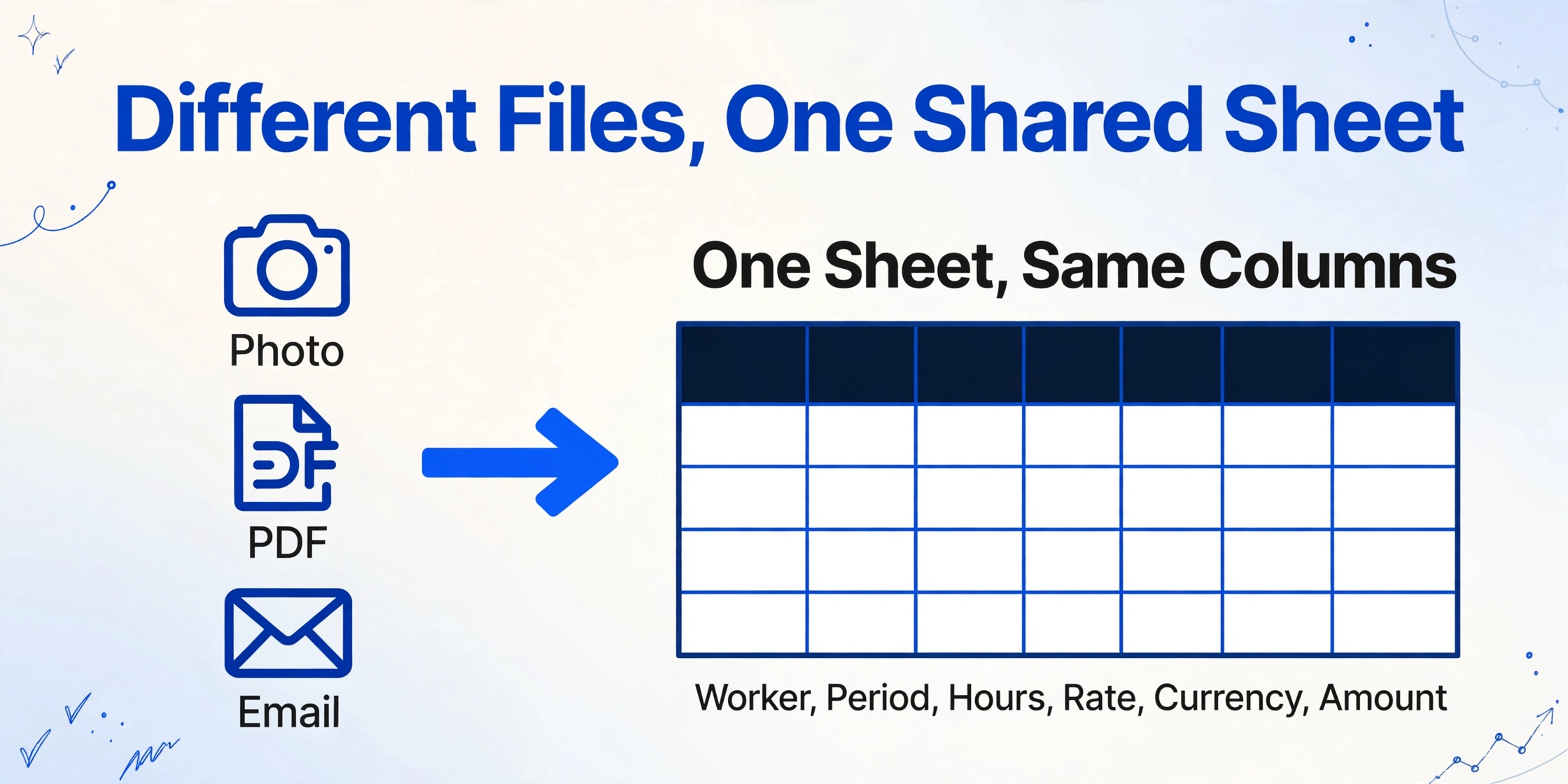
That artifact has a shape. Every source in the table above becomes a row, and every check becomes a column. The hours, the invoice, the exchange rate, the bank change, and the tax line all land in one sheet under the same columns: pay period, worker, hours, rate, currency, amount, bank last four, tax jurisdiction. When the columns are fixed, the same comparison runs no matter which source the value came from, and the person reviewing it is reading a list instead of reconstructing a process.
Turning the documents into that sheet is what Custom Column Extraction does. You type the column names you want, such as Worker, Period, Hours, Rate, Currency, and Amount, and the AI finds each value in any uploaded file by understanding what the field means rather than where it sits on the page. It does not matter that the timesheet is a photo, the contractor invoice is a different vendor's PDF, and the rate confirmation is an email screenshot. Because batch processing merges every file into one table, the whole sweep lands in a single place.
This is deliberately not a second tutorial on merging sources into one sheet. The mechanics of giving heterogeneous sources the same columns, and of reconciling values that disagree, are covered in the pre-run payroll check workflow and in construction labor conflict reconciliation. The point here is different: a sweep that exists only in someone's memory is a continuity risk, and a sweep that exists as a shared sheet is something a backup can inherit. The month-end collection window that feeds most of these sources is covered separately in month-end timesheet processing and payroll close.
Files are processed securely and not stored.
Flag the Rows a Backup Should Stop On
A shared sheet only removes the single point of failure if it points at the rows that need a human decision, because the backup does not know which rows those are.
This is where the sweep's hidden judgment can be written down as a column. Computed columns let you describe a calculation in the column name itself, and the AI performs it while reading each document, so the sheet arrives with the checks already applied. A rate-change check can be written as Rate Change (This Month Rate - Last Month Rate). A currency mismatch can be written as Currency Mismatch (Invoice Currency vs Payment Currency). A bank change can be written as Bank Detail Changed (Yes/No). For values a document does not print, an inferred column lets the AI fill in a judgment, for example Flag (Hours exceed contracted hours). The demo accepts the column-name form without a login; logged-in users can move multi-step logic into Rule Format and keep the visible column names clean.
The flags are the transferable part. They are the difference between "ask Maria, she will know if this is off" and a row that a backup can read, review, and act on. The specific rules for duplicate pay, unapproved raises, and leavers still on the register are already written out in the payroll pre-run check article, and the general pattern of flagging a disagreement and tracing it back is covered in labor data conflict reconciliation.
Two boundaries matter here. Flag columns are checks you define. They are not a payroll engine, and they do not decide which source is correct. When a currency mismatch or a rate change appears, a person still has to open the source and make the call. Review Mode with Bbox is what makes that call fast: hover or click any flagged cell and the original document highlights the exact region the value came from, so a backup can confirm a number in seconds instead of hunting through a folder. Printed table data is recognized at up to 99% accuracy, and the review layer is how the remaining cases get caught before the run.
Build Leave Coverage as a Process, Not a Clone
Leave coverage is a process question, and the sheet only removes the half of the risk that lived in one person's memory.
With the sweep on a shared sheet, coverage stops requiring a clone of the person who built it. The second reviewer's job becomes concrete: open the sheet for the period, work down the flag column, and confirm each flagged row against its source. That is a task someone can be trained on, because it is a list rather than a body of tribal knowledge.
The rest is calendar and controls. Write down who runs the sweep on which day relative to the payroll calendar, so leave does not land on the one day the process needs a decision. Keep the bank-change verification separate from the person who makes the change, and confirm any bank detail change through a known channel rather than the contact information in the request itself, the same principle the New Jersey Cybersecurity and Communications Integration Cell gives for direct deposit change requests (NJCCIC). Where the team is large enough, the person who prepares the run should not be the only person who approves it.
The person can take leave when the check is reproducible, not when they are replaced.
What This Does Not Fix
It is a data and documentation layer, not a payroll platform, and the difference matters for anyone planning around it.
- No payroll rules engine. Shift differentials, garnishments, multi-jurisdiction tax logic, and final-pay rules are not modeled. The sheet structures the data those rules operate on.
- No automatic exchange rate sourcing or conversion. The rate is a value you still source and put into the process. The sheet compares rows against it; it does not look up or apply a currency rate on its own.
- No decision about which source is right. The flags show a mismatch between the timesheet, the invoice, the rate, the bank record, or the tax setup. A person resolves it.
- No live integration. There is no direct hook into ADP, Gusto, Rippling, Paylocity, Paychex, Workday, or Deel. You export the source documents, then extract them into the shared sheet.
- Extraction is not perfect. Printed tables reach up to 99% accuracy, and the review layer exists because the last percent has to be checked by a person.
- It does not fix segregation of duties. One person preparing and approving the run is a control weakness no data tool patches. The shared sheet should still go to a second reviewer.
Payroll Single Point of Failure: FAQ
What is a payroll single point of failure?
A payroll single point of failure is a process that depends on one person whose absence would stop payroll from running, or make it run wrong. It usually takes the form of an undocumented last-minute sweep across hours, contractor invoices, exchange rates, bank details, and tax that only that person knows how to perform.
How do I reduce single-person dependency in payroll?
Move the checks out of the person and into a shared artifact. Give every source the same columns in one sheet, write the sweep's judgment into flag columns, and document who runs the sweep and when. The dependency shrinks when the process can be read and run by someone who did not build it.
Can payroll software remove the single point of failure?
Partly. A provider such as ADP, Gusto, or Rippling covers its own system and the current period, and its preview screens catch some anomalies. What it does not do is compare last period's numbers against this one, or reconcile a contractor's PDF against a timesheet and an exchange rate it never saw. That cross-source work is where the single point of failure usually lives.
How should a bank detail change be verified before payroll?
Confirm the change through a known communication channel, not the contact details supplied in the request, and keep the person who verifies separate from the person who requested the change. Bank detail changes are the highest-fraud item in the sweep, because a single unverified change redirects a real payment.
Do we need a payroll rules engine to run these checks?
No. The flags in this workflow are checks you define on your own data, such as a variance or a match condition. A payroll rules engine models statutory and company pay rules. The two are complementary: one organizes the inputs, the other applies the policy. ImageToTable.ai does the first and does not claim the second.
The deeper change is that the sweep stops being something a person carries and becomes something a team can read. A process no one else can run is a process the business cannot survive losing, which is a strange way to protect the one thing that must never be late.
Test it on your own run. Upload last month's timesheet, a contractor invoice, and the bank or rate confirmation you check by hand today, define the columns you scan for, and see how much of the sweep a colleague could read from the sheet.