An n8n Document Extraction Workflow
That Doesn't Skip Files
The execution history says Success and the spreadsheet is one row short. Both can be true at the same time, because n8n is reporting that its nodes returned, not that the invoice in the folder became a row.
At invoice volume, that gap has a cost. Ardent Partners' State of ePayables benchmark puts the average cost to process one invoice at $9.84 (Ardent Partners). A file that never becomes a row does not remove that work. It moves the work to whoever reconciles the sheet, usually days later, with no execution log to explain it.
The fix is not a better OCR node. It is treating extraction as an asynchronous job and building around three moments: uploaded, processing, finished. The node sequence below does that, then the four handoffs where files still disappear.
Key Takeaways
- The green checkmark in n8n only means every node finished, and that is all it means.
- Files disappear at the handoffs, not inside the extraction call, so a better OCR node fixes nothing.
- Give every document a row, failures included, so the sheet can be counted against the folder.
A Green n8n Run Only Proves the Nodes Returned
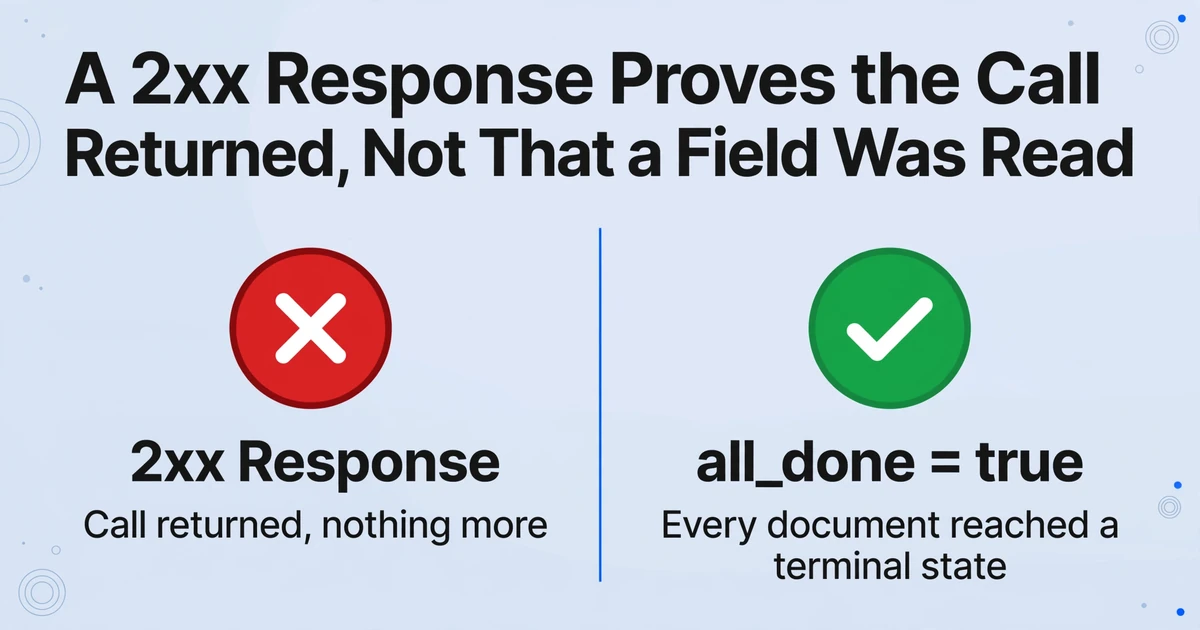
The checkmark in n8n means every node finished without throwing, and a 2xx response is enough to finish an HTTP Request node. That is all it means. The HTTP Request node treats a response as successful when the status code is 2xx (n8n docs). The extraction API uses that same window for three different operations: a document was created, a batch was accepted for processing, or a result was read. Only the last one is a read of extracted data.
| Call | Success looks like | What it proves | What it does not prove |
|---|---|---|---|
POST /api/v1/documents | 201 | The file is stored in a batch, and a PDF has been split into one document per page | That any field has been read |
POST /api/v1/batches/{batch_name}/process | 200 | Processing was queued and credits were deducted for eligible documents | That extraction has started, or finished |
GET /api/v1/batches/{batch_name} | 200 | Current counts per status and an all_done flag | That a failed document produced a row |
GET /api/v1/batches/{batch_name}/results | 200 | Whatever has completed so far, as line_items | That every document is terminal, unless all_done is true |
The API's status vocabulary makes the gap explicit: queued, processing, succeeded, failed, canceled. A document is in exactly one of them at any moment. A batch is complete only when every document has reached a terminal state, which is why its completed_at stays null while anything is still in flight.
If you searched for an n8n OCR workflow, the shape is the same: a trigger, a reading step, and a destination. The difference is that an n8n document extraction workflow built on this API has to treat the reading step as a job, not a function call. It returns structured JSON, but only after the batch finishes.
A 200 from the process endpoint means the batch was accepted. It does not mean a single field has been read.
This is the failure that looks like success in the editor. The workflow uploads, calls process, writes the response body to a sheet, and finishes green with a row that contains the batch status instead of invoice data. The next run appends another. The sheet fills with status messages instead of invoices.
The Five Stages That Survive a Real Folder
A document workflow that holds up has five stages, and each one has a single job: get one file per item, upload it into a named batch, register the completion signal, start processing, then read results and write rows.
Trigger the folder, not the file
A Google Drive Trigger watches one folder for created files. A Gmail Trigger does the same for attachments, and a Webhook node covers uploads from a form or another system. Normalize the output to one item per file with file_id, filename, and mime_type. Do not assume the event carries one file.
Upload each file into a named batch
Use an HTTP Request node to POST https://imagetotable.ai/api/v1/documents as multipart form-data. Send the binary in file, a batch_name for this run, and optionally a template_id. Add Authorization: Bearer <api_key>, stored in an n8n Header Auth credential rather than pasted into the node, and an Idempotency-Key derived from the Drive file id. A batch is the unit you start processing on: uploads accumulate, then one call starts them all. A PDF becomes one document per page, so its document_id is an array; a single image returns a string.
Register the completion callback
Before processing, call PUT /api/v1/batches/{batch_name}/webhook with a callback_url. A batch webhook is an HTTP POST the API sends to that URL when every document in the batch reaches a terminal state. A fixed n8n Webhook node's production URL is the durable choice; the Wait node's $execution.resumeUrl works for one interactive run. Save the webhook_secret for signature verification. Registering after processing is a race you will lose on small batches.
Start processing with the columns defined
Call POST /api/v1/batches/{batch_name}/process with a template_id or a fields array. The fields array is where Custom Column Extraction is configured: each name becomes a header, and the AI locates the value by meaning rather than position. For invoices, that array might name vendor, invoice_number, invoice_date, and total. That is what lets invoices from different suppliers land in the same columns. The response reports queued and webhook_registered, not extracted data.
Read results and write one row per document
After the callback or after all_done is true, call GET /api/v1/batches/{batch_name}/results. Each entry in documents carries document_id, filename, status, and line_items, the array of extracted rows for that document. Expand each line_item into a sheet row, carry the metadata, and write with Google Sheets Append or Update.
A saved template holds the column names and merge settings; an ad hoc fields array holds them for one batch. Multi-Page Merge is the template setting that groups pages of one logical document into a single record. If an invoice arrives as several pages and that setting is on, adding ?merge=true to results folds them into one entry with source_document_ids. Without it, each page can become its own row.
Files are processed securely and not stored.
The Callback Has to Be Registered Before the Batch Finishes
The most common webhook bug is ordering: the batch is processed first and the callback is registered second, so a batch that finishes in seconds completes before there is anywhere to send the notification. The completion event is a notice, not the data. It carries batch_name, status, and document_count. You still call the results endpoint to get line_items. The callback only has to wake the workflow up, but it has to arrive.
There are two ways to give it somewhere to arrive. The durable one is a second workflow that starts with a Webhook node at a stable URL. Register that URL on every batch. When the callback fires, read batch_name, verify the signature, fetch results, and write rows. The uploading workflow can finish; nothing stays paused, and a restart does not lose execution state.
The convenient one is a Wait node set to resume on webhook call. n8n exposes $execution.resumeUrl, generates the URL at runtime, and makes it unique to each execution. When the workflow pauses, n8n offloads its execution data to the database and reloads it when the call arrives (n8n Wait node docs). That is fine for one execution that owns one batch. It is fragile when the workflow is edited, the execution is cleaned up, or the callback arrives late.
Delivery is attempted immediately, then retried after 1 minute, 5 minutes, 30 minutes, 2 hours, 6 hours, and 24 hours, up to seven attempts. A 500 from a restarting n8n is recoverable; a resume URL that no longer exists is not. That is the argument for the fixed endpoint when the pipeline matters.
Respond quickly, but decide what a fast 200 costs. A non-2xx makes the API retry, so a slow sheet write inside the callback can produce duplicate deliveries. A 200 sent before the rows are written means a crash after the response is never retried. Record batch_name first, respond 200, then write, and let an n8n error workflow own the failed write.
Every delivery carries webhook-id, webhook-timestamp, and webhook-signature, following the Standard Webhooks specification. Verify the HMAC over the raw request body before trusting batch_name, then fetch results. The secret is a plain hex string, so use it as raw HMAC key bytes; a whsec_-aware verifier will decode it and fail. A callback that skips verification is an unauthenticated instruction to write rows.
The payload tells you a batch finished. The results endpoint tells you what it produced. Never treat the first as the second.
Four Handoffs Where a File Disappears
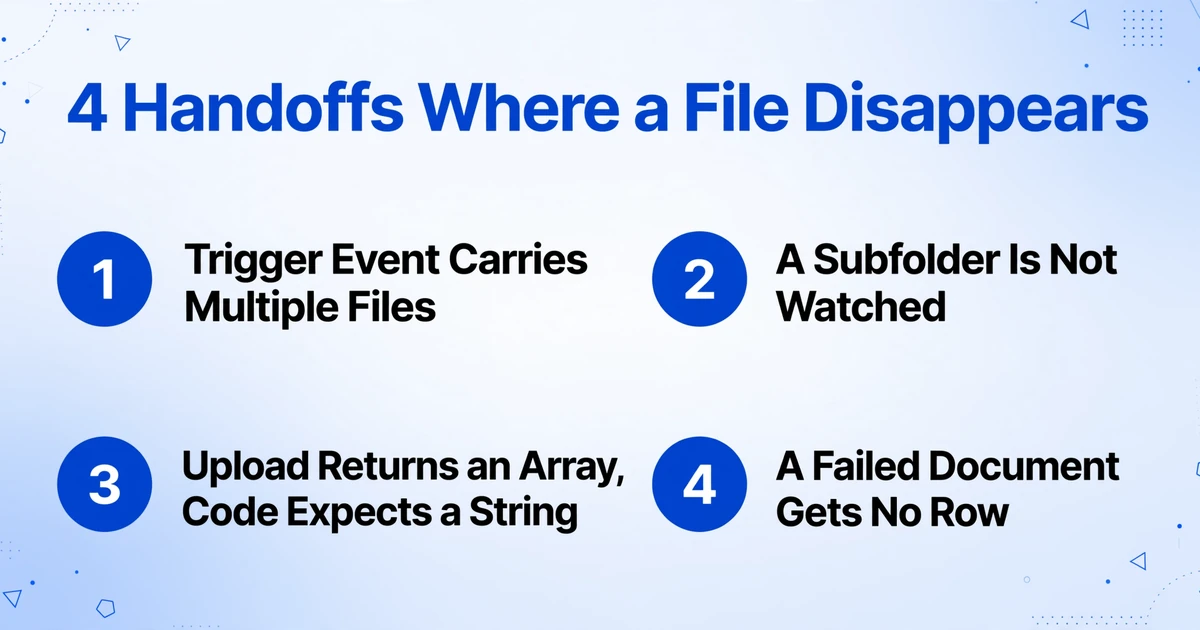
Every silent skip in an n8n document pipeline happens at a handoff, not inside the extraction call. The extraction returns a result or a failed status. The file is lost before it gets there, or after it comes back.
The trigger event carries more than one file. Google Drive Trigger polls once a minute by default, and multiple changes inside that interval arrive as a single event containing multiple items (n8n docs). A manual execution returns the last matching event, so a one-file test never reproduces it. A node that references the trigger's first item instead of the current one, or an HTTP Request node with Execute Once turned on, uploads the first file and drops the rest. No node fails, because the other items were never addressed. Loop over the output, one upload per item, and log the file_id first.
A subfolder is the second place files disappear. The trigger watches one folder. Changes inside its subfolders do not fire it, so a team that files invoices by month or vendor sees only what lands at the root. Make that folder the only intake point, or add a scheduled recursive search into the same upload branch. If the files come from outside the team, the document collection and extraction workflow covers that intake.
The upload returns an array and the workflow expects a string. A multi-page PDF becomes one document per page. Its document_id is an array in page order; a single image returns a string. Code that assumes a string writes undefined into the row and cannot look the document up. Branch on the response shape, carry page_count, and treat each page as its own item. If the pages belong to one invoice, configure Multi-Page Merge and add ?merge=true to results so they return as one entry.
One document can fail inside a batch that otherwise succeeded. The callback reports failed or canceled when the batch did not fully succeed, but the results array still contains the documents that did. A workflow that writes line_items without checking status writes the good rows and drops the bad one. The sheet looks complete because it has rows; the folder count disagrees. Write a row for every document, including failed ones, with filename, document_id, and status. The results payload gives the status; the account event feed (GET /events) adds a document.failed event with an error field for the review queue.
A Retry Adds a Second Row Because n8n Is At-Least-Once
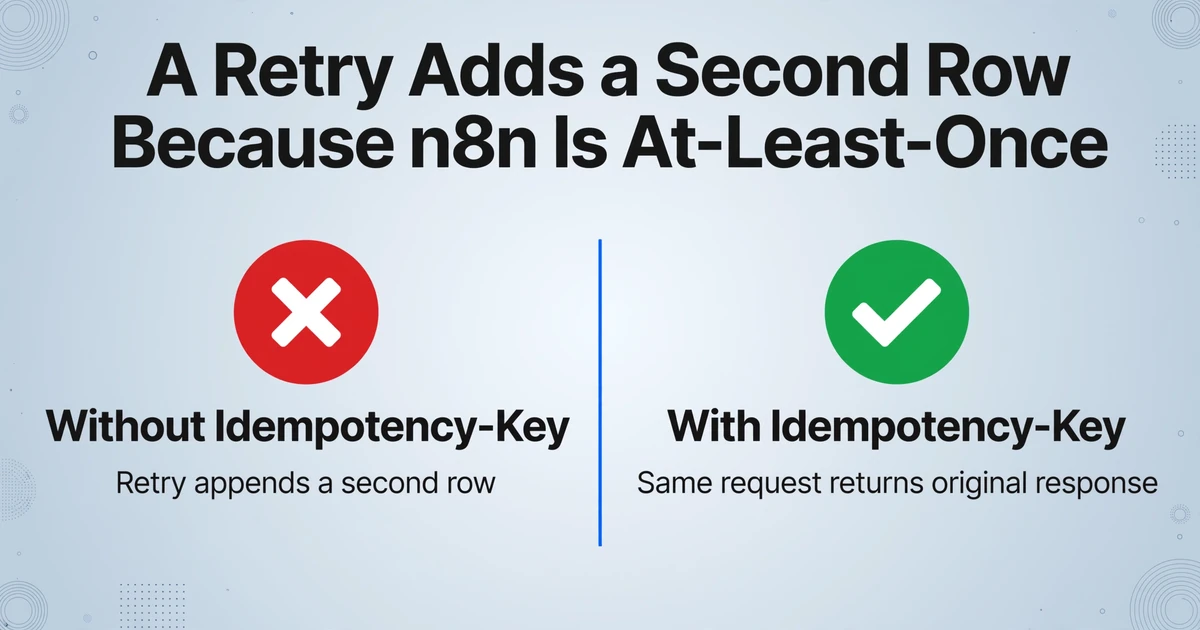
n8n retries are at-least-once: a retry replays saved execution data, but any side-effect node downstream of the failure point can run again, and the platform has no built-in exactly-once guarantee (n8n community discussion). The upload creates a document and spends credits; the sheet append creates a row. A retry after a timeout can repeat either one.
At the API layer, POST /documents and POST /batches/{batch_name}/process accept an Idempotency-Key, stored per account, key value, and endpoint for 24 hours. The same request with the same key returns the original response without creating a second document or deducting credits twice. A different request under the same key returns a 400. Derive the key from the source file, not the attempt: the Drive file id, or <file_id>:<modified_time> if a replaced file should count as new. A random UUID per attempt defeats the mechanism.
At the sheet layer, the API key does not help. If the workflow wrote three rows and then failed on the fourth, the retry may append the first three again. Use Google Sheets Append or Update with one stable dedupe_key column: vendor + invoice_number when both are present, document_id when they are not. Match on that column. It catches the same upload retried and the same invoice arriving as a new file, which are two different duplicates.
Concurrency is the second sheet problem. The Google Sheets append API is not atomic, and concurrent writes can land on the same row; one community thread describes green n8n executions with the business record absent (n8n community). Keep one writer: one batch at a time, appends in sequence, no fan-out on the sheet node.
An idempotency key protects the upload. It does not protect the spreadsheet.
The Sheet Should Be an Audit Trail, Not a Success Log
A sheet that only receives successful rows cannot tell you what the workflow missed. Give every document a row, including the failures, and add the metadata that makes the row traceable: batch_name, document_id, source_filename, status, and processed_at, alongside the extracted fields such as vendor, invoice number, date, and total.
Those columns make reconciliation possible. In a header table, the AP clerk can filter by batch, see that the batch reports 47 documents and the sheet has 47 rows, and find the two that say failed instead of wondering why the total is short. Without them, the only person who can explain the sheet is the person who built the workflow.
If the template extracts line items, one document produces several line_items. Decide before building whether the sheet is a header table, one row per invoice, or a line-item table, one row per line with the header fields repeated. Both are valid; mixing them creates a sheet where sums double count, which looks like an extraction error.
The downstream layer is a separate design. Once the rows are traceable, the question becomes what the sheet has to feed: payment scheduling, a supplier ledger, or a reconciliation check. The supplier invoice pipeline into AP covers that layer. The n8n job ends when the row is written and traceable, not when the HTTP call returns.
For rows that look wrong, Review Mode in the web app highlights the source region on the original page when you click a cell, so the person checking an amount can see where it came from without reopening the PDF. That is a manual check. The workflow's job is to route the suspicious row to a person, not to certify the number.
What This Workflow Still Has to Own
There is no official n8n node for ImageToTable.ai, and the workflow has to handle authentication, retries, and failed files itself. The v1 API is a REST interface, so the generic HTTP Request node is the integration.
The trigger belongs to n8n. The Google Drive, Gmail, or Webhook node is not an ImageToTable feature, and there is no ImageToTable button that watches a folder. The workflow still has to decide which files are new and which have already been processed.
Retry policy is the next thing you own. The API retries webhook delivery and accepts idempotency keys. Retrying a failed document, flagging it, or asking a person is your decision. A blanket retry on a 400 spends time and does not fix the file.
Hard limits are part of the design. A PDF is capped at 50 pages per upload, each plan has a batch capacity returned as remaining_batch_capacity, and status endpoints are limited to 120 requests per minute. A 60-page PDF is a 400, not a partial success, and a polling loop that ignores the limit spends its time on 429s.
It extracts; it does not approve, match purchase orders, or post to an ERP. The workflow still needs a rule for what counts as a duplicate invoice, who approves an amount, and which system receives the final record. Those are business decisions, not extraction settings.
Accuracy is high on printed tables and not perfect on poor scans. Our own figure is up to 99% recognition on printed table data, and a page is typically processed in 5-10 seconds. That is per-page processing time, not end-to-end latency: a batch waits for its slowest document, and the callback or polling interval sits on top. Route uncertain amounts to a person instead of averaging them into the sheet.
If the team is not on n8n at all, the no-code screenshot pipeline shows the same insertion point without a workflow engine.
Frequently Asked Questions
Is there an official n8n node for ImageToTable.ai?
No. You connect through the v1 API with an HTTP Request node: upload with POST /documents, start with POST /batches/{batch_name}/process, and read with GET /batches/{batch_name}/results. The API handles extraction; n8n handles the trigger, retries, and routing.
Can n8n watch a Google Drive folder and process only new files?
Yes, with the Google Drive Trigger node. It polls once a minute by default, watches one folder, and can bundle several new files into one event. The workflow must loop over the items, and it cannot assume subfolders are included. If the same folder is also written to by the workflow itself, keep the processed files in a separate location so the write does not become the next trigger.
Should I use the webhook or poll the batch status?
Use the webhook when you want the workflow to resume immediately and you can expose a stable URL. Poll GET /batches/{batch_name} when a simpler workflow matters more than latency: check all_done and stay under 120 requests per minute. A small batch often finishes before the first poll interval, so polling adds latency rather than saving work.
How do I stop duplicate rows when a workflow retries?
Put an Idempotency-Key on POST /documents and POST /process, derived from the source file id. Then make the sheet write idempotent with Append or Update keyed on document_id, plus a business key such as vendor and invoice number for files re-uploaded under a new id. The API key covers the API call; the sheet needs its own guard.
What happens to a document that fails extraction?
It reaches failed, the callback reports failed, and the results array includes that document with an empty line_items array. Write a row for it with its filename and status so the sheet count matches the folder count. The event feed's document.failed event carries an error field you can route to a review queue.
A Reliable Workflow Leaves a Trace for Every File
A document workflow is not reliable because it never fails. It is reliable because every file that enters leaves a trace, including the ones that fail: a document id, a batch name, a status, and a row a person can find. The extraction call is the easy part; the design work is the four handoffs around it.
If the folder and the columns are already there, test the design by sending one invoice through the API before wiring the callback and the dedupe key. The response tells you what the rest of the workflow will receive.
If the documents arrive through a form rather than a folder, the form extraction pipeline picks up at the submission.