Get the Order Number and Mercado Pago Status
From a Mercado Libre Screenshot
Mercado Libre is Latin America's largest e-commerce marketplace — 174 million users across 18 countries, from Argentina and Brazil to Mexico, Colombia, Chile, and beyond. Every purchase generates an order confirmation screenshot that looks different depending on whether you are shopping from the app in Buenos Aires or the desktop site in São Paulo. The order number, the product name, the seller, and the payment status all sit somewhere in that image, but none of them behave quite like an Amazon or eBay screenshot.
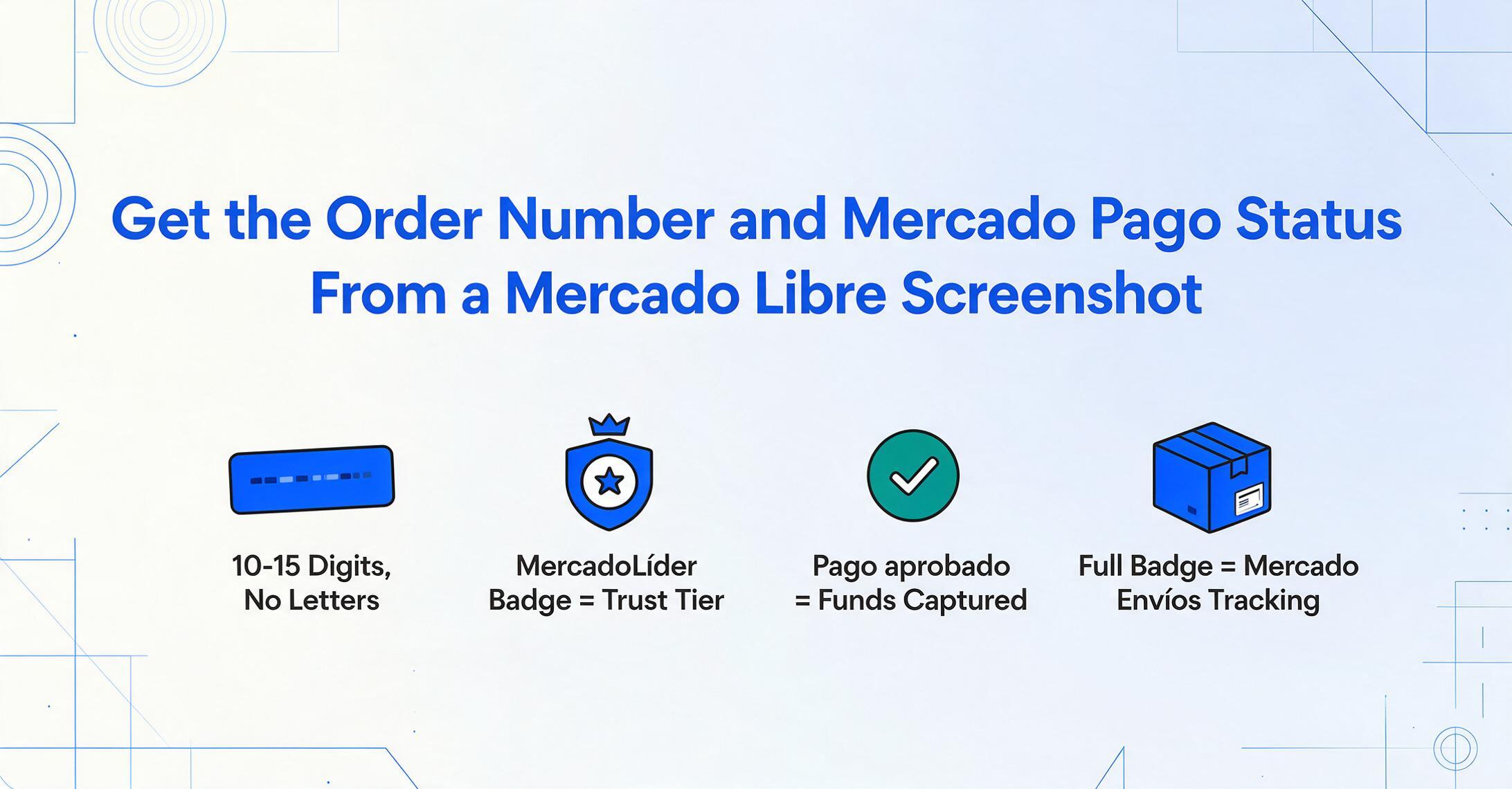
Key Takeaways
- Mercado Pago doesn't do "paid" or "unpaid" — it has 5 distinct payment statuses, and the one frozen on your screenshot determines whether the seller ships at all.
- The same 4 fields of the same order scatter to completely different visual positions depending on whether you screenshot from the mobile app or the desktop browser in the exact same country.
- Semantic extraction that reads each field by its meaning rather than its label text captures all 4 across Spanish, Portuguese, and any future Mercado Libre app redesign.
The Order Number — Long Digits, Consistent Across Markets
Every Mercado Libre purchase receives a unique numeric order number (número de pedido / número do pedido). Unlike Amazon's hyphen-separated 17-character format, Mercado Libre uses a straightforward long numeric string — typically 10 to 15 digits with no letters, no hyphens, and no special characters. The format is the same whether you buy from Mercado Libre Argentina (mercadolibre.com.ar), Mercado Libre Mexico (mercadolibre.com.mx), or Mercado Livre Brazil (mercadolivre.com.br).
On the mobile app, after tapping Mis compras (My Purchases / Minhas Compras) from the bottom navigation bar, each order appears as a card. The order number is not shown on the card itself — you have to tap into a specific order to see it. Once inside the order detail screen, the number appears near the top of the page, usually preceded by a label such as "Número de pedido" (in Spanish markets) or "Número do pedido" (in Brazil). The Mercado Libre app has a helpful keyboard shortcut — pressing P from anywhere on the desktop site jumps directly to the purchases list.
On the desktop site, go to Mis compras → select any order → the order detail page opens with the order number at the top of the summary panel. The number is clearly visible on a white card against a light gray background. A desktop screenshot of this page captures both the order number and the main order summary in one frame.
One common confusion: Mercado Libre also assigns a publication number (ID de publicación / ID do anúncio) to each listing, which is a completely different identifier. The publication number appears on product listing pages, while the order number only appears on the purchase confirmation and order detail pages. If you are looking at a screenshot of a product listing page rather than an order confirmation page, you will see the publication ID but not the order number.
The Product Name and Seller — Reputation Before the Item
Mercado Libre prominently displays the seller's reputation — a design choice that reflects how trust-driven LatAm e-commerce is. On an order screenshot, the seller name appears right next to the product title, often accompanied by a MercadoLíder badge (the platform's seller quality program).
There are two MercadoLíder tiers visible on screenshots:
- MercadoLíder Gold — sellers with strong ratings and high sales volume, shown as a gold-colored badge
- MercadoLíder Platinum — the highest tier, for top sellers with exceptional track records, shown as a platinum/silver badge
These badges are the LatAm equivalent of eBay's seller feedback star system, but with a tiered visual hierarchy that is immediately visible on every order. For buyers who screenshot purchases for business or wholesale purposes, the MercadoLíder level is a quick signal of whether the seller is reliable enough for repeat orders.
The product name appears within the order's item card. On mobile screenshots, titles are often truncated at around 40-50 characters — a phone screen simply cannot fit a full Mercado Libre product description like "Smart TV Samsung 50 pulgadas 4K UHD Crystal UHD CU7000 Smart TV 2024". On desktop screenshots, the full product name is usually visible in the order summary table. If the screenshot captures the order confirmation email (Mercado Libre sends one after each purchase), the product name appears as a clickable link in full.
The seller's full profile name (nombre de vendedor / nome do vendedor) sits directly below or beside the product title, alongside a small MercadoLíder badge if applicable. Below the seller name, Mercado Libre shows the seller's positive feedback percentage — a number like "100% positive" or "97% positive" — which is one more signal that LatAm buyers use heavily when deciding whether to purchase.
Mercado Pago Payment Status — Not "Paid" or "Unpaid"
This is the single most distinctive field on a Mercado Libre order screenshot. Unlike Amazon, eBay, or any other major e-commerce platform, Mercado Libre has its own deeply integrated payment processor — Mercado Pago (Mercado Pago / Mercado Pago). The payment status you see on an order screenshot is not a simple "paid" or "unpaid" binary. It reflects Mercado Pago's transaction processing pipeline, and the status label changes as the payment moves through stages.
The Mercado Pago payment statuses you will see on an order screenshot are:
| Status (Spanish) | Status (Português) | Meaning |
|---|---|---|
| Pago aprobado | Pagamento aprovado | Payment cleared and funds have been captured. The order is confirmed and processing for delivery. |
| Pago en proceso | Pagamento em processamento | Payment is being verified by Mercado Pago — funds are pending, neither captured nor released. This is temporary but can last up to 24 hours in some cases. |
| Pago rechazado | Pagamento rejeitado | The transaction was declined by the bank, card issuer, or Mercado Pago's anti-fraud system. The order will not proceed without a new payment attempt. |
| Pago pendiente | Pagamento pendente | Awaiting payment — typically seen when the buyer selected cash payment (efectivo / boleto bancário) and has not yet completed it. |
| Medio de pago en revisión | Meio de pagamento em revisão | Mercado Pago's fraud prevention system flagged the transaction for manual review. This is uncommon but appears on screenshots of higher-value purchases. |
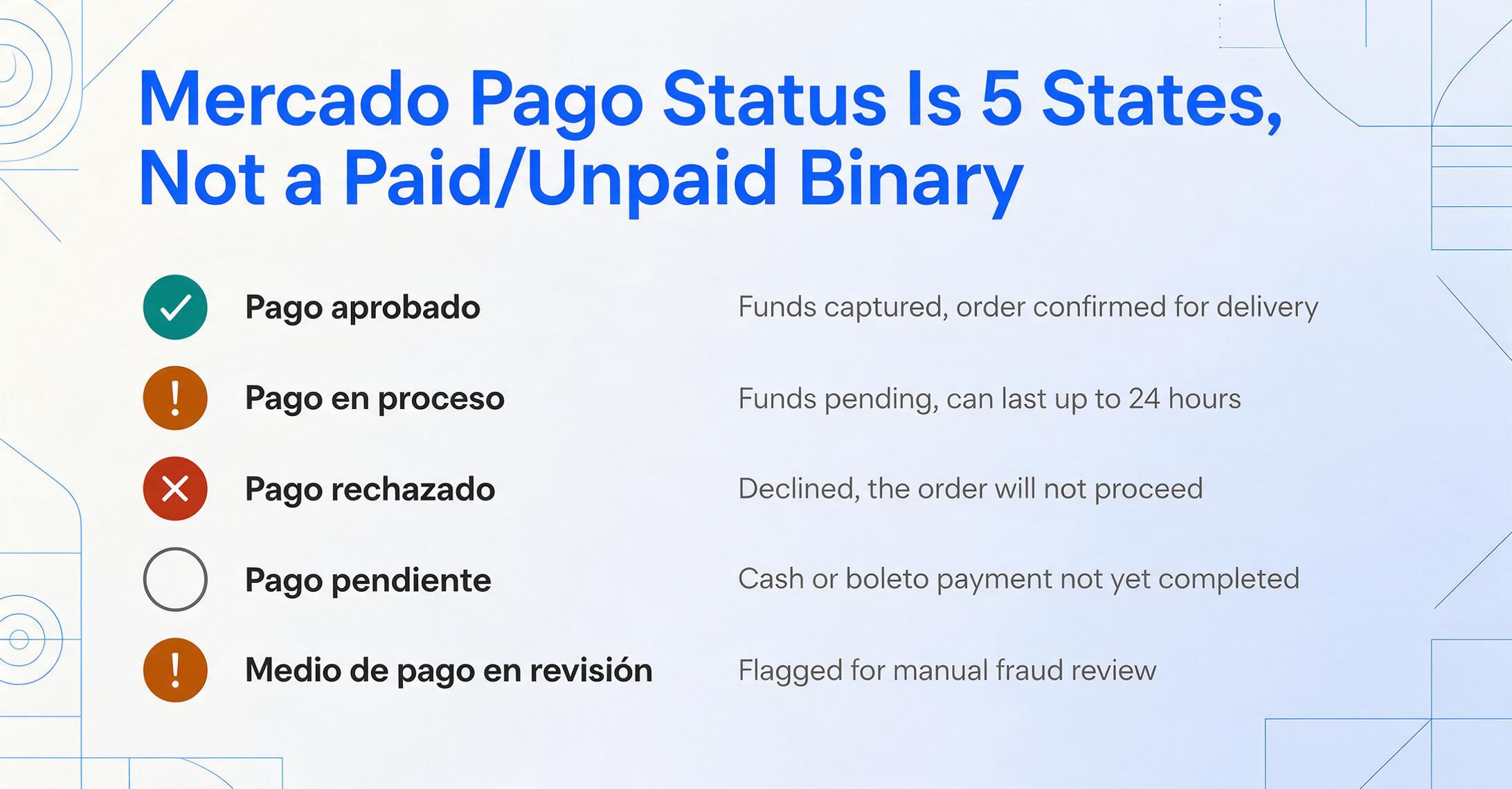
On the order detail screen (both app and desktop), the Mercado Pago status appears as a colored badge or label near the top of the payment section. A green badge indicates approved, yellow means in process or pending, and red signals rejection. In the mobile app, this status is one of the first things you see below the order number — Mercado Libre surfaces it prominently because payment status is what determines whether the seller will ship.
For anyone keeping records — freelancers tracking income from Mercado Libre sales, buyers reconciling purchases with bank statements, or cross-border shoppers documenting transactions — the payment status field is the single most important data point that an automated extraction tool needs to capture. A screenshot showing "Pago aprobado" (Pagamento aprovado) means the transaction is final and the amount is confirmed.
Envío Full — The Label That Determines Where the Tracking Number Comes From
Mercado Libre operates its own fulfillment network called Envío Full (Envío Full / Envio Full). Items marked with this label are stored in Mercado Libre's warehouses and shipped through their logistics system. On an order screenshot, the Envío Full tag appears as a small badge near the product title — usually a light blue or gray pill-shaped label that says "Full" or "Envío Full."
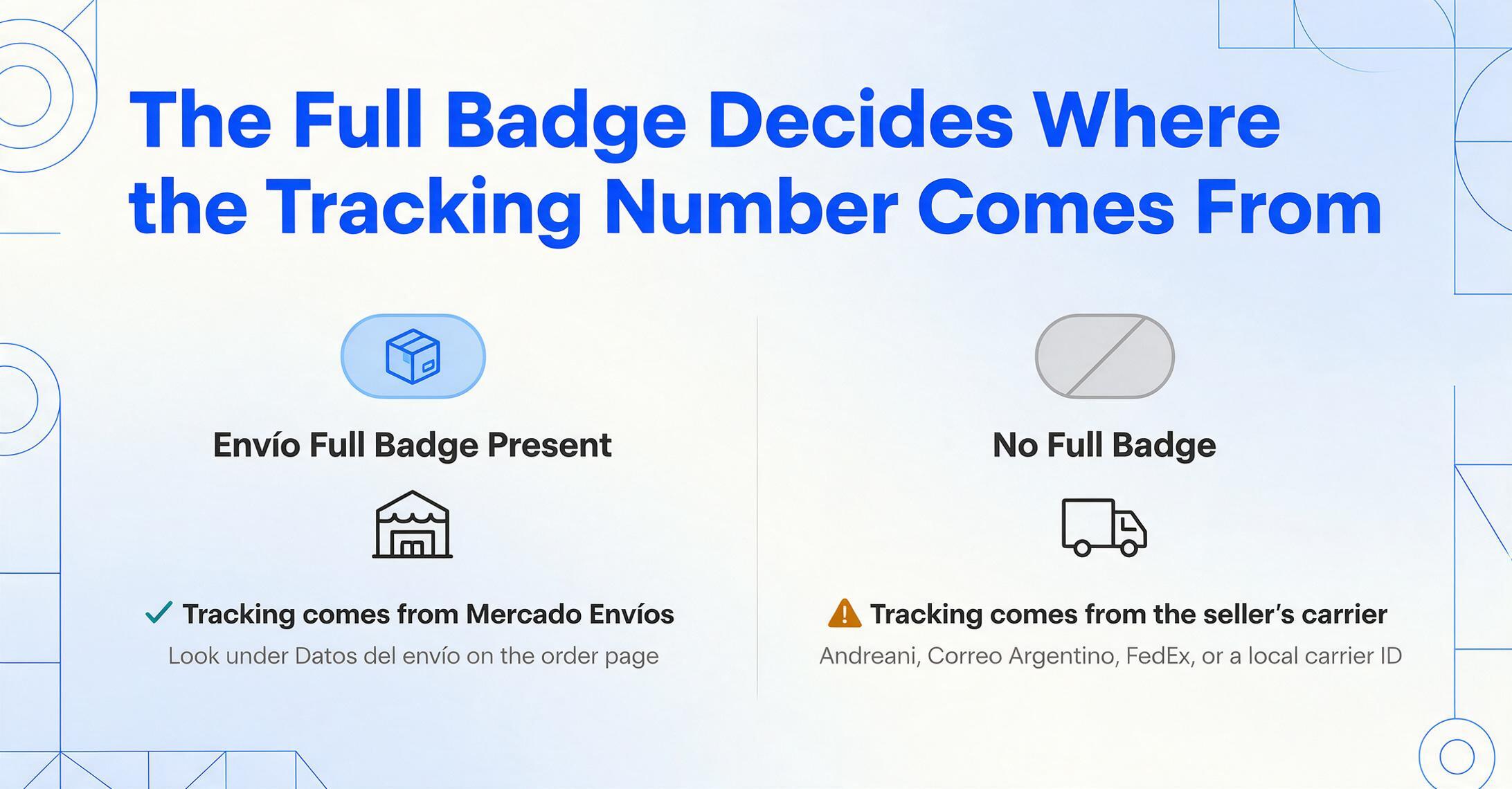
Why this matters for your screenshot: the presence of the Envío Full badge determines where the tracking information comes from.
- Envío Full orders: The tracking number is generated by Mercado Libre's own logistics system (Mercado Envíos). You will see it on the order detail page under a section labeled "Datos del envío" (Shipping details / Dados do envio) once the package ships. The tracking link starts with a Mercado Libre tracking URL, not a carrier's.
- Non-Full orders: The seller ships using their own carrier (Andreani, correo argentino, FedEx, or a local carrier depending on the country). The tracking number and carrier name come from the seller, and the order screenshot will show the carrier's logo and the seller-provided tracking ID rather than Mercado Libre's.
If you are extracting data from a batch of Mercado Libre order screenshots — say, for an expense report or inventory reconciliation — the Envío Full flag tells you whether to look for a Mercado Libre tracking URL or a third-party carrier number. It is a small label that changes the entire logistics extraction workflow.
Mobile App vs Desktop — Same Country, Different Layouts
Mercado Libre's mobile app and desktop site present the same order information in very different visual structures. Recognizing the layout is critical because a user in Mexico City might screenshot from the app, while a user in Santiago might capture from the desktop browser — both seeing the same four fields, but arranged differently.
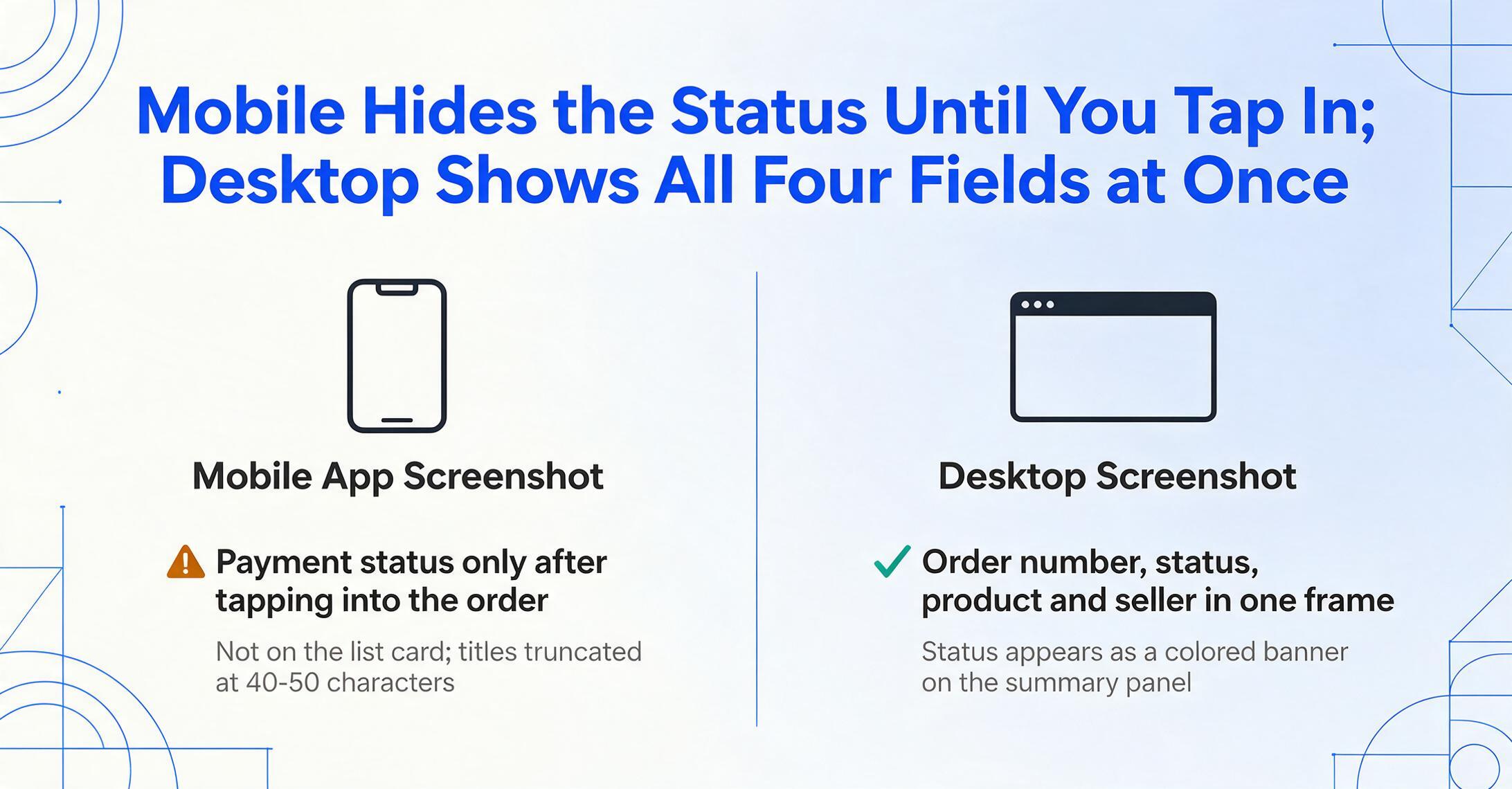
Mobile app screenshots use a card-based vertical layout. The order list in Mis compras shows each purchase as a stack of cards: the top card shows the product thumbnail, the product name (truncated), and the order status. Tapping into a specific order opens a detail page where the order number sits at the top, followed by the payment status badge, the product details card with the seller name and MercadoLíder badge, and the shipping section below. The Mercado Pago payment status is typically on this detail screen, not on the list card — you need to open the order to see it.
Desktop screenshots use a wider, more information-dense layout. The purchases list shows multiple orders in a table-like view with columns for date, product thumbnail, title, quantity, and price. Clicking into an order opens a full-width detail page with a left-side order summary panel and a right-side shipping tracker. The Mercado Pago status appears as a colored banner at the top of the summary panel. Desktop screenshots naturally capture more information in a single frame — order number, payment status, product details, and shipping status can all appear in one viewport.
The practical difference: a mobile screenshot is convenient for a quick save but requires a tap-through to reach the payment status field. A desktop screenshot shows more context but is harder to capture in the moment. If you are taking screenshots for record-keeping purposes, the desktop order detail page produces the most information-rich single image.
Why These Four Fields Work Better Together
The order number, product name, seller, and Mercado Pago status are not four separate data points — they form the complete record of a Mercado Libre transaction. Combined, they let you reconcile a purchase from end to end without logging back into the platform.
Consider the scenarios where this combination matters:
- Cross-border purchase tracking: A buyer in Chile orders from a seller in Argentina. The order screenshot shows the Mercado Pago status in Spanish, the Envío Full badge if applicable, and the seller's MercadoLíder rating — three signals that tell you whether the purchase is legitimate and whether it has shipped.
- Small business supply reconciliation: A small retailer in Brazil sources products from multiple Mercado Livre sellers. Each order screenshot becomes a line item in a ledger if you can extract the order number (for reference), product name (for inventory), seller name (for vendor tracking), and payment status (for cash flow).
- Freelancer income logging: A freelancer in Mexico receives payments through Mercado Libre for services. Screenshots of completed orders with "Pago aprobado" serve as income records — but only if the payment status and amount are clearly captured.
When you are dealing with just one or two orders, reading these fields manually from a screenshot is straightforward. The friction builds with quantity — a monthly batch of 20 or 30 Mercado Libre purchases from different sellers, different markets, and different payment statuses means opening each image, locating the four fields in potentially different layouts, and typing them into a spreadsheet row by row.
Frequently Asked Questions
Does Mercado Libre use the same order number format in every country?
Yes — the order number format is consistent across all 18 Mercado Libre markets. It is always a numeric string (no letters), typically 10 to 15 digits long. The same order placed from Mercado Libre Argentina and Mercado Libre Colombia will follow the same numeric format, though the platform prefix in the URL and the UI language will differ.
Does the Mercado Pago payment status appear in the confirmation email?
Yes, but partially. The order confirmation email shows the status at the time of purchase — typically "Pago aprobado" (Pagamento aprovado) for card payments or "Pago pendiente" (Pagamento pendente) for cash/boletos. If the payment status later changes (for example, a pending payment is approved after the buyer pays the boleto), the email does not update. The most reliable source for the current Mercado Pago status is the order detail page on the app or desktop site.
Can I tell from the screenshot whether an order uses Envío Full?
Yes. Orders fulfilled through Mercado Libre's warehouse program display a visible "Full" or "Envío Full" badge near the product title on both mobile and desktop screenshots. This badge is typically light blue or gray and appears as a small pill-shaped label. If no such label is present, the seller is shipping the item themselves.
My Mercado Libre screenshot shows multiple items in one order — can I extract each one?
Yes. Mercado Libre displays multiple items in a single order as separate rows or cards, each with its own product name, seller, and individual price. The order number is the same for all items, and the Mercado Pago status applies to the entire transaction. Each item row can be extracted individually if the screenshot captures enough detail.
The order screenshot is in Portuguese (Brazil) — will the same fields still work?
Yes. The field types are the same, only the labels change. "Número do pedido" in Portuguese corresponds to the order number, "Pagamento aprovado" corresponds to approved payment status, and "Vendedor" corresponds to the seller. The MercadoLíder badge and Envío Full badge use the same visual design in both languages. A semantic extraction tool that understands field meaning rather than exact label text can handle both Spanish and Portuguese screenshots in the same batch.