AliExpress Orders: Find the
Order Number, Product, and Tracking Number
An AliExpress order doesn't follow a single carrier route from seller to buyer. It changes hands — from a Chinese seller to a domestic courier (China Post, Yanwen, or Cainiao's network), then to an international carrier, then to your local postal service for final delivery. The order screenshot you captured at checkout may show one tracking number, two tracking numbers, or — for budget shipping methods — no international tracking at all. The four fields you need for a receiving record — the order number, product title, tracking number, and delivery estimate — each carry complications that don't exist on domestic e-commerce platforms like Amazon or eBay.
Key Takeaways
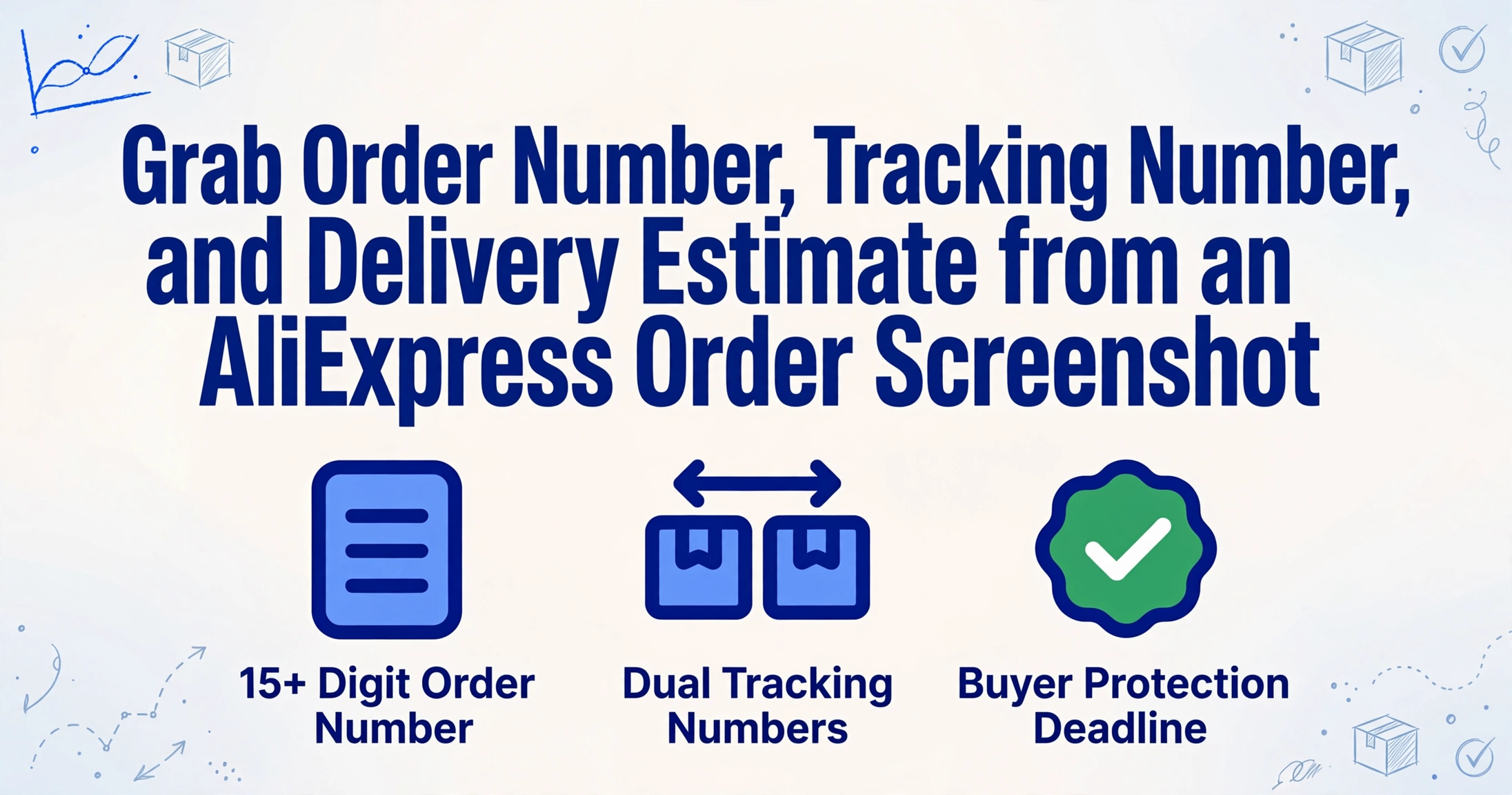
- Every AliExpress order has two tracking numbers and most screenshots capture only the domestic one — which stops reporting the moment the package leaves China.
- An AliExpress delivery estimate is already stale on your captured screenshot because it recalculates with every logistics handoff between origin and destination.
- The Buyer Protection countdown on your order page is the only date that can cost you real money because reaching zero permanently closes the refund window.
The Two Straightforward Fields: Order Number and Product Title
Start with the fields that are hard to get wrong, but still worth knowing the specifics of.
Order number. On AliExpress, the order number is a long numeric string — typically 15 digits — visible at the top of the order detail page and in the "My Orders" list. It's labeled clearly in most UI versions as "Order Number" or "Order ID." The catch is that it is not the tracking number. These are two separate identifiers, and confusing them is one of the most common mistakes among new cross-border buyers. The order number identifies the purchase in AliExpress's system. The tracking number identifies the physical package in the carrier's system. Entering the order number into a tracking site returns nothing — it's the wrong identifier entirely.
Product title. AliExpress product titles are notoriously long. Many sellers stuff 200+ characters of keywords into a single product name — "New Fashion Men's Digital Sport Watch Waterproof LED Alarm Chronograph Stopwatch 50M Diving Wristwatch For Men Business Relogio Masculino" — and the order page truncates this aggressively. What you see on the screenshot may be something like "New Fashion Men's Digital Sport Watch Waterproof LED Alarm Chronogr..." with the rest cut off. For inventory recording, the practical workaround is to note the product variant (size, color) that often appears alongside the truncated name — it gives you enough to distinguish similar items in your spreadsheet even without the full title.
The Real Puzzle: Tracking Numbers — One Order, Multiple Legs
This is where AliExpress separates itself from every other global e-commerce platform. An Amazon order has one tracking number from one carrier. An AliExpress order can have two tracking numbers (one assigned inside China, one assigned by the destination country's postal service), one number that silently transitions between carriers, or — on the cheapest shipping tiers — no trackable number at all after it leaves China.
What you see on a screenshot depends heavily on the shipping method:
| Shipping Method | International Tracking? | Typical Number Format |
|---|---|---|
| AliExpress Standard Shipping | ✅ Full end-to-end | YT... (Yanwen) / LP... (Cainiao) |
| ePacket (China Post) | ✅ Full end-to-end | AA123456789CN (standard UPU) |
| Cainiao Super Economy | ❌ Stops after export | LP... — domestic only |
| AliExpress Premium (DHL/FedEx) | ✅ Full end-to-end | DHL/FedEx standard tracking |
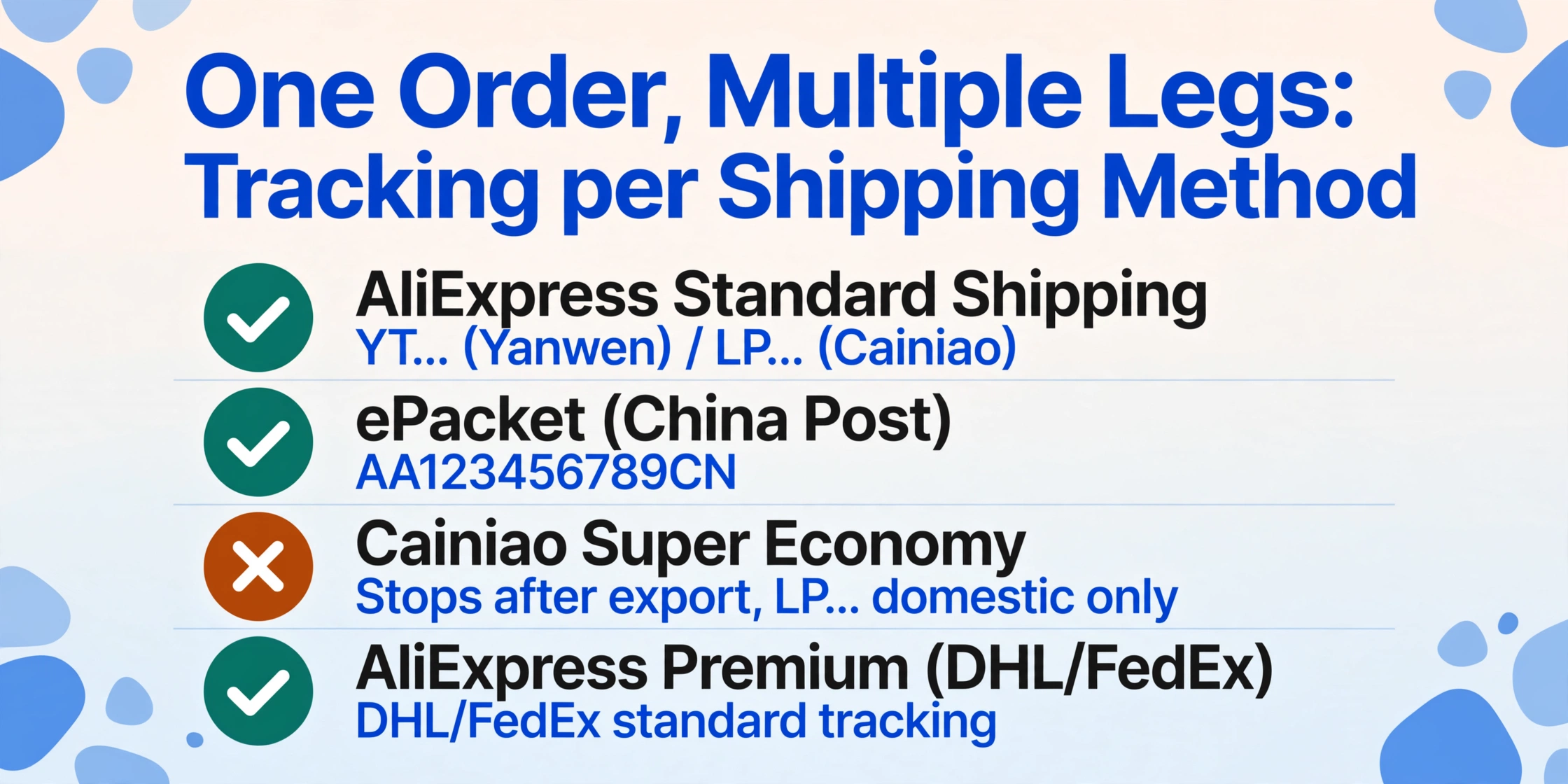
When you look at a screenshot, the tracking number displayed on the order page is often the domestic leg number — assigned by Cainiao, Yanwen, or China Post when they first accepted the package. This number follows the package through the Chinese logistics network, but once it leaves China, the tracking handoff to the destination carrier is not always seamless. The destination country's postal service assigns its own tracking number, which may or may not appear in the AliExpress order page. This is why a buyer who sees "YT72760621444007800" on their order page and enters it into their local postal site gets "Not found" — it's the domestic number, not the international one. The number only works on Cainiao's own tracking page or multi-carrier aggregators like 17TRACK.
There is an additional complication: split shipments. AliExpress sellers frequently divide a single order into multiple physical packages — different items from different warehouses, or one item sent in separate boxes. When this happens, the order page displays multiple tracking numbers, each linked to a subset of items. A screenshot that captures only the top of the order page may show only one tracking number while the second shipment's number is hidden below the scroll. If you're processing a batch of screenshots for inventory receiving, a missing tracking number means a shipment arrives at the warehouse without a matching record.
The tracking number on an AliExpress order screenshot is a snapshot of one segment of a multi-segment journey. Recording it alongside the shipping method and carrier name gives you more usable context than the number alone.
Why the Delivery Estimate Keeps Moving — and the Buyer Protection Timer
AliExpress's estimated delivery date is the least stable field on a screenshot. Unlike Amazon's firm "arriving tomorrow" or eBay's seller-set handling time, AliExpress estimates are wide-range predictions that shift as the package moves through logistics milestones.
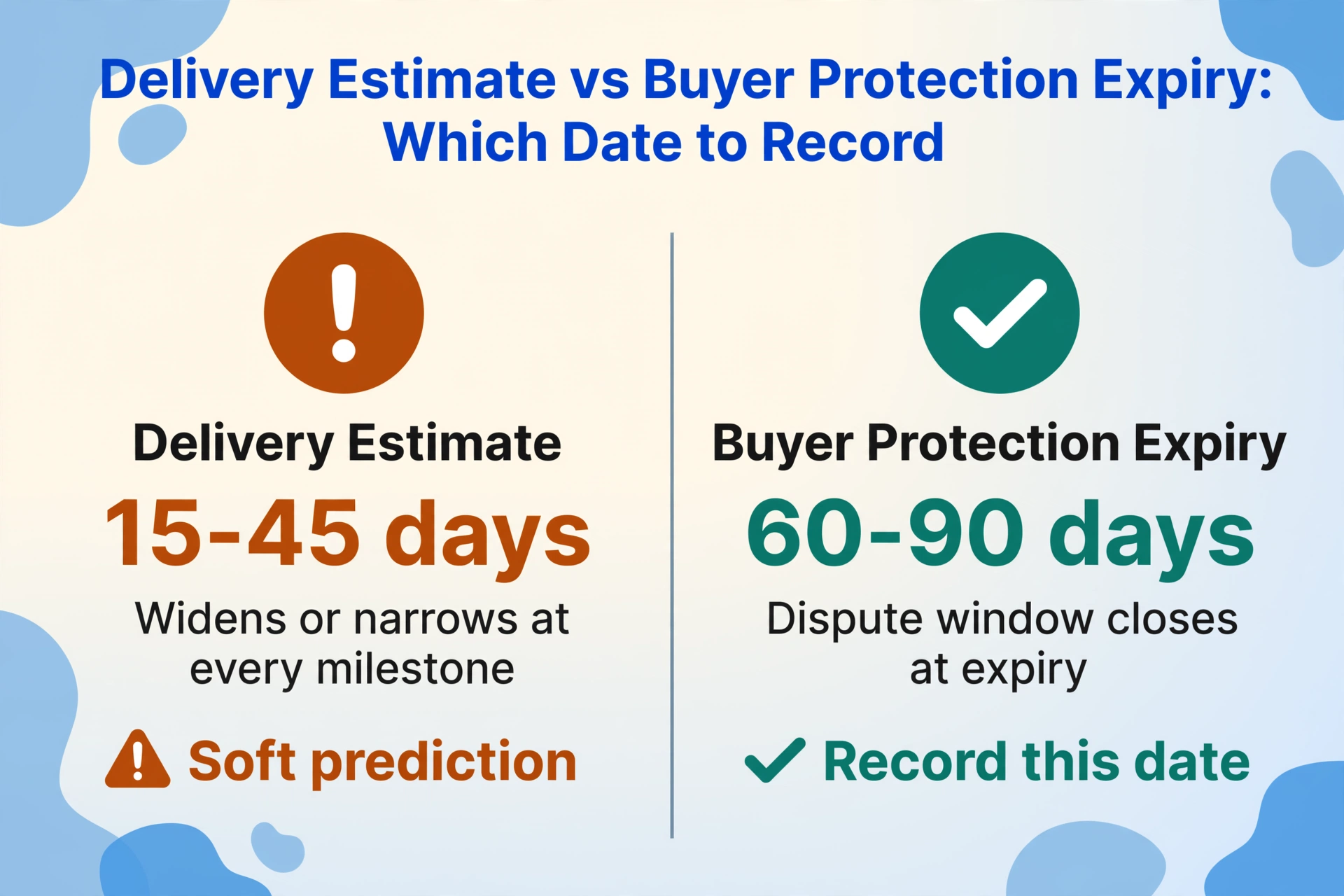
How it changes. The initial estimate — typically 15-45 days for standard shipping — is visible at checkout and appears on the order confirmation screenshot. As the package progresses (seller dispatched, carrier picked up, departed China), the window narrows. But it can also expand — customs holds and missed flight connections push the date outward. A screenshot taken on day one and one taken on day thirty may show completely different delivery estimates for the same order.
The Buyer Protection countdown. This field is unique to AliExpress. On the order detail page, directly below the delivery estimate, AliExpress displays a countdown timer for Buyer Protection — the window during which you can open a dispute if the package doesn't arrive. The timer starts at 60-90 days from the order date and counts down in real time. Many cross-border buyers screenshot the order page specifically to capture this timer, because once it expires, the ability to request a refund vanishes.
The Buyer Protection expiry date is often more useful for record-keeping than the delivery estimate itself. While the delivery estimate is a soft prediction that can change, the protection expiry is a fixed date tied to the order. If you manage multiple AliExpress orders and need to know which ones require attention before protection expires, recording this date from the screenshot gives you a concrete action trigger that the delivery estimate cannot provide.
From Screenshot to Spreadsheet — for Inventory Receiving
Once you know what each field looks like, the next question is how to get those values out of a folder of screenshots and into a usable table. For daigou (代购) agents, warehouse operators, and frequent cross-border buyers processing dozens of orders per week, manual transcription is the bottleneck.
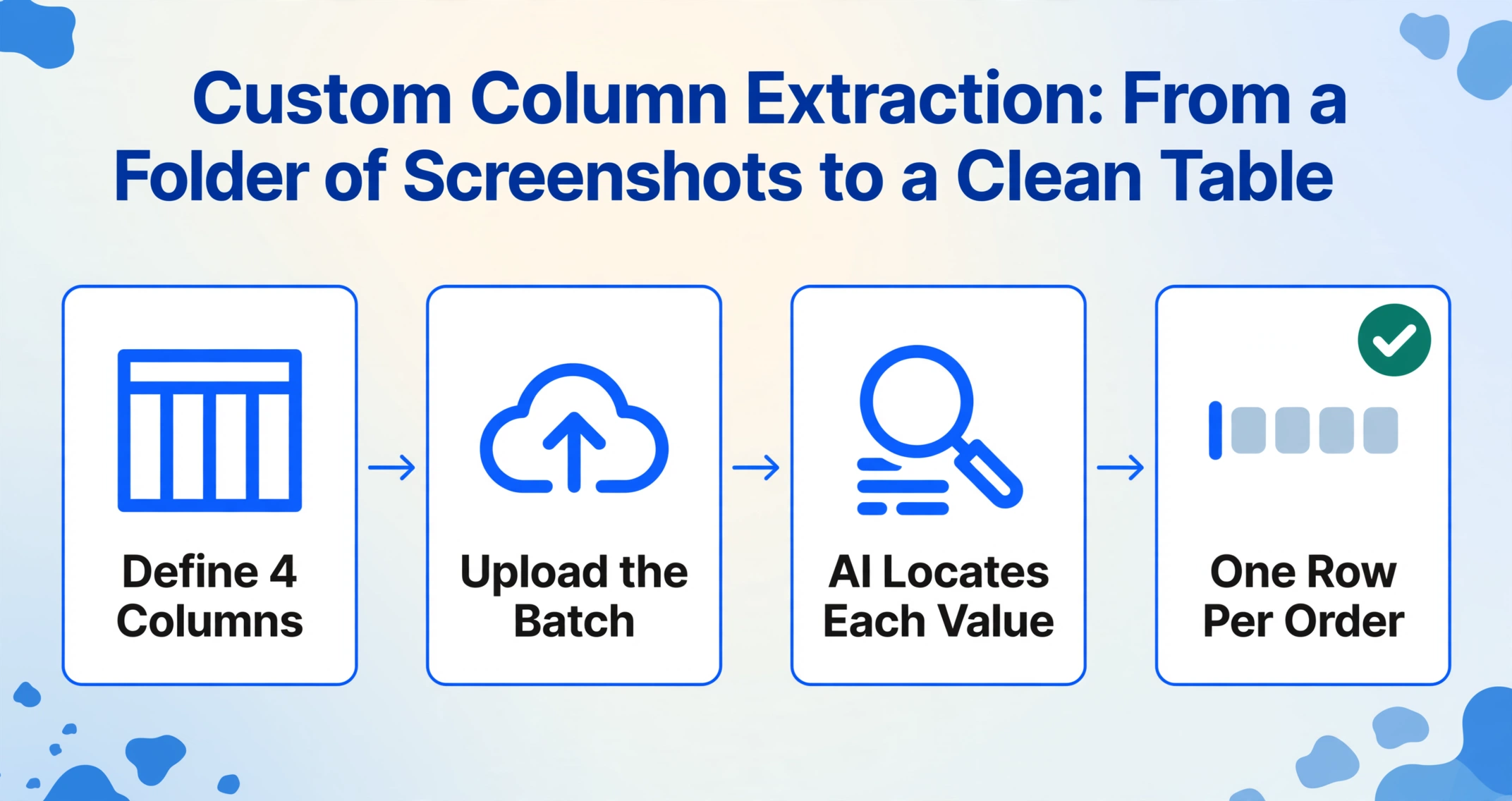
This is where Custom Column Extraction — a semantic approach that lets you name the columns you want and lets AI locate the matching values on each image — makes the difference. AliExpress order screenshots vary in layout (mobile app vs desktop, light mode vs dark mode), but they share the same semantic structure: somewhere on the page there is an order number, a product title, a tracking number, and a delivery estimate. A semantic extraction tool doesn't care whether the tracking number is at the top or the bottom of the frame. It reads the meaning of each text block and maps it to the column you specified.
To set this up, define four columns — "Order Number," "Product Title," "Tracking Number," "Delivery Estimate" — and run the batch through the tool. Each screenshot becomes one row. The same column set works across screenshots from different AliExpress UI versions and even across other e-commerce platforms (Amazon, eBay, Etsy) if you're managing multiple channels in one spreadsheet — though each platform's tracking mechanics differ.
And because the extraction is column-driven rather than template-driven, adding a fifth column — "Buyer Protection Expiry" — is as simple as typing the new column name. The AI reads it, understands what it means, and locates the corresponding value on each screenshot. This flexibility matters for AliExpress because the Buyer Protection date has no equivalent on Amazon or eBay screenshots. Only a semantic approach handles it without per-platform configuration.
FAQ
How do I tell whether the tracking number on my screenshot is domestic or international?
Look at the format. Numbers starting with YT, LP, or ZP followed by a long digit string are typically domestic tracking numbers assigned by Chinese carriers. Numbers in the standard UPU format — two letters, nine digits, two letters, ending with the origin country code (e.g., AA123456789CN) — are international numbers recognized by destination postal services. If you're unsure, paste the number into 17TRACK or Cainiao's global tracker — both services show which carrier issued it and the current logistics segment.
What if the screenshot shows multiple tracking numbers for different shipments within one order?
Record each tracking number as a separate data point. For a receiving log, assign one row per shipment, with the order number repeated and the tracking number and item description specific to that shipment. Some AI extraction tools can handle this if you configure the output to expect multiple values for the "Tracking Number" field and delimit them appropriately in the spreadsheet.
Does extraction work on Chinese-language AliExpress screenshots?
Yes. If the screenshot was captured with the UI set to Chinese, the field labels will be in Chinese characters ("订单号" for order number, "追踪号" for tracking number), but a vision AI model trained on multilingual documents can still locate and extract the values. The order number and tracking number are numeric or alphanumeric and language-independent; the product title is extracted in whatever language the seller wrote it in.