Coupang Order Screenshot:
How to Find the Order Number, Product, and Rocket Delivery Status
You ordered something on Coupang — South Korea's largest e-commerce platform — and took a screenshot to keep a record. Weeks later you open that screenshot and see a page covered in Korean labels: 주문번호, 상품명, 로켓배송, 배송완료. The information you need is all there, but if you don't read Hangul fluently, telling which number is the order ID and which label means "arriving tomorrow before 7 AM" isn't obvious.
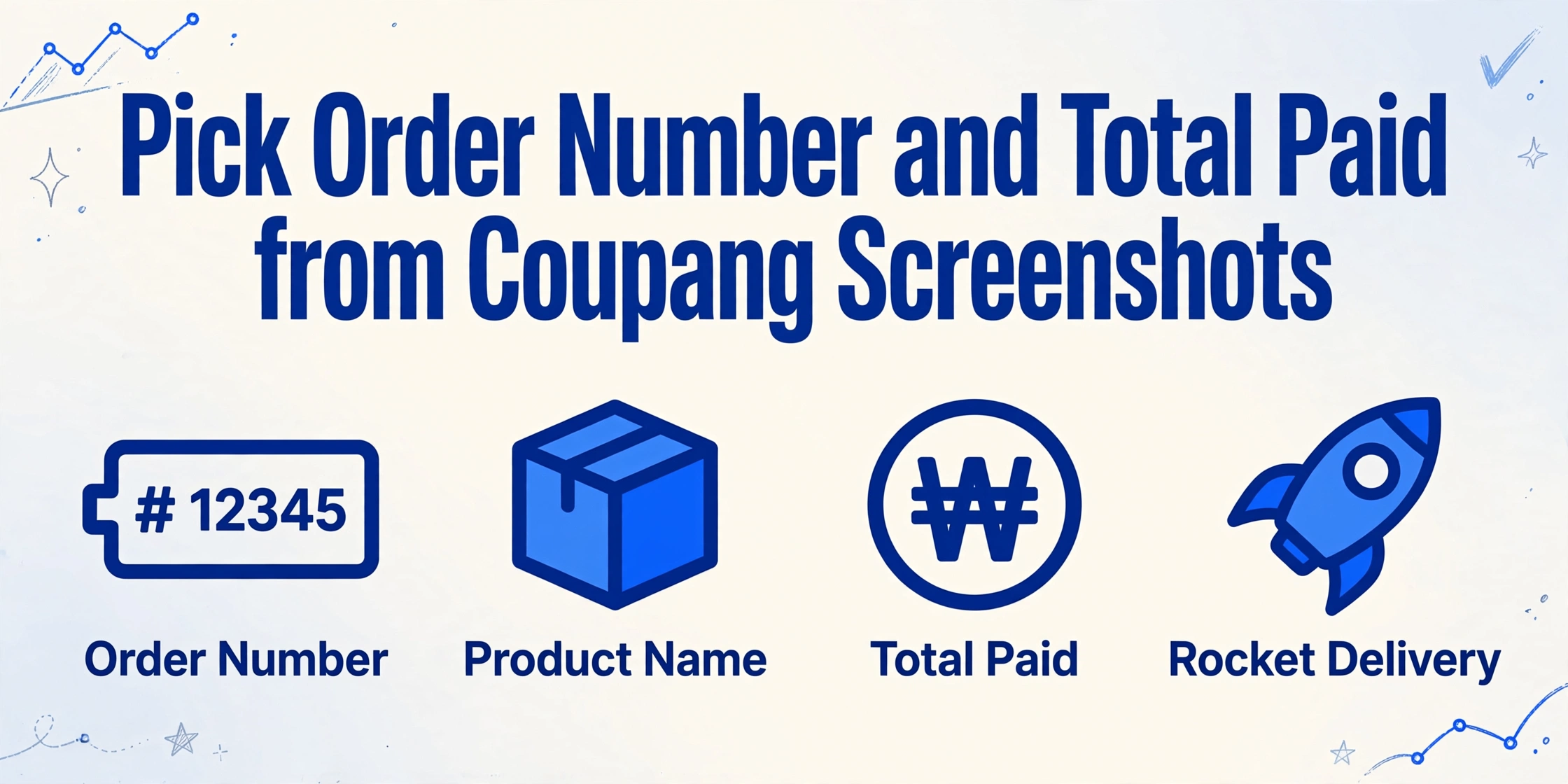
Key Takeaways
- That Coupang screenshot you saved as a receipt quietly became a Korean reading test — and the order number hiding behind the label 주문번호 is the one thing customer support asks for first.
- OCR reads every Hangul character on the page perfectly — and still leaves you guessing which 10–12 digit string is the order number and which is the delivery tracking number (운송장번호), because character recognition and semantic understanding are two different problems.
- An order number on any Coupang screenshot sits at the top of the detail page in a predictable 10–12 digit format — extraction that recognizes fields by structure and content, not by the surrounding Korean label, makes the interface language irrelevant.
The Coupang Order Number (주문번호) — Format and Location
Every Coupang order gets a numeric identifier called the Order Number, labeled as 주문번호 on the Korean interface. Unlike Amazon's 17-character hyphenated format, Coupang order numbers are a shorter numeric string — typically 10 to 12 digits with no hyphens or letters. A typical Coupang order number looks like this:
20260512345678
The number often starts with the date (year+month+day) followed by a sequence identifier, though the exact schema varies. No two orders share the same number, and it's the master key for any customer service inquiry, return, or warranty claim.
On the Coupang mobile app — Korea's 97% smartphone penetration makes this the primary interface — the order number appears in the order detail screen. After tapping the profile icon (마이쿠팡) → Order History (주문/배송조회) → selecting an order, the 주문번호 sits near the top of the detail page above the product listing. The label is followed by a colon and the numeric sequence.
On a desktop browser, the order number appears in the same position within the My Coupang section. The wider layout shows more contextual information, but the number itself remains a 10–12 digit numeric string with the 주문번호 label.
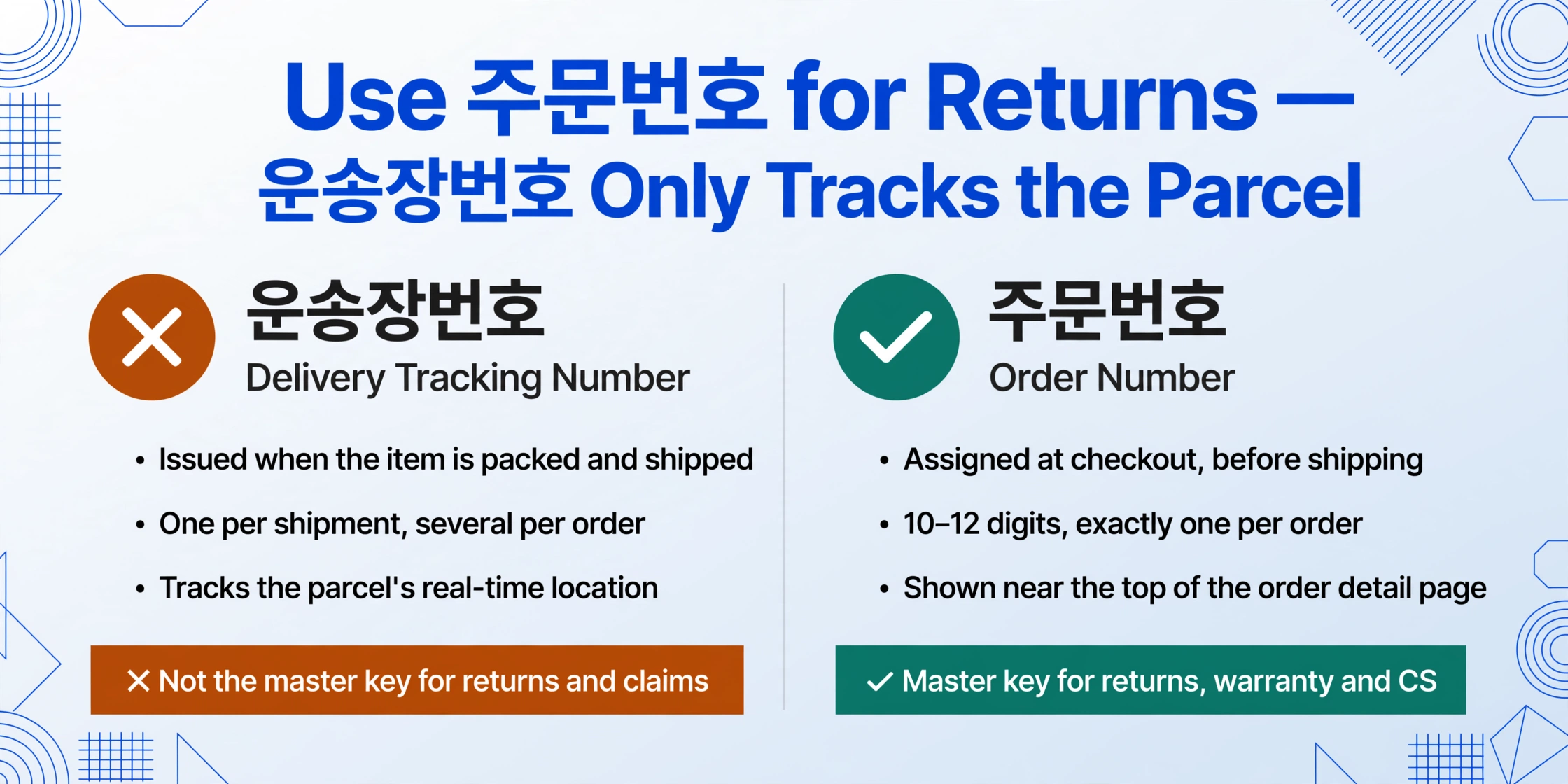
The most common mistake is confusing the order number with a delivery tracking number. Coupang operates its own logistics network — the delivery tracking identifier (운송장번호) is a separate number assigned when the item is packed and handed to a Coupang delivery driver. Unlike the order number, the tracking number is used to follow the package's journey in real time through the Coupang logistics system. Your order screenshot might capture both, but they sit in different sections of the page.
The order number is the one thing Coupang customer service asks for first — before your name, before the product name, before your address. A screenshot that clearly shows the 주문번호 field means you can start a return, check a refund status, or escalate a delivery issue without navigating the Korean-language app.
The Product Name (상품명) — Korean Product Titles on Screenshots
Below the order number, the product section lists everything you bought. The Product Name, labeled 상품명, appears as a linked title next to the product thumbnail. Coupang product titles differ from Western e-commerce listings — they typically start with the brand in brackets, followed by a Korean name (often mixing English loanwords with Hangul), a model code in parentheses, and color info.
[LG] LG 퓨리케어 360 공기청정기 (AS180NWF) WhiTe
"LG PuriCare 360 Air Purifier (AS180NWF) White"
On mobile screenshots, the product name is frequently truncated after 30–40 characters — the app's compact card layout cuts off long titles with an ellipsis. You won't see the full model code or variant info unless you tap into the product detail page. On desktop browser order confirmations, the title is typically displayed in full because the wider layout accommodates longer text.
The 상품명 is crucial for identifying what you bought — especially when an order contains multiple similar items or products in different colors. The name, combined with the option line (옵션) below it (e.g., "블랙 / L사이즈" — "Black / Size L"), tells you the exact variant.
Rocket Delivery Status (로켓배송) — The Defining Coupang Field
This is the field that makes a Coupang order screenshot different from any other e-commerce platform. Rocket Delivery (로켓배송) is Coupang's signature overnight delivery service — orders placed before midnight arrive the next day, delivered by Coupang's own logistics network. Unlike Amazon's "arriving tomorrow" estimate, Coupang commits to a specific time window for delivery, displayed prominently on the order detail page.
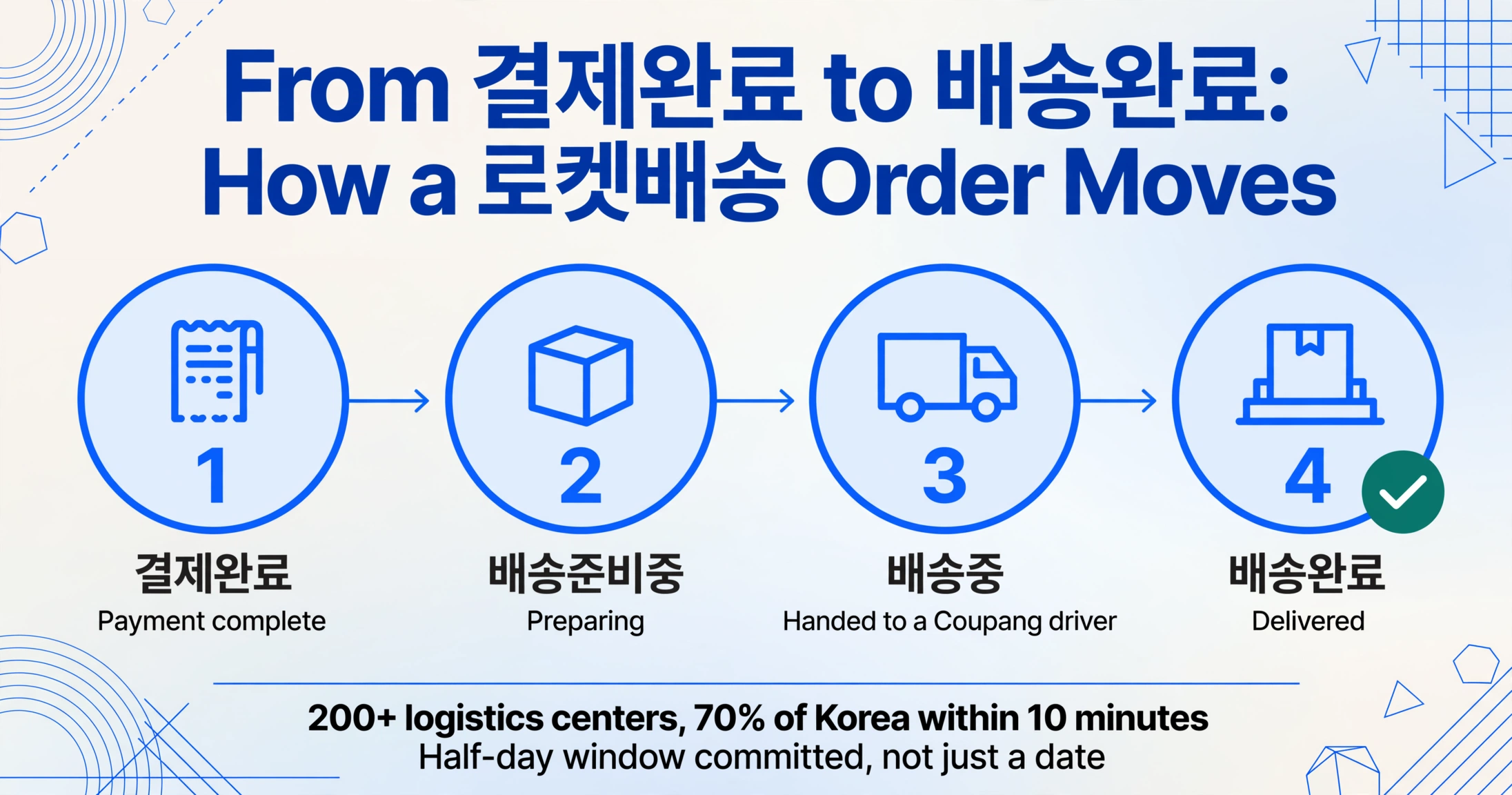
No other e-commerce platform displays delivery precision the way Coupang does. The Rocket Delivery badge doesn't just say "next day" — it tells you the exact half-day window: "내일 아침 7시 전 도착" (arriving tomorrow before 7 AM) or "오후 도착 예정" (scheduled for afternoon delivery). This precision is possible because Coupang operates over 200 logistics centers across Korea, with 70% of the population living within 10 minutes of one.
On the order screenshot, the Rocket Delivery status appears as a visually distinct badge. The key indicators are a green or blue 로켓배송 badge near the product name, followed by the delivery time window below it — the unique Coupang commitment to a specific half-day slot rather than just a date. The broader order status (배송상태) changes through a progression: 결제완료 (payment complete) → 배송준비중 (preparing) → 배송중 (in transit) → 배송완료 (delivered).
For Rocket Fresh (로켓프레시) — Coupang's grocery delivery arm — the delivery window changes format. Fresh orders are delivered by 7 AM (dawn delivery), and the screenshot will show "새벽배송" (dawn delivery) instead of the standard Rocket Delivery badge.
Rocket Wow (로켓와우) members — paying KRW 4,990/month (~$3.60) for a subscription similar to Amazon Prime — see an additional membership indicator on their order screens. If the screenshot lacks this indicator, the order was placed by a non-member who paid a small delivery fee (waived above KRW 4,990).
Mobile App vs Desktop — Same Data, Korean Interface
Coupang is a mobile-first platform. Over 80% of orders are placed through the app, making its order detail screen the most common source of screenshots. The app uses a card-based layout optimized for a narrow phone screen. Key details at a glance:
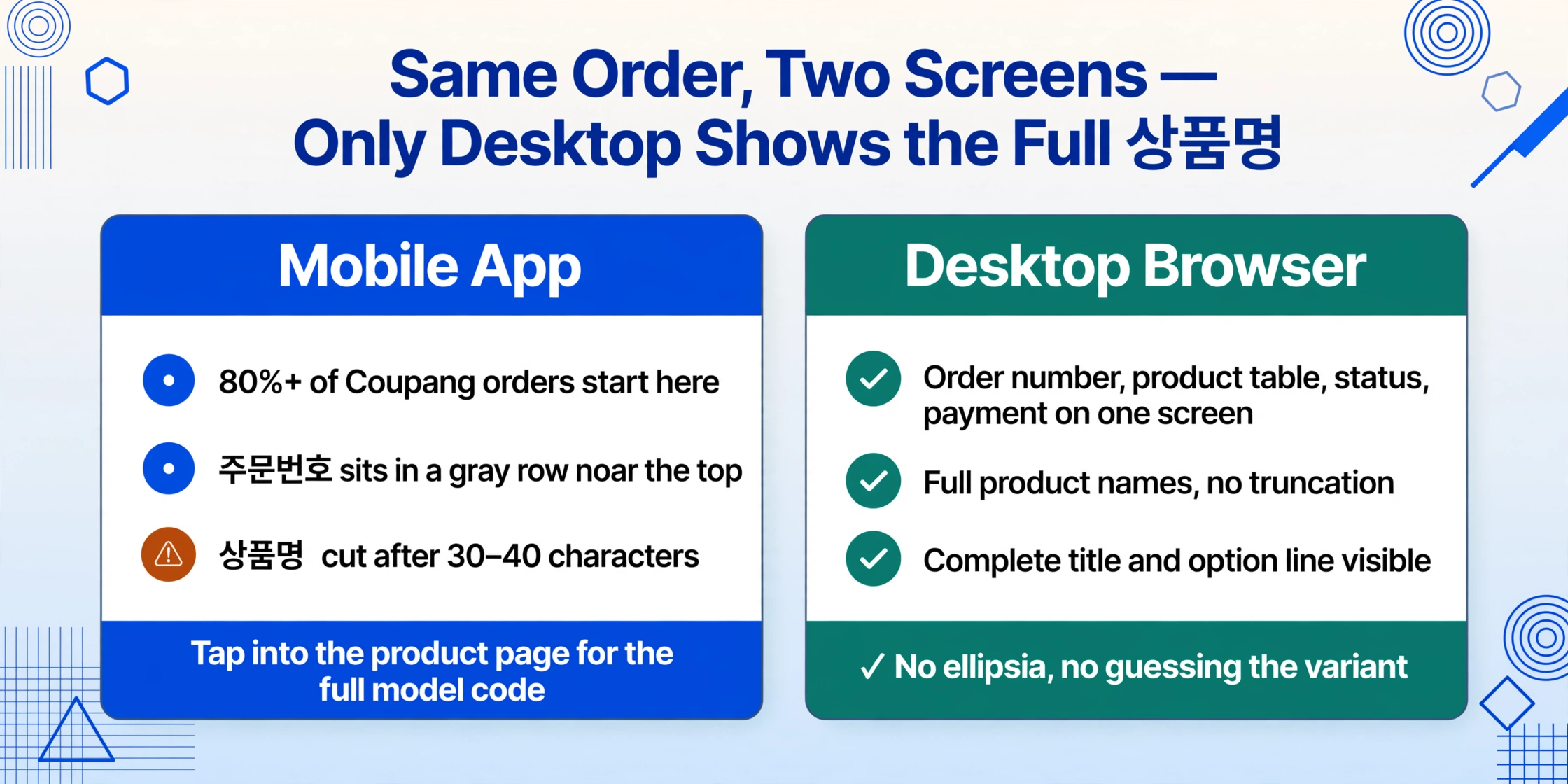
- The order number (주문번호) sits in a gray text row near the top of the order detail screen
- The Rocket Delivery badge is a brightly colored banner — usually green — that's the first visual element your eye catches
- The product name (상품명) is truncated next to the thumbnail, with model/color info below
- The payment section shows the total charged, payment method (often Coupang Pay, or 쿠팡페이), and whether a cash receipt (현금영수증) was issued
Desktop browser screenshots show a wider layout with more fields visible at once — order number, product table, delivery status, and payment summary all fit on one screen. Desktop captures are less common but provide more context per image, showing full product names and detailed price breakdowns without truncation.
The practical difference: a mobile screenshot captures the essential fields in a compact space but may truncate product names. A desktop screenshot shows everything but requires being at a computer. Many expats end up with a mix of both, especially when tracking orders across personal and business accounts.
Why These Three Fields Matter — For Expats and Cross-Border Shoppers
For anyone living in Korea as a non-native speaker, the Coupang app's Korean-only interface is a daily friction point. The order number, product name, and Rocket Delivery status together form the minimum viable data set that lets you manage a purchase without navigating in Hangul.
Returning an item as a foreign resident: Coupang's return policy is famously frictionless — Rocket Wow members get free 30-day returns with no questions asked. But starting a return requires locating the order number (주문번호) first. A screenshot that clearly shows it lets you submit the return without deciphering Korean menu navigation.
Expense tracking across platforms: A cross-border shopper buying from both Coupang and Amazon needs to reconcile orders from platforms with completely different identifier formats. Coupang's order numbers (10–12 digit numeric) look nothing like Amazon's (17-character hyphenated). Having platform-specific fields clearly captured — including the Rocket Delivery time window that only exists on Coupang — means you can tell which platform an order came from without opening each image and reading the interface language.
Managing a handful of monthly orders by manually copying fields from Coupang order screenshots is manageable. The friction appears at scale — a full month of purchases for expense reporting, or reconciling orders across platforms. Each screenshot preserves the information perfectly; the manual extraction is what takes time, especially when the labels are in a language you don't read.
Frequently Asked Questions
Is a Coupang order number the same as a delivery tracking number?
No. The order number (주문번호) is assigned at checkout and identifies the entire purchase — it's a 10–12 digit numeric string. The delivery tracking number (운송장번호) is issued by Coupang's logistics system when the item ships and is used to track the package's real-time location through the delivery network. An order with multiple items may generate several tracking numbers (one per shipment), but it always has exactly one order number. Your screenshot may show both, but they appear in different sections of the order detail page.
How do I know if a Coupang screenshot shows a Rocket Wow membership order?
Rocket Wow (로켓와우) membership indicator appears as a small badge near the delivery information section. If the screenshot shows the 로켓배송 badge with the time window but no additional membership icon, it could still be a Rocket Wow member order — Coupang doesn't always display the membership indicator on every page. The more reliable signal is whether the delivery fee shows as ₩0 (free). Rocket Wow members get free delivery on all Rocket Delivery items. Non-members pay a small fee unless the order total exceeds ₩4,990 (~$3.60).
Can data extraction tools read Korean field labels on a Coupang screenshot?
Traditional OCR tools that rely on character recognition can detect Korean characters but don't understand the semantic relationship between a label like 주문번호 and the numeric value next to it. A vision-based extraction tool that reads page content by meaning rather than by position can identify which number is the order number even when the labels are in Hangul, because it understands that "주문번호" means "order number" in context. However, extracting Coupang order data accurately depends on the screenshot being sharp and the text being legible — blurred or extremely low-resolution screenshots remain challenging for any automated approach.
My Coupang screenshot shows a refund — which field tells me the refund amount?
If your screenshot was taken from the refund/return status page (환불/반품 조회), the refund amount is labeled as 환불금액 or 환불예정금액. It appears near the bottom of the order card below the order status. The original order total (결제금액) and the refunded amount may differ if the refund is partial. Coupang's refund processing typically takes 3–5 business days, with the status changing from 환불처리중 (refund processing) to 환불완료 (refund complete).