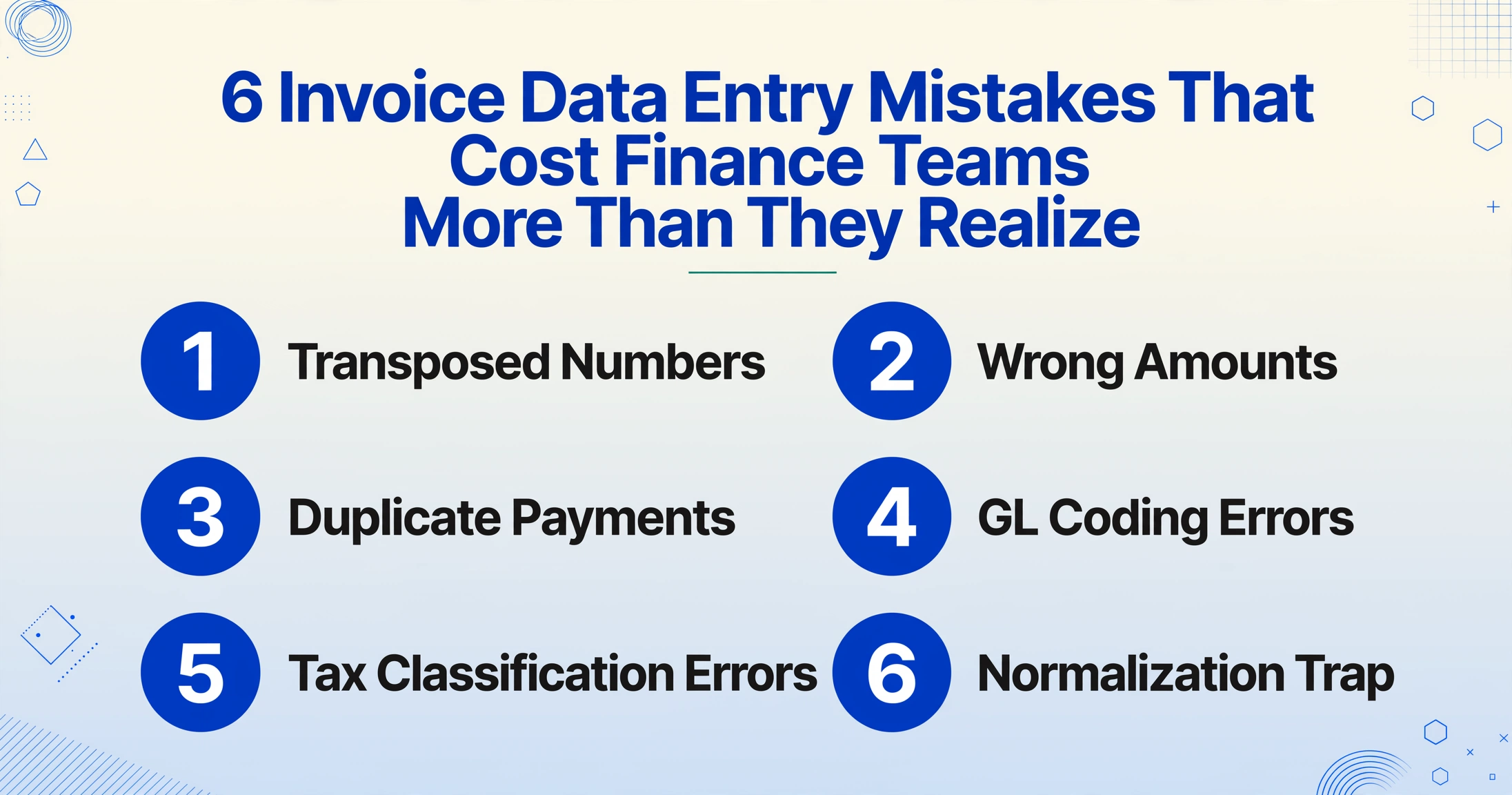
6 Invoice Data Entry Mistakes That Cost
Finance Teams More Than They Realize
Ask an AP manager what their error rate is and most can give you a number: 2%, maybe 5%. Ask what those errors actually cost, and the answer gets vague. A $14,000 invoice entered as $14,400 costs far more than the $400 difference: it sets off a chain of corrections, calls, reversals, and reconciliation entries that compounds well beyond the original typo. The worst data entry errors finance teams make are not the ones they catch next week. They are the GL coding errors and tax classification mistakes that sit quietly in the ledger until an auditor finds them six months later. Here are the six mistakes that cost the most, and why the hidden ones hurt more than the obvious ones.
Key Takeaways
- Your error rate hides more than it reveals. Visible transpositions get caught by your ERP (enterprise resource planning system) within a week, but GL (general ledger) coding errors and tax misclassifications sit silently until an auditor finds them six months later.
- Training won't close this gap. The AP (accounts payable) clerk entering the invoice lacks the tax expertise to pick the right code, and the tax team never sees the invoice until it is already posted to the ledger.
- ImageToTable.ai removes the transcription step that causes most errors. You type the column names you want (Invoice Number, GL Code, Tax Treatment) and the AI fills each row by reading the document, so the clerk confirms values instead of re-typing them, cutting error rates from 3-5% to below 0.8%.
Most AP Teams Know Their Error Rate. Few Know What It Actually Costs.
Nearly half of all invoices (49.7%, according to Ardent Partners data) are still processed manually. Manual entry carries an error rate of roughly 2-5%, per the Institute of Finance & Management (IOFM) and Vic.ai research. That means a team processing 2,500 invoices a month is generating somewhere between 50 and 125 errors every single month.
The mistake most AP teams make is measuring the error but not the recovery cost. An error is more than a wrong number in a cell; it starts a chain of tasks the moment someone spots the discrepancy. And the errors nobody spots are the ones that accumulate over quarters, turning into audit findings, tax penalties, or financial restatements.
The industry knows this directionally. Stampli and Probolsky Research found that 70% of organizations report AP error rates of 5% or above, and that a single invoice error takes roughly two hours to resolve end-to-end. At 500 errors a year, that is 1,000 hours, or half a full-time employee, consumed entirely by fixing mistakes that should not have happened.
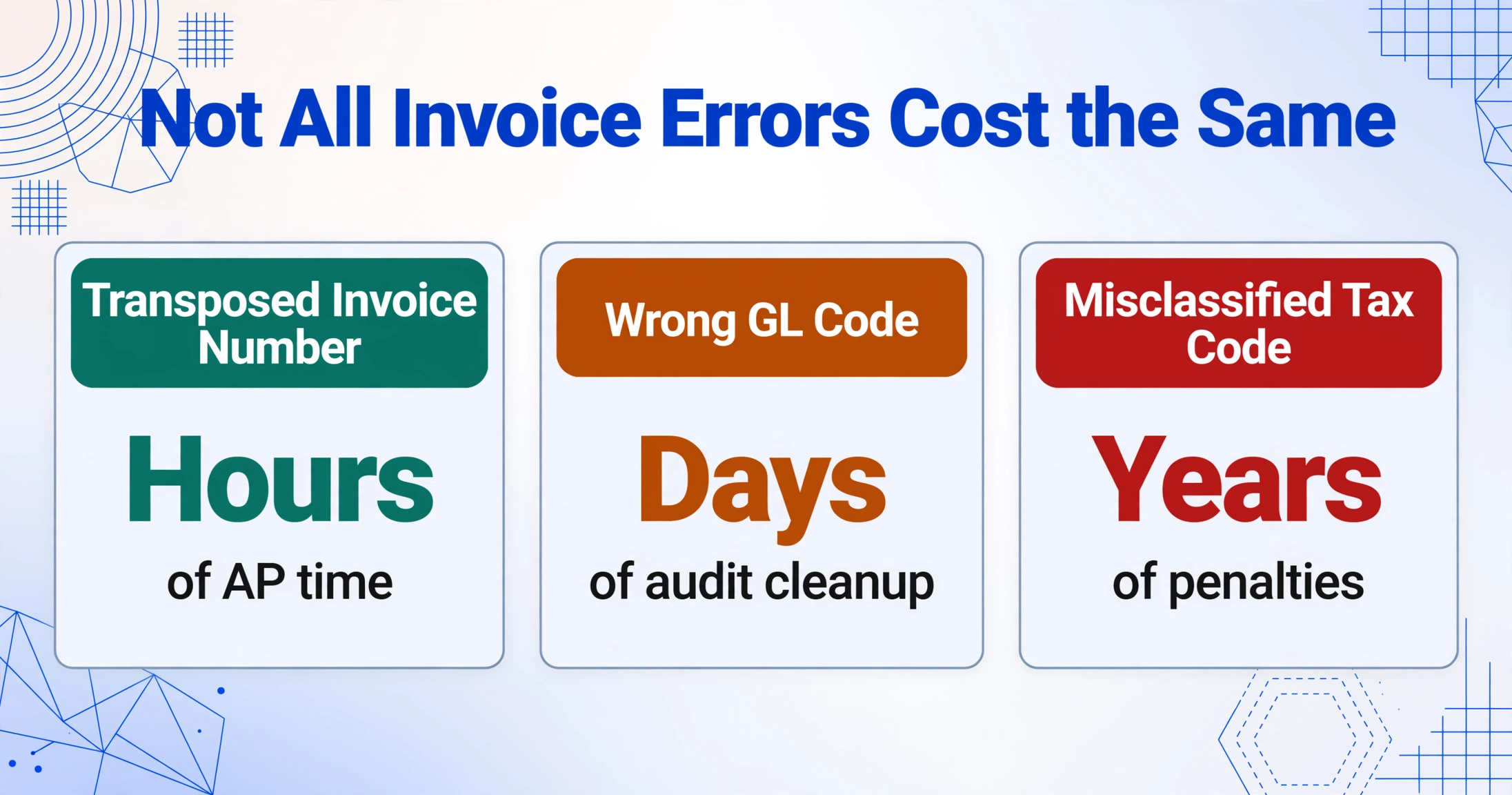
But the cost structure isn't flat. Different types of mistakes carry different downstream multipliers. A transposed invoice number costs hours. A wrong GL code costs days of audit cleanup. A misclassified tax code can cost penalties measured in years.
Mistakes #1–3: The Visible Errors — Transposed Numbers, Wrong Amounts, Duplicate Payments
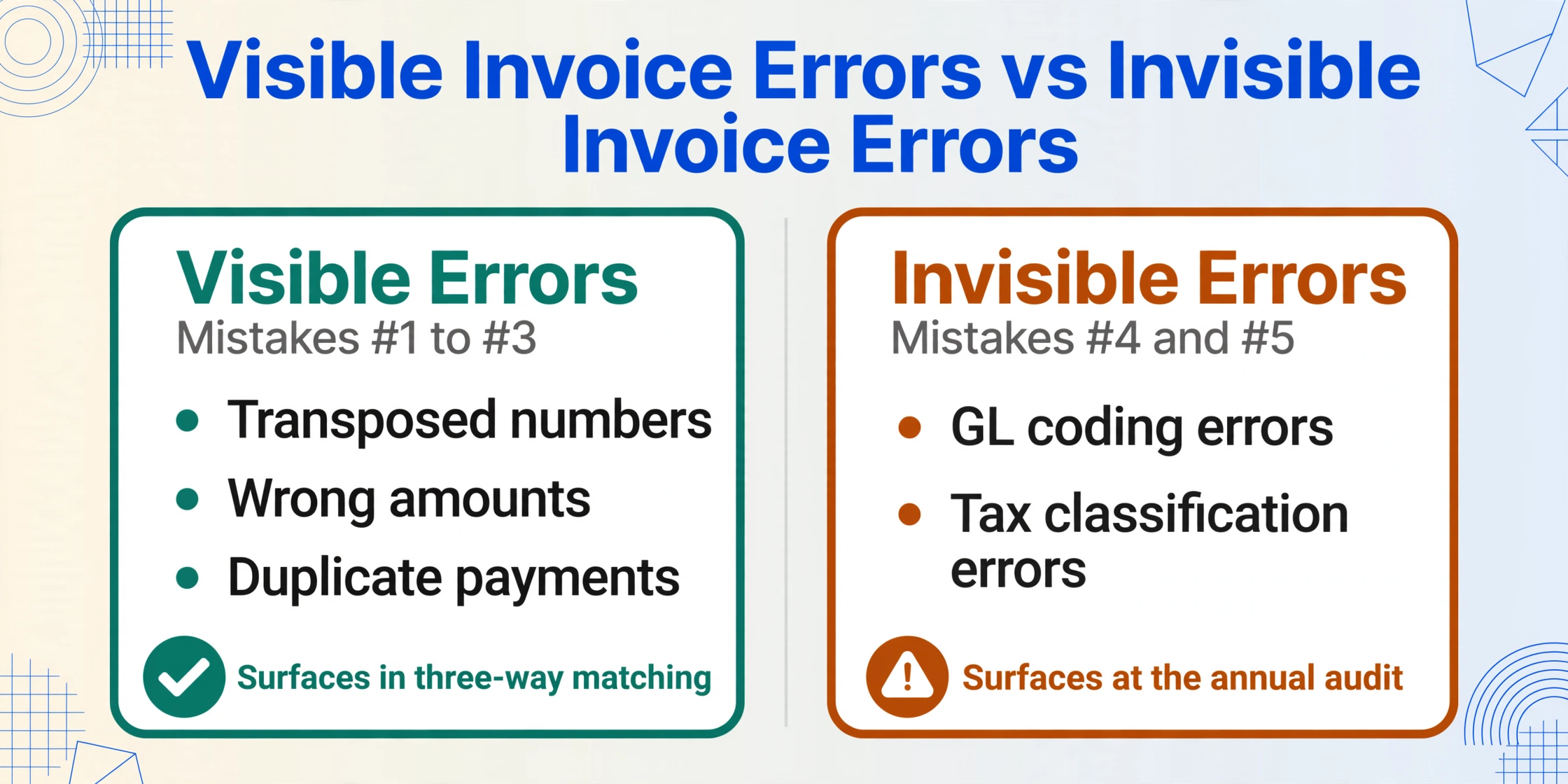
These are the mistakes teams know about. They surface during three-way matching, payment review, or vendor inquiries. They're visible, discoverable, and fixable — but the fix itself is expensive in ways most teams don't tally.
Mistake #1: Transposed Numbers and Keying Errors
Invoice number INV-2456 becomes INV-2465. $17,820 becomes $17,280. A PO number gains or loses a digit. These happen constantly in manual entry — a Gartner survey cited by SoftCo found that 18% of accountants make errors daily, and 33% make several errors per week. A single keystroke error at the right place in the ERP cascades:
- Discovery (15 min) — three-way matching flags a mismatch, or a vendor calls about a short payment, or a batch total doesn't reconcile
- Investigation (30 min) — AP clerk pulls the original invoice PDF, compares against the ERP entry, traces the discrepancy to a single field
- Correction (10 min) — journal entry to reverse the wrong amount, re-enter the correct one
- Communication (15 min) — if payment was already issued, the vendor gets a credit memo or a follow-up call explaining what happened
Total recovery cost per transposition error: roughly 70 minutes of AP time, plus whatever relationship damage occurs with the supplier. At $30/hour fully loaded, that's $35 per error. Multiply by 25-50 errors a month, and a single AP clerk's transpositions alone cost $875-$1,750 per month — before counting the follow-on effects if the error triggered an incorrect payment.
Mistake #2: Wrong Amounts — Underpayments and Overpayments
Different from transposition — this is when the full invoice total is entered correctly but a line item is miscoded, or the wrong tax rate is applied, or a discount that should have been taken is missed. The AP team has the invoice amount right but the composition wrong.
The cost structure changes here because the error is harder to spot. Three-way matching might pass — the PO quantity matches, the invoice total matches, but one line item is priced at $14/unit instead of the contracted $12/unit. No system flag fires. The error only surfaces when the budget owner reviews department spend two months later and questions why the January order was 17% over projection.
This is where the time delay penalty kicks in. An error caught in week one costs 70 minutes of correction. An error caught in month three costs the original 70 minutes plus 30 minutes of audit trail reconstruction, 20 minutes of explaining to the department head why their Q1 budget variance report is wrong, and potentially a supplier negotiation if the overpayment needs to be credited against a future invoice rather than refunded. The $35 transposition cost becomes roughly $60-$80 per deferred miscoding error — and these are the ones that silently erode margin on every purchase.
Mistake #3: Duplicate Invoices and Double Payments
This is the mistake every AP article leads with, and for good reason — it costs actual cash, not just labor time. A supplier sends an original invoice with shipment and a follow-up copy by email. Both get entered under slightly different reference numbers. Both get paid. Recovery requires contacting the vendor, requesting a credit memo or refund, and in the case of one-time suppliers, potentially pursuing a company that has no incentive to return the money quickly.
Westgate Moore's survey found 92% of finance professionals say duplicate payments and overpayments are still common in their industry. The average duplicated payment is never fully recovered — if the supplier is ongoing, the credit memo sits on their books and offsets a future invoice. The AP team still spent the time discovering, verifying, and resolving the duplicate. And if the supplier relationship is one-off, the cash may never come back.
The structural cause matters more than the mistake itself. Duplicate payments happen because the same physical invoice enters the processing queue through multiple channels — email from the supplier, mail from the supplier, uploaded by the requesting department — and manual reconciliation doesn't catch the duplication because the reference numbers don't match. The fix isn't "be more careful." It's consolidating intake so the same invoice can't reach the processing queue twice.
Visible mistakes share one trait: they all get caught eventually — either by matching systems, vendor complaints, or month-end reconciliation. The cost is measured in correction labor. The next category is different. These mistakes don't announce themselves. They sit in the ledger quietly, and the first person to find them is usually holding an audit checklist.
Mistakes #4–5: The Invisible Errors — GL Coding and Tax Classification
Mistake #4: General Ledger Coding Errors
Every invoice line item needs a GL code — the alphanumeric identifier that maps the expense to the right account in the chart of accounts (e.g., "Office Supplies" vs "IT Services" vs "Facilities Maintenance"). When an AP clerk types a code manually — or copies the code from the previous month's similar invoice — and gets it wrong, the error is invisible to the payment system. The invoice gets paid. The amount is correct. The vendor is happy. But the expense lands in the wrong reporting bucket.
The cost doesn't surface until month-end close, when the finance team reconciles department budgets and finds the IT spend is under budget and facilities is over budget — neither by enough to raise an alarm, both by enough to make the reported numbers wrong. Or worse: it surfaces during the annual audit, when the external auditor tests a sample of expense classifications and finds systematic miscoding. One miscoded invoice is a reclassification journal entry. Twenty miscoded invoices is a material weakness finding. A pattern of GL coding errors over multiple periods is the kind of finding that delays an audit opinion and triggers expanded testing — which the company pays for in auditor hours.
GL coding errors are especially dangerous in multi-entity or multi-department organizations. An invoice for a shared service — cloud hosting used by both engineering and marketing, or office supplies for three different cost centers — needs to be split across multiple GL codes. If the AP clerk assigns the entire invoice to the wrong department, budget reports for two departments are simultaneously wrong in opposite directions. No one notices because each department only sees their own variance, and neither is large enough to trigger a flag.
The correction cost for a GL miscoding caught at month-end is roughly 15 minutes for the journal entry. The correction cost for a GL error caught during an audit is the reclassification entry plus the auditor's extended testing time, billed at $150-$400/hour. Structural prevention, where the AI assigns the GL code from the line-item description instead of a clerk copying the previous entry, removes the recurring miscodings that drive most of this cost.
Mistake #5: Tax Code and Withholding Mistakes
This is the most expensive mistake category that almost no AP teams actively monitor. An invoice from a non-US supplier triggers withholding tax obligations under IRC Section 1441 — the payer must deduct the correct percentage before remitting, report the withholding on Form 1042-S, and classify the payment under the correct income code. A wrong tax code — or worse, no withholding where withholding is required — means the company under-remitted tax to the IRS.
The IRS has specifically trained 3,000+ examiners on Section 1441 compliance and created a dedicated national team for withholding audits, according to Tipalti's analysis of current IRS enforcement posture. Penalties have "rapidly increased, even on minor coding errors." A single misclassified payment to a foreign contractor can trigger penalties, interest on underpaid withholding, and the cost of amending previously filed information returns — all layered on top of the original tax liability.
Domestic tax classification errors are less dramatic but more frequent. Sales tax applied where use tax should apply. VAT on intra-EU supplies miscoded as domestic tax. A supplier's tax ID typed with a transposed digit means a 1099 filed with incorrect information, which the IRS matches electronically. Even if the dollar amount is correct, a mismatched TIN generates an IRS notice, and responding to that notice costs AP time and credibility.
The structural problem with tax codes is the same as GL codes: the AP clerk entering the invoice doesn't have the tax expertise to know which code applies to each transaction, and the tax team doesn't see the invoices until after they're entered. The information gap between data entry and tax compliance is the root cause — not carelessness, not inadequate training. Until that gap is closed, tax code errors are a built-in feature of manual AP, not a fixable bug.
Mistake #6: The Normalization Trap — When 5% Error Rate Becomes the Baseline
This isn't a data entry error — it's a meta-error that makes all the other errors cost more over time. When an AP team's error rate stabilizes at a certain level and stays there for months, the team stops seeing it as a problem. 95% accuracy feels solid. Month-end close finishes within 10 days, which is better than last year. Nobody is screaming.
But 5% error rate at 2,500 invoices a month is 125 errors every single month. Using the Stampli/Probolsky estimate of two hours per error resolution, that's 250 hours — or roughly 1.5 FTE — consumed solely by error correction. At 10,000 invoices a month, it's 500 errors and 1,000 hours. At that scale, error correction is no longer a cost of doing business — it's the largest single activity in the AP department.
The normalization trap has a second dimension: the types of errors that survive normalization are systematically the expensive ones. Transposition errors get caught fast — they cause matching failures and payment discrepancies that the ERP flags immediately. GL coding errors and tax classification errors don't trigger any automated flag. They survive month-end close, survive the quarterly review, and surface only when an auditor tests the classification sample. A normalized error rate that's 80% visible transpositions and 20% invisible GL/tax errors means the 20% compound silently while the team congratulates itself on catching the 80%.
The normalization trap is self-reinforcing. High AP turnover — Vic.ai's data shows AP departments have 23% higher turnover than other finance functions — means new hires inherit the existing error baseline as "how things work here." Nobody questions the error rate because everyone who remembers the last process redesign has left. The errors become process, not exception.
Why These Mistakes Survive Training, Checklists, and Second Reviews
The standard response to AP errors is "better training" and "more review steps." A second person checks the first person's work. Someone verifies GL codes before posting. These are sensible controls — but they address the symptom, not the structural cause. Invoice data entry errors persist because of three conditions that training can't fix.
Condition 1: PDFs aren't native ERP data. Every invoice arrives as a document designed for human reading — a PDF, a scanned image, an email attachment — and must be transcribed into the ERP's structured fields. This transcription is a manual translation step between two incompatible formats. The human is the bridge. Bridges break.
Condition 2: The volume outpaces the checking. At 500 invoices a month, a second-review system is feasible — the reviewer can spot-check a meaningful sample. At 5,000 invoices a month, the reviewer is sampling 2% of transactions. The probability of catching a GL miscoding in that sample is approximately zero. The checking system that works at small scale fails silently at large scale.
Condition 3: The person entering data doesn't have the context to get it right. The AP clerk sees an invoice line item for "$8,400 — Consulting Services." Is that IT consulting or management consulting? Does the right GL code depend on which department requested it? The clerk doesn't know — and the person who does know (the budget owner) won't see the coding until next month's variance report. The information needed to code correctly exists in the organization but doesn't reach the person doing the coding.
These three conditions explain why duplicate payments, transposition errors, and coding mistakes happen even in well-run AP departments with trained, careful staff. The process is designed to require a human to do something — translate unstructured documents into structured data — that humans are bad at and machines are good at.
Cutting Error Rates By 80% Without Replacing Your ERP
The mechanical source of most AP errors isn't the ERP or the payment system — it's the moment when invoice data moves from the document to the screen. That's the step that introduces transpositions, miscodings, duplicate entries, and formatting inconsistencies. Removing the transcription step removes most of the opportunity for error.
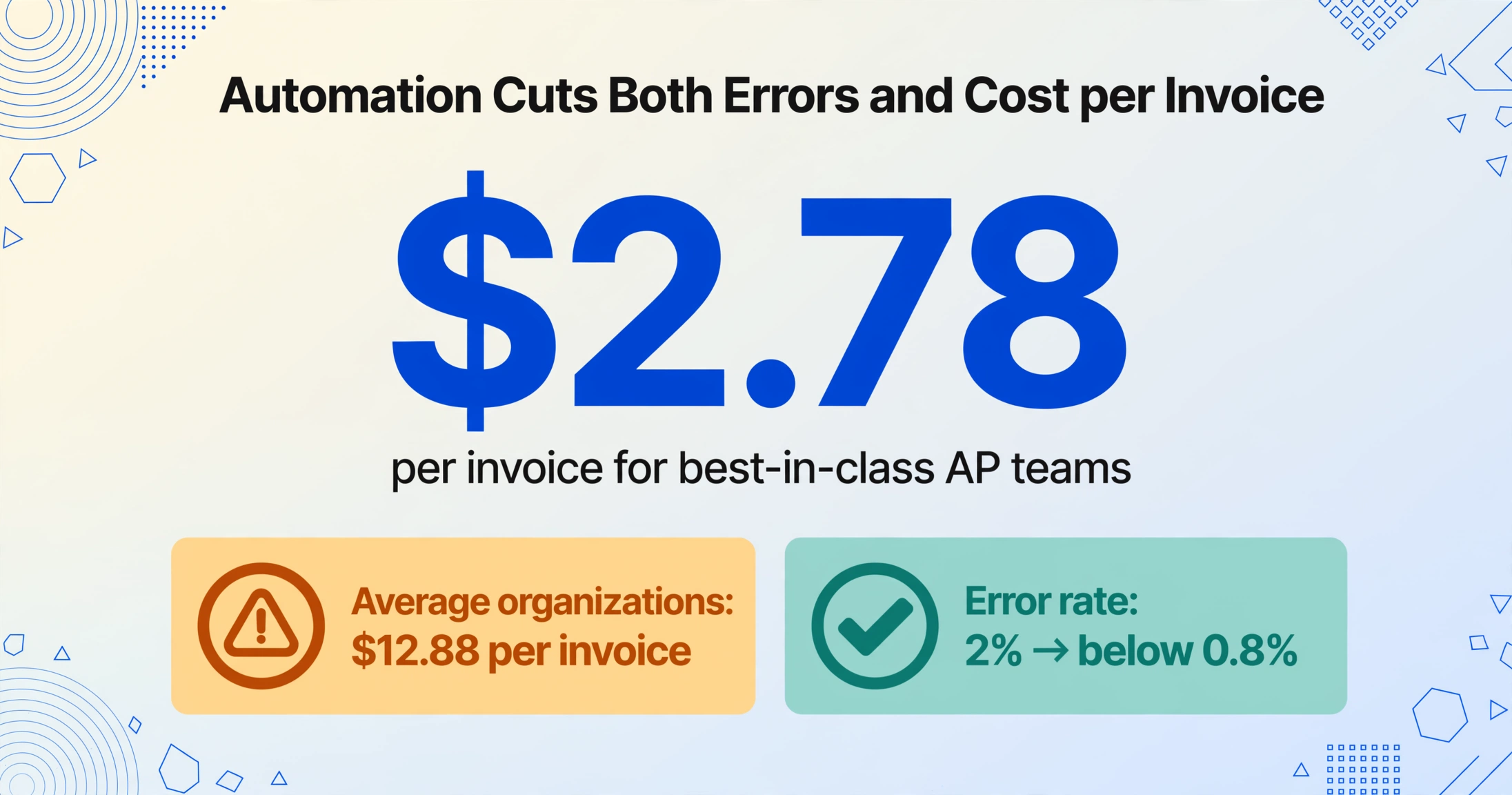
Automated extraction cuts errors at the source. Instead of an AP clerk reading a PDF invoice and typing fields into the ERP, you type the column names you want: Invoice Number, Due Date, Line Total, Tax Amount. This is custom column extraction: the AI locates each value by understanding what it means, not where it sits on the page, so the same column set works on every supplier's layout without a per-vendor template. The output is a structured row in Excel or CSV, and the clerk confirms extracted values instead of re-keying them. IOFM benchmarks show organizations using automation reduce error rates from roughly 2% to below 0.8%. Quadient's 2025 AP automation benchmarks put best-in-class teams at $2.78 per invoice to process versus $12.88 for average organizations, a gap driven mainly by the elimination of manual data entry and the errors it generates.
GL coding becomes a rule, not a guess. You define a GL Code column once and list your chart-of-accounts options in it ("Office Supplies", "IT Services", "Facilities Maintenance"). The AI reads the line-item description on each invoice and fills in the matching code, so a new Acme Cloud Services invoice lands on the same code as last month's without anyone copying the previous entry. This does not eliminate every miscoding, because genuinely ambiguous line items still need a human decision, but it removes the copy-the-last-invoice habit that produces most of the recurring ones.
Tax treatment becomes a column you confirm, not recall. You list the treatments that apply to your vendors (domestic, EU reverse charge, IRC Section 1441 withholding, exempt) in a Tax Treatment column. The AI reads the supplier country, VAT ID, and tax lines printed on the invoice and assigns the matching treatment, so the clerk confirms a suggested value instead of recalling the tax status of 200 vendors.
File collection eliminates intake fragmentation. Instead of invoices arriving through email, mail, portals, and department uploads, a collection link gives every supplier a single upload point. Files arrive in one queue with one processing workflow, which removes the multiple-intake condition that produces duplicate payments in the first place.
The practical result: for a team processing 2,500 invoices a month at a 3% error rate, automated extraction eliminates roughly 50 of the 75 errors, the ones caused by transcription mistakes. The remaining 25 are process errors (wrong approval routing, missing PO) that automation reduces but does not eliminate. The team's error correction time drops from 150 hours a month to roughly 30-40 hours, the equivalent of reclaiming 0.7 FTE without hiring anyone or replacing the ERP.
For a deeper look at how manual data entry became the structural bottleneck in AP and why it persists despite decades of "better software," see our analysis of why AP teams still key invoice data by hand in 2025. For how to compare the extraction tools that make this error reduction possible, see our comparison of AI invoice extraction tools for finance teams. And if your AP volume is growing and you're deciding between hiring and automating, see the scaling framework for AP teams facing volume growth.