How to Extract Rental Lease
Agreement Data for Property Portfolios
Most document extraction tools treat every type of document the same way. An invoice has a vendor name, a date, and a total. A lease agreement has a landlord, a tenant, a rent amount, a security deposit, a late fee policy, a pet addendum, a utility responsibility clause, a notice period, and a renewal option — spread across 10 to 20 pages with language that varies by state, by property, and by whether you are looking at a CAR LR form in California, a TAR 2001 in Texas, or a FAR residential lease in Florida. Lease data extraction is not invoice data extraction with different field names. It is a fundamentally different problem, and the tools built for invoice processing do not solve it.
Key Takeaways
- Extracting key fields from 200 lease PDFs into a spreadsheet takes 50 to 80 hours of manual copying — not reading contracts or negotiating terms, just moving text from one place to another.
- The hidden cost is worse: rent rolls live in AppFolio, lease dates in a different spreadsheet, deposit amounts only in PDFs, and every renewal decision starts with reconciling three conflicting sources.
- Template-free extraction reads every field by meaning, not position — one "Monthly Rent" column works across CAR, TAR, and FAR forms, and one column mapping feeds your PM software for every lease in the portfolio.
Why Lease Data Is Harder to Centralize Than You Think
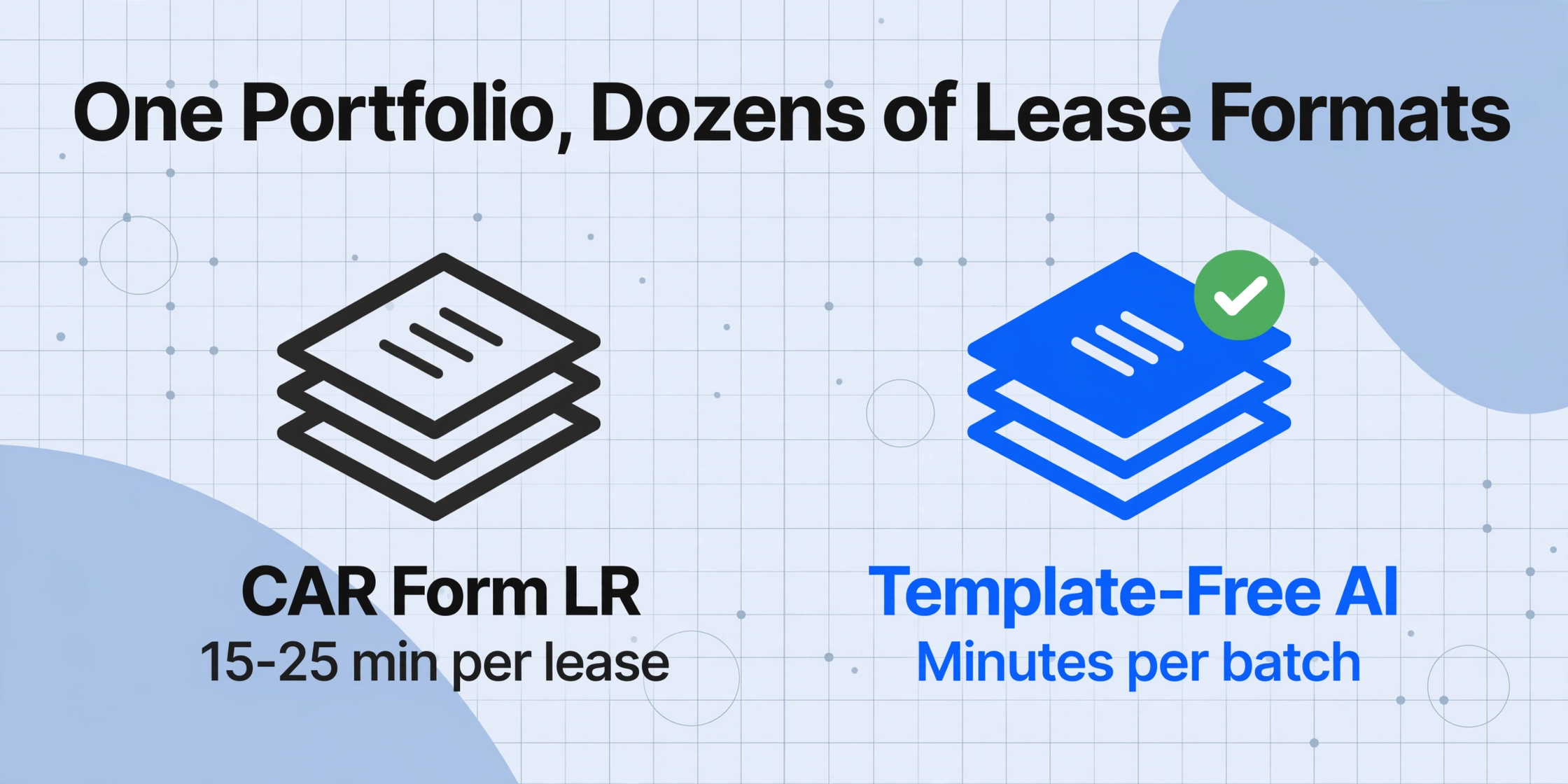
A property management firm with 200+ units does not manage one lease format. It manages dozens — some signed on a California Association of Realtors CAR Form LR, others on a Texas Association of Realtors TAR 2001, and a growing share on whatever the local landlord-tenant attorney drafted last year. The core fields are similar across all of them: tenant names, property address, lease term, rent amount. But the terminology shifts from document to document. "Lessor" on one page is "Landlord" on another and "Owner" on a third. "Lessee" becomes "Tenant" becomes "Resident." Rent is listed as "Monthly Rent" here, "Base Rent" there, and "Rental Amount" in the addendum.
That is before you account for the length. A residential lease typically runs 5 to 20 pages, with key fields scattered — the rent amount might be on page one, the late fee policy on page four, the pet addendum on page twelve, and the renewal terms buried in the small print on page seventeen. Finding and copying each field into a tracking spreadsheet takes 15 to 25 minutes per lease for a trained staff member. At 200 leases, that is 50 to 80 hours of data entry — not reading, not negotiating, not making decisions about renewals, just copying text from one place to another.
The standard solution has been lease abstraction platforms like Predio or Docsumo, designed for commercial real estate portfolios with complex clauses and ASC 842 compliance needs. They work — for firms managing thousands of commercial leases and paying enterprise subscription fees. For a residential property management firm using AppFolio Property Manager, Buildium, or Yardi Breeze, those platforms are both overkill and misaligned: they abstract leases into their own database instead of producing a simple spreadsheet that can feed directly into the PM software already in use. If you're comparing tools for your portfolio size, our roundup of property management document extraction tools covers the trade-offs across eight options.
The Portfolio-Scale Problem: Scattered PDFs, Staggered Renewals
The National Association of Residential Property Managers (NARPM), which represents property management professionals across the US, reports that a significant portion of member firms manage between 101 and 400 units. At this scale, lease renewals do not all fall on the same date. They stagger across the calendar year — a 12-month lease signed in February renews in February, one signed in July renews in July. A portfolio manager needs to know, at any given moment, which leases are approaching their notice period, which have rent escalations kicking in next month, and which tenants are month-to-month and could vacate with 30 days' notice.
That information exists inside the lease PDFs. The problem is extracting it into a centralized view.
Most property management firms end up with a fragmented data landscape: the rent roll exists in AppFolio or Buildium, lease start and end dates are maintained in a separate spreadsheet (if they are maintained at all), addenda and special clauses live only in the PDF files stored in a document management folder, and the security deposit tracker is a third system entirely. Keeping all of these synchronized requires manual reconciliation — comparing the spreadsheet against the software, pulling up individual PDFs to verify a rent amount or deposit figure, and fixing discrepancies that appeared because someone entered "$1,950" when the lease said "$1,950.00" but the addendum said "$1,950.00 per month."
When a portfolio of 200+ units has this kind of data fragmentation, the cost is not just the hours spent on data entry. It is the missed renewal notices — a problem explored in detail in our article on contract renewal and expiry tracking at scale — the rent escalations that were never applied, and the security deposit disputes that could have been avoided if the deposit amount from the lease matched the deposit amount in the management software.
What Data to Extract from Every Lease
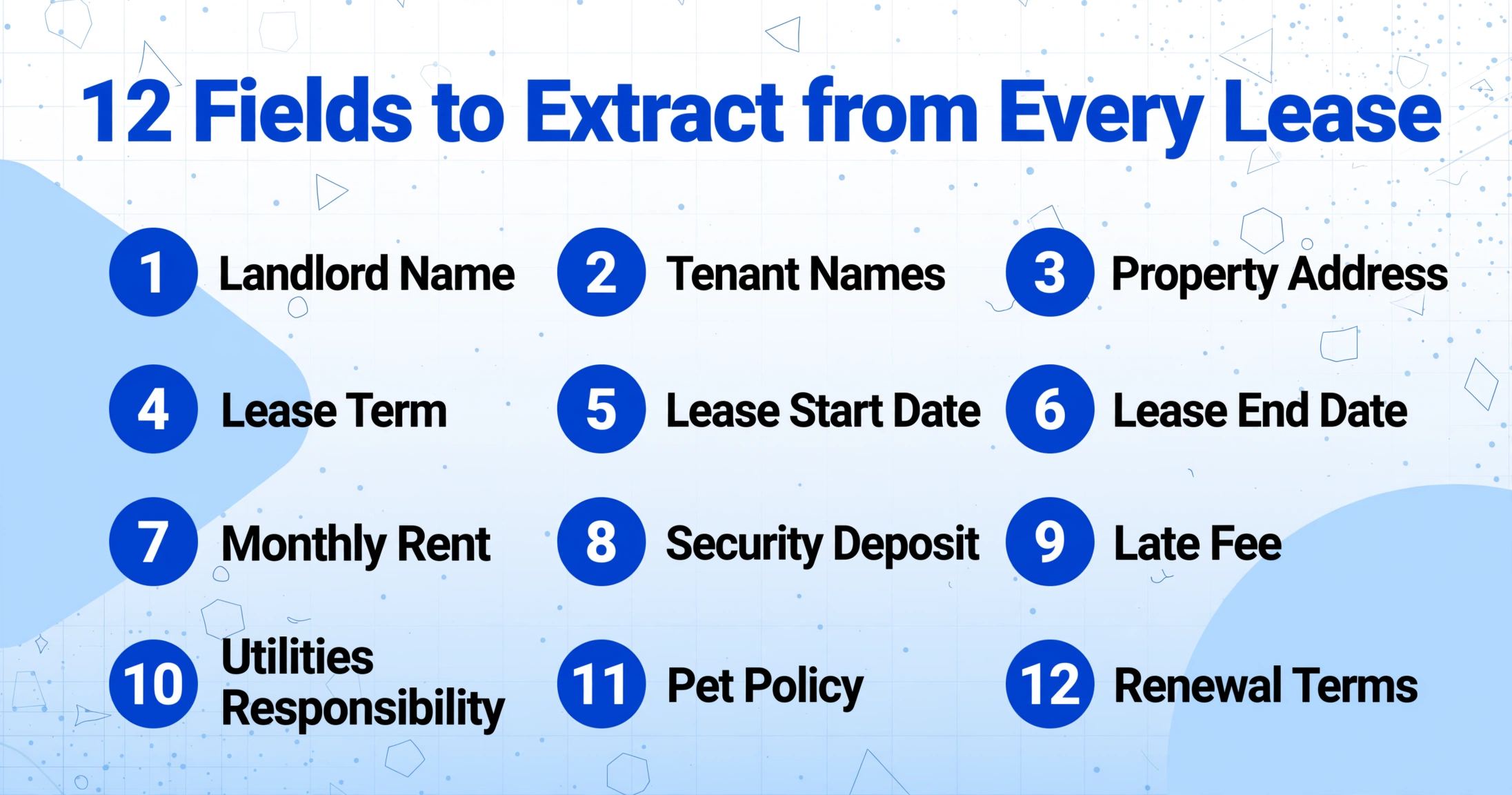
The following fields appear in essentially every residential lease agreement in the United States, regardless of state or form version. The column names that a property manager would use as extraction targets are listed first, with the common terminology variations that appear across CAR, TAR, FAR, and attorney-drafted leases.
| Column Name | Also Known As | Typical Location |
|---|---|---|
| Landlord Name | Owner, Lessor, Property Manager | Page 1, introductory paragraph |
| Tenant Names | Lessee, Resident, Occupant | Page 1, introductory paragraph |
| Property Address | Premises, Rental Unit, Dwelling | Page 1, above or below the introductory paragraph |
| Lease Term | Initial Term, Rental Period | Section 1 or 2, often "Term" |
| Lease Start Date | Commencement Date, Move-In Date | Same section as Lease Term |
| Lease End Date | Expiration Date, Termination Date | Same section as Lease Term |
| Monthly Rent | Base Rent, Rental Amount, Rent | Page 1 or dedicated "Rent" section |
| Security Deposit | Deposit, Security Deposit Amount | "Security Deposit" section, often near the rent clause |
| Late Fee | Late Charge, Delinquency Fee | "Late Payment" or "Default" section |
| Utilities Responsibility | Utilities, Tenant Pays, Utility Charges | "Utilities" section or addendum |
| Pet Policy | Pets, Animal Restrictions, Pet Addendum | "Pets" section or separate Pet Addendum |
| Parking | Parking Assignment, Parking Spaces | "Parking" section or Rules & Regulations |
| Notice Period | Notice to Terminate, Notice Required | "Termination" or "Holdover" section |
| Renewal Terms | Renewal Option, Reletting, Month-to-Month | "Renewal" or "Termination" section |
A property manager does not need all 14 of these fields for every use case. The typical rent roll requires tenant names, property address, monthly rent, and lease end date. Renewal planning needs lease end date, notice period, and renewal terms. Deposit tracking needs security deposit amount. The point of the full field list is to extract once — in a single pass — and then filter the output for whatever purpose is needed.
How It Works: Batch Lease Extraction Without Templates
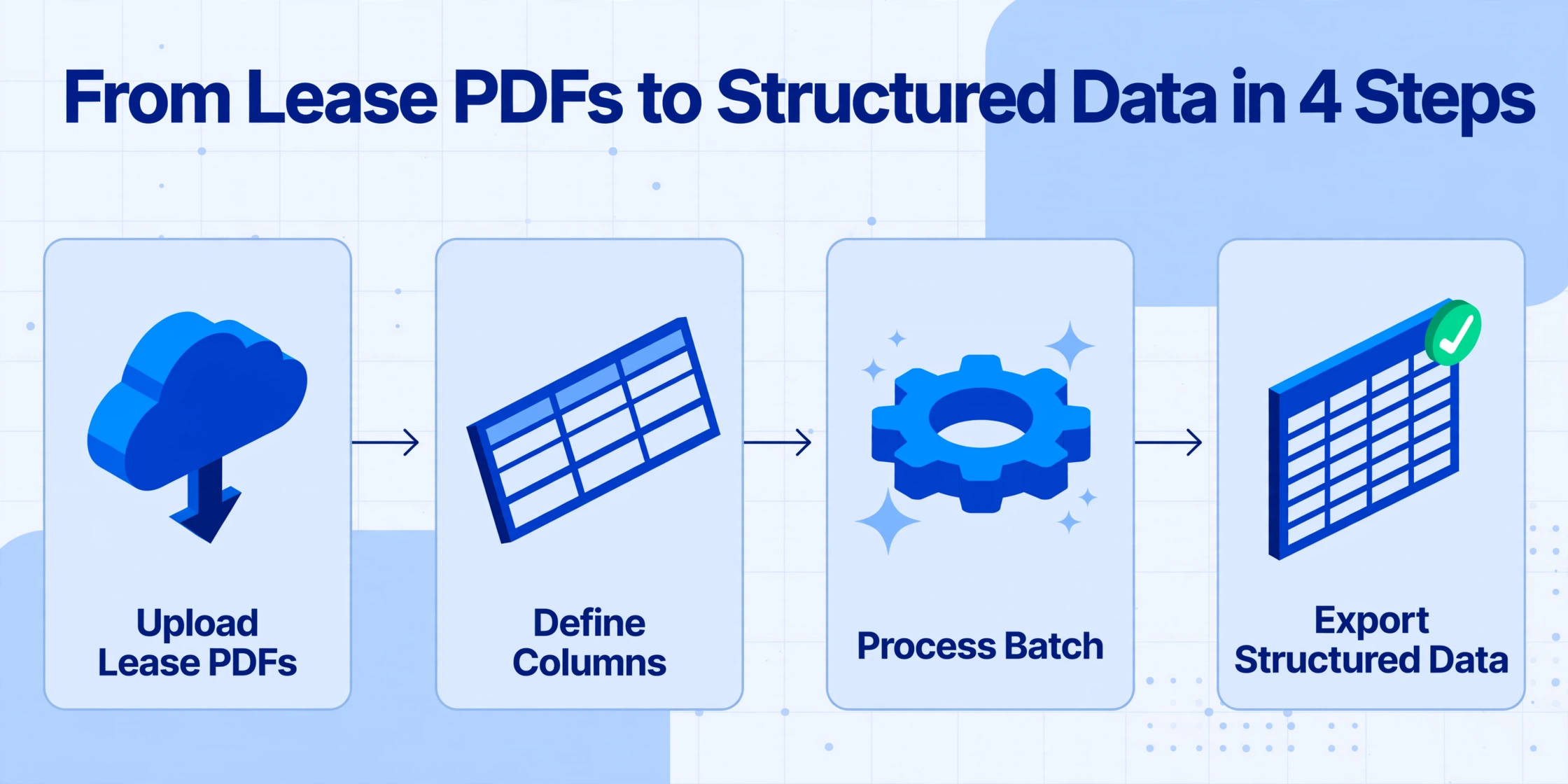
The core insight behind Custom Column Extraction — the method used by template-free AI extraction — is that you define the output you want by naming the columns, and the AI finds the matching data anywhere in the lease by understanding what each term means, not by looking for it in a fixed location. A California CAR Form LR puts the monthly rent on the first page. A Texas TAR 2001 puts it in the "Rent" section on page two. A Florida FAR lease puts it in the "Rental Amount" box. Traditional template-based OCR would need three separate configurations. Template-free extraction handles all three from the same column name "Monthly Rent."
The workflow for a portfolio-scale extraction takes four steps:
For property managers who need to collect lease documents from tenants or property owners spread across different locations, a Collection Link can be generated — a shareable URL that lets anyone upload lease PDFs directly into the processing queue without needing an account or logging in. This is particularly useful when onboarding a new property portfolio and needing to gather lease documents from multiple property owners within a limited timeframe.
Files are processed securely and not stored permanently.
Importing Extracted Data into AppFolio, Buildium, or Yardi
Extracting the data is only half the job. The value comes from getting it into the property management software where rent rolls, lease expirations, and deposit tracking are managed day to day.
AppFolio supports importing resident data via spreadsheet templates for lease transfers and bulk updates. The extracted Excel file can be matched to AppFolio's import format by mapping columns — Tenant Names to "Resident Name," Property Address to "Unit," Monthly Rent to "Rent Amount." Buildium provides a similar import workflow through its "Import from Spreadsheet" feature for tenant and lease data. Yardi Breeze and Yardi Voyager accept CSV exports for tenant and lease record creation, with bulk import capabilities available through their respective tools.
The column-mapping step between the extraction output and the PM software import is a one-time configuration. Once the map is set — Column A maps to "Resident Name," Column B to "Monthly Rent," and so on — every batch extraction you run from that point forward can use the same mapping. This is where the batch processing advantage compounds: one mapping decision serves every lease in the portfolio.
For property managers who use Google Sheets as their intermediary data layer before importing into PM software, the Google Sheets Add-on for ImageToTable.ai writes extraction results directly into the active sheet, eliminating the export-download-reupload cycle entirely. The data lands in columns ready for import mapping.
What AI Gets Right — and What It Still Cannot Do with Leases
A vision-language-model-based extraction tool like ImageToTable.ai handles the fields listed above with high accuracy: it finds tenant names across any lease format, correctly reads rent amounts even when they appear as "$1,950.00" in one lease and "One Thousand Nine Hundred Fifty and 00/100 Dollars" in another, and identifies lease dates regardless of whether they are formatted as "February 1, 2026," "02/01/2026," or "1 February 2026."
What it does not do — and what no current extraction tool can reliably do — is fully interpret conditional logic clauses. A late fee policy that reads "If rent is paid after the 5th of the month, a late fee of $50.00 shall be charged, increasing to $75.00 if unpaid after the 15th" is a human-readable rule, not a data field. The extraction tool can capture "Late Fee Policy" as a text field and surface the clause verbatim, but it will not parse the conditional logic into a structured rule format (deadline = 5th, base fee = $50, escalation = $75 after 15th).
Similarly, complex rent escalation formulas — "Base Rent shall increase by the percentage change in CPI for the applicable metropolitan area, but not less than 3% and not more than 7%" — are captured as extracted text but not automatically computed. The conditional structure is preserved in the extracted result for human review, but the AI applies no interpretive layer on top of it.
This limitation is important to state honestly. If a property manager's primary need is automated lease abstraction with clause classification and conditional logic parsing, a dedicated lease abstraction platform is the correct tool. If the primary need is getting the core data fields — tenant names, rent amounts, key dates, deposits, fees — out of 200 lease PDFs and into a spreadsheet or PM software in hours instead of weeks, template-free batch extraction is the faster, more cost-effective path. The two approaches serve different depths of the same problem. Whichever method you use, it is worth establishing a verification workflow to spot-check extraction results — catching discrepancies early is far cheaper than fixing downstream data issues after they have propagated into rent rolls and lease reports.
"A lease abstraction platform reads every word and classifies every clause. A batch extraction tool reads the data you asked for and puts it in a spreadsheet. If you need both, you use both. Most property managers only need the second."
Frequently Asked Questions
Can the tool extract data from scanned lease PDFs, or does it need digital PDFs?
Both work. The extraction engine reads the document visually — the same way a person reads a scanned page. Scanned PDFs, digital PDFs, and phone photos of executed leases are all treated as visual inputs and processed through the same pipeline. The accuracy on clear scans is comparable to digital PDFs; heavily faded carbon copies or poor-quality mobile photos may have lower accuracy.
Does it support multi-tenant leases where there are multiple lessees listed?
Yes. When you define the column "Tenant Names," the AI will extract all tenant names listed on the lease. If the names appear on multiple lines or in a list format, they are captured as a single field value, typically separated by commas or line breaks in the output cell. For leases where you need each tenant as a separate column, you can create individual columns like "Tenant 1 Name" and "Tenant 2 Name."
How does it handle lease addenda and riders? Will those extra pages be processed too?
The AI reads every page of the uploaded PDF, including addenda, riders, and exhibits. Fields that appear in addenda — such as pet policies, parking assignments, or storage unit agreements — are extracted alongside fields from the main lease body. The column names you define apply globally across all pages, so "Pet Policy" will capture the pet addendum content regardless of whether it appears on page 2 or in a separate addendum starting on page 8.
Do we need to set up different templates for California CAR vs Texas TAR vs Florida FAR leases?
No. Template-free extraction means you define the column names once — "Monthly Rent," "Security Deposit," "Lease End Date" — and the AI finds those fields in any lease format, regardless of state or form origin. A single batch can contain CAR, TAR, and FAR leases mixed together, and the output will have consistent columns across all of them. This is the primary advantage over template-based OCR tools, which require a separate template per form version.
Can we extract data from leases that are not in English?
The tool primarily processes English-language documents. For lease agreements that include bilingual clauses (common in states like California or Texas where Spanish-language lease addenda are frequently used), the AI reads the text as it appears and extracts the matching fields regardless of language. However, if the column names are defined in English, the AI will look for semantically corresponding fields in the document, which works well for common field types like dates and amounts but may be less reliable for clause-specific text extraction in non-English leases.
How long does it take to process a portfolio of 100 lease PDFs?
Processing time depends on the total number of pages and the complexity of the documents, but a realistic estimate is 5–15 minutes for 100 single-unit residential leases. The batch processes run concurrently, so the total time does not scale linearly with document count. A single lease with 15–20 pages takes roughly 10–30 seconds to process.