How to Extract Korean Business Registration Data
to Excel for Supplier KYC
Every supplier onboarding process in Korea starts with the same document: the business registration certificate (사업자등록증). Banks require it before opening a corporate account. Government procurement portals demand it as part of the bid package. E-commerce platforms ask for it before approving a seller account. And in most B2B teams, the data from these certificates gets copied into a spreadsheet one field at a time — supplier name, registration number, address, tax classification — by someone manually cross-referencing a scanned PDF or a smartphone photo against a column template. The certificate itself is standardised by law. The process of turning its data into a usable record shouldn't be this slow.
Key Takeaways
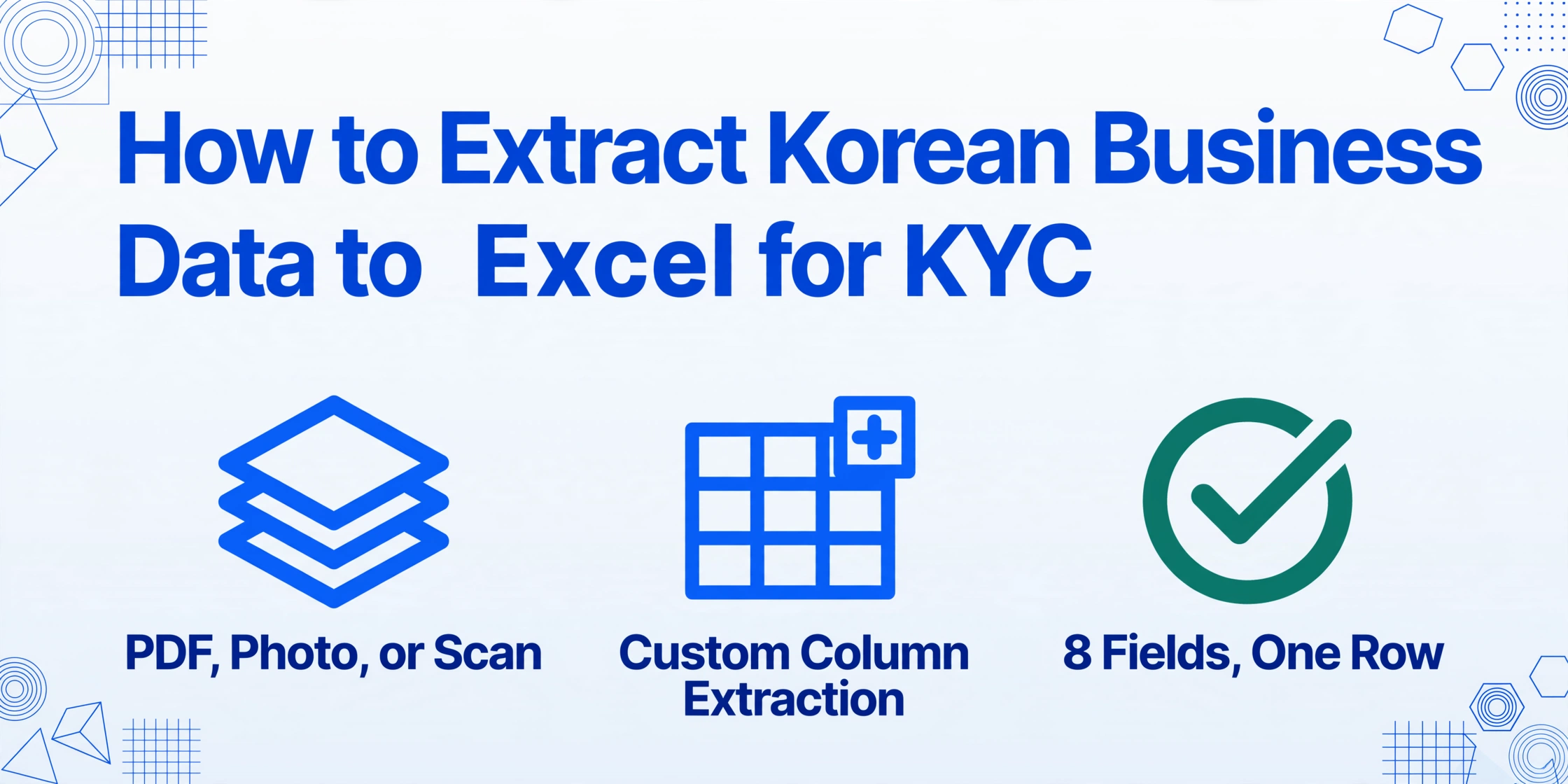
- 30 supplier certificates take 90 minutes to type by hand — with 5–7 mis-entered fields per batch needing follow-up calls and emails.
- A single wrong BRN digit can route a payment to the wrong entity — the real cost of manual entry isn't typing time, it's compliance risk.
- Define your 8 KYC columns once — the marginal cost of adding the 50th certificate is near zero regardless of format.
The Business Registration Certificate (사업자등록증) in Supplier KYC: What It Is and Why You Need Its Data
The Korean business registration certificate is the foundational identity document for any business entity operating in South Korea. Issued by the National Tax Service (NTS, 국세청) under Value-Added Tax Act Article 8 (부가가치세법 제8조) and Income Tax Act Article 168 (소득세법 제168조), every business — whether a sole proprietor or a multinational corporation — must register and obtain this certificate within 20 days of starting operations. The document's legal force extends beyond tax administration: under Korea's Financial Real Name Act (금융실명법, Act on Real Name Financial Transactions and Confidentiality), the 사업자등록증 serves as the primary proof of business identity for all financial transactions, banking, and commercial contracting.
In a supplier KYC context, the certificate tells you eight things about a prospective vendor:
| Field (English) | Field (Korean) | Why It Matters in KYC |
|---|---|---|
| Business Registration Number | 사업자등록번호 | The supplier's primary tax ID — format XXX-XX-XXXXX. Also called BRN. Required for all tax invoices, contracts, and legal verification. |
| Business Name (Trade Name) | 상호 | The operating name of the business. Must match the name on bank accounts and issued invoices. |
| Representative Name | 성명 (대표자) | The legal representative — equivalent to CEO or managing director. Essential for signatory verification. |
| Business Start Date | 개업연월일 | When the business officially started. Used to assess business maturity and validate registration recency. |
| Business Address | 사업장소재지 | Registered business location. Cross-checked against physical address verification in enhanced due diligence (EDD). |
| Business Type / Industry Code | 사업의종류 (업종코드) | Industry classification (up-tae and jong-mok). Confirms the supplier operates in the sector they claim. |
| Tax Classification | 과세유형 | General taxpayer (일반과세자), simplified taxpayer (간이과세자), or tax-exempt (면세사업자). Determines whether the supplier can issue VAT invoices. |
| Issuance Reason | 교부사유 | Why the certificate was issued — original registration, reissuance, or amendment. |
These eight fields are the minimum data set any KYC team needs to verify a Korean supplier. Yet in practice, they arrive in varied formats: a PDF scan attached to an email, a smartphone photo taken of a laminated certificate, a faxed copy, or a screenshot from the NTS's HomeTax (홈택스) portal. None of these formats are structured for database entry — and that's where the extraction problem begins.
Step-by-Step: Extract Business Registration Certificate (사업자등록증) Data to Excel
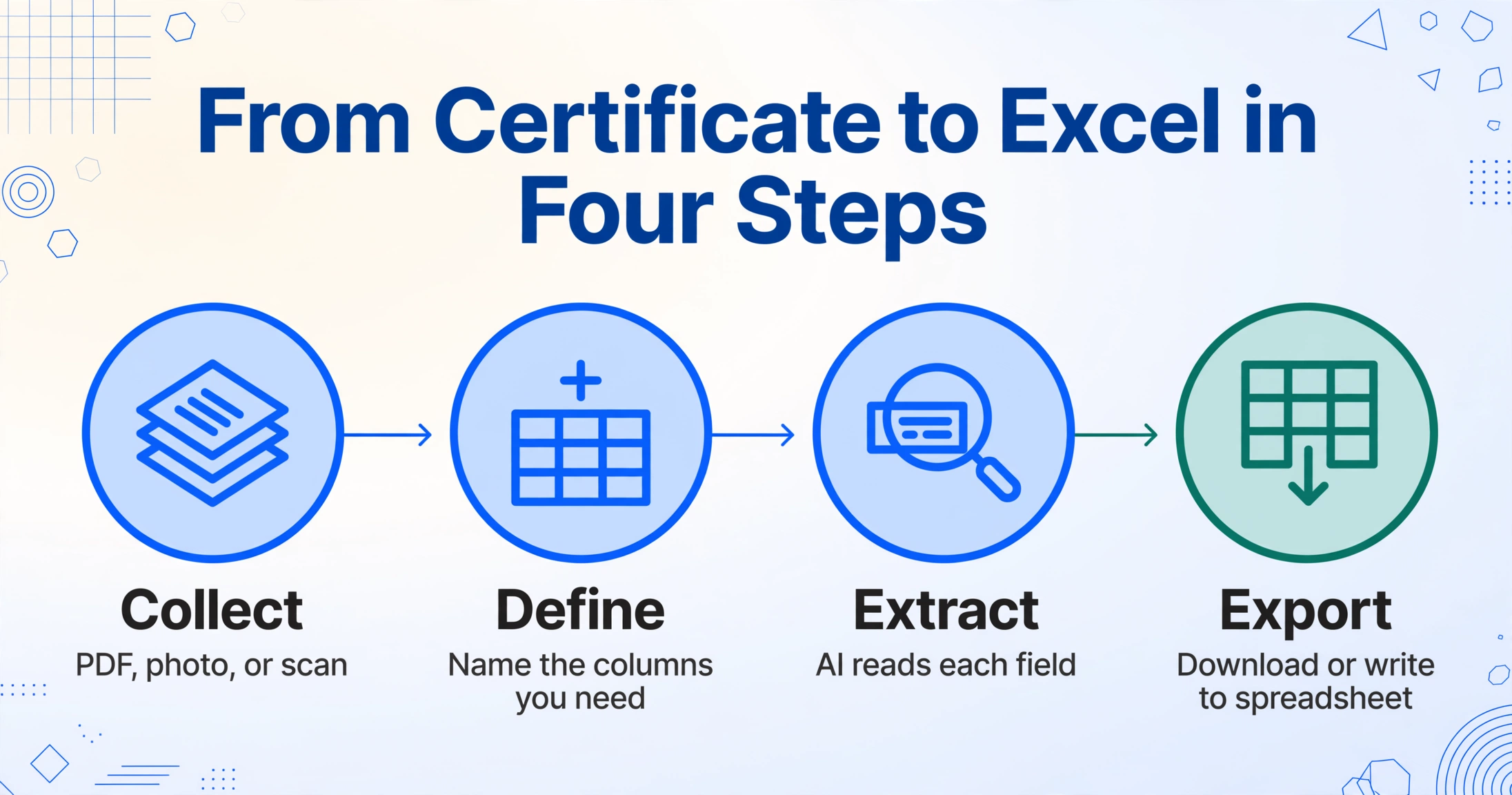
The process of turning a Korean business registration certificate into a structured spreadsheet row follows four steps. The setup time is the same whether you are processing one certificate or fifty — which is the entire point of using extraction rather than manual typing.
(PDF, photo, scan)
you need
reads each field
to spreadsheet
Step 1: Collect the Certificates
Gather all received 사업자등록증 documents — whether they arrived as email attachments (PDF or image), smartphone photos from field staff, or scanned copies from a supplier portal. The tool accepts JPG, PNG, PDF, and WebP formats, so there is no need to convert or normalise files. Upload them all in a single batch. A batch of 50 supplier certificates takes about the same upload time as a single one — roughly 30 to 60 seconds for the files to transfer, depending on size.
Step 2: Define Your Output Columns
This is where semantic extraction differs from template-based OCR. Instead of drawing rectangles on a document template (which breaks when the next supplier's certificate has a different layout), you simply name the fields you want the AI to find. Type the column names that match your KYC spreadsheet: Business Registration Number, Business Name, Representative, Business Address, Tax Classification, Industry Code, Start Date. The column names you enter become the headers of your final table. No template configuration per supplier is needed — the AI reads each certificate and locates the matching field by semantic understanding, not by coordinate position.
This approach, called Custom Column Extraction, means you define the output structure once and every certificate — regardless of who issued it, what camera took the photo, or whether the certificate is a scan or a screenshot — maps to the same columns. A supplier who submits a photo taken at an angle produces the same structured row as one who uploads a clean PDF from the NTS portal. The certificate is one member of the Korean tax document family — the Korean tax document processing guide shows how the same column-first approach reads tax invoices, cash receipts, and delivery notes alongside it.
Step 3: AI Extraction
Once the files are uploaded and columns defined, the extraction engine processes all certificates in the batch simultaneously. Each document is analysed by a vision language model that identifies field labels, reads the associated values, and maps them to the requested columns. Processing time runs 5–10 seconds per page, and the batch completes once every file has been processed — usually within a few minutes for typical supplier volumes.
Step 4: Export to Excel or CSV
The results land as a single Excel (XLSX) or CSV file. Each certificate becomes one row; each defined column becomes one column. The exported file is ready for import into your KYC database, ERP (such as Douzone, Ecount, or SAP), or supplier management system. No manual reformatting is required — the data structure matches the column names you defined in Step 2, and the file format is standard CSV or XLSX accepted by every Korean accounting platform.
The key principle: you define the output structure once. The AI adapts to every certificate format automatically. This is what makes batch extraction viable for supplier KYC — the marginal cost of adding the 50th supplier to the spreadsheet is near zero.
8 Key Fields Your KYC Spreadsheet Needs — and How to Read the BRN
The Business Registration Number (사업자등록번호) itself encodes meaningful information that KYC teams can use for quick supplier assessment without cross-referencing a separate database. Understanding the number's structure turns a ten-digit identifier into an instant verification tool.
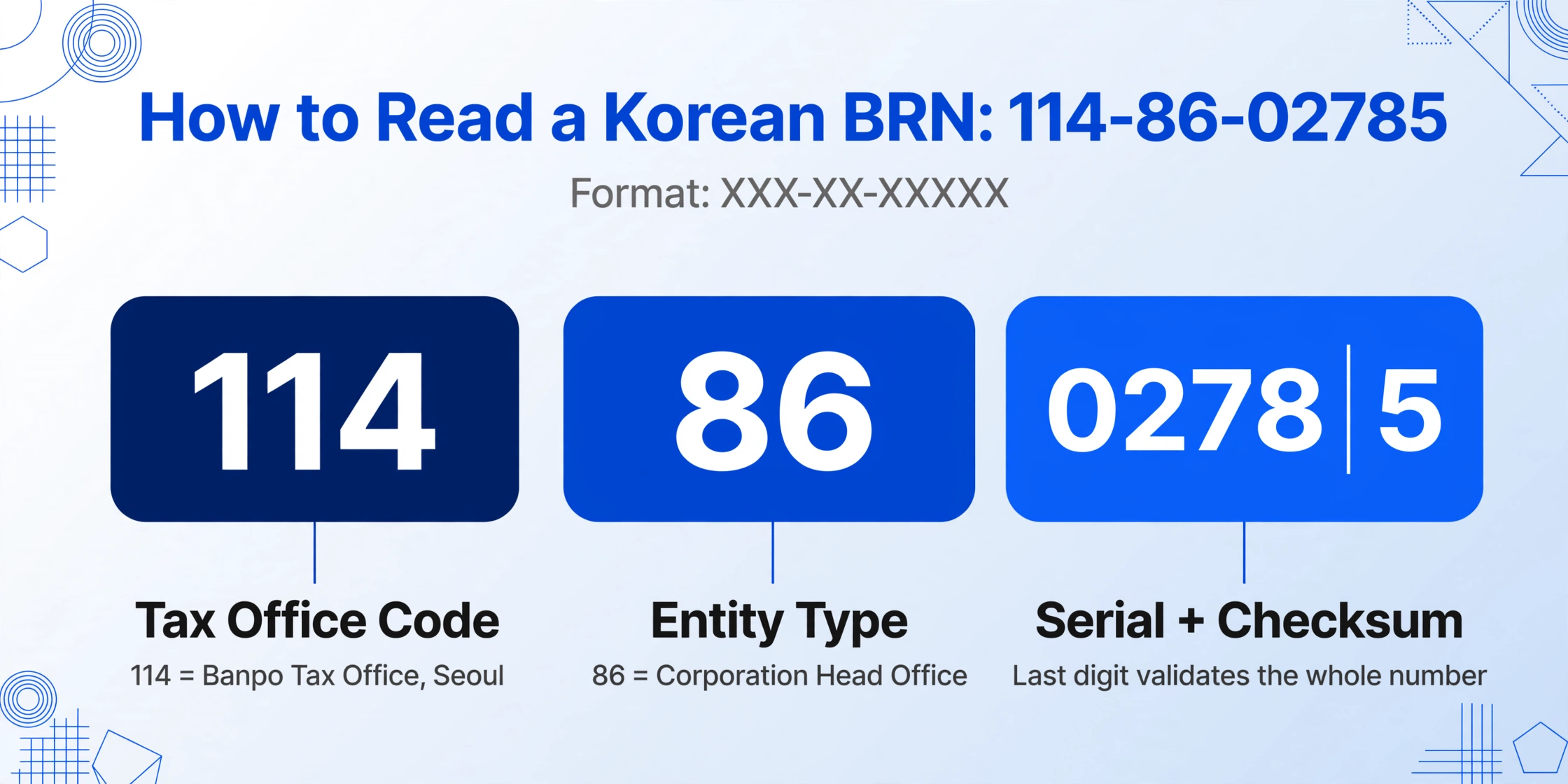
The BRN format XXX-XX-XXXXX breaks down as follows:
| Position | Example | Meaning |
|---|---|---|
| First 3 digits | 114 | Tax office code — identifies which district tax office (세무서) issued the number. 114 = Banpo Tax Office (Seoul). Each of Korea's ~80 tax offices has a unique code. |
| Middle 2 digits | 86 | Entity type classifier — the most useful verification signal. 01–79 = sole proprietor liable for VAT; 81, 86–88 = for-profit corporation head office; 85 = for-profit corporation branch; 82 = non-profit; 83 = government entity; 84 = foreign corporation; 89 = religious organisation; 90–99 = VAT-exempt sole proprietor. |
| Last 5 digits | 02785 | Serial number (first 4) + checksum digit (last 1) — the checksum validates the entire BRN mathematically, which is how HomeTax confirms a number is valid without looking it up. |
With a single glance at the middle two digits, you can tell whether a supplier is a sole proprietor, a corporation head office, a branch, a non-profit, or a foreign entity — without visiting any database. This is the kind of signal that speeds up initial KYC triage, especially when processing large batches of supplier applications where most pass initial screening and only exceptions need escalation.
The complete eight-field data set — BRN, business name, representative, start date, address, industry code, tax classification, and issuance reason — gives you everything needed to populate a supplier master record. The comparison of government, domestic ERP, and dollar-priced AI tools shows that the tools available in Korea's domestic market either require an ERP subscription or charge per page; neither pricing model is optimised for the batch KYC use case where you need to process an irregular volume of certificates — sometimes 10 in a month, sometimes 200 during a supplier refresh cycle.
Why Manual Entry Is the Real Bottleneck in Korean Supplier Onboarding
The cost of manual data entry for supplier KYC is not just the time spent typing. It is the delay in onboarding, the errors that slip through, and the compliance risk of acting on incorrect supplier information.
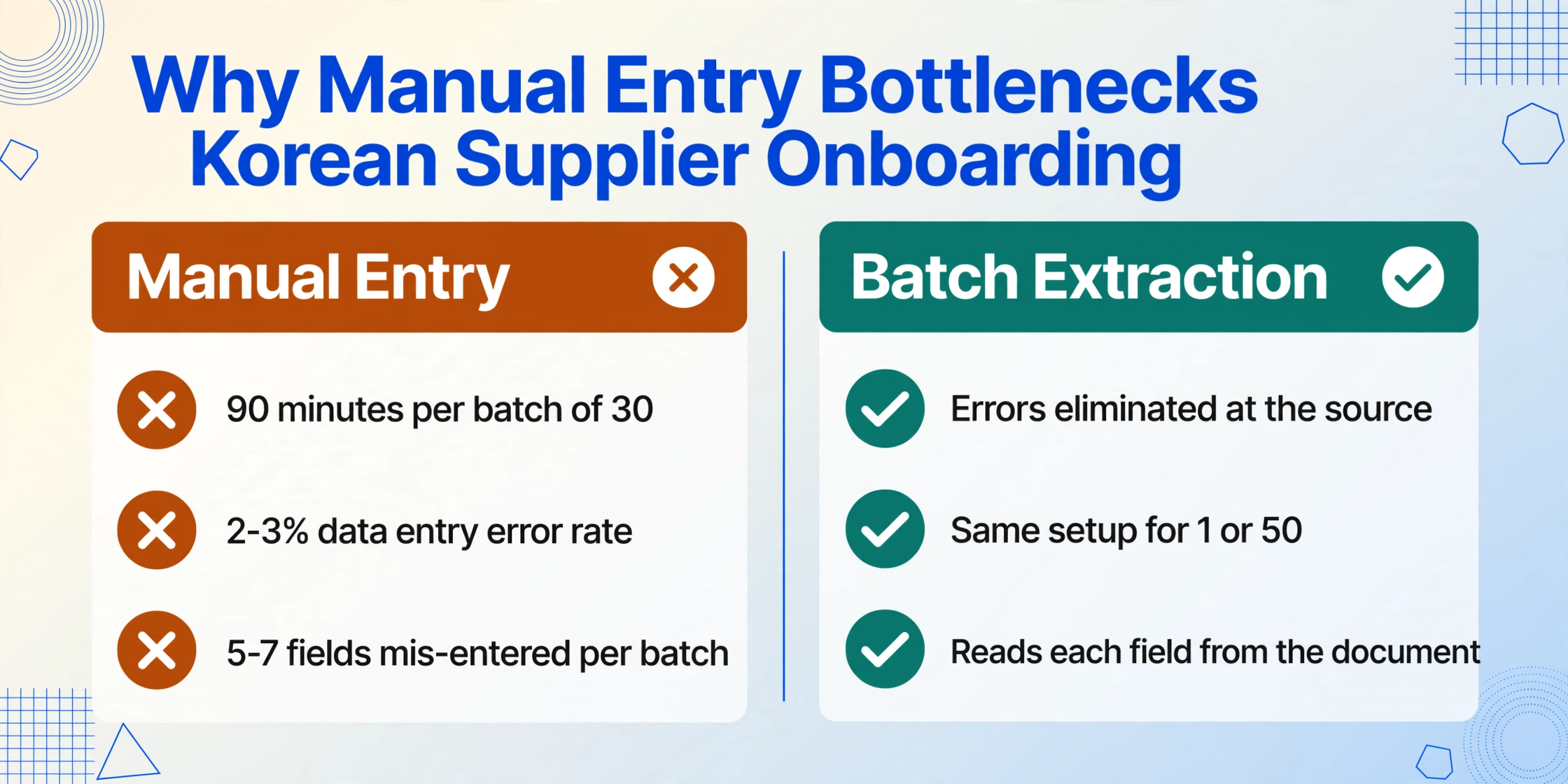
Consider a mid-size company onboarding 30 new Korean suppliers per quarter. Each 사업자등록증 contains eight key fields. That is 240 data points per quarter — and realistically, each certificate requires more than eight fields because the compliance team also records the submission date, the reviewer, the verification status, and the document expiry date. Manual entry at roughly three minutes per certificate means 90 minutes per batch of 30 certificates if everything goes smoothly. In practice, it takes longer: the typist has to zoom in on a smartphone photo to read a blurred registration number, re-type the address from an angled scan, or cross-check whether "일반과세자" means the supplier can issue VAT invoices (it does, but the compliance officer still has to confirm it against internal policy).
Add a 2–3% data entry error rate — one misread digit in a ten-character BRN sends a payment to the wrong entity — and the cost of manual entry multiplies. For a compliance team processing 30 certificates per quarter, that means roughly 5–7 fields mis-entered per batch. Each error requires a follow-up email or phone call to the supplier, delaying the onboarding cycle by days or weeks.
Batch extraction eliminates these errors at the source. The AI reads each field directly from the document image and outputs it as structured text. The error profile shifts from transcription mistakes (wrong digit, misspelled name, transposed address) to interpretation edge cases (faint text on a photocopy, a partially obscured stamp) — which are far less frequent and much easier to catch during review.
Files are processed securely and not stored.
How Semantic Extraction Handles Korean Certificates
Korean business registration certificates present three challenges that traditional OCR tools handle poorly and that semantic extraction resolves directly.
Challenge 1: Stamp interference. 사업자등록증 carries multiple official stamps (직인) from the issuing tax office. These stamps often overlap with printed text fields — the seal of the head of the tax office may partially cover the issue date or the tax classification. Traditional OCR reads the ink over the text as noise and outputs garbled characters. A vision language model reads the document holistically: it understands that a circular red overlay is a stamp, ignores it for the purpose of text recognition, and reads the underlying characters correctly. This distinction matters because stamps are present on nearly every 사업자등록증 — they are a feature of the document, not an anomaly.
Challenge 2: Mixed Korean, Chinese characters, and English. Korean certificates use Hangul (한글) for most field labels and values, hanja (한자, Chinese characters) in business names and addresses, and English in some export-oriented certificates. A tool that is optimised for one writing system degrades on the others. The vision model used in semantic extraction processes all three simultaneously within the same document page — it does not switch between OCR engines for different scripts. A supplier whose business name contains hanja (e.g., 株式会社 in an old-established trading company) is read correctly alongside Hangul-encoded fields.
Challenge 3: Angle, lighting, and format variation. Real-world 사업자등록증 arrive as everything: a flatbed scan, a desk photo taken with an office phone, a fax of a fax, a screenshot of the HomeTax portal. Template-based OCR requires the document to be positioned within a predefined zone. A photo taken at a 20-degree angle shifts every field outside its expected bounding box. Semantic extraction does not depend on field position — it finds the value by reading the label next to it, regardless of where on the page that label sits. This format independence is what makes batch processing feasible without a per-supplier configuration step.
The practical implication: a batch of 30 supplier certificates — mixing scanned PDFs, smartphone photos, and HomeTax screenshots — can be uploaded, extracted, and exported in a single pass without organising, renaming, or normalising any file. The extraction quality does not degrade between the clean PDF upload and the angled photo.
FAQ
Can I extract data from a Business Registration Certificate (사업자등록증) that has Korean only, no English?
Yes. The AI reads Hangul as naturally as it reads English or hanja — it is not a separate OCR engine with Korean as a plugin. Column names in your extraction template can be in English (e.g., "Business Name"), and the AI will locate the corresponding Korean field label ("상호") and extract its value. The output spreadsheet will contain the extracted Korean text values under your English column headers. For bilingual certificates that include both Korean and English text on the same document, the AI reads whichever language the field label uses.
What if the supplier's certificate is a photo taken at an angle or in poor lighting?
Semantic extraction handles angled photos and uneven lighting better than traditional OCR because it does not depend on straight-on positioning. The vision model interprets the document as a human would — it identifies the field labels and values by their content and relative arrangement, not by expecting them at fixed coordinates. Blurry or extremely low-resolution photos may reduce accuracy, but the most common situation (a desk photo taken with a smartphone in standard office lighting) produces reliable extraction.
Does the extraction tool validate that the BRN is a real, active registration?
No — the tool extracts the BRN as printed on the certificate, but it does not query the NTS database to confirm the number is currently active or that the business has not since closed. The extracted BRN can be checked against the NTS HomeTax portal (www.hometax.go.kr) or through the Korea Public Data Portal (data.go.kr) API for verification. The extraction step produces the structured data; a separate verification step confirms its current validity. This separation of extraction and verification is standard practice in KYC workflows, where the extracted data is the input to, not the output of, the verification process.
What happens if a field is missing from the certificate?
If a specific field does not appear on the document (for example, a reissued certificate may not show the original business start date), the corresponding column cell will be left empty. The extraction does not hallucinate values — it only outputs what it finds on the page. This behaviour is consistent across all documents in the batch, making it easy to spot missing fields in the exported spreadsheet and follow up with the specific supplier.
Can I batch-process certificates from both individual sole proprietors and large corporations together?
Yes. The 사업자등록증 format is standardised by the NTS — the same document structure applies to a solo freelancer and a Samsung subsidiary. Both produce a BRN, a business name, a representative name, an address, and a tax classification. The only difference is the entity type code in the middle two digits of the BRN (01–79 for sole proprietors, 81/86–88 for corporations), which the AI extracts as part of the BRN field. A single batch with mixed entity types processes in one pass.
How does this compare to using Naver Clova OCR for the same task?
Naver Clova OCR reads Korean text with high accuracy (97–99%) and costs roughly ₩50 per page. The critical difference is what happens after text recognition: Clova OCR returns raw text strings with position data, but it does not understand which string is the business name versus the representative name versus the address. To extract structured fields, you would need to either write custom parsing logic per certificate layout or configure a template per document format — which defeats the purpose of batch processing when each supplier's certificate may have subtle layout differences. AI semantic extraction returns already-structured data mapped to your column names, requiring no post-extraction parsing. The per-page cost comparison depends on volume — the Korean document extraction pricing analysis breaks down the breakeven points between per-page API tools and flat-rate extraction across different monthly volumes.
What columns should I include if I don't know what data I need yet?
Start with the eight standard fields listed in this article: BRN, business name, representative name, start date, business address, industry code, tax classification, and issuance reason. These cover the minimum requirements for supplier KYC under Korea's AML/CFT regulations. If your compliance framework requires more detail — such as co-representative information or a specific sub-classification of business type — you can add those columns to the extraction template and the AI will search for them on the document. The column definition is not fixed; you can adjust it between batches as your KYC requirements evolve.