How to Extract Material Receipts
for Job-Site Inventory Reconciliation
Every document in a construction material order exists twice — once on paper, once as data — except one. The purchase order lives in your job cost system. The supplier's invoice arrives as a PDF and moves through AP. The bill of lading gets scanned or filed. But the material receipt — the delivery ticket your superintendent signs at the gate, recording what actually arrived — exists once: on paper. It is the only record of physical receipt on the entire jobsite, and it is the document your inventory reconciliation depends on.
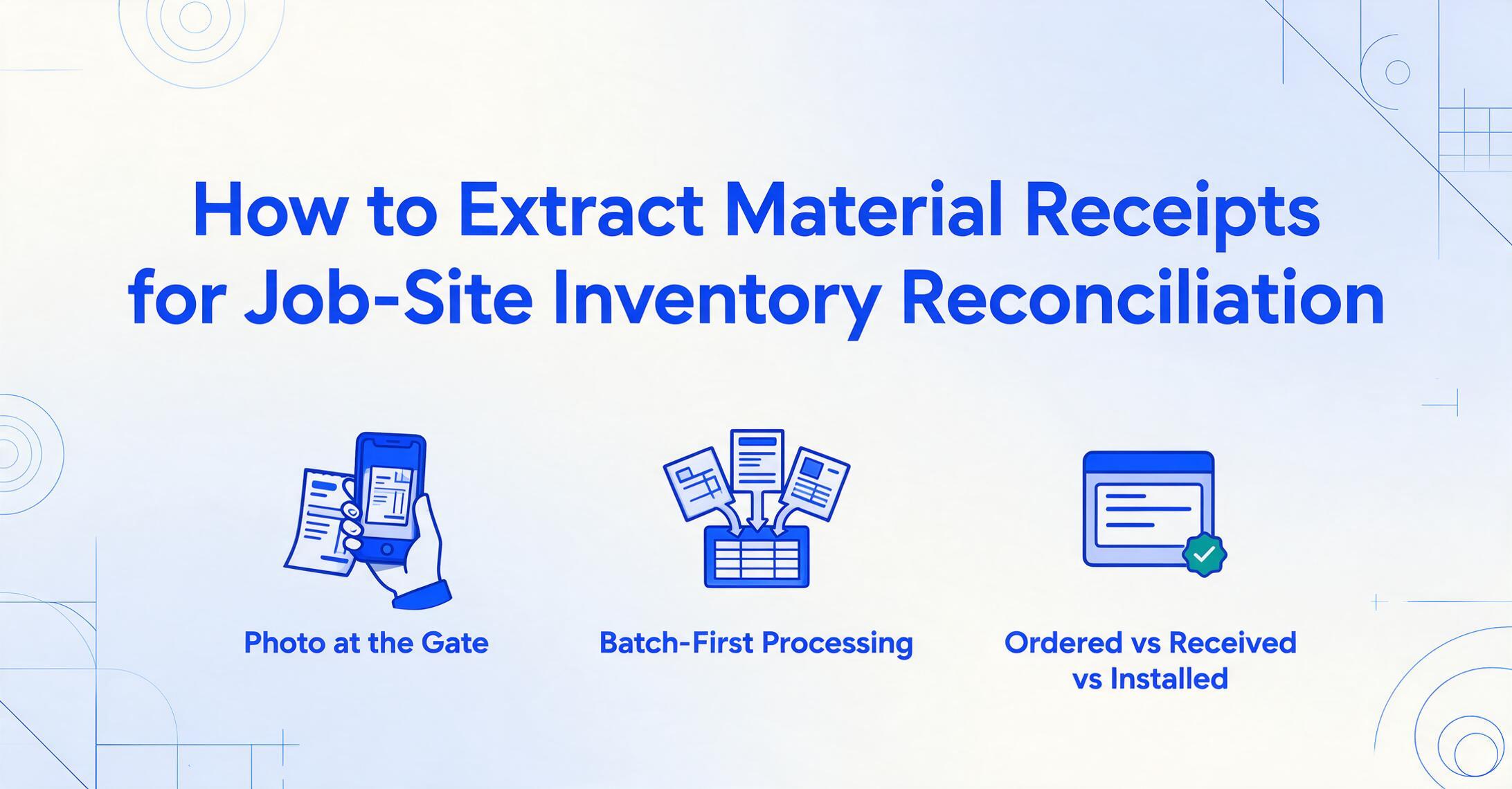
Key Takeaways
- 90 minutes a month retyping delivery ticket data into a reconciliation sheet — and at most job sites, the majority of those tickets never get keyed in at all.
- Every construction document has a digital copy except one: the material receipt your superintendent signs at the gate is the only record of what actually arrived, and it exists once — on paper.
- Drop 40 delivery tickets from 40 different suppliers into one batch, and a computed Discrepancy column flags every shortfall as a red number — the week the ticket was signed, not at month-end when the supplier's records have gone cold.
The Material Receipt Is the Only Record of What Actually Arrived
A material receipt isn't the PO, the invoice, or the bill of lading — and the difference matters for reconciliation. The purchase order records what you intended to buy. The BOL records what the carrier transported. The invoice records what the supplier wants you to pay. Only the material receipt records what was physically accepted at your gate. It arrives in one of several forms: a handwritten carbon-copy delivery ticket from the lumber yard, a system-printed concrete batch ticket with mix design and slump, a rebar fabricator's email PDF, or an MEP distributor's ERP-generated packing slip. Every one of them is the receiving-side document, and every one of them carries a signature.
That signature has legal weight. Under UCC Article 2 §2-606, a buyer accepts goods when it "signifies to the seller that the goods are conforming" after a reasonable opportunity to inspect — and under §2-602, rejecting non-conforming goods must happen within a reasonable time after delivery, with notice to the seller. For a superintendent at the gate, "reasonable time" means before the truck pulls away. The delivery ticket signed clean is the supplier's evidence that you accepted the quantities listed — which is why the same document is the anchor of your inventory records.
The receiving side of this workflow — matching the ticket against the PO while the driver is still there — is covered in depth in our guide to matching construction BOLs to POs at receiving volume. What this article covers is what happens after the signature: getting the receipt data off the paper and into the spreadsheet where month-end inventory reconciliation actually runs.
Why Job-Site Inventory Reconciliation Fails — and It's Not the Spreadsheet
The spreadsheet isn't the bottleneck. The data entry is. A mid-size GC running four to six projects receives material deliveries from 30 to 50 suppliers a month, and the superintendent signs a ticket for every one. At roughly three minutes of careful transcription per ticket — opening the paper, reading the line items, typing quantities and descriptions into the reconciliation workbook — that's 90 to 150 minutes of pure keystroke work per month, before a single quantity is compared against a PO.
And in practice, most of those tickets never get typed in at all. A thread on r/Construction titled "Typical construction scene. Nobody receives the deliveries" captures the field reality: at the moment of delivery, no one is assigned to receive, count, and record. The ticket gets signed by whoever happens to be nearest, the truck leaves, and the paper goes into a folder in the job trailer — to be reconciled "later," which means at month-end, which means it's reconciled against the invoice instead of against the delivery. Paper tickets are also easily lost, are not always legible, and don't reflect damage or shortfalls unless someone writes them down at the gate.
The theft statistics show what an unreconciled receiving process costs. The NICB/NER annual equipment theft report documented more than 10,000 construction equipment thefts in 2014 with only a 22.7% recovery rate, and the two organizations estimate annual construction site losses between $300 million and $1 billion — a figure that excludes tools and materials. But you don't need theft to lose money on materials. A short delivery that goes unnoticed at the gate, a miscount that never surfaces, a damaged batch of drywall signed off without a note — each one is a reconciliation variance that surfaces months later as a job cost overrun or a disputed supplier invoice.
The real failure isn't laziness — it's that the receiving record and the reconciliation sheet live in two different worlds: paper at the gate, spreadsheet in the office. Nothing connects them until someone retypes the ticket.
The Columns Your Reconciliation Sheet Actually Needs
Before extracting anything, define the output — because the column set you choose determines whether the resulting spreadsheet can reconcile against POs, against installed quantities, and against the job cost ledger. The columns below cover the three-way comparison every construction inventory reconciliation runs: ordered vs. received vs. installed.
| Column | Where it comes from | Why it matters |
|---|---|---|
| Receipt date | Delivery ticket header | Timestamps the receipt — the reference point for "reasonable time" disputes and for aging open deliveries |
| Ticket / delivery number | Delivery ticket | The unique ID the supplier uses — the field you'll cite when disputing a short delivery |
| Supplier name | Delivery ticket header | Groups receipts by vendor for PO matching and for the supplier-to-job inference below |
| PO number | Reference field on ticket (often blank) | The key that links the receipt to the committed cost — blank means manual fill or inference |
| Job number | Inferred — not printed on the ticket | Most tickets don't carry your internal job number; a supplier→job rule fills it automatically |
| Cost code | Inferred from item description | CSI MasterFormat division for job costing — 2×6 framing lumber maps to 06 11 00, drywall to 09 29 00 |
| Item description | Line item on ticket | "2×6 #2 SPF 16'" or "5000 psi ready-mix" — the text the cost-code inference reads |
| Quantity received | Line item on ticket | What physically arrived — the number your inventory balance depends on |
| Unit of measure | Line item on ticket | Pieces, board-feet, cubic yards, tons — inconsistent across suppliers, extracted as printed |
| Quantity ordered | Cross-referenced from your PO sheet | Entered once as the baseline, or merged after extraction — the benchmark for discrepancy detection |
| Discrepancy | Computed column | Qty Received − Qty Ordered — negative flags a shortfall, positive flags an overage, calculated during extraction |
| Received by | Signature block on ticket | Who accepted the goods — accountability when a shortage is later disputed |
| Notes | Handwritten comments on ticket | Damage, partial deliveries, "rain-soaked," "short 5 sheets" — the context that makes a variance explainable |
Two columns deserve extra explanation because they do work a plain transcription can't. A computed column performs arithmetic during extraction instead of just reading a value off the page — define "Discrepancy" as Quantity Received − Quantity Ordered and the AI fills the column with the difference for every line item, so a shortfall is a red number in your export instead of something you'd have to calculate by hand across 40 rows. An inferred column fills values the document never states — define a rule mapping suppliers to job numbers ("ABC Lumber → Job 24-005") or item descriptions to CSI cost codes, and the AI applies the mapping as it reads each ticket. Both mechanisms are part of custom column extraction: you type the column names you want, and the AI locates the matching data on each document by understanding what each field means — not by where it sits on the page. That's what lets one column definition work across 40 different supplier ticket formats.
How to Extract Material Receipts into Your Reconciliation Sheet
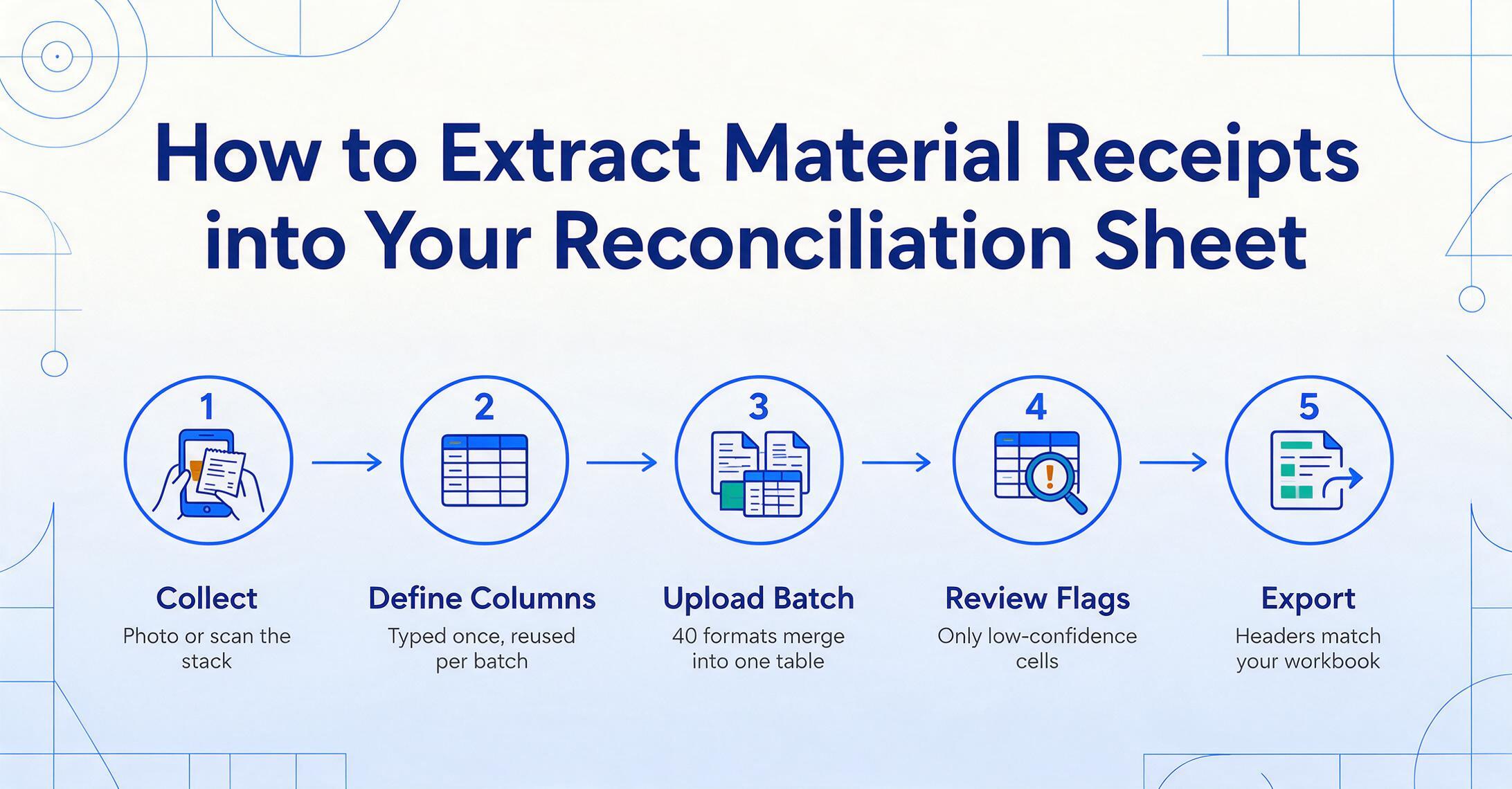
The workflow has five steps, and the first two are setup you do once — not per ticket.
Collect the receipts. Photograph the delivery tickets at the gate with your phone, or scan the stack from the job trailer once a week. Phone photos of handwritten carbon copies work — the camera flash handles the faint blue-on-thin-paper carbon format reasonably well in good light. Collect whatever you have: concrete batch tickets, lumber yard tickets, MEP packing slips, rebar PDFs. They all go through the same pipeline.
Define your columns once. Type the column names from the table above — Receipt Date, Ticket Number, Supplier Name, PO Number, Job Number, Cost Code, Item Description, Quantity Received, Unit of Measure, Quantity Ordered, Discrepancy, Received By, Notes. The column names you type become the exact headers of the output spreadsheet, so your extraction sheet and your reconciliation workbook stay in sync with zero mapping step. Add the computed "Discrepancy" column and the inferred "Job Number" / "Cost Code" rules in the same pass.
Upload the whole stack as a batch. Drop all the photos and PDFs in at once. The system processes the batch concurrently — 40 tickets from 40 suppliers with 40 different formats complete in roughly the same time as one, typically well under a minute — and merges everything into a single table. This is batch-first processing: the merge happens at extraction time, so there's no consolidation step afterward, no copy-pasting rows from 40 individual exports into a master sheet.
Review the fields that matter. Before the data lands in your reconciliation workbook, verify it. For quantity-critical fields, you can hover any extracted cell to see exactly where that value came from on the original ticket — the AI highlights the region of the photo it read. Fix the one cell that's wrong instead of proofreading the whole document. Handwritten carbon copies will flag a handful of low-confidence fields for review; you address those, not the 30 clean ones.
Export and reconcile. Download the XLSX, and the receiving side of your inventory is now a spreadsheet — sortable by job number, filterable by supplier, with the Discrepancy column pre-calculated. Merge it against your PO sheet (a VLOOKUP on PO number pulls the ordered quantities if you didn't already include them), and the three-way comparison is ready. What took three minutes per ticket now takes seconds, with the review pass catching the fields a scan artifact or a scribble scrambled.
The shift is from transcription to verification. A project accountant processing 40 receipts a month goes from roughly two hours of typing to a few minutes of spot-checking — and the short delivery that previously surfaced in a month-end variance conversation becomes a red "Discrepancy" cell in a spreadsheet reviewed the week the ticket was signed.
Files are processed securely and not stored.
Try it with a delivery ticket you have on hand — even the crumpled carbon copy from the job trailer. Define the columns, drop the photo in, and see whether the quantities come out the way you'd type them.
The Reconciliation Math: Ordered vs. Received vs. Installed
Extraction gets the receipt data into the sheet. The reconciliation itself is three comparisons, and each one answers a different question about your material position.
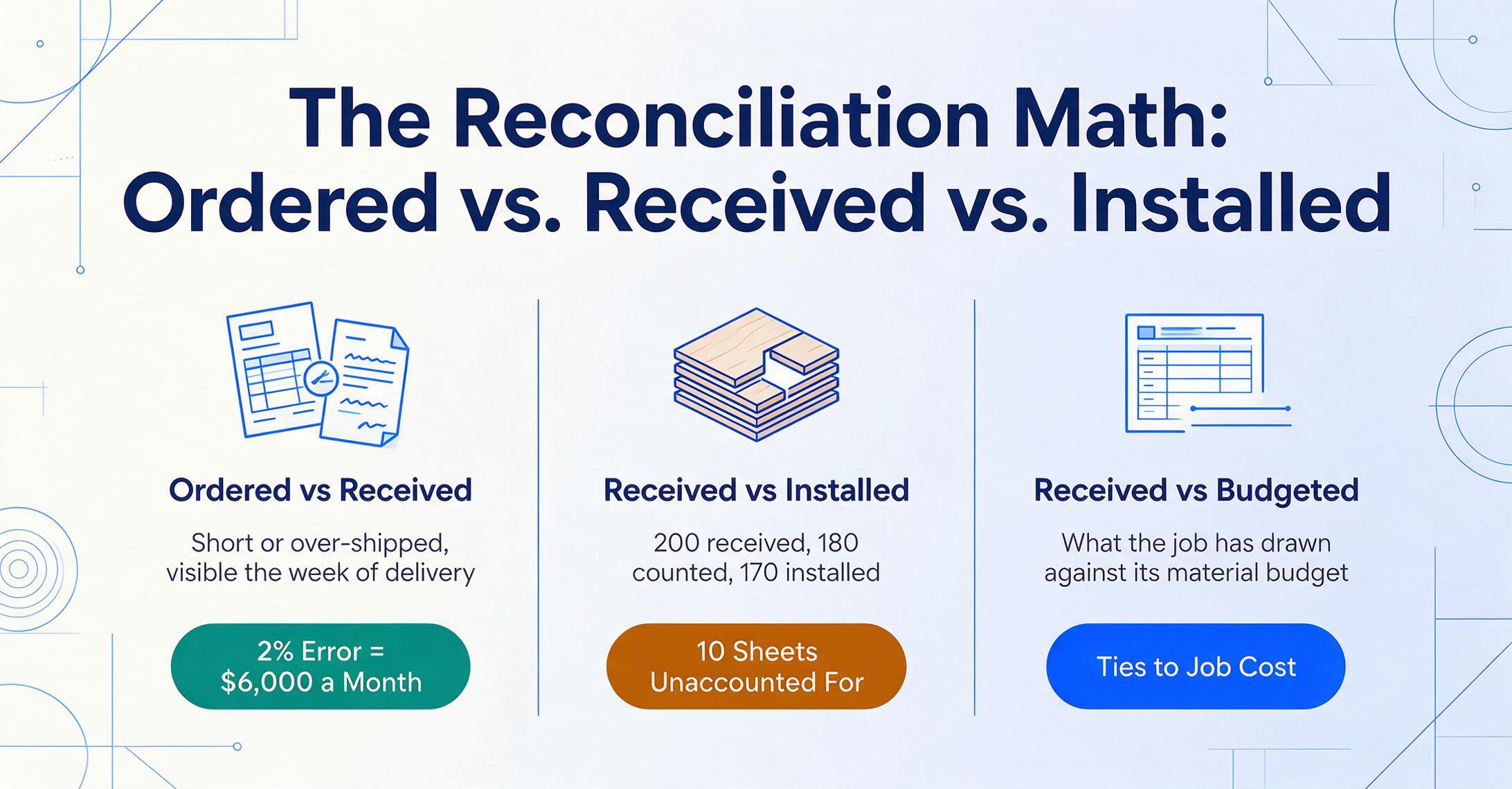
1. Ordered vs. received. Compare the quantity on the PO against the quantity on the delivery ticket. This is the discrepancy column — negative means the supplier shipped short, positive means over-shipped. This is the comparison that catches the "$2,400 framing package short by 20 sheets" before it becomes an invoice dispute, because it's visible the week of delivery instead of the week of the supplier's statement. For a GC running $300,000-plus of monthly material volume, catching a 2% receiving error rate here — a figure consistent with industry experience on manual receiving — means roughly $6,000 a month in shortages and overpayments that get resolved while the supplier's records are still fresh.
2. Received vs. installed. What arrived minus what the crews actually put in place equals what should be on hand. This is the number a cycle count verifies. When the balance doesn't match the physical count, the variance is either theft, damage, miscounting at the gate, or a ticket that never made it into the system — and the receiving log is the first place you look to tell which. If the log shows 200 sheets received but the count shows 180 and installation records show 170, the gap is ten sheets unaccounted for — a number worth investigating now rather than at closeout.
3. Received vs. budgeted for the job. Sum the received quantities by cost code and compare against the project budget in your job cost system. This turns the receiving log into an early-warning signal for cost overruns — Division 06 (Wood, Plastics, and Composites) is 15% over committed because lumber prices spiked, Division 09 (Finishes) is tracking under. When the cost codes are inferred during extraction, this comparison works on every receipt without anyone assigning codes by hand. For the full workflow on turning material costs into job cost numbers — including CSI code mapping across supplier formats — see our guide to batch processing construction material POs into job cost, and for receipts that mix taxable and exempt items, our construction receipts cost-allocation walkthrough covers the tax-status edge cases.
A reconciliation sheet is only as good as the receiving data it's built on. Extraction doesn't change the math — it changes whether the math has any data to run.
Handwritten Carbon Copies, Concrete Batch Tickets, and Other Formats That Break Template Tools
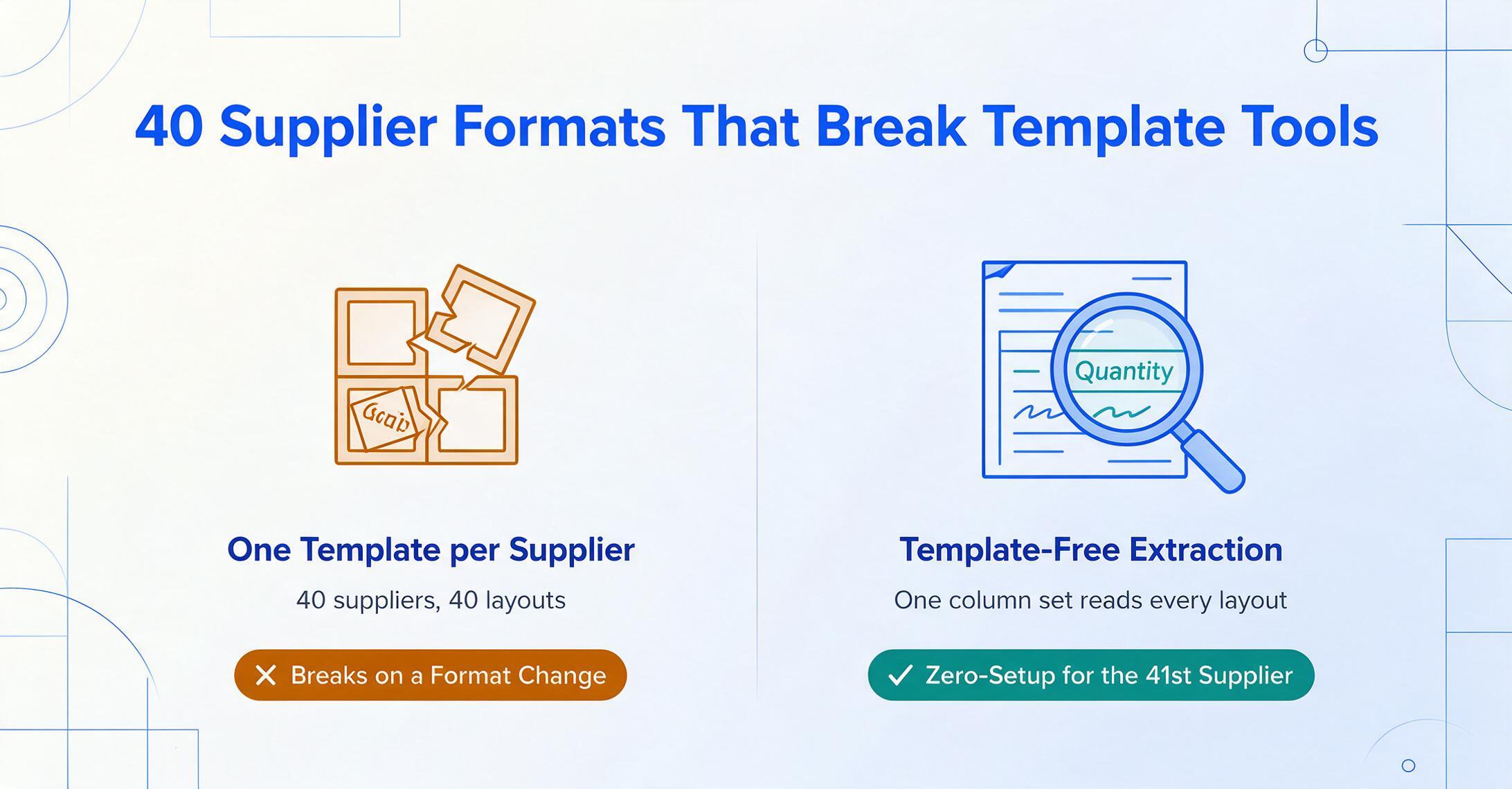
The formats arriving at your gate are the reason a template-based extraction approach fails on construction receiving. A template tool draws boxes around fields — "the quantity is 3 inches from the top-right corner" — and every supplier that uses a different layout needs its own template. The lumber yard's carbon copy, the concrete plant's batch ticket (mix design, slump, cubic yards, truck number, batch time — fields a lumber ticket doesn't have), the rebar fabricator's heat numbers, the MEP distributor's SKU codes: that's 40 suppliers needing 40 templates, and the moment any of them changes format, the template breaks.
Semantic extraction doesn't have that problem. The AI reads "Quantity" on the concrete ticket the same way it reads it on the lumber yard's carbon copy — by understanding what a quantity is, not where the column happens to sit. This is the difference between position-based and meaning-based extraction, and it's why the same column definitions from Step 2 work on every ticket format without per-supplier setup. Adding a 41st supplier costs nothing; their format flows through the same pipeline.
Honest limits: legible handwriting extracts reliably, but heavily degraded carbon copies and rain-damaged tickets will flag low-confidence fields for review — typically a handful per document. The review step exists precisely because of this; you verify the flagged cells rather than retyping the whole ticket. For a deeper look at extraction accuracy across degraded documents — what improves it and what doesn't — the complete guide to construction document quality is worth reading: can AI reliably read construction field documents.
Where This Fits Alongside Procore, Viewpoint, and Sage 300
Construction software platforms track receiving records — they just don't create them from paper. Procore's Commitments tool tracks PO line items against received quantities, but the received quantity is entered by a person reading the delivery ticket. Sage 300 Construction and Real Estate has a goods receipt entry in its purchasing module that closes the PO, but it's populated from a keyboard. Viewpoint Vista and Bluebeam handle the document and workflow side — tracking that a delivery happened, managing the PDF trail — but none of them read the paper and turn it into the receiving record. The gap between "delivery ticket signed at the gate" and "received quantity in the ERP" is still a person typing.
An extraction layer sits in that gap. The spreadsheet it produces — with PO number, job number, cost code, and received quantities already reconciled — is exactly the input these platforms' receiving modules expect, whether you import it as CSV into Procore's Commitments or into Sage 300's goods receipt entry, or keep it as the working receiving log alongside the ERP. This complements the platform rather than replacing it: the ERP remains the system of record for commitments and payments; extraction removes the manual step of getting the paper into it. The same pattern applies to the other documents that feed a construction project's financials — subcontractor invoices and construction permit data both flow through the same extract-to-spreadsheet pipeline into the same job cost ledger.
Frequently Asked Questions
Does this work with handwritten delivery tickets from lumber yards?
Yes — on legible handwriting. The AI reads handwritten text by understanding letter shapes in context, not by matching pixel templates. A clearly written delivery ticket extracts reliably. Carbon copies with faint blue-on-thin-paper printing and heavily degraded handwriting will flag low-confidence fields for review — typically a few fields out of 30-plus — and the system highlights exactly which cells to check, so you're not proofreading the entire document.
What if the delivery ticket doesn't have a PO number on it?
This is common — many supplier tickets carry only their own delivery number. The PO Number field comes out blank, and you fill it during review, or — better — you set up the supplier-to-job inference rule so the Job Number is populated automatically, which narrows which PO the delivery belongs to. For suppliers who consistently omit it, requiring the PO number on every delivery ticket is a process change that solves this at the source; the extraction workflow makes the missing field visible instead of letting it slide into the reconciliation as an unmatchable row.
Can it read concrete batch tickets with mix design, slump, and truck number?
Yes. Concrete batch tickets are printed system-generated documents, which extract at high accuracy — the mix design, slump, cubic yards, batch time, and truck number all come out as fields. The format is quite different from a lumber ticket (no line-item table, more header data), but because extraction is meaning-based rather than position-based, the same column definitions handle both. Add the fields you care about — cubic yards received, mix design, truck number — and they populate per ticket.
How do I handle units of measure that don't match between suppliers — board-feet vs. pieces, cubic yards vs. tons?
The extraction reads whatever unit is printed on the ticket — pieces, board-feet, cubic yards, linear feet, tons — and keeps it as printed. It does not convert between units automatically. If you need converted quantities for comparison, set up a computed column with the conversion formula — for example Quantity in Pieces (board-feet ÷ 2.67) for 2×6 lumber — and the AI performs the math during extraction, so the discrepancy comparison runs on comparable numbers.
Does this replace Procore or Sage 300?
No. This is the data-capture layer that sits in front of those platforms. Procore, Sage 300 CRE, Viewpoint, and Bluebeam track receiving records and manage the workflow around them — but the received quantities still enter those systems through a keyboard. Extraction removes that manual step by producing the structured receiving data (PO number, job number, cost code, quantities, discrepancy) that those systems' receiving modules and import templates expect. The ERP stays the system of record; extraction fills the gap between the signed paper ticket and the ERP's received-quantity field.
How accurate is the extraction for quantity and unit fields?
For printed and typed tickets — concrete batch tickets, rebar PDFs, MEP packing slips — accuracy runs up to 99% on the numeric fields. Handwritten carbon copies are the variable case: legible handwriting extracts reliably, degraded copies flag their low-confidence fields for review. That's why the workflow includes a verification step: you hover a cell to see the exact region of the ticket the value came from, correct the handful of flagged cells, and export. The verification pass takes seconds per document instead of the minutes a full transcription would take — and nothing in the export should be treated as authoritative without that pass.
Every delivery ticket your superintendent signs is a row of inventory data waiting to exist — the quantities, the units, the supplier, the date. The only question is whether that data sits in a folder in the job trailer where month-end reconciliation can't see it, or in the spreadsheet where it can be compared against POs and budgets the same week it was signed. The extraction is the easy part. The reconciliation edge is having the receiving record at all.
Try It on Your Delivery Tickets