Can AI Read Construction
Daily Reports? Yes, Here's What Works and What Doesn't
Yes. Modern vision AI extracts crew counts, hours by trade, equipment IDs, material deliveries, and safety incidents from handwritten construction daily reports — but accuracy depends heavily on handwriting legibility and photo quality. On a clear photo of a neatly filled form, field-level accuracy ranges from 90–95% for print-style handwriting to 75–85% for cursive. But daily reports present a double challenge that invoices and receipts don't: near-100% handwriting rate combined with embedded table structures and variable form layouts.
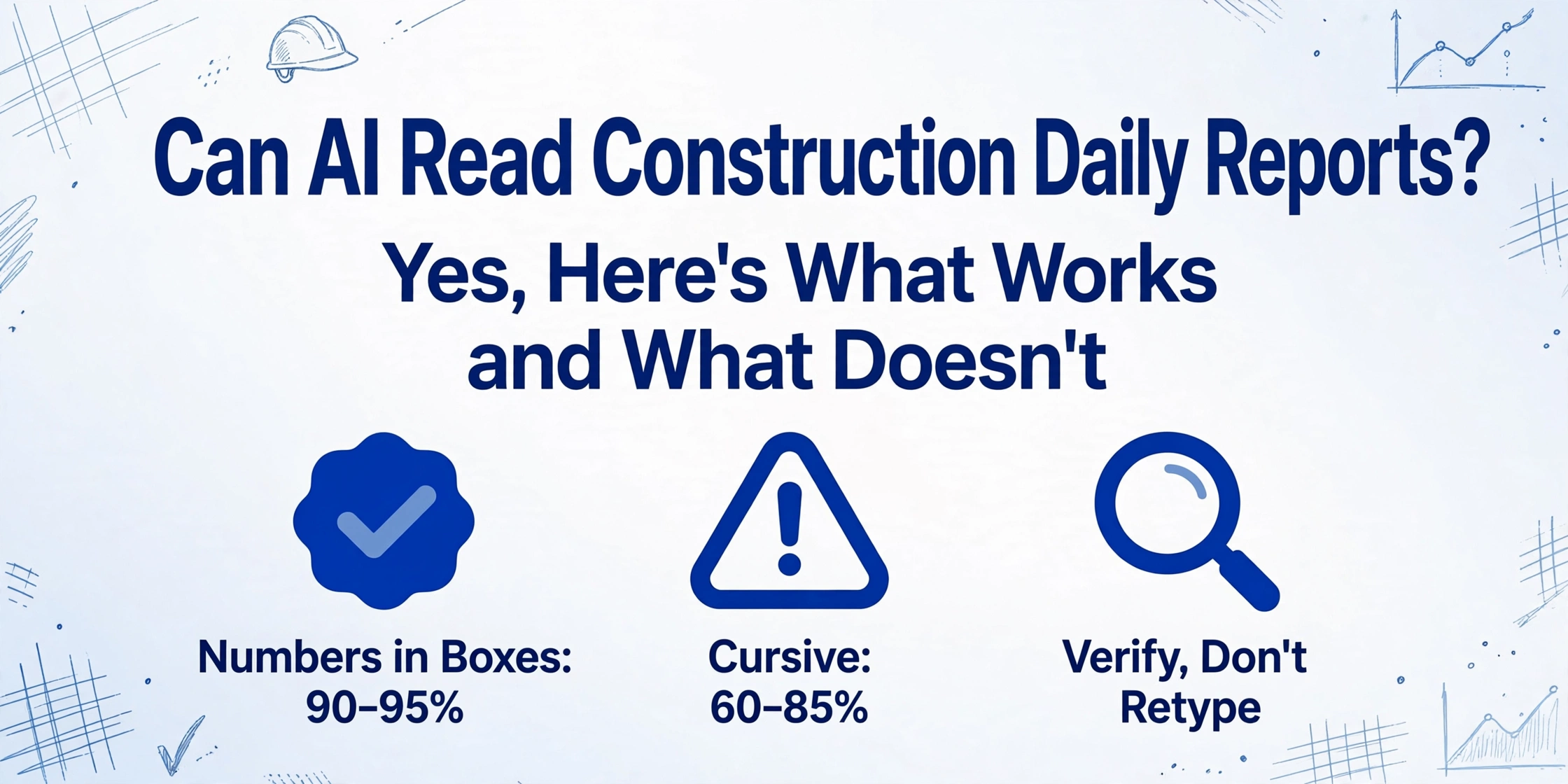
Key Takeaways
- 20 minutes of retyping crew names and equipment hours collapses to 3 minutes of spot-checking — from the same daily report photo.
- A flat, straight-on photo in good light produces 15-25% higher extraction accuracy than a quick angled snapshot, and that gap is larger than any tool upgrade.
- When the bottleneck shifts from transcription to verification, PMs do what they were hired for: spot anomalies in labor costs, not retype crew rosters.
How Well Does AI Read a Construction Daily Report?
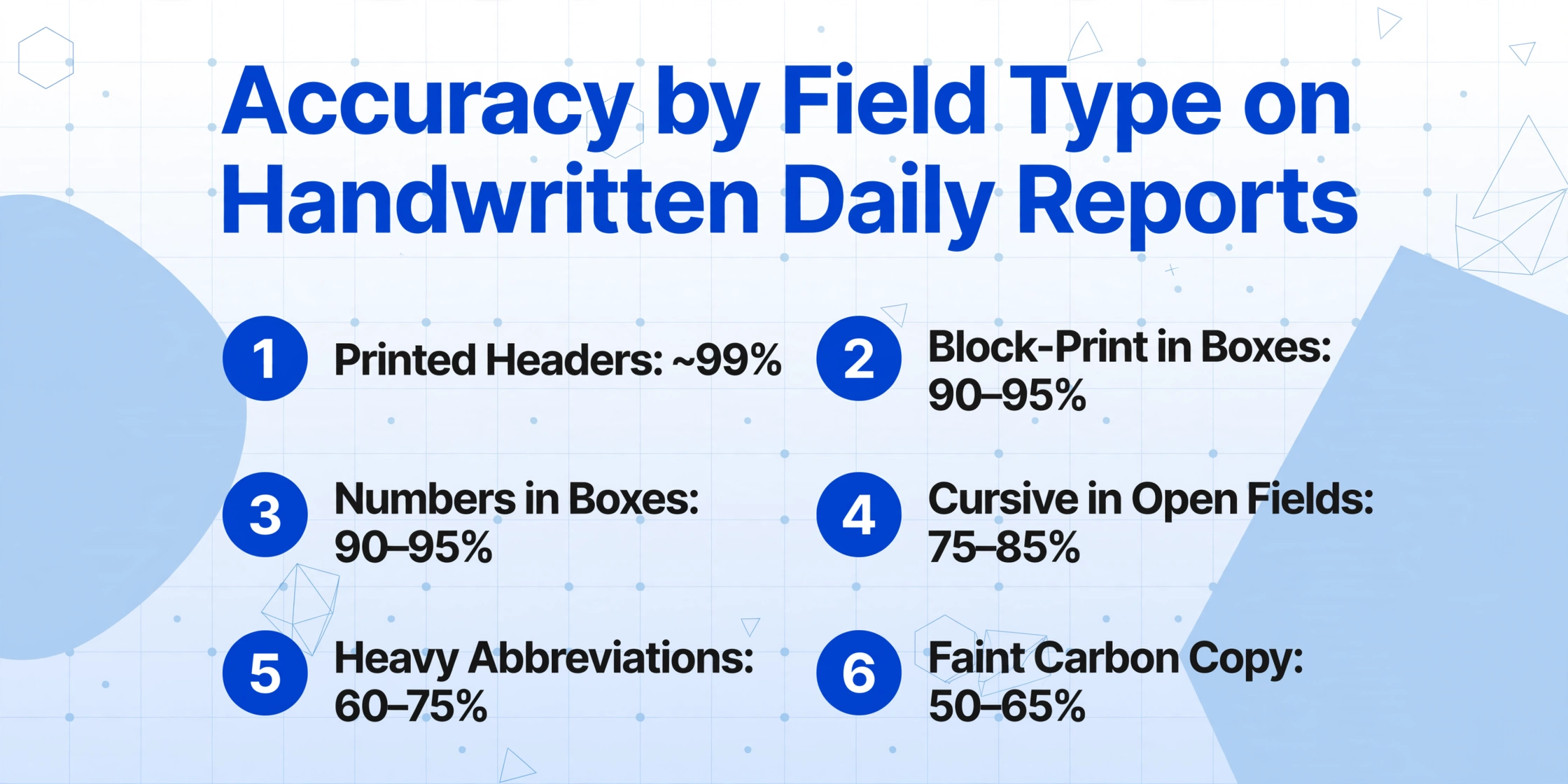
Accuracy on handwritten construction daily reports is not a single number. It varies by what you're extracting and how the report was filled out. Here is the breakdown across the common field types found on a typical site supervisor's daily report form:
Extraction accuracy by field type on handwritten construction daily reports:
Typed/printed headers + pre-printed labels: ~99% accuracy
Block-print handwriting in labeled boxes: 90–95% accuracy
Numbers in boxes (hours, counts, temperatures): 90–95% accuracy
Cursive or rapid handwriting in open fields: 75–85% accuracy
Heavy abbreviations or site-specific shorthand: 60–75% accuracy
Faint carbon copy (3rd sheet, worn): 50–65% accuracy
The spread between best-case and worst-case accuracy on the same tool is larger than the spread between different tools — input quality matters more than which platform you choose. A typical daily report has 15 to 35 extractable fields. At 85% accuracy, 2 to 5 fields need correction per report. Manual entry takes 30–45 minutes for five reports. AI extraction followed by spot-checking takes 3–5 minutes. The detailed accuracy guide for handwritten site logs covers the testing methodology behind these ranges.
The bottleneck shifts from transcription to verification — and verification is an order of magnitude faster.
Why Daily Reports Are Harder Than Invoices or Receipts
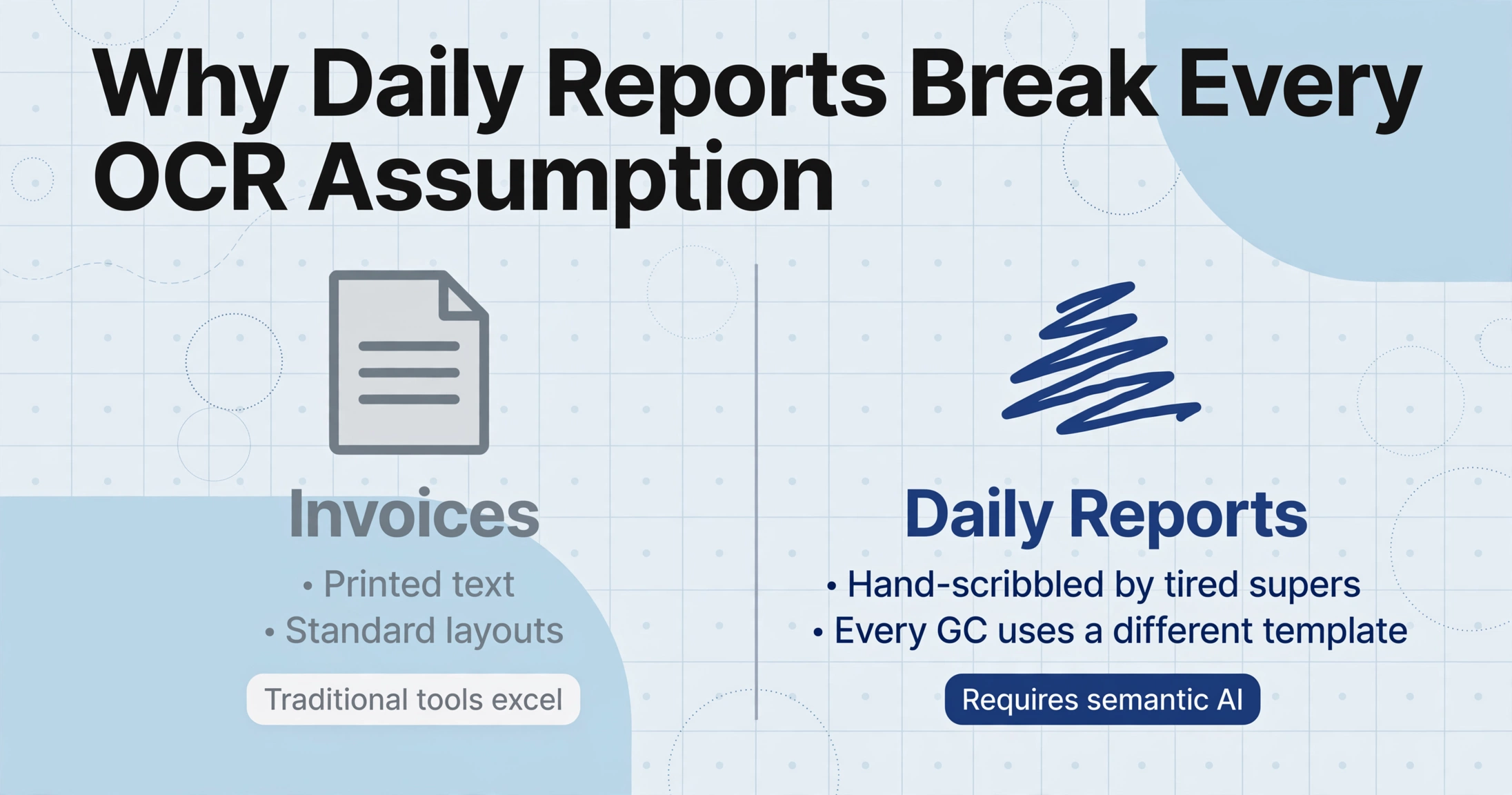
AI extraction benchmarks are typically built on invoices — printed text, standard layouts, predictable field locations. Construction daily reports break every assumption.
Handwriting rate. A daily report is entirely hand-scribbled by a superintendent filling it out in the last 20 minutes of a 10-hour day. Traditional OCR, which matches character shapes to font models, drops below viable accuracy on handwriting because handwriting has infinite variation in stroke width, slant, and letter formation.
Embedded table structure. A single page can contain a crew table (name × hours), an equipment table (ID × hours run), a materials table (description × quantity), and a visitor log — each with its own column layout. The AI must identify table boundaries and correctly associate each handwritten value with its column header.
Variable form layouts. Every GC and project manager uses a slightly different template — printed PDF forms, carbon-copy notebooks, or blank notebook pages where the superintendent draws their own table. Template-based tools that need per-form configuration are not viable at multi-site scale. The deeper analysis of why daily reports resist digitization explains how these barriers have kept paper as the default for 15 years. What makes current AI different is semantic reading — it extracts by meaning, not by position.
What AI Reads Well on a Daily Report
Several field categories consistently extract at high accuracy because they play to the strengths of vision models.
Structured numeric fields in labeled boxes. When the form has a clearly labeled column — "Crew Size," "Hours Worked," "Equipment Hours" — the AI uses the label to contextualize the handwritten number. Numerals have less character ambiguity than cursive text, so numbers in labeled table cells reliably extract at 90–95%.
Checkboxes and binary indicators. Safety incident presence, weather conditions, and Y/N fields marked with checks, X marks, or circles extract at near-100% accuracy because the visual pattern is consistent regardless of handwriting style.
Mixed printed-and-handwritten forms. The AI automatically distinguishes pre-printed labels from handwritten entries — it knows "Crew Member Name" is the label and "J. Martinez" next to it is the value. Traditional OCR frequently gets this wrong by converting everything to text without understanding which text is metadata and which is data.
Weather and temperature fields. These appear in dedicated boxes with constrained vocabulary ("Sunny," "Rain," "Cloudy"), making them high-confidence even with sloppy handwriting.
Where AI Still Struggles with Daily Reports
A useful capability assessment names specific scenarios where human review is still required.
Faint carbon copies and NCR paper. When the third or fourth carbonless copy reaches the office, handwriting may be barely visible. Extraction accuracy drops sharply when image contrast falls below a readable threshold — no amount of model sophistication can recover strokes that aren't in the image. The practical fix: photograph the top copy.
Cursive-heavy narrative sections. The "Work Completed" section is typically connected cursive at 75–85% accuracy (clear writing) dropping to 50–65% (tight cursive with abbreviations). The mitigation: narrative text doesn't need structured extraction. Capture it as a single memo field and review in its raw form. Prioritize structured fields — hours, counts, equipment IDs — for extraction.
Hand-drawn sketches and diagrams. Freehand sketches (trench cross-sections, rebar markups) are not converted to structured data. Text labels within sketches may be extracted individually, but spatial relationships are lost. Treat sketches as image attachments.
Writing that crosses field boundaries and physical document damage. When writing runs into adjacent fields or margins, the AI may mis-associate text with the wrong column. Water damage, heavy creasing, and mud smears also degrade extraction in affected areas. Pre-scanning reports before they leave the site trailer eliminates most of these issues.
Across all limitations the pattern is consistent: extraction quality tracks input quality. The practical mitigation is a better photo, taken before the report gets folded or damaged.
How to Get the Best Results from AI Extraction on Daily Reports
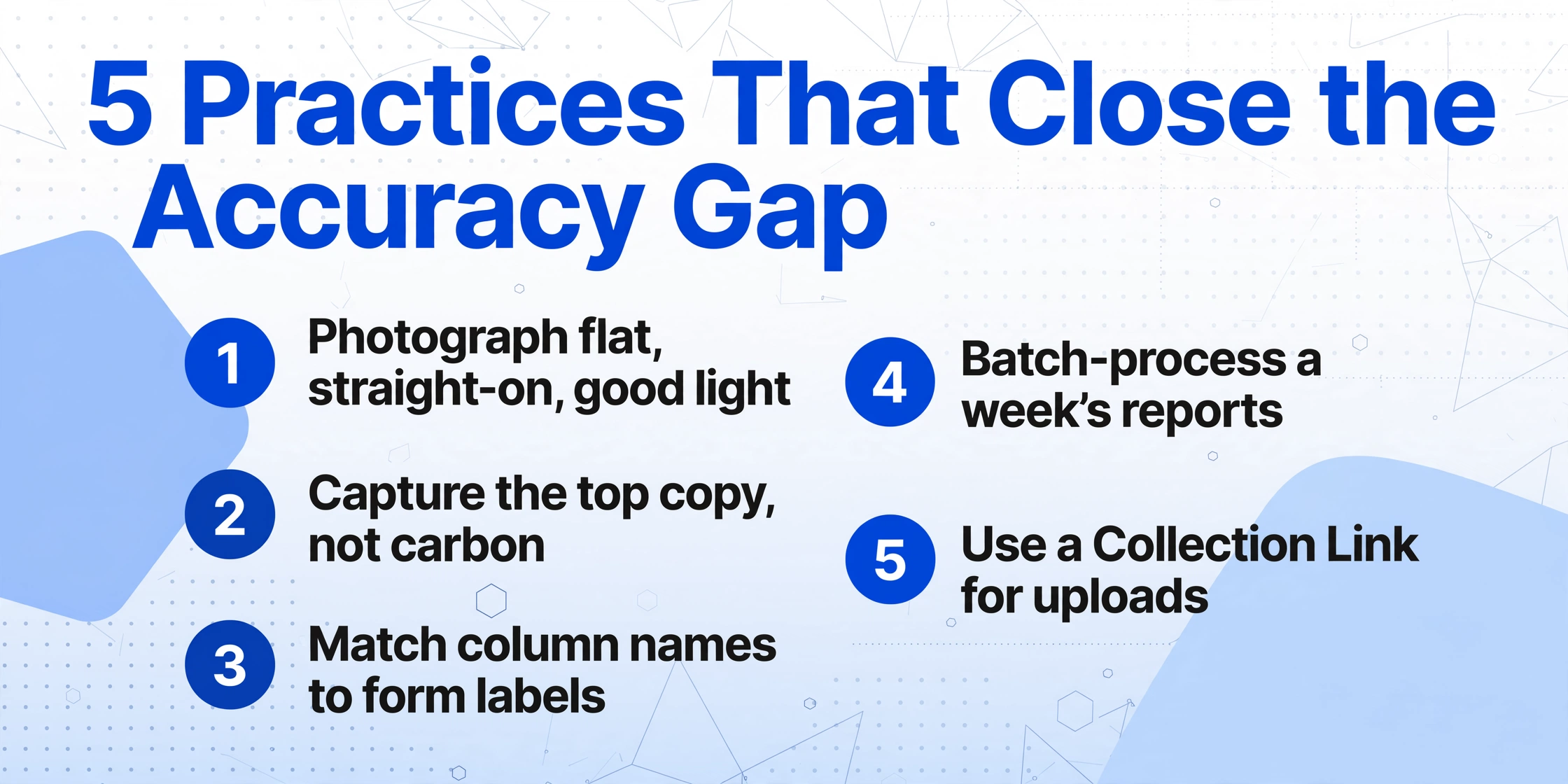
The accuracy gap between 65% and 92% on the same form is almost entirely in preparation and field design. These five practices account for most of the gap.
Photograph the form flat, straight-on, in good light. Lay the report flat, align the camera perpendicular to the page, and use adequate light. A photo taken this way produces 15–25% higher accuracy than a quick snapshot at an angle in low light — the single highest-impact variable.
Capture the top copy, not the carbon copy. Photograph the original before the top sheet is removed. Each subsequent carbonless copy has lower contrast — and contrast is the most important image quality factor.
Define column names that match the form's field labels. Semantic matching works best when the column definition mirrors the wording on the page. If the form says "Equip #," use "Equip #" as your column name — not "Equipment ID."
Batch-process a week's worth of reports. The time savings compound with volume. Processing 20 reports from four sites saves over two hours compared to manual entry. See the batch processing workflow for weekly summaries.
Use a Collection Link for foreman uploads. Generate a shareable collection link that each superintendent opens from their phone. They photograph and upload their own report — no app installation, no training required.
Walk-Through: What These Fields Look Like in Practice
Here is how a typical daily report behaves under AI extraction field by field, assuming a clear photo of a standard form with handwritten entries in a mix of block print and cursive:
Expected extraction outcome by field type (clear photo, good light):
Report Date (printed in box): extracted reliably
Weather AM/PM (checkmark on pre-printed options): near 100%
Crew Names + Hours by Trade (table, block print): 90–95%
Equipment ID + Hours Run (alphanumeric in table): 85–90%
Material + Quantity (mixed handwriting): 80–90%
Safety Incident Description (cursive narrative): 70–80%
Narrative / Work Completed (full-paragraph cursive): 60–75%
The trade-off is clear: data that feeds cost tracking and labor reports — crew hours, counts, equipment IDs — extracts at 85–95% because those are structured numbers in labeled cells. Narrative sections extract at lower accuracy, but that's acceptable because they're reviewed in the original documents, not re-typed into spreadsheets. For a PM managing multiple projects, the shift is from 100+ hours per quarter of transcription to 10–15 hours of verification — and verification is where a PM's judgment actually adds value.
FAQ
Can AI read a daily report written in cursive?
Yes, at 70–85% accuracy depending on writing clarity. Tight cursive with abbreviations drops to 50–65%. The practical approach: prioritize structured fields (numbers, names, hours) for extraction and treat narrative sections as human-review memo fields.
Does AI need different configuration for each daily report format?
No. Custom column extraction reads fields by semantic meaning, not position — so the same column definitions work across different form layouts. Whether the crew table is labeled "Personnel" or "Workforce," the AI finds the right data. The construction PM's guide to document extraction covers this in detail.
What if the handwriting is illegible even to another human?
If a human can't read it, the AI can't either. Extraction delivers value on the 80–90% of reports that can be read. For genuinely illegible entries, the solution is pre-printed forms with labeled fields that guide the writer — not better AI.
Can extracted data feed into Procore or Sage?
Yes — extraction outputs XLSX, CSV, or JSON that can be imported into platforms supporting data imports. This is a file-based handoff, not a live API integration, but the data arrives structured and verified so the import step is a file upload rather than a retyping session.
How does this compare to reporting apps like Raken or Fieldwire?
They solve different problems. Apps replace paper at the point of creation — the foreman types into an app. AI extraction from photos digitizes existing paper output without asking anyone to change behavior. The approaches are complementary: some crews use an app, others paper, and the extraction layer handles whatever comes in.
What's the single most impactful accuracy improvement I can make?
Photograph the report flat, straight-on, in good light. The accuracy difference between an angled low-light snapshot and a proper photo is 15–25 percentage points — larger than any tool upgrade. The handwritten site log accuracy guide includes a photo quality checklist teams can post in site trailers.
See What Your Daily Reports Look Like as Data
Upload a handwritten daily report — any format, any handwriting — and see what a vision AI model extracts in under 10 seconds. No sign-up required.
Upload a Handwritten Report →