40 Weekly Receipts, One
Job Cost Sheet: Batch Construction Supplies
The bottleneck in construction receipt processing isn't the number of receipts. It's the number of different receipt formats. A Home Depot Pro thermal strip looks nothing like a Ferguson packing slip, which looks nothing like a hand-scrawled ticket from the local lumber yard where prices are written in ballpoint pen. Every format transition forces someone in the office to re-orient: where's the vendor name on this one, is the total before or after tax, and does "2X6 SPF #2 16'" charge to Division 06 (Wood Framing) or Division 03 (Concrete) because those 2x6s were used for formwork? At 40 receipts across five job sites, that's not data entry — it's forensic accounting performed under time pressure every Friday afternoon.
Key Takeaways
- Forty construction receipts across hand-scrawled tickets, thermal strips, and itemized invoices costs four hours every Friday — not from the count but from a format-switching tax that makes each receipt harder than the last.
- That format-switching tax doesn't just slow you down — after 30 layout changes the silent coding errors collect in your spreadsheet and surface only at month-end when a framing overrun was actually concrete formwork.
- The bottleneck that burns the second half of your Friday isn't typing speed — it's the consolidation step where 40 individual outputs get merged into one spreadsheet, and that step disappears completely when all receipts flow through a single extraction pass.
Why Friday Afternoon Receipt Processing Breaks at 5+ Projects
The Construction Financial Management Association's 2025 Financial Benchmarker, surveying 1,290 US construction firms, found that cost administration alone consumes 5.4% of project revenue for the average general contractor. On a $3 million commercial project, that's $162,000 spent reconciling numbers — not on concrete, lumber, or drywall, but on the administrative overhead of making sure every dollar lands on the right cost code on the right job. A meaningful slice of that overhead traces back to one recurring Friday task: processing the week's stack of material receipts.
Most contractors process receipts singly. Open the photo of the Home Depot receipt, read the vendor, type the amounts, guess which of 50 CSI MasterFormat divisions each line item belongs to, enter the job number, move to the next receipt. The first 10 receipts take about two minutes each. By receipt 25, each one takes closer to four minutes. By receipt 40, you're making mistakes you wouldn't have made on receipt 4 — transposing a dollar amount, assigning pipe fittings to Division 09 (Finishes) because the previous 12 receipts were all drywall and your brain hasn't exited Finish-mode.
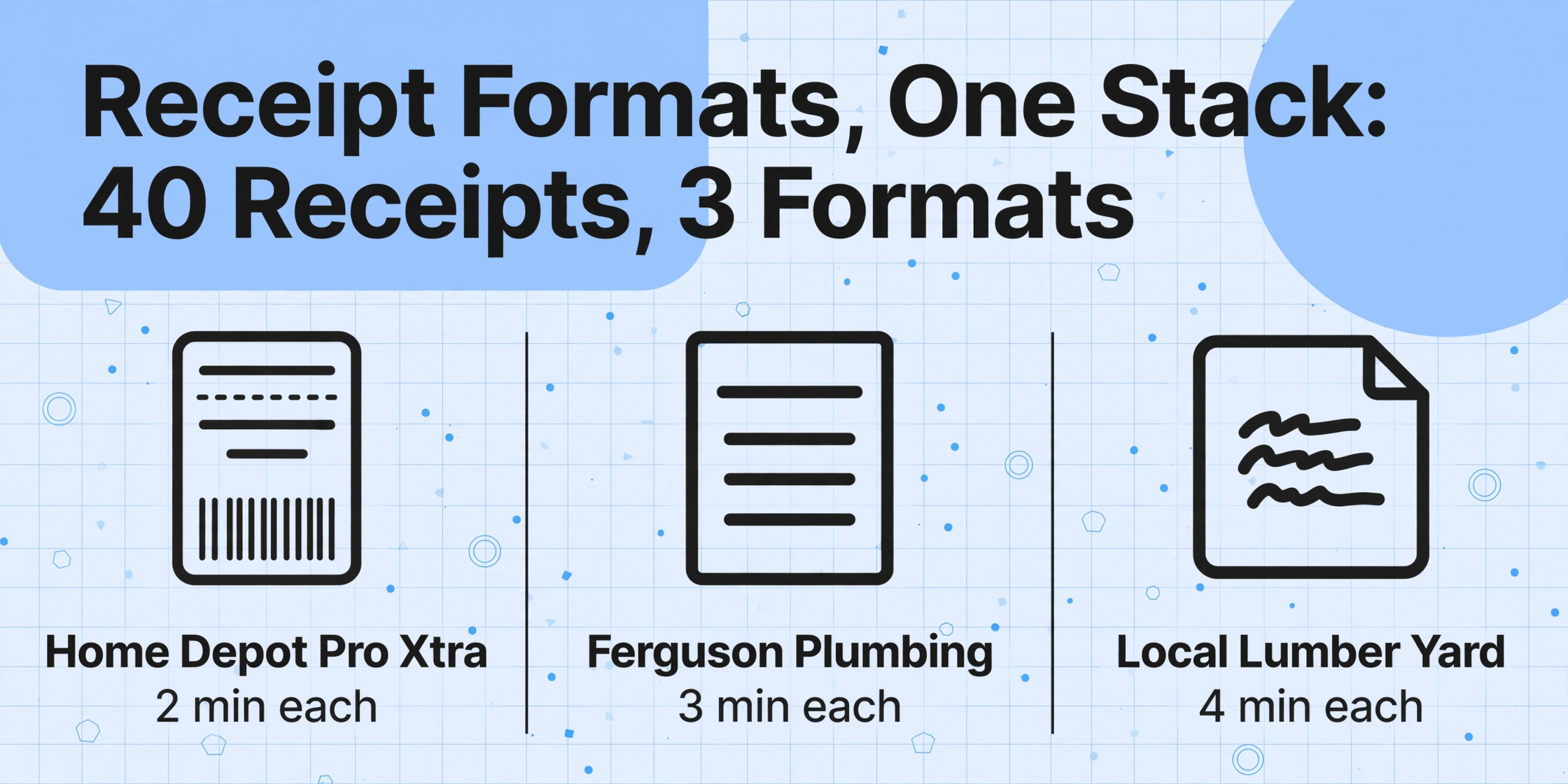
This degradation isn't carelessness. It's a format-switching tax. Three different vendor receipt types — a Home Depot Pro Xtra thermal slip, a Ferguson Plumbing itemized invoice, and a hand-scrawled two-line ticket from the local lumber yard — each demand a different visual parsing strategy. The Home Depot receipt lists abbreviated SKU descriptions across two columns with no obvious section headers. The Ferguson invoice itemizes MEP supplies with manufacturer part numbers but often omits CSI-relevant category labels. The lumber yard ticket is written in ballpoint pen with a carbon copy smudged underneath. After 30 format transitions within a single Friday afternoon processing session, the cognitive cost of interpreting each new receipt exceeds the value of typing it manually. Error rates climb, and they climb silently — the wrong cost code doesn't announce itself until month-end when Division 03 (Concrete) shows a phantom overrun from a lumber order that should have gone to Division 06.
At 3 projects, 20 receipts a week is manageable with a two-hour Friday session. At 5 projects with 40 receipts, someone loses their entire Friday afternoon — and still makes mistakes by the end. At 8 projects with 60+ weekly receipts across multiple foremen, the backlog compounds faster than a single person can clear it, and the following week starts already behind. This isn't a workflow failure. It's a structural ceiling built into single-receipt processing.
What Makes Construction Material Receipts Different From Any Other Receipt
Generic receipt scanners answer one question well: "what was bought, from whom, for how much." They extract vendor name, date, line items, and total to meet IRS substantiation requirements under Publication 463 — amount, date, place, business purpose. That's sufficient for a desk worker filing an expense report. For a construction project accountant, the IRS question is only half the job. The other half — which CSI division and which project phase does each line item charge to — is a construction-specific requirement that no generic receipt scanner addresses.
The gap shows up most clearly when you compare three receipts from the same week on the same project:
| Supplier | Receipt Format | What It Shows | What It Doesn't Show |
|---|---|---|---|
| Home Depot Pro Xtra | Thermal strip, abbreviated SKUs, 2-column layout | "2X6 SPF #2 16'", "QUIKRETE 80LB", "1/2X4X8 REG DRYWALL" | CSI code, job number, which project phase each item is for |
| Ferguson Plumbing | Itemized invoice, manufacturer part numbers, net-30 terms | "ELK 502A Copper Tee 3/4"", "WATTS 995 XL Reduced Pressure Zone Assembly" | CSI subcode (22 11 00 vs 22 41 00), project phase |
| Local Lumber Yard | Handwritten carbon copy, ballpoint pen, 2-3 line items | "PT 4x4 8' × 12pc", "3/4 CDX × 4", handwritten total | Everything except item description and price |
The Home Depot receipt alone might charge materials to three different CSI divisions — the QUIKRETE to Division 03 (Concrete), the SPF lumber to Division 06 (Wood), the drywall to Division 09 (Finishes) — across two project phases (foundation and rough for the QUIKRETE/lumber; finish for the drywall). The receipt itself gives you zero signal on any of these assignments. The foreman who bought the materials knew, but that information lives in their head — not on the thermal paper.
Construction accounting platforms like Procore, Sage 300 CRE, and Viewpoint Vista enforce cost code selection at the point of commitment entry — but only for purchase orders and subcontracts routed through the system. Field-run material purchases — the foreman grabbing three sticks of treated lumber and a box of screws because the takeoff was short — bypass the PO system entirely. These receipts land on the office desk with no cost code, no job number, and sometimes no item detail beyond a dollar amount. For a deeper look at extracting all fields from a single construction receipt — including setting up phase and cost code columns — see our walkthrough on job-site receipt extraction by cost code.
The Batch Workflow: Accumulate Monday to Friday, Process All at Once
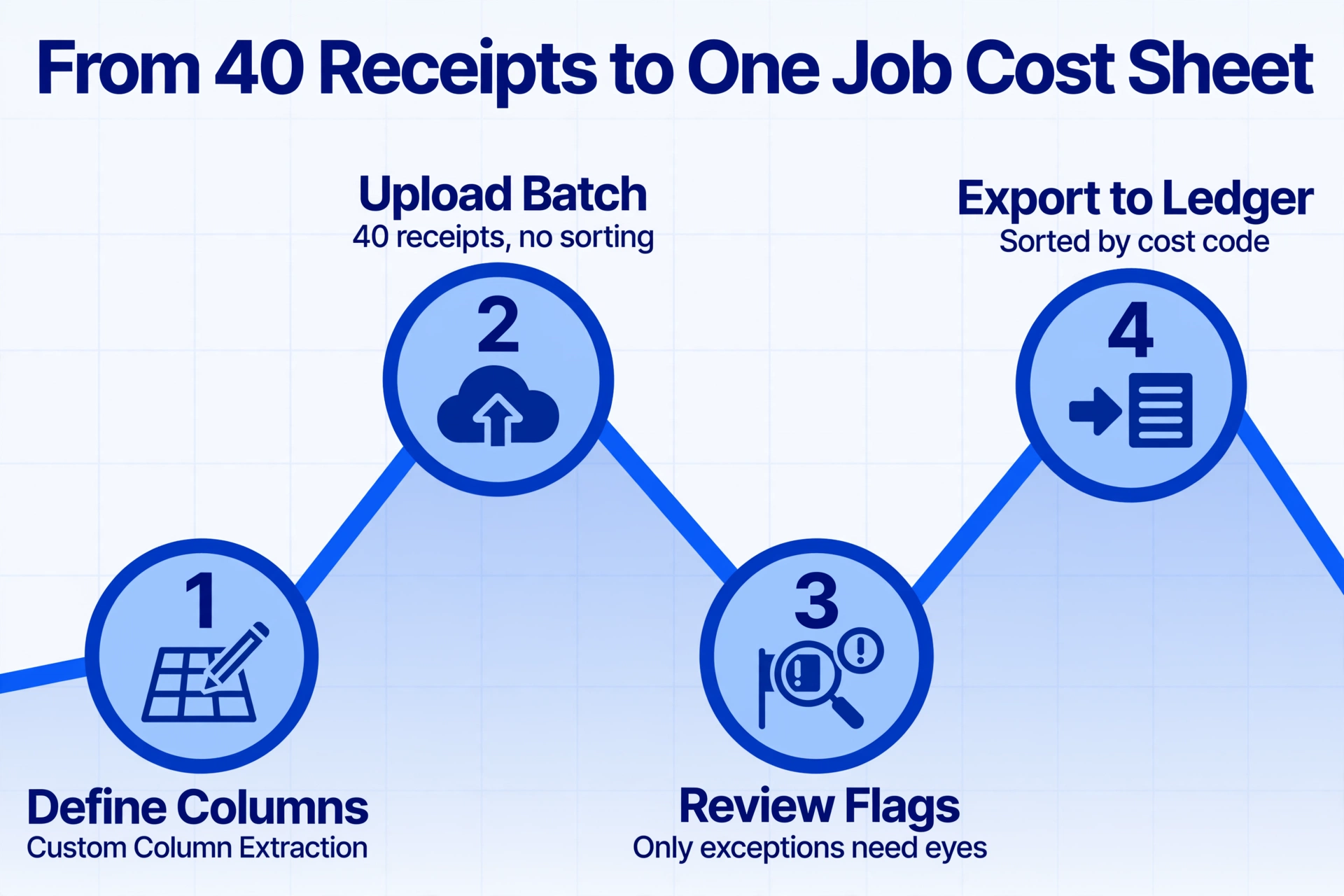
The structural alternative is to separate receipt accumulation from receipt processing. Collect every receipt from the week — all the Home Depot runs, Lowe's counter sales, Ferguson pickups, and local lumber yard tickets — into a single folder. Don't sort them. Don't pre-code them. Don't rename files. The goal during the week is zero processing overhead. The foreman snaps a photo of the receipt on their phone the moment they leave the store — or drops the paper receipt into an envelope — and the office doesn't touch it until Friday.
On Friday afternoon, the processing session works in three steps:
Define your output columns once.
This is Custom Column Extraction: instead of telling the tool where each field sits on each receipt format (which would require 40 separate templates), you type the column names you want in your output — "Vendor," "Date," "Item Description," "Qty," "Unit Price," "Line Total," "Job #," "CSI Cost Code," "Phase" — and the AI locates each value on each receipt by understanding what the field means, not where it sits on the page. You define the output schema once; every receipt in the batch gets processed through the same column definitions.
Upload all 40 receipts as one batch.
Drag every receipt photo or PDF into the upload area. The Home Depot thermal strip, the Ferguson itemized invoice, the handwritten lumber yard carbon copy, the gas station fuel receipt — all of them, together, no pre-sorting required. Because the extraction is format-independent, the AI reads each receipt individually, applying the same column-name logic regardless of layout differences.
Download one unified spreadsheet.
Processing completes — typically in 5-10 seconds per receipt for printed documents, slightly longer for handwritten — and you receive one XLSX file. Every row is a line item from one receipt. Every column is identical across all rows. There is no consolidation step — no opening 40 individual CSV exports, no copying rows into a master sheet, no "did I already paste row 37 or is this a duplicate" double-checking. The merge happens at extraction time.
Files are processed securely and not stored.
The counterintuitive gain isn't faster extraction per receipt. It's that the consolidation step — which currently eats the second half of Friday afternoon — disappears entirely. The spreadsheet you download at 3:45 PM is the same spreadsheet you'd be building manually until 6:30 PM, except every cell is already populated and every column header is already consistent. What remains is a 15-minute verification pass, not a four-hour reconstruction project.
On an average GC's weekly receipt batch, batch processing cuts the Friday session from four hours to about 20 minutes. The time savings compound weekly. At 50 working weeks per year, that's roughly 185 hours returned per year — nearly five full work weeks — from a single workflow change applied to one recurring task.
Cost Coding at Extraction Time: Why CSI Assignment Shouldn't Wait Until Friday

In a manual workflow, cost coding happens after data entry. You type the vendor and dollar amount into the spreadsheet, then stare at the item description — "2X6 SPF #2 16'" — and decide: is this framing lumber (06 11 00), treated lumber (06 13 00), or concrete formwork material (03 11 00)? The assignment depends on where the foreman told you they used it, which may or may not be written anywhere. If the foreman isn't standing at your desk when you're processing receipts on Friday at 4 PM, you guess.
The Construction Financial Management Association (CFMA)'s best-practice guidance is unambiguous: assign cost codes at the point of purchase, not later. Every contractor's accountant agrees. But the operational reality — the foreman at the checkout counter in work gloves, the crew waiting in the idling truck — makes that guidance aspirational. The solution isn't to enforce discipline on people who have higher priorities at 6:45 AM. It's to front-load the coding intelligence into the extraction process itself.
This is where inferred columns change the Friday workflow. An inferred column doesn't extract a value that's printed on the receipt — it derives one from rules you define before extraction begins. Define a "CSI Cost Code" column with inference rules like:
CSI Cost Code (infer from Item Description):
"SPF", "KD HT", "framing lumber" → 06 11 00 (Wood Framing)
"treated", "PT lumber" → 06 13 00 (Heavy Timber / Preservative-Treated Wood)
"QUIKRETE", "concrete", "cement" → 03 30 00 (Cast-in-Place Concrete)
"drywall", "gypsum", "Sheetrock" → 09 29 00 (Gypsum Board)
"sheathing", "OSB", "plywood" → 06 16 00 (Sheathing)
"copper", "PVC pipe", "PEX" → 22 11 00 (Facility Water Distribution)
"deck screw", "fastener", "nail" → 06 05 23 (Wood Fasteners)
When the AI processes a Home Depot receipt listing "2X6 SPF #2 16'", it reads the item description, matches "SPF" against the rule, and populates the CSI Cost Code column with "06 11 00" — automatically, during extraction. When it encounters "QUIKRETE 80LB" two lines down, it assigns "03 30 00." The same rules apply across every receipt in the batch, regardless of which supplier sold the material or what format their receipt uses.
The same pattern works for job numbers. If you know which suppliers serve which projects, you define a "Job #" inferred column mapping supplier names to job numbers: Builders FirstSource → Job 24-005, Site Concrete Supply → Job 24-003, Wurth Wood Group → Job 24-007. The AI reads the vendor name on each receipt and fills the Job # column without you touching a single cell.
For contractors with consistent supplier relationships, inference rules typically handle 70-80% of cost code and job number assignments automatically. What remains for the verification pass is the 20-30%: new suppliers you haven't mapped yet, ambiguous item descriptions ("Misc Hardware" could charge to half a dozen divisions), or instructions the foreman gave verbally that don't appear on any receipt. These cells show up blank in the spreadsheet — no fabricating wrong codes, no silent errors. They're flagged for your attention during the 15-minute review, not buried in a column of 200 cells you have to re-check one by one.
When the Receipt Doesn't List What You Bought
Not every construction receipt is an itemized Home Depot run. Two common receipt types carry almost zero item detail, and they create unique problems in batch processing.
Fuel receipts from gas stations near job sites show: station name, date, gallons, total dollar amount. They don't show which piece of equipment was fueled — the skid steer, the material lift, the foreman's pickup hauling tools between sites — or which job that equipment served. In a manual workflow, someone writes on the receipt which machine and job. In the batch workflow, a small set of inferred columns fills the gap: "Equipment (infer from: skid steer → Cat 259D3, diesel pickup → F-250 Job 24-005, telehandler → JLG 1055)" paired with a "Fuel Type" column reading the receipt's fuel grade — "87" maps to gasoline, "Diesel" or "Off-Road" flags equipment use vs. road use for IFTA reporting.
Generic hardware store receipts with line items like "MISC MATERIALS $47.23" or "SUPPLIES $12.67" — common on local Ace Hardware or Do it Best receipts where the cashier didn't run every item through the scanner separately — create a different problem. The dollar amount is there. The cost-code-relevant description is missing. For these, the batch output shows the dollar amount in the correct column and a blank CSI Cost Code cell. During the verification pass, you fill in the code based on what you know about that job's current phase — the line is flagged and separate from the 80% that coded correctly. In a manual workflow, these ambiguous lines are indistinguishable from correctly coded ones until someone questions a cost-over-budget report three weeks later.
The batch workflow doesn't eliminate all ambiguity. What it does is surface ambiguity into its own column — the blank cell is a deliberate alert, not a hidden error. That's the difference between catching a miscode during a 15-minute review on Friday and discovering it during month-end close when the framing line item that should have been concrete formwork has already distorted your cost-to-complete forecast.
Merging Batch Output With Your Existing Job Cost Ledger
The spreadsheet you download on Friday afternoon isn't the finished product. It's the input to two steps that connect the extracted receipt data to your existing cost tracking system.
1. Sort and pivot by cost code. With CSI Cost Code and Job # columns populated, sorting groups every receipt line by project, then by division within each project. Subtotal Line Total by Job # to see committed material cost per project. Subtotal by CSI Cost Code to see how much went to Division 03 (Concrete) vs. Division 06 (Wood) vs. Division 22 (Plumbing) across all projects. This used to require summing across 40 separate receipt files or scrolling through a credit card statement and manually categorizing each line — the task one contractor on r/GeneralContractor described as their standard month-end routine: "Every Month when you get your CC statement, pull out the Statement and assign the costs either to a specific Job, Overhead, Fuel, etc. Match them to the receipts that have the job written on them." With the batch output subtotaled by cost code and project, that month-end matching collapses from an evening of cross-referencing to a single pivot table.
2. Append to your existing job cost workbook. If you track job costs in Excel with a master sheet per project, copy the sorted rows from the batch output and paste them below last week's entries. Date, vendor, item, cost code, phase, job number, and amount are all already populated — no field-by-field transcription needed. If you use QuickBooks or an ERP like Foundation Software with a CSV import template, the batch output's columns become the import file directly. For contractors using a construction material ledger spreadsheet as their primary tracking tool, the batch output eliminates the step of manually entering each receipt as a separate row — you paste once, cross-check the blank-code cells, and your weekly ledger update is done.
The same principles that make this work for material receipts apply equally to purchase order batches — the difference being POs typically carry more structured data (part numbers, order quantities, pre-negotiated pricing) while receipts carry more format variation. For the PO-specific side of the same workflow, see our guide to batch processing construction material POs into job cost allocation. The inferred column approach — mapping supplier names to job numbers, item descriptions to CSI codes — transfers between the two document types with minimal adjustment.
Frequently Asked Questions
Can this handle handwritten receipts from local lumber yards and hardware stores?
Yes. The AI reads handwritten text the same way it reads printed text — the underlying model is a vision large language model that understands character shapes, not a template-based OCR engine that relies on predictable layout. A legible handwritten receipt from a local lumber yard extracts at roughly the same accuracy as a printed Home Depot thermal receipt. Variables that affect accuracy: ink-to-paper contrast (ballpoint on white paper is ideal; pencil on carbon copy is harder), handwriting clarity (block capitals extract better than cursive), and whether carbon-copy smudging obscures the text. Receipts photographed in poor lighting — common on job sites — should be flagged for the verification pass.
What happens when the AI assigns the wrong cost code?
The batch output is a spreadsheet where every cell is editable. If the AI codes a line item to 06 11 00 but it should have been 06 13 00, you correct that cell manually — just as you would in any spreadsheet. The key difference from manual processing: the AI gets roughly 80% of codes right on the first pass based on your inference rules, and blank cells flag the 20% it couldn't determine. You're correcting exceptions, not populating every cell from scratch. For a 40-receipt batch averaging 4 line items each, that means reviewing roughly 32 correct codes instead of entering 160 from zero.
Do I need to create a new inference rule every time I get a receipt from a new supplier?
For a new supplier you expect to reuse: yes, add one mapping — "New Supplier → Job #" — to your Job # inference column before the next processing session. That's a single line of text. For a one-off purchase from a supplier you'll never use again: leave the cell blank and fill the job number manually during verification. The inference rule system is a time-saver for recurring suppliers, not a mandate to map every receipt source. For the cost code rules, you update them as your material mix changes — if you start using engineered lumber (LVL, I-joists) for the first time, you add "LVL," "I-joist," "TJI" → 06 17 00 once. Everything processed after that update benefits from the new rule.
How does this fit with our existing construction accounting software?
This replaces the data-capture layer — the step between "receipt arrives at the office" and "data is in the job cost system." It doesn't replace your accounting system's approval routing, payment processing, lien waiver management, or WIP reporting. For a contractor using QuickBooks + spreadsheets, the batch output becomes the weekly import into your job cost workbook. For a contractor on Sage 300 CRE, Viewpoint Vista, or Foundation Software, it replaces the step where someone reads a receipt PDF and manually types line items into the ERP's AP or job cost module — which, in most construction firms below $20 million revenue, is still a human reading a PDF and typing numbers. For the broader strategy of fitting AI extraction into a construction accounting workflow without disrupting approved processes, see our complete guide to receipt data extraction.
What about receipts where the total doesn't match the sum of line items — like when a discount was applied at the register?
The AI extracts what's printed: the line item amounts as they appear, the subtotal, any printed discount or tax line, and the final total. If a register-level discount was applied that doesn't appear as a separate line item, the sum of extracted line items won't match the extracted total — exactly what would happen if someone typed the receipt into a spreadsheet manually. The batch output's verification pass is where you catch these reconciliation gaps: sort by the computed column that subtracts the sum of line items from the receipt total, and any row with a non-zero difference is a register-level adjustment you need to account for. This is the same check a bookkeeper performs on manually entered receipts — the batch workflow makes it visible in one sort instead of hidden across 40 individual entries.
Can I batch-process receipts for multiple projects at once?
Yes, and this is where the Job # inferred column delivers the largest operational gain. Upload receipts from all active projects in one batch on Friday. The supplier-to-job-number mapping applies during extraction, so Builders FirstSource receipts automatically get "Job 24-005" while Site Concrete Supply receipts get "Job 24-003." After download, sort by Job # to group every receipt line by project, then subtotal Line Total per project to get committed material cost across your entire operation in seconds. The alternative — processing one project's receipts at a time in separate weekly sessions — is exactly the fragmentation that single-receipt processing already imposes. One batch, one session, one spreadsheet for all projects.
No sign-up required — try it on your own receipts in under 30 seconds.