Job-Site Expense Allocation in Excel:
A Construction PM's Field Guide
The gap between what gets spent at a job site and what actually shows up in the monthly job cost report isn't a software problem. It's a receipt problem. Superintendents walk off site with crumpled slips from Home Depot, Sunbelt rental invoices stuffed in a backpack, fuel card statements that don't say which generator they filled. By the time those pieces of paper reach the project manager's desk — or worse, the accountant's inbox three weeks later — the data has already lost its connection to the job. Fixing that connection is what this guide is about.
Key Takeaways
- A $40 roll of temp fencing here, $85 in diesel there — across three projects and six months, job-site operating expenses that never appear on a purchase order or bid line item silently consume 1–2% of your project margin with nothing to show for it.
- Your Excel cost code structure, expense log columns, and SUMIFS allocation formulas are correctly built — but they starve because the data pipeline on the other end terminates at a superintendent's stack of crumpled receipts, still unentered two weeks later with faded thermal ink and no job number assigned.
- One phone photo of the receipt at checkout fixes this: ImageToTable.ai reads vendor, date, amount, and line items from any supplier format — Home Depot thermal strips, Sunbelt rental invoices, hand-scrawled fuel slips — and outputs structured data directly into the Expense Log columns you already defined.
What Job-Site Expenses Do to a Spreadsheet
Most construction job costing templates handle four things well: labor, materials, equipment, and subcontractors. These are the categories every construction accounting textbook starts with, and they map cleanly to bid items and schedules of value. But job-site expenses — the stuff that doesn't show up in a purchase order or a subcontractor invoice — lands somewhere between the cracks.
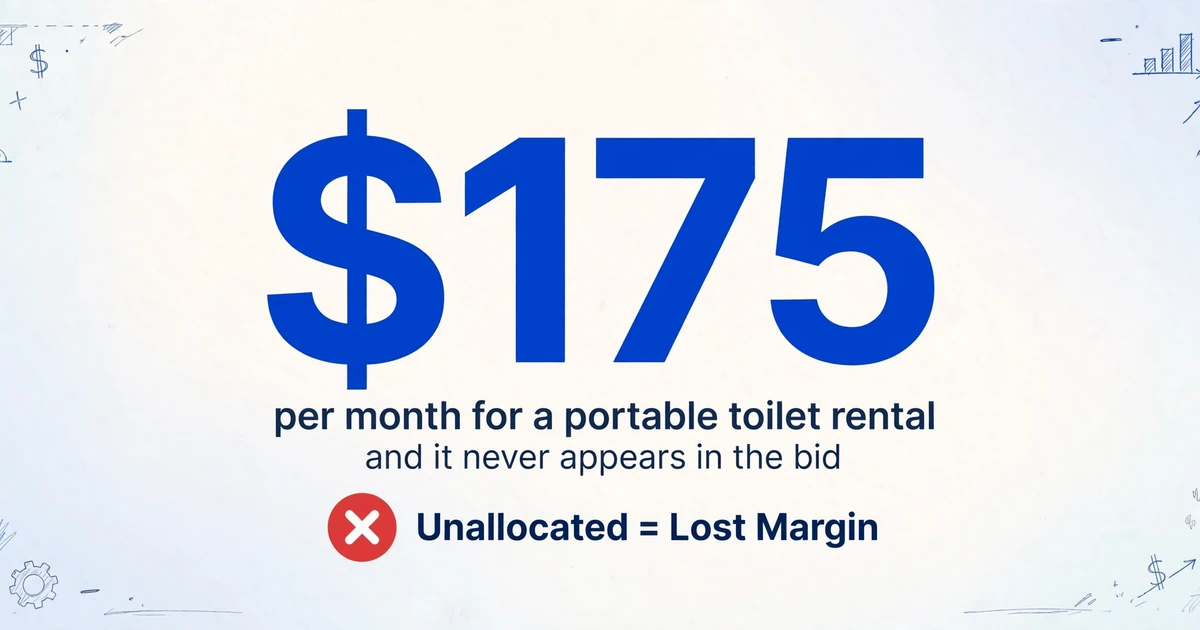
A portable toilet rental costs $175/month. A roll of temporary fencing runs $40. The crew grabbed lunch at a diner near the site: $120. The superintendent bought a case of hard hats and safety vests at Home Depot for three new hires. The skid steer needed diesel — $85 charged to a company fuel card that services four projects. None of these are line items in the bid. Multiply them across three active projects and six months of construction, and the unallocated total runs into thousands of dollars — dollars that vanish from the project profit margin because they were never assigned to the job that consumed them.
The Construction Financial Management Association (CFMA) emphasizes that job cost data should be captured at the moment of expenditure, not reconstructed from a bank statement at month-end. That principle is sound in theory. On an active job site, where the nearest scanner is back at the office trailer and the receipt is already damp from rain, it's a different story.
A single general conditions line item in the budget is not cost allocation. Without tracking which project consumed the diesel, which site needed the dumpster, and which crew used the safety supplies, you're managing by guesswork — and a 2–3% net margin common in construction evaporates fast when guesswork replaces allocation.
What Counts as a Job-Site Expense — and What Doesn't
Under GAAP job cost accounting and the AIA A201-2017 definition of "Cost of the Work" (§7.3.4), costs fall into three buckets: direct job costs, indirect job costs (job overhead), and general & administrative overhead (G&A). The distinction matters because job overhead gets allocated to projects — it affects each project's reported margin. G&A sits below the gross profit line on the P&L and affects company-level profitability. Confusing the two distorts both your project economics and your bidding.
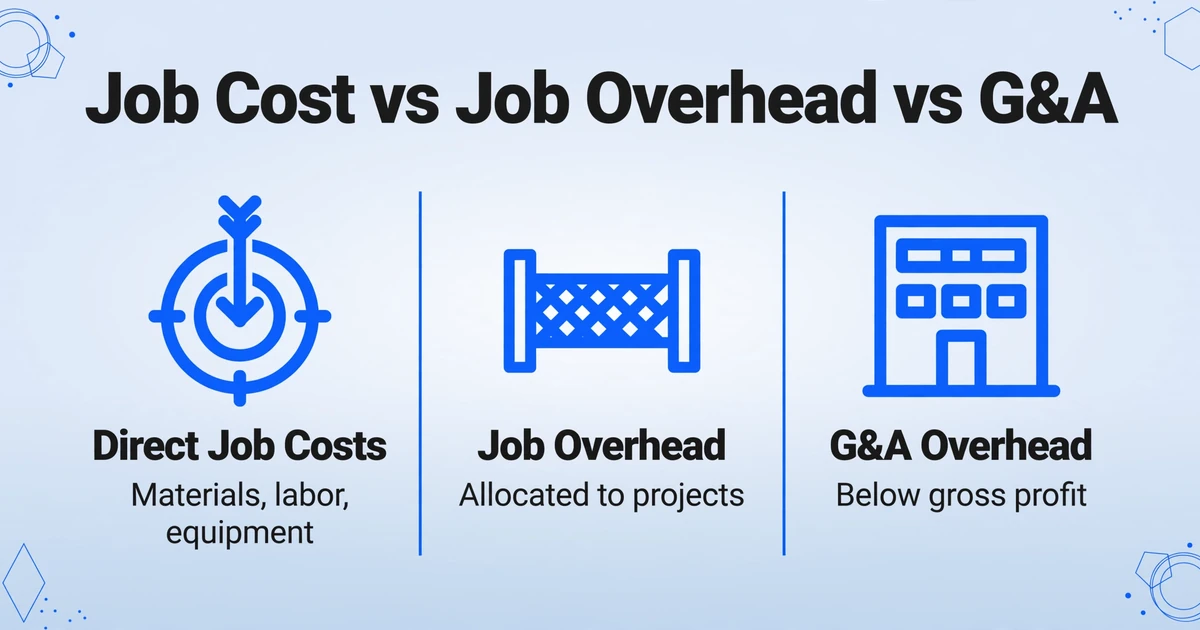
Here's what lands in each bucket on a typical construction site, organized by CSI MasterFormat Division 01 (General Requirements):
| Expense Type | Example | Allocation Basis |
|---|---|---|
| Site utilities | Temporary power pole, water hookup, generator fuel | Direct to project or metered usage split |
| Temporary facilities | Job trailer, portable toilets, temp fencing, dumpster rental | Days on site × project |
| Safety supplies | Hard hats, vests, gloves, safety glasses, first aid kits, fire extinguishers | Crew headcount per project |
| Small tools & consumables | Drill bits, saw blades, caulk, tape, marking paint, zip ties | Direct when possible; % of labor hours otherwise |
| Site cleanup & waste | Dumpster rental, debris removal, street sweeping | Direct to project; split by volume if shared |
| Equipment fuel & fluids | Diesel for skid steer/excavator/generator, hydraulic fluid, DEF | Equipment hours log × project |
| Crew expenses | Meals within per-diem policy, lodging for out-of-town crews | Direct to project or crew's assigned project |
| Vehicle & mileage | Fuel for company trucks, mileage reimbursement for personal vehicles | Mileage log; GPS if available |
| Site communications | Two-way radios, cell phone stipends for field staff, portable WiFi | Crew headcount per project |
What doesn't go in job overhead: office rent, company-wide insurance, executive salaries, marketing, and accounting fees. Those are G&A. The rule of thumb from the Associated General Contractors of America (AGC): if you'd still pay the cost with zero active projects, it's G&A. If the cost exists only because a specific project is running, it's job overhead.
Check your P&L structure. Job overhead accounts should sit above the gross profit line, grouped separately from direct costs. G&A accounts go below gross profit. If you're running site diesel through the same line as office electricity, your project margin numbers are wrong — and you're bidding on bad data.
Setting Up Your Excel Cost Allocation Workbook
The workbook needs three things to function as a reliable cost allocation tool: a cost code structure, an expense log that captures every receipt, and an allocation table that distributes shared costs to the right projects. Here's how to build each sheet.
The Cost Code Sheet
Start with a cost code table. You can adopt CSI MasterFormat (Division 01 covers General Requirements including temporary facilities, site maintenance, and project management) or build a simplified system that maps to how your company actually spends money. The goal isn't industry-standard purity — it's that every expense has exactly one code to land in, and that code is used consistently across every project.
A practical five-category structure for job-site expenses:
| Code Range | Category | What It Covers |
|---|---|---|
| 1000–1999 | Site Setup & Facilities | Trailer, temp power, toilets, fencing, signage |
| 2000–2999 | Safety & PPE | Hard hats, vests, glasses, first aid, fire extinguishers |
| 3000–3999 | Tools & Consumables | Small tools, blades, bits, marking paint, fasteners |
| 4000–4999 | Equipment Fuel & Maintenance | Diesel, DEF, hydraulic fluid, oil, filters, minor repairs |
| 5000–5999 | Crew & Vehicle | Meals, lodging, mileage, company truck fuel, cell phones |
The Expense Log Sheet
This is the sheet you (or your field supervisors) feed daily. Columns to include:
- Date — the date on the receipt, not the date you entered it
- Vendor — Home Depot, Sunbelt Rentals, Shell, local diner
- Description — what was bought (be specific: not "supplies" but "20 safety vests, orange, XL")
- Amount — the receipt total
- Cost Code — from your code sheet above
- Project — which project consumed this expense
- Allocation Method — "Direct," "Equally," "By Labor Hrs," "By Days on Site"
- Receipt Image — file path or hyperlink to the scanned receipt photo
Keep the expense log in one master sheet. Create per-project summary sheets that pull from the master log using SUMIFS or pivot tables — one source of truth, many views.
The Allocation Table
Not every receipt maps neatly to a single project. A roll of temp fencing might fence off three sites. A case of safety vests gets distributed as new hires show up. The skid steer runs at all four projects in a week. For these shared expenses, you need an allocation methodology.
The most common allocation bases used in construction, as outlined in Procore's indirect cost framework:
- Direct assignment — the expense was for one project only (best case; use whenever possible)
- Labor hours — split proportionally by hours logged at each project during the period
- Days on site — split by the number of days each project was active in the month
- Crew headcount — split by the number of workers assigned to each project (useful for PPE)
- Equipment hours — split by logged equipment hours per project (for fuel and maintenance)
In your Excel workbook, add an Allocation Log sheet alongside the Expense Log. When an expense is shared, enter the total on one row, then allocate it across projects in sub-rows with the split basis and percentage noted. The Project Summary sheet should sum both direct and allocated amounts.
The allocation basis must be auditable. If you split a $500 safety supply purchase 40/30/30 across three projects based on crew headcount, the crew roster for that week must be documented. An auditor or a project owner challenging a general conditions charge will ask: "Why is my project paying 40% of this?" If the answer is "because the project manager said so," the charge doesn't hold.
The Receipt-to-Data Bottleneck — and How to Break It
Everything described so far assumes the data is already in the spreadsheet. The actual bottleneck — the one that makes project managers dread month-end — is getting it there. The typical workflow goes like this: a field supervisor buys something at Lowe's or Home Depot, stuffs the receipt in the truck console, hands a stack of crumpled paper to the PM on Friday, the PM sorts through it on Monday, and types the data into Excel one receipt at a time. Every step introduces delay and the possibility of error: a faded receipt, a missing date, a cost code guessed from memory two weeks after the purchase.

Construction expense tracking apps like Procore and Sage 300 CRE can sync receipts to job cost codes once the data is captured, but they don't solve the capture problem itself — someone still has to enter the line items. Smaller contractors using QuickBooks face the same gap: the expense shows up in the bank feed, but the receipt details and job code assignment require manual entry.
This is where the difference between data entry and data extraction matters. Rather than typing every field from every receipt, you can use a tool that reads the receipt and populates the columns automatically. Here's how that changes the expense log workflow:
Superintendent photographs the receipt on site.
Phone camera. No scanner, no office visit. The receipt is captured at the point of purchase — the moment CFMA says the data should be recorded.
AI extracts vendor, date, amount, and line items automatically.
Rather than opening Excel and typing each field, the extraction engine reads the receipt image and outputs structured data — the column names you define (Vendor, Date, Amount, Expense Type, Job Code) become the headers of your spreadsheet.
Cost code and project are assigned at capture, not at month-end.
A supervisor knows which project consumed the expense. Capture that knowledge at the moment — either by selecting from a dropdown or by letting the AI infer the category based on the receipt content — rather than reconstructing it three weeks later.
Data exports to your Excel workbook — already classified, already allocated.
The output is a structured spreadsheet: every receipt row has a Date, Vendor, Amount, Cost Code, and Project. It drops directly into your Expense Log sheet. No re-typing.
The mechanism behind this is custom column extraction: you define the fields you want — Vendor, Date, Total, Expense Category, Job Number, Cost Code — and the AI locates each value on the receipt by understanding what it means semantically, not by looking for it at a fixed position. This is fundamentally different from template-based OCR, which requires you to draw a box around each field on a sample receipt and fails when a different vendor's receipt has a different layout.
Files are processed securely and not stored.
For multi-project contractors, batch processing changes the equation further. Upload a week's worth of receipts — 20 photos from three supervisors across four job sites — and get one consolidated spreadsheet back. The output can be structured with columns like Vendor, Date, Amount, Category, Project Code, and Cost Code, so every row is already in the format your Expense Log expects. Converting expense reports to Excel becomes a single step rather than a Friday-afternoon data entry marathon.
A Monthly Cost Allocation Workflow for Construction PMs
Here's what the full monthly cycle looks like when the receipt capture problem is solved — from field to report, for a contractor managing three active projects:
Week 1–4: Continuous receipt capture.
Field supervisors photograph every receipt at the point of purchase and email or upload to a shared folder. No paper accumulation. No "I'll enter these when I get back to the office." The collection mechanism — whether it's email forwarding, a shared drive, or a Collection Link (a shareable upload page that lets field crews submit receipts directly into a processing queue without logging in) — should impose zero friction.
Month-end: Batch extract all receipts into the Expense Log.
Upload the month's receipt photos in one batch. The extraction outputs a table with Vendor, Date, Amount, and any inferred categories (e.g., "fuel," "safety supplies," "crew meals") — pre-classified row by row. Drop this table into the Expense Log sheet. Review for classification accuracy (typically a few minutes, not hours).
Allocate shared expenses.
Open the Allocation Log sheet. Split any shared costs using the allocation table rules defined earlier. If crew headcount changed during the month, use the average. If equipment hours are logged, use actual hours. Document the basis — a column for "Split Rationale" prevents arguments later.
Review per-project summaries and reconcile with the budget.
Your Project Summary sheets pull from the Expense Log via SUMIFS. Compare actual job-site expenses against the general conditions line in each project estimate. If Project B's site expenses are running 40% over budget in month two of six, you know before it becomes a margin problem at closeout.
A 2–3% net margin in construction means a $5,000 unbudgeted job-site expense on a $250,000 project wipes out the profit you were counting on. Material costs get scrutinized because they're tied to purchase orders and bid quantities. Job-site operating expenses — fuel, supplies, facilities, small tools — deserve the same rigor, because they compound. A $40 receipt here and an $85 fuel charge there, multiplied across three projects and 26 weeks, isn't noise. It's the difference between a job that makes money and one that breaks even.
FAQ
How do you handle a receipt that covers items for multiple projects?
Split the total in the Allocation Log based on the most defensible allocation basis — crew headcount, labor hours, or equipment hours are the most common. For example, if a $500 Home Depot purchase includes materials used across three projects, and Project A had 50% of total labor hours that week while B and C each had 25%, allocate $250 to A, $125 each to B and C. Note the split rationale on the allocation row so it's auditable.
What's the difference between job overhead and G&A overhead?
Job overhead is project-specific: the trailer on site, portable toilets, temp fencing, safety supplies for that crew, fuel for equipment on that job. If you shut the project down tomorrow, these costs would stop. G&A overhead runs regardless: office rent, executive salaries, company insurance, accounting fees. Job overhead hits the project P&L; G&A hits the company P&L. The distinction is critical for bidding — if you treat job overhead as G&A, your bids won't cover the true cost of running the work.
Can AI extraction handle handwritten receipts or faded thermal paper?
Yes, within limits. Vision-based AI reads handwritten fields the same way it reads print — by understanding the shapes and context, not by matching character templates. Faded thermal paper is more challenging; the AI can extract what's legible, but if the receipt has gone completely blank, no tool can recover that data. The best practice is to photograph receipts immediately — the phone-based capture approach described above eliminates the fading problem at the source.
Should I use CSI MasterFormat cost codes or create my own?
CSI MasterFormat is the industry standard and worth using if you bid government or large commercial work. For residential and small commercial contractors, a simplified 5–10 category code system that maps to how your company actually spends money is often more practical and more likely to be used consistently. The worst option is no cost code system — any structured system is better than coding everything to "Miscellaneous." You can always map a simplified internal system to MasterFormat divisions later if needed.
What if I don't have cost codes set up yet?
Start with the five categories from the Cost Code table above: Site Setup, Safety, Tools, Equipment, and Crew. That covers 90% of job-site expenses. Add detail as you go — a code for "Site Setup" becomes "Site Setup: Portable Toilets" and "Site Setup: Temp Fencing" when you have enough volume in each to make the granularity meaningful. Don't let the lack of a perfect code system delay you from starting. A simple system used consistently produces better data than a perfect system that's too complex to maintain.
Does the AI need separate training for different vendor receipt formats?
No. Unlike template-based extraction tools that require you to set up a separate template for each vendor's receipt layout — Home Depot uses one format, Lowe's uses another, Sunbelt Rentals uses a third — semantic extraction reads the receipt the way a person would: it identifies "the total is $473.18" and "the vendor is Sunbelt Rentals" regardless of where those items appear on the page. No template setup, no training samples needed. The trade-off is that template-based systems can be slightly more precise on a known format, while semantic extraction works on any format without setup — a practical advantage when your crews buy from 20 different vendors in a month.
Every dollar your crews spend on site is a dollar that either strengthens your project margin or erodes it. The difference comes down to whether you can trace it back to the right job — not at month-end after the margin has already leaked, but at the moment it happens.
Test it on your next batch of receipts