How to Extract Brazilian CT-e
Freight Data to Excel
Every cargo movement inside Brazil generates a CT-e (Conhecimento de Transporte Eletrônico) — the SEFAZ-authorized electronic freight document that records who shipped what, from where to where, at what price, and what ICMS tax was charged. That data exists in a structured XML file on the carrier's system. What most logistics teams actually see is the DACTE — a printed or PDF summary that travels with the goods and lands on a freight analyst's desk. The gap between the XML's structured data and the DACTE's printed page is where manual data entry lives, and for teams processing hundreds of CT-e documents per month, that gap costs hours of typing and a predictable error rate on every peso do frete.
Key Takeaways
- A mid-sized manufacturer processing 500 CT-e documents per month spends 12.5 hours just typing data from DACTE printouts into spreadsheets.
- The carrier already submitted structured XML to SEFAZ — but your logistics team sees a printed DACTE that locks the same data behind paper.
- Set up one column definition — Access Key, Service Value, ICMS, Gross Weight — and every carrier's DACTE layout is read by the same definitions.
Why CT-e Data Extraction Matters for Logistics Cost Tracking
A Brazilian logistics operation receiving 500 CT-e documents per month — a typical volume for a mid-sized manufacturer distributing across the Southeast and Center-West regions — generates roughly 7,500 individual data points that need to reach a freight cost ledger or ERP. Each CT-e carries the carrier's CNPJ, the service value (valor do serviço), the gross weight (peso bruto), the origin and destination municipalities, and the ICMS breakdown — all of which are inputs to freight cost allocation, carrier performance analysis, and tax credit recovery.
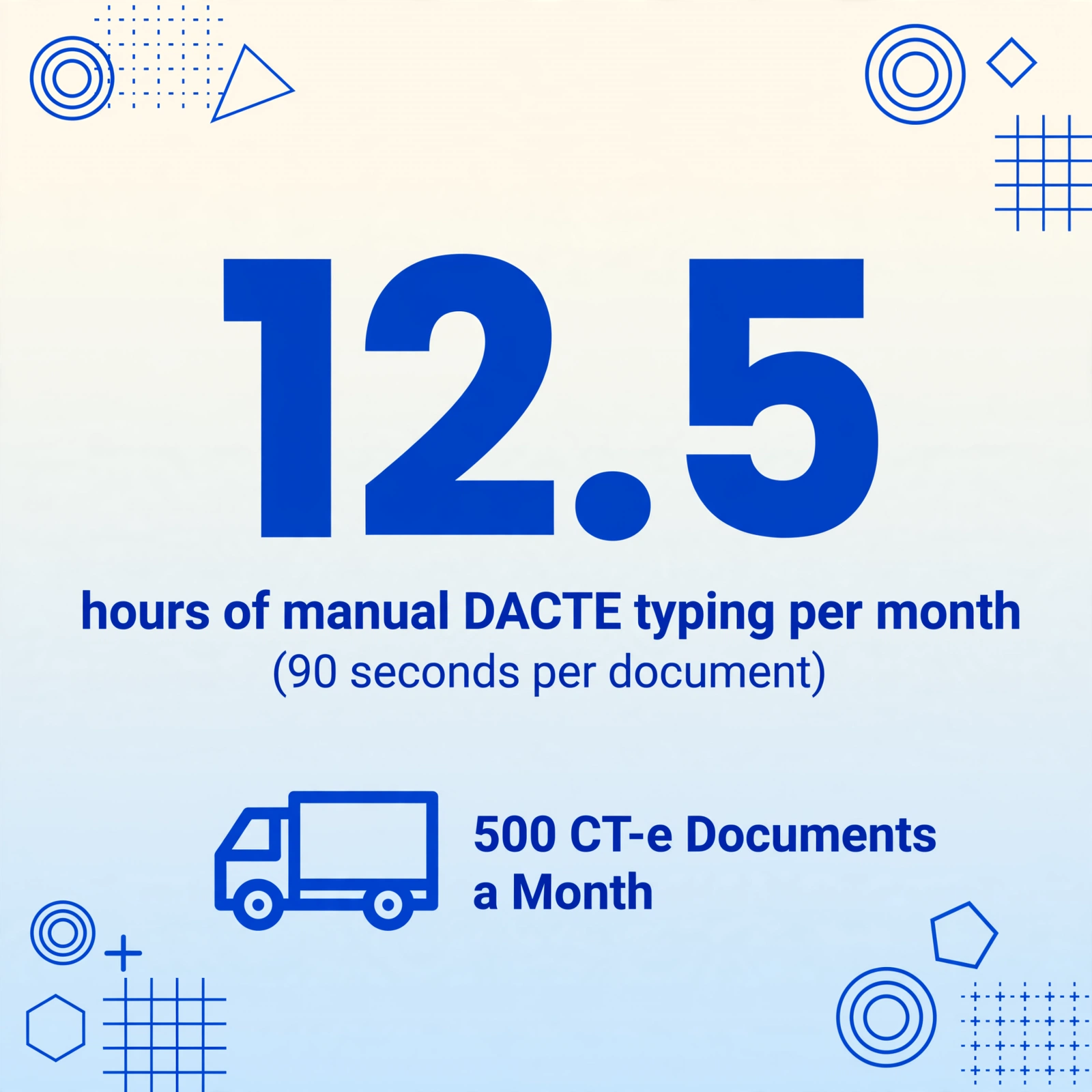
In practice, those 7,500 data points are entered manually by a freight analyst who opens each DACTE, finds the field, and types it into a spreadsheet row. At roughly 90 seconds per document for an experienced typist — scanning the page for each field, checking for legibility issues, switching between the document and the spreadsheet — 500 CT-e documents consume 12.5 hours of data entry per month. That is before any validation, before any matching to the corresponding purchase invoice, and before any investigation of the inevitable mismatches between what the carrier's XML declares and what the printed DACTE shows.
Brazil's logistics infrastructure handles over 300 million CT-e documents annually, and the number continues to grow as SEFAZ expands mandatory electronic documentation requirements. Automation at the extraction step — converting the DACTE's visual data into spreadsheet rows without manual typing — is the difference between a logistics team that tracks every freight cost and one that only tracks the ones that made it into the spreadsheet.
The core problem: The CT-e carries structured XML data that your carrier already submitted to SEFAZ. But if your logistics team receives a DACTE printout, that structured data is locked behind a printed page. Data extraction bridges the gap without requiring the carrier to resend an XML file.
What Is a CT-e and What Data Does It Carry?
The Conhecimento de Transporte Eletrônico (CT-e, model 57) is Brazil's mandatory electronic freight document, managed by the state tax authorities (SEFAZ) under the same digital authorization framework as the NF-e. Introduced in 2007 and gradually made mandatory for all cargo carriers by 2013, the CT-e replaced a paper-based system of multi-copy freight forms that made tax enforcement on transport services nearly impossible to audit at scale.
Unlike a traditional bill of lading in most countries, the CT-e is not a document of title — it cannot be endorsed or transferred. As the maritime law firm Proinde explains, it functions simultaneously as evidence of the contract of carriage, a receipt of cargo delivery, and a fiscal bill of services. The named consignee does not surrender the document in exchange for goods, because the CT-e identified the receiver at issuance and there is no risk of misdelivery.
The physical document that travels with the shipment — and the one your logistics team most likely handles — is the DACTE (Documento Auxiliar do Conhecimento de Transporte Eletrônico). This is a printed or PDF summary containing a subset of the CT-e XML data, a 44-digit chave de acesso (access key), and a QR code or barcode for authentication on the CT-e Portal. The DACTE's job is to accompany the goods for inspection; it is not a tax document itself, but it is the information source most logistics teams work from.
For a fuller understanding of how the CT-e fits into Brazil's electronic document ecosystem — alongside the NF-e (product invoice), NFS-e (service invoice), and MDF-e (electronic freight manifest) — see the Nota Fiscal Eletrônica (NF-e) beginner's guide, which covers the SEFAZ authorization flow common to all Brazilian tax documents.
Key CT-e Fields Every Logistics Team Should Track
The DACTE carries between 30 and 50 visible data points depending on the carrier's layout version. For logistics cost tracking, the following fields form the core columns of a freight cost ledger:
| Field | Portuguese Label | Why It Matters for Cost Tracking |
|---|---|---|
| Access Key | Chave de Acesso | 44-digit unique identifier. This is the primary key for linking the CT-e to the corresponding NF-e and for verifying the document's authenticity on the SEFAZ portal. |
| Carrier CNPJ | CNPJ do Emitente | Identifies the transportadora (carrier). Required for carrier cost allocation and performance analysis — which carriers charge the highest rates per kg per route. |
| Carrier Name | Razão Social / Nome | Used alongside CNPJ for carrier-level reporting. Many logistics teams reference the trading name rather than the legal CNPJ in daily operations. |
| Sender CNPJ | CNPJ do Remetente | The entity dispatching the goods. For inbound freight tracking, this is the supplier; for outbound, it may be the manufacturer or distribution center. |
| Consignee CNPJ | CNPJ do Destinatário | The entity receiving the goods. Critical for cost allocation by receiving location or business unit. |
| Service Value | Valor do Serviço (vTPrest) | The total freight charge before deductions. This is the primary cost figure for carrier payment and logistics cost accounting. |
| Amount to Receive | Valor a Receber (vRec) | What the carrier actually receives after any withholding or deductions. The difference between vTPrest and vRec represents withheld taxes (IRRF, PIS, COFINS, CSLL). |
| ICMS Amount | ICMS (vICMS) | ICMS tax on the transport service. Key for tax credit recovery — inbound freight ICMS may be creditable depending on the receiving company's tax regime. |
| ICMS Base Rate | Base de Cálculo / Alíquota | The calculation basis and percentage rate applied. ICMS on interstate freight varies: 7% (South/Southeast to North/Northeast/Midwest), 12% (within South/Southeast), and 4% for imported goods under PwC Brazil's ICMS rate framework. |
| Gross Weight | Peso Bruto | Total cargo weight in kg. Used to calculate cost per kg per route — the most common carrier rate benchmarking metric in Brazilian logistics. |
| Cargo Nature | Natureza da Carga | Classification of the cargo (general cargo, bulk, hazardous materials, temperature-controlled). Determines insurance requirements and regulatory compliance. |
| Origin Municipality | Município de Origem | IBGE city code and name of the shipment origin. Paired with destination to calculate route-based freight benchmarks. |
| Destination Municipality | Município de Destino | IBGE city code and name of destination. Together with origin and weight, this forms the three-dimensional basis of most freight rate structures in Brazil. |
| CFOP | CFOP | Código Fiscal de Operações e Prestações — the four-digit fiscal operation code. Common CT-e CFOPs: 5.902 (freight on purchase), 6.902 (freight on inter-company transfer), 7.902 (freight on sale). Determines tax treatment and accounting classification of the freight cost. |
These 14 fields represent the minimum viable set for a CT-e freight cost ledger. Expanding the column set to include computed columns — such as "Freight Cost per Kg (Valor do Serviço ÷ Peso Bruto)" — produces benchmark data that becomes more valuable with each batch processed.
How to Extract CT-e Data to Excel: Step-by-Step
The following workflow converts DACTE PDFs or images into structured spreadsheet rows using Custom Column Extraction — you define the columns you want, and the AI locates each value on the printed page by understanding what the field means, not where it sits. This is the same mechanism described in the NF-e to Excel extraction guide, adapted for CT-e freight documents.
Files are processed securely and not stored.
Step 1: Upload the DACTE PDF or Image
Start with the raw DACTE file — a carrier-supplied PDF attachment, a scanned printout, or a photograph of the document that accompanied the shipment. The extraction tool accepts PDF, JPG, PNG, and WebP. For best results, use a clean PDF or a well-lit scan at 300 DPI or higher. Photographs of DACTE documents taken in poor lighting or at oblique angles can reduce field-level accuracy — although the AI vision model compensates for moderate skew and lighting variation that would cause a traditional OCR template to fail entirely.
Uploading multiple DACTE files in a single batch is the practical workflow for any team processing more than a handful of shipments per day. The batch upload interface accepts multiple files simultaneously and queues them under the same batch name, so a freight analyst handling 40 CT-e documents can upload them all at once rather than opening a new upload dialog for each one.
Step 2: Define the Columns You Want Extracted
Type the field names that correspond to the CT-e data you need. These become the column headers of your output spreadsheet. The AI reads the DACTE page and locates each value by its semantic meaning — "ICMS" will be found regardless of whether it appears in a sidebar box, a footer table, or a line-item column, because the model understands what ICMS is and recognizes it in any layout position.
A typical set of column definitions for CT-e freight tracking:
Example Column Definitions
- Access Key (Chave de Acesso)
- Carrier Name
- Carrier CNPJ
- Sender CNPJ
- Consignee CNPJ
- Service Value (Valor do Serviço)
- Amount to Receive
- ICMS Amount
- ICMS Base / Rate
- Gross Weight (kg)
- Cargo Nature
- Origin City (Município)
- Destination City (Município)
- CFOP
These 14 columns capture the minimum cost-tracking data points discussed in the previous section. You can add computed columns directly in the column name — for example, Freight Cost per Kg (Valor do Serviço ÷ Peso Bruto) — to have the AI calculate the unit freight cost during extraction, eliminating the post-extraction Excel formula step. This is one of the three modes of Custom Column Extraction described in the product documentation: direct extraction for fields that exist on the document, inferred columns for information that must be deduced (such as cargo category based on the NCM codes), and computed columns for arithmetic operations on extracted values.
Step 3: Process and Export to Excel
Once the columns are defined, the extraction processes all documents in the batch and produces a single Excel file with one row per CT-e. The output table headers match your column definitions exactly — "Service Value (Valor do Serviço)" appears as the column name, and each row contains the value extracted from the corresponding DACTE.
The extracted data can be downloaded as Excel (XLSX) or CSV. For teams using Google Sheets, the same extraction flow is available through the Google Sheets add-on, which writes rows directly into the active spreadsheet without the download-and-import step.
After the first batch, save the column definitions as a template. Every subsequent batch of CT-e documents — whether from the same carrier or a different one — reuses the same template. The AI adapts to each carrier's DACTE layout automatically, so a CT-e from JSL and one from Braspress, which place the ICMS data in different table positions, are both read by the same column definitions. This is the practical implication of template-free extraction: no per-carrier template setup, no maintenance when a carrier updates its DACTE layout.
Matching CT-e Freight Costs to NF-e Purchase Costs
The CT-e exists alongside the NF-e — the former documents the transport service, the latter documents the goods themselves. For a comprehensive view of total landed cost, logistics teams need to match each CT-e's freight charge to the corresponding NF-e's product value. This matching is where manual processes most frequently break down, because the CT-e and NF-e arrive through different channels (the carrier sends the CT-e; the supplier sends the NF-e) and often at different times (the NF-e is issued when the goods leave; the CT-e may be issued after delivery).
In practice, matching is done using the NF-e access key that the CT-e references. Every CT-e XML carries the chave de acesso of the NF-e it transports (if known at issuance). The DACTE may show this reference in the "Documentos Referenciados" section. By extracting both the CT-e's own access key and the referenced NF-e access key, a freight analyst can merge the two datasets in Excel using a VLOOKUP or XLOOKUP on the access key column — creating a single spreadsheet that shows, for each shipment, the goods value from the NF-e alongside the freight cost from the CT-e.
| CT-e Access Key | Carrier | Freight Value | NF-e Access Key | Goods Value | Total Landed Cost |
|---|---|---|---|---|---|
| 352406... (44-digit) | Transportadora A | R$ 2,450.00 | 352406... (44-digit) | R$ 48,000.00 | R$ 50,450.00 |
| 352406... (44-digit) | Transportadora B | R$ 1,890.00 | 352406... (44-digit) | R$ 22,300.00 | R$ 24,190.00 |
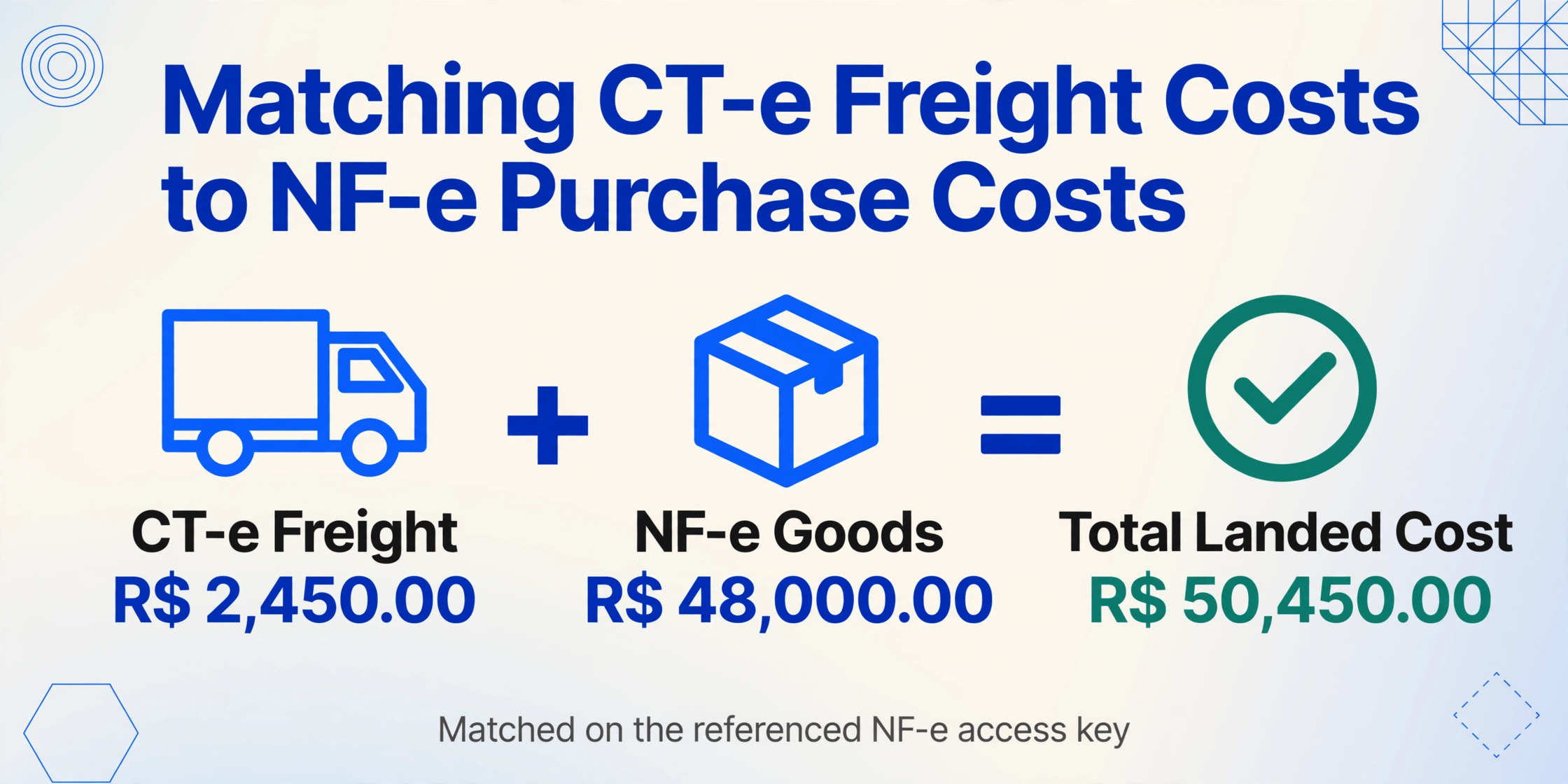
The access key is a 44-digit number that follows the same UF-AAAA-MMM-XXXXXXXXXXX-XX-XXXXXXXXXXXXX format used by NF-e documents. Because both document types use the same access key structure, a combined extract — pulling the access key from both CT-e and NF-e DACTEs into the same output format — produces a joinable dataset without manual cross-referencing.
For teams already extracting NF-e data to Excel, adding CT-e extraction to the same workflow is a matter of defining a second set of columns. The two output spreadsheets — one for goods values (from NF-e) and one for freight costs (from CT-e) — become inputs to a quarterly landed cost analysis that includes every shipment, not just the ones that were manually entered before month-end close.
CT-e vs. MDF-e vs. DACTE: Which Document Should You Extract?
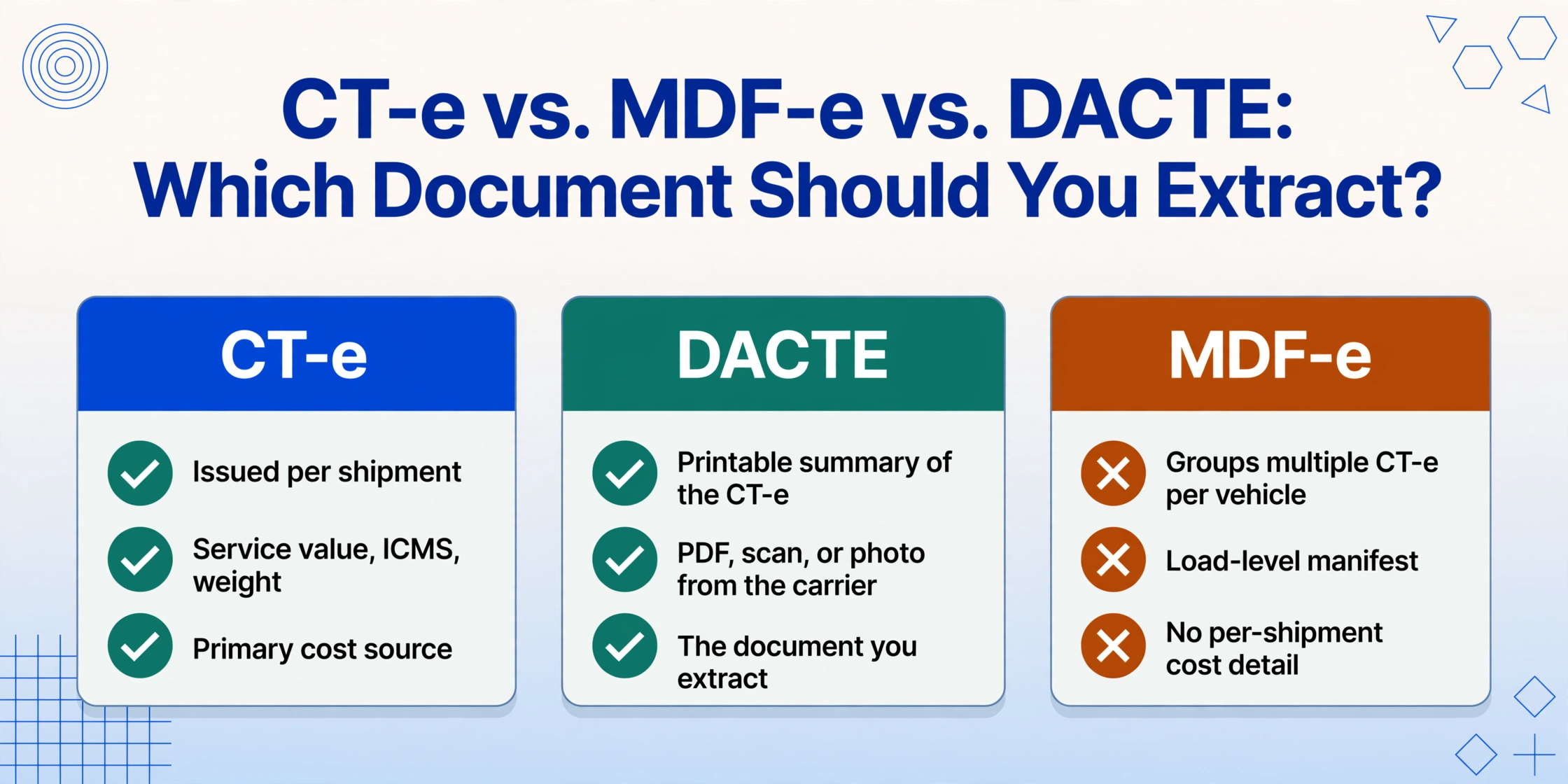
Brazil uses three closely related electronic documents for freight transportation, and each serves a different purpose for cost tracking:
| Document | Full Name | Purpose for Logistics Cost Tracking |
|---|---|---|
| CT-e | Conhecimento de Transporte Eletrônico | The freight invoice itself — issued per shipment by the carrier. Contains the service value, ICMS, weight, route. This is the primary document for extraction. |
| DACTE | Documento Auxiliar do CT-e | The printable summary of the CT-e. This is the visual document usually available to logistics teams (PDF from carrier, scanned copy, or photograph). |
| MDF-e | Manifesto Eletrônico de Documentos Fiscais | A consolidation document grouping multiple CT-e documents onto one vehicle/load. Useful for shipment-level aggregation but not for per-shipment cost detail. |
For per-shipment freight cost and ICMS detail, the CT-e's DACTE is the right extraction source. The MDF-e covers cargoes sharing a vehicle and can confirm which CT-e documents were on the same trip, but the cost line items are in the individual CT-e documents.
Frequently Asked Questions
Can I extract data from the CT-e XML file instead of the DACTE?
Yes. If your carrier supplies the CT-e XML file (typically in the standard CT-e 4.0 schema), the XML contains all structured fields and can be parsed programmatically. The DACTE extraction approach described in this article is designed for the common scenario where the logistics team receives a printed DACTE or PDF rather than an XML file. If you have the XML, you can also upload a screenshot or printout of its visual representation — the AI reads it the same way. The advantage of XML parsing is zero accuracy loss (the data is already structured); the disadvantage is that not every carrier provides the XML to the consignee, and not every logistics system can consume raw XML without an integration project.
Can I use the extracted CT-e data for ICMS credit recovery on inbound freight?
Yes, with conditions. Inbound freight ICMS — ICMS paid on freight services for raw materials or goods destined for resale — may be creditable under Brazil's non-cumulative ICMS regime. The extracted ICMS amount (vICMS) from the CT-e provides the base number for this calculation. However, the creditability depends on the receiving company's tax regime (Lucro Real vs. Lucro Presumido), the CFOP code of the transaction, and the nature of the goods. The extraction gives you the ICMS values; your tax team determines which are recoverable. A common use case is extracting both the CT-e ICMS and the NF-e ICMS into the same cost ledger, then applying different recovery percentages per CFOP code in Excel.
Do I need a different extraction template for each carrier's DACTE layout?
No. The AI reads by semantic meaning, not by layout position. A CT-e from JSL places the carrier CNPJ in a different block than one from Rodonaves, but since the model understands what "CNPJ do Emitente" means in the context of a freight document, it finds the correct value regardless of position. This is the fundamental difference between template-free extraction and template-based OCR: you define one set of columns for CT-e documents, and the same definition works across any carrier's DACTE layout.
What if my DACTE has handwritten annotations or corrections?
The AI vision model reads handwriting the same way it reads print — by understanding the visual content contextually, not by matching character shapes. Handwritten annotations on a DACTE (such as a revised delivery address, a corrected weight, or a signature) are extracted alongside the printed data. Accuracy on handwriting depends on legibility: block capital notes in pen on a clean background extract reliably; smudged pencil annotations over printed text may be less accurate. The practical approach is to use extracted printed fields as the primary data source and treat handwritten annotations as supplementary information that should be verified against the carrier's official XML.
How many CT-e documents can I process in a single batch?
There is no per-batch limit on the number of files. The practical constraint is the upload size and the plan's total page allowance. A single CT-e DACTE is typically 1–2 pages. A team processing 500 CT-e documents per month on the Pro plan (1,500 pages/month) has capacity remaining for other document types. The batch output merges all processed documents into one Excel file — one row per CT-e — so scaling from 50 to 500 documents per batch changes the total processing time but not the workflow steps.
How do I match CT-e freight costs to the corresponding NF-e purchase values?
Use the NF-e access key referenced in the CT-e. Most CT-e documents list the chave de acesso of the NF-e they transport in a "documentos referenciados" section. Extract the referenced access key from each CT-e and the access key from each NF-e as separate columns in your extraction output. Then perform an XLOOKUP (Excel) or VLOOKUP between the two spreadsheets using the access key as the common identifier. This produces a combined view showing both the goods value (from the NF-e) and the freight cost (from the CT-e) for each shipment — which is your total landed cost per unit.
Can I use English column names to extract data from Portuguese-language DACTE documents?
Yes. You can define your column names in English — "Carrier CNPJ," "Service Value," "Gross Weight (kg)" — and the AI will find the matching Portuguese-language values on the DACTE. The extraction model understands multilingual documents and maps the column semantics to the document's content language. The output spreadsheet headers will be in English (your column names), while the extracted values remain in their original format from the document. This is particularly useful for international logistics teams where the cost ledger is maintained in English but the source documents are in Portuguese.