Extract Brazilian DARF and GPS Tax Data
to Excel for Monthly Compliance
A single service invoice from a Brazilian supplier can generate five or more payment vouchers — one DARF for IRRF, another for PIS, another for COFINS, another for CSLL, plus a separate GPS for INSS if the service involves labor. Each carries its own revenue code, calculation period, and due date. Each must be tracked individually against what was declared in DCTFWeb and reported in DIRF at year-end. And most finance teams still copy these numbers into spreadsheets by hand, one field at a time.
Key Takeaways
- Ten service invoices per month can produce 40 to 50 individual DARF and GPS payment vouchers — each one typed into a spreadsheet by hand at three to four minutes each.
- A single mistyped revenue code on a DARF credits your payment to the wrong tax account, and correcting it through REDARF can take months of formal process.
- Upload a month's worth of vouchers in one batch, define six columns, and extract every payment into a structured spreadsheet — no transcription step between the document and the row.
What Are DARF, GPS, and DAE?
Brazil's tax system splits collection across three government levels — federal, state, and municipal — and each level issues its own payment voucher format. If your AP team processes Brazilian transactions, you are almost certainly working with at least two of these three document types:
DARF (Documento de Arrecadação de Receitas Federais) is the federal tax payment voucher, used for income taxes (IRPJ, IRRF), social contributions (PIS, COFINS, CSLL), the industrial products tax (IPI), and the monthly Carnê-Leão payments for individuals. A single DARF contains 11 numbered fields: taxpayer name and phone, CPF or CNPJ, calculation period (período de apuração), revenue code (código da receita — a four-digit identifier that tells the Receita Federal exactly which tax is being paid), due date, principal amount, fine amount, interest under DL-1.025/69, total amount, reference number, and bank authentication. Every field except the reference number is mandatory. Two models exist: the regular DARF Comum and the simplified DARF Simples used by micro and small businesses under the Simples Nacional regime.
GPS (Guia da Previdência Social) is the social security payment voucher for INSS contributions. It covers employer contributions (roughly 20% of gross payroll), employee withholdings at progressive rates — 7.5% up to R$1,518.00, 9%, 12%, and 14% above R$4,190.84 in 2025 rates, capped at a monthly ceiling of R$8,157.41 — and third-party contributions determined by the company's FPAS code (such as SENAI, SESI, and education allowance levies). The GPS carries its own field structure: CNPJ or CEI of the contributor, the contribution month (competência), INSS value, third-party entity values, and a payment code.
DAE (Documento de Arrecadação Estadual) covers state-level taxes — primarily ICMS (the state VAT on goods and services) and IPVA (vehicle tax). The naming varies by state: São Paulo uses DARE (formerly GARE), Rio de Janeiro calls it DARJ, and other states use DUA or other names. Each state sets its own format, fields, and collection rules, but the purpose is the same: remitting state-level tax obligations.
For a deeper look at how Brazilian tax documents fit into the broader invoice and compliance ecosystem, the Nota Fiscal Eletrônica (NF-e) beginner's guide covers the invoicing side of the workflow — how goods transactions are authorized before they ship, and what the four embedded taxes (ICMS, IPI, PIS, COFINS) mean for AP teams.
Why Manually Transcribing These Payment Vouchers Is Riskier Than It Looks
The common response to "we need to track DARF payments" is a shared spreadsheet with columns for CNPJ, date, code, and amount. A senior analyst spends an hour or two each week typing values from paid vouchers into rows. It feels manageable — until it isn't.
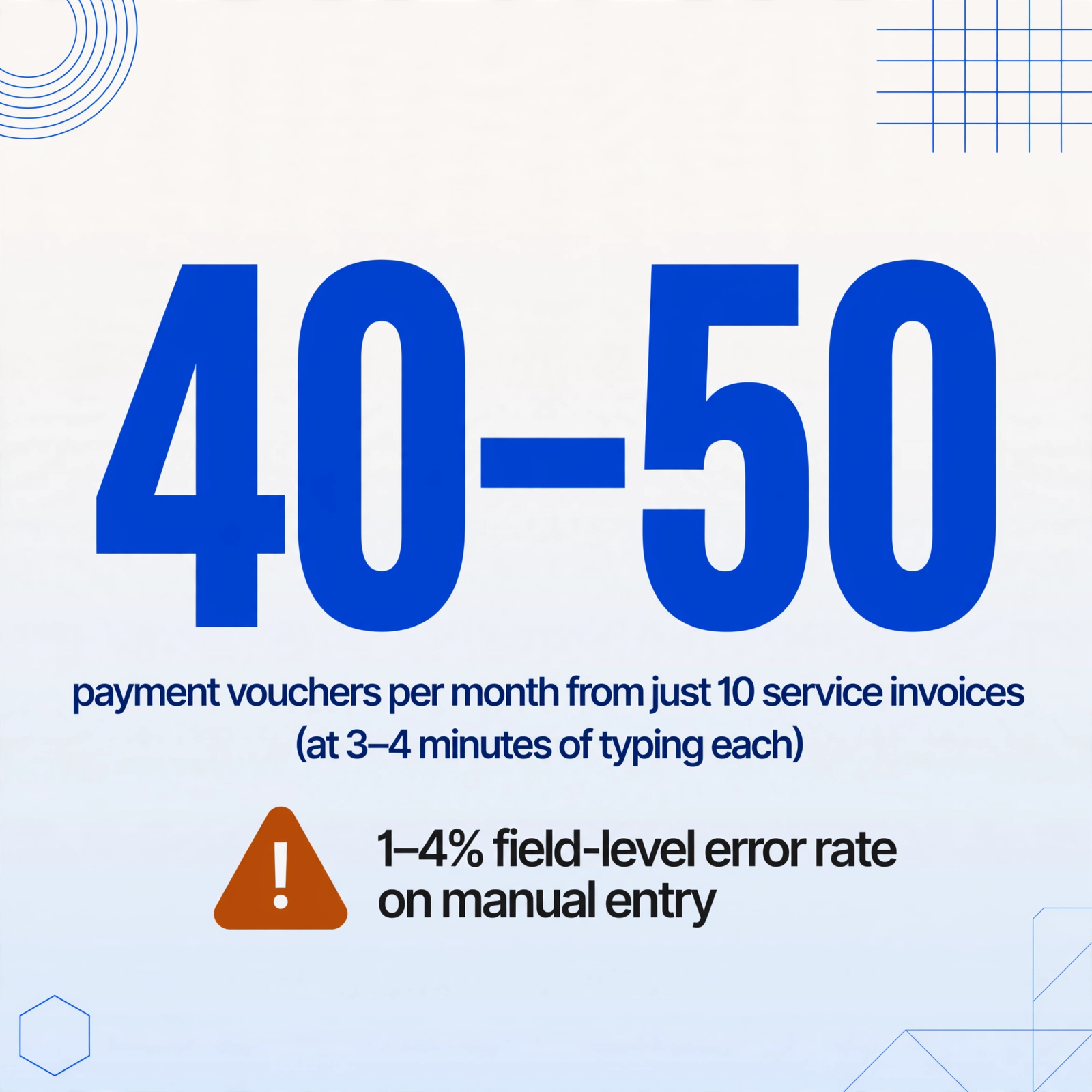
Consider the arithmetic of a mid-sized company paying ten service invoices per month. Each invoice can trigger separate DARF vouchers for IRRF, PIS, COFINS, and CSLL — some or all depending on the supplier's tax regime and the nature of the service. If any of those invoices involve labor or construction, a separate GPS for INSS is added. In total, ten invoices can easily produce 40 to 50 individual payment vouchers per month. At three to four minutes of typing per voucher — open the DARF PDF, read the CNPJ, read the revenue code, read the principal, read the total, type each into the spreadsheet — that is two to three hours of pure transcription every month. Across twelve months, that is roughly 24 to 36 hours of work that has no analytical value. It does not reconcile the payments. It does not flag missing vouchers. It just moves digits from one place to another.
The real risk is not wasted time — it is the error profile. Manual data entry in accounts payable environments typically produces 1% to 4% field-level error rates, according to industry benchmarks. On a DARF, the most consequential field is the código da receita — the four-digit revenue code that tells the Receita Federal which tax the payment belongs to. Entering code 1708 (IRRF withheld on services) instead of 2362 (IRPJ monthly estimate) means the payment is credited to the wrong tax account. Correcting it requires a formal REDARF (Rectificação do DARF) process that can take months to resolve, during which the Receita Federal's system may show the original tax as unpaid — triggering penalty notices, interest accrual, and in some cases restrictions on the company's tax clearance certificate (Certidão Negativa de Débitos). A single mistyped digit in a spreadsheet column cascades into a compliance issue that requires a tax consultant to unwind.
The problem is structural, not a training gap. Manual transcription introduces a failure point between the paid voucher (which is correct, because the bank processed it) and the tracking record (which is wrong, because a human typed it). The closer your tracking spreadsheet is to the source document — ideally, extracted directly from it — the fewer opportunities exist for that failure to occur.
Key Data Points on Each Document Type
Before extracting anything, you need a clear definition of what data matters. The fields below represent the minimum set needed to build a tax payment register that can be cross-referenced against DCTFWeb declarations and used for DIRF preparation at year-end.
| Document | Field | What It Tracks |
|---|---|---|
| DARF | CPF/CNPJ | Taxpayer identifier |
| Revenue Code (código da receita) | Which tax is being paid (e.g., 1708 for IRRF, 0190 for Carnê-Leão) | |
| Calculation Period (período de apuração) | Month/year the tax refers to | |
| Due Date | Payment deadline | |
| Principal Amount | Tax due before penalties | |
| Total Amount | Principal + fine + interest | |
| GPS | CNPJ/CEI | Employer or establishment identifier |
| Competência | Contribution month (e.g., 07/2026) | |
| INSS Value | Social security contribution amount | |
| Third-Party Entities Value | Contributions to SENAI/SESI/etc. per FPAS code | |
| Payment Code | Code identifying the type of contribution (employee, employer, optional) | |
| DAE (state) | CNPJ/CPF | Taxpayer identifier |
| ICMS/IPVA Reference | State tax being paid | |
| Calculation Period | Reference month/quarter | |
| Total Due | Amount paid |
If you are extracting DARF data for monthly compliance tracking, these six fields per document are the minimum viable set. The same logic applies to GPS and DAE — capture the identifier, the period, the code, and the value, and you have a register that can be summed, sorted, and reconciled against official declarations.
How to Extract DARF/GPS Payment Data to Excel Using AI
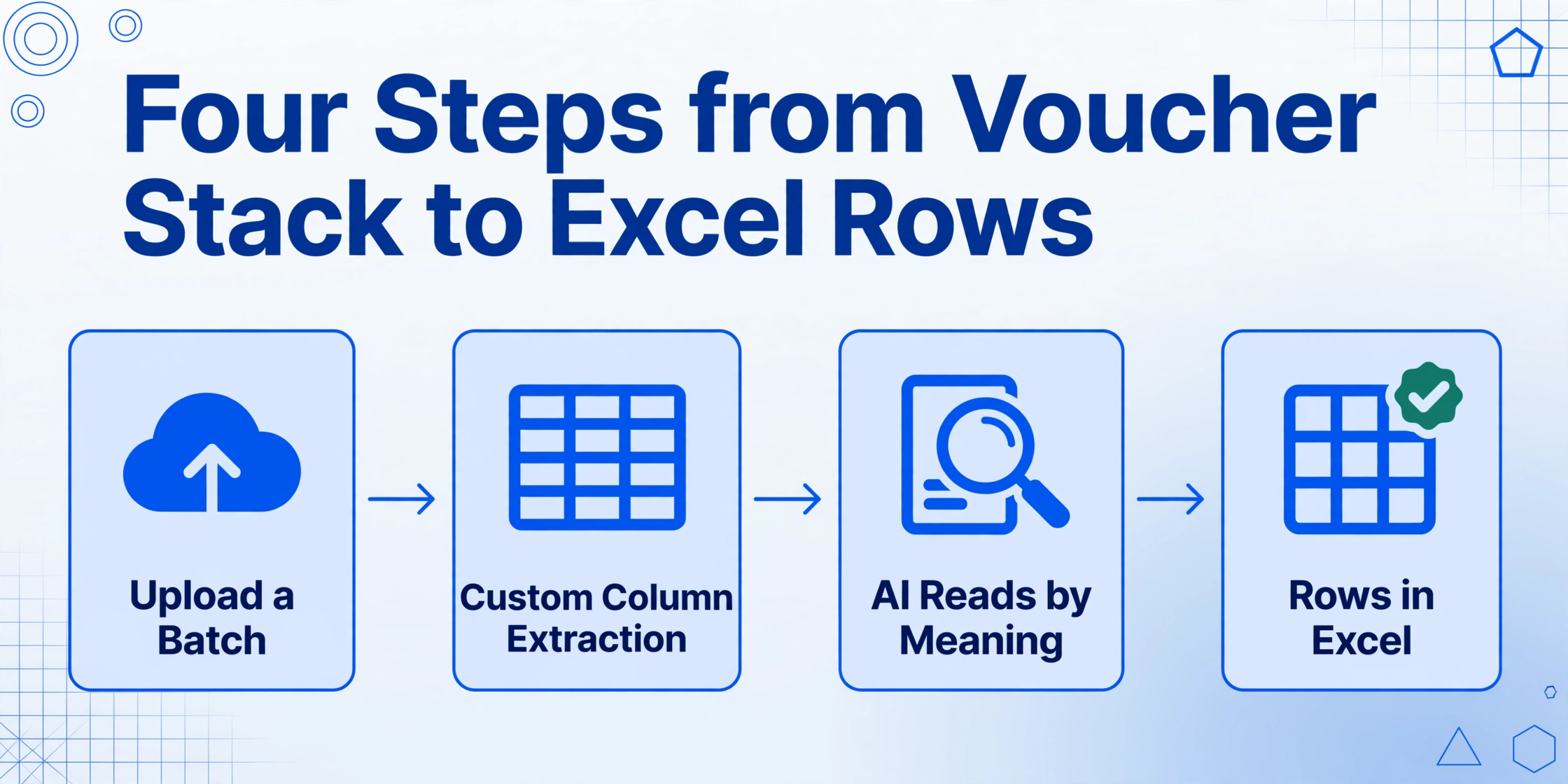
The extraction workflow described here uses ImageToTable.ai — a Template-Free AI extraction tool that reads documents by understanding the meaning of each value, not its position on the page. This distinction matters for Brazilian payment vouchers because DAE formats differ by state, GPS layouts vary slightly between online-generated and bank-processed versions, and DARF documents can come as printed PDF slips, internet banking screenshots, or government portal printouts — each with different visual layouts. A position-based template would break on the second variation. A semantic approach does not care where the field sits; it identifies it by what it is.
The process breaks into four steps:
The key operational difference from a manual workflow: the AI reads the source directly. There is no human-transcription step between the paid voucher and the spreadsheet row. The error vector of "I read the code correctly but typed 2361 instead of 2362" is eliminated because the code is copied from the document into the output by the same process that reads it.
Building Your Monthly Compliance Ledger from Extracted Data
Having DARF and GPS payment data in a structured spreadsheet unlocks more than a replacement for the manual typing process. It lets you build a working compliance ledger that serves as the operational bridge between paid vouchers and formal declarations.
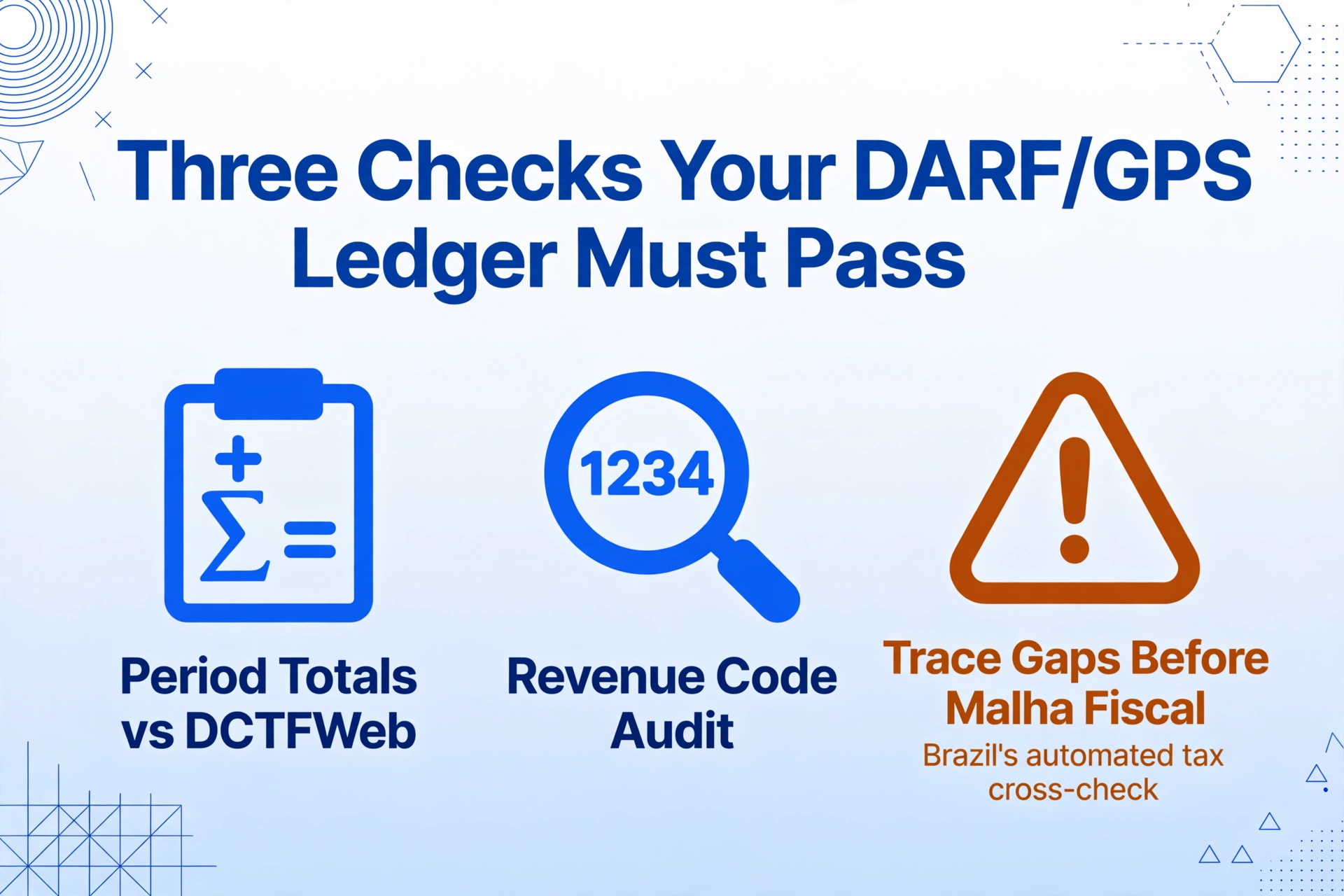
The minimum viable ledger has one row per payment voucher with these columns: document type (DARF/GPS/DAE), taxpayer CNPJ, revenue code or payment code, calculation period, due date, principal amount, and total amount paid. Once the data is in this format, three checks become straightforward:
Period-by-period totals. Sum the total amounts by calculation period and compare against the totals declared in DCTFWeb (for social security) or DCTF (for federal taxes). A mismatch means either a voucher is missing from the ledger or the declaration was filed with a different value. Catching this at month-end, rather than at DIRF preparation time in February, avoids the difficult process of amending past declarations.
Revenue code audit. Filter all rows by revenue code and check that the codes in your ledger match the taxes declared. If the DCTFWeb shows IRRF (code 1708) of R$15,000 for the period but your ledger sums to R$12,000, the difference needs to be traced before the Receita Federal's cross-reference system flags it. A manual spreadsheet risks this going unnoticed until the discrepancy surfaces in a Malha Fiscal notice — the Brazilian tax authority's automated cross-checking system that matches declarations against payment records.
Due date tracking. Sort by due date to identify vouchers that were paid late. Late INSS payments accrue multa de mora at 0.33% per day (up to 20%) plus Selic interest. Knowing which payments incurred penalties lets your team validate that the fine and interest amounts on the voucher were calculated correctly before payment — and provides the documentation needed if a penalty needs to be contested under the administrative appeals process (Processo Administrativo Fiscal).
With the extraction automated, the monthly cycle shifts from "type 40 vouchers, hope nothing is wrong" to "extract 40 vouchers in one pass, review exceptions, and reconcile against declarations." The review window replaces the data-entry window. That is the operational change that keeps compliance work manageable as document volumes grow.
Frequently Asked Questions
Can the AI extract data from DARF documents that don't have a barcode or QR code?
Yes — the extraction does not rely on barcodes, QR codes, or any machine-readable elements. The underlying vision model reads the printed or displayed text in the document and identifies fields by their semantic meaning. A DARF printed from SicalcWeb, a GPS generated by the Meu INSS portal, and a DAE screenshot from a state government website are all processed the same way: the AI locates the CNPJ because it understands that a 14-digit number following "CPF/CNPJ" is the taxpayer identifier, not because it is looking for a specific coordinate on the page.
What happens if a DARF was paid late and has fine and interest fields — does the tool capture them separately?
Yes. If your column definitions include "Principal Amount", "Fine Amount", and "Interest Amount" as separate columns, the AI extracts each value independently from the corresponding fields on the DARF. The same applies to GPS documents that include fine and interest charges. You can also define a computed column — "Total (Principal + Fine + Interest)" — and the AI calculates the sum during extraction, cross-referencing it against the total field on the document to flag discrepancies.
Does the tool work with DAE formats from different states, like São Paulo's DARE and Rio de Janeiro's DARJ?
Yes. Because the extraction is Format-Independent — it reads the document's content semantically rather than matching a template — variations in state-level DAE layouts do not cause failures. A DARE from São Paulo, a DARJ from Rio, and a DUA from another state are all processed with the same column definitions. The AI identifies the CNPJ, the reference period, the ICMS amount, and the total regardless of where those fields appear on each state's form. This is the key difference from template-based OCR tools, which would require a separate template for every state's format.
Can I extract data from GPS documents that include multiple contribution lines (employee INSS, employer INSS, third-party entities)?
Yes. Define columns for each line-item component — "Employee INSS", "Employer INSS", "Third-Party Entities" — and the AI extracts the corresponding values from the GPS breakdown section. For multi-line GPS documents where the same contribution category appears across different establishment codes (CEI), each establishment's data populates a separate row in the output table, maintaining the relationship between the CEI identifier and its contribution values.
How do I handle DARF payments made via PIX, where the payment receipt is a screenshot from a banking app?
Screenshots from banking apps (Caixa, Banco do Brasil, Itaú, Santander, etc.) are processed the same way as DARF documents. Upload the screenshot as an image file, define your column names, and the AI reads the payment details from the screen. The key requirement is that the DARF fields (revenue code, CNPJ, amount, period) are visible in the screenshot — if the banking app truncates or masks certain fields, those specific values may not be extractable. When possible, use the original DARF slip generated by SicalcWeb or e-CAC rather than the bank confirmation, as it contains the complete set of fields.
The difference between manual and automated extraction in this context is not speed — it is error elimination. A faster typing process still produces transcription errors. An AI that reads the source document and writes directly to the output eliminates the most common failure point in tax payment tracking: the human hand transferring digits from one surface to another. The compliance ledger built from automated extraction is only as correct as the source documents themselves — and the source documents were already correct when the bank processed them.
If your team processes Brazilian DARF, GPS, or DAE payment vouchers and tracks them in spreadsheets, the next step is straightforward: take one month's worth of vouchers — even a handful — and run them through the extraction workflow. The time from upload to a structured Excel table is under a minute. Compare the output against your manual ledger and see which one you trust more for the next DIRF filing.