Brazilian NF-e Nota Fiscal
XML to Excel Extraction
The printed document sitting on your desk — the DANFE — contains less than 10% of the data in your vendor's NF-e. Every line-item tax calculation, every CFOP fiscal code, every NCM product classification, and the full PIS/COFINS breakdown that determines your input tax credits: none of it appears on that page. The complete invoice is the XML file your Brazilian supplier already generated, and it contains over 500 structured fields you are paying for but not using.
Key Takeaways
- The DANFE your AP team manually keys into Excel was designed for highway police to scan barcodes during cargo transport, not for accounting — it omits 90% of your invoice data, including every per-line tax breakdown that determines your ICMS (state sales tax) and PIS/COFINS (federal social contribution) credit recovery.
- The complete invoice — an NF-e XML (Nota Fiscal Eletrônica, Brazil's electronic invoice format) with 500+ machine-readable fields — already exists for every transaction because Brazilian law requires your vendor to digitally sign and submit it to SEFAZ, the state tax authority, before goods can legally leave the warehouse.
- You do not need a Brazilian ERP localization module — feed the NF-e XML or the DANFE into ImageToTable.ai, define the columns you need once, and get every tax detail including CFOP (fiscal operation codes), NCM (product classifications), and ICMS amounts into Excel without writing a single XPath query.
How this guide relates to our other NF-e content: this page is the methods comparison — it walks through the three extraction approaches (ERP module, XML scripting, AI extraction) and the fields each one can recover. If you need the complete technical reference — full XML field mapping tables, CST/CFOP/NCM code tables, ICMS-ST handling, and event-driven extraction (cancellation, CC-e, contingency) — see our complete NF-e extraction field mapping guide. If you're new to NF-e entirely, start with the beginner's guide to the Nota Fiscal Eletrônica.
The DANFE Trap: Why Most International AP Teams Are Processing the Wrong Document
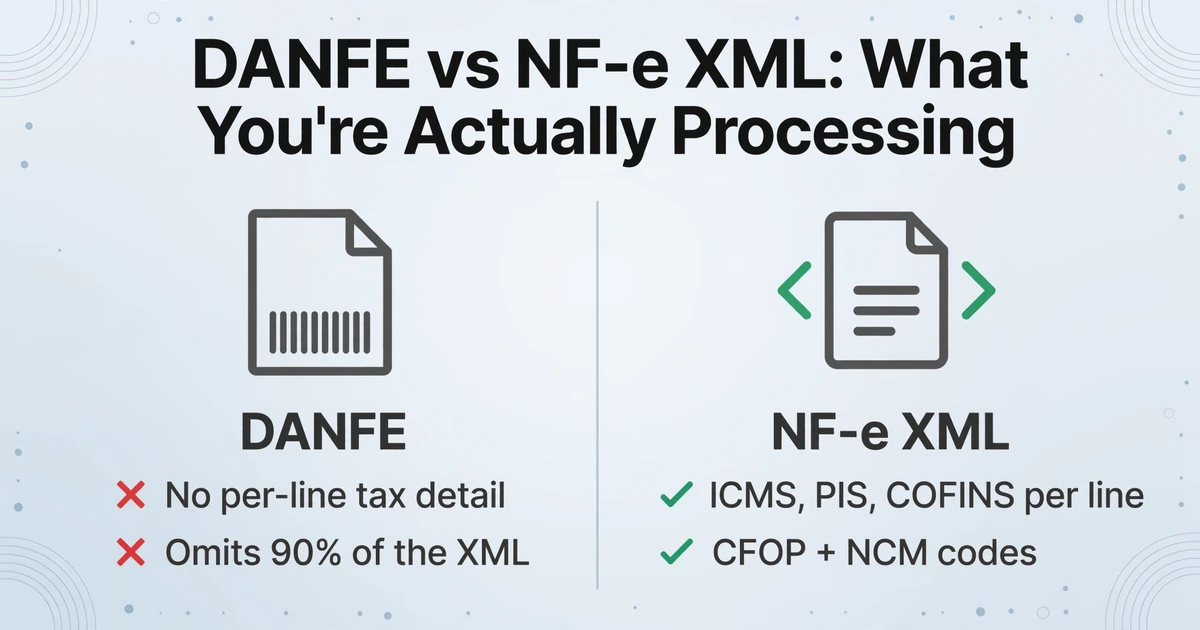
When a shipment arrives from a Brazilian supplier, the driver hands over a printed document with a barcode and a 44-digit number in the top-right corner. This is the DANFE — Documento Auxiliar da Nota Fiscal Eletrônica — and the word "auxiliary" in its name is not decorative. It exists for exactly one purpose: to accompany physical goods during transport so that fiscal authorities at highway checkpoints can scan the barcode and verify the shipment. It was never designed to be a complete invoice.
Yet for the vast majority of international AP teams receiving Brazilian goods, the DANFE is the invoice. It gets scanned, OCR'd, or manually keyed into the ERP. The 44-digit access key gets copied — dutifully, all 44 digits — into a field labeled "Invoice Number." And then the AP clerk moves on to the next document, unaware that for every vendor, for every shipment, the full invoice already exists in a machine-readable XML format that the Brazilian government requires the seller to generate, digitally sign with an ICP-Brasil certificate, and submit to SEFAZ (the state tax authority) before the goods could legally leave the warehouse.
The scale of data loss is not marginal. The DANFE prints a condensed summary — vendor name, buyer name, date, line items with quantities and unit prices, and a grand total. The NF-e XML, governed by over 400 automated validation rules run by SEFAZ at the point of authorization, contains more than 500 structured tags under the current layout version 4.0, defined by Nota Técnica 2016/002. The difference between the two documents is the difference between a receipt slip and the complete fiscal record of a transaction — one that determines your input tax credits, your customs reconciliation, and your audit trail for the next five years.
The DANFE vs. XML distinction is not a minor technicality. It is the single most important concept for any AP department handling Brazilian vendor invoices, and it has a direct financial consequence: if your team is entering data from the DANFE, you are manually re-keying a fraction of information that already exists in structured, machine-readable form — and missing the tax detail that determines whether you are recovering the right amount of ICMS, IPI, PIS, and COFINS on every transaction.
What's Inside an NF-e XML — and Why It Matters for AP
An NF-e XML is not just an invoice rendered in angle brackets. It is a legally authoritative fiscal document that carries the seller's digital signature, has been validated against 400+ SEFAZ rules, and stores tax data at a granularity that exceeds any e-invoicing standard outside Brazil. By comparison, the European Peppol BIS standard uses approximately 100 elements. An NF-e carries five times that — and every element is machine-readable.
Before you can design an extraction workflow, you need to understand what you are extracting. Here are the major element groups inside every NF-e XML and why each matters for accounts payable:
| XML Element Group | What It Contains | Why AP Needs It |
|---|---|---|
<ide> (Identification) | 44-digit access key, document model (55=NF-e), series, number, issue date/time, emission type, SEFAZ authorization protocol | Uniquely identifies every NF-e globally. The protocol number confirms SEFAZ authorization. Use the access key to verify authenticity at any time. |
<emit> (Issuer) | CNPJ (14-digit corporate tax ID), legal name, trade name, full address with IBGE municipality code, state registration (Inscrição Estadual) | CNPJ is the vendor master key — it matches your supplier records. The state registration determines which SEFAZ jurisdiction owns the transaction. |
<dest> (Recipient) | Your CNPJ or CPF, legal name, address, state registration, ISUF (tax substitution indicator) | Verifies the invoice was issued to your correct Brazilian entity. Critical for tax credit eligibility. |
<det> (Line Items) | Product code, description, NCM (8-digit Mercosur classification), CFOP (4-digit fiscal operation code), quantity, unit price, line total | Every line item carries its own NCM and CFOP — two codes that determine applicable tax rates and credit eligibility. These do not appear on the DANFE. |
<imposto> (Taxes) | ICMS (taxable base, rate, amount, CST tax situation code, origin), IPI (base, rate, amount, CST), PIS (base, rate, amount, CST), COFINS (base, rate, amount, CST) | The full tax calculation at line-item level. ICMS rates vary by state of origin and destination (4%, 7%, or 12% interstate; 17%-22% internal). PIS/COFINS determine federal tax credits. None of this appears on the DANFE. |
<total> (Totals) | ICMS total, ICMS-ST (tax substitution) total, IPI total, PIS total, COFINS total, freight, insurance, discounts, net NF-e total | Column-by-column breakdown of all tax aggregates. Reconcile against your ERP tax accounts. |
<transp> (Transport) | Carrier CNPJ, freight mode, vehicle plates, shipment volume and weight | Three-way matching against logistics records. Freight amounts affect the ICMS taxable base. |
<cobr> (Billing) | Payment terms, installment dates and amounts, bank details | AP scheduling. Brazilian invoices often carry multi-installment payment structures (duplicatas). |
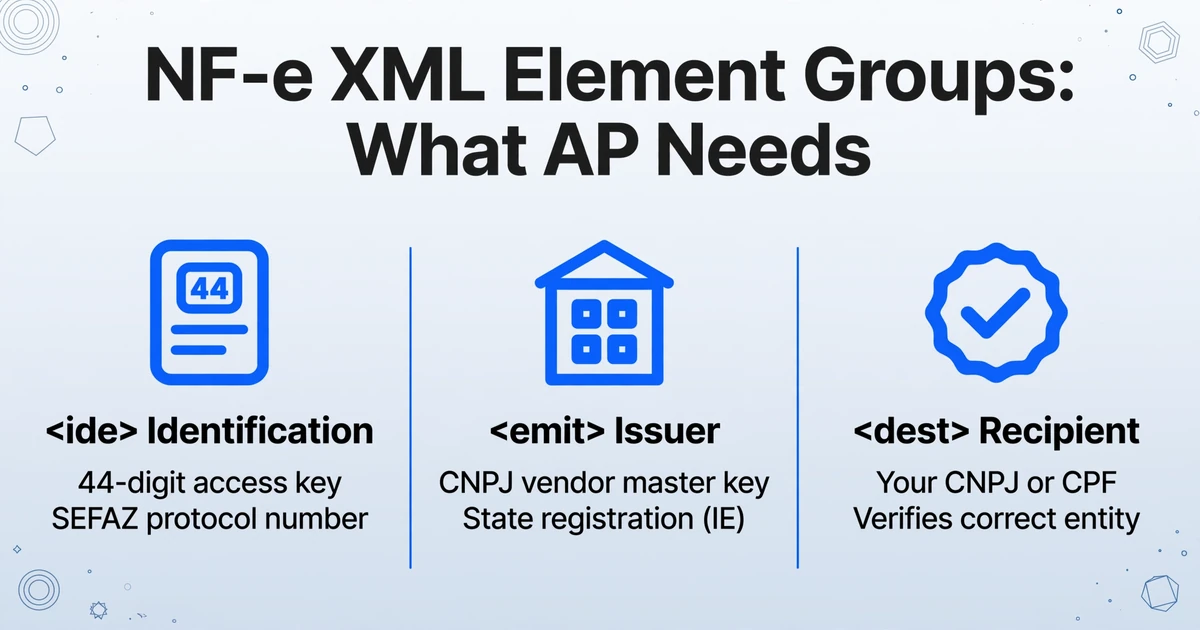
The 44-digit access key (chave de acesso) is the NF-e's universal identifier. It encodes the issuer's state (first 2 digits, per IBGE code — 35 for São Paulo, 33 for Rio de Janeiro, 31 for Minas Gerais), the year-month of issue (next 4), the issuer's CNPJ (next 14), the document model (2), the series (3), the sequential number (9), the emission type (1), a random collision-avoidance code (8), and a modulo-11 check digit (1). Every NF-e XML carries this key in its <infNFe Id="NFe...> attribute, and you can use it to query SEFAZ directly to verify authenticity, check for cancellations, or download the full XML if your vendor only sent the DANFE.
The DANFE is not the invoice. The XML is. Brazilian tax law requires the signed XML to be archived for a minimum of five years as the legally authoritative record of the transaction. The DANFE — printed on ordinary paper, carrying no signature, containing a fraction of the data — exists only to satisfy the physical inspection requirement during goods transport. If your AP team is booking entries from the DANFE, you are building your audit trail on a document that Brazilian tax law considers supplementary.
Setting Up Your NF-e XML Extraction Workflow
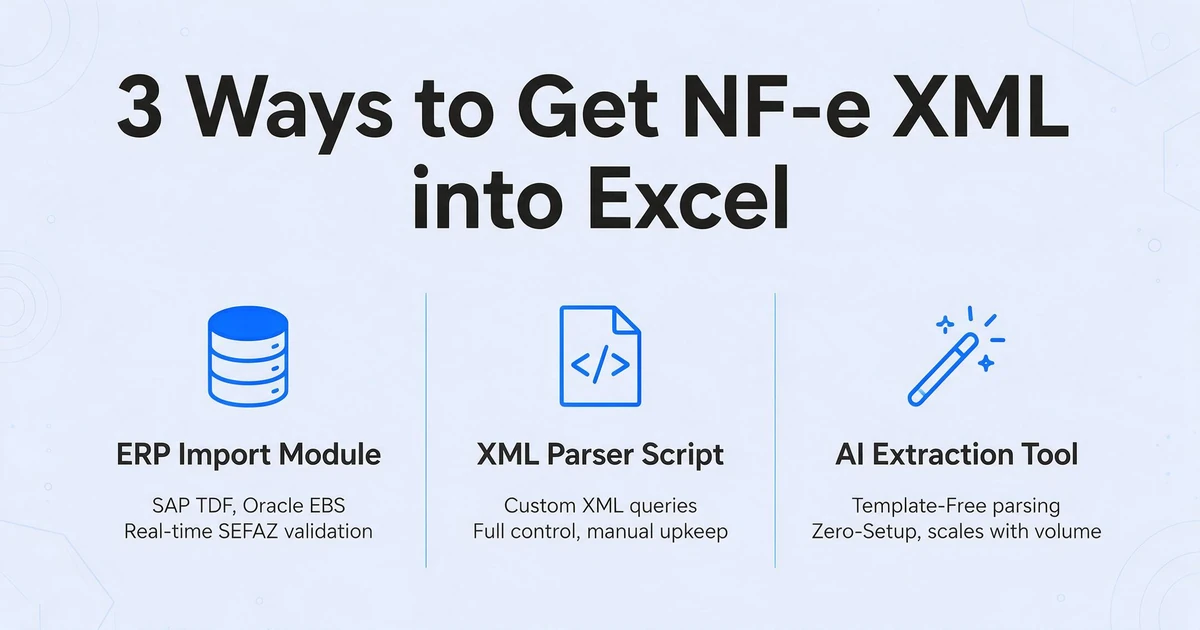
There are three distinct approaches to getting NF-e XML data into an Excel spreadsheet, and they sit at very different points on the cost-complexity spectrum. Which one fits you depends on your volume, your ERP setup, and whether your Brazilian subsidiary already runs a localization module.
Method 1: ERP Import Module (SAP TDF, Oracle EBS Brazil, Dynamics 365 Finance)
If your company operates SAP, Oracle EBS, or Microsoft Dynamics 365 with the Brazil localization module activated, the ERP itself can import NF-e XML files directly. SAP's TDF (Nota Fiscal module) processes inbound NF-e XMLs through transaction J1BNFE, mapping each XML element to the corresponding SAP table. Oracle EBS Brazil localization (available on 12.2.6+) uses the XML Generator SEFAZ program (P76B601) for imports. Dynamics 365 Finance provides a dedicated import workflow under Accounts Payable > Brazilian Localization > Import NF-e XML.
This is the gold standard — it validates against SEFAZ in real time, posts to the correct tax accounts, and handles three-way matching automatically. It also comes with a price tag. SAP and Oracle Brazil localization modules are separate license costs, and TOTVS — the dominant ERP among Brazilian mid-market companies with a 33% market share according to the most recent Fundação Getúlio Vargas (FGV) survey — is entirely Brazil-focused and uncommon outside the country. If your global AP team doesn't have a Brazilian ERP localization, this approach is not available to you.
Method 2: XML-to-Excel Conversion
At its simplest level, an NF-e XML is an XML file, and any XML file can be converted to a spreadsheet format. Tools like Microsoft Excel's built-in XML import (Data > Get Data > From File > From XML), online converters, or Python scripts using libraries like xml.etree.ElementTree can flatten the XML structure into rows and columns.
The challenge with generic XML conversion is the NF-e schema's depth. A single NF-e XML nests line-item data inside <det> elements, each of which contains its own <imposto> subtree with separate ICMS, IPI, PIS, and COFINS groups. A naive XML-to-CSV conversion will flatten this into a single row with hundreds of columns, many named identically (every line item has a vProd field, every tax group has a vBC field). The output is technically "in Excel," but it's not usable without substantial cleanup.
Python's xml.etree or lxml with explicit XPath queries gives you precise control — you extract exactly the elements you need and map them to named columns. This works well if you have development resources available, but requires maintaining XPath mappings that break whenever the NF-e schema is updated. With the 2026 tax reform adding new CBS/IBS element groups to the schema (see below), those mappings will need updating.
Method 3: AI-Powered Document Extraction
A third approach — one that avoids both the cost of ERP localization and the fragility of XPath scripting — is AI-based document extraction. Rather than parsing XML directly, you upload the DANFE (or the NF-e XML rendered as a PDF by your vendor's system) to an extraction tool, specify which columns you want the output table to contain — "CNPJ," "Invoice Number," "ICMS Base," "ICMS Amount," "NCM Code," "CFOP" — and the AI reads the document to locate each value, regardless of where it appears on the page.
This approach — sometimes called Custom Column Extraction — works differently from template-based OCR. Traditional OCR requires you to define a template for each supplier's invoice layout, telling the system "the invoice number is always at coordinates (x,y)." If the layout changes, the template breaks. Column-based extraction instead works by semantic understanding: you name the fields you want, and the AI locates the corresponding values anywhere in the document by understanding what the field means, not where it sits. This is particularly relevant for NF-e processing because Brazilian suppliers' DANFE layouts vary widely — there is no standardized visual template, only the standardized XML schema underneath.
The limitation, and it is an honest one, is that you are still extracting from the DANFE's visual layout rather than from the machine-readable XML. You are getting the 10% of data that the DANFE shows, not the 500+ fields in the XML. For many AP use cases — header data, line items, totals — this is sufficient and dramatically faster than manual entry. But if you need the full PIS/COFINS per-line calculations, CFOP codes, or CST tax situation codes that exist only in the XML, AI extraction from the DANFE cannot recover data that isn't printed on the page.
| Method | What You Can Extract | Cost Level | Setup Effort | Ongoing Maintenance |
|---|---|---|---|---|
| ERP Import Module | 100% of XML fields — full tax detail, CFOP, NCM, CST, transport, billing | Enterprise (license + implementation) | High — requires localization module deployment | Moderate — schema updates across ERP version upgrades |
| XML-to-Excel (Script/Converter) | 100% of XML fields — any element you write XPath for | Low (development time or free tools) | Medium — XPath mapping, schema familiarity required | High — XPath queries break on schema changes; 2026 CBS/IBS fields will require rewrites |
| AI Extraction from DANFE | Everything printed on the DANFE (10% of XML data): header, line items, totals, access key | Low (per-document or subscription) | Low — define column names, upload documents | Minimal — no templates to maintain; layout changes handled by the AI |
| Manual Data Entry | Whatever the AP clerk has time to type | Hidden — 3 min/page at staff cost, ~18x slower than automated extraction | None | Error rate compounds with volume |
Mapping NF-e Fields to Your Spreadsheet: What to Extract and Why
Whether you are writing XPath queries for XML parsing or defining column names for AI extraction, the columns you choose determine the usefulness of the output. Here is a practical field mapping that covers the three core AP workflows — vendor verification, three-way matching, and tax credit booking — using the actual XML element paths.
| Your Spreadsheet Column | NF-e XML Element (XPath) | Used For |
|---|---|---|
| Invoice Number | /nfeProc/NFe/infNFe/ide/nNF | Document identification |
| Access Key | /nfeProc/NFe/infNFe/@Id (extract the 44 digits after "NFe") | SEFAZ verification, cancellation check, XML retrieval |
| Issue Date | /nfeProc/NFe/infNFe/ide/dhEmi (ISO 8601 datetime, convert to local date) | Booking date, payment terms calculation |
| Authorization Date | /nfeProc/NFe/infNFe/ide/dhSaiEnt | Goods actually shipped — SEFAZ authorized before this timestamp |
| Supplier CNPJ | /nfeProc/NFe/infNFe/emit/CNPJ | Vendor master match (14-digit key, no formatting) |
| Supplier Name | /nfeProc/NFe/infNFe/emit/xNome | Vendor verification |
| Supplier State IE | /nfeProc/NFe/infNFe/emit/IE | State tax registration — determines ICMS jurisdiction |
| Line Item NCM | /nfeProc/NFe/infNFe/det[n]/prod/NCM | Product classification — validates IPI rate and import duty applicability |
| Line Item CFOP | /nfeProc/NFe/infNFe/det[n]/prod/CFOP | Fiscal operation type — determines tax treatment and credit eligibility |
| Line Item Description | /nfeProc/NFe/infNFe/det[n]/prod/xProd | PO matching |
| Quantity | /nfeProc/NFe/infNFe/det[n]/prod/qCom | Goods receipt reconciliation |
| Unit Price | /nfeProc/NFe/infNFe/det[n]/prod/vUnCom | PO price matching |
| Line Total | /nfeProc/NFe/infNFe/det[n]/prod/vProd | Line-level amount verification |
| ICMS Taxable Base | /nfeProc/NFe/infNFe/det[n]/imposto/ICMS/*/vBC (varies by ICMS subgroup) | Tax credit calculation — must match the ICMS rate for the origin-destination state pair |
| ICMS Rate | /nfeProc/NFe/infNFe/det[n]/imposto/ICMS/*/pICMS | Validate against the correct state rate (12% South/Southeast interstate, 7% to other regions, 4% for imports; 17%-22% internal) |
| ICMS Amount | /nfeProc/NFe/infNFe/det[n]/imposto/ICMS/*/vICMS | Actual ICMS credit to book |
| ICMS CST | /nfeProc/NFe/infNFe/det[n]/imposto/ICMS/*/CST | Tax situation — 00=taxed, 40=exempt, 60=previously taxed, etc. |
| IPI Amount | /nfeProc/NFe/infNFe/det[n]/imposto/IPI/*/vIPI | Federal excise tax — recoverable as credit by industrial establishments |
| PIS Amount | /nfeProc/NFe/infNFe/det[n]/imposto/PIS/*/vPIS | Federal social contribution — 1.65% non-cumulative rate |
| COFINS Amount | /nfeProc/NFe/infNFe/det[n]/imposto/COFINS/*/vCOFINS | Federal social contribution — 7.6% non-cumulative rate, largest federal tax item |
| Invoice Total | /nfeProc/NFe/infNFe/total/ICMSTot/vNF | Net invoice value — the amount to pay |
A critical detail: the ICMS element path depends on the tax situation. The NF-e schema uses different XML subgroups for different ICMS regimes — ICMS00 for standard taxed operations, ICMS40 for exempt, ICMS60 for previously taxed with tax substitution. Your extraction logic must navigate this branching structure: check which subgroup exists under <ICMS> before attempting to read its children.
Handling Brazil's Tax Complexity in Extracted Data
Extracting the data is the first step. Validating it is where the real work begins — and where most errors that surface during a fiscal audit originate. Brazil's tax system operates across three levels of government (federal, state, municipal) with rates that vary by product classification, origin-destination pair, and the legal nature of the operation. Here are the validation checks that should be part of any NF-e data extraction workflow:
ICMS Rate Validation by State Pair
ICMS rates are not uniform. For interstate transactions, the rate is determined by the origin and destination states:
| From (Origin Region) | To (Destination Region) | Interstate ICMS Rate |
|---|---|---|
| South & Southeast (SP, RJ, MG, RS, SC, PR, ES) | South & Southeast | 12% |
| South & Southeast | North, Northeast, Midwest + Espírito Santo | 7% |
| North, Northeast, Midwest | Any state | 12% |
| Any state (imported goods with >40% foreign content) | Any state | 4% |
For internal (in-state) transactions, rates range from 17% to 22% depending on the state. As of 2024, Pernambuco charges 20.5%, Bahia 20.5%, Maranhão 22%, Rio de Janeiro 20%, São Paulo 18%, Santa Catarina 17%. These rates changed for 11 states in 2024 alone — Bahia's rate increased from 19% to 20.5% on February 7, Maranhão from 20% to 22% on February 19 — and your extraction validation logic must stay current with the rate table for every Brazilian state you receive invoices from.
CFOP Code Interpretation
The CFOP (Código Fiscal de Operações e Prestações) is a 4-digit code that classifies the fiscal nature of the transaction. It is pre-defined by SEFAZ — not free text — and the first digit tells you whether this is an inbound or outbound operation and which state the goods originate from:
| CFOP Prefix | Meaning | Example |
|---|---|---|
| 1xxx | Inbound — within state | 1101 = Purchase for industrialization (in-state) |
| 2xxx | Inbound — from another state | 2101 = Purchase for industrialization (interstate) |
| 3xxx | Inbound — from abroad (import) | 3101 = Import for industrialization |
| 5xxx | Outbound — within state | 5101 = Sale of goods produced/assembled by the company (in-state) |
| 6xxx | Outbound — to another state | 6101 = Sale of goods produced/assembled (interstate) |
| 7xxx | Outbound — to abroad (export) | 7101 = Export of goods produced/assembled |
For the recipient, the CFOP on an inbound invoice (1xxx, 2xxx, or 3xxx) determines whether ICMS and IPI credits are available, and under which rules. A CFOP 1101 (in-state purchase for industrialization) typically entitles you to full ICMS credit at the internal rate. A CFOP 1102 (in-state purchase for resale) may carry different treatment. And this interacts with the CST (Código de Situação Tributária) — the 2-digit code that specifies whether the item is taxed (00), exempt (40), subject to tax substitution (60), or falls under a special regime. The CFOP tells you what kind of operation this is; the CST tells you how it's taxed. Both must be extracted and cross-validated.
NCM Classification and Its Downstream Effects
The NCM (Nomenclatura Comum do Mercosul) is an 8-digit code based on the international Harmonized System with two additional Mercosur-specific digits. It appears on every line item and determines the IPI rate for that product (published in the TIPI table, a 400+ page PDF updated by Receita Federal), any import duty rate, and — critically — whether the product qualifies for tax benefits (reduced rates, presumed credits, or exemptions) that override the standard tax calculation.
An NCM code that falls under a tax benefit regime means the standard ICMS or IPI rate shown on the invoice may not be what you book as a credit. Your extraction workflow should flag any line item whose NCM matches known benefit categories so that your tax team can verify the credit calculation — not just assume the gross rate is correct.
The 2026 Tax Reform and What It Means for Your Extraction Workflow
Brazil's tax reform — enacted through Constitutional Amendment 132/2023 and regulated by Complementary Law 214/2025 — is fundamentally restructuring the country's indirect tax system. Five existing taxes (PIS, COFINS, ICMS, ISS, and IPI) are being gradually replaced by a dual VAT model: CBS (Contribuição sobre Bens e Serviços) at the federal level and IBS (Imposto sobre Bens e Serviços) at the state and municipal level, plus a Selective Tax (IS) on goods deemed harmful to health or the environment.
The transition timeline is:
| Year | What Happens | Impact on NF-e Extraction |
|---|---|---|
| 2026 | Test phase: CBS at 0.9%, IBS at 0.1% shown on invoices but not collected. Both old and new tax fields appear in the XML. | NF-e schema expanded with new <CBS> and <IBS> element groups alongside existing <ICMS>, <PIS>, <COFINS> groups. Extraction logic must handle dual schemas. |
| 2027 | CBS collection begins, replacing PIS and COFINS. IPI rates begin phasing down. | Extraction must distinguish which tax fields are fiscal (actual monetary impact) vs. informational (legacy fields still present). |
| 2029 | IBS begins phasing in, replacing ICMS and ISS state by state. Dual regime: some states under legacy ICMS, others under IBS. | The state-rate variation problem intensifies — one invoice may have ICMS, another IBS, depending on the seller's state transition status. |
| 2033 | Full implementation: ICMS, ISS, PIS, COFINS, and IPI abolished. Only CBS, IBS, and Selective Tax remain. | XML schema stabilizes. Extraction mappings can be consolidated to the final field set. |
The immediate operational concern for AP teams is the dual-schema period from 2026 through 2033. During these years, NF-e XML files will carry both legacy and new tax element groups simultaneously. An extraction workflow that hard-codes field mappings to the pre-2026 schema (reading only vICMS, vPIS, vCOFINS) will silently ignore the new CBS/IBS fields. This isn't a future problem — it starts now. As of August 1, 2026, NF-e XMLs submitted without CBS/IBS fields will be rejected by SEFAZ. The schema change is mandatory, not optional.
If you are writing XML parsing scripts, plan for schema branching: detect which tax groups exist in the document, extract whichever ones are present, and normalize them into a consistent output column set. If you are using AI-based extraction from the DANFE, verify with your provider whether CBS/IBS fields will be recognized when they begin appearing on the printed representation.
Frequently Asked Questions
Can I get the full XML data from just the DANFE?
No. The DANFE is a printed summary that omits more than 90% of the data in the XML. It was designed for physical inspection during transport, not for financial processing. The full tax breakdowns, CFOP codes, NCM classifications, CST tax situation codes, and transport details exist only in the XML. If your vendor only sent the DANFE, ask them for the XML — they are legally required to provide it, and you can also retrieve it from SEFAZ using the 44-digit access key printed on the DANFE.
How do I know which ICMS rate applies to a specific invoice?
The ICMS rate on an NF-e is determined by the origin state (extracted from the issuer's state registration in <emit>), the destination state (your entity's state in <dest>), and whether the goods contain more than 40% imported content (which triggers the 4% rate regardless of the state pair). The XML itself carries the rate applied by the seller in pICMS, but you should validate it against the correct rate table rather than assuming the seller applied it correctly — rate errors are a common audit finding.
Can AI automatically interpret CFOP codes correctly?
CFOP codes are extracted as-is from the document — the 4-digit code appears on the DANFE and in the XML. Whether the tool can interpret the code (e.g., identify it as "in-state purchase for resale" vs. "interstate purchase for industrialization") depends on the tool's capabilities. Some AI extraction tools can map CFOP codes to their descriptions using a reference table. If interpretation is critical to your workflow, verify with your tool provider whether CFOP mapping is supported, or maintain a separate lookup table in Excel to decode the extracted codes.
Our company doesn't have a Brazilian ERP localization. Can we still extract NF-e data?
Yes. The XML itself is a standard-format file that any company with the XML file can parse. You don't need SAP TDF or Oracle Brazil localization to read it. Python scripts, online XML-to-Excel converters, or AI extraction tools can all get the data into a spreadsheet. The ERP localization module adds integration (automatic posting, SEFAZ validation, tax account mapping), but it is not required for extraction.
Does NF-e extraction cover SPED reporting requirements?
No. SPED (Sistema Público de Escrituração Digital) is Brazil's digital bookkeeping system that requires separate filings — EFD-ICMS/IPI for state tax, EFD-Contribuições for PIS/COFINS, and ECD for digital accounting books. NF-e extraction gets the invoice data into Excel; it does not generate SPED-compliant files. SPED filings require mapping the extracted data to the specific SPED layout codes and submitting through government-validated software — a separate workflow handled by your Brazilian accounting team or tax compliance provider.
What happens if a vendor cancels an NF-e after I've already extracted the data?
An NF-e can be cancelled by the issuer within 24 hours of authorization if the goods have not yet shipped. The cancellation creates an event (cancellation event) in SEFAZ's system tied to the same 44-digit access key. Any query against that key will return the cancelled status. Your extraction workflow should periodically validate access keys against SEFAZ — especially for invoices near payment dates — to avoid booking entries against cancelled documents. Under the 2026 reform, cancellation after the taxable event carries a penalty of 66% of the tax due, which should reduce the frequency of late cancellations, but verification remains a necessary control.
How do I handle batch extraction of multiple NF-e XML files?
For XML-based methods, use a script that loops through a directory of XML files, extracts the same set of XPath queries from each, and appends the results to a cumulative spreadsheet. For AI-based extraction from DANFE PDFs, use the batch processing capability — upload multiple DANFE files together, specify your column definitions once, and the tool will extract from each document and merge the results into a single Excel file. This approach also handles mixed formats: if some of your vendors send DANFE PDFs and others send the XML rendered as a printout, batch processing extracts from both in the same pass.
How accurate is NF-e data extraction compared to manual entry?
For XML-based extraction, accuracy is effectively 100% for the fields you target — you are reading structured data from a machine-readable file, not interpreting a visual layout. For AI-based extraction from the DANFE, printed text accuracy can reach up to 99%, but accuracy on complex fields (like the 44-digit access key, where a single transposed digit invalidates the key) depends on the tool's handling of long numeric strings. The real accuracy gain over manual entry is not just about character-level precision — it's about completeness. A human entering data from a DANFE typically captures 8-12 fields per invoice. Automated extraction captures every field you specify across every document, which eliminates the data omission that is the most common and least visible form of manual entry error.
From the DANFE to the Spreadsheet
The leap in data quality between processing a printed DANFE and extracting from an NF-e XML is not incremental — it's the difference between 10 fields and 500. More importantly, it's the difference between guessing at your Brazilian tax credits and verifying them. Every NF-e XML your vendor generates contains the precise ICMS, IPI, PIS, and COFINS amounts you are entitled to recover — and every one you process from the DANFE alone leaves that detail unread.