How to Extract Carrier COI Data for
Freight Compliance (2026 Guide)
In 2025, the carrier onboarding and compliance platform market hit $1.8 billion and is projected to reach $3.8 billion by 2034. The single most time-consuming document in every broker's compliance stack? The ACORD 25 Certificate of Liability Insurance. A one-page form with 129 fillable fields, and the only thing standing between a carrier and a dispatch. Here's how to extract the fields that matter — Auto Liability limit, Cargo coverage, expiry dates, Certificate Holder — from any COI and get them into a spreadsheet you can actually use.
Key Takeaways
- Every carrier COI takes 3 minutes to type into a spreadsheet — at 500 carriers, that's 25 hours a month eaten by data entry before any compliance analysis begins.
- Your TMS tracks dispatch and invoicing down to the dollar, but has no idea a carrier's auto liability expired 12 days ago — because not a single platform in this industry was built to read a form.
- Flip the model: treat COIs as a dataset, extract all of them in one batch, and let Excel formulas flag below-minimum limits and expired dates. Compliance review becomes a Monday morning sort-and-check that finishes before your coffee gets cold.
The Compliance Clock Is Ticking
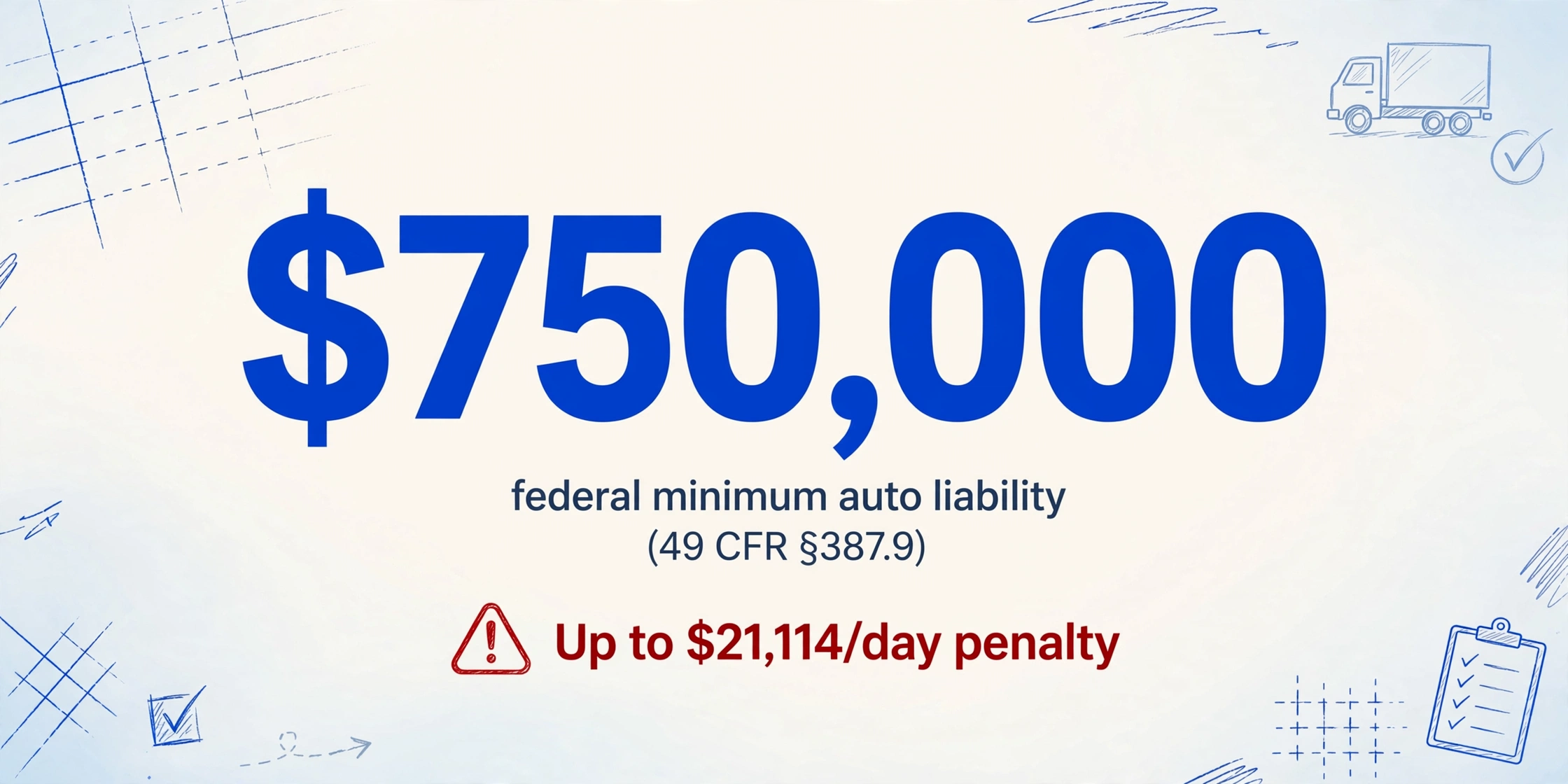
Here's a number most brokers learn the hard way: under 49 CFR §387.7, no motor carrier may operate a commercial vehicle until it has obtained and maintains in effect the minimum levels of financial responsibility. For a standard for-hire property carrier with a GVWR of 10,001 pounds or more, that floor is $750,000 in public liability insurance (49 CFR §387.9). Hauling hazardous materials? The minimum jumps to $1,000,000. Explosives, poison gas, or radioactive materials? $5,000,000.
Those aren't suggestions. Operating below the federal minimum is a separate offense every day the coverage gap exists, and the current FMCSA penalty schedule puts that at up to $21,114 per day (49 CFR Part 386, Appendix B, 2025 adjusted). More immediately, FMCSA may suspend the carrier's operating authority the moment coverage lapses — and no active authority = no dispatch. For a broker, that means a carrier you rely on for a lane you quoted this morning is suddenly off the board. No warning email. No grace period.
And yet, for most small to mid-sized brokerages — managing between 100 and 500 active carriers — COI verification happens manually, in email, with a PDF viewer. The TIA (Transportation Intermediaries Association), which represents over 2,000 third-party logistics companies (70% of them small family-owned businesses), has acknowledged in its Carrier Selection Framework that proper insurance documentation is foundational to carrier vetting. But frameworks don't extract data from forms.
This is where most brokers find themselves: knowing exactly what they need to check, but lacking a method that scales past the 50-carrier mark. If you're new to COI extraction as a concept, we've covered the fundamentals in our overview of what COI data extraction actually is — and the complete guide to COI extraction walks through applicability across industries. This article focuses specifically on the freight compliance workflow.
Reading an ACORD 25 Like a Freight Broker
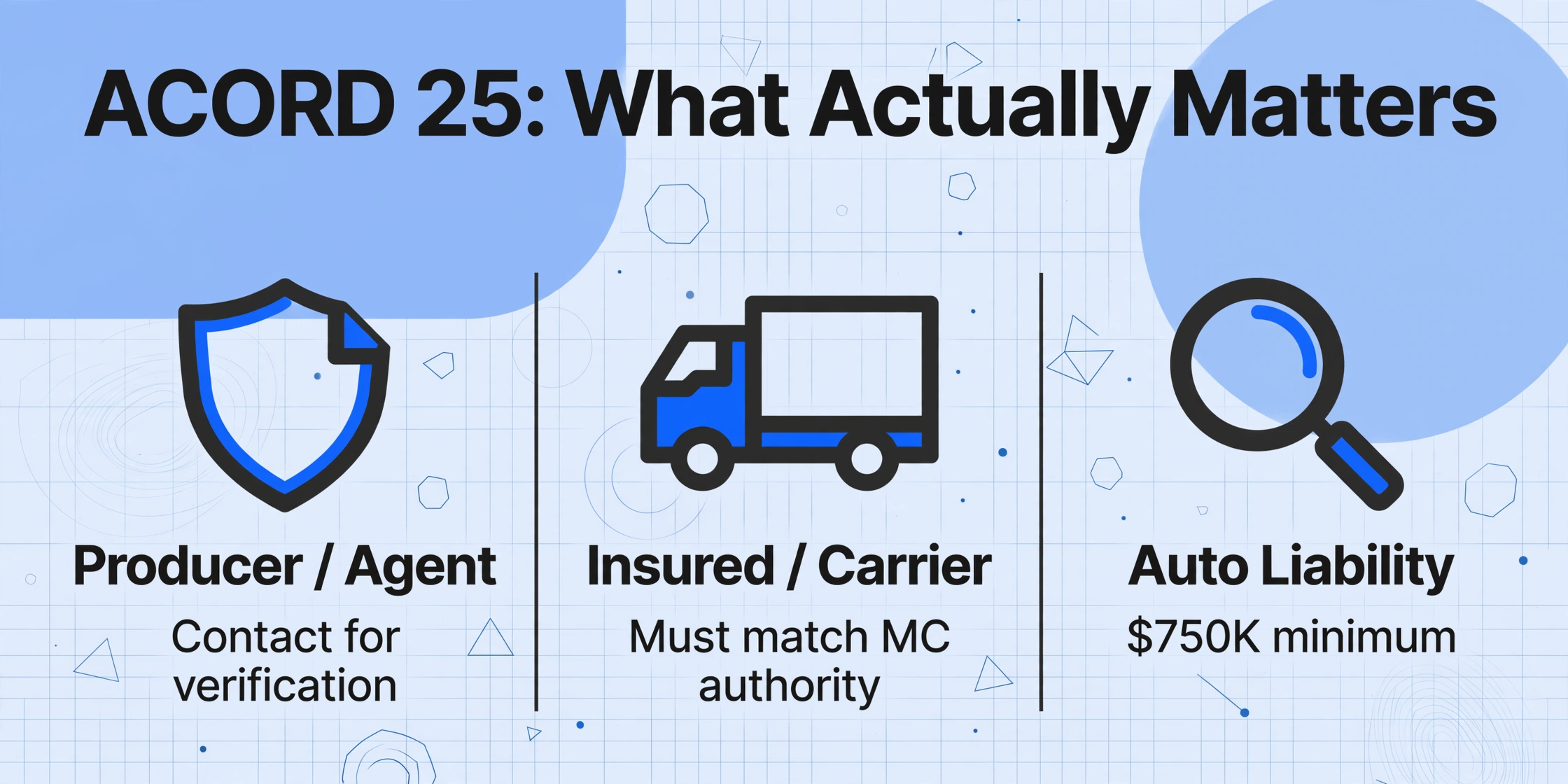
The ACORD 25 (2025/12) — formally the Certificate of Liability Insurance — is the standard form carriers submit to prove their insurance coverage. It's one page, but that page contains 129 fillable fields spread across multiple sections. Most of them are irrelevant for compliance. Here are the sections you actually need to read, and what to look for in each:
| ACORD 25 Section | Key Fields for Brokers | Why It Matters |
|---|---|---|
| Producer / Agent | Agency name, phone, email | You verify COIs by contacting the agent who issued it — not the carrier. This is the contact you need when something looks off. |
| Insured | Named Insured (carrier's legal name), mailing address | Must match the carrier's MC authority registration exactly. A mismatch is a red flag for a fraudulent COI. |
| Insurers | Insurer A/B/C/D/E/F, NAIC # | Each coverage type may be underwritten by a different carrier. Verify the insurer is licensed and the NAIC number is valid. |
| Commercial General Liability | Each Occurrence limit, General Aggregate, Products-Comp/Ops Aggregate | Standard requirement is $1,000,000 per occurrence / $2,000,000 aggregate. Check if "Additional Insured" is marked Yes — if your brokerage isn't named, you have no rights under this policy. |
| Automobile Liability | Combined Single Limit, policy number, effective/expiry dates | This is the non-negotiable one. FMCSA requires $750,000 minimum. Most brokers require $1,000,000. Check "Any Auto" is selected — if it says "Scheduled Autos Only," the policy may not cover rented or leased equipment. |
| Umbrella / Excess Liability | Each Occurrence, Aggregate limits, whether it follows form over auto | Brokers often require umbrella to sit above the $1M auto limit — check that umbrella "follows form" over auto liability, meaning the extra coverage extends to auto claims. |
| Workers Compensation | WC Statutory Limits, EL Each Accident, EL Disease | TIA recommends requesting WC certificates from every carrier. Most brokers require $500,000 Employers Liability minimum. |
| Certificate Holder | Your brokerage name and address | If this field is blank or lists a factoring company or another broker, you are not the certificate holder and won't receive cancellation notices. This is one of the most commonly missed compliance gaps. |
| Description of Operations | Additional Insured language, Waiver of Subrogation | Look for: "Certificate holder is named as additional insured as per written contract." Without this language in writing, you have no direct access to the policy in the event of a claim. |
Every one of those fields requires a human being to open a PDF, find the right box, and type the value somewhere else. At 3-5 minutes per COI — even for an experienced reviewer — that's hours per week lost to data entry before any compliance analysis even begins.
Why Most COI Tracking Still Runs on Email and Eyeballs
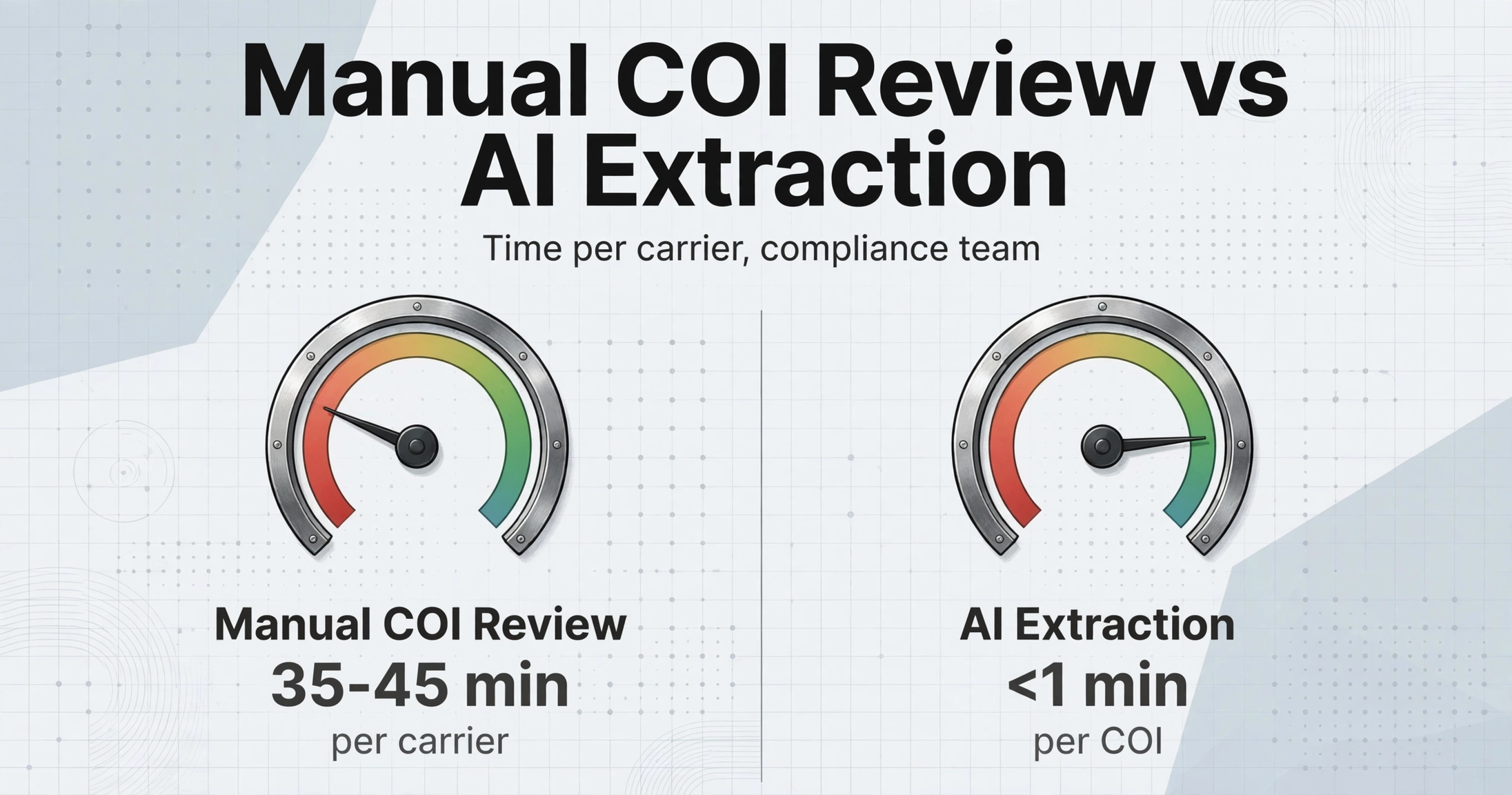
The industry benchmark for manual carrier onboarding is 35-45 minutes per carrier, with COI review typically consuming a third of that time. Scaled across 1,000 carriers per year, that's 200-400 hours of compliance work. For a mid-sized brokerage with a two-person compliance team, COI review alone can consume 5-8 hours per week — time not spent on anything that actually moves freight.
The TMS platforms brokers run their operations on — McLeod PowerBroker, Descartes Aljex (serving 10,000+ daily users across 500+ brokerages), Rose Rocket / TMS.ai, Turvo, DAT Broker TMS — all handle dispatch, invoicing, and carrier management. None of them extract data from a COI PDF. They might have a field for insurance expiry date, but someone still has to read the form and type it in.
This gap has spawned a layer of dedicated compliance tools. Highway contacts carrier insurance agencies directly to obtain verified COIs and monitors them on an ongoing basis — but the broker still sees a dashboard, not structured data they can work with. RMIS provides carrier monitoring and COI tracking, but Reddit r/FreightBrokers users report COI updates can take up to 7 days to propagate — during which time you might dispatch a carrier whose coverage already changed.
At the bottom of this stack sits the broker's own spreadsheet: a manual tracker with carrier names, policy numbers, coverage limits, and expiry dates — typed in by a person who read each PDF. It's the compliance layer that runs the business, and it's the one nobody talks about building.
This is where the paradigm shifts. Instead of treating a COI as a document to be reviewed, treat it as a dataset to be extracted. The difference is the difference between reading 500 PDFs and opening one spreadsheet.
Extract COI Data into a Spreadsheet — Step by Step
The approach is straightforward: you define what you want from the COI, and the AI finds it — regardless of where it sits on the page. This is fundamentally different from template-based OCR that expects fields at fixed coordinates. Every ACORD 25 looks slightly different depending on which insurance agency filled it out, which carriers are listed, and how many coverage lines appear. A position-based reader breaks on the first variation. A semantic extractor — one that reads the form the way a compliance officer reads it — doesn't care where "Automobile Liability: $1,000,000" appears on the page as long as it's there. (We've explored the question of whether AI can handle COI documents in detail here, and the step-by-step COI to Excel guide covers the extraction flow from first upload to final spreadsheet.)
Files are processed securely and not stored.
Here's the workflow, broken down into the steps that matter for compliance:
Define your compliance columns
This is the part traditional COI tracking skips. Instead of opening each PDF and scanning for values, you list the fields you need: Carrier Name, Auto Liability Limit, Cargo Limit, General Liability Limit, Policy Effective Date, Policy Expiry Date, Insurer Name, Certificate Holder, Additional Insured (Y/N). These become your column headers — exactly what you'd type into a spreadsheet manually, except the AI fills them for you.
Upload COIs in bulk
Drop all your carrier COIs at once — PDFs, scanned copies, even phone photos of a printed ACORD 25. The system processes them as a batch, which matters because compliance isn't one-carrier-at-a-time work. When you're doing quarterly renewals or onboarding a batch of carriers for a new lane, you need results across the set, not one at a time.
Verify against minimums
Once the data lands in your spreadsheet, compliance becomes a formula: =IF(D2<1000000,"BELOW MINIMUM","OK") for Auto Liability. =IF(E2<100000,"BELOW MINIMUM","OK") for Cargo. And most importantly: =IF(F2<TODAY(),"EXPIRED","Active") for expiry dates. The extraction is the input; your compliance rules are the output. The power isn't in getting data out of a form — it's in getting it into a format where a formula can automatically flag a carrier whose coverage just dropped below your contractual minimum.
One detail experienced brokers pay attention to: always verify the COI issuer date. An ACORD 25 dated 90 days ago but showing coverage still "in effect" doesn't prove the coverage hasn't changed since issuance. A COI is a snapshot — it certifies insurance existed on the day it was issued. If the issue date is old, request a fresh COI before dispatching.
Building a COI Expiry Monitoring System That Doesn't Need a Dedicated Platform
Extraction solves the data entry bottleneck. But compliance is continuous — carrier policies renew annually (sometimes semi-annually), coverage limits change, insurers get replaced. The real risk isn't missing a COI at onboarding. It's not knowing a carrier's auto liability policy expired 12 days ago while they're running your load. The same structural challenge exists in construction subcontractor COI management — just with different insurance types and regulatory drivers — which we address in this guide to scaling COI tracking.
Here's how to build a lightweight monitoring system from your extracted data:
COI Expiry Monitoring Setup
- 1. Maintain one master COI spreadsheet — Every carrier gets one row. Every row has the same columns: Carrier Name, MC#, Auto Limit, Cargo Limit, GL Limit, WC Limit, Policy Effective, Policy Expiry, Insurer, Certificate Holder, Last Reviewed Date.
- 2. Add a "Days Remaining" column —
=F2-TODAY()where F2 is the expiry date. Conditional format: red at 30 days, yellow at 60 days. - 3. Set a weekly review cadence — Sort by "Days Remaining" ascending every Monday. The carriers at the top are the ones that need a COI renewal request this week. No hunting. No "wait, was that one expiring soon?"
- 4. Re-extract, don't re-read — When a carrier sends an updated COI, upload it to the same extraction workflow. The new data drops into the next row. Compare old vs new limits to catch coverage degradation — when a carrier quietly lowers their auto limit from $1M to $750K and hopes nobody notices.
- 5. Archive extracted data with timestamps — Every extraction is a compliance record. If a claim happens and the question becomes "did the broker verify coverage before dispatching?", the timestamped extraction proves you did.
This system costs nothing beyond the extraction tool. It doesn't replace Highway or RMIS — those services verify the authenticity of the COI by contacting the insurance agency directly (a step AI cannot do). But it replaces the manual spreadsheet population that sits between verification and dispatch, which is where most broker teams spend their compliance hours.
For a brokerage managing 200 carriers with annual policy renewals, this setup turns a recurring manual task — reading approximately 200 COIs per year, plus onboarding new carriers — from a multi-hour weekly overhead into a Monday morning sort-and-check routine that takes 15 minutes.
Frequently Asked Questions
Does AI extraction work on scanned or photographed COIs?
Yes — because the extraction is based on semantic understanding rather than pixel-perfect OCR, it handles scanned PDFs, mobile photos of printed forms, and fax-quality copies. The key requirement is that the text is legible to a human eye. If you can read the policy number on a blurry scan, the AI likely can too.
What's the difference between this and Highway / RMIS?
Highway and RMIS are verification services: they contact the carrier's insurance agency directly to confirm the COI is genuine and the coverage is active. AI extraction is a data layer: it reads the COI and outputs structured fields. These are complementary — verify authenticity with Highway, extract data with AI, then cross-reference in your spreadsheet. The extraction step is what turns a "verified" status in someone else's dashboard into columns you can sort, filter, and formula-check on your own terms.
How do I know the extracted data is accurate?
Spot-check the first few extractions against the original COI — compare the key fields (auto limit, cargo limit, expiry dates) side by side. Once the extractor proves consistent on your carrier COI formats, you shift to exception-based review: only open the PDF when a formula flags a value (a limit below minimum, an expired date, a missing Certificate Holder). For compliance record-keeping, the extracted data carries a processing timestamp.
Can this handle COIs that list multiple insurers?
Yes. An ACORD 25 can list up to six insurers (A through F), each covering different liability types. The extraction can separate these — Insurer A for Auto Liability, Insurer B for General Liability, Insurer C for Umbrella — into distinct columns. You just need to specify which coverage type you want from which insurer slot.
What happens if the AI misreads a coverage limit?
No extraction method is 100% error-free, and you shouldn't trust any tool that claims otherwise. The practical mitigation: (1) use conditional formatting to flag any extracted limit below your contractual minimum, which prompts a manual review of that specific field; (2) compare extraction results against the last known values for that carrier — a sudden drop from $1M to $300K is more likely a misread than a real policy change, and either way deserves a human look; (3) for your highest-risk carriers (hazmat, high-value cargo, high-frequency lanes), keep a manual spot-check routine regardless.
Stop Reading COIs. Start Checking Spreadsheets.
The compliance industry has built an entire market on the premise that COI verification is too complex to do yourself. And parts of it are — verifying authenticity through direct insurance agency contact requires infrastructure most brokerages don't have. But extracting the data from the form — the part that consumes the hours — doesn't require an enterprise platform. It requires treating a COI as what it actually is: a structured data source wrapped in a PDF.
If you're managing carrier COIs with a PDF viewer and a manually populated spreadsheet, the single biggest leap in your compliance workflow isn't another SaaS subscription. It's a tool that reads the form so you don't have to. The rest — the minimums, the expiry tracking, the conditional formatting — is just Excel.