Where to Find the Order Number, Shop Name, and Shipping Status
on an Etsy Screenshot
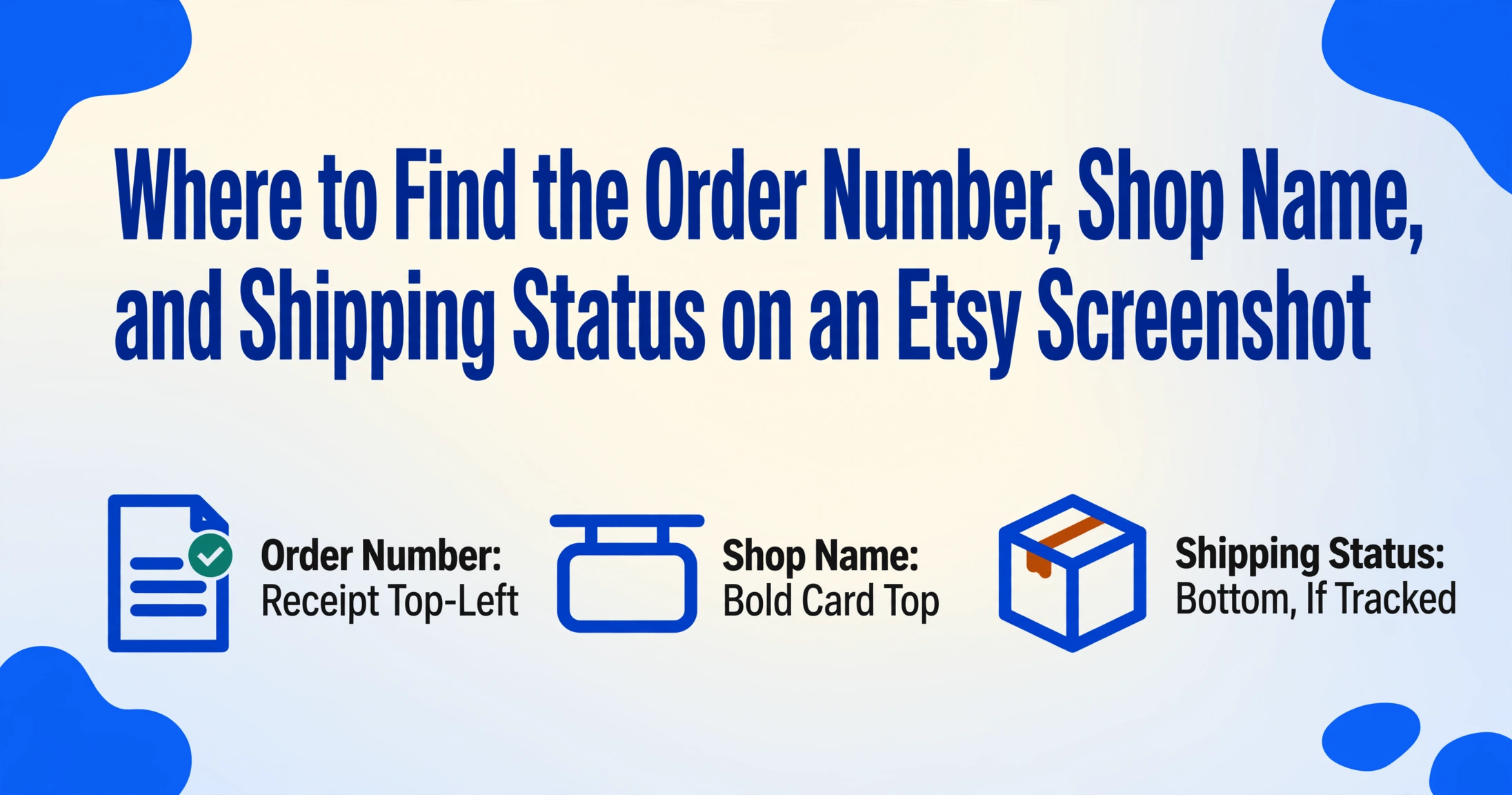
An Etsy order screenshot works differently than an Amazon or eBay one — and that difference matters more than most buyers realize. The seller isn't listed by their personal name or a company; they're identified by a shop name — a 4-to-20-character brand handle like "SilverSparrowDesigns" or "CozyNestStudio" — and that shop name is the key that ties together every field on the page. The order number is a long numeric string. The shipping status may say "Pre-transit" for days because the maker is still handcrafting your item. And if you ordered a custom piece, there's an order note — free text you wrote at checkout — that sits right in the middle of the receipt alongside the item name. Knowing which field is which on an Etsy screenshot saves you from hunting through six different log-in pages later.
Key Takeaways
- Etsy embeds a buyer-written order note right in the receipt between the item name and shipping address, a free-text field full of personalization details that no Amazon or eBay order page includes.
- A shop name on Etsy like SilverSparrowDesigns is a four-to-twenty-character brand handle unique across the entire platform, serving as a more reliable grouping key than the order number across multiple purchases from the same seller.
- Shipping status on an Etsy screenshot is a moment-in-time snapshot from an individual maker rather than a warehouse guarantee, and a significant portion of handmade orders arrive without ever generating a tracking number.
Where Each Field Lives on an Etsy Order Screenshot
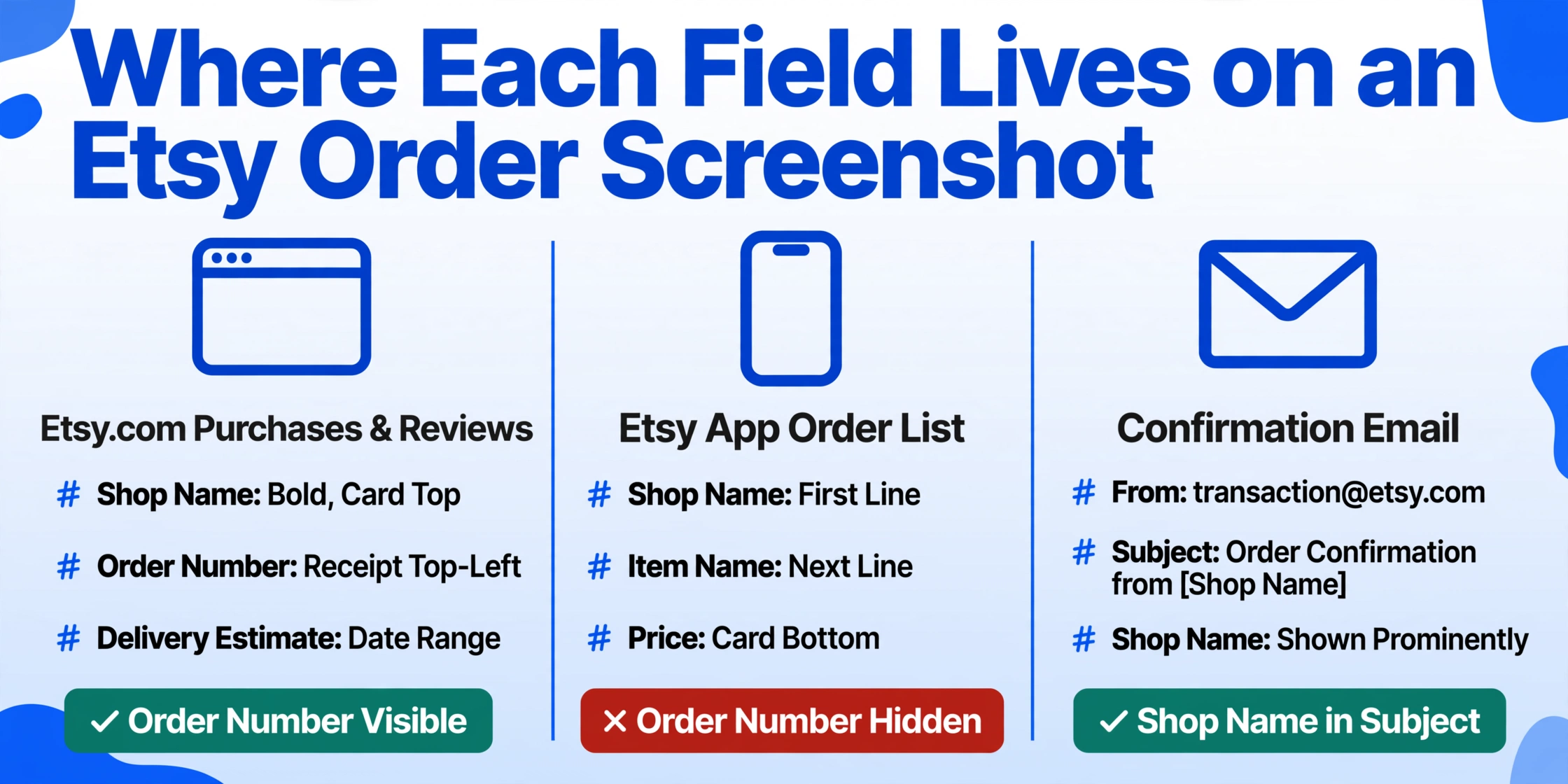
Etsy buyers interact with their order information in three main places, and each one surfaces a slightly different set of fields. The screenshot you have might come from any of them.
The Purchases & Reviews page (web). Log into etsy.com, click "You" in the top-right corner, then select "Purchases and reviews." This page shows a list of every order you've made, each one displayed as a card that includes the shop name (bold, at the top), the item name directly below it, the price paid, and a large "View Receipt" button on the right side of the card. Clicking that button takes you to the full receipt, where the order number appears at the top-left corner of the page. The receipt also shows the estimated delivery date range (e.g., "Estimated delivery: Jul 15–22") and the shipping status if tracking was added.
The Etsy app (iOS/Android). Tap "You," then "Orders." Each order appears as a card with the same fields — shop name, item name, price, and a "Track Package" or "View Receipt" button. The app layout is more compact than the desktop site: the shop name appears first, then the item name on the next line, and the price at the bottom of the card. The main difference from the web page is that the app hides the order number behind the receipt view — you won't see it in the list view.
The order confirmation email. Etsy sends an email from [email protected] with the subject line "Order confirmation from [Shop Name]." The email body displays the shop name prominently, the item name, the total, and a "View your order" button. The order number is included in the email header or the first line of the receipt. If you took a screenshot of the email rather than the website, you still get the essential fields — but you won't see the shipping status or delivery estimate until the seller ships the item and sends a separate notification.
Key point for screenshots: If you screenshot the Purchases list page (the card view), you'll get the shop name, item name, and price — but not the order number or tracking status. You need to tap through to the receipt view to capture those. A full screenshot of the receipt page gives you all four fields in one frame.
The Shop Name Is Your Anchor — Why It Matters on Etsy
This is the single most important distinction between an Etsy order screenshot and one from Amazon or eBay. On Amazon, your order shows "Sold by: Amazon.com" or a vendor name. On eBay, it's a seller's username accompanied by a feedback score. On Etsy, every seller operates under a shop name — a curated brand identifier like "SilverSparrowDesigns," "DekariosEmporium," or "CozyNestStudio."
Etsy shop names are unique across the platform (no two shops can share the same name), they're limited to 4–20 characters with no spaces or special characters, and sellers can change them up to five times after opening. Because Etsy is a marketplace of individual makers and small studios rather than mass retailers, the shop name is the brand — it's what appears on the shipping label, in the confirmation email, and on your credit card statement (often alongside the name "Etsy").
On a screenshot, the shop name sits at the top of each order card on the Purchases page — in bold, usually larger than the item name below it. On the receipt page, it appears again in the order summary section. If you're collecting screenshots of multiple Etsy orders for record-keeping or expense tracking, the shop name is the best de-duplication key — no two shops share the same name, and it doesn't change between orders from the same seller.
The item name sits directly beneath the shop name on both the list view and the receipt. Sellers write their own listing titles, so item names vary wildly in length and detail. A typical title reads something like "Handmade Resin Coaster Set — 4-Piece — Ocean Blue with Gold Specks — Gift for Her." The item name may also include variation details — size, color, or personalization options you selected at checkout — appended inline rather than in a separate field. If you bought a T-shirt in size M and the color "sage green," those specifics will appear as part of the item name string on the receipt.
What this means for screenshot extraction: When you're pulling fields from an Etsy order screenshot, don't look for a "seller name" field — look for the bolded shop name at the top of the order card. The item name is the longer text below it, often followed by variation details in parentheses. Extract them as separate columns if you're building a table: Shop Name helps you group orders by seller, Item Name helps you identify what was purchased.
Order Notes: The Extra Field That Only Etsy Screenshots Include
Etsy's marketplace is built on handmade, customized, and made-to-order items. If you've ever purchased a personalized necklace, a custom portrait, or a monogrammed tote bag, you probably typed a note at checkout — something like "Please engrave 'Sarah & Tom 2026' on the back" or "Use blue thread instead of white." That order note is free text you entered, and it appears on the seller's receipt alongside your shipping address.
On your own Etsy receipt page, the order note appears in a section called "Note to [Shop Name]" or simply "Order Note" — usually positioned between the item description and the shipping address block. This is unique to Etsy among the major global e-commerce platforms. Amazon doesn't include a free-text order note on the buyer's receipt. eBay's checkout doesn't surface a buyer note in the order confirmation view. Etsy order screenshots are the only ones where you'll see unstructured buyer input embedded in the receipt layout.
Why this matters for screenshot analysis: if you're documenting your Etsy purchases — whether for personal record, reimbursement, or inventory tracking — the order note may contain information that affects how you categorize the purchase. A note that says "Birthday gift for Mom — please wrap separately" tells you this item is a gift, which may affect your expense categorization or personal tracking. A note that specifies personalization details tells you the item can't be easily returned or resold. The note is part of the order data, and it should be captured alongside the item name and shop name rather than treated as a separate message thread.
Practical tip for screenshots: When you capture an Etsy order receipt, make sure the screenshot includes everything from the shop name down past the order note to the shipping address. A cropped screenshot that cuts off below the item name will miss this field entirely. If you're extracting data later, the order note column is where piece counts, color substitutions, and personalization requests live — don't lose it.
Shipping Status: The Tracking That May or May Not Be There
Shipping status on Etsy is the most variable field on any order screenshot — because Etsy sellers are individuals, not warehouses. A seller who makes handmade jewelry in their home studio may print a shipping label the same day they finish the piece, or they may set a processing time of 3–5 business days before the package even reaches the carrier. Unlike Amazon, where "Shipped" almost always means the item is in the carrier's network, an Etsy status of "Shipped" or "Pre-transit" can mean different things depending on the seller's workflow.
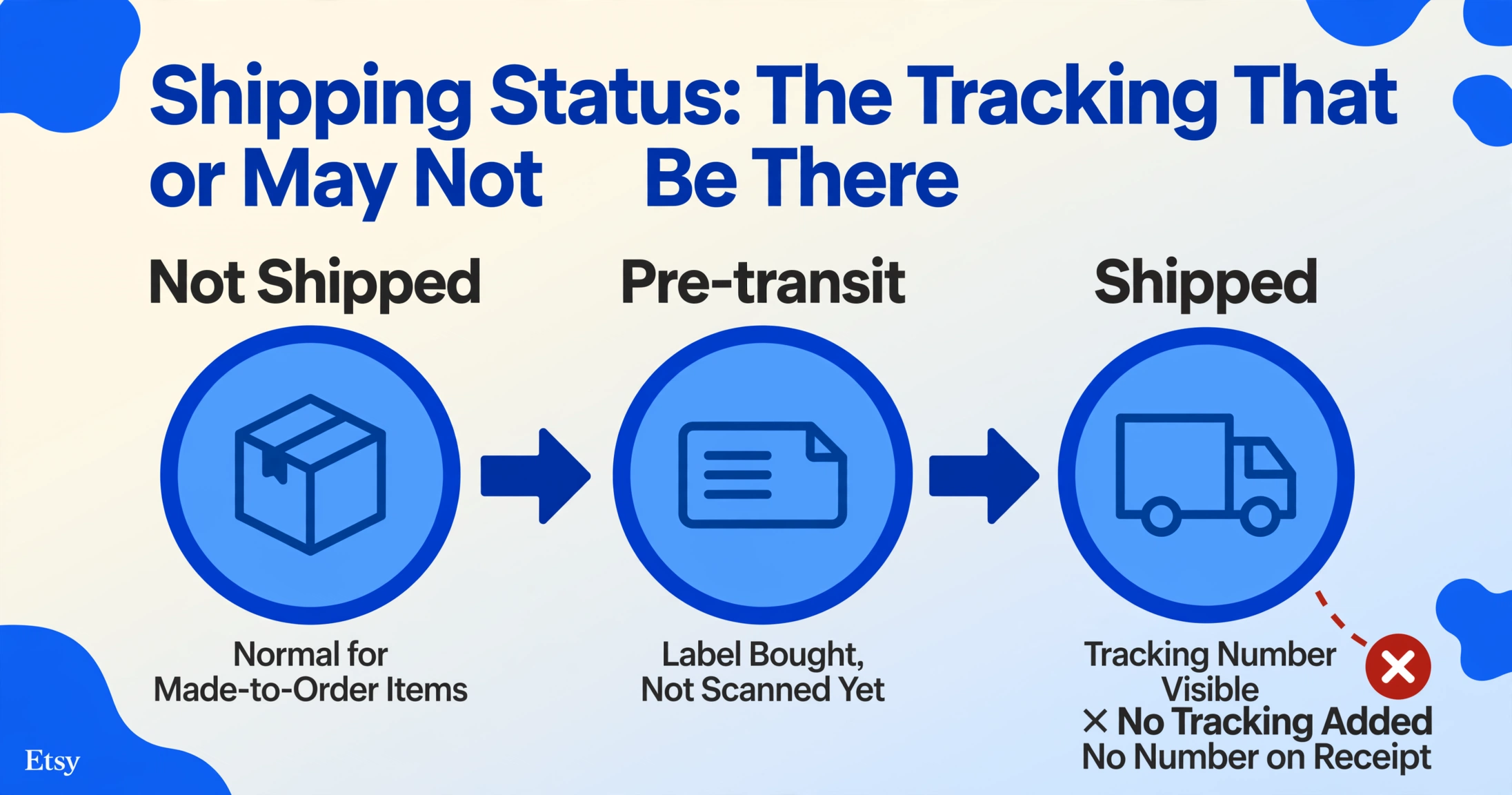
Here's what each status typically indicates on an Etsy order screenshot:
- "Not shipped" — The seller has received the order but hasn't dispatched it yet. This is normal for made-to-order or customizable items where the seller needs production time. The estimated delivery date range on the screenshot won't be accurate until the item actually ships.
- "Pre-transit" — The seller has purchased a shipping label (often through Etsy's own label system) but the carrier hasn't scanned the package yet. On Etsy, this can last anywhere from a few hours to a couple of days. The label has been created; the box hasn't necessarily left the seller's hands.
- "Shipped" / tracking number visible — The package has been scanned into the carrier's network. You'll see a tracking number that you can paste into USPS, FedEx, UPS, DHL, or Royal Mail depending on the seller's location and chosen carrier. Etsy orders from US-based sellers most commonly ship via USPS First Class or Priority Mail.
- "Delivered" — The carrier marked it delivered. If the screenshot shows "Delivered" but you don't have the package, check the tracking details on the carrier's site — the Etsy page may show the status before the carrier's own system updates with GPS coordinates or delivery photos.
- No tracking at all — Some smaller Etsy sellers ship without tracking, especially for low-value items, handmade goods sent in padded envelopes, or international orders where tracking would cost more than the item itself. If your screenshot shows an order without a tracking number or shipping status, the status field may only say "Complete" after the seller marks the order fulfilled.
Etsy also shows an estimated delivery date range on the receipt page — for example, "Estimated delivery: Jul 15–22." This range accounts for the seller's processing time plus the carrier's estimated transit time. Unlike Amazon's single-date delivery estimate or eBay's "Estimated delivery" with a single date, Etsy deliberately uses a range because handmade items have variable production timelines. The delivery range on an Etsy screenshot is an estimate that shifts once the item is actually shipped.
What this means when you're extracting data from Etsy screenshots: If you're logging Etsy orders into a spreadsheet — for personal expense tracking, small-business inventory, or reimbursement — capture both the status as shown on the screenshot and the date you took the screenshot. The status is a snapshot in time; it can change hours later when the carrier scans the package. A screenshot taken right after purchase will show "Not shipped," but the same order two days later may show "Pre-transit." If you're building a master record, note the date alongside the status so you can track progression.
How Etsy Order Screenshots Compare to Amazon and eBay
If you're collecting order screenshots from multiple e-commerce platforms — say you source materials from Etsy, buy supplies from Amazon, and purchase second-hand equipment from eBay — having a consistent mental model for each platform's layout helps you spot the right field faster.
| Field | Etsy | Amazon | eBay |
|---|---|---|---|
| Order number format | Long numeric string (e.g., #1234567890) | Three-part format (#XXX-XXXXXXX-XXXXXXX) | 12-digit with dashes (12-34567-89012) |
| Seller identifier | Shop name — unique brand name (4–20 chars) | Vendor or "Sold by" name | Username + feedback score |
| Buyer note field | Yes — free-text order note on receipt | No buyer note on receipt | No buyer note on order page |
| Delivery estimate | Date range (e.g., Jul 15–22) | Single estimated date with Prime availability | Single estimated delivery date |
| Shipping tracking | Seller-dependent — may have none | Almost always tracked | Usually tracked (especially for higher-value items) |
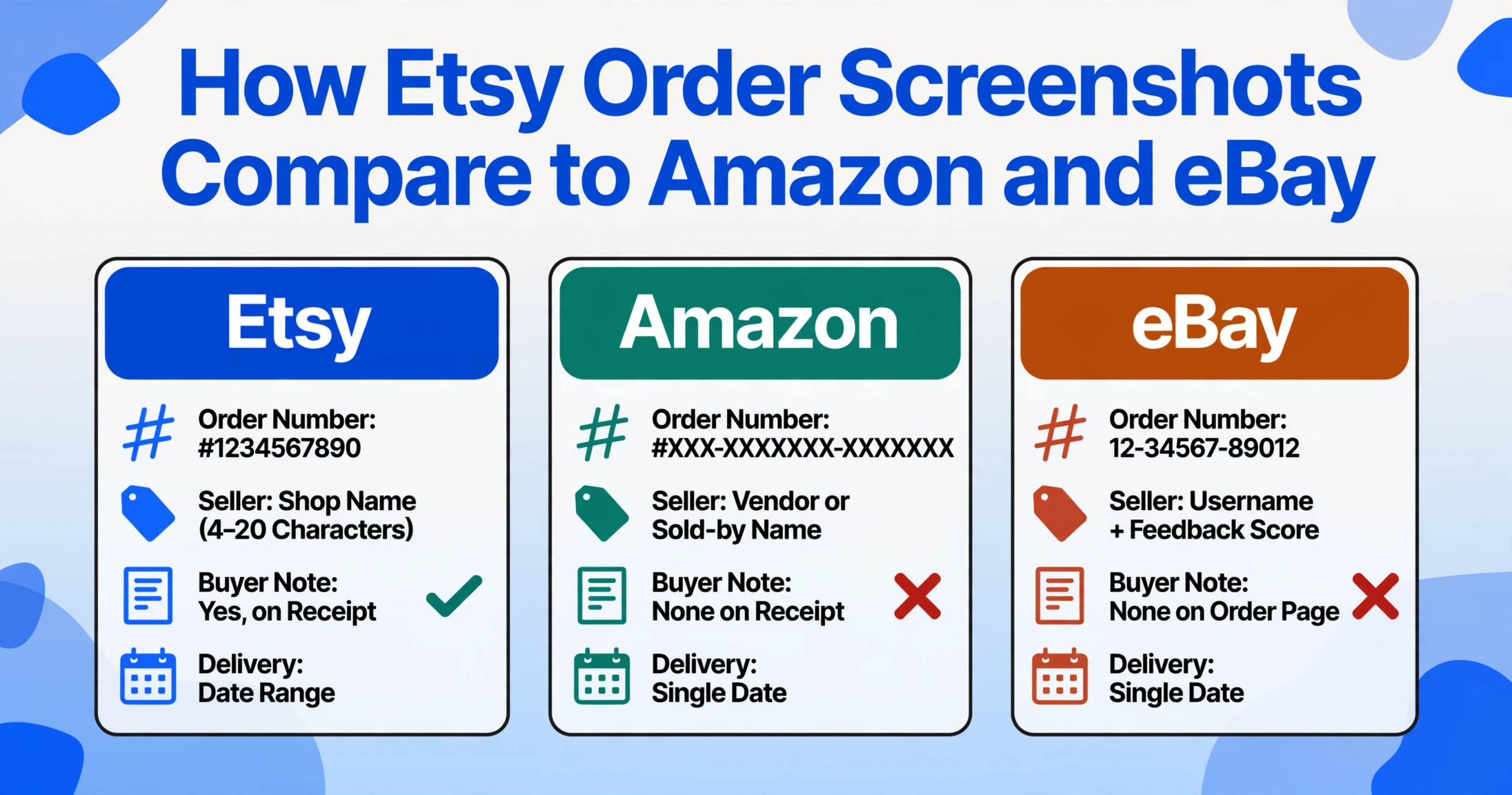
Understanding these differences is useful if you're aggregating order data across platforms: Etsy's shop name column becomes your grouping key, Amazon's order number format helps you distinguish it from eBay's, and the presence or absence of a buyer note tells you immediately which platform the screenshot came from.
If you're dealing with orders from multiple platforms, you might find it useful to read our guides on extracting details from Amazon order screenshots and reading eBay order screenshots — each platform has its own quirks that affect how you identify the key fields.
Frequently Asked Questions
What does an Etsy order number look like?
Etsy order numbers are long numeric strings — for example, #1234567890. They differ from the dash-separated format used by Amazon and the 12-digit-plus-dashes format used by eBay. The order number appears at the top-left of the receipt page after clicking "View Receipt" on your Purchases screen.
Is the shop name the same as the seller's real name?
No. The shop name is a brand identifier that the seller chose when opening their Etsy shop (e.g., "SilverSparrowDesigns"). It's limited to 4–20 characters with no spaces. The seller's real name or business name may appear on the shipping label or payment receipt, but on the order page and confirmation email, the shop name is what you'll see.
Can I find the tracking number on an Etsy order screenshot?
Only if the seller provided one. Etsy lets sellers add tracking when they purchase a shipping label through Etsy or manually enter a carrier tracking number. Some smaller sellers ship without tracking — in that case, the status may show "Complete" but no tracking number will appear on the receipt. Check the "Track Package" button on the order card; if there's no button, there's no tracking.
How do I capture all four fields in one Etsy order screenshot?
Open your Purchases and Reviews page, click "View Receipt" on the order you want to capture. The receipt page shows the order number (top left), the shop name and item name (center), and the shipping status with tracking (bottom). Make sure the full page is visible — on a phone, you may need to scroll and take two screenshots or use a scrolling screenshot feature.
Does Etsy show estimated delivery as a single date?
No. Etsy displays delivery as a date range — for example, "Estimated delivery: Jul 15–22" — because handmade items have variable production times. The first date accounts for the seller's processing time plus transit. This is different from Amazon's single-date estimate and eBay's single-date estimate.
Can ImageToTable.ai extract data from Etsy order screenshots?
Yes. ImageToTable.ai uses vision-based AI that reads the layout of any screenshot — it doesn't rely on templates or pre-defined zones. You can upload an Etsy order screenshot (PNG, JPG, or PDF), define the fields you want (order number, shop name, item name, shipping status), and the AI extracts them into a structured table. It works across different screenshot sources — the website, the app, and the confirmation email — because the extraction is semantic (understanding what each field means), not positional. If you regularly process batches of Etsy orders — for example, a batch of 20 receipts from different shops — the tool can process them all at once and merge the output into one spreadsheet.