Your Case Chronology Lives
in the Email Threads
Ask a small-firm paralegal where the time goes on a chronology, and the answer is rarely the chart. A case chronology (also called a case timeline or a chronology of events) is a dated list of the key events in a dispute, with every entry tied to the document or testimony that proves it. The columns are simple. What is not simple is reading hundreds of forwarded messages, deciding which of the three dates in a reply chain is the one that matters, and typing it into a row. The timeline is the deliverable. The email is the bottleneck.
Key Takeaways
- A case chronology looks like a charting problem, but it is really a reading problem.
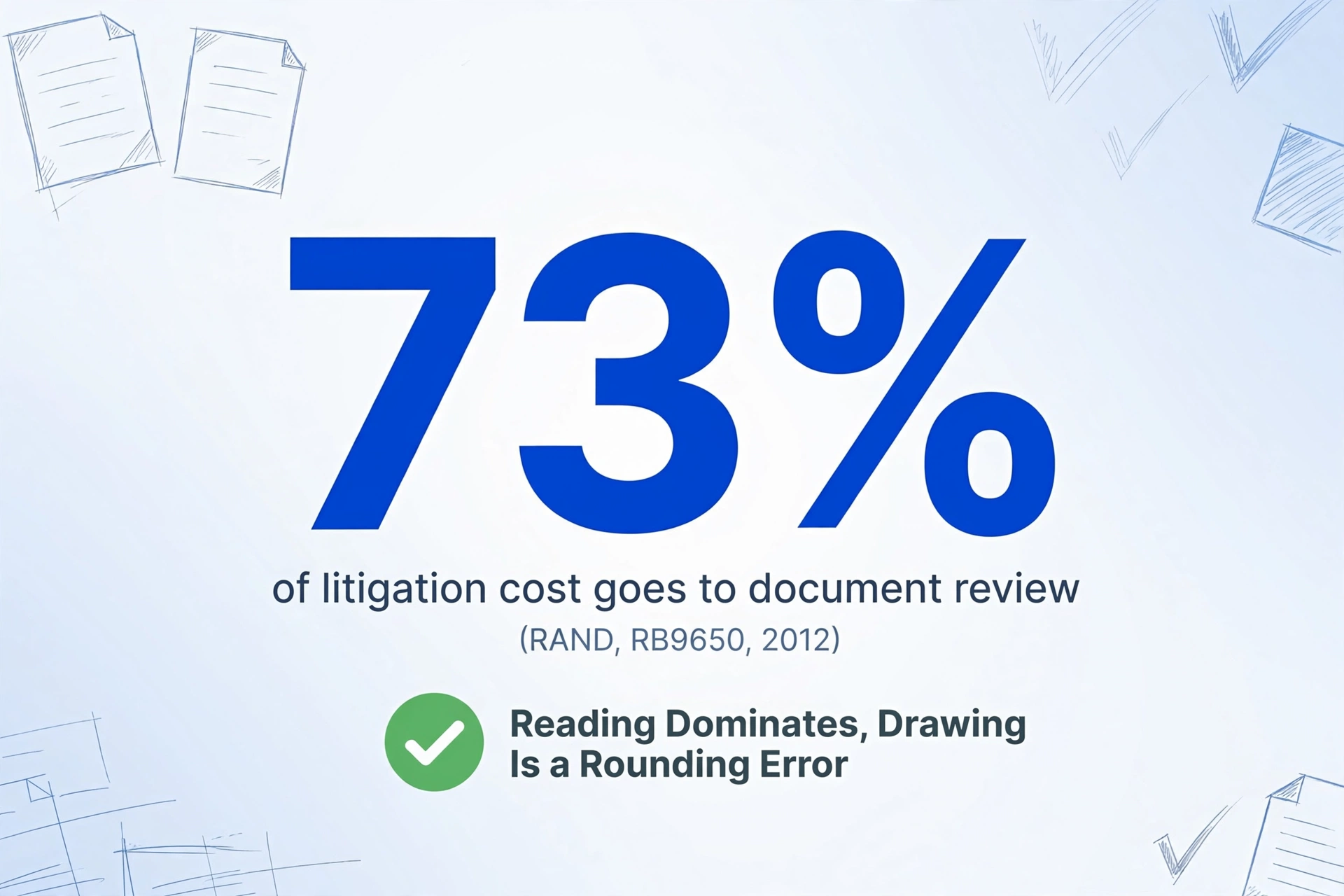
- 73% of the cost of producing evidence goes to document review, where even fast reviewers cap out near 100 documents an hour.
- Name the columns once and every forwarded message lands as a row, so the timeline is one sort away.
A Case Chronology Is Easy to Draw. The Reading Is the Work.
Litigators need a chronology at almost every stage of a matter. They use it to prepare a witness for a deposition, to find a gap in the evidence before opposing counsel does, to check whether a claim falls inside the limitations period, and to explain a settlement position to a client or an insurer. Every one of those uses depends on the same thing: a row for each event, in order, with a citation back to the source. The structure takes an hour to learn. Populating it takes days.
The reason is that document review, rather than chart assembly, is where the hours go. A RAND Corporation study of large litigation found that review accounted for 73 percent of the total cost of producing evidence, and that even experienced reviewers top out near 100 documents an hour (RAND, RB9650, 2012). A small firm does not run those volumes, but the ratio holds: the reading dominates, and the drawing is a rounding error.
The chronology is not hard to draw. It is hard to earn, one email at a time, before you draw anything.
The reading step now carries a professional obligation on top of its cost. The American Bar Association's Formal Opinion 512, issued in July 2024, applies the duties of competence, client confidentiality, and supervision to generative AI tools. Using AI to read client correspondence is permitted, but the lawyer has to understand the tool, protect what goes into it, and verify what comes out (ABA Formal Opinion 512). So the goal is not to remove the lawyer from the loop. It is to remove the retyping, so the loop is spent on judgment instead of transcription.
A Workable Case Chronology Has Five Columns and a Citation on Every Row
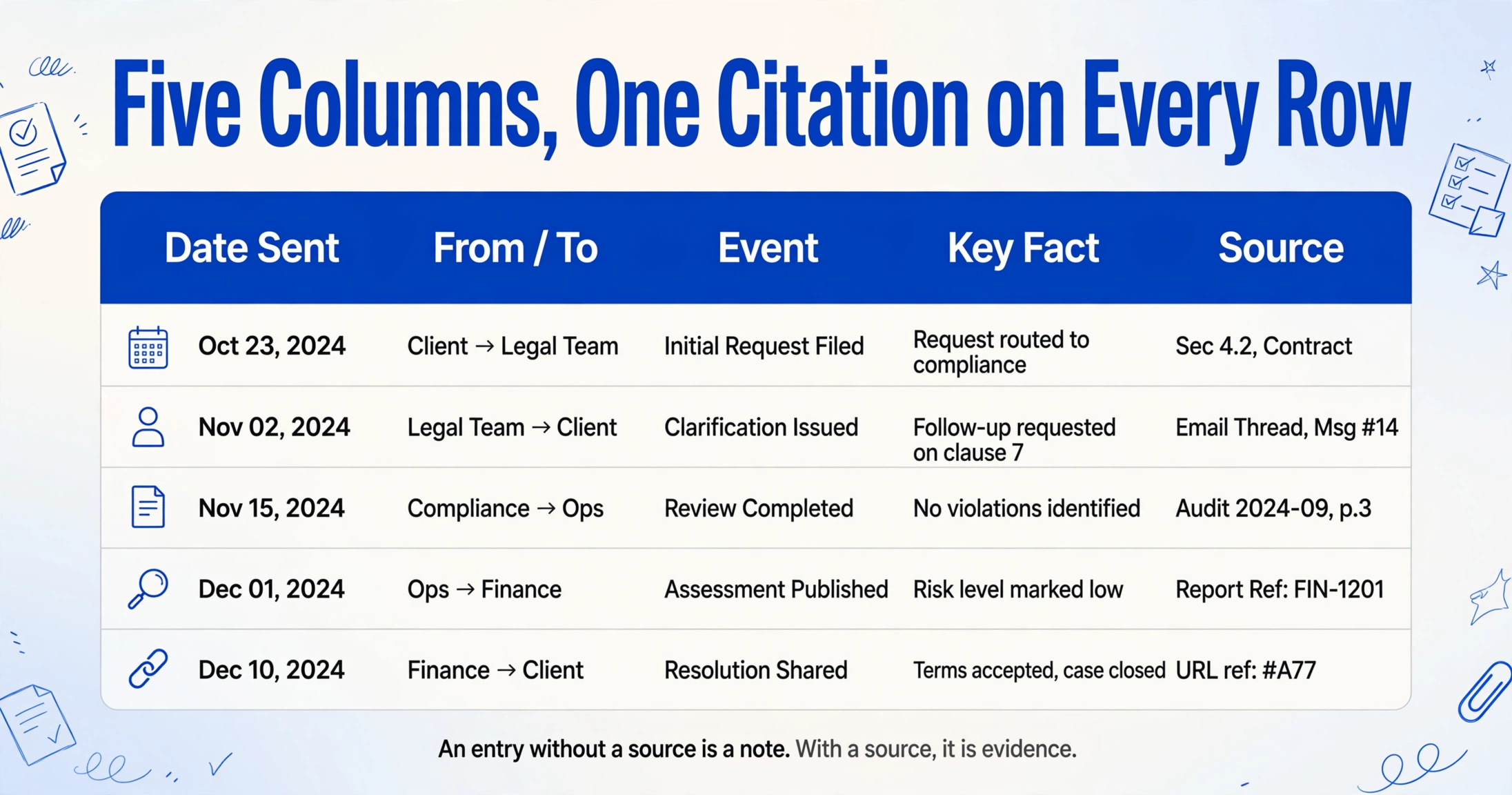
Before comparing tools, it helps to fix what the output should look like, because the email problem is really a column problem. A case chronology built from correspondence is sometimes called an email chronology or an email timeline, and it has the same skeleton as any other: a date, an event, the parties, the fact it establishes, and the source for each line. A chronology that a court or an insurer will accept carries all five, cited.
| Column | What goes in it | Why it matters |
|---|---|---|
| Date Sent | YYYY-MM-DD, the date the message was sent, as distinct from the forward date | Sorting this column is what turns a pile into a timeline |
| From / To | The sender and recipients, by name and address | Establishes who knew what, and when |
| Event | A one-line description of what happened or was agreed | The spine of the narrative |
| Key Fact | The admission, instruction, warning, or contradiction the message contains | Separates the twenty rows that matter from the two hundred that do not |
| Source | Subject line plus date, or the attachment reference, for the exact message | An entry without a source is a note. With a source, it is evidence |
For electronic records, the source column is not decoration. The Federal Rules of Civil Procedure treat electronically stored information as its own category, and Rule 26 defines the scope of what is discoverable, including proportionality to the needs of the case (FRCP Rule 26). Rule 34 lets the requesting party specify the form in which that information is produced, which is why a chronology that points cleanly back to a message is more defensible than one that says "email, sometime in March."
Email Is the Hardest Source in a Case File to Turn into Clean Rows
A single forwarded thread can hold ten messages, three candidate dates, and no reliable order, which is why the ingest step is where the work stalls, whatever timeline software you use. The documents that dominate legal-timeline content (police reports, depositions, medical records, pleadings) each arrive as one file with one date. Email arrives as a conversation, and a conversation does not fit a row without being taken apart first.
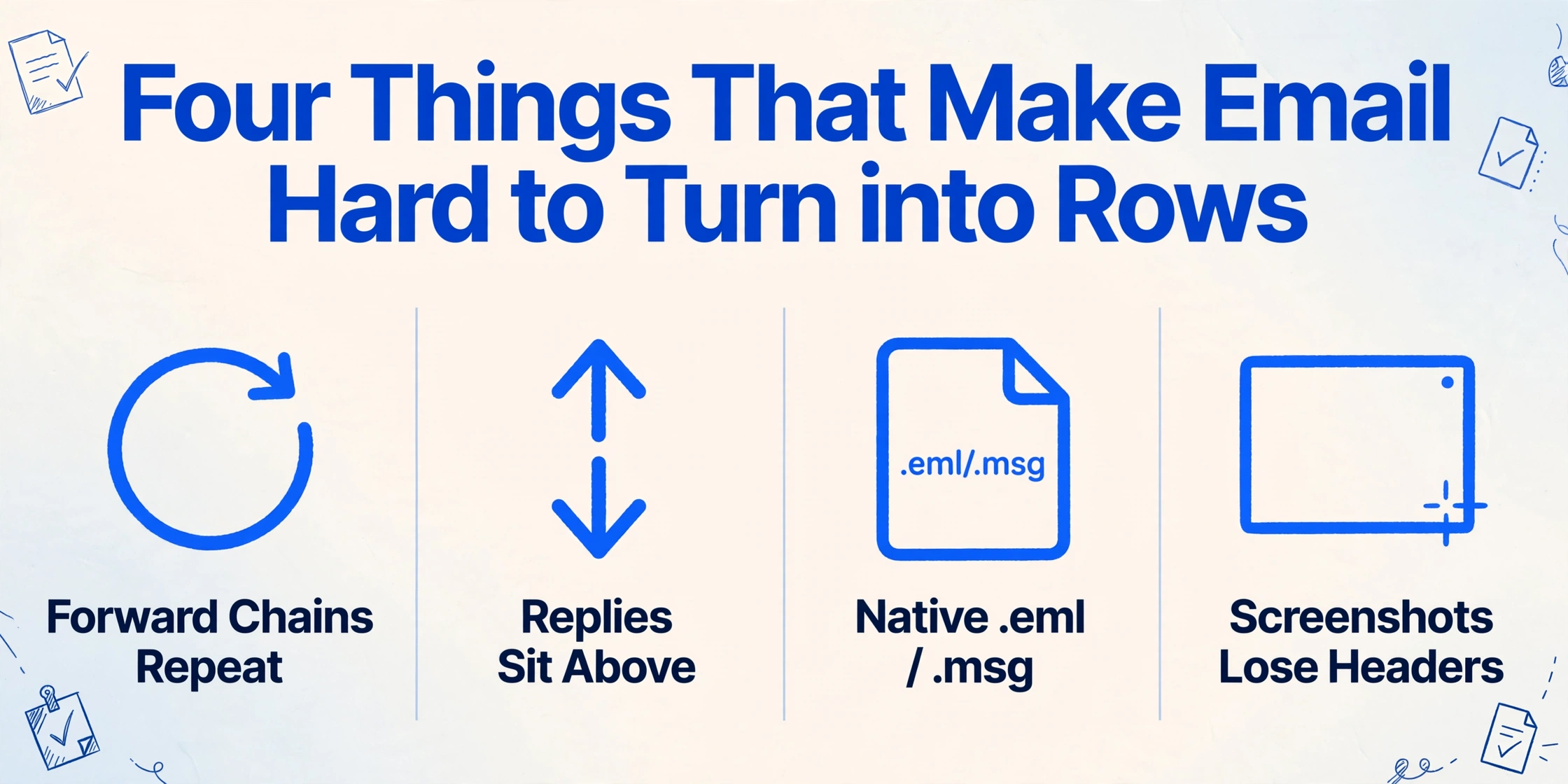
Four things make the taking-apart hard. A forward chain quotes every older message beneath the new one, so the same event appears several times, and the quoted copy often shows a different displayed time. A reply sits above the message it answers, so reading top to bottom is not reading in order. Native .eml and .msg files are mailbox exports rather than the PDFs and images most extraction tools accept. And a screenshot of a thread, the fastest thing a client can send, loses the sender and recipient headers entirely.
The people who do this work describe the bottleneck in the same terms the rest of this article uses. In r/paralegal, one litigation-support commenter summed up the whole job as "the real work is extract-normalize-sequence," adding that the difficulty is finding the right level of detail because "too sparse and they miss causation, too granular and they're noise." In the same thread, a paralegal described emailing a timeline to an attorney after sorting bookmarks by hand, and named the exact waste: "I think it would save time if I could just copy and paste the bookmarks in the PDF in an email to the attorney instead of retyping it" (r/paralegal). Extract, normalize, sequence. Every minute spent before sequence is a minute not spent on the case.
This is a narrower problem than the one already covered by pulling facts out of discovery documents such as depositions and medical records, where the source files are separate and each one has its own date. Email is different because the input is a thread, and the ingest problem is intrinsic to the format.
Turning Email Threads into Sortable Columns, Then Sorting Them into a Chronology
You turn a folder of email into a dated chronology by treating each message as a row and defining the columns before anything is read, so the reading step is a fill-in rather than a copy-and-paste. ImageToTable.ai does this with two capabilities that already exist in the product: Email Inbox, which gets the messages into the queue without downloading or re-uploading, and Custom Column Extraction, which turns the message content into the exact columns a chronology needs.
Email Inbox gives every account a dedicated inbox address. You forward the messages that belong to the matter to that address, or set a forwarding rule in your own mailbox so they route there on arrival, and they land in the processing queue with no login and no upload page. A sender whitelist keeps unrelated mail out. The setting that matters most here is the processing mode. By default the inbox reads real attachments and ignores the body, which is wrong for a dispute that lives in the text of the conversation. You can switch it to body only, or to attachments and body, so a message written as plain text and a message with a PDF attached are both read in the same pass.
Custom Column Extraction turns message content into the chronology's columns. You type the names you want, such as Date Sent, From, To, Subject, Event, Key Fact, and Source, and those names become the headers of the output. The AI locates each value by understanding what it means rather than by matching a fixed position or a template, so a forwarded chain, a plain message, and a message with a quoted reply are all read the same way. Because email is HTML and HTML tables and quote blocks do not line up predictably, reading by meaning is what keeps the headers stable across senders who format their mail differently.
Batch processing puts every message in one sheet, and the chronology is one sort away. Upload or forward the whole set at once and the messages merge into a single Excel file, one message per row. Sort by Date Sent in ascending order and the timeline appears. Filter by From or To to isolate one party's side of the conversation. Scan the Key Fact column for contradictions, the same way you would read a witness's account against a document.
Route the email into the queue
Forward the matter's messages to your account's dedicated inbox address, or set a forwarding rule so they arrive automatically. Turn on the sender whitelist to keep unrelated mail out, and choose attachments and body so the messages that carry the story in their text are read too.
Name the chronology's columns once
Type Date Sent, From, To, Subject, Event, Key Fact, and Source, then save them as a template. The column names become the headers of the output. Bind the template and turn on Auto-Process so extraction starts the moment a message lands.
Sort the merged sheet and verify
Every message arrives as a row in one spreadsheet. Sort by Date Sent to read the matter in order, filter by party, and scan Key Fact for the admissions and contradictions. For any row where a quoted reply made the source ambiguous, hover the cell to see exactly which text the value came from.
The verification step is worth taking, because a forward chain can repeat the same date several times. ImageToTable.ai's Review Mode highlights the source text behind any extracted cell, so confirming which copy of a date a row came from is a glance rather than a re-read. This sits alongside the work you already do with email attachments, such as an email parser that reads the files attached to a message, and the same batch approach described for batch-producing legal discovery documents into one sheet.
Files are processed securely and not stored.
What This Does Not Do
This approach reads the content of email into sortable columns, and it does not preserve native mailbox metadata, replace an eDiscovery platform, or produce a court-ready exhibit on its own. Five boundaries are worth stating before you build a workflow on it.
Native .eml and .msg files have to be converted or forwarded first. A raw mailbox export is not a file the tool uploads directly. Convert it to PDF, or forward the messages through the Email Inbox, and it becomes an input. This matters more than it sounds: it shapes how you collect the material from a client.
The From, To, and Date columns are extracted values rather than the original mail headers. They come from what the message shows a reader. That is usually enough for a chronology, and it is not the same as the raw headers, the timezone offset, or the delivery path that an eDiscovery platform records. If you need the original headers for authentication, work from the source mailbox.
Confidentiality remains your judgment to make. Under ABA Formal Opinion 512, putting client correspondence into an AI tool is a judgment about competence and client confidentiality. Confirm how any tool handles and retains files before you route a matter through it.
It is not an eDiscovery platform. There is no privilege log, no Bates numbering, no cross-custodian email threading, and no predictive coding. For matters that involve tens of thousands of documents, terabytes of data, or a defensible production format, the review platforms handle that work, and the choice between a lightweight extraction tool and a full platform is exactly the comparison laid out in review software versus AI extraction for a small firm. For the tool landscape more broadly, the guide to document extraction software for legal teams covers where each type fits.
The output is a spreadsheet you control. You get an Excel, CSV, or JSON file, or rows written into Google Sheets. It is not a client-visibility or collaboration surface, and it does not replace the case-management system that Clio or MyCase provides. It replaces the part of the workflow where someone reads email and types dates.
FAQ
Can it extract dates and senders from a forwarded email thread?
Yes. Each message in the set becomes a row, and the columns you define, such as Date Sent, From, To, Subject, and Key Fact, are filled by reading the content of the message. A quote block that repeats an older message is a known ambiguity, which is why Review Mode lets you confirm which text a value came from.
Does it preserve the original email metadata?
It extracts From, To, and Date as columns in the output, drawn from what the message presents. That is not the same as the native mail headers or timezone data. If you need the raw headers for authentication, collect the messages from the source mailbox rather than from forwards.
Can it read .eml or .msg files directly?
Not directly. A raw mailbox export has to be converted to PDF or forwarded through the Email Inbox first. The supported inputs are PDF, JPG, PNG, WebP, and AVIF, so a native message file needs one conversion step before it can be processed.
What columns should a case chronology have?
A practical set is Date Sent, From, To, Subject, Event, Key Fact, and Source. The Event column carries the one-line description, the Key Fact column carries what the message proves, and the Source column points back to the exact message so any entry can be checked later.
Is this a replacement for eDiscovery or a chronology platform?
No. It reads email and documents into a sortable spreadsheet, and it does not do privilege review, Bates production, or predictive coding at scale. It is the step before the case-management and review tools: turning the raw correspondence into structured rows so a person can build the chronology quickly.
Is it safe to put client emails into it?
That is a professional judgment under the confidentiality and competence duties in ABA Formal Opinion 512, and the answer depends on your firm's obligations and how a tool handles files. Confirm the retention and handling policy, and route only what the matter requires. The extraction does not change your duty to verify the output before it is used.
The useful shift is this: stop treating the email as something to read and retype, and start treating it as a table that does not have its headers yet. Define the columns once, let the messages fill them, and the legal timeline becomes what it was always supposed to be, a sorted view of what happened rather than a fresh transcription of it.