Document Extraction Software Landscape 2026
A Map, Not a Ranking
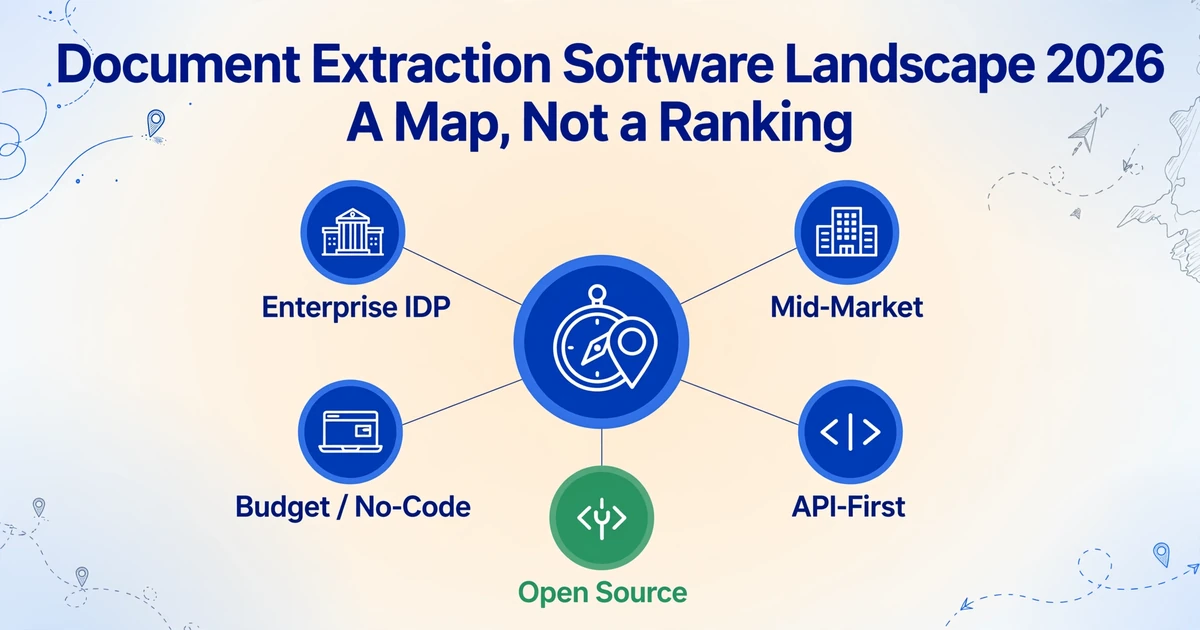
Two tools can both extract invoice data from a PDF. One costs $19 per month. The other requires a conversation with a sales team that starts at $1,500 per month. They use the same class of AI under the hood. The 75x price gap isn't about extraction quality — it's about the fact that they were built for completely different organizations, with different team structures, different volume profiles, and different tolerance for implementation complexity. If you're starting your vendor search and comparing features across price bands without first understanding which category of tool was built for your situation, you're not evaluating — you're guessing. This article draws the map.
Key Takeaways
- 100+ document extraction vendors all claim 99% accuracy — and a tool like ImageToTable.ai at $19/month uses the same class of AI under the hood as the ones that start at $1,500.
- Comparing features across price bands is the single most expensive mistake buyers make — a $19 no-code tool and a $1,500 enterprise platform were never meant to be alternatives, they were built for different organizations with different team structures.
- Three questions will place you in the right category faster than any vendor demo: how many documents per month, who operates the tool, and what happens to the data after extraction.
Why Category Matters More Than Features
The intelligent document processing market hit roughly $3.2 billion in 2026, growing at a projected 18-30% CAGR depending on which analyst firm you ask — Mordor Intelligence pegs it at $3.17 billion, while Fortune Business Insights reports $14.16 billion under a wider scope that includes adjacent document management services. (The spread between these numbers is itself a signal: different analysts count different things, and "document extraction" as a category has blurry edges.)
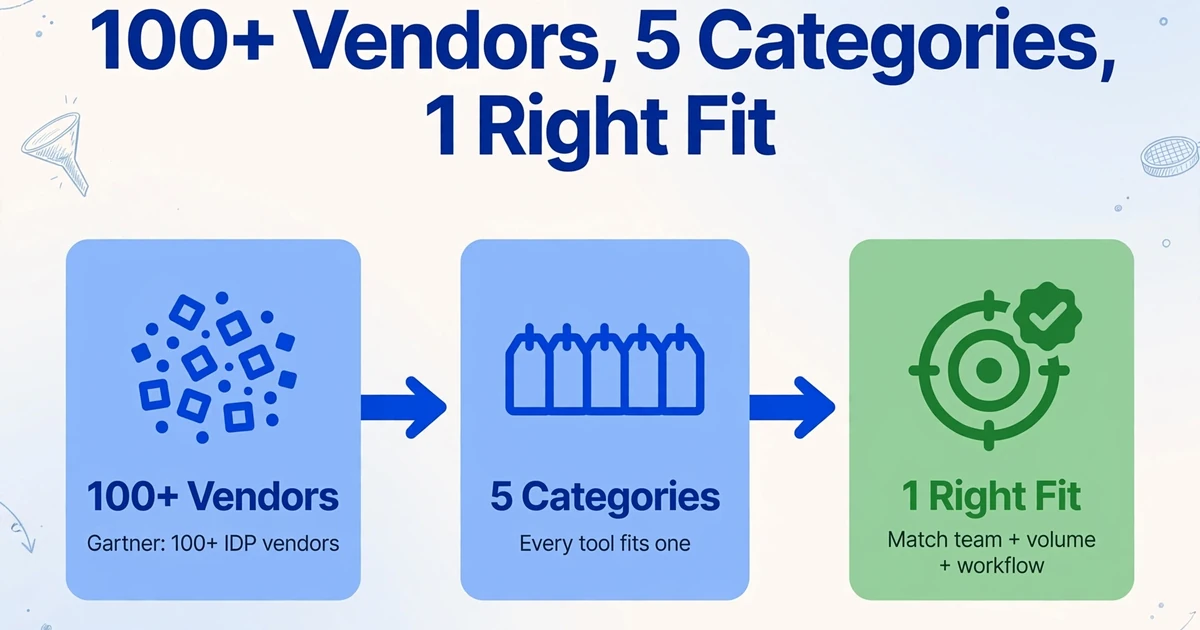
What matters more than the exact market size is the fragmentation. Gartner's most recent Magic Quadrant for Intelligent Document Processing notes over 100 vendors — from cloud hyperscalers to niche startups. For a buyer who just opened a search tab, that number is paralyzing.
But the fragmentation isn't random. Every tool on the market falls into one of roughly five categories, each built around a different answer to the same three questions: How large is the organization? How many documents flow through per month? Who's going to operate the tool — an engineer, an accountant, or both?
The categories aren't quality tiers. A $19/month budget tool isn't a "worse" version of a $1,500/month enterprise platform — it's a different architecture optimized for a different use case. The mistake that costs buyers the most isn't choosing the wrong tool within a category. It's choosing the wrong category entirely — then spending months trying to make the tool fit.
Before you compare tools
Know which category was built for your team size, monthly volume, and technical skill. Category misfit is the single most expensive mistake in document extraction software selection — and it's invisible from a feature comparison table.
The Five Categories at a Glance
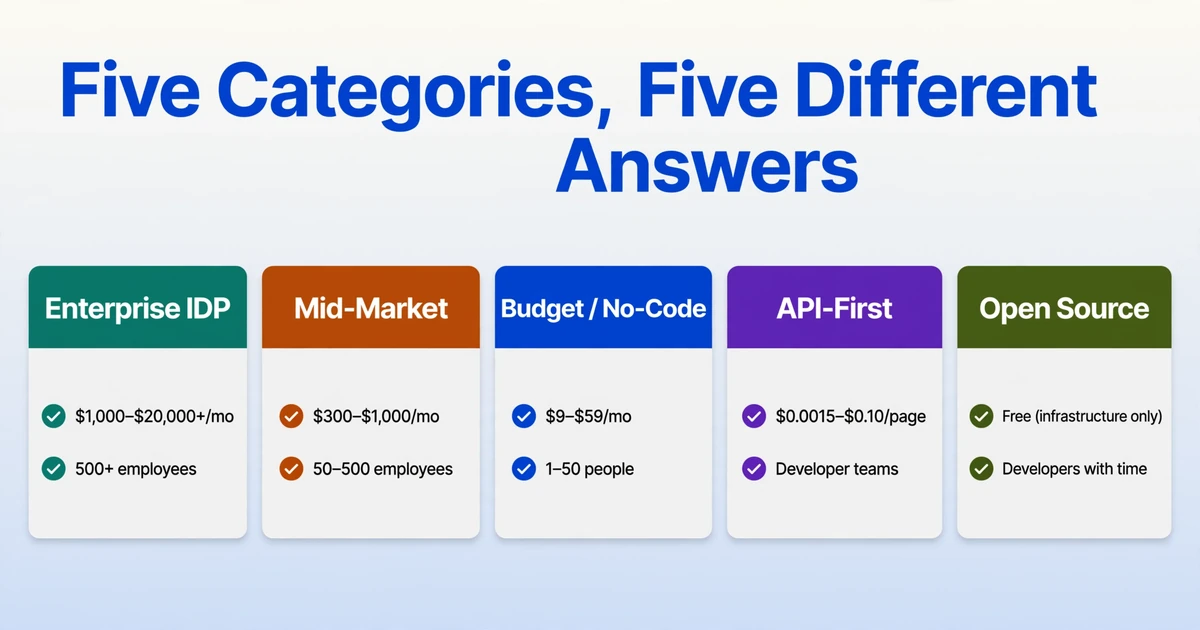
Here is the landscape in one table. Each category is a different answer to "who is this for, what does it cost, and what are you trading off?" The rest of this article unpacks each one.
| Category | Who It's For | Typical Price Range | Core Trade-Off | Examples |
|---|---|---|---|---|
| Enterprise IDP | 500+ employee orgs, dedicated IT, compliance requirements | $1,000–$20,000+/mo | Maximum power, maximum implementation weight | ABBYY Vantage, Hyperscience, Rossum, UiPath IXP |
| Mid-Market Specialized | 50–500 employees, finance/ops team, moderate volume | $300–$1,000/mo | Good accuracy at reasonable cost, but less workflow coverage | Nanonets, Docsumo, Affinda, Docparser |
| Budget / No-Code | 1–50 people, no IT support, quick setup needed | $9–$59/mo | Fastest start, lowest cost, limited to extraction-only workflows | ImageToTable.ai, Airparser, Parseur, Parsio |
| API-First / Cloud-Native | Developer teams building extraction into their own product | Per-page ($0.0015–$0.10/page) | Full pipeline control, requires engineering investment | Google Document AI, Amazon Textract, Azure Document Intelligence |
| Open Source | Developers with time, teams needing full data control | Free (infrastructure cost only) | Zero license cost, maximum engineering burden | Tesseract, PaddleOCR, docTR |
Enterprise IDP Platforms: When Scale Demands a Full Suite
Enterprise IDP platforms are the category most buyers encounter first — because they have the largest marketing budgets and the longest sales histories. Tools in this tier — ABBYY Vantage, Hyperscience, UiPath's Intelligent Document Processing, Rossum's enterprise offering — were built for organizations processing tens of thousands of documents per month across multiple departments, with dedicated IT staff, formal procurement processes, and compliance requirements that demand audit trails.
What you're buying: An end-to-end document processing platform. Extraction is one module. The platform also includes document classification (automatically identifying what type of document just arrived), validation rules, confidence-based routing (high-confidence results go straight through, low-confidence results go to a human review queue), ERP/CRM integration connectors, and role-based access control. When ABBYY or Rossum sells to an enterprise, they're not selling extraction — they're selling a document operations layer.
The real cost: Rossum's starter plan begins around $18,000 per year. Nanonets' enterprise tier starts at $999/month and scales with volume. ABBYY doesn't publish pricing at all. But the license cost is usually the smaller of two expenses. Implementation — configuring document types, training models, integrating with existing systems, training staff — typically runs 3–12 months and costs more than the first year's license. A Forrester report on IDP adoption notes that buyers who underestimate implementation complexity "often see pilot-phase accuracy rates that look promising but fail to translate to production without months of tuning."
The trade-off: You get the most comprehensive document automation stack available. You also get the heaviest implementation lift. If your organization genuinely processes 10,000+ documents per month across multiple document types and has an IT team to manage the deployment, the heavy lift pays off in automation density — a single platform handles everything from mailroom ingestion through ERP posting. If you process 300 invoices a month and don't have an IT department, you're paying for infrastructure complexity you'll never use and a deployment timeline that will outlast your patience.
Enterprise platforms also tend to be strongest on handwriting and complex table structures — Hyperscience in particular built its reputation on handwritten document processing for government agencies and healthcare payers. If your document mix includes a significant percentage of handwritten forms, the enterprise tier may be the only category with the accuracy to handle them cleanly.
Mid-Market Specialized Tools: Focused Power Without the Bloat
Mid-market tools sit in the $300–$1,000/month range and solve the problem that enterprise platforms create for smaller organizations: too much tool, too much cost, too much implementation. Nanonets, Docsumo, Affinda, and Docparser are the most visible names here. They don't try to be all-in-one platforms — they focus on doing extraction well and let you handle the downstream workflow in your existing tools.
What's different from enterprise: You'll get AI-powered extraction that handles variable layouts without templates — the same underlying technology as the enterprise tier. What you won't get is the full workflow automation stack: no built-in approval routing, no ERP connector library, no role-based access control for compliance audits. These tools assume you already have systems for those functions and just need extraction to feed data into them.
The sweet spot: A mid-size accounting firm processing 2,000–5,000 documents per month. Enough volume that manual entry is genuinely expensive, but not enough to justify a 6-month enterprise deployment. Docparser's zonal OCR approach works well for organizations with consistent document layouts (same suppliers every month, same forms). Nanonets and Docsumo use deep learning models that handle variation better — useful when your incoming documents come from 50+ different counterparties with no two formats identical.
The trade-off: Better accuracy than budget tools on high-volume, repetitive document types, at a fraction of enterprise pricing. But you'll hit a ceiling on customization — want to add a custom validation rule that cross-references extracted data against your ERP before the result is accepted? That's enterprise territory. The mid-market tier covers extraction thoroughly; it leaves the "what happens after extraction" to you.
Many buyers in this tier also need to decide whether to go API-first or no-code — some mid-market tools offer both paths, and the choice depends on whether you have developers available to build integrations or need everything to work through a browser interface.
Budget / No-Code Tools: The Self-Serve Tier
This is where the landscape has changed fastest in the last two years. Tools like ImageToTable.ai, Airparser, Parseur, and Parsio operate in the $9–$59/month range. They're built for a specific buyer: someone who needs to extract data from documents today, can't wait for a procurement cycle, and doesn't have a developer to build an integration. The entire workflow runs in a browser.
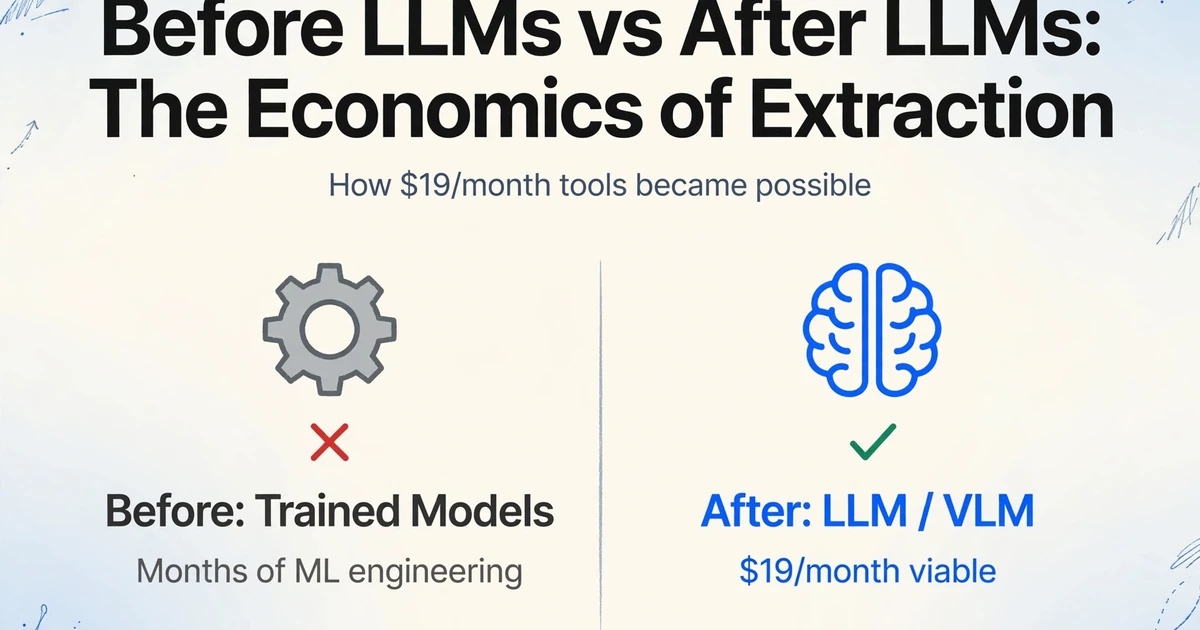
The technology shift that made this category viable: Two years ago, a $19/month extraction tool couldn't exist because the only way to get decent accuracy was through trained models — and training models required either (a) months of machine learning engineering or (b) paying an enterprise vendor who'd already done it. The arrival of large language models and vision-language models changed the economics. Instead of training a model per document type, these tools send your document to an LLM or VLM that reads the document the way a human would — by understanding what the fields mean, not where they sit on the page. The per-document cost of that approach dropped enough to make $19/month plans viable at hundreds of pages per month.
How it works in practice: You upload a PDF, JPG, or screenshot. You type the field names you want — "Invoice Number, Vendor Name, Total, Due Date." The AI finds each value anywhere on the page by understanding semantics, not coordinates. In ImageToTable.ai, this is called Custom Column Extraction: the column names you type become the headers of your output spreadsheet. Need to handle 50 invoices at once? Upload them as a batch and get one merged Excel file — every invoice becomes one row with the columns you specified. You can even define computed columns that perform calculations during extraction — like "Line Total (Qty × Unit Price)" — so the spreadsheet you download contains answers, not just raw data.
Most tools in this tier also offer a Collection Link feature: generate a shareable URL, send it to clients or team members, and their uploaded documents land directly in your processing queue — no registration required on their end.
The trade-off: This category gives you the fastest time-to-first-result in the market — often under 2 minutes from landing on the page to downloading a spreadsheet. The trade-off is that you're getting extraction, not a workflow platform. If you need automatic ERP posting, approval routing, or a human review queue with granular role-based permissions, you need a tool from a higher category. Budget tools handle the extraction step extremely well; they don't automate what happens before or after it.
When budget tools win
A 3-person accounting firm processes 200 client invoices per month. An enterprise IDP platform costs 12× more than their monthly revenue from those clients. A budget tool at $19/month extracts the same fields from the same invoices using the same class of AI — and the accountant is working in Excel 45 seconds after uploading. The missing piece isn't extraction quality; it's workflow automation they didn't need in the first place.
API-First / Cloud-Native: Build Your Own Pipeline
Google Document AI, Amazon Textract, and Azure Document Intelligence belong to a different category entirely. These are not tools — they're infrastructure components. You don't log into a dashboard and upload files. You write code that sends documents to a REST endpoint and receives structured JSON back. The pricing is per-page (anywhere from $0.0015 to $0.10 depending on the processor), and the assumption is that your engineering team will build the entire pipeline around the extraction step.
Who this is for: SaaS companies embedding document extraction into their own product. Enterprise development teams with existing cloud infrastructure who need extraction as one link in an automated chain. Organizations processing documents at volumes where per-page pricing is cheaper than per-seat SaaS — if you process 50,000 pages a month, Textract's $0.015/page ($750 total) can be dramatically cheaper than a $1,500/month enterprise platform, assuming you have the engineering team to build the surrounding infrastructure.
What the cloud providers get right: Google Document AI's pre-trained processors for invoices, receipts, and identity documents are genuinely good. Amazon Textract's table extraction handles complex layouts that break many third-party tools. Azure's Document Intelligence integrates naturally with the Microsoft 365 and Power Platform ecosystem that many enterprises already live in.
The gap: These are extraction APIs, not document processing solutions. Classification, validation, exception handling, human review — all of it needs to be built. Google, Amazon, and Microsoft provide the engine; you provide the car. A developer who described building a document extraction platform on Reddit put it plainly: "Document extraction is less about finding one perfect model and more about building a system that can handle thousands of different document variations." The API gives you the first step — extraction — not the system.
For teams evaluating whether to build or buy, the full cost breakdown — developer time, infrastructure, maintenance, and API pricing — is covered in detail in our build vs buy analysis. The short version: building makes sense when document extraction is your product, not your overhead.
Open Source: Free as in Puppy
Tesseract — originally developed at HP in the 1980s, now maintained by Google — remains the most widely deployed OCR engine on the planet. PaddleOCR, from Baidu, has gained significant traction since 2023 for its strong multilingual support (100+ languages) and table recognition capabilities. docTR, built on PyTorch and TensorFlow, offers a more modern architecture with end-to-end trainable detection and recognition.
These tools are free. The license costs nothing. But open-source OCR is not document extraction — it's character recognition. Tesseract can tell you the text on a page. It cannot tell you which string of text is the invoice number and which is the PO reference. That classification, extraction, and structuring logic is what you build — and it's where the real cost lives.
When open source works: You have a developer who knows computer vision, you're processing documents with strictly fixed layouts (same form, same coordinates, every time), and your volume justifies the build cost. PaddleOCR in particular has a strong table recognition pipeline that, when combined with custom post-processing, can rival commercial tools on structured tabular documents — as noted by developers on Reddit's OCR community who've benchmarked it against newer models and found it the most reliable of the open-source options for production use.
When it doesn't: Your documents vary in layout across counterparties. You need field-level extraction, not just text output. You don't have a computer vision engineer on staff. Under these conditions, the "free" tool costs more in engineering time than a budget SaaS subscription would cost in a year.
What Changed in 2025–2026: Three Trends Reshaping the Market
The vendor landscape doesn't sit still. Three structural shifts are actively redrawing the category boundaries described above.
1. LLMs and VLMs are replacing template-based extraction — for real this time
For two decades, the dominant approach to document extraction was template matching: draw a box around the invoice number field, tell the software "the value is here," and hope the next invoice places it in the same spot. Machine learning improved this slightly by learning patterns from labeled examples, but the fundamental dependency on consistent layout persisted. Forrester VP and Principal Analyst Boris Evelson, writing in the Document Mining and Analytics Platforms Landscape Q4 2025, describes generative and agentic AI as an "equalizer that challenges vendors' ability to differentiate" on rules- and template-based architectures.
The shift is architectural, not incremental. A vision-language model doesn't look for a field at coordinates (x: 342, y: 891). It reads the document holistically and answers the question "what is the total amount on this page?" by understanding the relationship between the label "Total" and the number next to it — regardless of where either appears. This is the same approach a human reader uses, and it's why tools across every category have been adding "template-free" to their marketing in 2025-2026.
The practical effect: tools that could only handle 80% of document formats can now handle 95%+, because the failure mode — "the layout changed" — is no longer a failure mode at all.
2. Agentic document processing: extraction that doesn't stop at extraction
The term "agentic" has been heavily hyped — and we'll address what's real vs. what's marketing shortly — but the core idea is genuine. Traditional IDP does this: input a document, output JSON. Agentic document processing does this: input a document, the AI plans a multi-step workflow, extracts data, validates it against known rules, cross-references it with data from other documents, and acts — posting to an ERP, triggering an approval, flagging an anomaly.
Kognitos defines agentic data extraction as systems where "autonomous AI agents plan multi-step workflows, reason iteratively about ambiguous content, adapt to formats they have never seen before, validate their own outputs, and increasingly take actions on what they extract." The key word is iteratively: an agentic system that encounters an ambiguous field doesn't guess — it re-reads the document, checks context, and if still uncertain, escalates to a human with a specific question about a specific field.
IDC's parallel Worldwide IDP Software Forecast projects the market growing at 29.6% CAGR, "driven primarily by adoption of agentic and generative AI capabilities in document automation." The trajectory is real, but the current state is uneven: Deloitte's 2025 Emerging Technology Trends study found that while 38% of organizations are piloting agentic AI, only 11% have agents actively running in production.
3. Multimodal models: documents aren't just text anymore
The third trend is the quietest but may prove the most consequential. Earlier-generation extraction tools treated documents as text that happened to live on an image — OCR first, then NLP. That pipeline broke whenever the visual layout mattered: checkmarks in boxes, handwritten signatures next to printed dates, photos embedded in reports.
Vision-language models collapse the OCR→NLP pipeline into a single step. They process the document as a visual input — pixels, not extracted text — and reason about it directly. A VLM can answer "is the 'Approved' box checked?" by looking at the box, not by inferring from nearby text. It can read a handwritten note in the margin of a printed invoice without a separate handwriting recognition pass.
This matters for the landscape because it's blurring the line between categories. A $19/month budget tool using a VLM backend can now handle document types that, three years ago, required an enterprise platform with a dedicated handwriting model. The technology that used to differentiate price tiers is diffusing downward — which means the real differentiation between categories is shifting from extraction accuracy to workflow, integration, and support.
Overhyped vs. Real: Separating Signal from Noise
Every vendor website in 2026 has added "AI-powered," "agentic," and "template-free" to their homepage. Here's what's actually happening versus what's marketing.
| Claim | What's Real | What's Overhyped |
|---|---|---|
| "99% accuracy" | Character-level OCR accuracy on clean, high-resolution digital text is genuinely 99%+ across modern tools. | Field-level extraction accuracy on real-world documents — scanned, skewed, stamped, multi-language — rarely exceeds 95%. Most "99%" claims measure the wrong thing. When you need the invoice total to be correct, character accuracy is irrelevant; field accuracy is everything. |
| "Template-free extraction" | LLM and VLM-based tools genuinely handle variable layouts without per-document-type configuration. This is a real, working technology in 2026, available from tools across multiple price tiers. | "Template-free" doesn't mean "zero setup." You still need to tell the tool which fields to extract. The innovation is that you describe fields semantically ("Due Date") instead of spatially ("box at x:342, y:891") — not that the tool reads your mind about what data you want. |
| "Agentic AI" | Multi-step reasoning, self-validation, and adaptive extraction are working in controlled deployments — particularly for invoice processing where validation rules are well-defined. | Only 11% of organizations have production-deployed agents per Deloitte's data. Most "agentic" features in 2026 are single-step extraction with a validation check — useful, but not the autonomous document operations layer that marketing implies. |
| "No training required" | LLM-powered tools work out of the box on common document types without labeled training data — a genuine improvement over the 2018-2024 generation of ML-based tools. | Edge cases — unusual table structures, multi-language mixed documents, heavily stamped/faxed pages — still benefit from configuration, and enterprise deployments still invest significant time in tuning for their specific document mix. |
The most honest signal you can get from a vendor isn't on their homepage. It's in their pricing page: if the numbers are visible without talking to sales, the tool was built for self-serve buyers. If every tier says "Contact Sales," the tool was built for enterprise procurement cycles — and everything about the implementation timeline, support model, and contract complexity will reflect that.
How to Use This Landscape to Narrow Your Search
You've seen the five categories. You've seen the trends reshaping them. Now: which category should you start in? Three questions narrow it down faster than any feature comparison matrix.
How many documents per month?
Under 500: budget/no-code tools will handle your volume without strain. 500–5,000: mid-market tools offer better accuracy at scale and often include basic workflow features. 5,000+: enterprise IDP or API-first — the per-document economics of budget tools start to break, and the integration depth of enterprise platforms starts to pay off.
Who's going to operate it?
No developers on staff: stay in the no-code or mid-market tier — these are built for browser-based operation by non-technical users. One or two developers available: API-first becomes viable, and you can consider building a pipeline around Google Document AI or Textract. Full engineering team: open source or API-first, with the understanding that "free" means engineering hours.
What happens to the data after extraction?
It goes into a spreadsheet you review manually: budget tier is sufficient. It needs to post automatically to an ERP and trigger downstream workflows: you'll need a mid-market or enterprise tool with integration connectors. It feeds into your own SaaS product: API-first is the only architecture that makes sense — you're embedding extraction, not using it.
Notice what's absent from these three questions: feature counts, accuracy percentages, and vendor demo videos. Those matter within your chosen category. But if you haven't answered the category question first, you're comparing tools that were never meant to compete with each other.
Once you've identified your category, the next step is evaluating specific tools. The framework in our 6-dimension evaluation guide walks through what to test, how to test it, and how to know when you've tested enough — without signing up for a 3-month pilot.
If you're still at the very beginning — unsure what data extraction software even is — start with our beginner's primer before diving into category selection.
Frequently Asked Questions
How do I know if I'm in the wrong category?
The most reliable sign: you're paying for features you don't use, or you're building features the tool should have included. If you're on an enterprise plan and you've never touched the workflow automation module, you're over-categorized. If you're on a budget plan and you've built a Python script that polls the tool's API every hour to feed data into your ERP, you've outgrown the category. Category fit is about the ratio of features-used to features-paid-for — and about whether the missing features are costing you more in workarounds than the next tier up would cost in subscription fees.
Is there a tool that works across all categories?
No single tool spans all five categories well. Some tools offer multiple tiers that bridge two adjacent categories — Nanonets, for example, offers both a mid-market self-serve plan and an enterprise tier with workflow automation. But the same underlying tool can't be simultaneously optimized for a solo bookkeeper uploading 100 receipts a month and a procurement department processing 50,000 POs. The architecture, support model, and pricing structure that serve one use case actively work against the other.
What if my volume fluctuates month to month?
Several tools across the budget and mid-market tiers offer pay-as-you-go or credit-based pricing that handles fluctuation better than fixed monthly page allocations. ImageToTable.ai, Airparser, and Parseur operate on usage-based models where you pay for what you process rather than reserving capacity. If your volume is consistently unpredictable, avoid tools with hard page caps — overage fees add up fast and the annual contract you signed to get a discount becomes a constraint.
Do any of these tools handle handwritten documents?
Enterprise platforms — particularly Hyperscience and ABBYY — have the strongest handwriting capabilities, built over years of processing handwritten claims forms, medical records, and government documents. Among budget and mid-market tools, handwriting support varies significantly. Tools using vision-language models (including ImageToTable.ai) can read clear handwriting in context — a handwritten total next to a printed label, for example — but dense paragraphs of cursive script remain challenging across all categories. If your document mix is predominantly handwritten, test handwriting accuracy on your actual documents before committing to any tool; don't trust a vendor's claim without verifying on your own samples.
What's the fastest way to test a category before committing?
Budget and mid-market tools in the no-code tier typically offer a free demo or trial that lets you upload your own documents and see results immediately — no sales call, no contract. This is the single biggest advantage of the self-serve tiers: you can validate whether the tool works on your documents in under 5 minutes. Enterprise tools require a sales conversation to access a trial, and the trial itself often involves a guided setup session. If you're unsure which category you need, start low — test a budget tool first. If it does the job, you've saved thousands. If it doesn't, the gaps you find will tell you exactly which features you need from the next tier up.
The Map Is Not the Territory
The landscape described here is accurate as of mid-2026, but the boundaries are shifting. The technology that differentiated enterprise platforms three years ago — template-free extraction, handwriting recognition, multi-language support — is now available in tools at one-tenth the price. The technology that will differentiate them three years from now — agentic workflows that genuinely reduce human review, multimodal reasoning that handles any document without configuration — is being built today across every category.
What doesn't change is the matching logic. The best tool for a 3-person firm processing 200 invoices a month will never be the same as the best tool for a 500-person company processing 50,000. Categories exist because different organizations have structurally different needs, and no amount of AI progress changes that. Start with your team, your volume, and your downstream workflow. The tool follows from there.
Test on your own documents, in your own category, against your own thresholds. A 5-minute test with a real invoice from your least cooperative supplier will tell you more than every feature matrix on this page.