The Complete Guide to
Korean Cash Receipt Data Extraction for Tax (2026)
South Korea's National Tax Service (NTS, 국세청) operates one of the most sophisticated transaction-tracking systems in the world. Every cash transaction — from a ₩1,500 convenience store purchase to a ₩5 million equipment payment — generates a 현금영수증 record that flows through the KFTC payment network and lands in the NTS database by the next morning. And yet, every January, almost every Korean employee opens Hometax, downloads a CSV file, and then spends 5 to 10 hours manually sorting 150 receipts into expense categories that the system was never designed to provide. The gap isn't a technology problem. It's a data design problem: the NTS built the system to track merchants, not to serve taxpayers with categorized, filing-ready spreadsheets. This guide bridges that gap — for both sides of the tax equation.
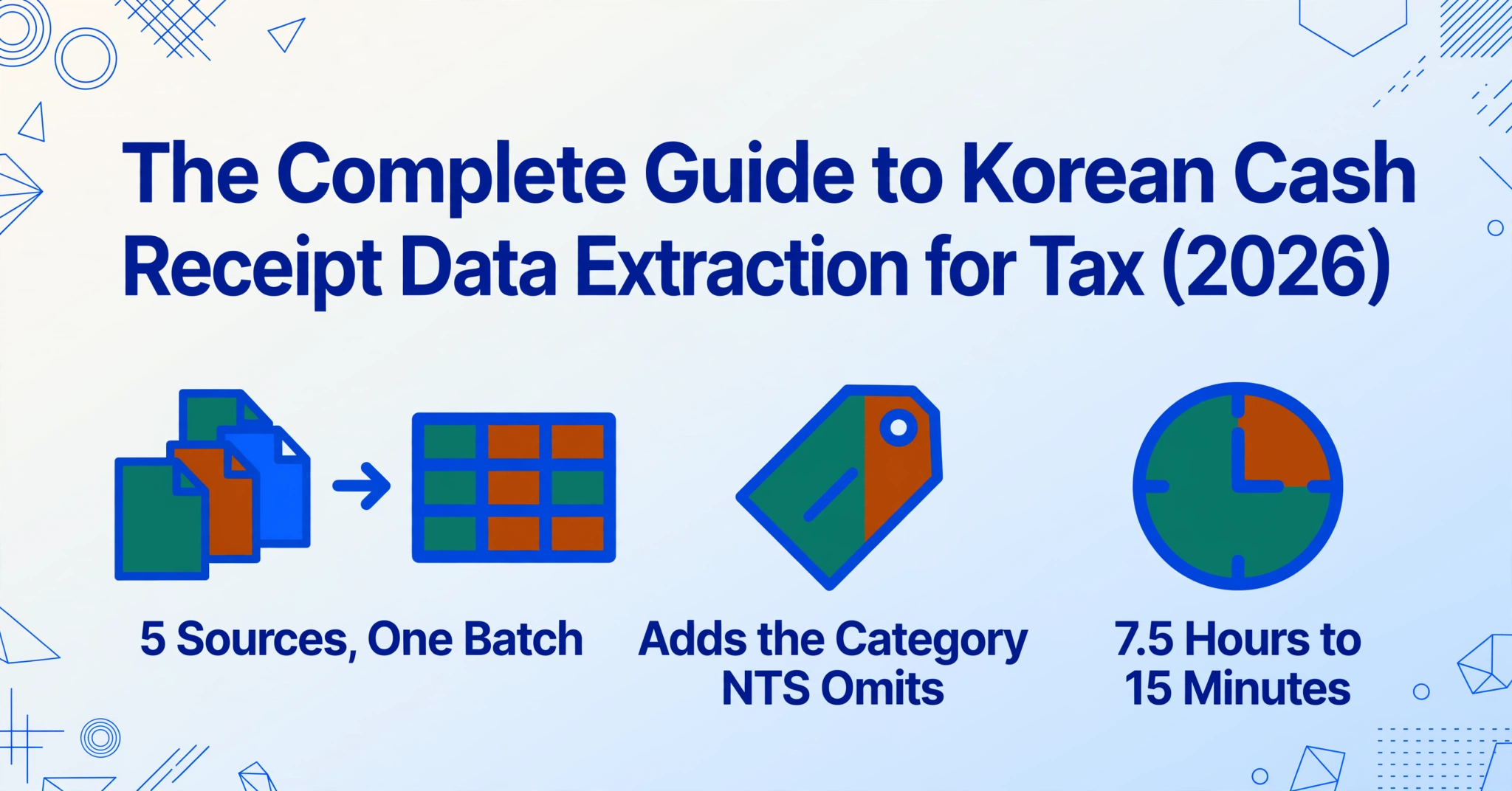
Key Takeaways
- You spend 5 to 10 hours every January sorting 현금영수증 into expense categories — but the NTS already has every data field it needs to compute your deduction.
- The gap isn't your lack of tax knowledge — the NTS built the system to track merchants, not to hand you a categorized, filing-ready spreadsheet.
- Define the columns your filing needs, let AI extract and assign categories from the merchant alone, and a 7.5-hour scramble becomes a 15-minute verification.
What Is a Korean Cash Receipt (현금영수증) — and Why It's a Tax Document, Not Just a Receipt
In most countries, a receipt is a record of payment. A Korean cash receipt (현금영수증) is a tax document with legal force — and understanding this distinction is the foundation of everything that follows.
Since January 2005, Korea has operated a mandatory cash receipt issuance system governed by the Income Tax Act (소득세법) Article 162-3 and the Corporate Tax Act (법인세법) Article 117-2.[NTS] Under this framework, any registered merchant must issue a 현금영수증 upon customer request for any amount over ₩1. For businesses in mandatory-issuance industries (의무발행업종) — detailed in the Enforcement Decree of the Income Tax Act (소득세법 시행령) Appendix Table 3-3 — a cash receipt must be issued for any cash transaction over ₩100,000 even if the customer does not ask. Failure to issue carries a penalty of 20% of the unreported amount under the Income Tax Act (소득세법) Article 81-9.
This is fundamentally different from a general receipt (일반영수증), which a convenience store or restaurant hands you as proof of payment but which carries no tax deduction weight — the NTS does not track it, and it cannot be used for year-end settlement or VAT input tax credit. We covered the data extraction workflow for those receipts in our Korean receipt extraction guide, but 현금영수증 operate in a separate legal and data ecosystem altogether.
From a data extraction perspective, this legal status has one critical consequence: every electronic 현금영수증 already exists in the NTS database with a verified set of fields — approval number, merchant registration number, transaction date, supply amount, VAT, and consumer identifier. The data is there. What is never there is an expense category, a business-purpose note, or a project code. Those fields are what the taxpayer must fill in, which is where extraction becomes necessary rather than optional.
Two Types, Two Tax Outcomes: Income Deduction (소득공제용) vs Expense Proof (지출증빙용)
When a merchant issues a 현금영수증, they must classify it into one of two categories at the point of issuance. This single choice determines which taxpayer benefits apply — and therefore which data fields matter for your extraction.
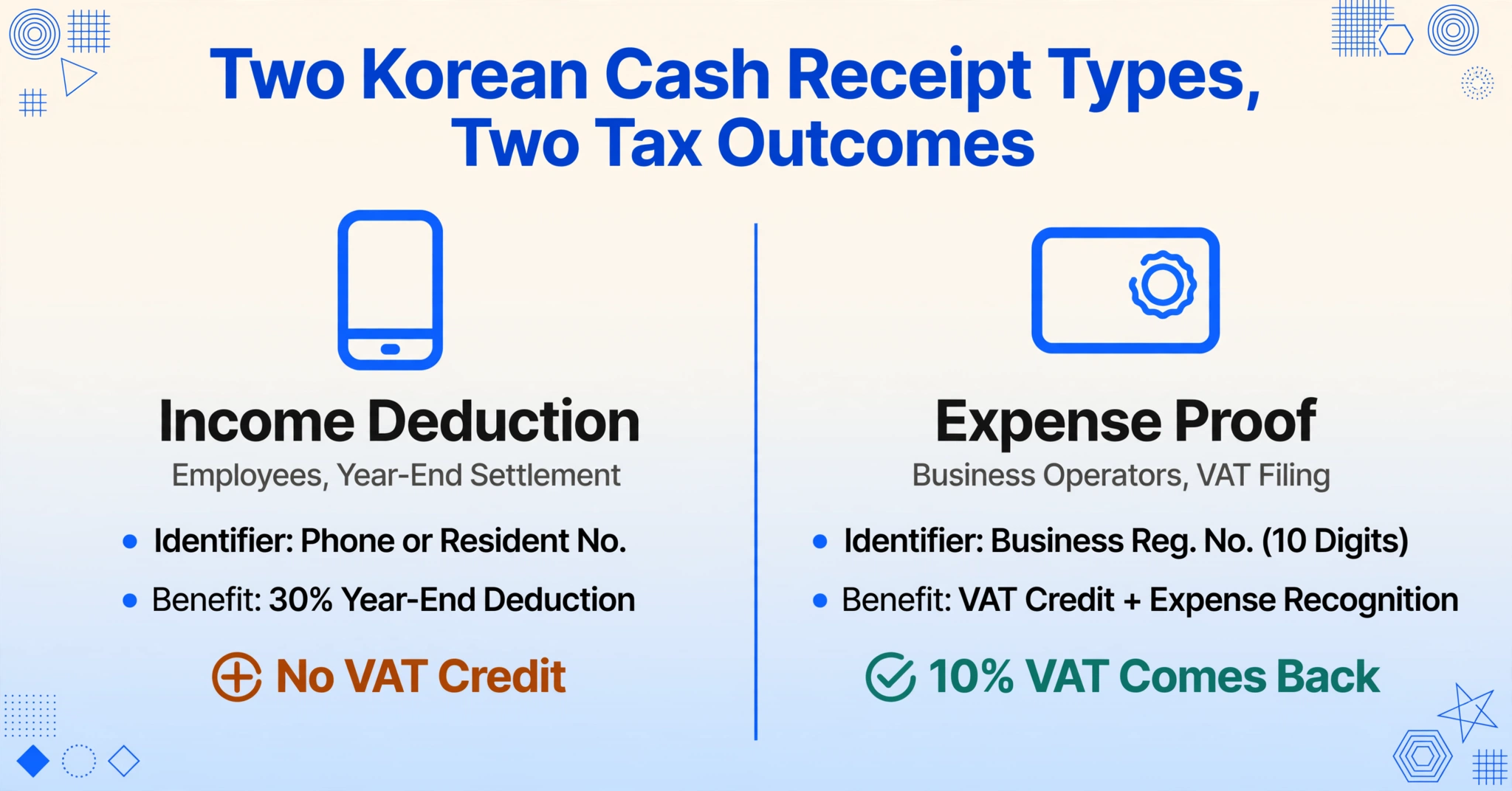
| Dimension | Income Deduction (소득공제용) | Business Expense Proof (지출증빙용) |
|---|---|---|
| Who uses it | Employees (근로소득자) | Business operators (개인사업자 / 법인) |
| Identifier | Phone number or resident registration number | Business registration number (사업자등록번호, 10 digits) |
| Tax benefit | Year-end settlement income deduction (연말정산 소득공제) at 30% deduction rate | VAT input tax credit (부가세 매입세액공제, 10% VAT refund) + business expense recognition (필요경비 인정) |
| Legal basis | Restriction of Special Taxation Act (조세특례제한법) Art. 126-2 | Value-Added Tax Act (부가가치세법) Art. 46(3), Income Tax Act (소득세법) Art. 160-2 |
| Key data field | Total transaction amount | Supply amount (공급가액) + VAT (부가세) separately |
| Filing context | Year-end settlement (연말정산, January–February, through employer) | Comprehensive income tax / corporate tax + VAT return (종합소득세 / 법인세 + 부가세 신고, quarterly or semi-annual) |
A common mistake: a business owner who gives their personal phone number at the register instead of their 사업자등록번호 automatically receives a 소득공제용 receipt — which means the VAT input tax credit is lost. The fix exists (Hometax allows retroactive reclassification through the "용도변경" menu), but it requires locating each incorrectly issued receipt and manually converting it. That is time that data extraction cannot recover, because the classification was wrong at the source.
For a deeper look into how the year-end deduction math works for individual employees — including the 25% salary threshold and the ordering rule that applies credit card spending first — see our guide on extracting Korean cash receipt data for year-end tax settlement.
Every Data Field on a Korean Cash Receipt — and What the NTS Requires
The NTS mandates specific fields on every cash receipt under the 현금영수증사업자가 지켜야 할 사항 고시 (NTS Public Notice on Cash Receipt Business Operator Obligations).[National Law Information Center] Understanding which fields are required — and which are optional but valuable — determines what you can extract and what tax purpose each serves.
| Field (English) | Field (한국어) | Required? | Tax Purpose |
|---|---|---|---|
| Approval Number | 승인번호 | Required | Unique NTS transaction ID; used for cancellation, correction, and verification |
| Merchant Business Registration Number | 사업자등록번호 | Required | Identifies the vendor; needed for expense categorization by merchant type |
| Transaction Date & Time | 거래일시 | Required | Determines tax year eligibility; format: YYYYMMDDHHMMSS (12 bytes) |
| Supply Amount | 공급가액 | Required | Basis for VAT input tax credit; separates goods value from tax |
| VAT | 부가가치세 | Required | 10% of supply amount; the exact amount claimable as input tax credit |
| Total Amount | 총금액 | Derived | Supply amount + VAT; used for personal income deduction calculation |
| Item / Service Description | 품목 | Optional | Critical for expense category classification; often missing from electronic receipts |
| Consumer Identifier | 발급수단번호 | Required | Links the receipt to the taxpayer; phone number, 사업자등록번호, or resident ID |
For paper-based 현금영수증 (thermal-printed slips from small merchants), these same fields apply, but the data exists only on the paper — not in the NTS digital flow. The distinction between electronic and paper receipts is where data extraction moves from "nice to have" to "essential," because paper receipts must be manually digitized before they can be submitted for any tax benefit. Cash receipts are the most common Korean tax document, but not the only one — our Korean tax document extraction workflow applies the same column-based extraction to tax invoices, delivery notes, and business registration certificates.
Why Personal (연말정산) and Business Tax Need Different Extraction Columns
One reason most existing guides on 현금영수증 feel incomplete is that they write for a single audience — typically the salaried employee facing year-end settlement. But a significant portion of 현금영수증 volume flows through business expense channels, where the tax logic is entirely different.
For Employees (연말정산 소득공제)
An employee's year-end tax settlement operates on a single question: how much did you spend, and how much of that exceeds 25% of your salary? The deduction formula is straightforward: (현금영수증 spending − 25% of total salary) × 30%, subject to a cap of ₩3 million for those earning ₩70 million or less, and ₩2.5 million for those above.[NTS] For the employee, the only field that truly matters for the NTS calculation is the total amount. What the employee actually needs — and what Hometax never provides — is an expense category for each receipt, because many employers require categorized breakdowns for their internal accounting.
The practical extraction column set for an employee, therefore, looks like:
Employee Columns:
Date · Merchant · Total Amount · Expense Category · Payment Method · Note
The "Expense Category" column is the one that AI extraction tools can handle differently from manual entry. Instead of you deciding after each transaction whether a ₩8,000 purchase was "식대 (Meals)" or "사무용품비 (Office Supplies)," an AI extracting column named Category (options: Meals/Transport/Office/Medical/Other) reads the merchant name and item description to make that classification automatically during extraction. This is called an inferred column — the data doesn't exist on the receipt itself, but the AI deduces it from context. For a detailed walkthrough of setting up these columns for individual receipts, see our step-by-step extraction guide.
For Business Operators (부가세 매입세액공제)
For a business operator, the tax question is different: how much VAT did I pay, and can I claim it back? The relevant legal framework is 부가가치세법 Article 46, Paragraph 3, which permits input VAT tax credit (매입세액공제) for business-related cash expenses backed by a 지출증빙용 현금영수증.[NTS]
This changes the column requirements fundamentally. The supply amount and VAT must be recorded separately because the input tax credit operates on the VAT component alone. A business가 110,000원 (supply ₩100,000 + VAT ₩10,000) receipt generates a ₩10,000 VAT refund or credit — but only if the receipt was issued as 지출증빙용 with the 사업자등록번호.
Business Operator Columns:
Date · Merchant · Supply Amount (공급가액) · VAT (부가세) · Total · Category · Deductible (Yes/No) · Receipt Type (Electronic/Paper/Self-Issued)
For a complete breakdown of how batch processing transforms this workflow — especially for business owners handling 200+ receipts per quarter — see our guide on batch-processing Korean cash receipts for tax deduction.
Where Your Cash Receipt (현금영수증) Data Actually Lives — the Five Sources
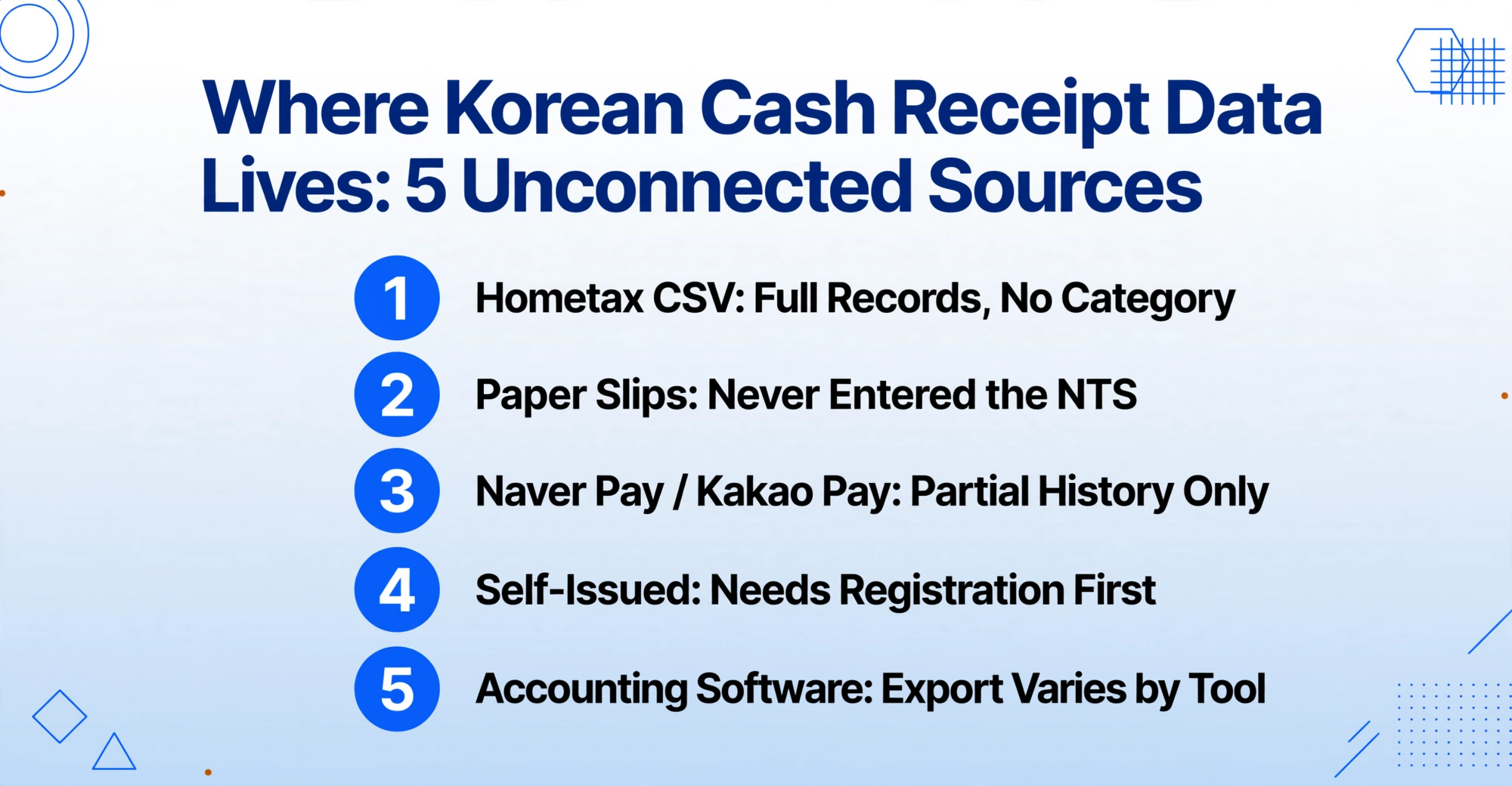
One of the most counterintuitive realities of Korea's 현금영수증 system is that even though the NTS has near-complete digital records, the data you need for your filing is scattered across five entirely separate sources — and none of them talk to each other.
| Source | Format | NTS Record? | Has Category? | Extraction Method |
|---|---|---|---|---|
| Hometax CSV Download | CSV/Excel | ✅ Full | ❌ No | Direct download; needs column mapping + category inference |
| Paper Receipt Slips | Thermal paper / handwritten | ❌ None | ❌ No | Photo → AI extraction → spreadsheet |
| Naver Pay / Kakao Pay | In-app history | ✅ Partial | ❌ No | Screenshot / app export → AI extraction |
| Self-Issued (자진발급분) | NTS code 010-000-1234 | ✅ Recorded | ❌ No | Hometax manual registration required first |
| Accounting Software (Douzone/ERPia etc.) | Internal DB | Varies | ⚠️ Sometimes | Export or API; depends on software capability |
This fragmentation is the structural reason why, even in a country with near-universal digital receipt coverage, the annual 현금영수증 scramble persists. For a deeper analysis of the six specific fault lines that cause this fragmentation — including the unregistered phone number problem and the paper receipt gap — see our article on why manual cash receipt matching costs more than Korean employees realize.
How to Extract Korean Cash Receipt Data into a Unified Spreadsheet
The core insight behind data extraction for 현금영수증 is that you are not extracting data the NTS doesn't have. For electronic receipts, you're extracting data from a CSV file or a screenshot and adding the one field the NTS never provides: a meaningful category that makes the data filing-ready. For paper receipts, you're doing what the NTS digital pipeline missed — digitizing a transaction that exists only on thermal paper.
ImageToTable.ai uses a method called Custom Column Extraction: instead of drawing rectangles around fields (which breaks when every receipt has a different layout), you type the column names you want, and the AI locates the corresponding data anywhere on the page by understanding what each field means semantically. The column names you enter become the exact headers of your output spreadsheet. This is known as semantic-based extraction — it works because the AI understands that "공급가액" and "Supply Amount" refer to the same concept, regardless of where on the receipt that value appears.
The practical workflow for a single batch of 현금영수증 looks like this:
Collect and upload your receipts
Gather everything — Hometax CSV exports, photos of paper slips (JPG/PNG), Naver Pay screenshots, and any PDF exports from accounting software. Upload them together in a single batch. Modern extraction tools support multiple formats simultaneously, so mixed-source batches are processed as one unified job.
Define your extraction columns
Choose your column set based on your tax purpose. For employees: Date, Merchant, Total Amount, Category (options: Meals/Transport/Office/Medical/Other). For business operators: Date, Merchant, Supply Amount, VAT, Total, Category, Deductible (Yes/No). The Category column is an inferred column — the AI reads the merchant name and item description to determine the category automatically.
Process and receive your categorized spreadsheet
The AI processes each receipt in parallel, extracting the specified fields and adding inferred categories. The result is a single Excel or Google Sheets file where each receipt is one row, columns match your tax filing needs, and categories are already assigned — no manual second pass required.
Files are processed securely and not stored.
Try it with a sample receipt above — upload a photo or PDF of a 현금영수증, enter columns like Date, Merchant, Supply Amount, VAT, Total, Category, and see the extraction results in seconds. For a full walkthrough of this process with real receipt examples, including how to handle edge cases like faded thermal paper and self-issued receipts, refer to our step-by-step extraction tutorial.
Batch-Processing a Year of Cash Receipts: From 7.5 Hours to 15 Minutes
A typical Korean salaried worker generates 80 to 200 현금영수증 per year. A small business owner accounting for quarterly VAT claims may handle 50 to 100 receipts per filing period. In both cases, the conversation shifts from "can I extract this receipt" to "can I extract 150 of them without spending my weekend doing it."
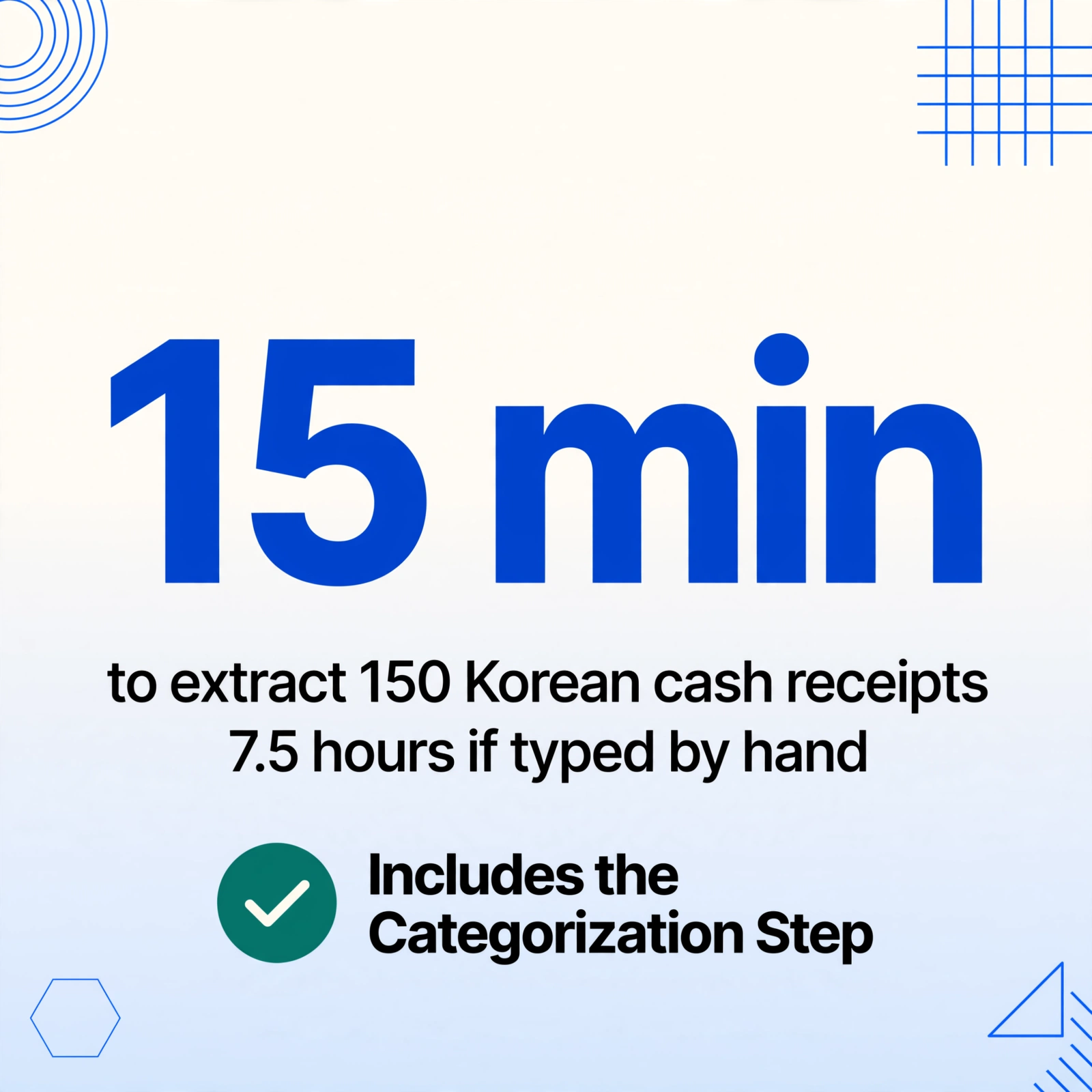
This is where batch processing changes the math fundamentally. Manual entry of 150 receipts — locating the receipt, reading the amount, typing it into a spreadsheet, looking up the merchant to determine the expense category — takes approximately 7.5 hours at 3 minutes per receipt. Batch AI extraction does the same work in under 15 minutes, including the categorization step that manual entry typically postpones to a second pass.
The reason batch extraction works differently for 현금영수증 than for many other document types is that the data across receipts is structurally consistent — every NTS-issued receipts has the same field layout, even if the paper receipts from small merchants vary. This consistency means a single set of column definitions applies to the entire batch, and the AI only needs to learn the pattern once. The output is a single Excel file where every receipt is a row, every category is pre-assigned, and the sorting by deduction type or expense category is ready before you open the file.
For a complete walkthrough of the batch workflow — including how to handle the receipts that fail extraction the first time, how to set up auto-categorization with inferred columns, and how to merge multiple batch exports into a single annual file — see our guide on batch-processing a year of Korean cash receipts into a tax deduction summary.
Real numbers: Manual entry of 150 receipts at 3 minutes each = 450 minutes (7.5 hours). Batch AI extraction at 5–10 seconds per receipt = 12.5–25 minutes of processing time. At the 30% cash receipt deduction rate, if those 150 receipts total ₩5 million and the filer's salary exceeds the 25% threshold, the tax benefit at stake is roughly ₩1.5 million — making efficient extraction not just a convenience but a direct financial return.
How to Verify Your Cash Receipt (현금영수증) Extraction and Stay Audit-Ready
Any data extraction workflow, whether manual or AI-powered, needs a verification step. The consequence of an error in 현금영수증 extraction depends on the direction of the mistake: over-claiming a deduction that doesn't exist can trigger a tax audit adjustment, while under-claiming leaves money on the table. The verification method differs by source type.
For electronic receipts from Hometax: The NTS already knows the exact date, amount, and merchant. There is no extraction risk for these fields — the verification check is whether the category assignment makes sense for the merchant. A receipt from "약국 (Pharmacy)" should be categorized as Medical, not Meals. This is typically a spot-check: scan 10–15% of the batch for merchant-to-category logic.
For paper receipt photos: The full chain depends on image quality. A clear photo of a thermal receipt — taken in good light with the receipt flat on a surface — typically produces extraction accuracy comparable to electronic receipts. Faded thermal paper, crumpled receipts, or handwritten amounts may need closer review. The verification step here is visual: compare the extracted spreadsheet row against the original photo for date, amount, and merchant name.
For batch consistency: The most effective verification technique is a total check. Sum the "Total Amount" column in your extracted spreadsheet. Compare it against the total from Hometax for the same period. If the numbers match within a reasonable margin (reflecting paper receipts that were outside the NTS digital flow), the batch extraction is almost certainly correct. A discrepancy of more than 5% signals that a subset of receipts may have misread values and should be individually reviewed.
Many AI extraction tools now include a bbox verification mode that can accelerate this step: hovering over any extracted cell highlights the exact location on the original image where that value was found, so you can confirm accuracy without cross-referencing against the original document by eye. For high-volume filers, this turns a 30-minute manual verification into a 5-minute scan.
Frequently Asked Questions About Korean Cash Receipt Data Extraction
Can I extract data from a 현금영수증 that has faded thermal paper?
Partially. If the text is too faded for human eyes to read, most AI extraction tools will also struggle — but the threshold varies. A receipt that has faded to near-invisibility under normal light may still have enough ink residue for a high-resolution scan to recover partial data. The practical workaround: if a paper cash receipt is too faded, check whether the merchant transmitted an electronic version to the NTS (which you can download from Hometax), or request a re-issuance from the merchant if the transaction is recent.
Does the extraction tool support Korean text and 현금영수증-specific column names?
Yes. Modern vision LLMs are multilingual by design. You can enter column names in Korean (e.g., 거래일자, 상호명, 공급가액, 부가세, 합계, 카테고리) or in English, and the AI will match the semantic intent regardless of which language you use. The output spreadsheet can also have Korean column headers if that suits your filing workflow. The one language limitation is that the tool's interface is in English, but the extraction itself is fully language-agnostic.
Can I batch-extract both electronic Hometax CSV files and paper receipt photos together?
Yes — this is the most practical approach for a real filing scenario. Upload everything as a single batch: your Hometax CSV export, photos of paper 현금영수증 slips, and mobile screenshots from Naver Pay or Kakao Pay. The AI processes each file according to its format (text extraction for the CSV, visual extraction for images) and merges everything into one unified spreadsheet. This works because the column definitions apply identically across all source types.
What if a receipt was issued as 소득공제용 but I need it as 지출증빙용 for my business?
You cannot change the receipt type through extraction. The classification was set at the point of issuance in the NTS system. However, Hometax does allow you to retroactively reclassify receipts through the 현금영수증 수정 → 용도변경 menu. This changes the NTS's internal record of the receipt, after which it can be claimed as business expense proof. Extraction comes after this step — if a receipt needs reclassification, do it in Hometax first, then include it in your extraction batch.
How long should I keep the original paper cash receipts after extraction?
The National Tax Service requires taxpayers to retain supporting documents for 5 years under the Framework Act on National Taxes (국세기본법), though the standard audit window is typically 3 years for most individual filers. Digital records — including the original scanned images and the extraction output — are generally accepted as supporting documentation, provided the digital files are clearly legible. For business operators with frequent VAT filings, keeping both the digital extraction and the original paper (or a high-resolution scan) for the full 5-year retention period is the safest approach.
Can extraction tools handle self-issued receipts (자진발급분) that were issued with the NTS code 010-000-1234?
Extraction tools can process any receipt you upload, including self-issued receipts. However, there is a prerequisite: before extraction adds value, the self-issued receipt must first be registered in Hometax's 자진발급분 소비자 등록 menu. Without this step, the approval number, date, and amount are not linked to your taxpayer record, and the NTS will not recognize the receipt for deduction purposes regardless of how accurately you extract the data from the paper slip. Once registered, the receipt joins your electronic record and can be extracted alongside all others. For a detailed timeline of when to do this before the 연말정산 deadline, see our year-end tax cash receipt checklist.
What is the practical accuracy I should expect when extracting 현금영수증 with AI?
For printed electronic receipts (the majority of 현금영수증), accuracy on numeric fields — date, amount, supply value, VAT — consistently exceeds 99% when the source image is clear. For paper receipts from small merchants, accuracy depends on image quality: a well-lit, in-focus photo of a pristine receipt will match electronic-level accuracy, while a crumpled or faded thermal slip may drop to the 90–95% range on individual fields. The category inference (AI deciding whether a receipt is Meals vs. Transport vs. Office) depends on how distinctive the merchant name is — major chains like "Paris Baguette" or "CU" are unambiguous, while a generic neighborhood name may need human confirmation. The practical workflow is to batch-extract everything first, then spot-check the 5–10% of receipts where the AI expressed low confidence.
For seasonal timing — when to register your phone number, when to download your Hometax data, and when to prepare your paper receipts — see our 연말정산 cash receipt preparation checklist. And for a comprehensive analysis of the hidden costs of doing this work manually every year, including the specific fault lines that cause most employees to leave money on the table, read our breakdown of the 연말정산 cash receipt scramble.
The NTS already has the numbers. The missing piece is the categorization that makes those numbers filing-ready — and that is a data extraction problem, not a tax knowledge problem. Whether you are a salaried employee facing 연말정산 or a business operator claiming VAT input tax credit, the same principle applies: define the columns your filing needs, let AI extract and categorize, and verify the output in minutes instead of hours.