Batch Processing One Year of Korean
Cash Receipts for Tax Deduction
A typical Korean salaried worker generates 80 to 200 cash receipts (현금영수증) per year — taxi fares, restaurant meals, office supplies, pharmacy purchases. Every January, when the year-end tax settlement (연말정산) window opens, the Hometax download gives you date, amount, and vendor name for most of them. What it doesn't give you — and what your tax accountant will ask for — is any expense category. That field requires you to read each receipt and decide: was this 식대 (meals), 교통비 (transport), or 사무용품비 (office supplies)? At 3 minutes per receipt for manual data entry plus categorization, 150 receipts costs 7.5 hours. Batch processing collapses that into 15 minutes — and the bottleneck isn't the AI. It's knowing which columns to define and how to handle the receipts that don't cooperate.
Key Takeaways
- 7.5 hours — that's how long manual entry plus categorization takes for 150 scattered Korean cash receipts, and the January tax deadline doesn't wait.
- Half of those 7.5 hours are spent circling back to categorize receipts by expense type — the typing is tedious, but the mandatory second pass is the structural problem no one talks about.
- Seven column definitions, one batch upload, auto-categorization during extraction — 150 receipts processed in 15 minutes, with the spreadsheet arriving pre-sorted by 식대, 교통비, and 사무용품비.
The January Problem That Has Nothing to Do With Tax Law
By the time January arrives, most Korean workers have the deduction rate calculations memorized. Cash receipts (현금영수증) and debit cards earn a 30% income deduction rate — double what credit cards get at 15%. Traditional market and public transit spending earns 40%. The basic deduction ceiling is 3 million won for those earning 70 million won or below, 2.5 million won above. The spending must exceed 25% of your total salary before any deduction kicks in.[NTS] These numbers are not the problem.
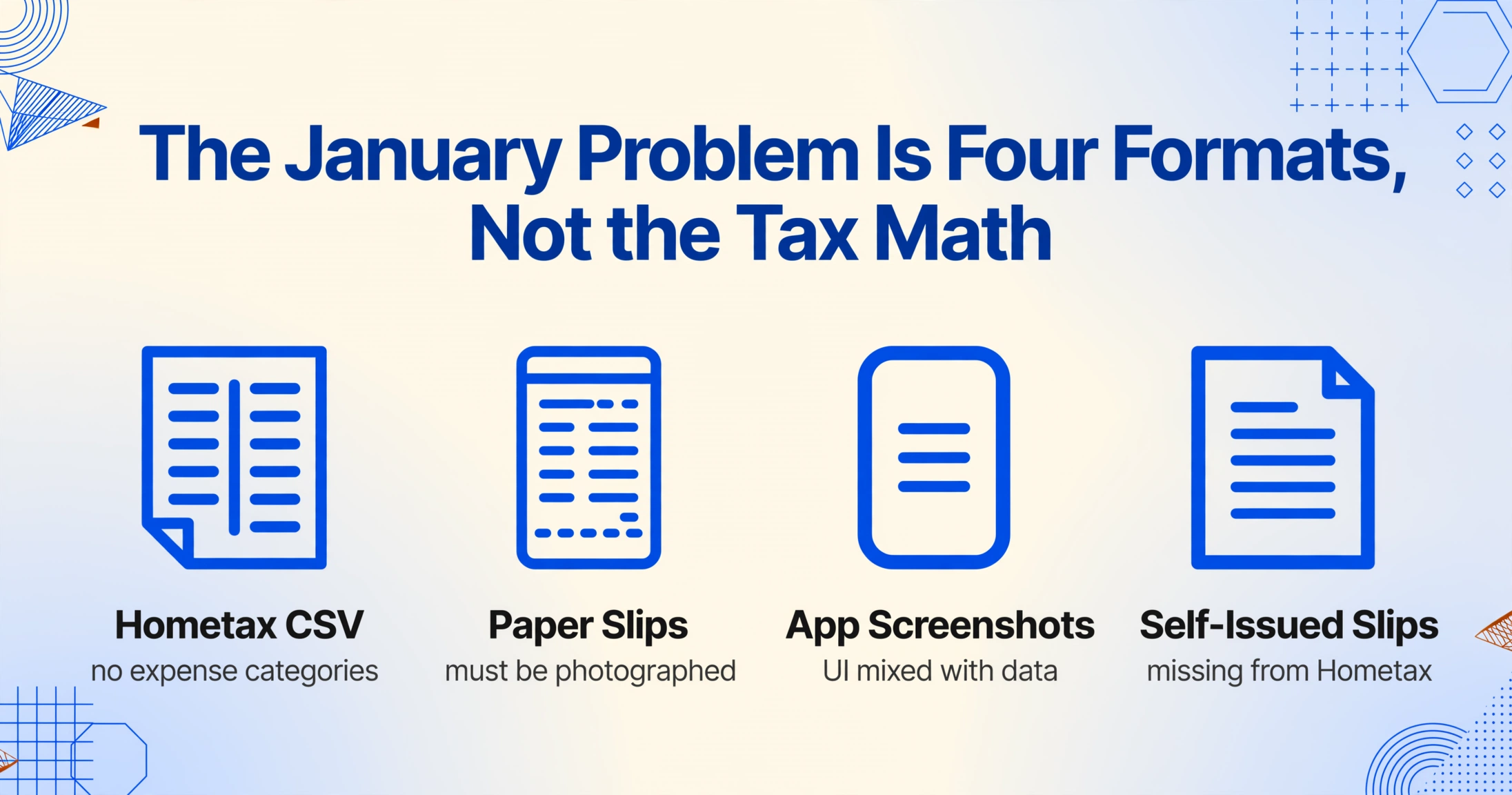
The problem is that tax deduction math assumes you have structured data to feed into it. What you actually have, on a typical January evening, is a scattered collection that spans four entirely different formats:
- A CSV file from Hometax (홈택스, the NTS portal) containing your electronic cash receipt history — date, vendor, amount, approval number — organized chronologically but with zero expense category classification
- A shoebox of thermal-printed paper cash receipt slips from small merchants — the neighborhood hardware store, the traditional market stall, the lunch spot where the card terminal was broken
- Screenshots from Naver Pay and Kakao Pay showing transactions that generated cash receipts inside the app rather than through Hometax
- Self-issued receipts (자진발급분) — receipts issued using the NTS code 010-000-1234 when you didn't provide your phone number, which won't appear in your Hometax dashboard unless you manually register them by entering the approval number, date, and amount
Each source contains the raw numbers the NTS already knows. None of them organize the data the way your tax filing needs it: by expense category, sorted by deduction type, ready to hand to your employer's HR or your tax accountant (세무사). The gap between what Korea's digital tax infrastructure provides and what your filing requires is a data transformation problem — and it's a batch transformation problem, because processing one receipt at a time multiplies 3 minutes of work across 150 receipts into a day-long ordeal.
For a detailed walkthrough of extracting individual cash receipts — the deduction math, column definitions for single receipts, and the 한국 cash receipt system mechanics — see our guide on extracting Korean cash receipt data for tax settlement. The rest of this article assumes you understand the deduction formula. What we're solving here is the batch problem: what changes when there are 150 of them and the clock is ticking.
What Batch Processing Actually Changes
Processing one receipt and processing 150 receipts are not the same task at different scales. They are structurally different problems. Most data extraction tutorials treat them as the same thing repeated — define columns, upload, get results, repeat. But when you process receipts in batches, three challenges emerge that single-receipt workflows never expose.
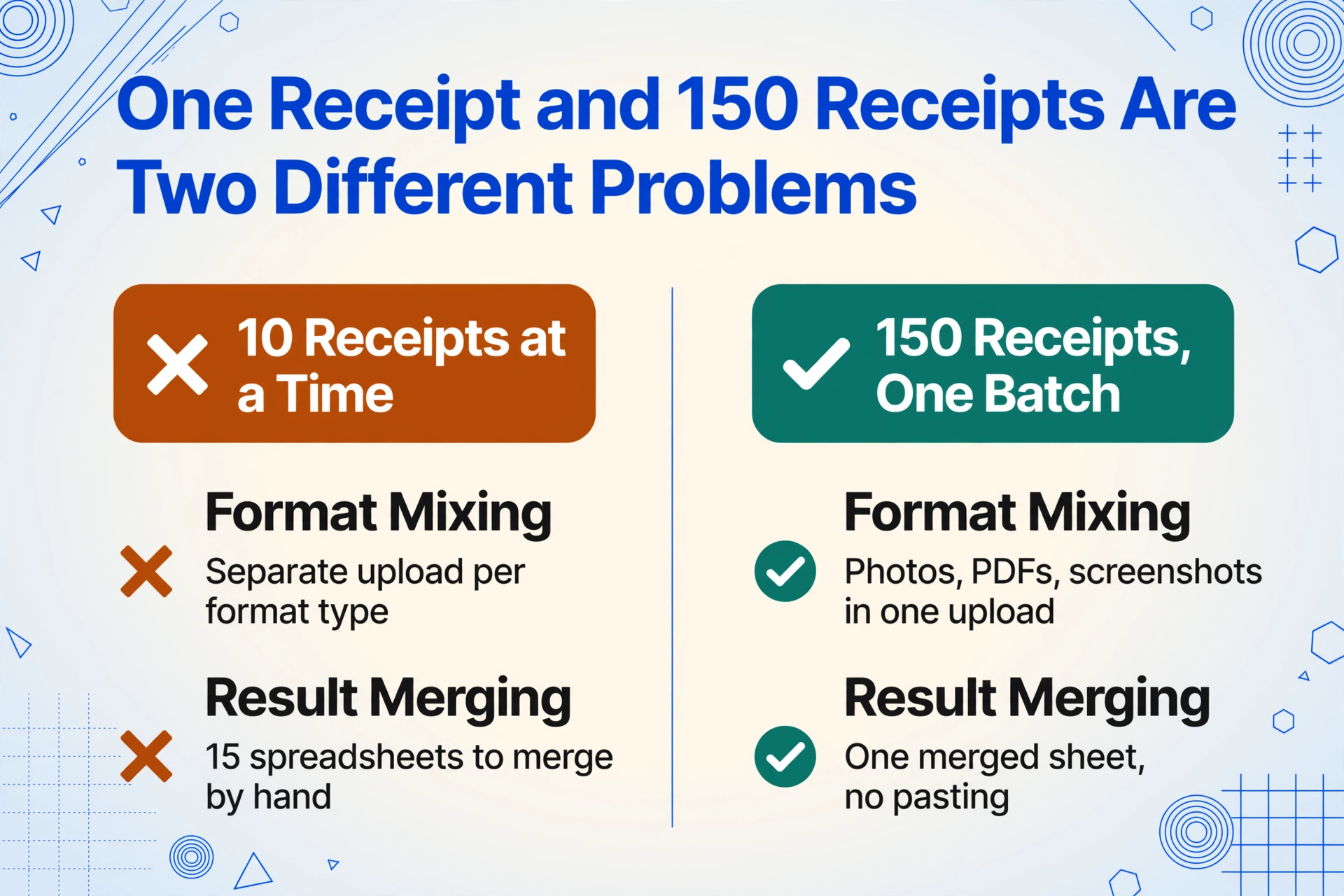
Format mixing. A single receipt has one format — a JPG photo, a PDF scan, a screenshot. A batch of 150 receipts collected over a year has at least three: phone photos of paper slips (different lighting, angles, background noise), Hometax-exported PDF or screenshot tables (dense, multi-column, no visual cues for field boundaries), and app screenshots from Naver Pay or Kakao Pay (UI chrome mixed with receipt data). Processing them individually means separate uploads per format type. Processing them in batch means the extraction tool needs to handle all three in the same upload — reading the actual data regardless of format. This capability, called Custom Column Extraction, works differently from template-based tools: instead of training the tool on where fields sit on each type of document, you name the columns you want — Date, Vendor, Supply Amount, VAT, Total — and the AI reads each receipt and locates values by understanding what the text means, not where it sits.
Result merging. If you process 10 receipts at a time, you get 15 separate spreadsheets. Someone then needs to copy-paste 15 sheets into one — and if a column header has a typo or mismatched casing, Excel treats it as a separate column, splitting your data across two headers in the final merge. Batch processing eliminates this entirely: all 150 receipts go in as one batch, and one spreadsheet — with one consistent set of column headers — comes out.
Auto-categorization at scale. This is where the efficiency gap really widens. In a single-receipt workflow, you extract the fields, then manually add an expense category column — 식대, 교통비, 사무용품비 and so on. With 150 receipts, that's a second full pass through every row. Batch processing with inferred columns collapses this into one step: you define a column like Expense Category (options: 식대/교통비/사무용품비/임차료/통신비/소모품비/기타), and as the AI extracts each receipt, it simultaneously reads the vendor name and transaction context to determine the appropriate category. A receipt from a restaurant becomes 식대. A taxi receipt becomes 교통비. An office supply receipt becomes 소모품비. The extraction and categorization happen together, and the output arrives pre-sorted.
An average worker processing 150 receipts manually spends roughly 450 minutes: 300 minutes typing dates, vendors, and amounts, then another 150 minutes going back to categorize each row. Batch extraction with auto-categorization processes the same volume in about 15 minutes — the AI handles each receipt in 5 to 10 seconds — and the merged, categorized spreadsheet is the starting point, not the output of a two-pass manual grind.
Define Seven Columns Once, Process 150 Receipts at Once
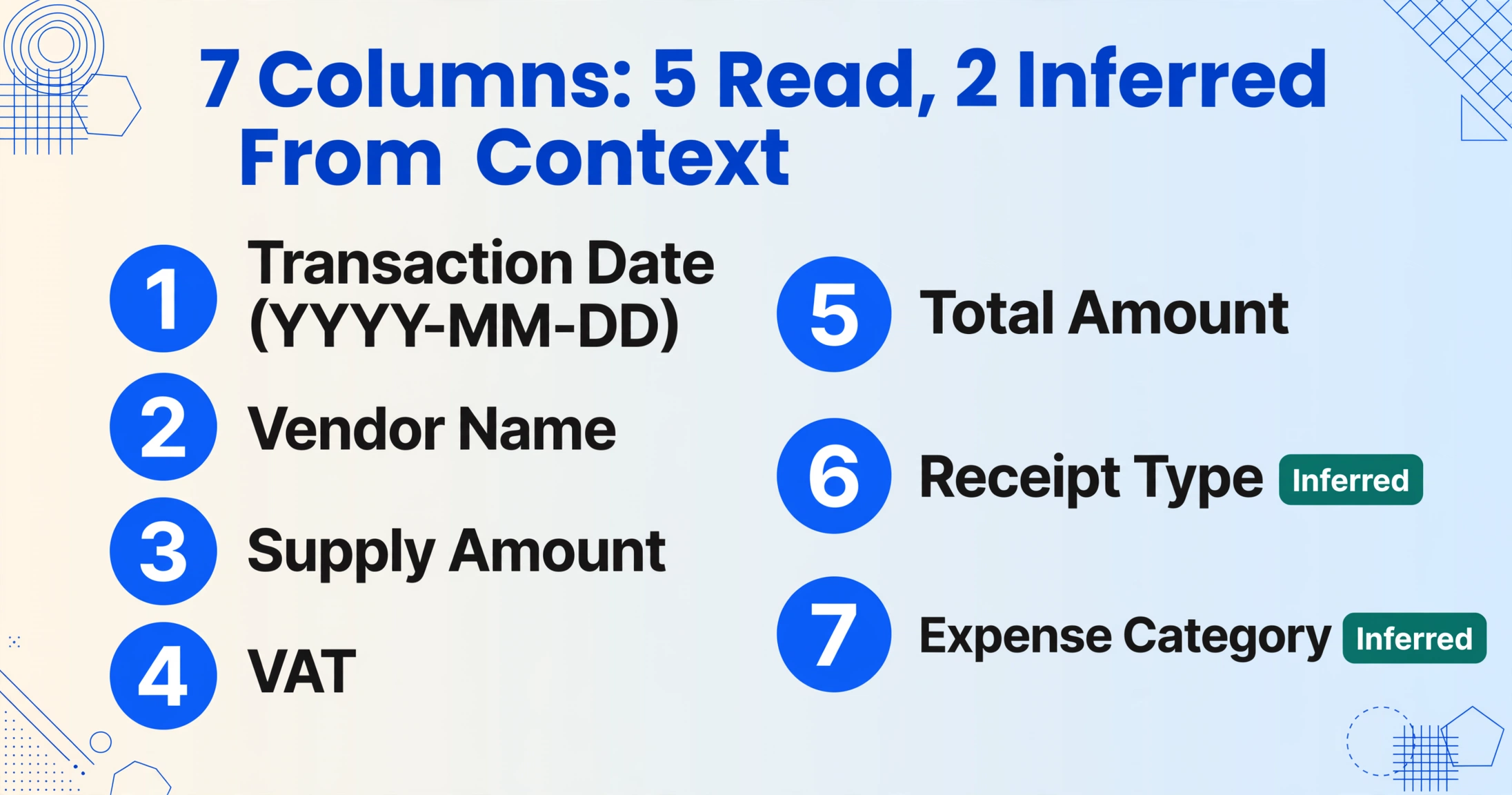
The column definitions you choose determine whether the output lands in your tax accountant's hands with a nod or a request to reformat. Seven fields cover the full requirements for a Korean year-end tax settlement (연말정산) cash receipt batch:
Transaction Date (YYYY-MM-DD)Vendor NameSupply AmountVATTotal AmountReceipt Type (options: 소득공제용/지출증빙용/미표기)Expense Category (options: 식대/교통비/사무용품비/임차료/통신비/소모품비/기타)The first five columns are direct extraction — the AI reads the values directly from the receipt surface. The last two are inferred columns: the AI determines the receipt type and expense category by reading the receipt content and understanding its context, even when those words never appear on the document itself.
The Supply Amount (공급가액) and VAT (부가세) split matters specifically for business operators filing comprehensive income tax (종합소득세), since VAT input tax credit (매입세액공제) applies only to the supply amount. For individual year-end settlement, the Total Amount is the number that feeds into the (spending − 25% threshold) × 30% formula. Including both ensures the spreadsheet works for either use case without re-extraction.
The Receipt Type column accounts for an important edge case: not every cash receipt explicitly prints 소득공제용 or 지출증빙용. When the label is present on the receipt — typically displayed as "현금(소득공제)" or "현금(지출증빙)" near the top — the AI extracts it directly. When it's absent, the field returns 미표기, and you classify it manually based on the nature of the expense.
Files are processed securely and not stored.
Once you've defined these seven columns, every receipt in the batch — whether it's a crisp Hometax screenshot, a dim photo of a thermal slip, or a Naver Pay transaction detail — gets processed against the same column set. The output is a single spreadsheet where each row is one receipt and all seven columns are populated. The expense category column means the sorting and filtering your tax accountant needs is already done.
When Receipts Don't Cooperate: Exception Handling at Batch Scale
In a batch of 150 receipts, roughly 10 to 15 percent will have some kind of anomaly. That's 15 to 22 receipts that need attention — and the way you handle them is where batch processing shows its real advantage over single-receipt workflows.
Faded thermal paper. Cash receipt paper from a traditional market stall or a neighborhood restaurant is thermal-printed — the same paper that fades to near-blank within six to eight months. A receipt from March photographed in January might have partial legibility: the total amount is visible but the vendor name has faded, or the date is readable but the supply amount vs. VAT breakdown has disappeared. The AI extracts what it can read — the output cell for a faded field will be blank, which is a signal. In a manual-entry workflow, you'd either guess from memory or skip the receipt entirely. In a batch workflow, a blank cell flags the receipt for verification against the Hometax download, where the electronic record contains the full data. You fill the blank from the verified Hometax record — a 30-second fix per flagged receipt instead of a full manual entry.
Missing VAT breakdown. Not all cash receipt formats separate the supply amount (공급가액) from the VAT (부가세). Some small merchants issue receipts showing only the total amount. When the receipt doesn't contain the breakdown, the Supply Amount and VAT columns come back blank, and the Total Amount column contains the full figure. For individual year-end settlement, this is sufficient — the deduction formula uses the total. For business operators needing the VAT split, the calculation is straightforward: divide the total by 1.1 to get the supply amount (inverse of the 10% VAT rate). Marking these rows for the accountant with a note column clarifies which figures are direct extraction vs. calculated.
Cross-referencing against Hometax. After the batch completes, pull up the Hometax year-end settlement simplified service (연말정산 간소화 서비스) download and compare the total spending amount against your batch extraction total. A discrepancy usually means one of two things: a receipt was missed (a 자진발급분 you forgot to photograph), or a receipt was double-counted (the same transaction appears in both your Hometax export and your phone photos). The batch output spreadsheet makes this check a single SUM comparison, not a receipt-by-receipt reconciliation.
Data quality and Korean-language documents: The AI's recognition accuracy for printed Korean text on clean paper reaches up to 99%. For degraded thermal paper or low-light phone photos, accuracy drops — but structured fields like dates and numeric amounts tend to hold up better than free-text vendor names. For a deeper look at AI accuracy on Korean documents specifically, see our analysis of whether AI can read Korean invoices accurately.
From Merged Spreadsheet to Tax Filing: The Handoff
The batch extraction output is a categorized spreadsheet. The next step depends on your filing channel.
If you file through your employer's HR department — the most common path for year-end settlement in Korea — the spreadsheet doesn't need to match any specific software import format. The HR team uses it as a reference to verify the numbers against the NTS simplified service data during the company-level reconciliation, which runs from January 17 through March 10 for the previous tax year. A clean spreadsheet with columns ordered by date, category, and amount makes their verification a matter of cross-checking totals.
If you file through a tax accountant (세무사), they typically expect: receipts grouped by 소득공제용 and 지출증빙용, expenses categorized by type, and a summary sheet showing category subtotals. Batch extraction with the seven-column setup produces the raw data with all three requirements already baked in. The category grouping and subtotals are a pivot table away in Excel.
If you use a tax platform like 삼쩜삼 — which has served over 7.2 million users for tax refund filing — or SSEM, the import interface varies, but the underlying input is the same: a spreadsheet with date, expense category, and amount columns. These platforms compute optimal deduction strategies — the 황금비율 (golden ratio) of credit card vs. cash receipt spending — but they assume you already have your expenses categorized. BankSalad's (뱅크샐러드) calculator and Card Gorilla's (카드고릴라) deduction optimizer make the same assumption. The batch extraction step gives you what these tools assume you already have.
For business operators who process both cash receipts and tax invoices (세금계산서) — common for freelancers with mixed B2B and B2C income — combining both document types in the same batch is possible. See our Korean tax invoice extraction guide for the field considerations when mixing these formats, and our Korean receipt extraction guide for general receipt workflows that overlap with cash receipt processing. If your batch also includes delivery notes or registration certificates, the Korean tax document extraction overview maps the column sets for every document type in that mixed stack.
FAQ: Batch Processing Korean Cash Receipts for Tax Deduction
Can I mix cash receipts (현금영수증) with regular receipts (일반영수증) in the same batch?
Yes. Add a column for Receipt Type (options: 현금영수증/일반영수증/세금계산서) and the AI classifies each document during extraction. The output includes a filterable type column so you can separate cash receipts for their 30% deduction rate from regular receipts that carry no tax benefit.
What happens when a receipt is too faded to read?
The AI extracts whatever is legible and leaves blank cells for fields it cannot read. These blanks serve as flags — you cross-reference the faded receipt against the Hometax electronic record, which always contains the full data, and fill in the missing fields. This targeted verification takes about 30 seconds per flagged receipt rather than the 3 minutes a full manual entry would require.
Do I still need to download the Hometax year-end settlement file?
Yes — but for verification, not for data entry. The Hometax 연말정산 간소화 download is your reconciliation checkpoint. Compare the total spending amount in your batch extraction output against the Hometax total. If they match within a small margin (accounting for receipts the AI classified differently than Hometax), your batch is complete. If there's a significant gap, it points to a missing or double-counted receipt — a much faster check than manually entering 150 receipts and hoping you didn't miss any.
How does the AI categorize receipts when the vendor name is ambiguous?
The AI uses the full receipt context — vendor name, items purchased, transaction amount, and any printed category indicators — to determine the most likely expense category. A transaction at a convenience store (편의점) buying snacks gets categorized as 식대 if the items and amount suggest a meal, or 소모품비 if it's household supplies. When the context is genuinely ambiguous, the category defaults to 기타 (other), and you can override it in the spreadsheet. The AI's category assignment is a starting point that eliminates roughly 80-90% of the manual classification work.
Are my cash receipt images stored after processing?
No. Uploaded receipt images are processed in memory and discarded after extraction completes. No receipt data is retained, and no content is used for AI model training.
Can I reuse the same column definitions next year?
Yes. Once you define the seven-column setup — Date, Vendor, Supply Amount, VAT, Total, Receipt Type, Expense Category — you can save it as a template. Next January, load the template, upload your new batch of 150 receipts, and the same column definitions process the new data without any reconfiguration.
The January year-end settlement deadline arrives on the same schedule every year. What differs is whether you walk into it with a shoebox of receipts and a Hometax CSV that's useless without categorization, or with a single spreadsheet where every receipt is already labeled, sorted, and cross-referenced. The 30% deduction rate on cash receipt spending is worth real money — for a worker earning 40 million won, maximizing cash receipt deductions within the 3-million-won ceiling can reduce taxable income enough to shift a tax bracket. But the deduction only materializes if the receipts are aggregated, categorized, and filed. Batch processing bridges the gap between the data Korea's tax system already tracks and the spreadsheet your tax filing actually requires.